SoftwareGlimpse
Buying guide

Best CRM Software

We evaluated 40 CRM platforms across pipeline management, usability, automation, reporting, integrations, and value — to help you shortlist the right fit for your team, workflow, and budget.

SoftwareGlimpse may earn a commission when you buy through some links. This does not affect our recommendations. How we make money

  • Best for pipeline management

    Strong visual pipeline management and deal workflows for sales teams that live in stages and activities.

  • Best freemium CRM

    Free forever CRM with a clear upgrade path into Sales, Marketing, and Service hubs for growing teams.

  • Best for startups

    Flexible, data-model-first CRM for startups and GTM teams that want a modern workspace with AI assistance.

Our top CRM picks

  • 1Pipedrive logo
    PipedriveBest for pipeline management
    7.5/10

    Strong visual pipeline management and deal workflows for sales teams that live in stages and activities.

    From $14.00/user/mo

    Read review →
  • 2HubSpot logo
    HubSpotBest freemium CRM
    7.8/10

    Free forever CRM with a clear upgrade path into Sales, Marketing, and Service hubs for growing teams.

    From $15.00/user/mo

    Read review →
  • 3Attio logo
    AttioBest for startups
    7.6/10

    Flexible, data-model-first CRM for startups and GTM teams that want a modern workspace with AI assistance.

    From $0.00/user/mo

    Read review →
View full rankings

The best CRM at a glance

The best CRM depends on team size, sales process, budget, and the capabilities you need every day. Use this shortlist to compare recommended options, then dig into pricing, features, and fit.

View full comparison →
  • 1Pipedrive logo

    Pipedrive

    Best for pipeline management

    Strong visual pipeline management and deal workflows for sales teams that live in stages and activities.

    • Pipeline and deal-management focus
    • Custom pipelines and fields for sales processes
    • Clear activity-driven selling workflow

    From $14.00/user/mo

  • 2HubSpot logo

    HubSpot

    Best freemium CRM

    Free forever CRM with a clear upgrade path into Sales, Marketing, and Service hubs for growing teams.

    • True free CRM entry with room to expand
    • Suite breadth across marketing, sales, and service
    • Marketplace-centric integrations

    From $15.00/user/mo

  • 3Attio logo

    Attio

    Best for startups

    Flexible, data-model-first CRM for startups and GTM teams that want a modern workspace with AI assistance.

    • Modern UX and flexible data model
    • Strong startup / GTM positioning
    • Clear Free → Plus → Pro ladder

    From $0.00/user/mo

  • 4Zoho CRM logo

    Zoho CRM

    Best affordable full-featured CRM

    Broad CRM feature ladder from a free tier through Ultimate, typically at lower list prices than major platforms.

    • Free edition for tiny teams
    • Strong price-to-capability on paid editions
    • Automation and Zia AI on higher plans

    From $0.00/user/mo

  • 5Freshworks logo

    Freshsales

    Best for sales engagement

    CRM with built-in engagement capabilities such as calling, lead scoring, and sales activity tools.

    • Built-in calling and engagement workflows
    • Lead scoring and assistance signals
    • CRM + engagement in one product surface

    From $9.00/user/mo

Best CRM at a glance

Select up to four CRMs to compare. Unknown free-plan cells mean coverage is incomplete — not “No”.

Compare CRM software
CRMOur scoreBest for / fitStarting priceFree planKey strengthKey limitationReviewCompare
Pipedrive logoPipedrive
7.5/10
/10
Pipeline-first SMB sales teams$14.00/user/moNoPipeline and deal-management focusNative engagement-suite depth may be thinner than broader CRM suitesReview
HubSpot logoHubSpot
7.8/10
/10
Teams starting free and expanding into a customer platform$15.00/user/moYesTrue free CRM entry with room to expandMulti-hub seat packaging can get complex and expensive at scaleReview
Attio logoAttio
7.6/10
/10
Startups and product-led GTM teams$0.00/user/moYesModern UX and flexible data modelLess proven as an enterprise system of record than Salesforce/DynamicsReview
Zoho CRM logoZoho CRM
7.4/10
/10
Cost-conscious SMB and mid-market CRM buyers$0.00/user/moYesFree edition for tiny teamsUX polish and ecosystem depth may trail HubSpot/Salesforce for some buyersReview
Freshworks logoFreshsales
7.8/10
/10
Teams wanting CRM + native engagement tools$9.00/user/moNoBuilt-in calling and engagement workflowsPipeline customization depth may feel less specialized than pipeline-first CRMsReview

Our top CRM picks

Evidence-backed write-ups for the ranked shortlist. Scores come from approved assessments; fit badges reflect approved editorial awards.

#1Pipedrive logo

#1 Pipedrive

Best for pipeline management

7.5/10

Pipedrive is built around the sales pipeline: deals move through stages with clear activity expectations. It suits teams that want a focused CRM rather than a broad marketing suite.

Buyers who value pipeline clarity and straightforward deal tracking often start here. Tradeoffs typically appear when you need deeper native engagement suites (calling + scoring) in one vendor package.

Why Pipedrive scored highly

  • Ease of use8.0
  • Pipeline management9.0
  • Sales automation7.0
  • Email capabilities7.0
  • Reporting7.0
  • Customization8.0
  • Integrations8.0
  • Administration overhead7.0
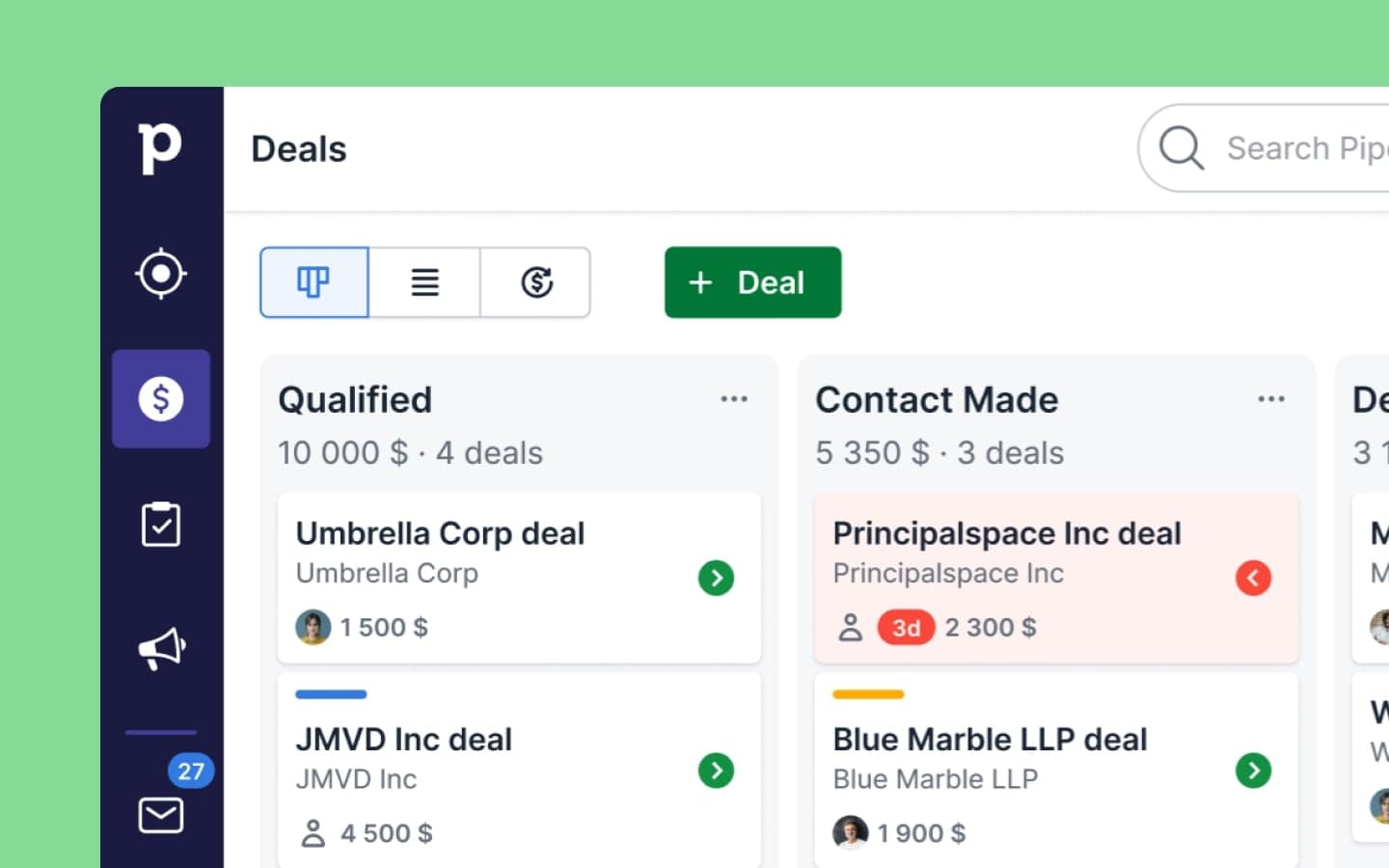
Pipedrive visual deal pipeline board
Visual pipeline board for tracking deals by stage. Source

Best for

  • SMB sales teams
  • Pipeline-centric processes
  • Teams wanting a focused sales CRM

Not ideal for

  • You need a full marketing + service suite in one vendor
  • Calling-heavy outbound is your primary motion and you want it deeply native
Starting price
$14.00/user/mo
Best for
Pipeline-focused sales teams
Deployment
Cloud
#2HubSpot logo

#2 HubSpot

Best freemium CRM

7.8/10

Free forever CRM with a clear upgrade path into Sales, Marketing, and Service hubs for growing teams.

Why HubSpot scored highly

  • Ease of use7.0
  • Pipeline management8.0
  • Sales automation8.0
  • Email capabilities8.0
  • Reporting8.0
  • Customization8.0
  • Integrations9.0
  • Administration overhead5.0
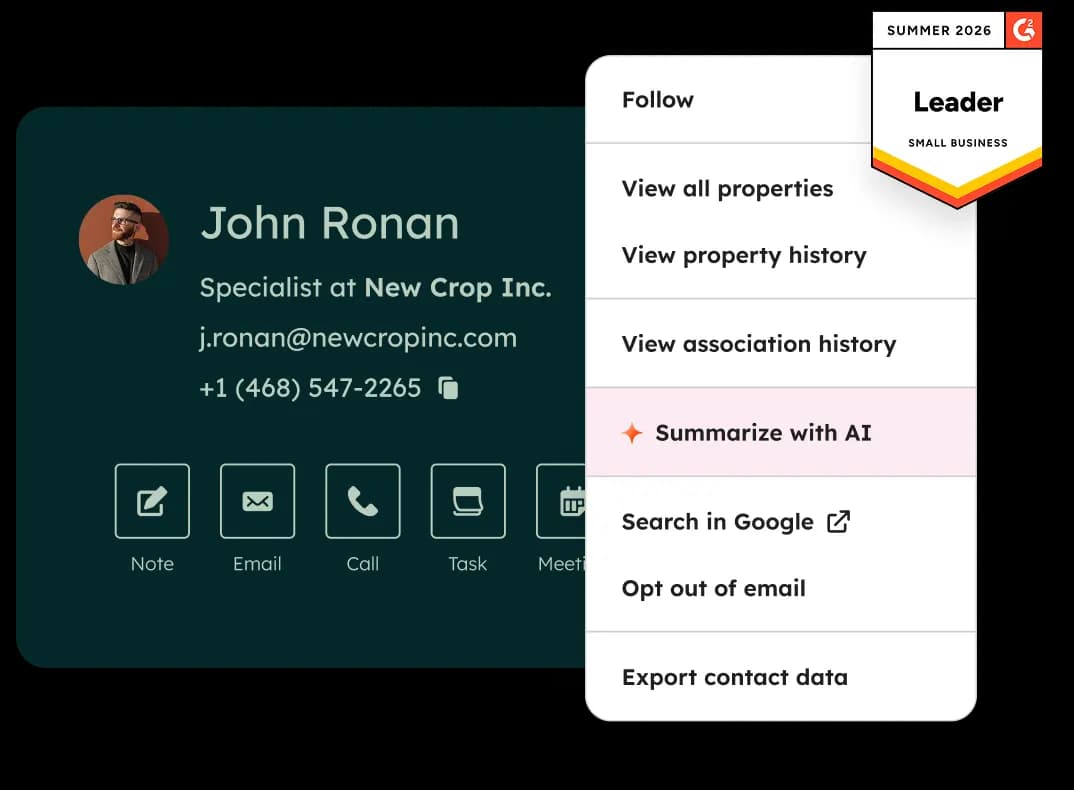
HubSpot Free CRM product visualization
Official Free CRM hero product visualization. Source

Best for

  • SMB and mid-market teams wanting freemium CRM
  • Marketing + sales alignment on one platform

Not ideal for

  • You want a simple single-price sales CRM
  • You need dialer-first outbound as the core product
Starting price
$15.00/user/mo
Best for
Freemium CRM + hub expansion
Deployment
Cloud
#3Attio logo

#3 Attio

Best for startups

7.6/10

Flexible, data-model-first CRM for startups and GTM teams that want a modern workspace with AI assistance.

Why Attio scored highly

  • Ease of use8.0
  • Pipeline management8.0
  • Sales automation7.0
  • Email capabilities7.0
  • Reporting7.0
  • Customization9.0
  • Integrations7.0
  • Administration overhead8.0
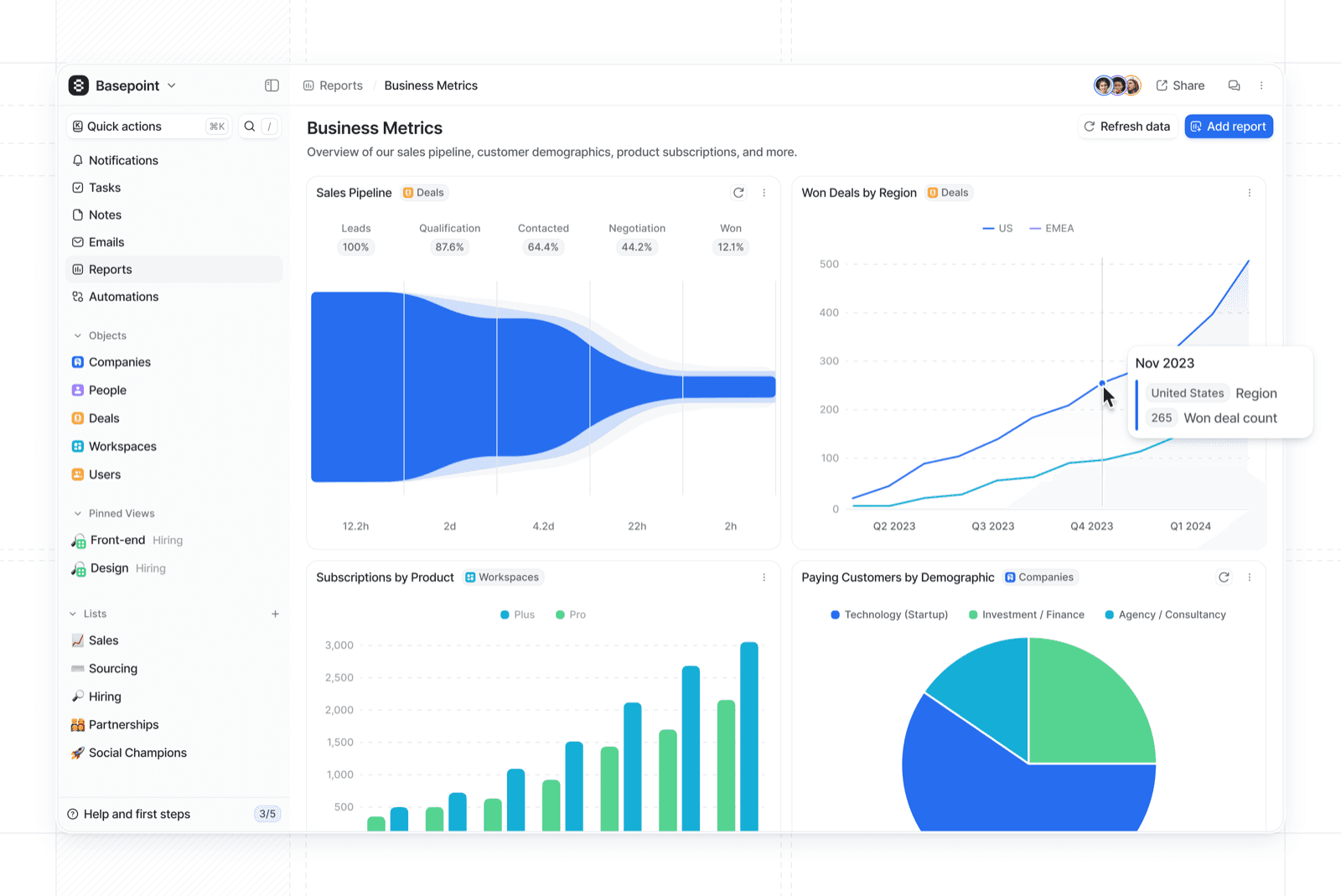
Attio CRM dashboard
Attio workspace dashboard from official Attio marketing. Source

Best for

  • Startups
  • GTM teams wanting a modern CRM

Not ideal for

  • You need a deep enterprise platform ecosystem
  • You only want a Gmail sidebar CRM
Starting price
$0.00/user/mo
Best for
Startup / modern GTM CRM
Deployment
Cloud
#4Zoho CRM logo

#4 Zoho CRM

Best affordable full-featured CRM

7.4/10

Broad CRM feature ladder from a free tier through Ultimate, typically at lower list prices than major platforms.

Why Zoho CRM scored highly

  • Ease of use8.0
  • Pipeline management8.0
  • Sales automation8.0
  • Email capabilities7.0
  • Reporting7.0
  • Customization8.0
  • Integrations8.0
  • Administration overhead7.0
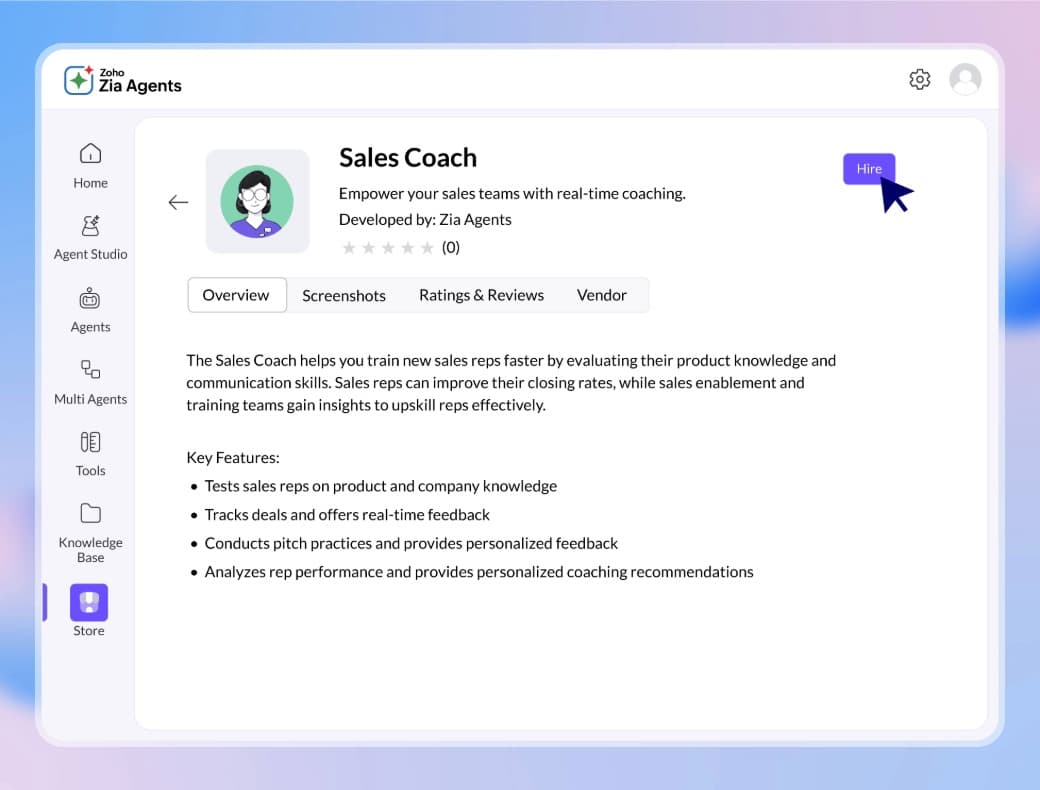
Zoho CRM omnichannel view
Zoho CRM omnichannel product visual from the official Zoho CRM homepage. Source

Best for

  • SMB teams
  • Buyers comparing HubSpot/Salesforce on price

Not ideal for

  • You need Microsoft 365-native enterprise CRM
  • You only need a lightweight Gmail CRM
Starting price
$0.00/user/mo
Best for
Affordable full-featured CRM
Deployment
Cloud
#5Freshworks logo

#5 Freshsales

Best for sales engagement

7.8/10

Freshsales is a strong option when you want CRM plus sales engagement in one place. Calling, scoring, and activity tooling matter more here than a minimalist pipeline-only tool.

It fits teams that want native engagement features without stitching together multiple point tools — while still evaluating plan limits and administration needs.

Why Freshsales scored highly

  • Ease of use8.0
  • Pipeline management8.0
  • Sales automation8.0
  • Email capabilities7.0
  • Reporting8.0
  • Customization8.0
  • Integrations7.0
  • Administration overhead7.0
Freshsales product hero visual
Freshsales product marketing hero visual. Source

Best for

  • Sales teams wanting CRM + engagement
  • Outbound motions with calling

Not ideal for

  • You only need a simple contact CRM
  • You prefer a pipeline-only specialist
Starting price
$9.00/user/mo
Best for
Sales engagement + automation
Deployment
Cloud
#6Salesforce logo

#6 Salesforce

Best for enterprise customization

7.8/10

Deep customization, reporting, and ecosystem for mid-market and enterprise sales orgs.

Why Salesforce scored highly

  • Ease of use5.0
  • Pipeline management9.0
  • Sales automation9.0
  • Email capabilities8.0
  • Reporting9.0
  • Customization10.0
  • Integrations9.0
  • Administration overhead4.0
Salesforce pipeline management view
Pipeline management UI from the Sales Cloud features page. Source

Best for

  • Mid-market and enterprise sales orgs

Not ideal for

  • You want a lightweight pipeline CRM
  • You cannot budget admin/implementation resources
Starting price
$25.00/user/mo
Best for
Enterprise sales platform
Deployment
Cloud
#7Copper logo

#7 Copper

Google Workspace CRM

7.2/10

Google Workspace-native CRM for teams that live in Gmail and Google apps.

Why Copper scored highly

  • Ease of use8.0
  • Pipeline management8.0
  • Sales automation7.0
  • Email capabilities8.0
  • Reporting6.0
  • Customization6.0
  • Integrations8.0
  • Administration overhead8.0
Copper CRM coaching workspace
Copper CRM coaching workspace from official Copper features marketing. Source

Best for

  • Gmail / Google Workspace teams

Not ideal for

  • You need Microsoft 365-native CRM
  • You want a free CRM tier
Starting price
$23.00/user/mo
Best for
Google Workspace CRM
Deployment
Cloud
#8monday sales CRM logo

#8 monday sales CRM

Work OS sales CRM

7.3/10

Visual monday.com CRM for teams that want pipelines, automations, and collaborative boards in one work OS.

Why monday sales CRM scored highly

  • Ease of use8.0
  • Pipeline management8.0
  • Sales automation8.0
  • Email capabilities7.0
  • Reporting7.0
  • Customization8.0
  • Integrations8.0
  • Administration overhead7.0
monday CRM pipeline view
monday CRM pipeline/group UI from official monday marketing. Source

Best for

  • Visual / collaborative sales teams
  • monday.com stack buyers

Not ideal for

  • You need deep enterprise Salesforce-style customization
  • You only want a free Gmail CRM
Starting price
€12.00/user/mo
Best for
Visual work OS CRM
Deployment
Cloud

Our top picks

  • Best for pipeline management

    Pipedrive’s pipeline-first design maps well to deal stages and activity-driven selling, with a leading pipeline-management criterion score among recommended options.

  • Best for sales automation

    Freshsales is a strong place to start when automation and engagement tooling sit close to the CRM.

  • Best for calling-heavy sales

    Close is aimed at teams where calling and conversation velocity drive the pipeline.

  • Best for simple CRM needs

    Capsule suits buyers who need straightforward relationship management with lower administration overhead.

  • Best for larger organizations

    Salesforce remains the fit when customization, reporting ceiling, and enterprise ecosystem depth matter most.

  • Best for small teams / free entry

    HubSpot’s free forever CRM and hub expansion path is the strongest freemium entry among catalogue platforms.

  • Best for startups

    Attio’s modern data model and GTM positioning fit startups and product-led teams.

Best CRM by need

Scenario awards use product fit from approved CRM recommendations and use-case mappings.

  • Fit for pipeline management

    Pipedrive’s pipeline-first design maps well to deal stages and activity-driven selling, with a leading pipeline-management criterion score among recommended options.

    View picks →
  • Fit for sales automation

    Freshsales is a strong place to start when automation and engagement tooling sit close to the CRM.

    View picks →
  • Fit for sales engagement

    Close is aimed at teams where calling and conversation velocity drive the pipeline.

    View picks →
  • Fit for relationship management

    Capsule suits buyers who need straightforward relationship management with lower administration overhead.

    View picks →
  • Fit for complex sales processes

    Salesforce remains the fit when customization, reporting ceiling, and enterprise ecosystem depth matter most.

    View picks →
  • Fit for contact management

    HubSpot’s free forever CRM and hub expansion path is the strongest freemium entry among catalogue platforms.

    View picks →
  • Fit for inbound sales

    Attio’s modern data model and GTM positioning fit startups and product-led teams.

    View picks →
  • Simple CRM

    Capsule appears in researched simple crm options.

    View picks →
  • Pipeline-focused

    Pipedrive appears in researched pipeline-focused options.

    View picks →

CRM pricing compared

CRM pricing is often per user and plan tier. Figures below use verified list prices when available — not invented market averages.

Last pricing check: 2026-08-13

Calculate your CRM cost →
CRMEntry / listFree planFree trialEst. for 10 users
Pipedrive logoPipedrive$14.00/user/moNo14-day trial$4,560.00/yr
HubSpot logoHubSpot$15.00/user/moYes14-day trial$1,800.00/yr
Attio logoAttio$0.00/user/moYesTrial available$9,480.00/yr
Zoho CRM logoZoho CRM$0.00/user/moYesTrial available$4,080.00/yr
Freshworks logoFreshsales$9.00/user/moNo21-day trial$2,400.00/yr
Salesforce logoSalesforce$25.00/user/moNo30-day trial$6,000.00/yr

Estimates use verified list prices and the shared cost engine. Flat plans stay flat (not multiplied by team size); seat plans scale with the slider. Custom-quote and incomplete pricing stay explicit.

How the top CRM platforms compare

Cells reflect feature support. Incomplete evidence stays marked as incomplete — never converted into “No”.

CapabilityPipedrive logoPipedriveHubSpot logoHubSpotAttio logoAttioZoho CRM logoZoho CRMFreshworks logoFreshsales
Pipeline managementStrongStrongStrongStrongStrong
Contact managementStrongStrongStrongStrongStrong
Lead managementStrongStrongStrongStrongStrong
Deal managementStrongStrongStrongStrongStrong
Lead scoringHigher planHigher planIncompleteIncompleteHigher plan
Email syncHigher planStrongStrongStrongStrong
Email sequencesHigher planStrongIncompleteIncompleteHigher plan
Sales automationHigher planStrongStrongStrongStrong
Workflow automationHigher planStrongStrongStrongStrong
ForecastingHigher planHigher planLimitedHigher planHigher plan
Custom pipelinesStrongStrongStrongStrongStrong
ReportingStrongStrongStrongStrongStrong
IntegrationsStrongStrongStrongStrongStrong
AI assistanceStrongStrongStrongHigher planStrong
Call functionalityLimitedIncompleteIncompleteIncompleteStrong
Mobile appStrongIncompleteStrongStrongStrong
  • ✓ Strong / supported
  • ~ Limited / depends
  • $ Higher plan
  • × Not supported
  • ? Evidence incomplete

The trade-offs that matter

Every CRM choice involves trade-offs. These strengths and limitations come from product assessments — not marketing copy.

    • Pipeline and deal-management focus
    • Custom pipelines and fields for sales processes
    • Clear activity-driven selling workflow
    • Native engagement-suite depth may be thinner than broader CRM suites
    • True free CRM entry with room to expand
    • Suite breadth across marketing, sales, and service
    • Marketplace-centric integrations
    • Multi-hub seat packaging can get complex and expensive at scale
    • Modern UX and flexible data model
    • Strong startup / GTM positioning
    • Clear Free → Plus → Pro ladder
    • Less proven as an enterprise system of record than Salesforce/Dynamics
    • Free edition for tiny teams
    • Strong price-to-capability on paid editions
    • Automation and Zia AI on higher plans
    • UX polish and ecosystem depth may trail HubSpot/Salesforce for some buyers
    • Built-in calling and engagement workflows
    • Lead scoring and assistance signals
    • CRM + engagement in one product surface
    • Pipeline customization depth may feel less specialized than pipeline-first CRMs
    • Enterprise customization and reporting ceiling
    • Broad ecosystem and platform depth
    • Clear edition ladder from Starter through Unlimited
    • Higher admin overhead and TCO than SMB CRMs

Which CRM is right for you?

What matters most?

  • Pipeline simplicity

    Pipeline-focused CRM

    Pipedrive logoPipedrive
  • Sales automation & engagement

    Engagement-oriented CRM

    Freshworks logoFreshsales
  • Calling-heavy selling

    Calling-centric CRM

    Close logoClose
  • Simple relationship management

    Simple CRM

    Capsule CRM logoCapsule
  • Free / low-cost entry

    Freemium CRM platform

    HubSpot logoHubSpot
  • Enterprise customization

    Enterprise CRM platform

    Salesforce logoSalesforce

Find the CRM that fits your business

Answer questions about team size, sales process, budget, must-have capabilities, and integrations for a shortlist.

Your requirements

  • Team size
  • Sales process
  • Budget
  • Must-have capabilities
  • Integration requirements

Shortlist in the Finder

  • Pipedrive logoPipedrive
  • HubSpot logoHubSpot
  • Attio logoAttio

Open the Finder for a live shortlist — we do not invent match percentages here.

How to choose CRM

  1. 1

    Map your sales process

    Clarify stages, owners, and what must improve in the next 90 days before comparing feature lists.

  2. 2

    Define must-have capabilities

    Contacts, pipeline, email, calling, and automation — only include jobs you will actually run.

  3. 3

    Estimate total cost

    Model seats × plan tier, add-ons, and annual vs monthly billing — not sticker price alone.

  4. 4

    Shortlist platforms

    Compare recommended options against your must-haves, integrations, and administration appetite.

  5. 5

    Test real workflows

    Run a trial on your real pipeline with the people who will use the CRM daily — not a vendor demo script.

Popular CRM comparisons

Head-to-head pages use product evidence. When priorities differ, we do not invent a universal winner.

  • Attio logoHubSpot logo

    Attio vs HubSpot

    Researched side-by-side comparison of Attio and HubSpot using SoftwareGlimpse CRM criteria, verified feature evidence, and 24 product UI screenshots across both products.

    Compare →
  • Attio logoPipedrive logo

    Attio vs Pipedrive

    Researched side-by-side comparison of Attio and Pipedrive using SoftwareGlimpse CRM criteria, verified feature evidence, and 24 product UI screenshots across both products.

    Compare →
  • Close logoPipedrive logo

    Close vs Pipedrive

    Researched side-by-side comparison of Close and Pipedrive using SoftwareGlimpse CRM criteria, verified feature evidence, and 24 product UI screenshots across both products.

    Compare →
  • Copper logoStreak logo

    Copper vs Streak

    Researched side-by-side comparison of Copper and Streak using SoftwareGlimpse CRM criteria, verified feature evidence, and 24 product UI screenshots across both products.

    Compare →
  • Freshworks logoPipedrive logo

    Freshsales vs Pipedrive

    Researched side-by-side comparison of Freshsales and Pipedrive using SoftwareGlimpse CRM criteria, verified feature evidence, and 24 product UI screenshots across both products.

    Compare →
  • HubSpot logoPipedrive logo

    HubSpot vs Pipedrive

    Researched side-by-side comparison of HubSpot and Pipedrive using SoftwareGlimpse CRM criteria, verified feature evidence, and 24 product UI screenshots across both products.

    Compare →
  • HubSpot logoSalesforce logo

    HubSpot vs Salesforce

    Researched side-by-side comparison of HubSpot and Salesforce using SoftwareGlimpse CRM criteria, verified feature evidence, and 24 product UI screenshots across both products.

    Compare →
  • HubSpot logoZoho CRM logo

    HubSpot vs Zoho CRM

    Researched side-by-side comparison of HubSpot and Zoho CRM using SoftwareGlimpse CRM criteria, verified feature evidence, and 21 product UI screenshots across both products.

    Compare →
  • monday sales CRM logoPipedrive logo

    monday sales CRM vs Pipedrive

    Researched side-by-side comparison of monday sales CRM and Pipedrive using SoftwareGlimpse CRM criteria, verified feature evidence, and 24 product UI screenshots across both products.

    Compare →
  • Pipedrive logoSalesflare logo

    Pipedrive vs Salesflare

    Researched side-by-side comparison of Pipedrive and Salesflare using SoftwareGlimpse CRM criteria, verified feature evidence, and 24 product UI screenshots across both products.

    Compare →

Learn about individual CRM platforms

How we evaluate CRM

We evaluate CRM software across pipeline workflows, usability, automation, communication, reporting, integrations, and value. Commercial relationships do not determine recommendations.

  • Ease of use

    10%

    Learning curve, daily usability, and time-to-productivity for sales teams.

  • Pipeline management

    10%

    Deal stages, visibility, pipeline hygiene, and deal tracking.

  • Sales automation

    10%

    Workflow and sales automations that reduce repetitive work.

  • Email capabilities

    10%

    Native email sync, tracking, and sales email workflows.

  • Reporting

    10%

    Dashboards, reporting depth, and forecasting quality.

  • Customization

    10%

    Custom fields, pipelines, and configurability for sales processes.

  • Integrations

    10%

    Ecosystem breadth and quality of important third-party integrations.

  • Administration overhead

    10%

    Ongoing admin burden, maintenance, and operational complexity.

  • Scalability

    10%

    Fit as team size, process complexity, and data volume grow.

  • Value for money

    10%

    Capability relative to total cost of ownership.

Research-backed recommendations using category-specific criteria. Read methodology

How we recommend

Products evaluated
39
Feature-support records
588
Products with pricing coverage
32
Products with screenshots
38
Official source IDs
103
Last recommendation refresh
2026-08-18

Methodology version 1.0.0

Popular CRM alternatives

Exploring alternatives is part of a healthy CRM shortlist. Open a page to see catalogue substitutes and switching considerations.

Frequently asked questions

  • What is the best CRM software?

    There is no single best CRM for every team. The right choice depends on pipeline needs, engagement tools, budget, and how much administration you can support. Use this shortlist and the CRM Finder to narrow options, then validate with a real trial.

  • What is the best CRM for small businesses?

    Small businesses usually benefit from simpler administration, clear pipelines, and predictable per-seat pricing. Start with must-have workflows, then compare recommended options rather than buying unused suite modules.

  • What CRM is easiest to use?

    Ease of use depends on your process. Pipeline-focused and simple relationship CRMs often have shorter learning curves than broad suites — always validate with the people who will use it daily. Compare approved ease-of-use criterion scores on product reviews.

  • What is the best free CRM?

    Some vendors offer free tiers with limits on seats, automation, or features. Treat free plans as entry points, confirm caps in verified pricing, and use the CRM Cost Calculator before you commit.

  • How much does CRM software cost?

    Most CRM tools charge per seat or plan tier. Use the CRM Cost Calculator with verified list prices for your team size — we do not invent market averages.

  • What CRM features matter most?

    Start with contact and pipeline management, then add email sync, automation, calling, and reporting based on jobs you will actually run. Map must-haves in the CRM Requirements Builder before comparing vendors.

  • How many CRM platforms should I shortlist?

    Most teams do well with three to five options. Use this page to form a shortlist, then dig into reviews, pricing, and head-to-head comparisons before a trial.

  • How should I evaluate CRM software?

    Map your sales process, define must-have capabilities, estimate total cost, score vendors against evidence, and test real workflows. Follow our how-to-choose framework and published CRM evaluation methodology.

  • How long does CRM implementation take?

    Timelines vary with data quality, process clarity, and integrations. Plan for setup, import, training, and a real-world pilot — not just account creation.

  • Can I switch CRM platforms later?

    Yes, but migrations cost time. Favor clean data models and exportable records, and compare alternatives before you outgrow your current tool.

  • Is HubSpot better than Pipedrive?

    It depends on priorities. HubSpot suits teams that want freemium entry and suite expansion; Pipedrive suits pipeline-first sales teams. Compare both product reviews and use the CRM Finder rather than assuming a universal winner.

  • What CRM is best for a small sales team?

    Small sales teams usually need clear pipeline stages, light administration, and predictable pricing. Start with pipeline-focused options on this page, then confirm fit with the CRM Finder.