
This video is hosted on YouTube
This content is hosted by YouTube. The player loads only after you allow marketing cookies.
CRM feature
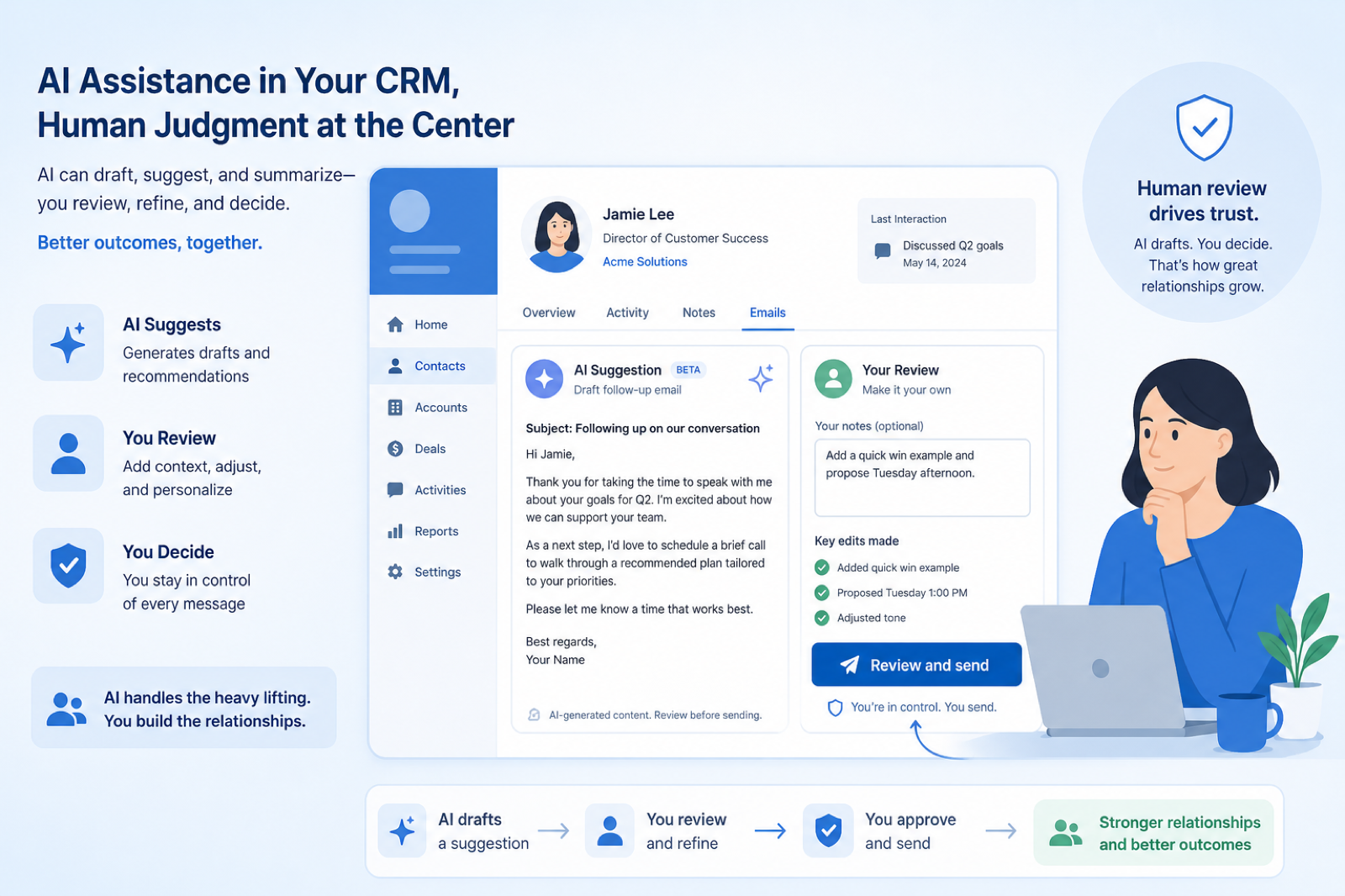
Use AI to draft, summarize, and suggest next steps on CRM records — with human review — instead of treating the CRM as an autopilot.
Feature at a glance
Feature type
AI (plan-tiered or add-on)
Primary capability
Workflow automation
Typical buyer need
Administrative writing and summarizing is consuming time that could go to selling
Common limitation
AI features are frequently add-ons with usage credits, and output always needs review
Products covered
10
Evidence records
560
Reviewed 15 Aug 2026
These pages cover related CRM topics but serve different jobs — buyer workflow, capability evaluation, or feature evidence — not duplicate rankings.
Fit snapshot
AI assistance in CRM covers features that draft emails, summarize timelines, suggest next actions, extract fields from notes, or help qualify leads using models on top of CRM data. It is an accelerator for existing workflows, not a replacement for ownership, stage discipline, or accurate records. Evaluate groundedness (does it use your timeline?), review controls, data-use policies, and whether AI is plan-gated — without invented accuracy claims.
Busy AEs, SDRs, and advisors who spend too long writing recaps or scanning long timelines — and ops leaders who want assistance without letting unverified model output update records silently.
Evaluate which jobs AI helps (summarize, draft, extract, suggest), whether outputs cite CRM context, human-approval requirements, admin controls, and vendor data-retention policies — not demo wow. If underlying data is messy, AI will summarize the mess confidently.
AI assistance in a CRM covers generated content, summaries of records or calls, suggested next actions, and data-entry support — features that propose output a person reviews.
AI Assistance is NOT the same as
Pressure points
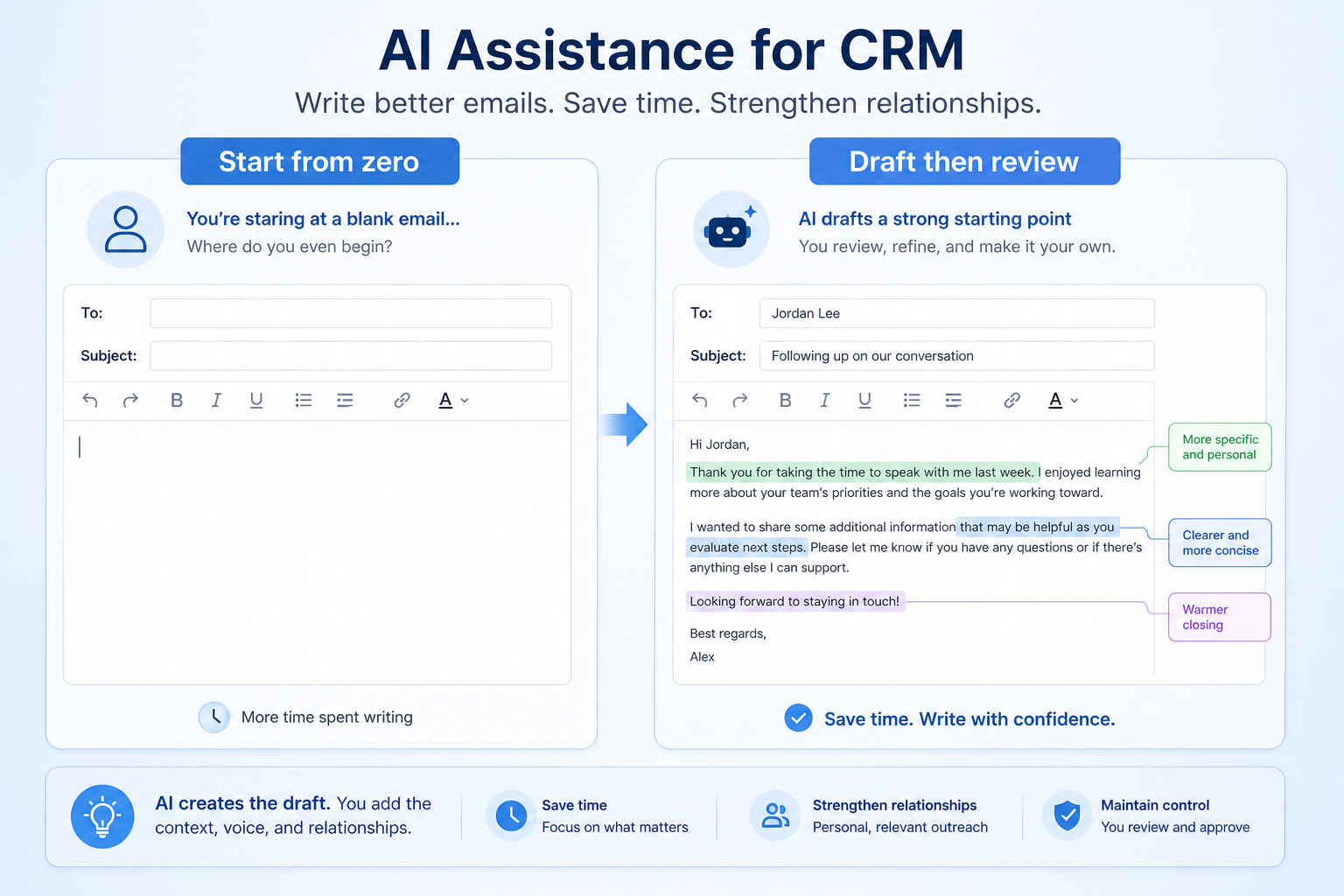
Pain: Writing quality follow-ups after every call eats the afternoon.
How the feature helps: Draft assistance from the timeline gives a starting point the rep edits before send.
Pain: Covering AMs cannot quickly grasp six months of email and notes before a call.
How the feature helps: Summaries compress recent activity into a brief the human still verifies.
Pain: Wrong extracted fields or stages pollute the system of record.
How the feature helps: Prefer suggest-and-approve flows; keep destructive automation behind confirmation.
Pain: Security blocks AI features because vendor policy is vague.
How the feature helps: Get written answers on training use, retention, and regional processing before enabling.
Results
Reps edit AI drafts instead of composing every follow-up from scratch.
Summaries help humans orient — then they spot-check the timeline.
Field suggestions and task ideas reduce typing while keeping approval with the user.
Security can approve specific AI features with documented data boundaries.
How it runs
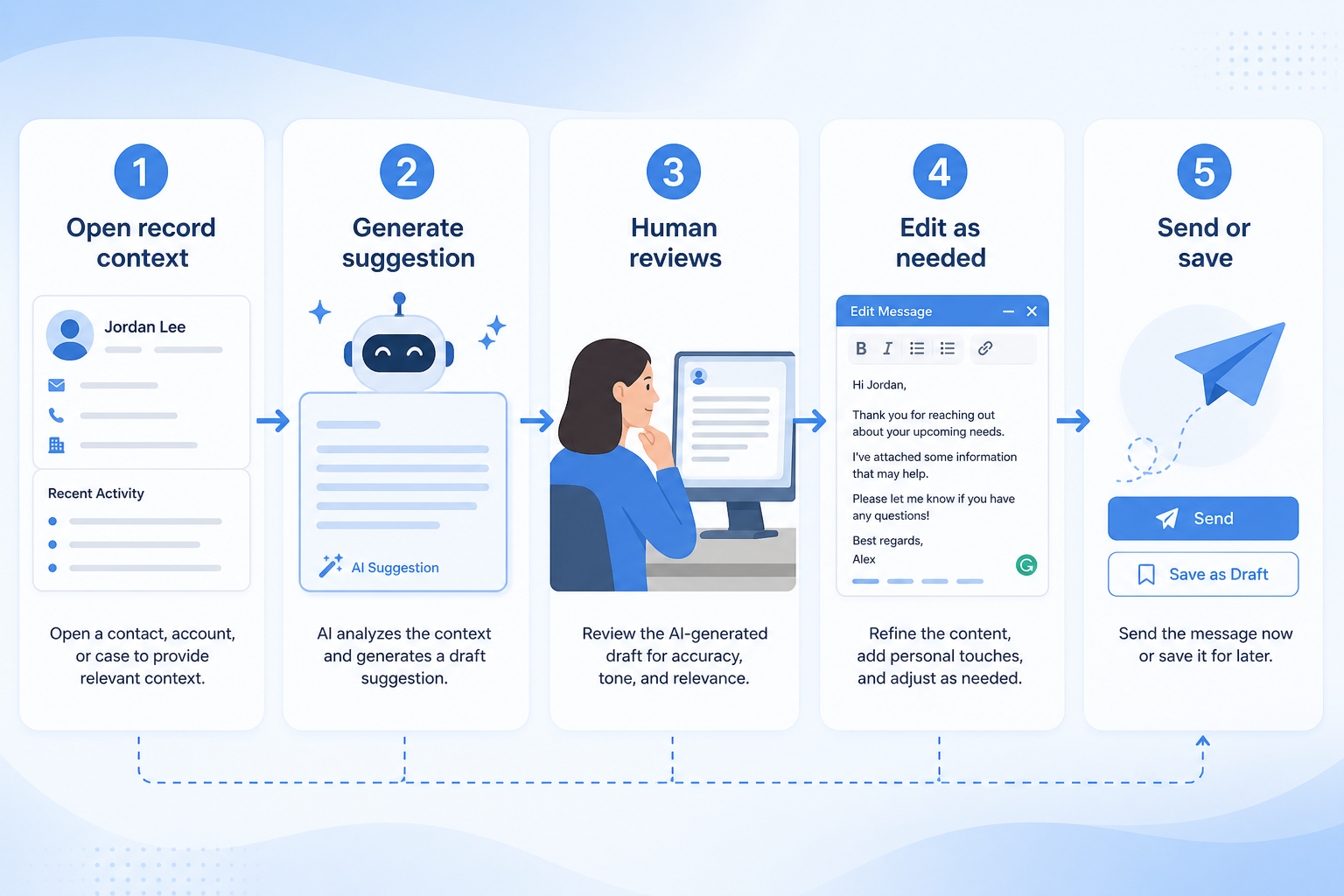
Choose one or two tasks (summarize, draft, extract) worth assisting first.
Confirm vendor data use, retention, and which record types may be sent to models.
Turn on features for a pilot cohort with human review required.
Users edit drafts and verify summaries against the timeline before acting.
Add more AI jobs only after quality and policy comfort are real.
Concrete buyer situations — not product recommendations. Use them to test whether a CRM’s implementation matches how your team works.
B2B SaaS: AE pre-call summary
Situation
An AE inherits an enterprise opportunity with 80 timeline entries. Prep takes 40 minutes of scrolling; something important still gets missed.
What good looks like
AI summary highlights last stakeholder positions, open questions, and next step from CRM email sync and notes. AE spot-checks two source emails, then joins the call. No stage or amount changes without the AE confirming.
Ask vendors
Does summarization use CRM timeline data only? Can we disable automatic record updates? What model data-retention policy applies on our plan?
Agency: follow-up draft after pitch
Situation
BD leads write custom follow-ups after every pitch late at night. Quality varies; some pitches get no follow-up until midweek.
What good looks like
After logging pitch notes, AI drafts a follow-up email using the opportunity fields and notes. BD edits tone and specifics, then sends via synced mailbox so the thread stays on the record. Sequence enrollment stays manual for nurture cases.
Ask vendors
Can drafts pull custom fields and notes? Do sends still go from the user’s mailbox? Can admins turn off AI for certain roles?
You probably need it if
You may not need it if
Capability
Workflow automation
Requirement
Automate lead follow-up
Feature
AI Assistance
Feature availability
criticalMinimum plan
highAutomation integration
importantUsage credits or limits
highData handling notes
highOfficial product demonstrations can help show how vendors implement the same feature differently. SoftwareGlimpse evaluates these alongside documentation, screenshots and other product evidence. Absence of a video does not mean a product lacks the feature.

Salesforce
Specialized Retail Banking with Agentforce Financial Services
This video is hosted on YouTube
This content is hosted by YouTube. The player loads only after you allow marketing cookies.
What this demonstrates
Not established by this video
Source: Salesforce · Verified 14 Aug 2026
Open source ↗
Attio
Attio | How to build your sales pipelines

This video is hosted on YouTube
This content is hosted by YouTube. The player loads only after you allow marketing cookies.
What this demonstrates
Not established by this video
Source: Attio · Verified 15 Aug 2026
Open source ↗
Close
Getting Started with Email in Close | How to Send and Manage Emails from Your CRM

This video is hosted on YouTube
This content is hosted by YouTube. The player loads only after you allow marketing cookies.
What this demonstrates
Not established by this video
Source: Close · Verified 15 Aug 2026
Open source ↗
folk
How to use folk for Deal management & Closing?

This video is hosted on YouTube
This content is hosted by YouTube. The player loads only after you allow marketing cookies.
What this demonstrates
Not established by this video
Source: folk · Verified 15 Aug 2026
Open source ↗Not verified means insufficient evidence — not the same as unsupported.
Salesforce

Affinity
Attio
Close

Creatio
folk
Cells use feature support. Unknown is never treated as No. Official videos open from evidence — they are never embedded in the matrix.
| Dimension | |||||
|---|---|---|---|---|---|
| Feature availability | Supported | Supported | Supported | Supported | Supported |
| Minimum plan | Starter Suite | Essential | Plus | Solo | Growth |
| Automation integration | Supported | ◐Limited | Supported | Supported | Supported |
| Usage credits or limits | Unlimited (researched note) | Not verified | Not verified | Chloe AI agent; credit pools scale by plan. | Not verified |
| Data handling notes | Unlimited (researched note) | Not verified | Not verified | Chloe AI agent; credit pools scale by plan. | Not verified |
Plan names come from feature entitlements — not inferred from marketing tier labels alone.
| Product | Feature starts at | Notes |
|---|---|---|
| Salesforce | Starter Suite | Unlimited (researched note) |
| Affinity | Essential | — |
| Attio | Plus | — |
| Close | Solo | Chloe AI agent; credit pools scale by plan. |
| Creatio | Growth | — |
| folk | Standard | — |
Two products can both support the feature while differing in depth. Official demos below are supplementary — the comparison matrix remains the structured source of truth.
Salesforce
This video is hosted on YouTube
This content is hosted by YouTube. The player loads only after you allow marketing cookies.
Official vendor video
Financial Services Cloud overview — client/account relationships and advisor workflows
client / account relationship surfaces in Financial Services Cloud
Attio
This video is hosted on YouTube
This content is hosted by YouTube. The player loads only after you allow marketing cookies.
Official vendor tutorial
Attio sales pipeline setup
Automation integration
Compare how products differ on automation integration rather than assuming parity.
Usage credits or limits
Compare how products differ on usage credits or limits rather than assuming parity.
Data handling notes
Compare how products differ on data handling notes rather than assuming parity.
Loading evidence explorer…
Verified product captures only — never stock imagery or mockups.
Salesforce ai assistance
Supported · GoodEvidence: 5 · High confidence
Available from: Starter Suite
Agentforce messaging across Sales Cloud; Conversation Intelligence / Predictive AI deepen on Enterprise/Unlimited.
Strengths
Limitations
Best for: Mid-market and enterprise sales orgs needing deep customization and reporting
See it in action
This video is hosted on YouTube
This content is hosted by YouTube. The player loads only after you allow marketing cookies.
Official vendor video
Financial Services Cloud overview — client/account relationships and advisor workflows
Official vendor demonstration — complementary evidence, not a substitute for the comparison matrix.
View all feature evidenceAffinity ai assistance
Supported · GoodEvidence: 4 · High confidence
Available from: Essential
Affinity has researched support for ai assistance. See the comparison matrix for related dimensions.
Strengths
Limitations
Best for: Venture capital and private equity relationship teams
See it in action

This video is hosted on YouTube
This content is hosted by YouTube. The player loads only after you allow marketing cookies.
Official vendor tutorial
Official vendor demonstration — complementary evidence, not a substitute for the comparison matrix.
View all feature evidenceAttio ai assistance
Supported · GoodEvidence: 4 · High confidence
Available from: Plus
Attio has researched support for ai assistance. See the comparison matrix for related dimensions.
Strengths
Limitations
Best for: Startups and GTM teams wanting flexible CRM
See it in action
This video is hosted on YouTube
This content is hosted by YouTube. The player loads only after you allow marketing cookies.
Official vendor tutorial
Official vendor demonstration — complementary evidence, not a substitute for the comparison matrix.
View all feature evidenceClose ai assistance
Supported · GoodEvidence: 4 · High confidence
Available from: Solo
Chloe AI agent; credit pools scale by plan.
Strengths
Limitations
Best for: Inside sales and outbound teams that live on phone/email/SMS
See it in action
This video is hosted on YouTube
This content is hosted by YouTube. The player loads only after you allow marketing cookies.
Official vendor tutorial
Official vendor demonstration — complementary evidence, not a substitute for the comparison matrix.
View all feature evidenceCreatio ai assistance
Supported · GoodEvidence: 4 · High confidence
Available from: Growth
Creatio has researched support for ai assistance. See the comparison matrix for related dimensions.
Strengths
Limitations
Best for: Mid-market teams needing no-code CRM + workflows
See it in action

This video is hosted on YouTube
This content is hosted by YouTube. The player loads only after you allow marketing cookies.
Official vendor tutorial
Official vendor demonstration — complementary evidence, not a substitute for the comparison matrix.
View all feature evidenceSpeed vs review burden
Generated output saves drafting time and still needs checking before it is sent.
Capability vs usage cost
Credit-based pricing makes cost depend on usage rather than headcount.
Convenience vs data handling
Confirm how record data is processed and retained before enabling AI features.
Feature availability alone does not tell you whether the implementation fits your workflow. Compare depth, plan gating, and related dimensions before shortlisting.
Add this as a requirement in your CRM shortlist and personalize for team size, budget, and other priorities.
Find My CRM10
Products covered
560
Evidence items
277
Screenshots
34
Plan records
Capability
Workflow automation
Requirement
Automate lead follow-up
Feature
AI Assistance
Products
10 researched
Evidence
560 records
It is model-powered help on CRM work — such as summarizing records, drafting emails, suggesting next steps, or extracting fields — ideally grounded in your CRM data and reviewed by a human.
Treat silent writes with caution. Prefer suggestions that a person confirms, especially for stage, amount, and compliance-sensitive fields.
No. AI amplifies whatever is in the records. Honest stages, ownership, and activity capture still come first; assistance makes good hygiene faster to work with.
Compare catalogue CRM products based on this feature plus your other requirements, team size and budget.
Explore the official documentation, screenshots and product demonstrations used to understand how each CRM implements this feature.
52 items

Official video · HubSpot
Supports
Demonstrates

This video is hosted on YouTube
This content is hosted by YouTube. The player loads only after you allow marketing cookies.
Official vendor tutorial
Lead management workflow — capture through assignment and follow-up
Verified: 14 Aug 2026
Open source ↗Official video · HubSpot
Supports
Demonstrates

This video is hosted on YouTube
This content is hosted by YouTube. The player loads only after you allow marketing cookies.
Official vendor tutorial
How HubSpot manages marketing contacts and lists as a CRM contact workflow.
Verified: 15 Aug 2026
Open source ↗Official video · Mailchimp
Supports
Demonstrates

This video is hosted on YouTube
This content is hosted by YouTube. The player loads only after you allow marketing cookies.
Official vendor tutorial
How Mailchimp presents the product in an official vendor video.
Verified: 16 Aug 2026
Open source ↗Official video · Pipedrive
Supports
Demonstrates
This video is hosted on YouTube
This content is hosted by YouTube. The player loads only after you allow marketing cookies.
Official vendor tutorial
How Pipedrive Leads Inbox qualifies inbound leads before creating deals.
Verified: 15 Aug 2026
Open source ↗Official video · Zoho
Supports
Demonstrates

This video is hosted on YouTube
This content is hosted by YouTube. The player loads only after you allow marketing cookies.
Official vendor tutorial
How Zoho CRM workflow rules automate sales steps after setup.
Verified: 15 Aug 2026
Open source ↗Official video · Zoho
Supports
Demonstrates

This video is hosted on YouTube
This content is hosted by YouTube. The player loads only after you allow marketing cookies.
Official vendor tutorial
How Zoho CRM manages leads from capture through conversion.
Verified: 15 Aug 2026
Open source ↗Screenshot · ACT!
Supports
Demonstrates
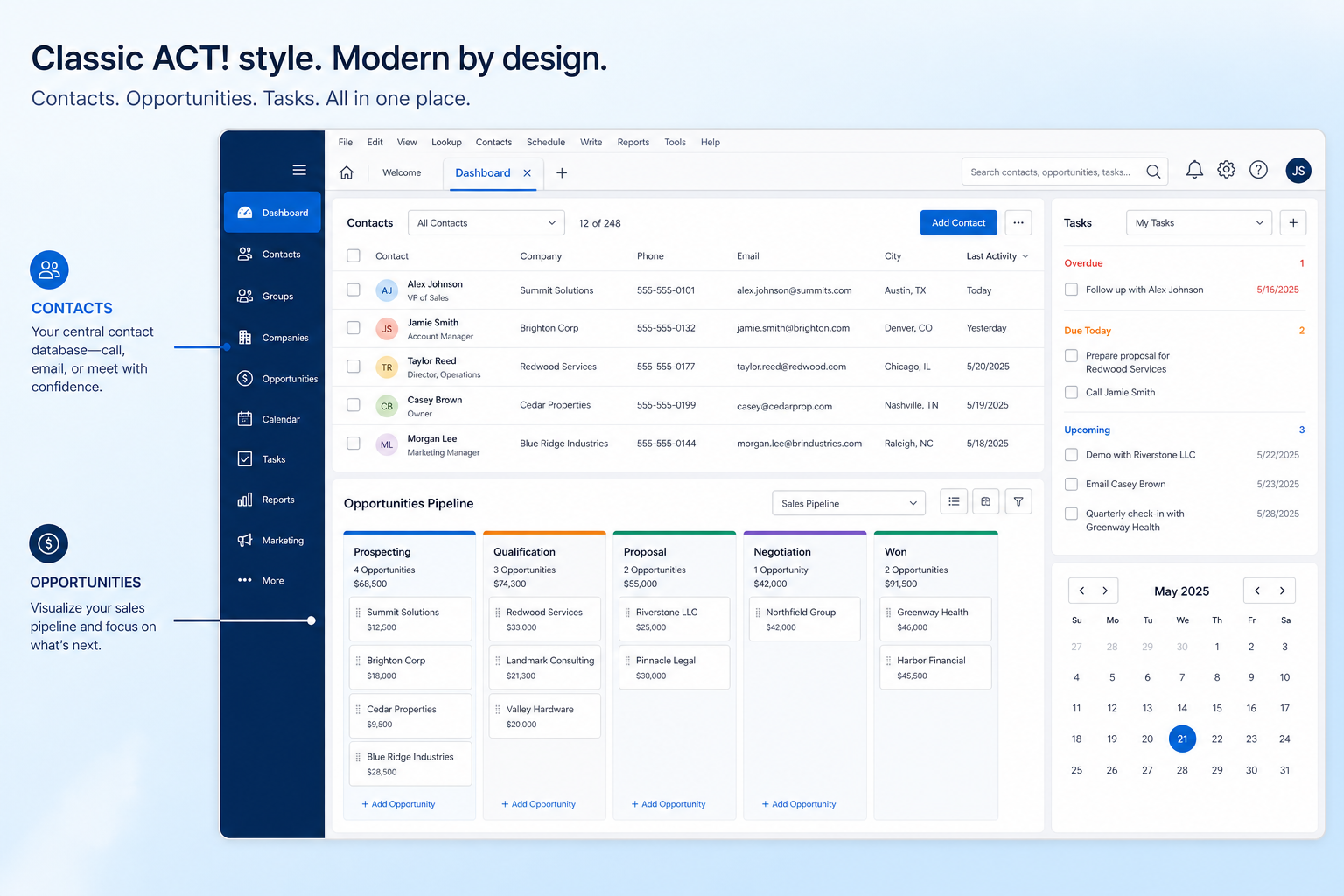
Verified: 16 Aug 2026
Open source ↗Screenshot · ACT!
Supports
Demonstrates
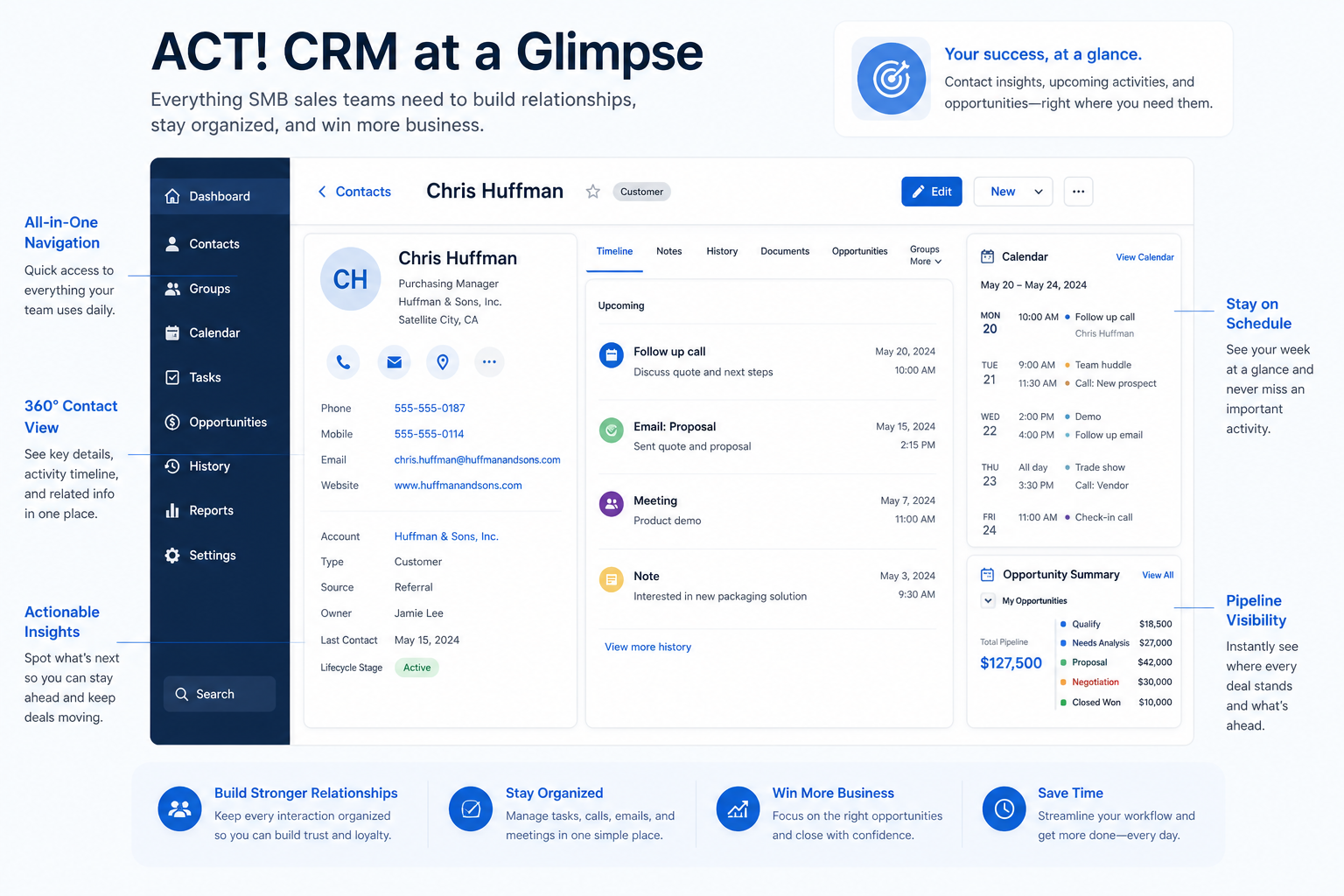
Verified: 16 Aug 2026
Open source ↗Screenshot · Affinity
Supports
Demonstrates
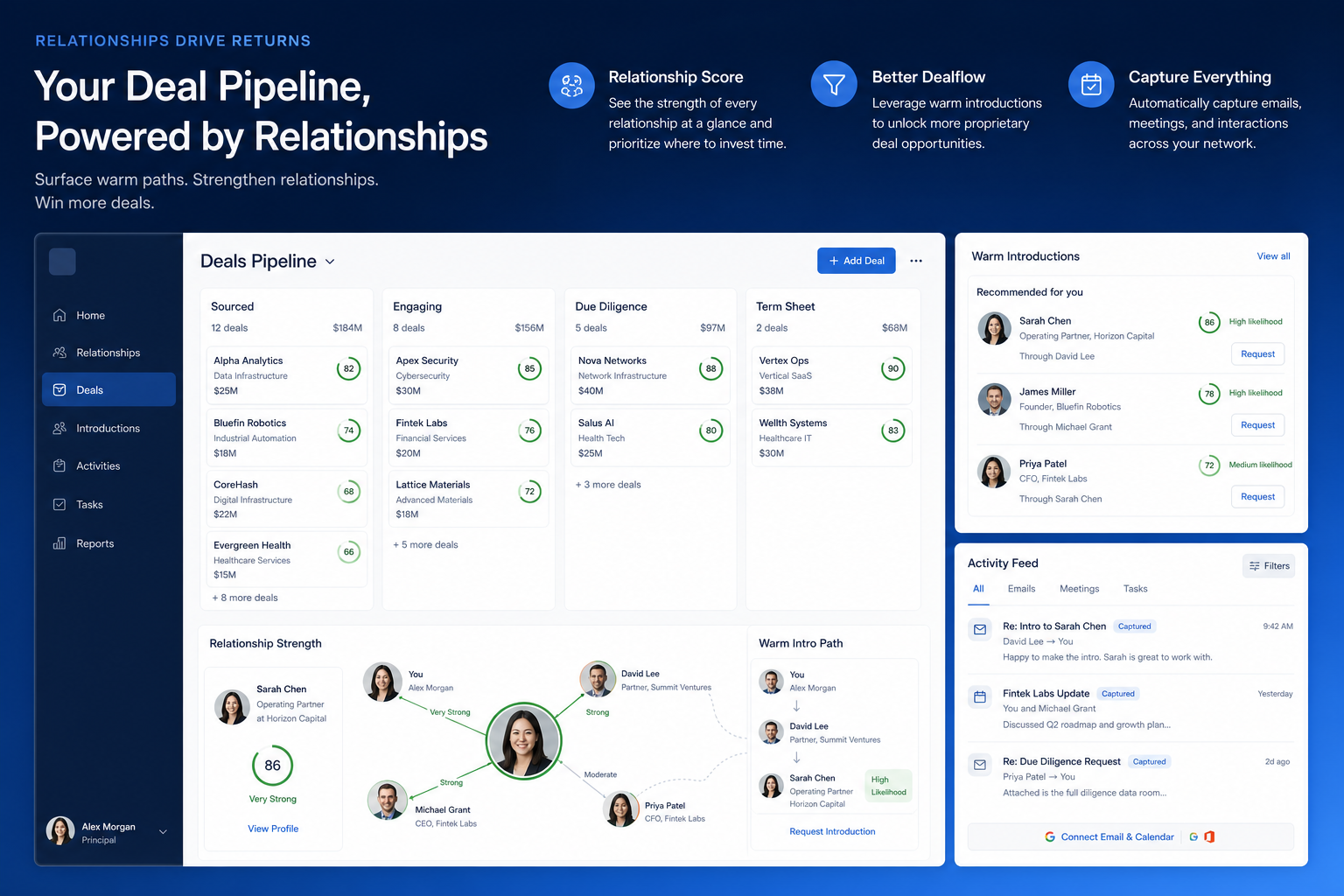
Verified: 16 Aug 2026
Open source ↗Screenshot · Affinity
Supports
Demonstrates
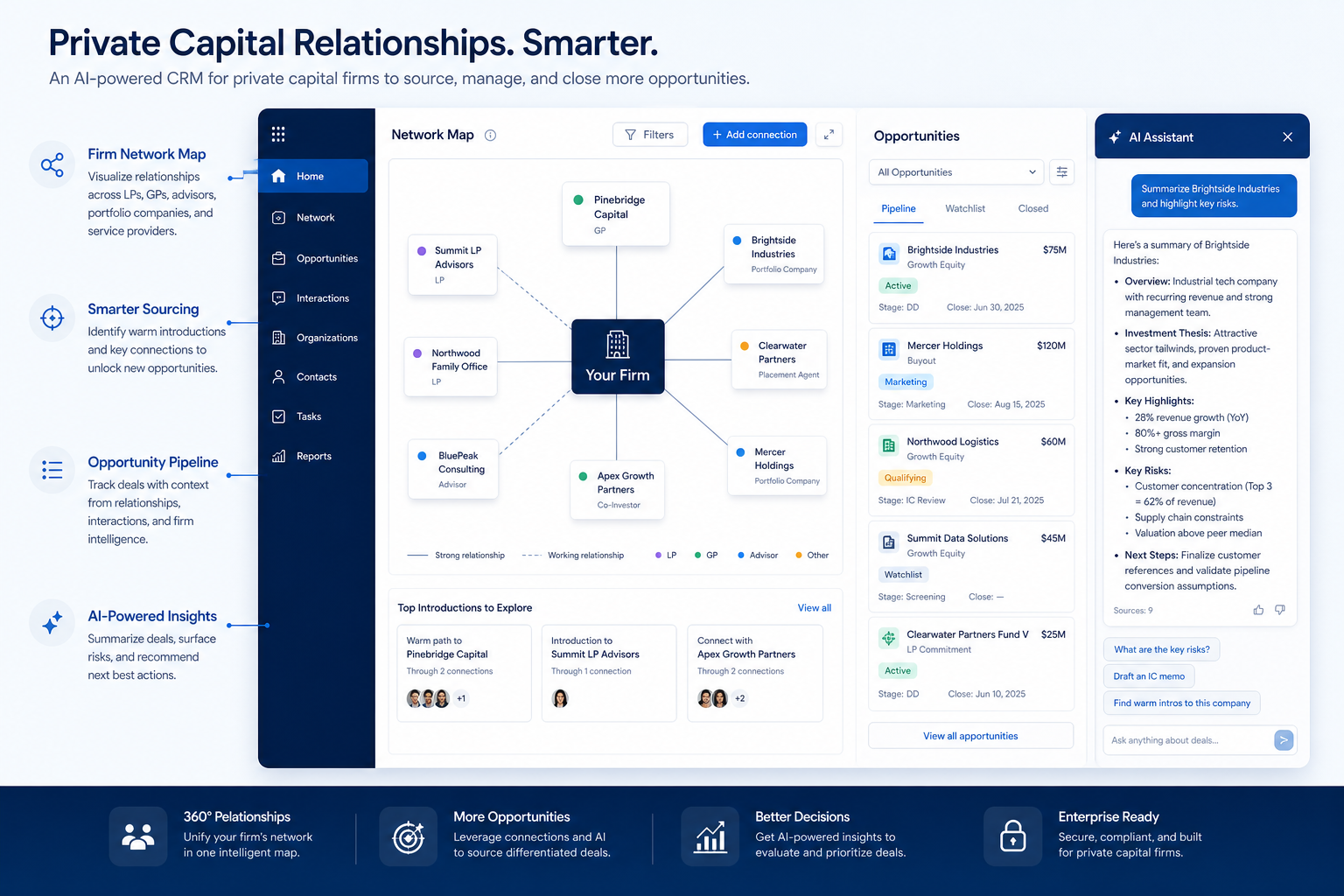
Verified: 16 Aug 2026
Open source ↗Screenshot · Agile CRM
Supports
Demonstrates
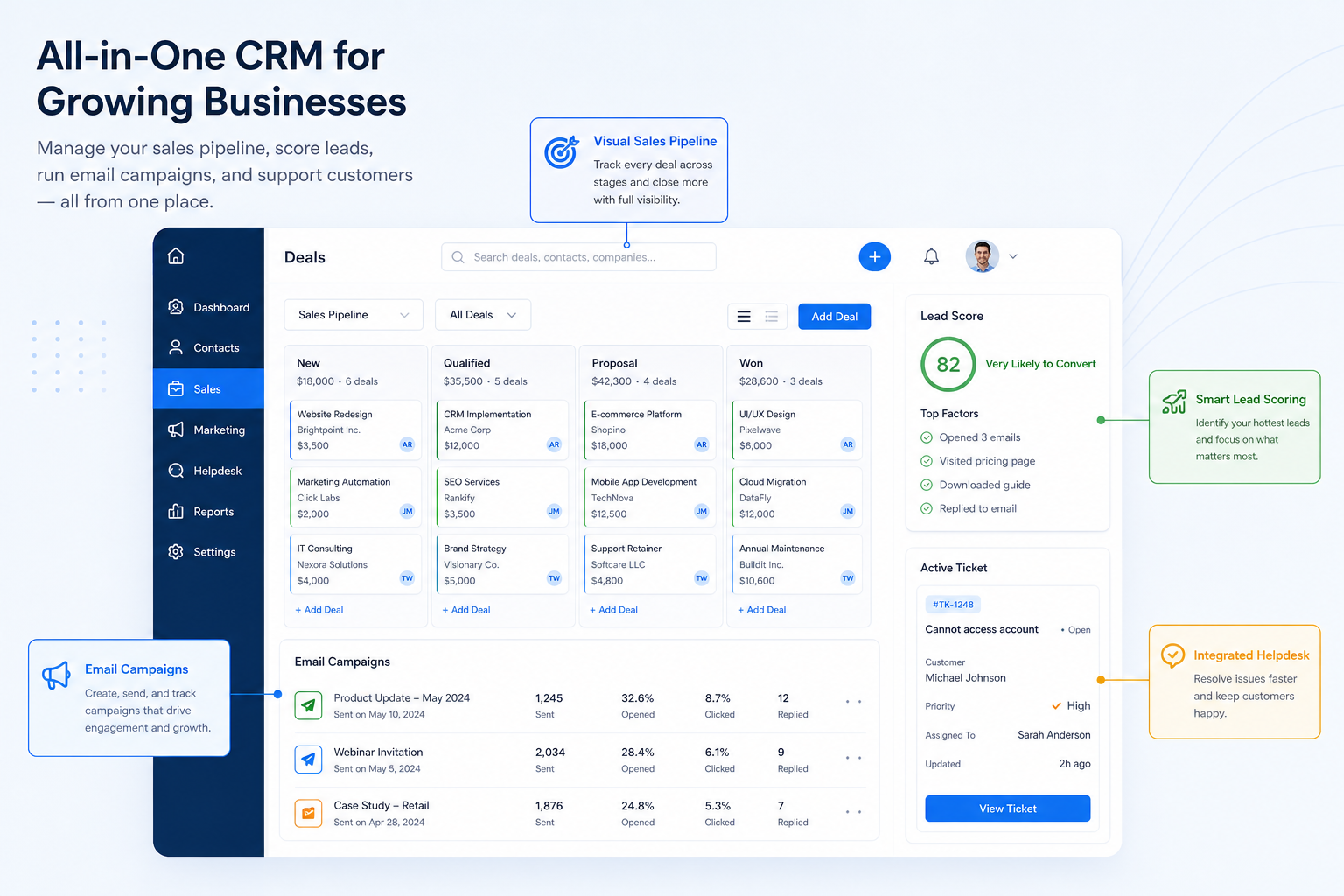
Verified: 16 Aug 2026
Open source ↗Screenshot · Agile CRM
Supports
Demonstrates
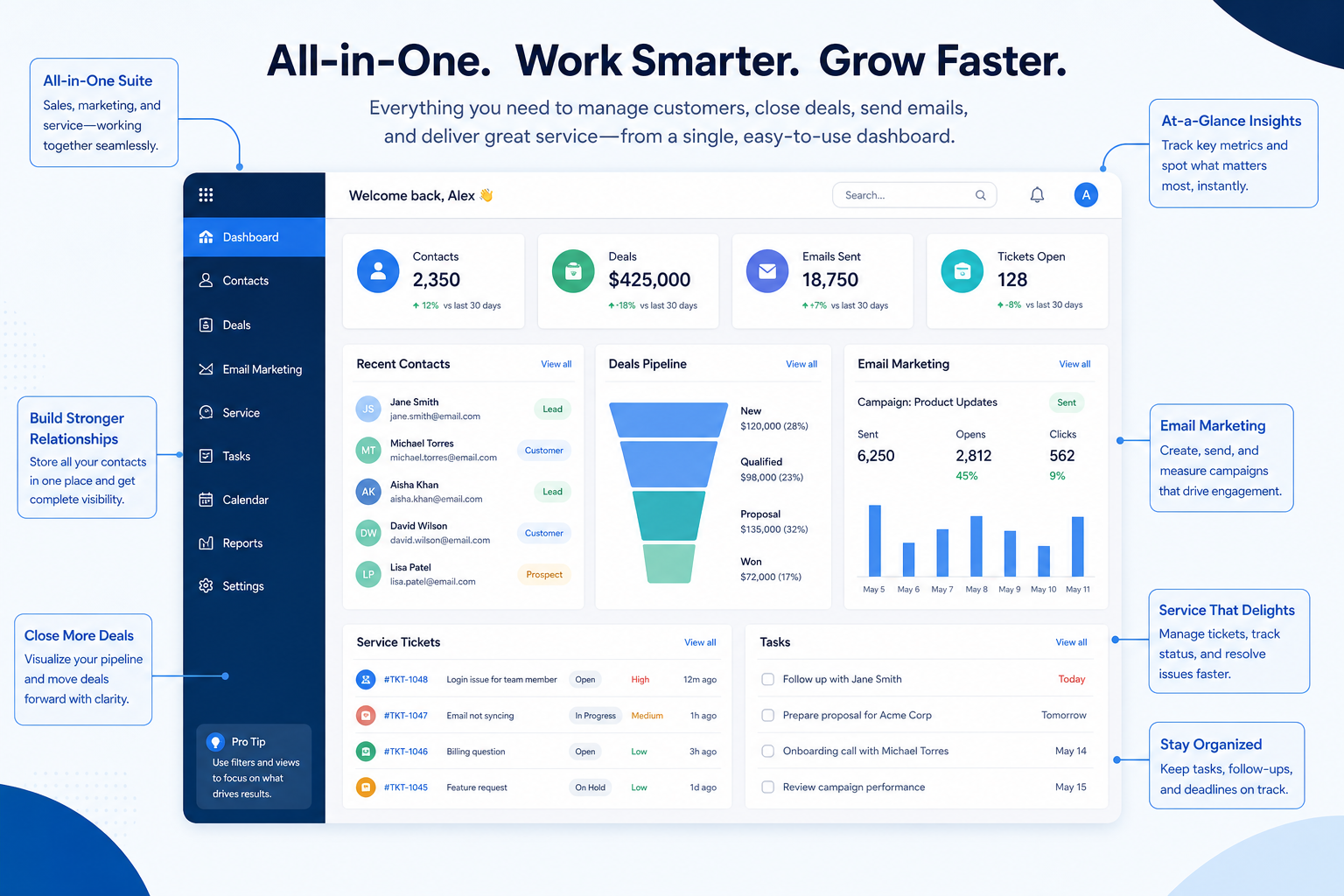
Verified: 16 Aug 2026
Open source ↗Screenshot · Apptivo
Supports
Demonstrates
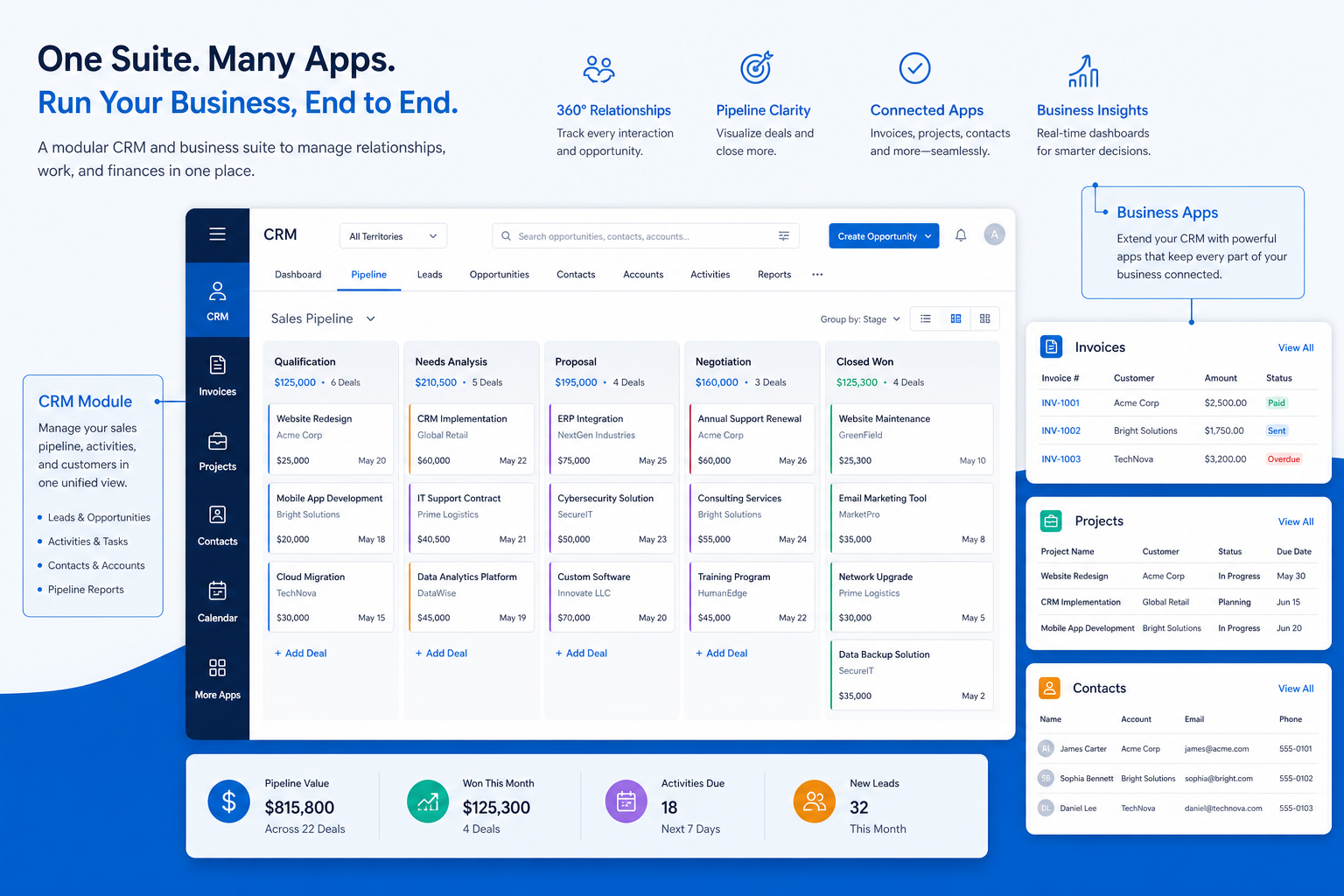
Verified: 16 Aug 2026
Open source ↗Screenshot · Apptivo
Supports
Demonstrates
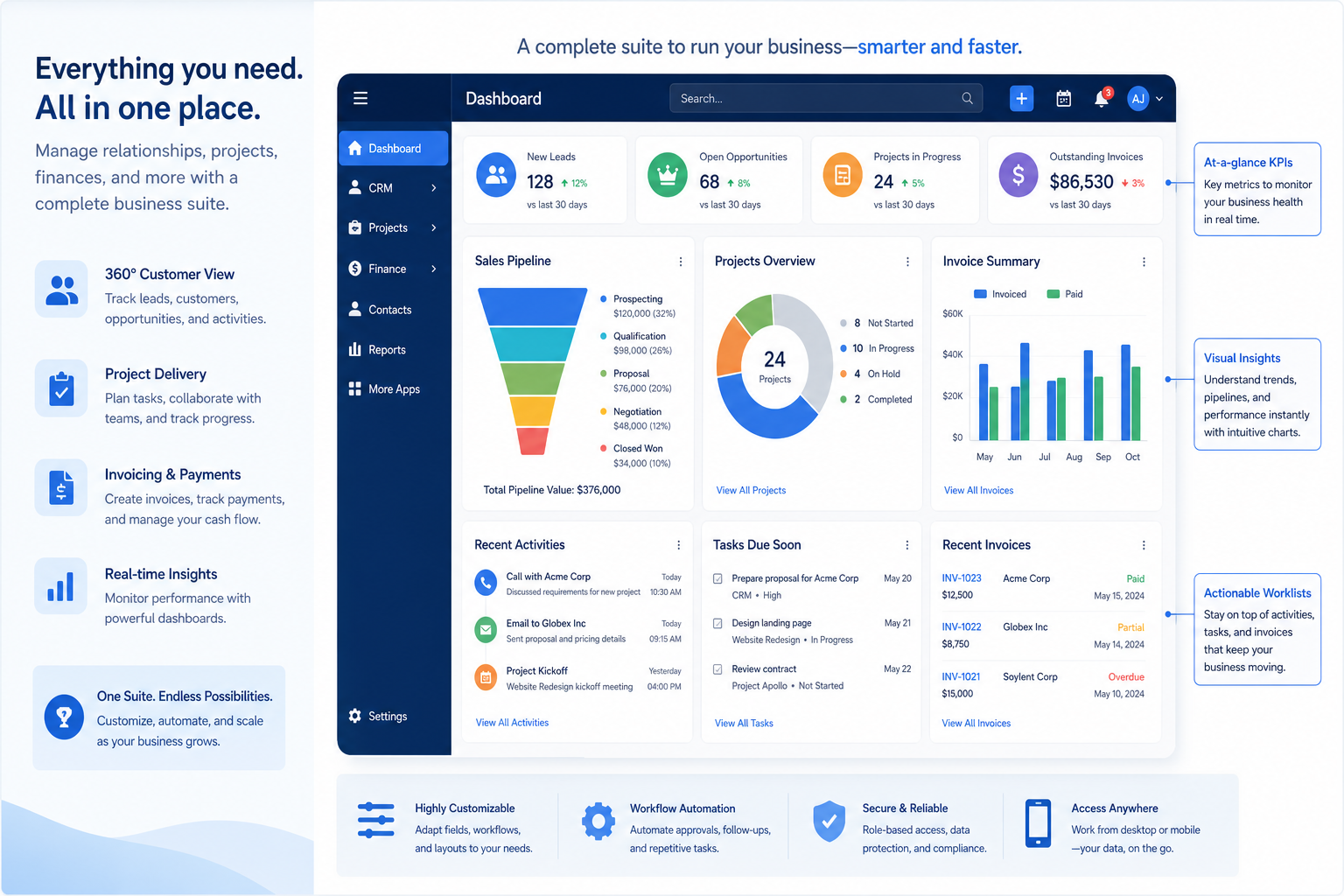
Verified: 16 Aug 2026
Open source ↗Screenshot · Attio
Supports
Demonstrates
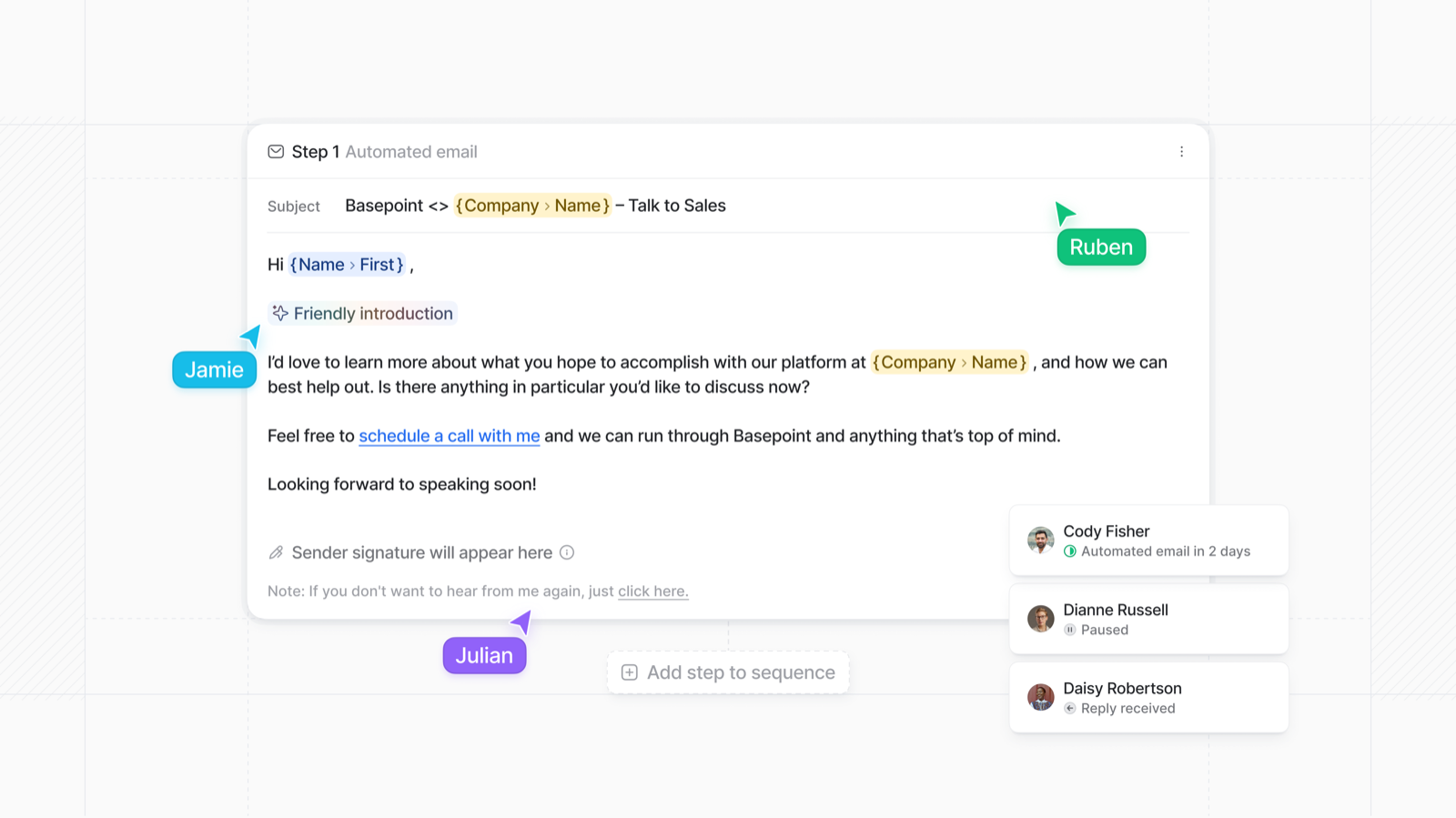
Verified: 15 Aug 2026
Open source ↗Screenshot · Attio
Supports
Demonstrates
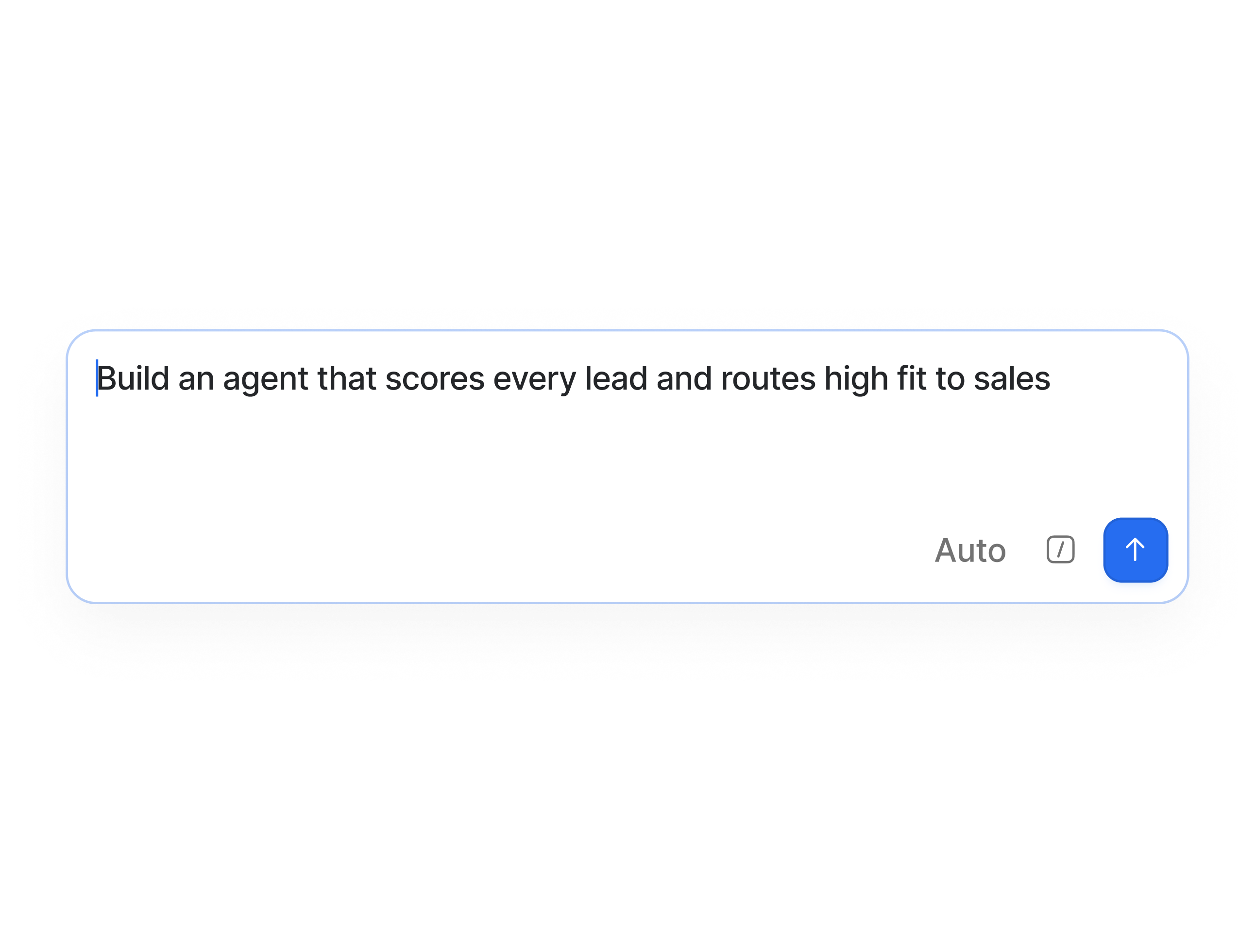
Verified: 15 Aug 2026
Open source ↗Screenshot · Capsule
Supports
Demonstrates
Verified: 13 Aug 2026
Open source ↗Screenshot · Close
Supports
Demonstrates
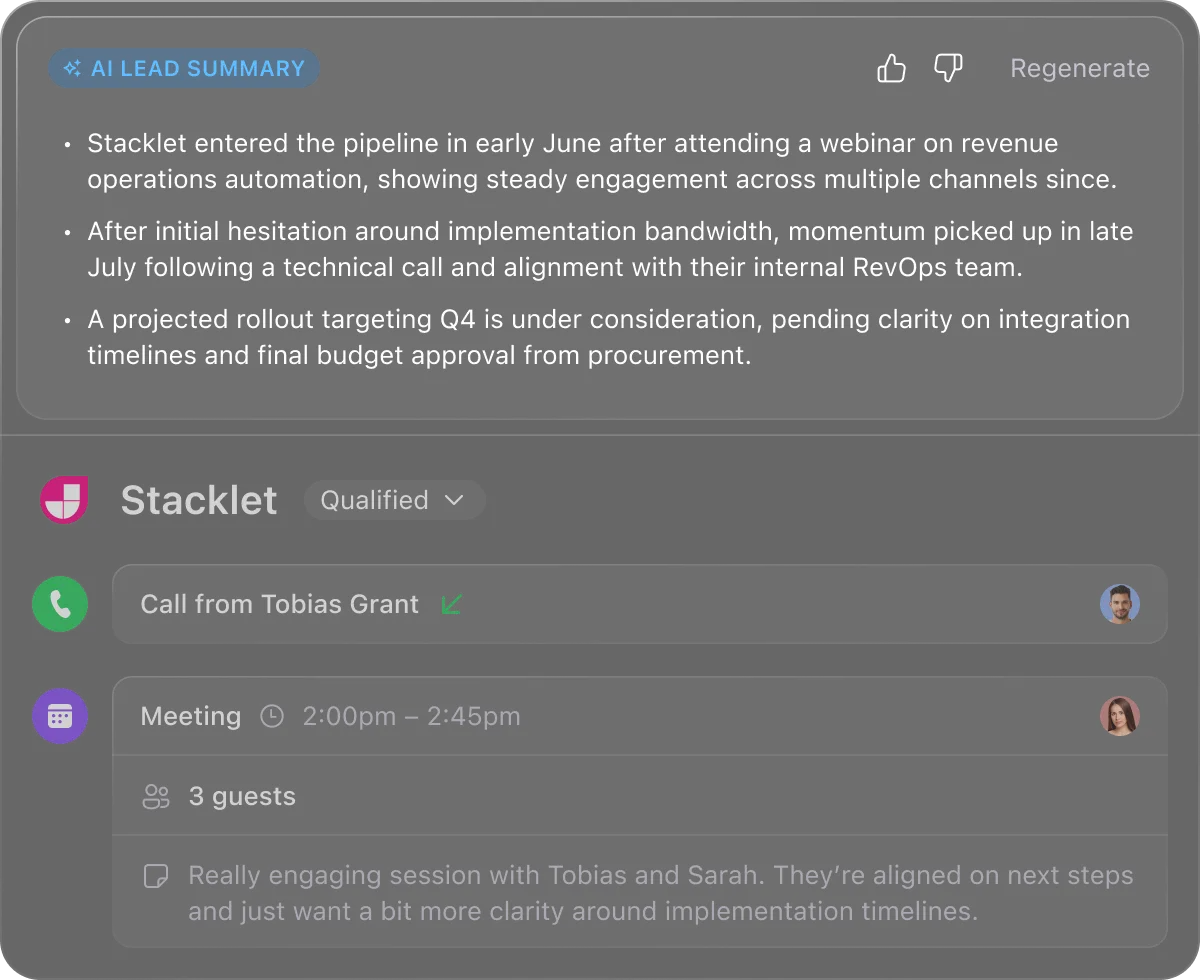
Verified: 13 Aug 2026
Open source ↗Screenshot · Close
Supports
Demonstrates
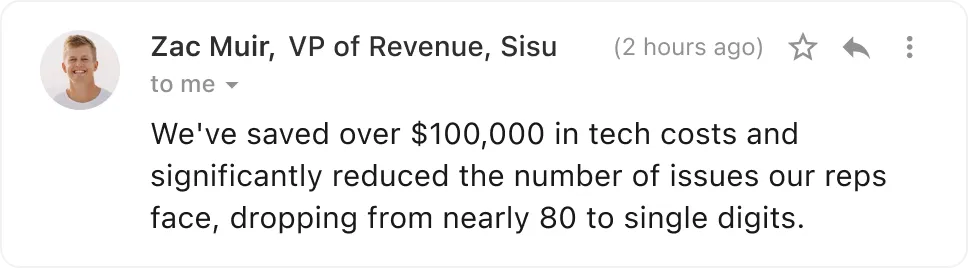
Verified: 13 Aug 2026
Open source ↗Screenshot · folk
Supports
Demonstrates
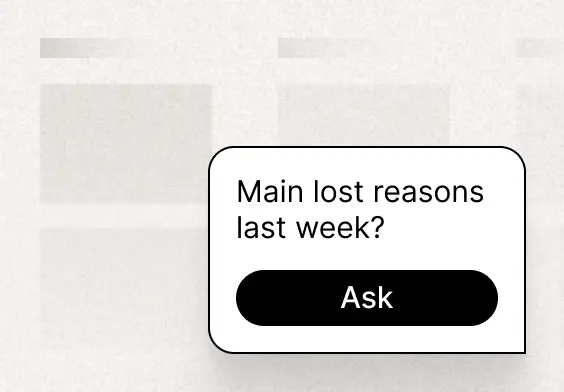
Verified: 13 Aug 2026
Open source ↗Screenshot · folk
Supports
Demonstrates

Verified: 13 Aug 2026
Open source ↗Screenshot · folk
Supports
Demonstrates

Verified: 13 Aug 2026
Open source ↗
Screenshot · Freshsales
Supports
Demonstrates

Verified: 13 Aug 2026
Open source ↗Screenshot · Freshsales
Supports
Demonstrates

Verified: 13 Aug 2026
Open source ↗Screenshot · Freshsales
Supports
Demonstrates
Verified: 13 Aug 2026
Open source ↗Screenshot · HubSpot
Supports
Demonstrates
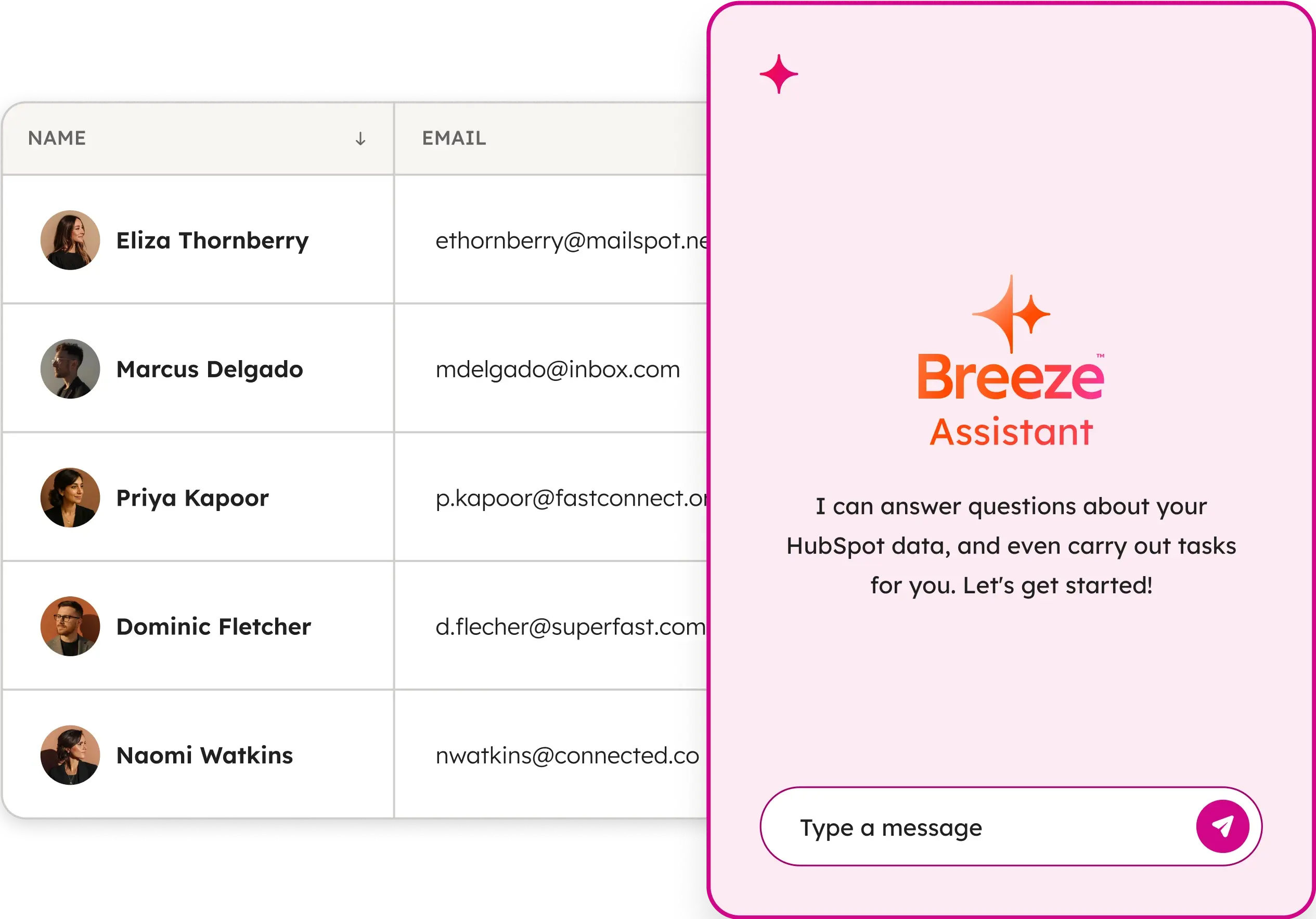
Verified: 14 Aug 2026
Open source ↗
Screenshot · Nutshell
Supports
Demonstrates
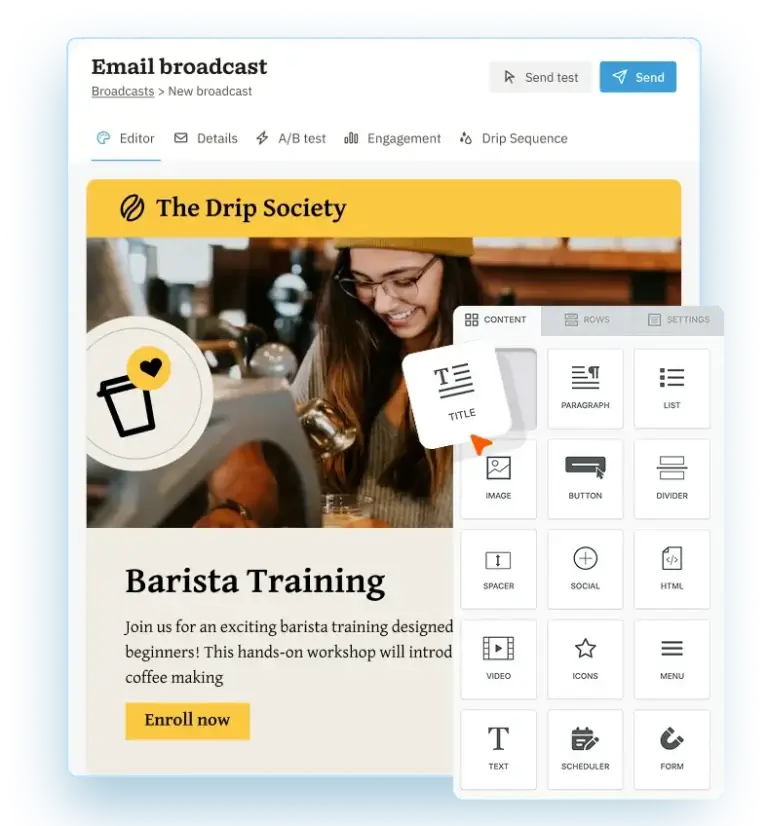
Verified: 15 Aug 2026
Open source ↗Screenshot · Salesforce
Supports
Demonstrates
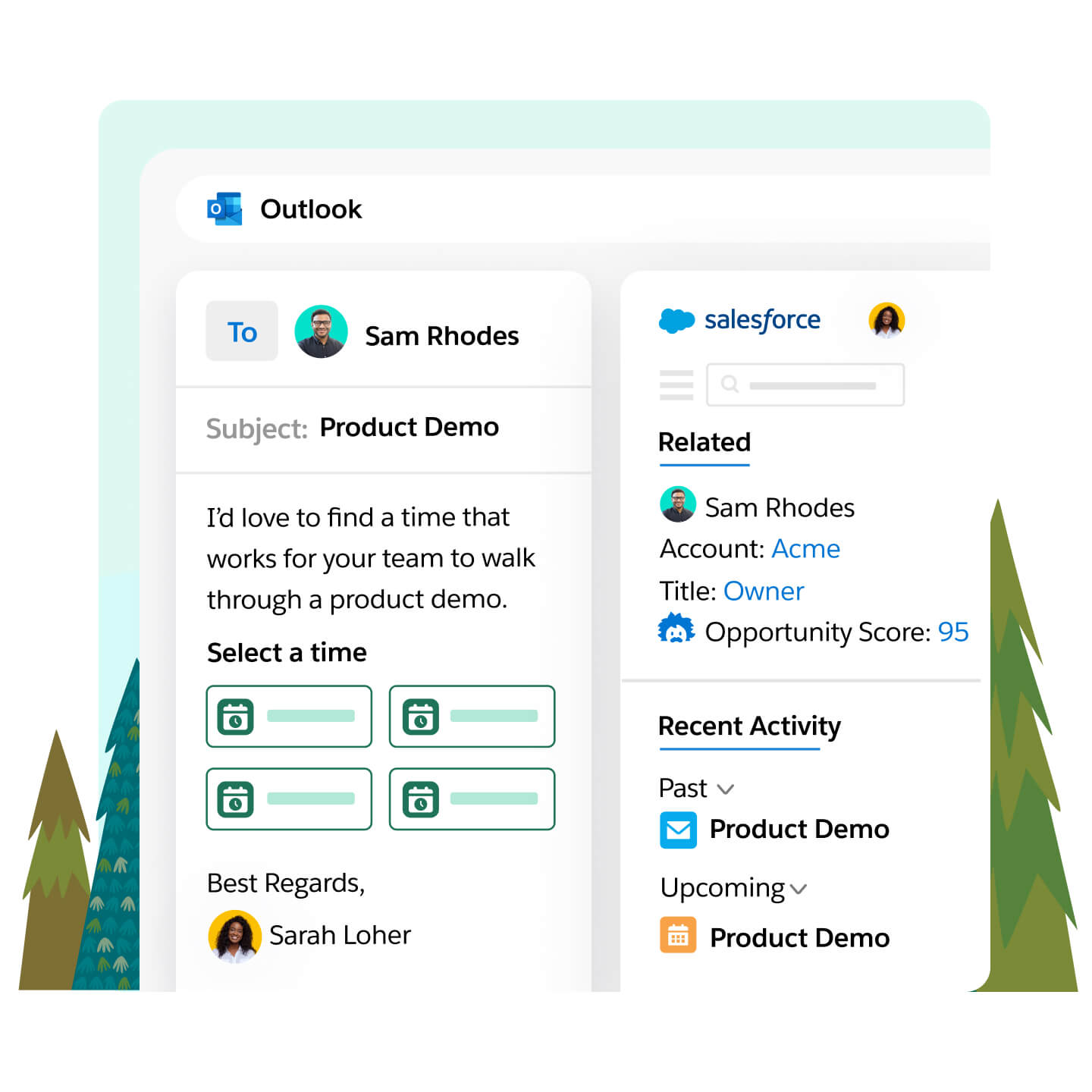
Verified: 14 Aug 2026
Open source ↗Official documentation · Affinity
Supports
Verified: —
Open source ↗Official documentation · Affinity
Supports
Verified: —
Open source ↗Official documentation · Attio
Supports
Verified: —
Open source ↗Official documentation · Attio
Supports
Verified: —
Open source ↗Official documentation · Close
Supports
Verified: —
Open source ↗Official documentation · Close
Supports
Verified: —
Open source ↗Official documentation · Creatio
Supports
Verified: —
Open source ↗Official documentation · Creatio
Supports
Verified: —
Open source ↗Official documentation · folk
Supports
Verified: —
Open source ↗Official documentation · folk
Supports
Verified: —
Open source ↗Official documentation · Freshsales
Supports
Verified: —
Open source ↗Official documentation · Freshsales
Supports
Verified: —
Open source ↗Official documentation · Freshsales
Supports
Verified: —
Open source ↗Official documentation · HubSpot
Supports
Verified: —
Open source ↗Official documentation · HubSpot
Supports
Verified: —
Open source ↗
Official documentation · Keap
Supports
Verified: —
Open source ↗Official documentation · Keap
Supports
Verified: —
Open source ↗Official documentation · Keap
Supports
Verified: —
Open source ↗Official documentation · Nutshell
Supports
Verified: —
Open source ↗Official documentation · Nutshell
Supports
Verified: —
Open source ↗Official documentation · Salesforce
Supports
Verified: —
Open source ↗Official documentation · Salesforce
Supports
Verified: —
Open source ↗Official documentation · Salesforce
Supports
Verified: —
Open source ↗Official documentation · Salesforce
Supports
Verified: —
Open source ↗