
This video is hosted on YouTube
This content is hosted by YouTube. The player loads only after you allow marketing cookies.
CRM feature
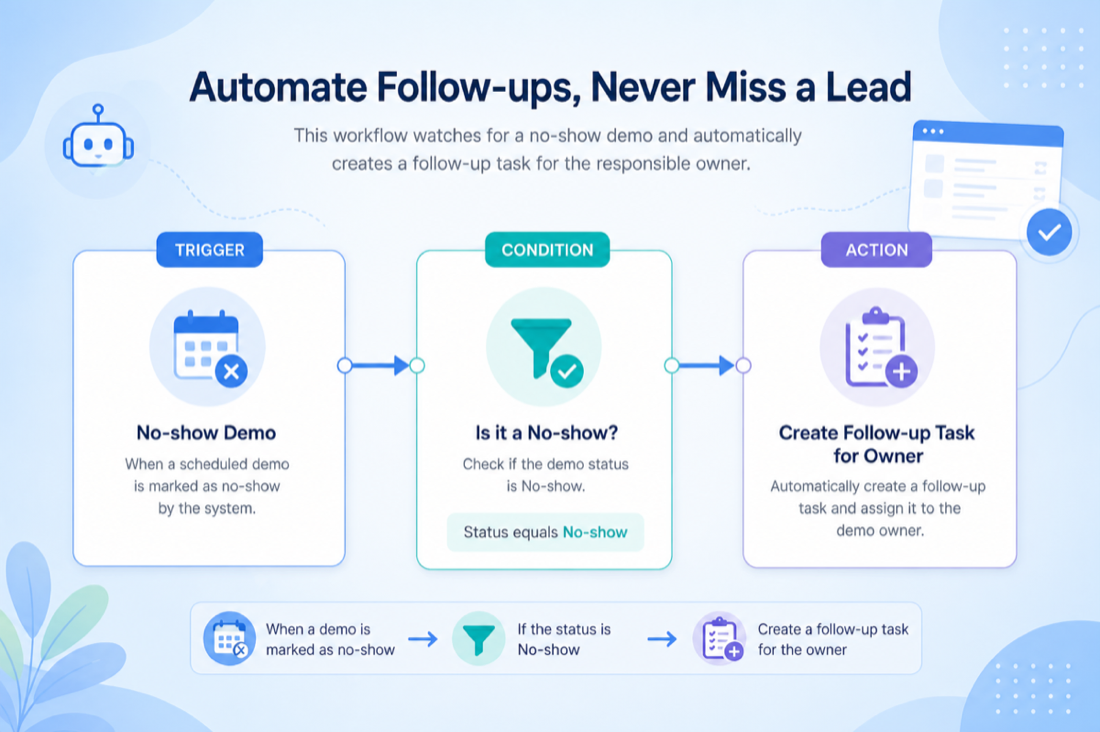
Turn stable process rules into reliable tasks, field updates, and notifications — so follow-through does not depend on memory alone.
Feature at a glance
Feature type
Tiered / plan-dependent automation
Primary capability
Workflow Automation
Typical buyer need
Teams want consistent follow-ups without relying only on manual discipline
Common limitation
Deeper automation is often limited to higher plans or usage caps
Products covered
10
Evidence records
560
Reviewed 15 Aug 2026
Fit snapshot
Workflow automation is the CRM feature that runs if-this-then-that rules on records: create a task when a deal stalls, assign an owner when a lead arrives, notify a manager when a stage changes. It is not the same as multi-step email sequences, and it is not a substitute for a clear process. Teams use it after stages and ownership are honest, to reduce missed handoffs and repetitive admin.
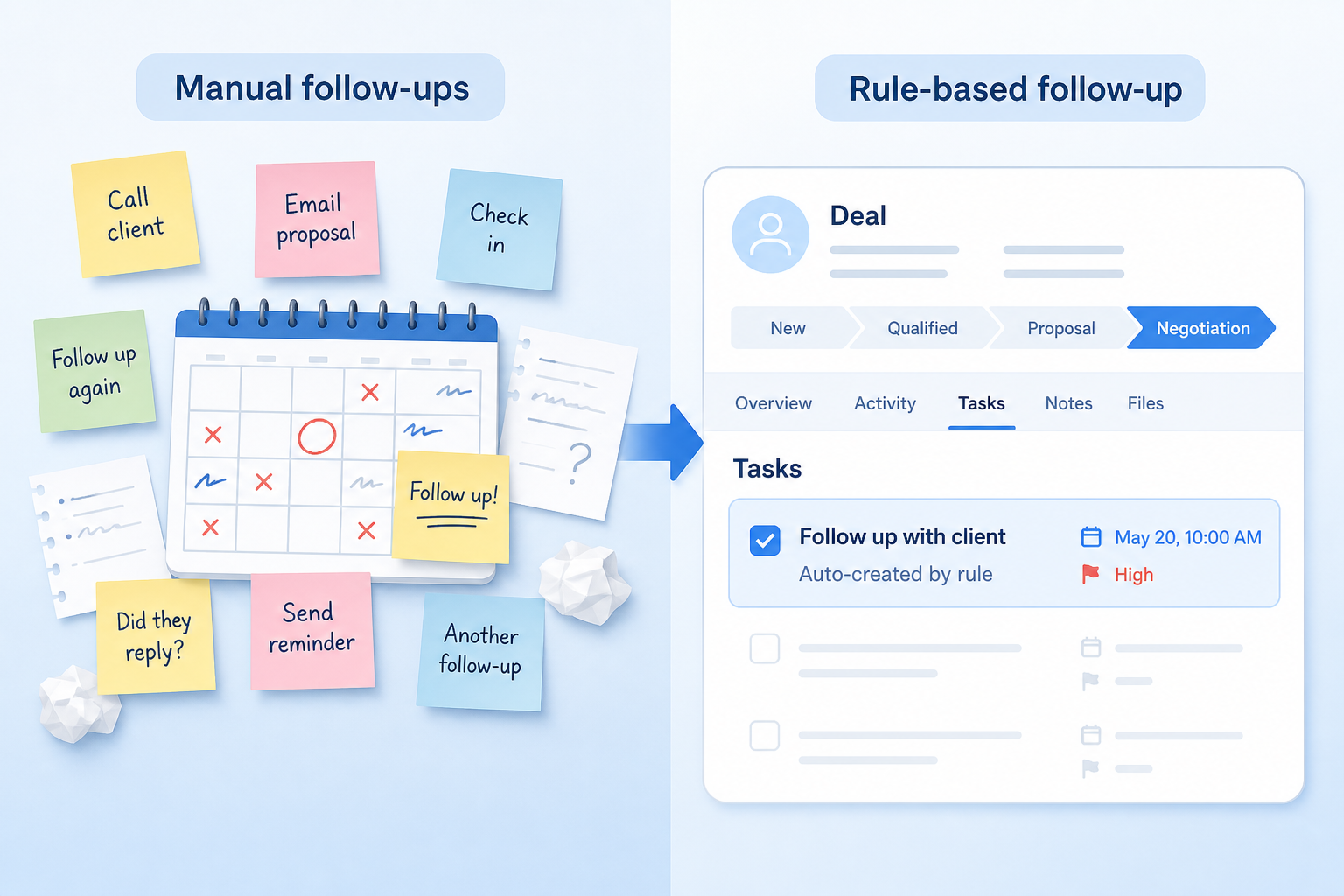
Sales managers, ops leads, and growing teams (often 5–50 people) who already know the next action for common events but still miss it under volume — inbound lead response, stage handoffs, inactivity nudges, or compliance reminders.
Evaluate trigger coverage, action types, scoping (pipeline/team), plan limits, and how you debug failures — not how many “automations” appear on a feature checklist. Automating a fuzzy process amplifies noise.
Workflow automation in CRM lets teams trigger tasks, updates, notifications, or sequences when defined conditions occur — reducing repetitive follow-up work and standardizing process steps.
Workflow Automation is NOT the same as
Pressure points
Pain: Warm leads cool because nobody created the next task after a call or form fill.
How the feature helps: Trigger-based tasks and reminders fire when the record event happens, not when someone remembers.
Pain: Some reps notify CS; others dump a Slack message; closed-won context arrives late.
How the feature helps: Stage-change rules create the same tasks, owners, or notifications every time.
Pain: Manual status updates and checklist ticks get skipped when the day fills up.
How the feature helps: Field updates and task creation offload the repeatable admin after the process is defined.
Pain: Over-eager automations flood inboxes and train people to ignore the CRM.
How the feature helps: Scoped, reviewed rules with clear owners keep automation useful instead of theatrical.
Results
Common events produce the same tasks and owners without chasing people in chat.
Assignment and task creation happen when the lead lands, not when someone checks a form inbox.
Downstream teams get structured work items instead of informal pings.
Rules live in the CRM where ops can review, edit, and turn them off when the process changes.
How it runs
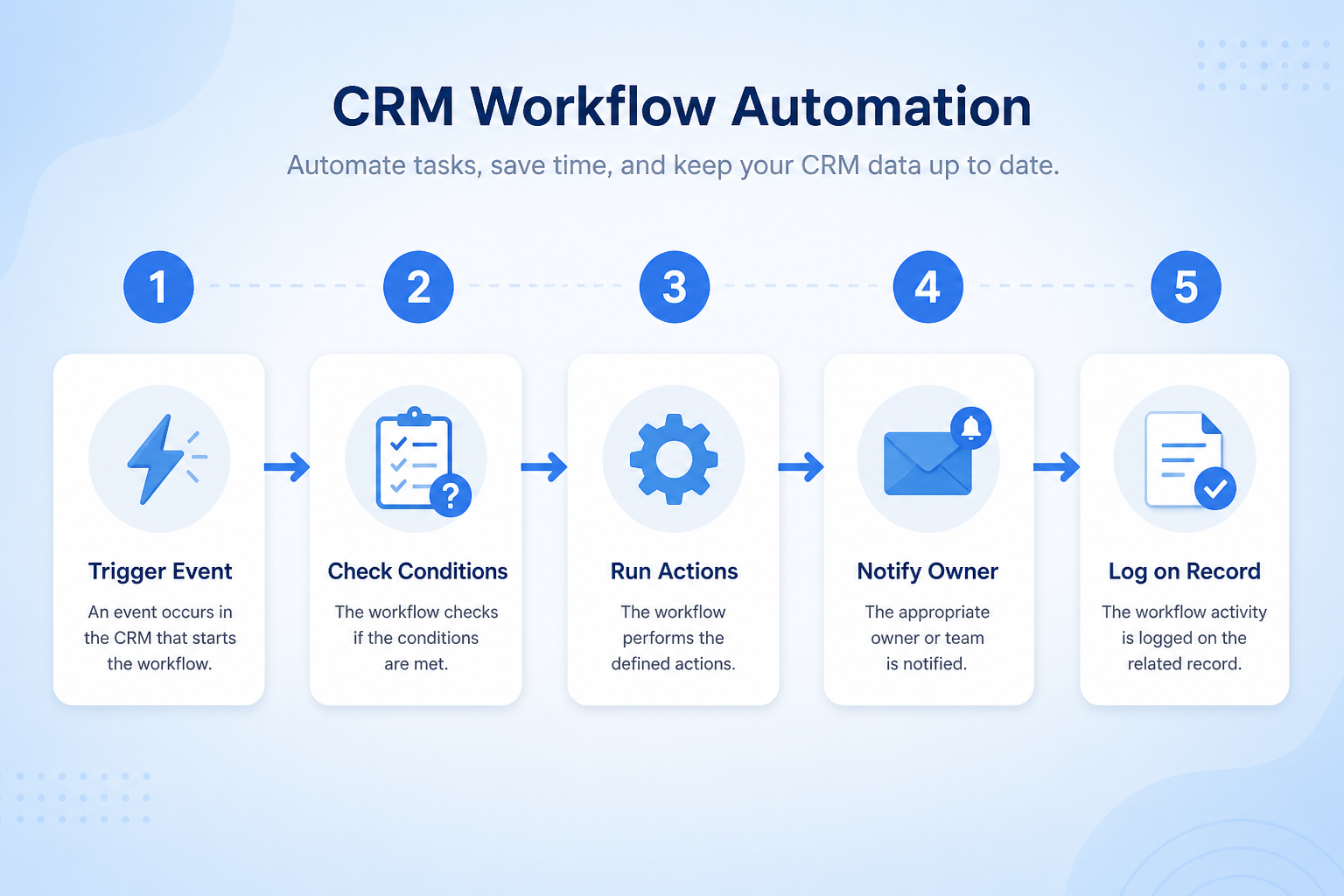
Document the event, condition, and desired action before building any rule.
Choose the record event (create, stage change, field update, inactivity).
Create tasks, update fields, assign owners, or notify people — keep the action list short.
Limit the rule to the right pipeline or team; test with sample records.
Review failures, noise, and ownership when processes or plans change.
Concrete buyer situations — not product recommendations. Use them to test whether a CRM’s implementation matches how your team works.
B2B SaaS inbound: five SDRs
Situation
A SaaS company with five SDRs gets 40–80 form fills per week. Without automation, leads sit in a shared inbox until someone claims them; response times vary wildly by day.
What good looks like
Form → CRM lead create triggers round-robin assignment, a same-day call task, and a Slack ping to the owner. Managers review unworked tasks older than four hours instead of reconstructing ownership from email.
Ask vendors
Which create/update events can trigger rules? Can assignment be round-robin or territory-based? Are monthly automation executions capped by plan?
RIA: advisor handoff after discovery
Situation
A 20-advisor RIA moves prospects from discovery to proposal. Compliance wants a checklist started every time, but advisors forget and ops discovers gaps at review.
What good looks like
Moving to Proposal creates a compliance checklist task for the ops owner and locks a required field for source of funds. The rule is pipeline-scoped so it does not fire on a separate institutional pipeline.
Ask vendors
Can workflows be scoped to a pipeline? Can required-field enforcement and task creation happen on the same stage change? How do we audit which rules ran on a record?
You probably need it if
You may not need it if
Capability
Workflow Automation
Requirement
Automate Lead Follow-Up
Feature
Workflow Automation
Feature availability
criticalMinimum plan
criticalUsage / plan limits
highSales automation depth
highEmail sequences
importantAutomation / activity reporting
importantAutomate Lead Follow-Up
directTrigger reminders and tasks when conditions are met.
Explore requirement →Stage-based process steps
directAdvance process actions when opportunities move stages.
Explore requirement →Multi-step outreach sequences
partialRelated — often a separate email-sequence capability.
Official product demonstrations can help show how vendors implement the same feature differently. SoftwareGlimpse evaluates these alongside documentation, screenshots and other product evidence. Absence of a video does not mean a product lacks the feature.

HubSpot
The Official HubSpot Sales Hub Tutorial
This video is hosted on YouTube
This content is hosted by YouTube. The player loads only after you allow marketing cookies.
What this demonstrates
Evaluation dimensions shown
Not established by this video
Source: HubSpot · Verified 14 Aug 2026
Open source ↗
Salesforce
Sales Cloud - Sales Cloud Engage

This video is hosted on YouTube
This content is hosted by YouTube. The player loads only after you allow marketing cookies.
What this demonstrates
Not established by this video
Source: Salesforce · Verified 15 Aug 2026
Open source ↗
Close
Getting Started with Email in Close | How to Send and Manage Emails from Your CRM

This video is hosted on YouTube
This content is hosted by YouTube. The player loads only after you allow marketing cookies.
What this demonstrates
Not established by this video
Source: Close · Verified 15 Aug 2026
Open source ↗
folk
How to use folk for Deal management & Closing?

This video is hosted on YouTube
This content is hosted by YouTube. The player loads only after you allow marketing cookies.
What this demonstrates
Not established by this video
Source: folk · Verified 15 Aug 2026
Open source ↗Not verified means insufficient evidence — not the same as unsupported.
Salesforce
Close
folk

Keap

Freshsales
HubSpot
Cells use feature support. Unknown is never treated as No. Official videos open from evidence — they are never embedded in the matrix.
| Dimension | |||||
|---|---|---|---|---|---|
| Feature availability | Supported | Supported | Supported | Supported | Supported |
| Minimum plan | Starter Suite | Growth | Standard | Max Ignite | Growth |
| Usage / plan limits | Not verified | Growth/Scale unlock more advanced automation, workflows, and Chloe capabilities. | Not verified | Not verified | Not verified |
| Sales automation depth | Supported | Supported | Supported | Supported | Supported |
| Email sequences | ◐Plan dependent | Supported | ◐Plan dependent | Supported | ◐Plan dependent |
| Automation / activity reporting | Supported | Supported | ◐Plan dependent | Supported | Supported |
Plan names come from feature entitlements — not inferred from marketing tier labels alone.
| Product | Feature starts at | Notes |
|---|---|---|
| Salesforce | Starter Suite | — |
| Close | Growth | Growth/Scale unlock more advanced automation, workflows, and Chloe capabilities. |
| folk | Standard | — |
| Keap | Max Ignite | — |
| Freshsales | Growth | — |
| HubSpot | Starter | — |
Two products can both support the feature while differing in depth. Official demos below are supplementary — the comparison matrix remains the structured source of truth.
HubSpot
This video is hosted on YouTube
This content is hosted by YouTube. The player loads only after you allow marketing cookies.
Official vendor tutorial
Lead management workflow — capture through assignment and follow-up
lead capture and prospecting workspace entry points
Salesforce
This video is hosted on YouTube
This content is hosted by YouTube. The player loads only after you allow marketing cookies.
Official vendor video
Sales Cloud Engage overview
Triggers & actions
What events can start automations and what actions are researched.
Plan depth
How plan tiers gate automation availability.
Sales automation adjacency
Related sales-automation support beyond basic workflows.
Loading evidence explorer…
Verified product captures only — never stock imagery or mockups.
Salesforce workflow automation
Supported · StrongEvidence: 7 · High confidence
Available from: Starter Suite
Built-in Sales Flows from Starter; greater automation from Pro Suite.
Strengths
Limitations
Best for: Mid-market and enterprise sales orgs needing deep customization and reporting
See it in action
This video is hosted on YouTube
This content is hosted by YouTube. The player loads only after you allow marketing cookies.
Official vendor video
Official vendor demonstration — complementary evidence, not a substitute for the comparison matrix.
View all feature evidenceClose workflow automation
Supported · StrongEvidence: 6 · High confidence
Available from: Growth
Growth/Scale unlock more advanced automation, workflows, and Chloe capabilities.
Strengths
Limitations
Best for: Inside sales and outbound teams that live on phone/email/SMS
See it in action
This video is hosted on YouTube
This content is hosted by YouTube. The player loads only after you allow marketing cookies.
Official vendor tutorial
Official vendor demonstration — complementary evidence, not a substitute for the comparison matrix.
View all feature evidencefolk workflow automation
Supported · StrongEvidence: 6 · High confidence
Available from: Standard
Workflow Assistant; higher credit limits on Premium/Enterprise.
Strengths
Limitations
Best for: Founders and SMB teams running relationship-led sales from LinkedIn/email
See it in action
This video is hosted on YouTube
This content is hosted by YouTube. The player loads only after you allow marketing cookies.
Official vendor tutorial
Official vendor demonstration — complementary evidence, not a substitute for the comparison matrix.
View all feature evidenceKeap workflow automation
Supported · StrongEvidence: 6 · High confidence
Available from: Max Ignite
Keap has researched support for workflow automation. See the comparison matrix for related dimensions.
Strengths
Limitations
Best for: Small businesses needing CRM + marketing automation in one platform
See it in action
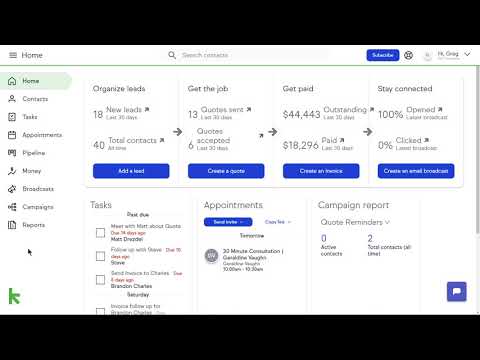
This video is hosted on YouTube
This content is hosted by YouTube. The player loads only after you allow marketing cookies.
Official vendor tutorial
Official vendor demonstration — complementary evidence, not a substitute for the comparison matrix.
View all feature evidenceFreshsales workflow automation
Supported · StrongEvidence: 5 · High confidence
Available from: Growth
Basic workflows on Growth; deeper on higher plans.
Strengths
Limitations
Best for: SMB and mid-market teams wanting CRM + phone/email engagement
See it in action

This video is hosted on YouTube
This content is hosted by YouTube. The player loads only after you allow marketing cookies.
Official vendor tutorial
Official vendor demonstration — complementary evidence, not a substitute for the comparison matrix.
View all feature evidenceCapability vs plan tier
Meaningful automation is frequently plan-gated or usage-limited.
Automate after process clarity
Automating a broken process amplifies inconsistency instead of fixing it.
Power vs maintainability
Complex automations need owners and review when processes change.
Feature availability alone does not tell you whether the implementation fits your workflow. Compare depth, plan gating, and related dimensions before shortlisting.
Complex sales processes
High relevanceStage-based automation helps keep multi-step processes consistent.
Explore use case →High-volume lead management
High relevanceAutomation reduces manual follow-up load at higher volumes.
Explore use case →Advisory & relationship management
MediumUseful for reminders and handoffs; less central than relationship history.
Explore use case →Financial Services
Helps standardize follow-ups and stage actions across advisory and sales teams.
Explore for Financial Services →Add this as a requirement in your CRM shortlist and personalize for team size, budget, and other priorities.
Find My CRM10
Products covered
560
Evidence items
277
Screenshots
37
Plan records
Capability
Workflow Automation
Requirement
Automate Lead Follow-Up
Feature
Workflow Automation
Products
10 researched
Evidence
560 records
It is rule-based automation that creates tasks, updates records, assigns owners, or sends notifications when defined conditions occur on CRM records.
Workflow automation acts on records (tasks, fields, assignment). Email sequences schedule outreach steps to a person and usually stop on reply. Many teams use both.
The highest-cost follow-up you already miss consistently — typically inbound assignment or stage handoffs — once the underlying process is stable enough to encode.
Compare catalogue CRM products based on this feature plus your other requirements, team size and budget.
Explore the official documentation, screenshots and product demonstrations used to understand how each CRM implements this feature.
55 items

Official video · Agile CRM
Supports
Demonstrates

This video is hosted on YouTube
This content is hosted by YouTube. The player loads only after you allow marketing cookies.
Official vendor video
Verified: 16 Aug 2026
Open source ↗Official video · HubSpot
Supports
Demonstrates
This video is hosted on YouTube
This content is hosted by YouTube. The player loads only after you allow marketing cookies.
Official vendor tutorial
Lead management workflow — capture through assignment and follow-up
Verified: 14 Aug 2026
Open source ↗Official video · Microsoft Dynamics 365
Supports
Demonstrates

This video is hosted on YouTube
This content is hosted by YouTube. The player loads only after you allow marketing cookies.
Official vendor tutorial
Verified: 15 Aug 2026
Open source ↗Official video · Microsoft Dynamics 365
Supports
Demonstrates

This video is hosted on YouTube
This content is hosted by YouTube. The player loads only after you allow marketing cookies.
Official vendor video
Verified: 15 Aug 2026
Open source ↗Official video · Pipedrive
Supports
Demonstrates

This video is hosted on YouTube
This content is hosted by YouTube. The player loads only after you allow marketing cookies.
Official vendor tutorial
Verified: 15 Aug 2026
Open source ↗Official video · Salesforce
Supports
Demonstrates
This video is hosted on YouTube
This content is hosted by YouTube. The player loads only after you allow marketing cookies.
Official vendor video
Verified: 15 Aug 2026
Open source ↗Official video · Zoho
Supports
Demonstrates

This video is hosted on YouTube
This content is hosted by YouTube. The player loads only after you allow marketing cookies.
Official vendor tutorial
How Zoho CRM workflow rules automate sales steps after setup.
Verified: 15 Aug 2026
Open source ↗
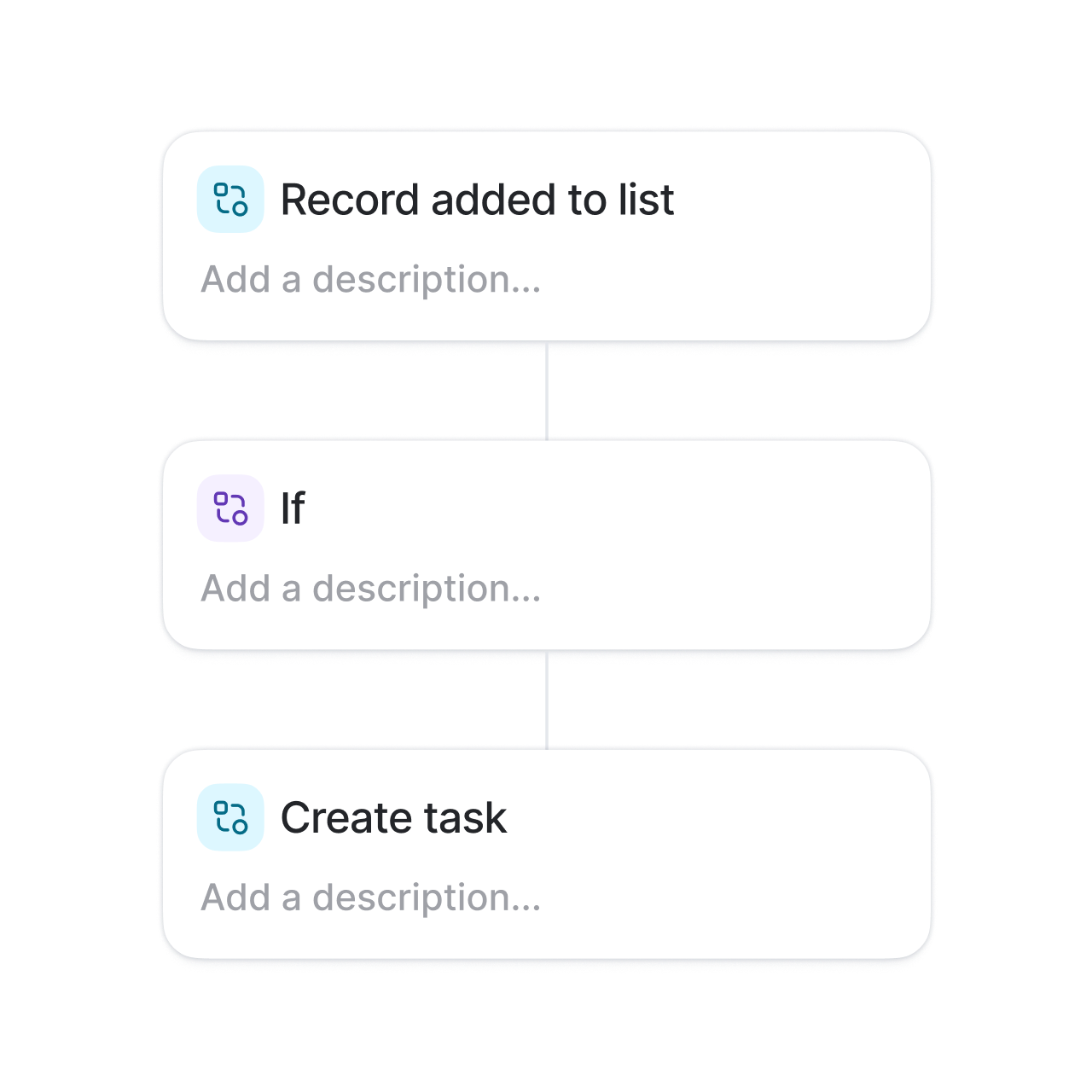
Screenshot · Attio
Supports
Demonstrates
Verified: 15 Aug 2026
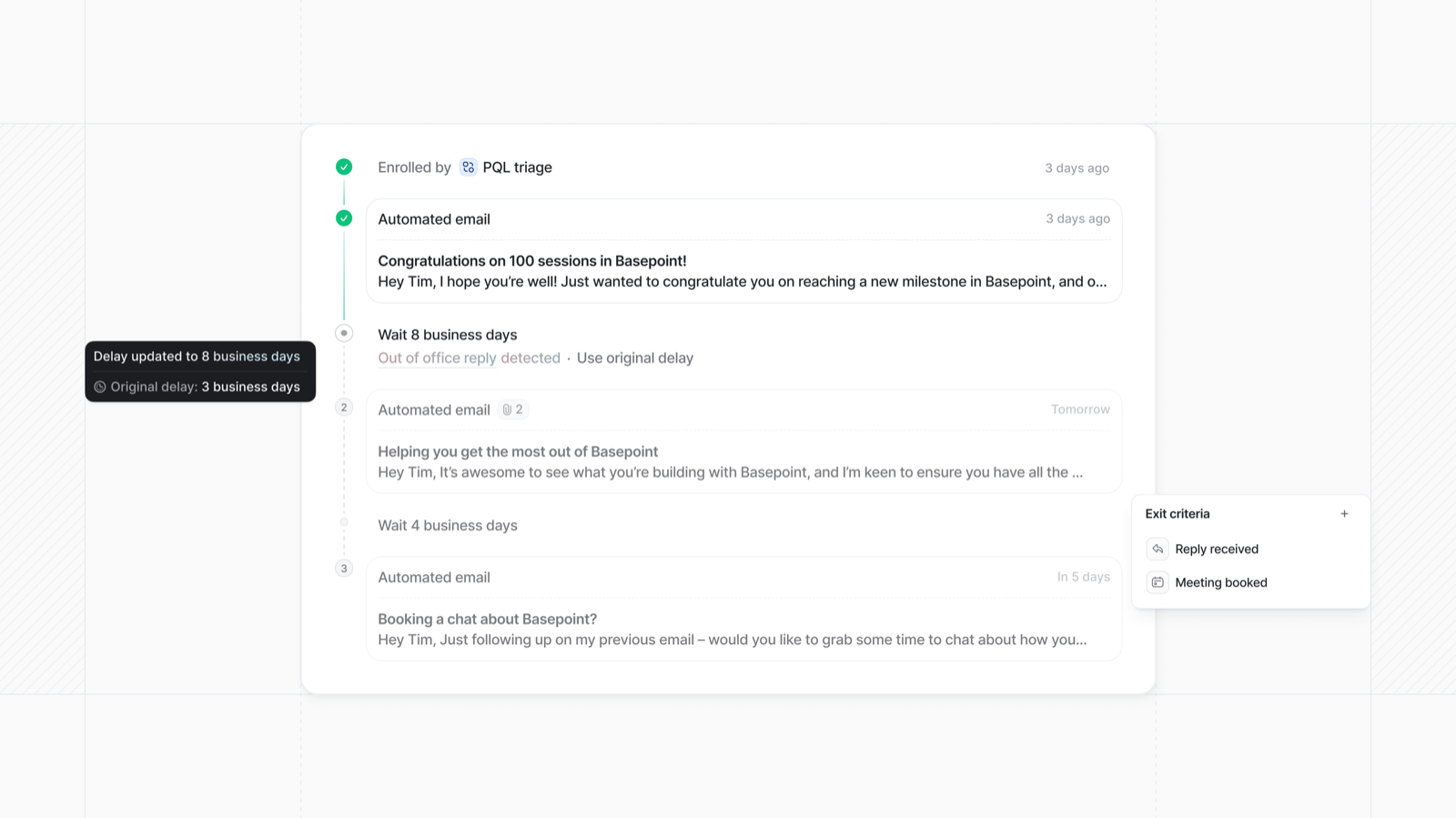
Open source ↗Screenshot · Attio
Supports
Demonstrates
Verified: 15 Aug 2026
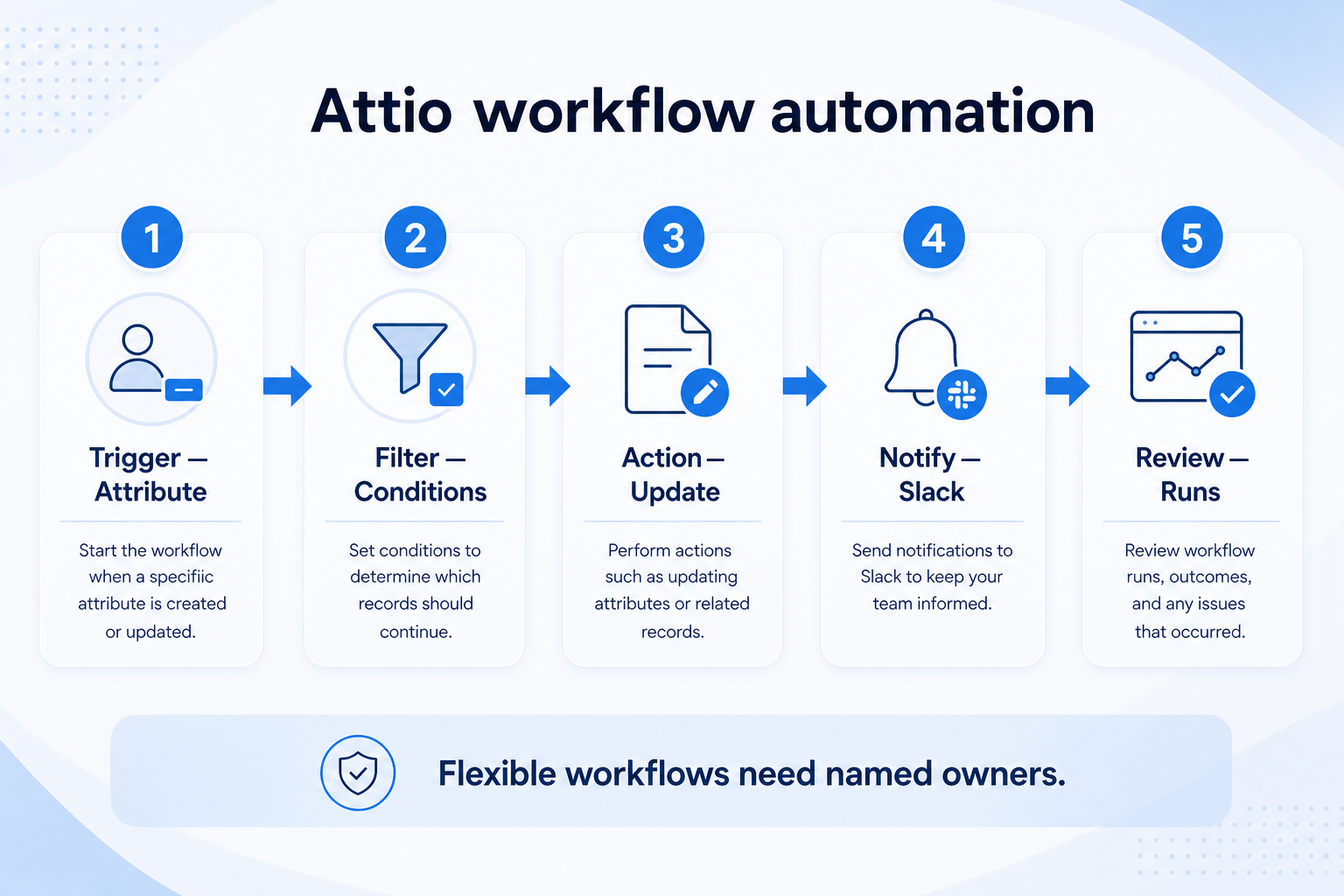
Open source ↗Screenshot · Attio
Supports
Demonstrates
Verified: 15 Aug 2026
Open source ↗
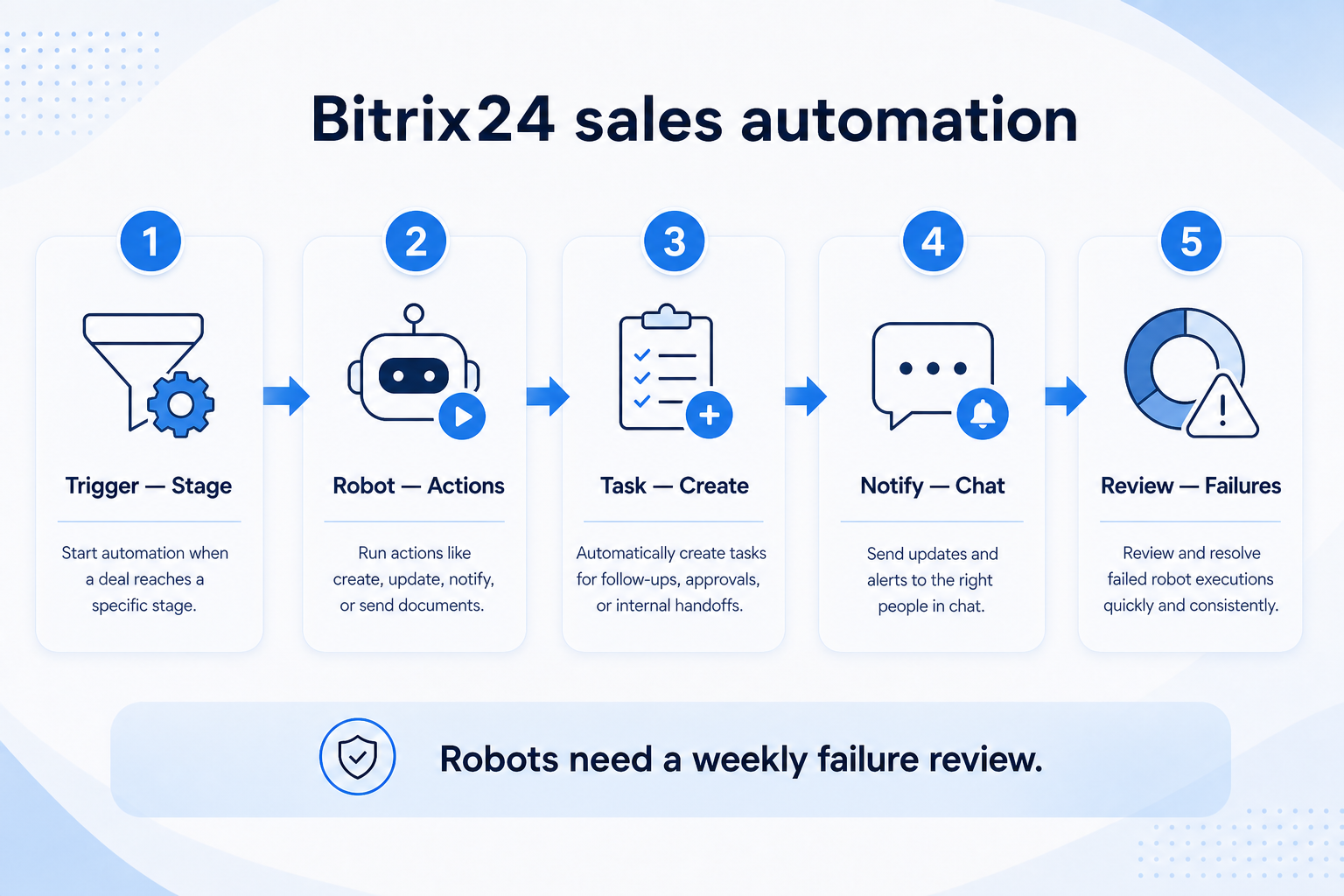
Screenshot · Bitrix24
Supports
Demonstrates
Verified: 15 Aug 2026
Open source ↗Screenshot · Bitrix24
Supports
Demonstrates
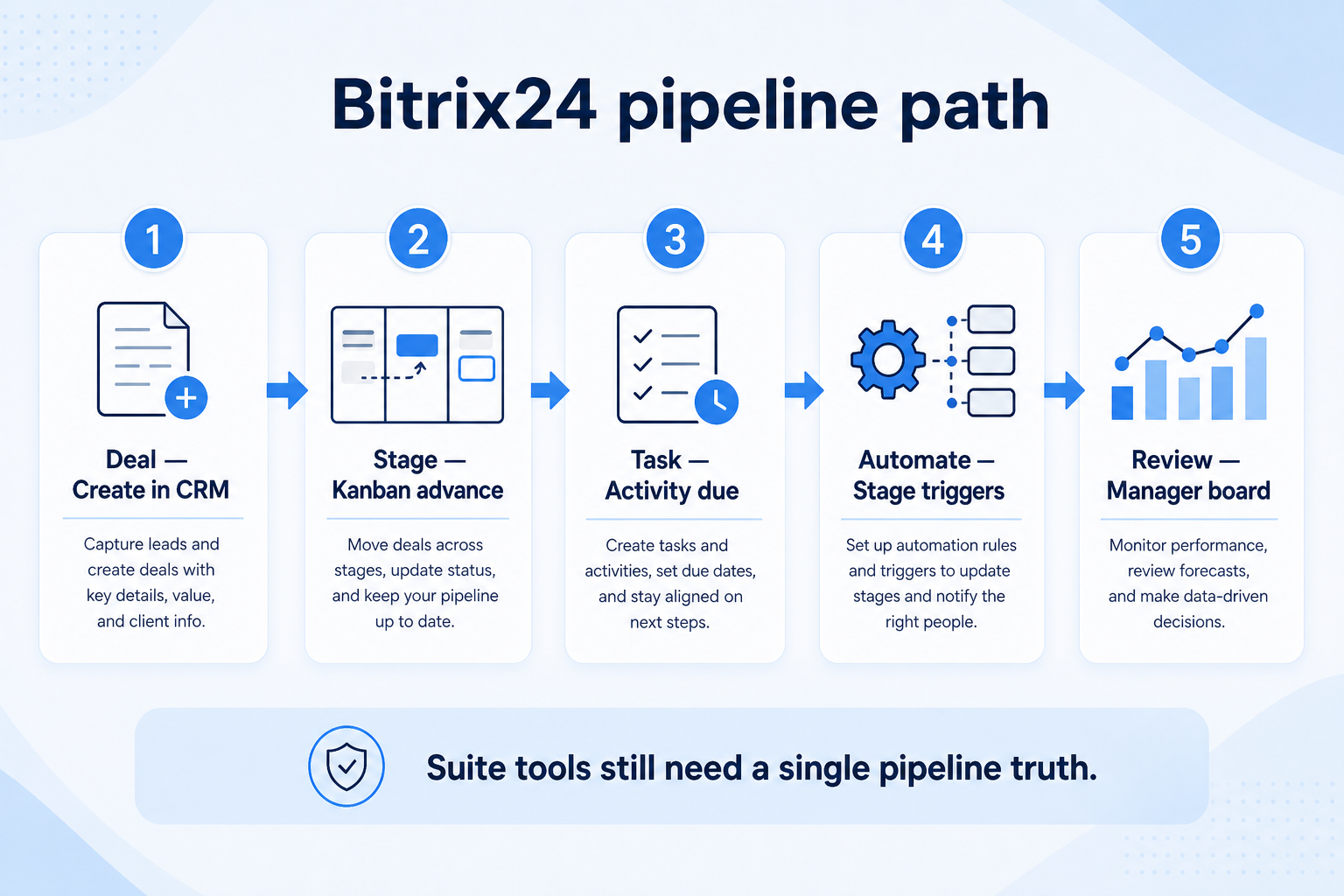
Verified: 15 Aug 2026
Open source ↗Screenshot · Capsule
Supports
Demonstrates
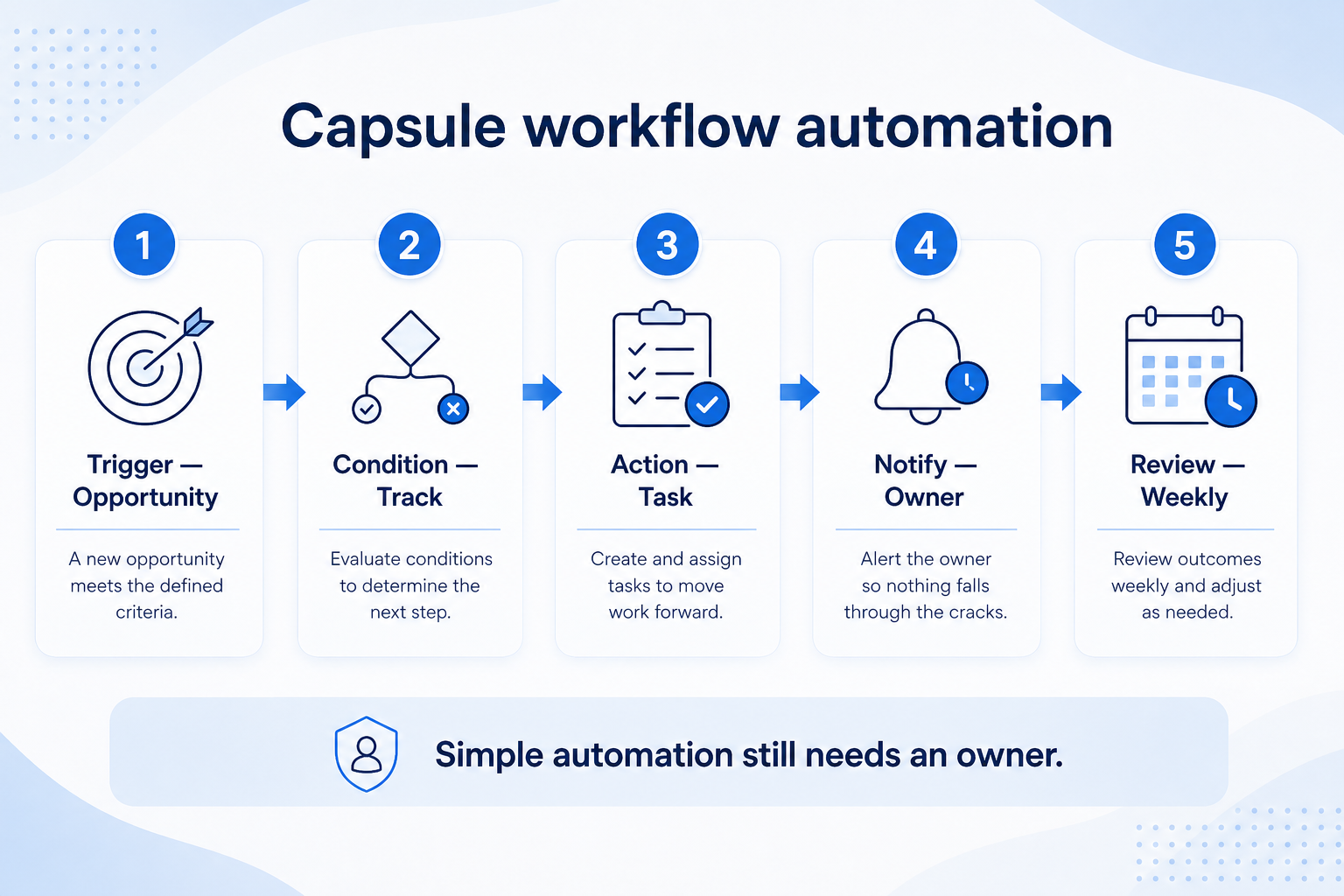
Verified: 15 Aug 2026
Open source ↗Screenshot · Capsule
Supports
Demonstrates
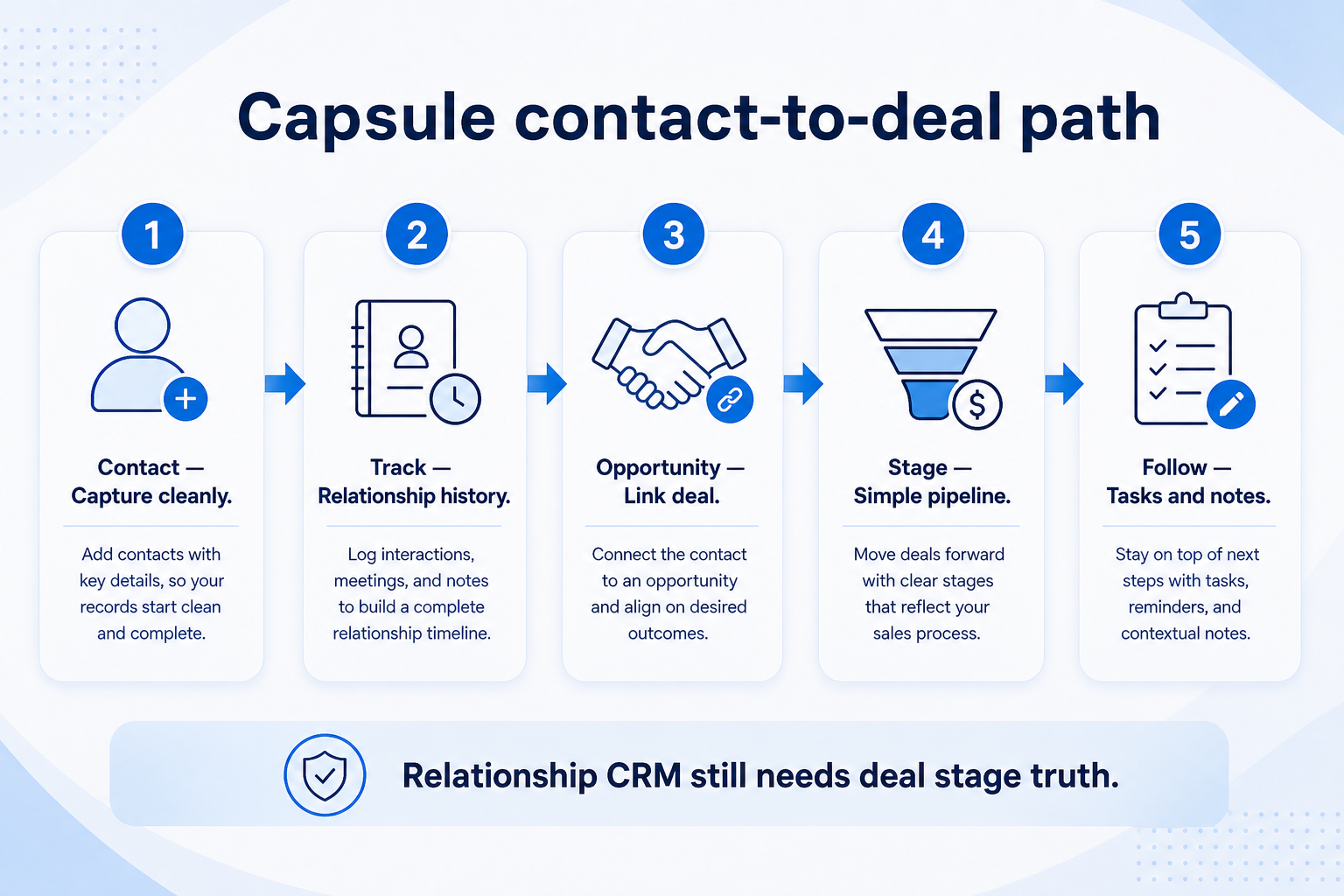
Verified: 15 Aug 2026
Open source ↗Screenshot · Close
Supports
Demonstrates
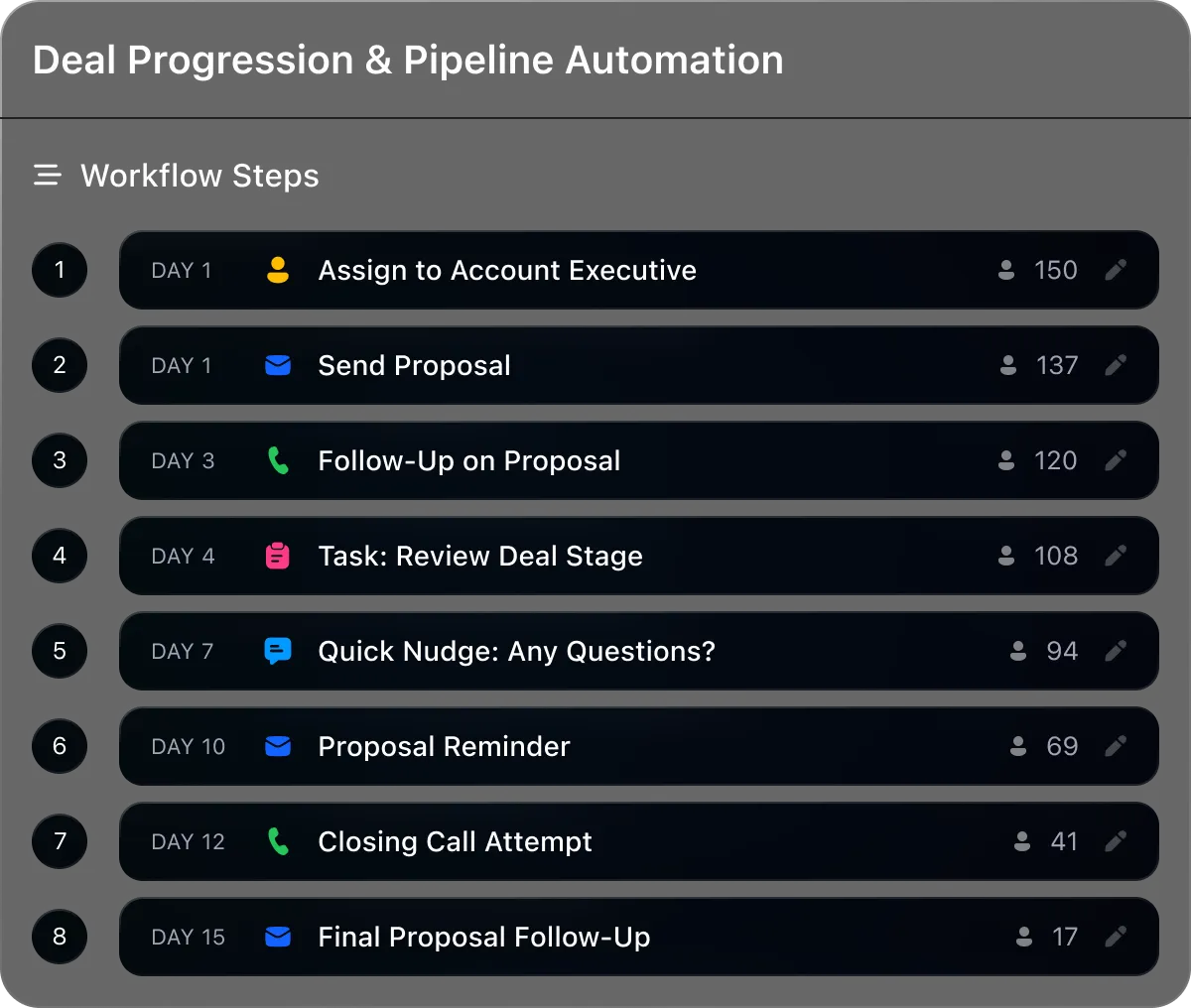
Verified: 13 Aug 2026
Open source ↗Screenshot · Close
Supports
Demonstrates
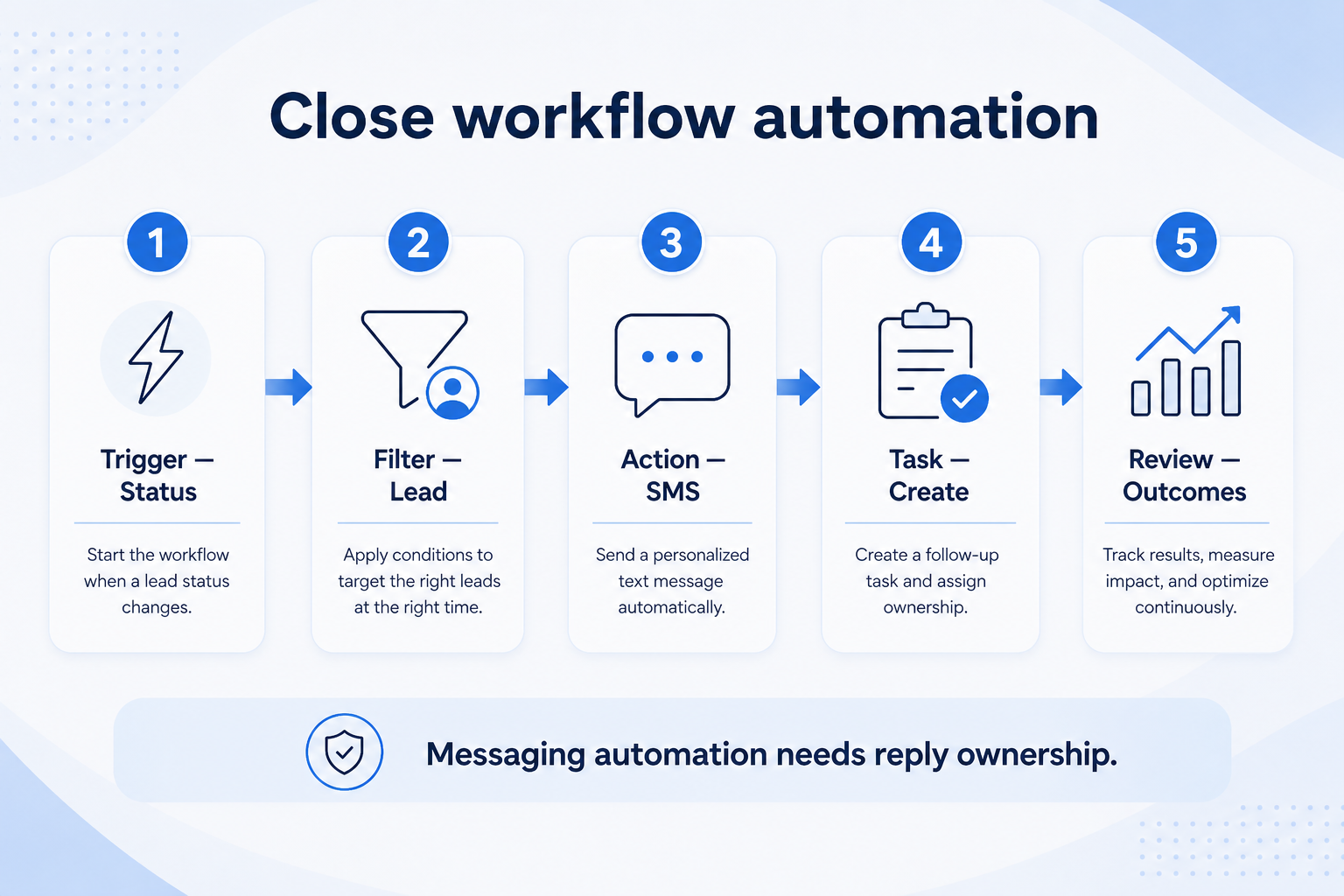
Verified: 15 Aug 2026
Open source ↗Screenshot · Close
Supports
Demonstrates
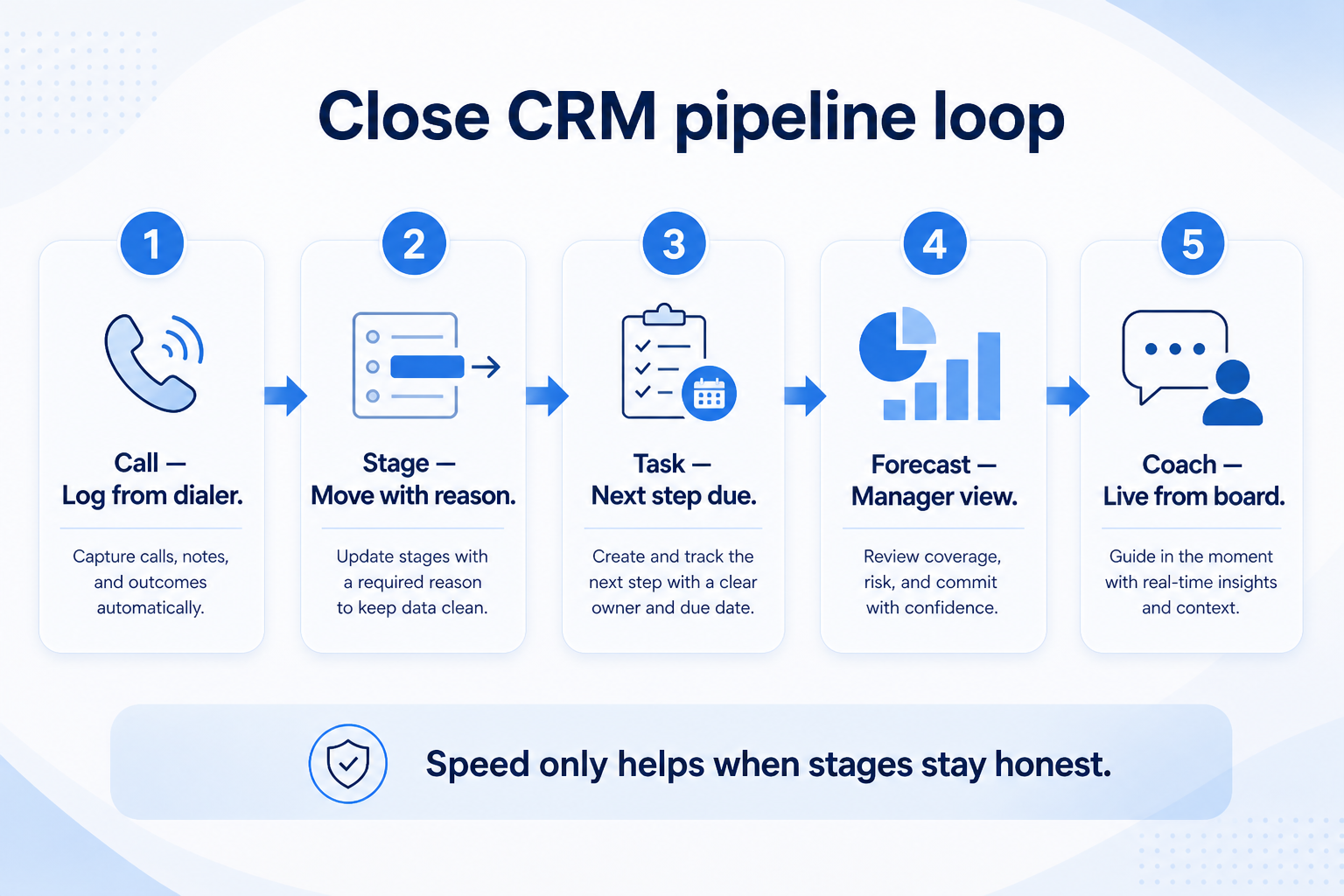
Verified: 15 Aug 2026
Open source ↗Screenshot · Copper
Supports
Demonstrates
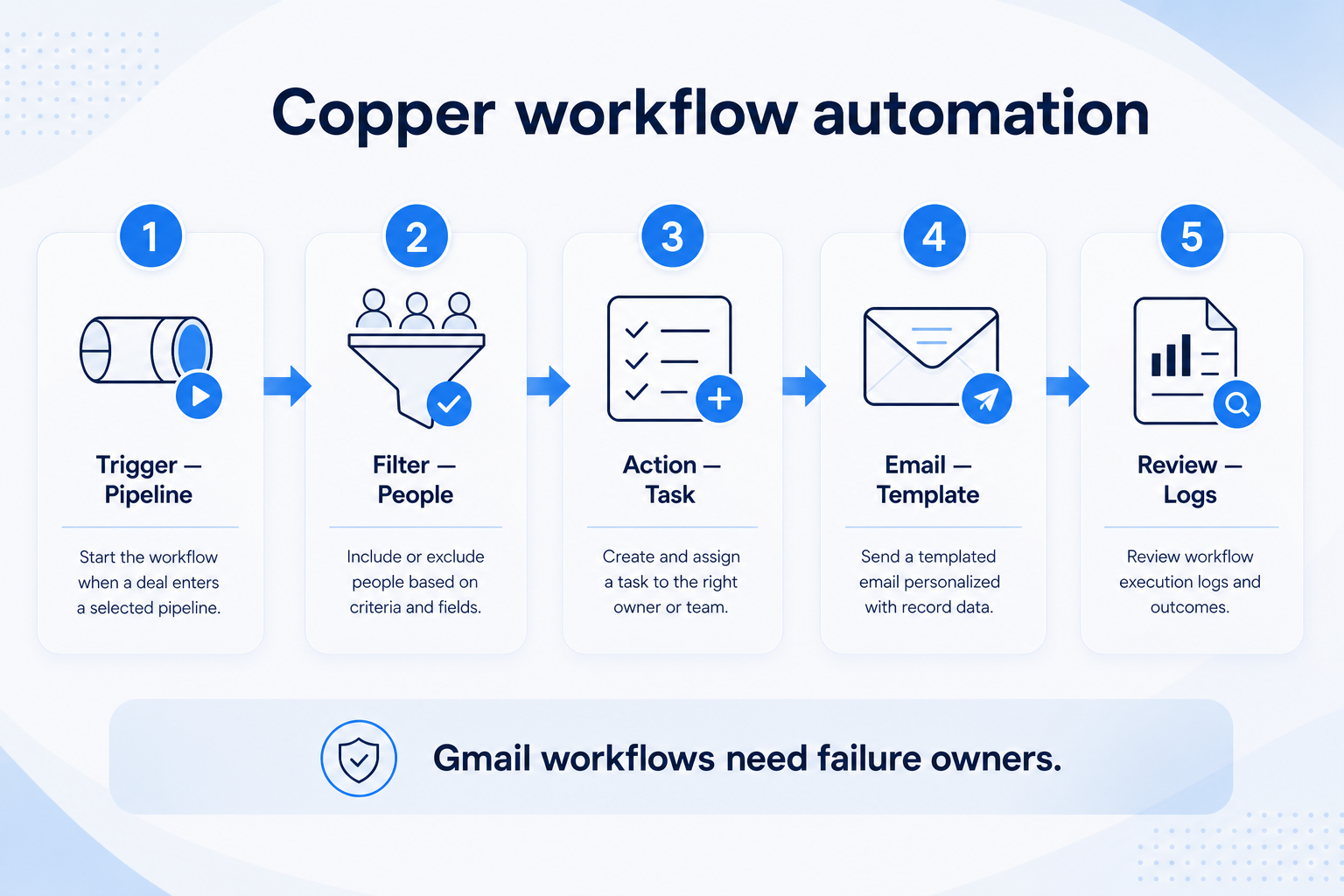
Verified: 15 Aug 2026
Open source ↗Screenshot · Copper
Supports
Demonstrates
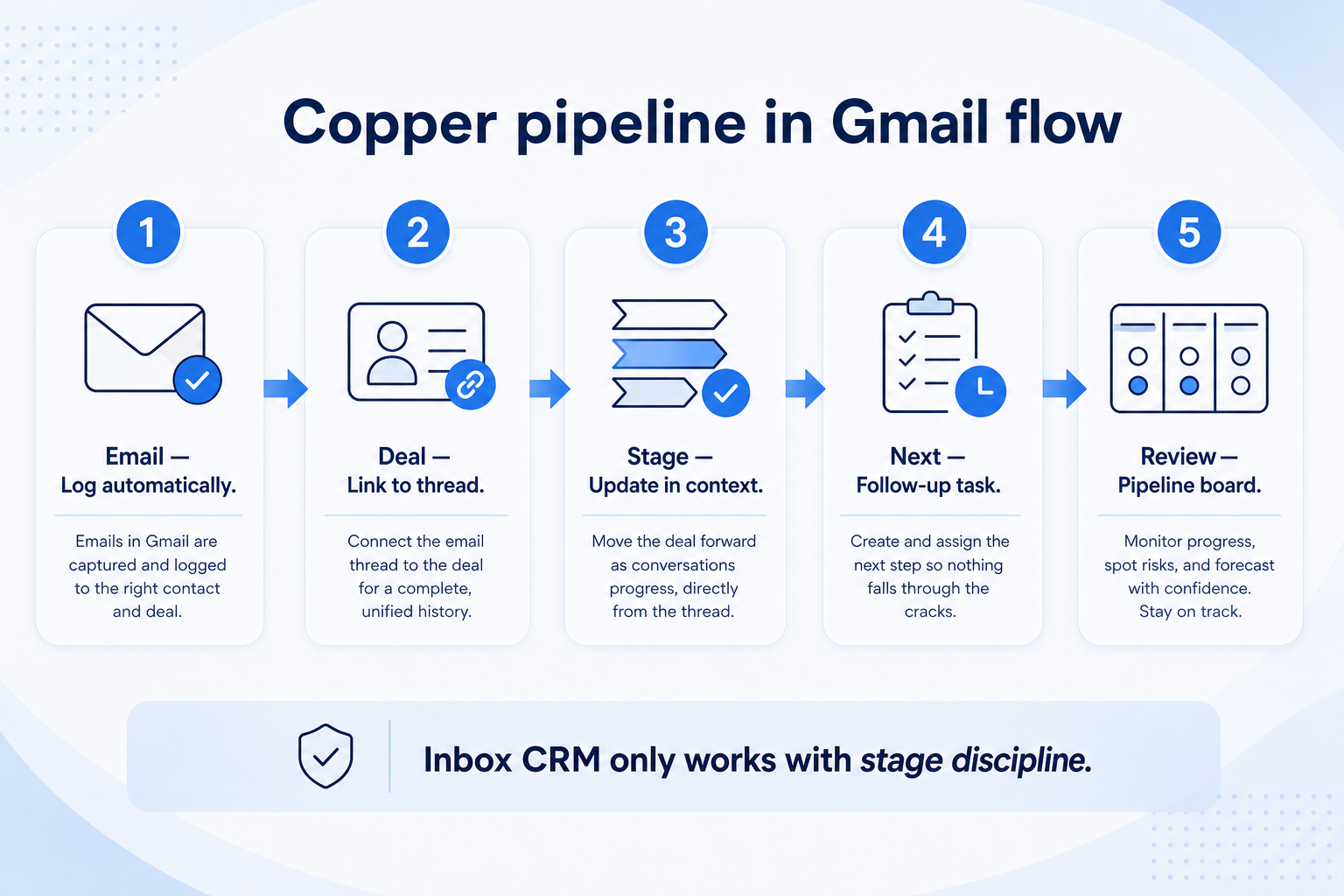
Verified: 15 Aug 2026
Open source ↗Screenshot · folk
Supports
Demonstrates

Verified: 13 Aug 2026
Open source ↗Screenshot · folk
Supports
Demonstrates
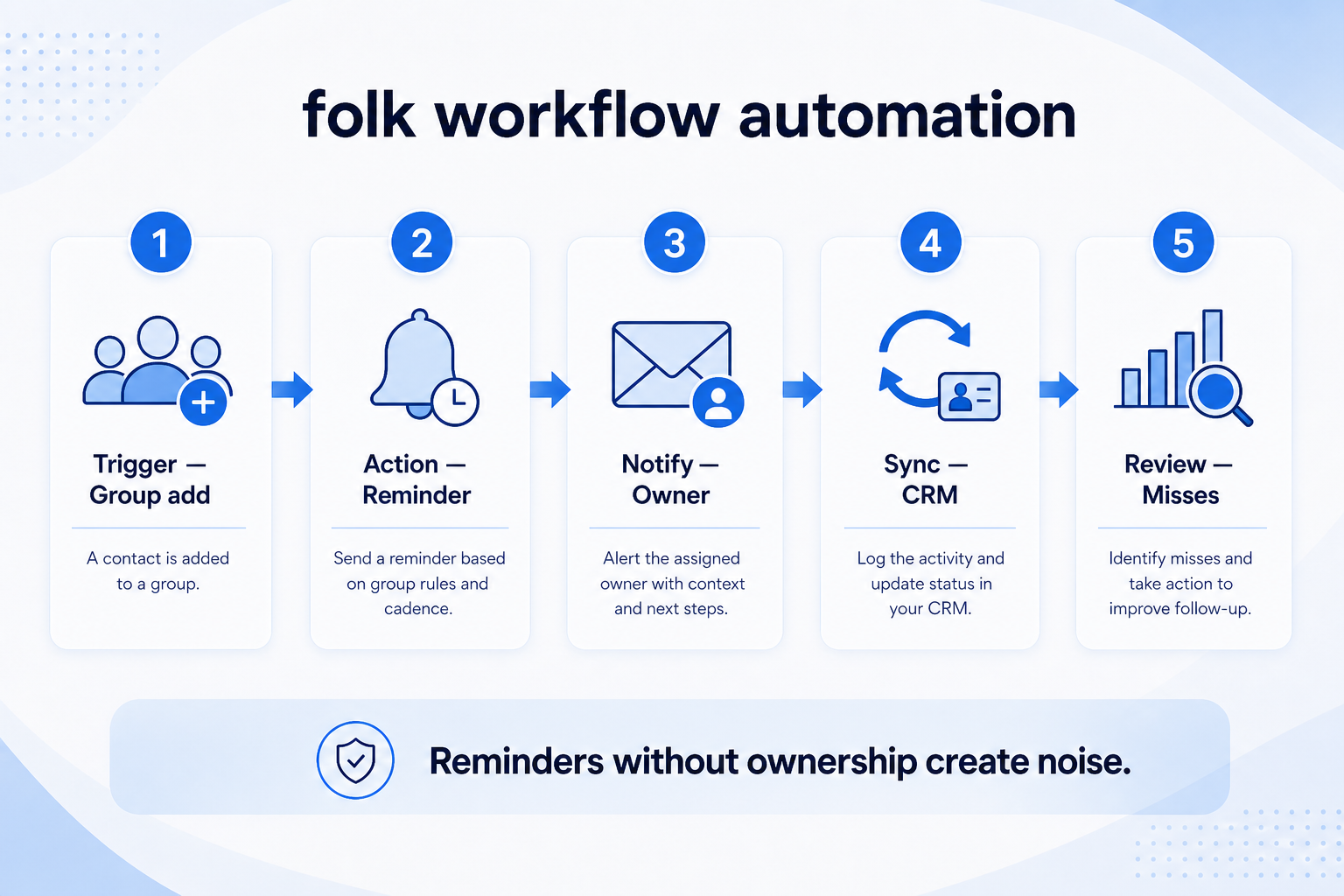
Verified: 15 Aug 2026
Open source ↗Screenshot · folk
Supports
Demonstrates
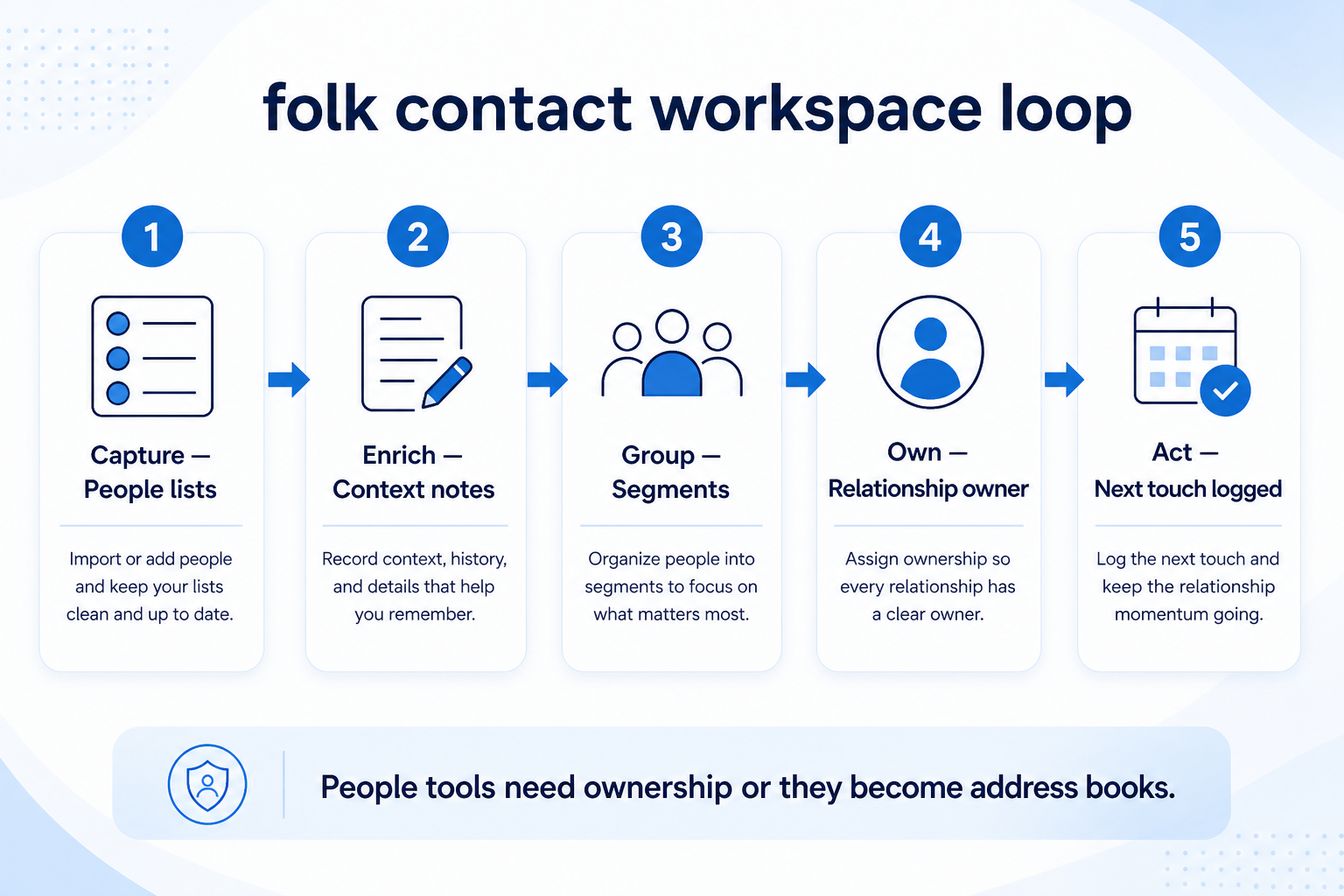
Verified: 15 Aug 2026
Open source ↗Screenshot · Freshsales
Supports
Demonstrates
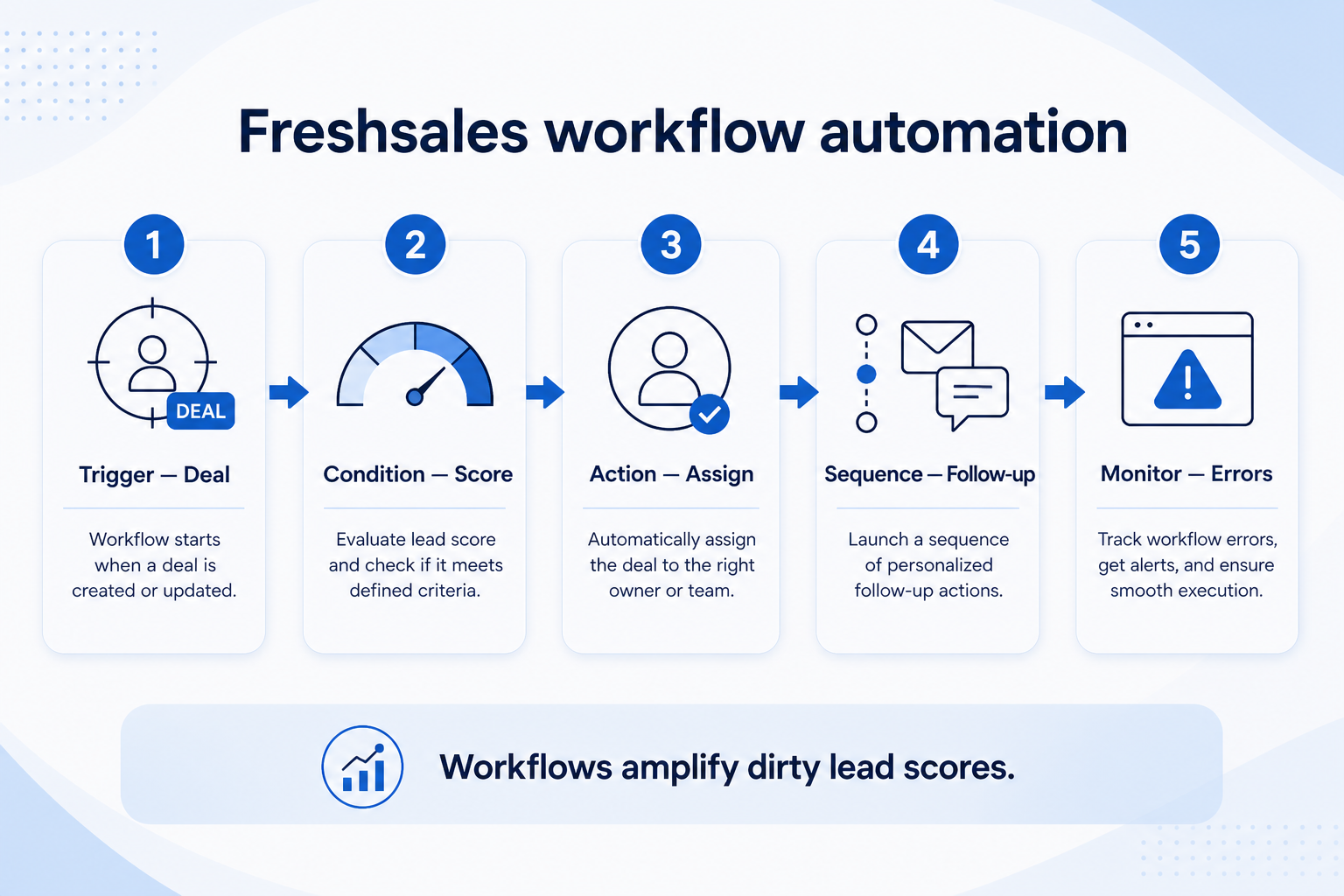
Verified: 15 Aug 2026
Open source ↗Screenshot · Freshsales
Supports
Demonstrates
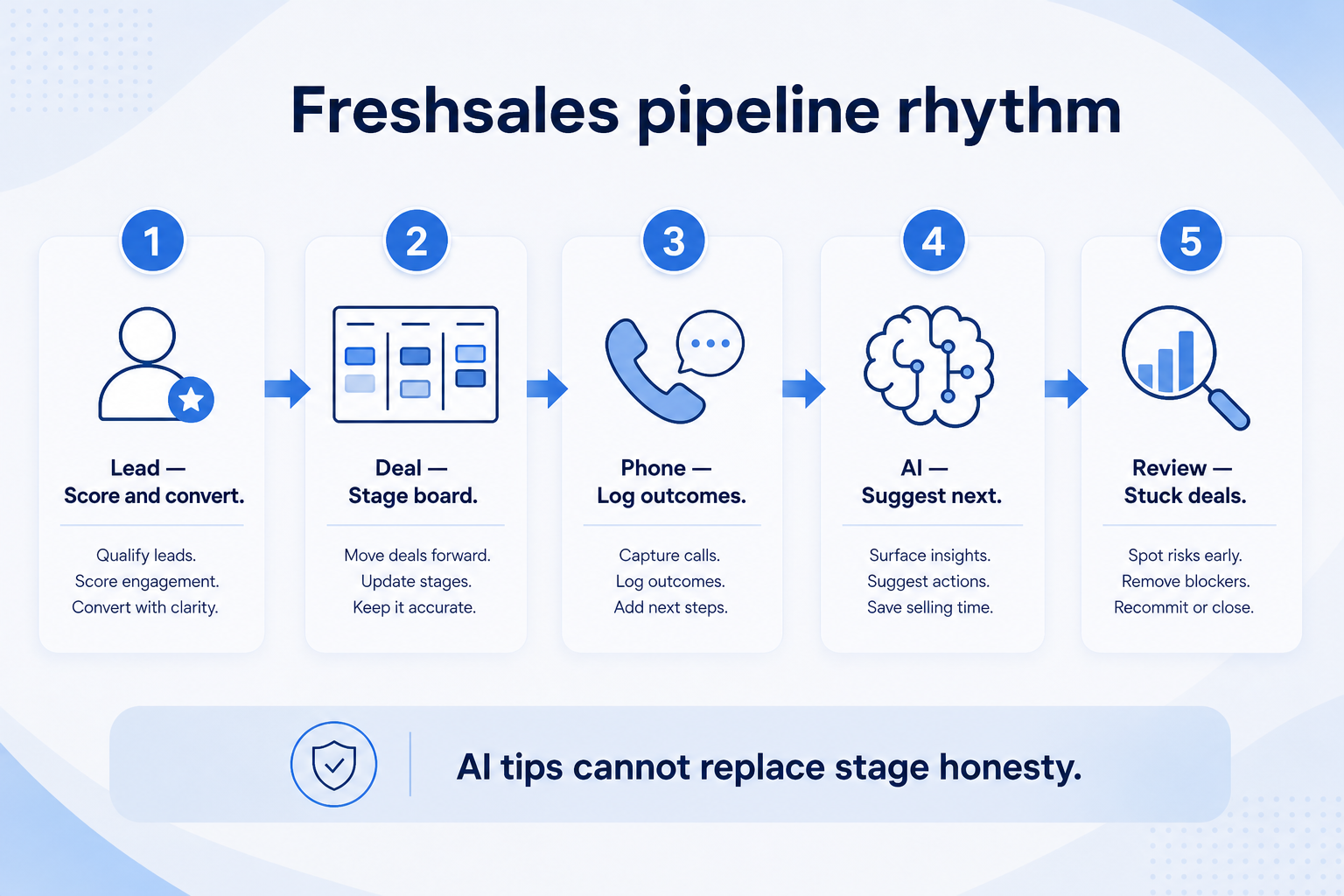
Verified: 15 Aug 2026
Open source ↗Screenshot · HubSpot
Supports
Demonstrates
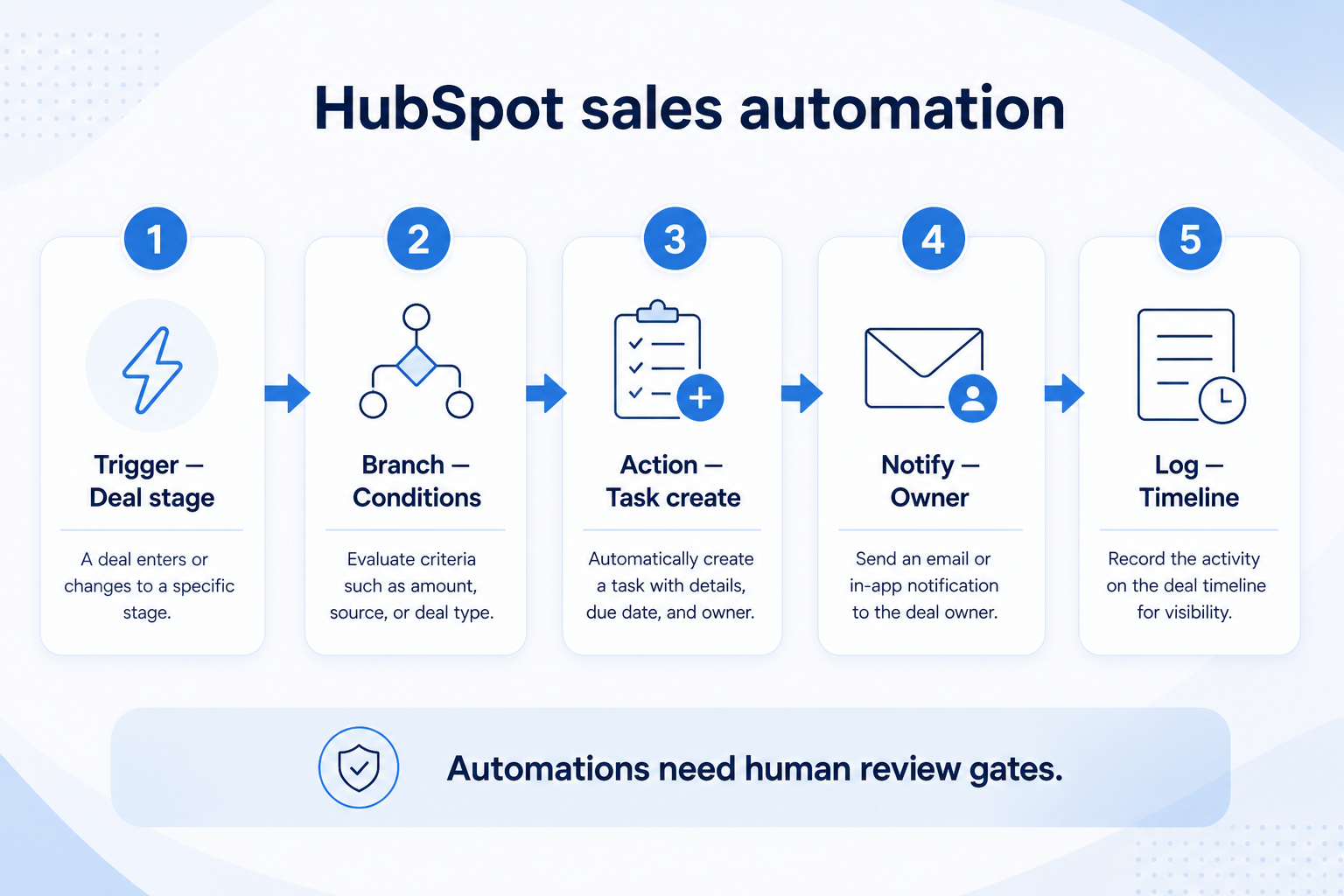
Verified: 15 Aug 2026
Open source ↗Screenshot · HubSpot
Supports
Demonstrates
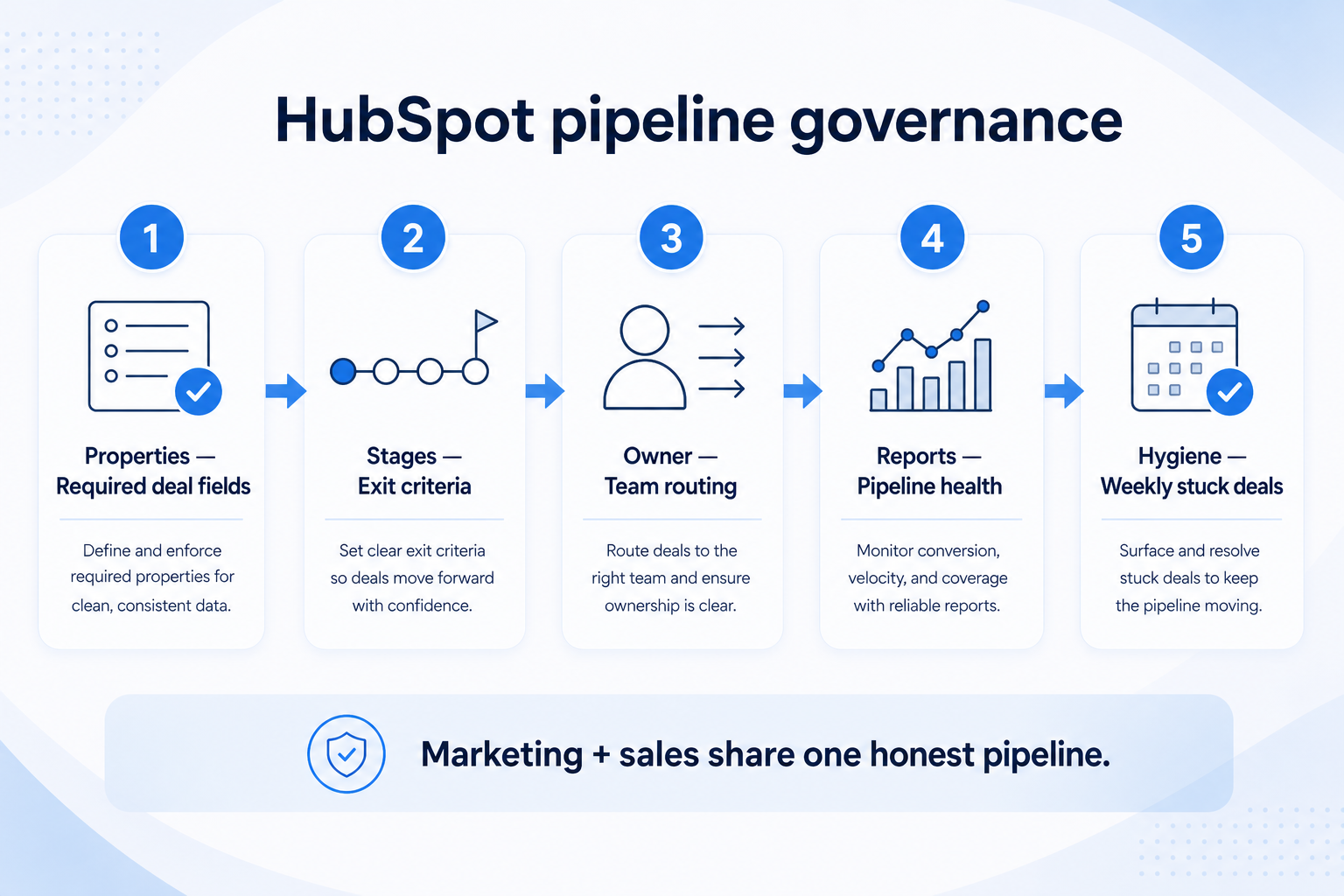
Verified: 15 Aug 2026
Open source ↗Screenshot · Keap
Supports
Demonstrates
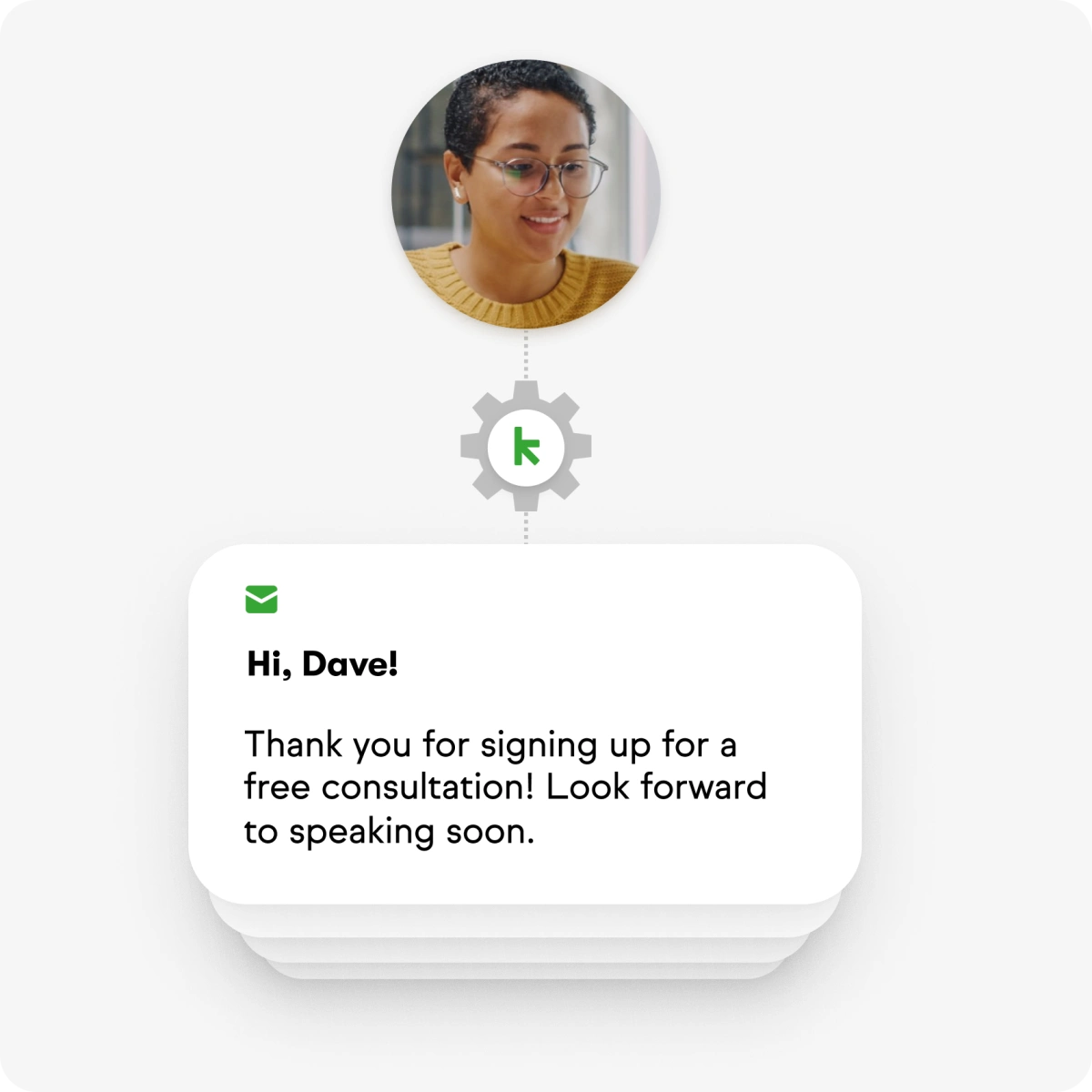
Verified: 13 Aug 2026
Open source ↗Screenshot · Keap
Supports
Demonstrates
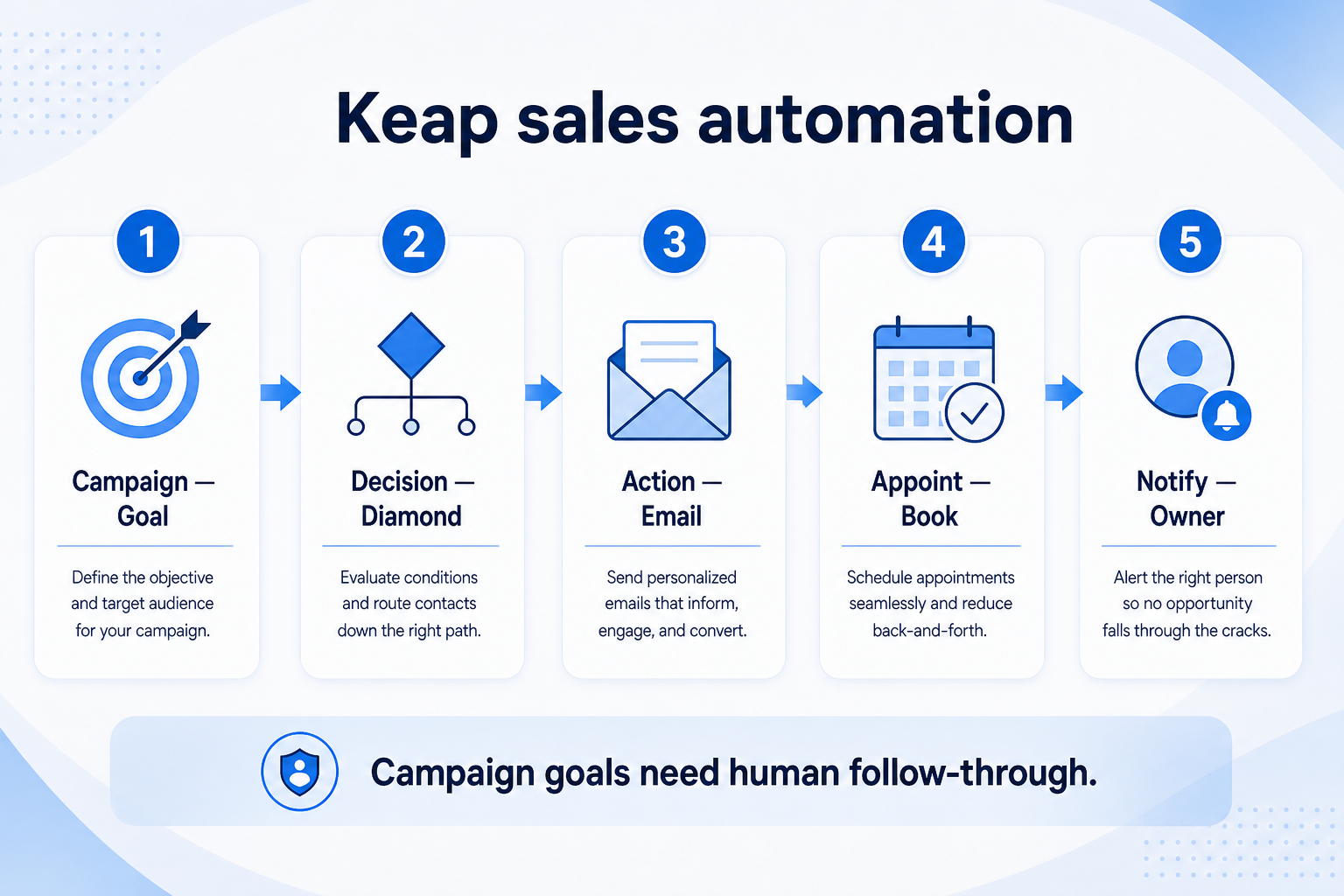
Verified: 15 Aug 2026
Open source ↗Screenshot · Keap
Supports
Demonstrates
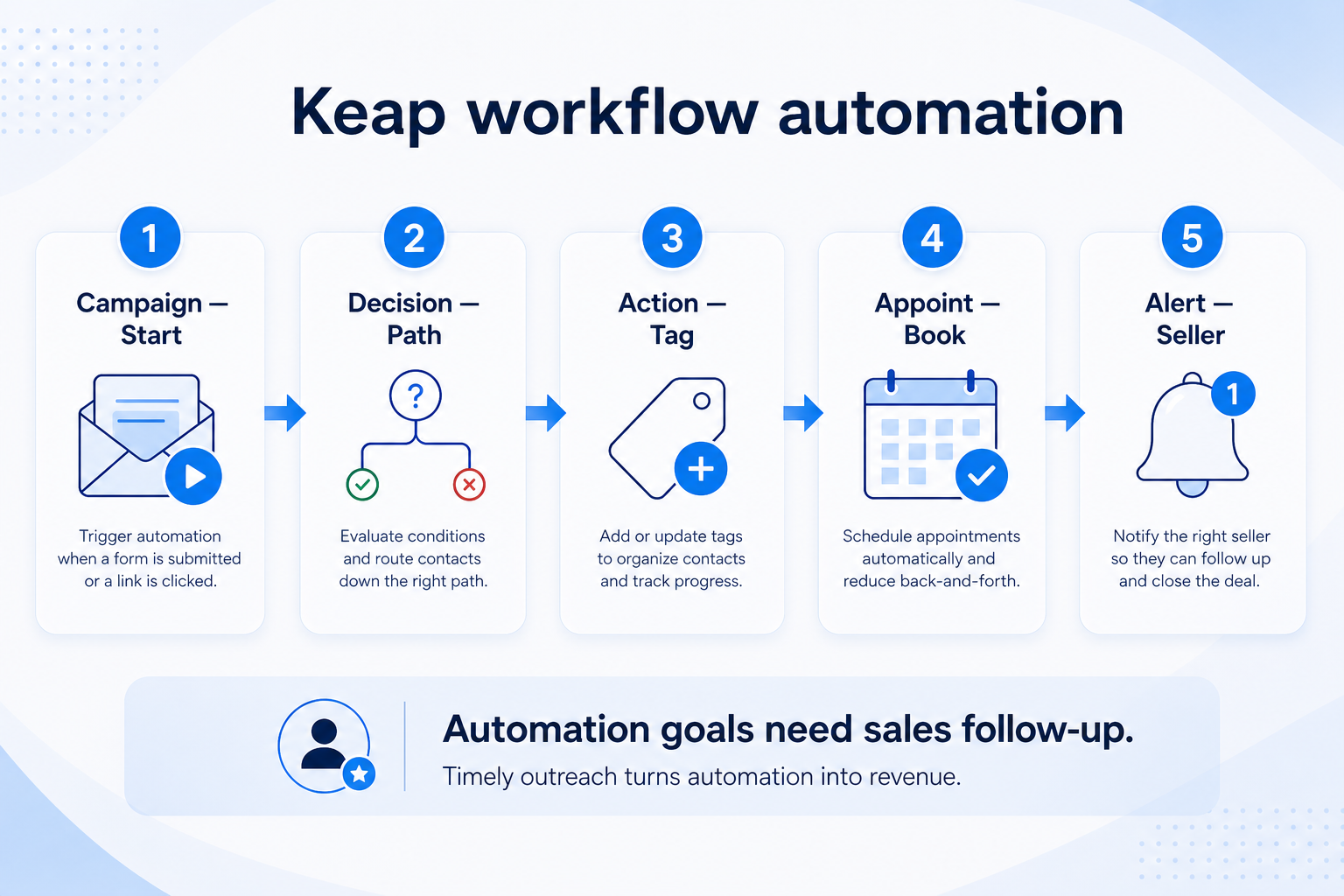
Verified: 15 Aug 2026
Open source ↗Screenshot · Salesforce
Supports
Demonstrates
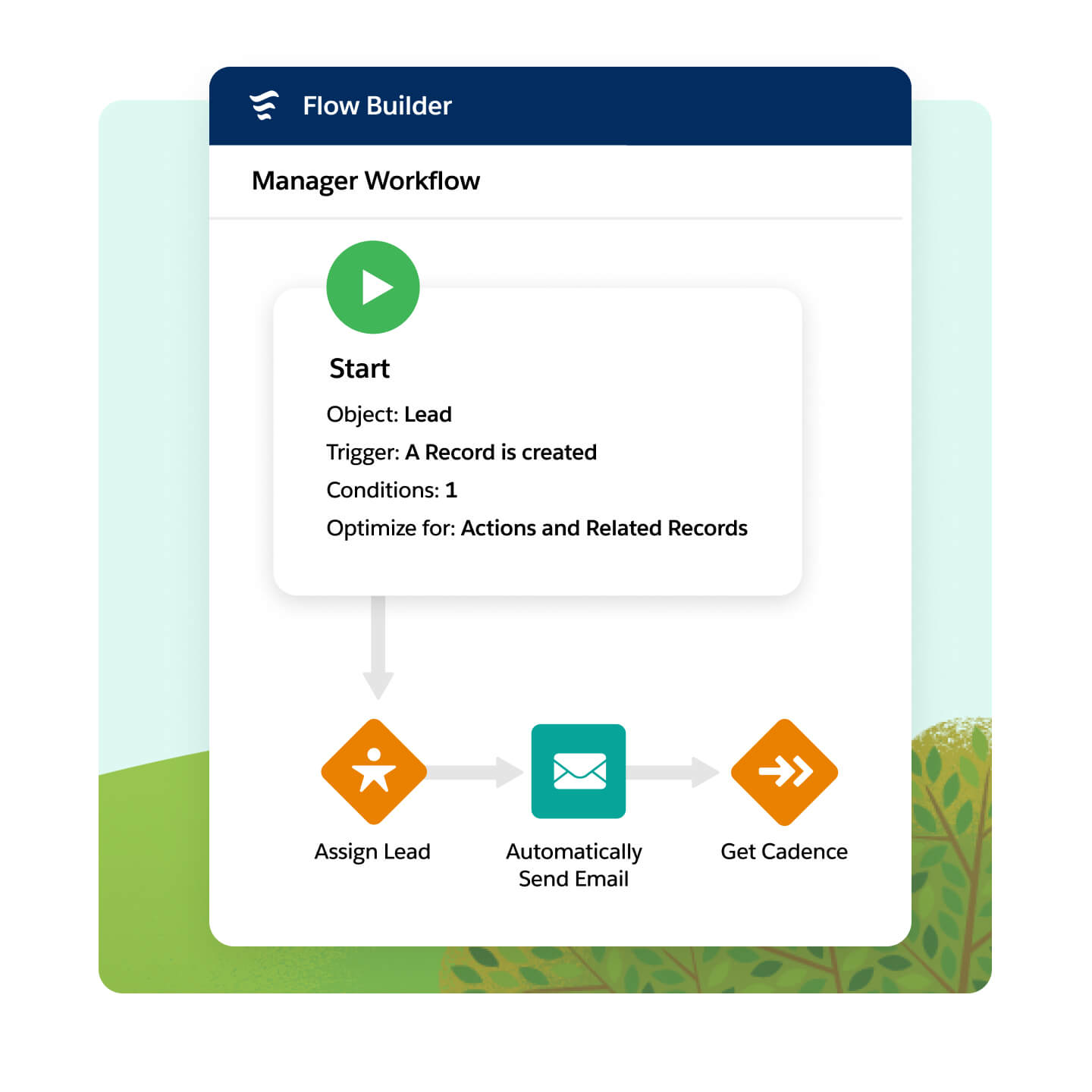
Verified: 14 Aug 2026
Open source ↗Screenshot · Salesforce
Supports
Demonstrates
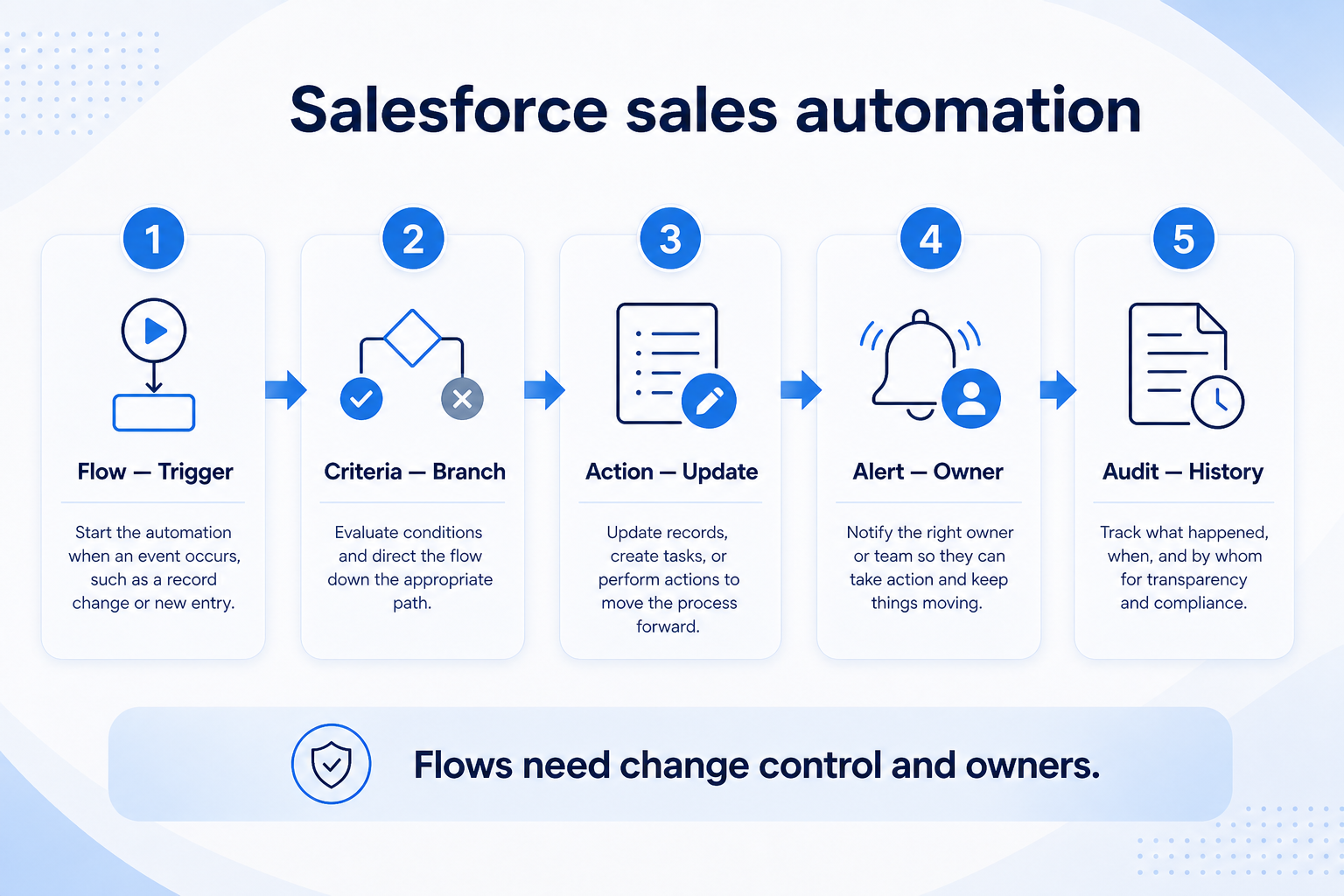
Verified: 15 Aug 2026
Open source ↗Screenshot · Salesforce
Supports
Demonstrates
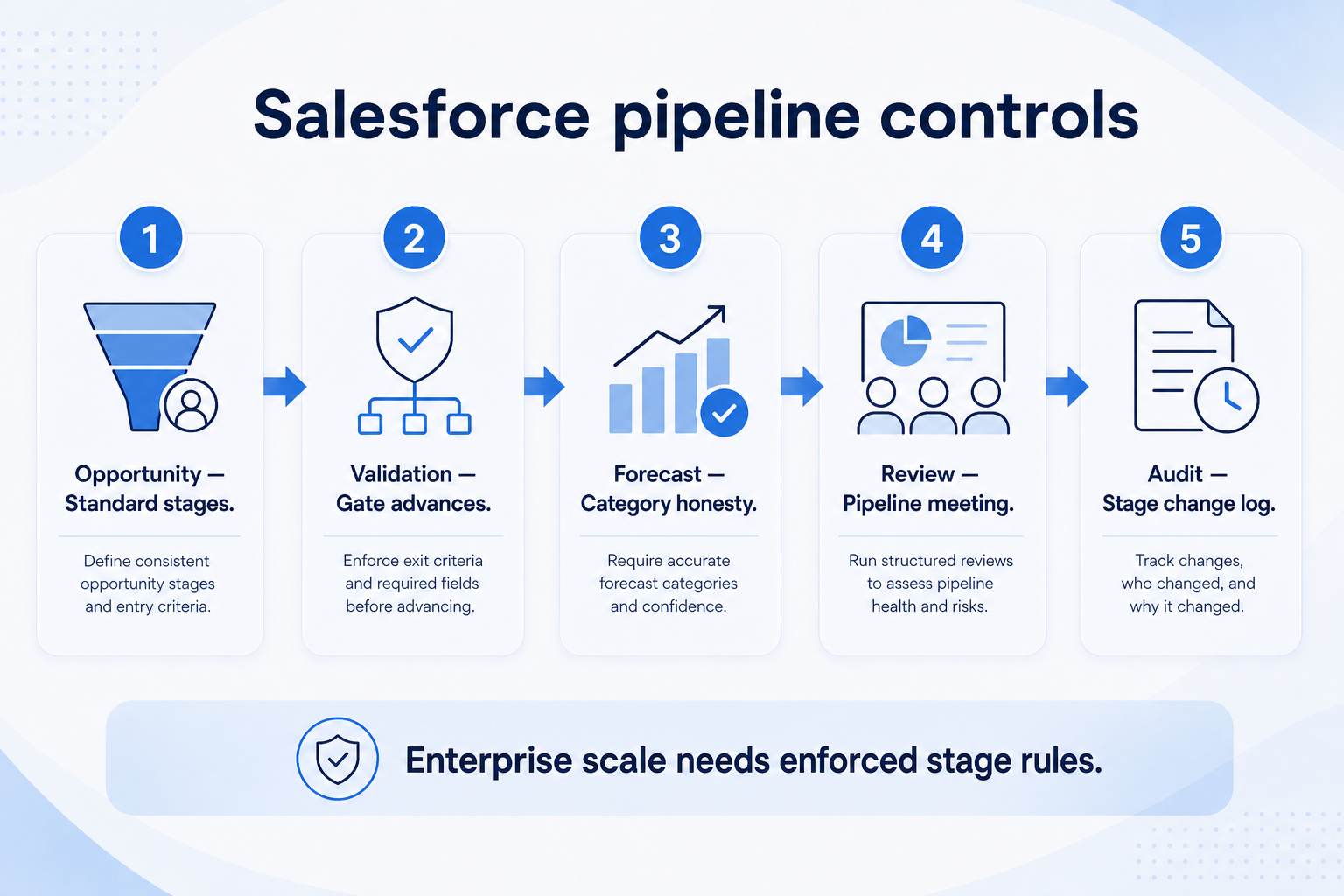
Verified: 15 Aug 2026
Open source ↗Official documentation · Agile CRM
Supports
Verified: —
Open source ↗Official documentation · Agile CRM
Supports
Verified: —
Open source ↗
Official documentation · Apptivo
Supports
Verified: —
Open source ↗Official documentation · Apptivo
Supports
Verified: —
Open source ↗Official documentation · Attio
Supports
Verified: —
Open source ↗Official documentation · Attio
Supports
Verified: —
Open source ↗Official documentation · Bitrix24
Supports
Verified: —
Open source ↗Official documentation · Bitrix24
Supports
Verified: —
Open source ↗Official documentation · Close
Supports
Verified: —
Open source ↗Official documentation · Close
Supports
Verified: —
Open source ↗Official documentation · Close
Supports
Verified: —
Open source ↗Official documentation · folk
Supports
Verified: —
Open source ↗Official documentation · folk
Supports
Verified: —
Open source ↗Official documentation · Freshsales
Supports
Verified: —
Open source ↗Official documentation · Freshsales
Supports
Verified: —
Open source ↗Official documentation · HubSpot
Supports
Verified: —
Open source ↗Official documentation · HubSpot
Supports
Verified: —
Open source ↗Official documentation · Keap
Supports
Verified: —
Open source ↗Official documentation · Keap
Supports
Verified: —
Open source ↗Official documentation · Keap
Supports
Verified: —
Open source ↗Official documentation · Salesforce
Supports
Verified: —
Open source ↗Official documentation · Salesforce
Supports
Verified: —
Open source ↗Official documentation · Salesforce
Supports
Verified: —
Open source ↗