
This video is hosted on YouTube
This content is hosted by YouTube. The player loads only after you allow marketing cookies.
Financial services CRM capability
Evaluate CRM platforms based on how well they support opportunity stages, ownership, follow-ups, visibility and workflow requirements for financial-services teams.
Pipeline management
What we evaluate
Capability at a glance
High importanceFinancial-services teams often manage multi-stage opportunities that involve advisors, sales, relationship managers, and other stakeholders. A clear pipeline keeps ownership and next actions visible as opportunities progress.
Without structured stages and follow-up discipline, opportunities stall, handoffs break down, and managers lose visibility into pipeline health. CRM pipeline management is the operational layer that makes those workflows consistent.
The right pipeline setup reflects how your organization actually sells and advises — not a generic stage template. Compare products on stage flexibility, ownership, activities, visibility, and reporting before you commit.
Use these requirements to evaluate products against your workflow — not popularity alone.
Adapt opportunity stages to the real sales or advisory workflow.
Explore feature →Assign clear responsibility so every opportunity has an owner.
Explore feature →Keep next actions visible and assigned on every opportunity.
Explore feature →Support distinct sales or relationship processes where needed.
Explore requirement →Use pipeline data to support management visibility and planning.
Explore feature →Trigger tasks or actions as opportunities move between stages.
Explore requirement →Essential
Advanced
See which official demonstrations and screenshots support each requirement. Support labels come from feature assessments — not from media counts.
Requirement
Adapt opportunity stages to the real sales or advisory workflow.
Explore requirement →
Salesforce
Evidence:

Pipedrive
Evidence:

Creatio
Evidence:
Requirement
Assign clear responsibility so every opportunity has an owner.
Explore requirement →Salesforce
Evidence:
Pipedrive
Evidence:
Creatio
Evidence:
Requirement
Keep next actions visible and assigned on every opportunity.
Explore requirement →Salesforce
Evidence:
Pipedrive
Evidence:
Creatio
Evidence:
Requirement
Support distinct sales or relationship processes where needed.
Explore requirement →Salesforce
Evidence:
Pipedrive
Evidence:
Creatio
Evidence:
Requirement
Use pipeline data to support management visibility and planning.
Explore requirement →Salesforce
Evidence:
Pipedrive
Evidence:
Creatio
Evidence:
Requirement
Trigger tasks or actions as opportunities move between stages.
Explore requirement →Salesforce
Evidence:
Pipedrive
Evidence:
Creatio
Evidence:
Overall labels use approved criterion assessments when available; otherwise they reflect feature-support coverage — not an industry ranking.
| Product | Overall | Stages / pipelines | Ownership | Workflow support | Forecasting | Reporting | Best suited to |
|---|---|---|---|---|---|---|---|
Strong · 9/10 Evidence: 9 sources · 4 screenshots · 9 official videos | ~ | Mid-market and enterprise sales orgs needing deep customization and reporting | |||||
Strong · 9/10 Evidence: 9 sources · 5 screenshots · 8 official videos | ~ | ~ | SMB and mid-market sales teams prioritizing pipeline visibility | ||||
Strong · 8/10 Evidence: 9 sources · 2 screenshots · 3 official videos | Mid-market teams needing no-code CRM + workflows | ||||||
Strong · 8/10 Evidence: 9 sources · 2 screenshots · 4 official videos | Oracle-centric mid-market/enterprise sales orgs | ||||||
Strong · 8/10 Evidence: 9 sources · 2 screenshots · 2 official videos | Mid-market sales orgs wanting CX CRM | ||||||
Strong · 8/10 Evidence: 9 sources · 3 screenshots · 5 official videos | ~ | Startups and GTM teams wanting flexible CRM | |||||
Strong · 8/10 Evidence: 8 sources · 3 screenshots · 5 official videos | Inside sales and outbound teams that live on phone/email/SMS | ||||||
Strong · 8/10 Evidence: 9 sources · 2 screenshots · 5 official videos | ~ | SMB teams standardized on Google Workspace |
Select two products for a side-by-side comparison.
Salesforce
$25.00/user/month
Pipeline and opportunity management are core Sales Cloud capabilities, with Advanced Pipeline Management & Deal Insights explicitly called out from Enterprise. Official feature assets document pipeline and opportunity workflows suitable for complex sales motions.
Evidence confidence: Medium
Pipedrive
$14.00/user/month
Pipeline management is Pipedrive’s core product story: customizable stages, multiple pipelines, deal visualization, activity tracking, and Insights metrics are all first-party documented strengths. This is the criterion where Pipedrive most clearly leads for SMB sales buyers.
Evidence confidence: Medium
Creatio
$40.00/user/month
Sales module pipelines/deals are first-class when Sales is licensed.
Evidence confidence: Medium
Need help choosing?
Answer a few questions about team size, requirements, integrations and budget for a personalized CRM shortlist.
Find My CRM →✓ Supported · ~ Partial / plan dependent · — Not evidenced. Unknown is never shown as “No”.
| Requirement | Salesforce | Pipedrive | Creatio |  Oracle CX Oracle CX |  SugarCRM SugarCRM |
|---|---|---|---|---|---|
| Pipeline management | |||||
| Custom pipelines | |||||
| Deal management | |||||
| Lead management | |||||
| Workflow automation | ~ | ||||
| Sales automation | ~ | ||||
| Forecasting | ~ | ~ | |||
| Reporting | |||||
| Custom fields |
Official vendor demonstrations help show how different CRM platforms approach the workflows, features and interactions that make up pipeline management. Absence of a video does not mean a product lacks the capability.
Salesforce
Specialized Retail Banking with Agentforce Financial Services
Focus: Financial Services Cloud overview — client/account relationships and advisor workflows
This video is hosted on YouTube
This content is hosted by YouTube. The player loads only after you allow marketing cookies.
What this shows
What to notice
What this does not establish
Features visible in this demo
Requirements illustrated
Visual presence does not by itself confirm requirement satisfaction — see the product assessment.
Particularly relevant to
Source: Salesforce · Verified 14 Aug 2026
Pipedrive
The Easy and Effective CRM for Closing Deals
Focus: Pipeline-first workspace with stage movement and activities

This video is hosted on YouTube
This content is hosted by YouTube. The player loads only after you allow marketing cookies.
What this shows
What to notice
What this does not establish
Features visible in this demo
Requirements illustrated
Visual presence does not by itself confirm requirement satisfaction — see the product assessment.
Particularly relevant to
Source: Pipedrive · Verified 14 Aug 2026
SugarCRM
How to Create an Opportunity in SugarCRM | Setup, Pricing & Deal Splits Tutorial
Focus: SugarCRM opportunity setup

This video is hosted on YouTube
This content is hosted by YouTube. The player loads only after you allow marketing cookies.
What this shows
What this does not establish
Features visible in this demo
Source: SugarAI · Verified 15 Aug 2026

Attio
Attio | How to build your sales pipelines
Focus: Attio sales pipeline setup

This video is hosted on YouTube
This content is hosted by YouTube. The player loads only after you allow marketing cookies.
What this shows
What this does not establish
Features visible in this demo
Source: Attio · Verified 15 Aug 2026
Evidence-backed workflow comparison using official vendor demos and screenshots — not a ranking or entertainment gallery. Absence of media does not mean a product lacks the capability.
Salesforce
Salesforce emphasizes
Pipedrive
Pipedrive emphasizes
SoftwareGlimpse take
Salesforce evidence emphasizes client / account relationship surfaces in Financial Services Cloud; Pipedrive evidence emphasizes opportunity visible in pipeline. These are observations from official sources, not inferred brand philosophy.
One best official workflow demonstration per product when available — not a gallery of every video.
Pipeline and opportunity management are core Sales Cloud capabilities, with Advanced Pipeline Management & Deal Insights explicitly called out from Enterprise. Official feature assets document pipeline and opportunity workflows suitable for complex sales motions.
Key strengths
Limitations
See it in action
This video is hosted on YouTube
This content is hosted by YouTube. The player loads only after you allow marketing cookies.
Official vendor video
Financial Services Cloud overview — client/account relationships and advisor workflows
Pipeline management is Pipedrive’s core product story: customizable stages, multiple pipelines, deal visualization, activity tracking, and Insights metrics are all first-party documented strengths. This is the criterion where Pipedrive most clearly leads for SMB sales buyers.
Key strengths
Limitations
See it in action
This video is hosted on YouTube
This content is hosted by YouTube. The player loads only after you allow marketing cookies.
Official vendor video
Pipeline-first workspace with stage movement and activities
Sales module pipelines/deals are first-class when Sales is licensed.
Key strengths
See it in action

This video is hosted on YouTube
This content is hosted by YouTube. The player loads only after you allow marketing cookies.
Official vendor tutorial
Verified product captures only — never stock imagery or mockups.
Loading evidence explorer…
Your exact requirements depend on your sales or advisory process.
Simplicity vs customization
Highly configurable CRM may support complex processes but require more administration.
Native functionality vs integrations
Some teams prefer built-in workflow capability; others integrate specialist tools.
Ease of adoption vs process depth
Simple pipeline UX can be easier to adopt but may not support complex workflows.
Automation vs control
More automation can improve consistency but needs careful configuration and ownership.
Advisory / relationship management
Medium–HighUseful when opportunities sit alongside ongoing client relationships.
Explore use case →B2B financial services sales
HighCentral when opportunity stages and sales activity drive revenue.
Explore use case →High-volume lead management
HighHelps when large prospect volumes need structured progression.
Explore use case →Complex sales processes
Very highCritical when multiple stages, stakeholders, and approvals are involved.
Explore use case →Growing teams
HighSupports consistent process as more people touch the pipeline.
Explore use case →Ask the vendor to demonstrate this with your workflow, plans, and data requirements — and request documentation where relevant.
Ask the vendor to demonstrate this with your workflow, plans, and data requirements — and request documentation where relevant.
Ask the vendor to demonstrate this with your workflow, plans, and data requirements — and request documentation where relevant.
Ask the vendor to demonstrate this with your workflow, plans, and data requirements — and request documentation where relevant.
Ask the vendor to demonstrate this with your workflow, plans, and data requirements — and request documentation where relevant.
Ask the vendor to demonstrate this with your workflow, plans, and data requirements — and request documentation where relevant.
Ask the vendor to demonstrate this with your workflow, plans, and data requirements — and request documentation where relevant.
Ask the vendor to demonstrate this with your workflow, plans, and data requirements — and request documentation where relevant.
Ask the vendor to demonstrate this with your workflow, plans, and data requirements — and request documentation where relevant.
Design the process
Define stages before configuring software.
Ownership
Decide who owns opportunities and handoffs.
Data
Define required fields and data quality rules.
Reporting
Agree what management needs to see.
Automation
Automate only after the process is understood.
Workflow automation
Evaluate CRM platforms based on how well they automate repetitive follow-ups, stage changes, and process consistency for financial-services teams.
Explore →Reporting and forecasting
Evaluate CRM platforms on how well they support reporting and forecasting for financial services teams — the requirements that matter, the trade-offs involved, and researched product evidence.
Explore →Contact management
Evaluate CRM platforms on how well they support contact management for financial services teams — the requirements that matter, the trade-offs involved, and researched product evidence.
Explore →Integrations
Evaluate CRM platforms on how well they support integrations for financial services teams — the requirements that matter, the trade-offs involved, and researched product evidence.
Explore →See the category-wide capability hub: Pipeline management CRM capability.
Tell us your team size, requirements, integrations and budget. We will use structured answers — not affiliate incentives — to build your shortlist.
Find My CRM →Pipeline management is how a CRM tracks opportunities through stages — with ownership, activities, and visibility — so teams can progress and report on work consistently.
Financial-services opportunities often involve multiple stages and stakeholders. Structured pipelines help keep ownership, follow-ups, and management visibility clear.
Look for stage configuration, deal or opportunity records, ownership, activity tracking, pipeline views, and — when needed — multiple pipelines, automation, forecasting, and reporting.
Only if distinct processes need separate stage models (for example advisory vs sales). Many teams start with one well-designed pipeline.
Pipeline management structures opportunity stages and ownership. Workflow automation triggers tasks or updates as records change — often across those stages.
Compare on the requirements your process needs, then check evidence of support, plan limits, screenshots, and total cost. Use side-by-side comparisons and CRM Finder for a shortlist.
Sometimes — multiple pipelines, automation, or forecasting may sit on higher plans. Verify plan limits with vendors and use the CRM Cost Calculator for researched list prices.
There is no universal best product for every financial-services team. Fit depends on your workflow, must-have capabilities, integrations, and budget.
Choose products based on the pipeline management capabilities your team actually needs.
Explore the official documentation, screenshots and product demonstrations used to understand how each CRM implements pipeline management.
18 items
Official video · Attio
Supports
Demonstrates
This video is hosted on YouTube
This content is hosted by YouTube. The player loads only after you allow marketing cookies.
Official vendor tutorial
Verified: 15 Aug 2026
Open source ↗Official video · Bitrix24
Supports
Demonstrates

This video is hosted on YouTube
This content is hosted by YouTube. The player loads only after you allow marketing cookies.
Official vendor tutorial
Verified: 15 Aug 2026
Open source ↗
Official video · Close
Supports
Demonstrates

This video is hosted on YouTube
This content is hosted by YouTube. The player loads only after you allow marketing cookies.
Official vendor tutorial
Verified: 15 Aug 2026
Open source ↗Official video · HubSpot
Supports
Demonstrates

This video is hosted on YouTube
This content is hosted by YouTube. The player loads only after you allow marketing cookies.
Official vendor tutorial
Lead management workflow — capture through assignment and follow-up
Verified: 14 Aug 2026
Open source ↗Official video · HubSpot
Supports
Demonstrates

This video is hosted on YouTube
This content is hosted by YouTube. The player loads only after you allow marketing cookies.
Official vendor video
How Sales Hub surfaces pipeline, deals, and prospecting in one workspace.
Verified: 14 Aug 2026
Open source ↗Official video · Insightly CRM by Unbounce
Supports
Demonstrates

This video is hosted on YouTube
This content is hosted by YouTube. The player loads only after you allow marketing cookies.
Official vendor tutorial
Verified: 15 Aug 2026
Open source ↗Official video · monday.com
Supports
Demonstrates

This video is hosted on YouTube
This content is hosted by YouTube. The player loads only after you allow marketing cookies.
Official vendor tutorial
Verified: 15 Aug 2026
Open source ↗Official video · monday.com
Supports
Demonstrates

This video is hosted on YouTube
This content is hosted by YouTube. The player loads only after you allow marketing cookies.
Official vendor tutorial
Verified: 15 Aug 2026
Open source ↗Official video · Pipedrive
Supports
Demonstrates
This video is hosted on YouTube
This content is hosted by YouTube. The player loads only after you allow marketing cookies.
Official vendor video
Pipeline-first workspace with stage movement and activities
Verified: 14 Aug 2026
Open source ↗Official video · Salesforce
Supports
Demonstrates
This video is hosted on YouTube
This content is hosted by YouTube. The player loads only after you allow marketing cookies.
Official vendor video
Financial Services Cloud overview — client/account relationships and advisor workflows
Verified: 14 Aug 2026
Open source ↗Official video · Streak
Supports
Demonstrates

This video is hosted on YouTube
This content is hosted by YouTube. The player loads only after you allow marketing cookies.
Official vendor tutorial
Verified: 15 Aug 2026
Open source ↗Official video · Zoho CRM
Supports
Demonstrates

This video is hosted on YouTube
This content is hosted by YouTube. The player loads only after you allow marketing cookies.
Official vendor tutorial
Verified: 15 Aug 2026
Open source ↗Screenshot · ACT!
Supports
Demonstrates
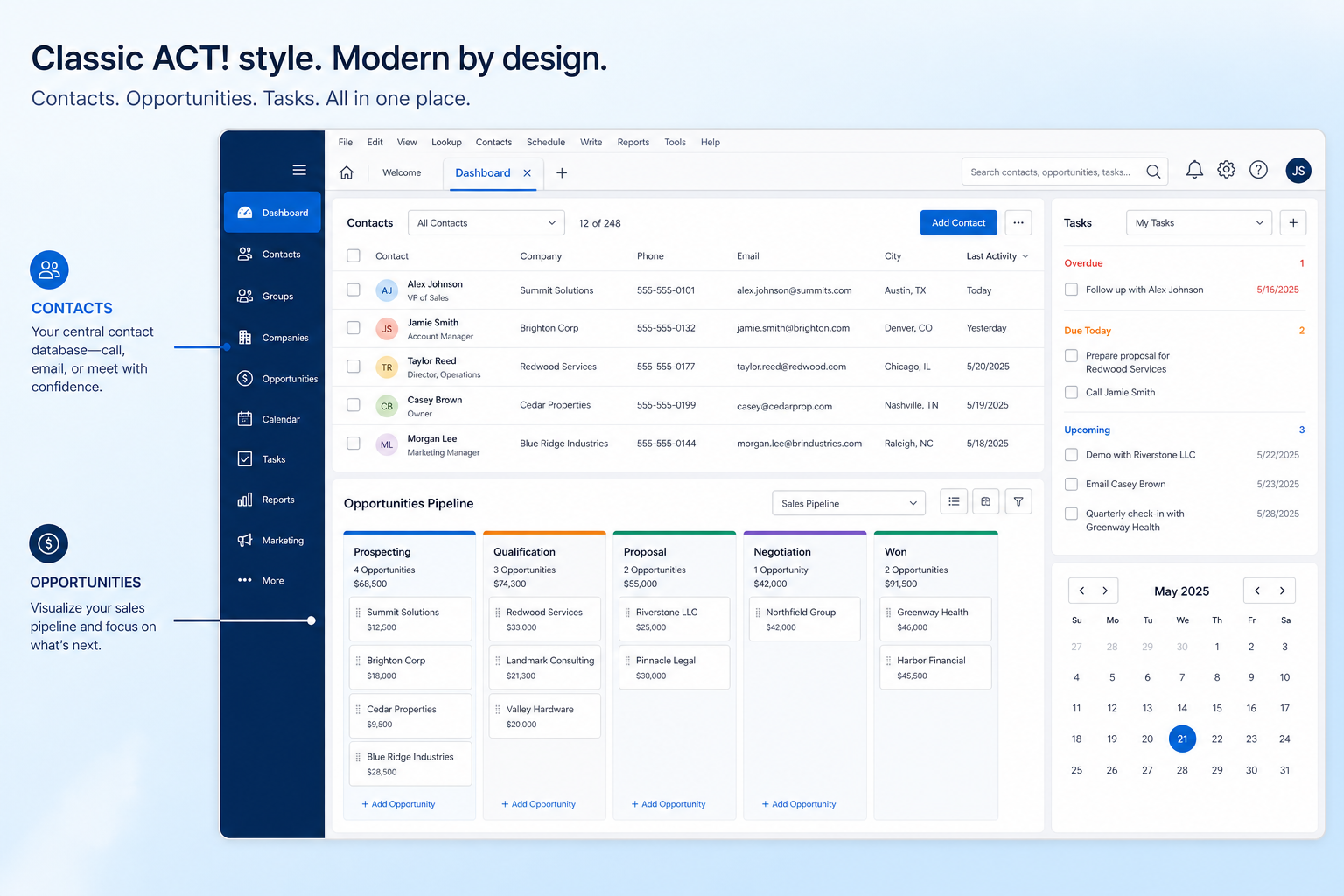
Verified: 16 Aug 2026
Open source ↗Screenshot · Affinity
Supports
Demonstrates
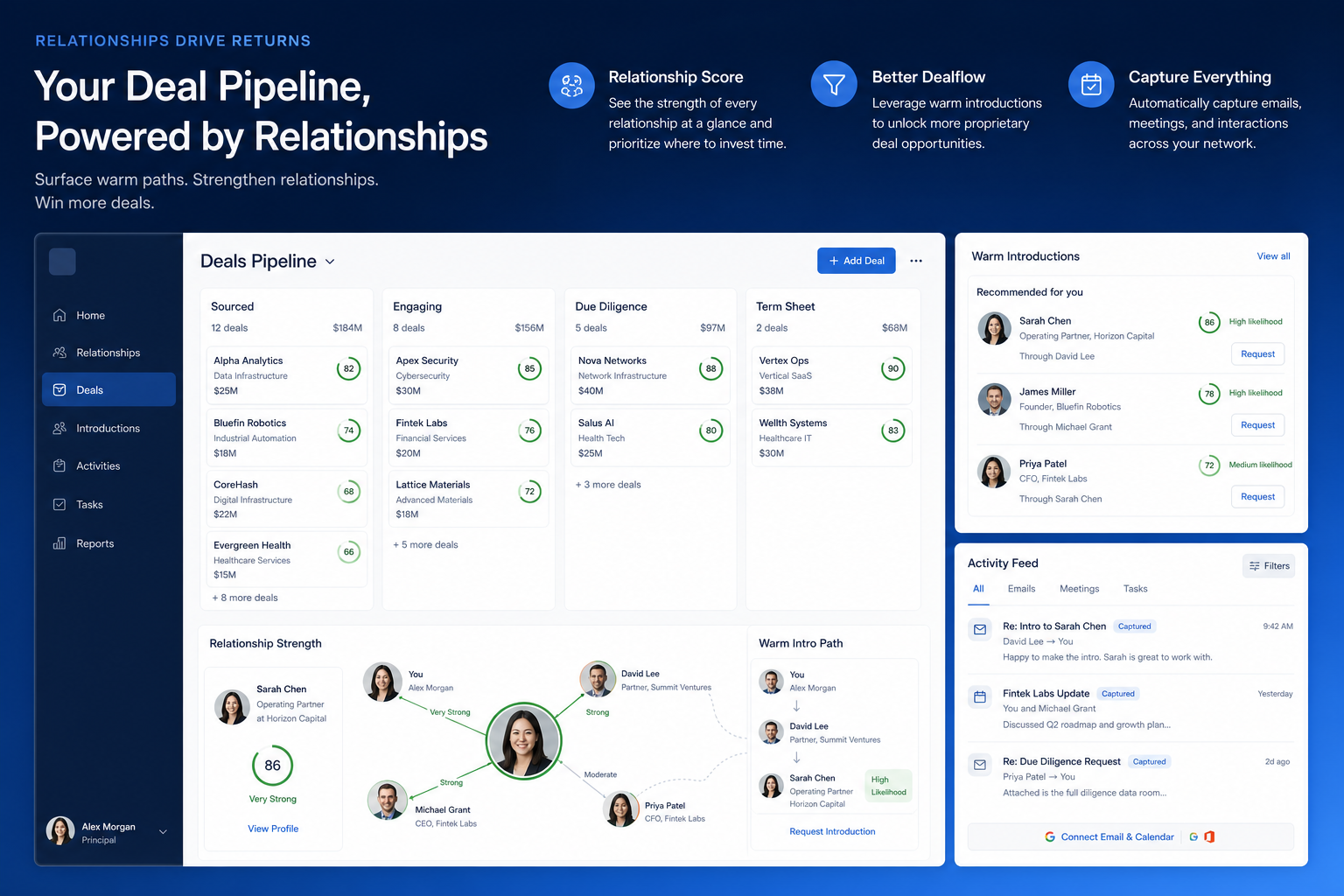
Verified: 16 Aug 2026
Open source ↗Screenshot · Agile CRM
Supports
Demonstrates
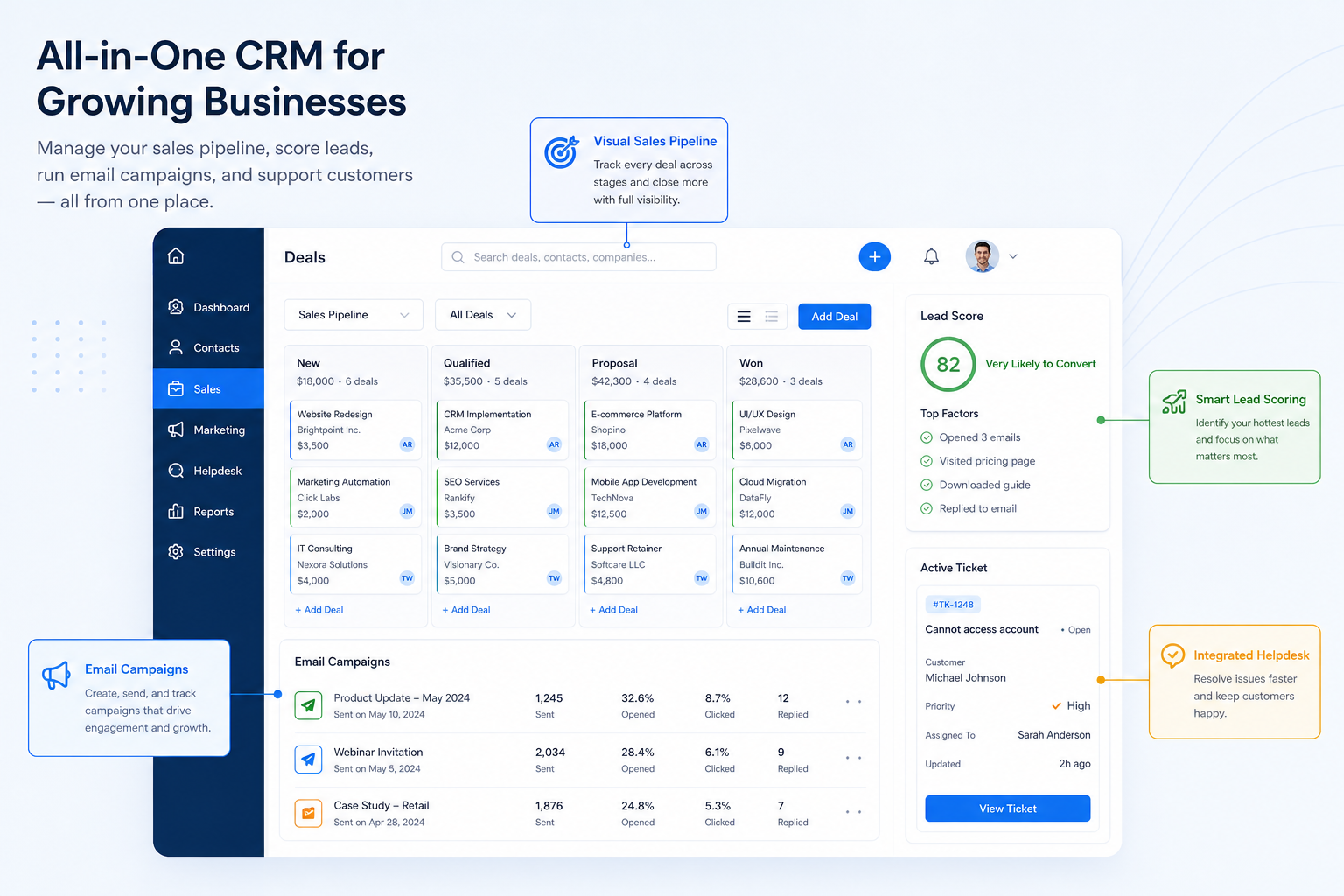
Verified: 16 Aug 2026
Open source ↗Screenshot · Apptivo
Supports
Demonstrates
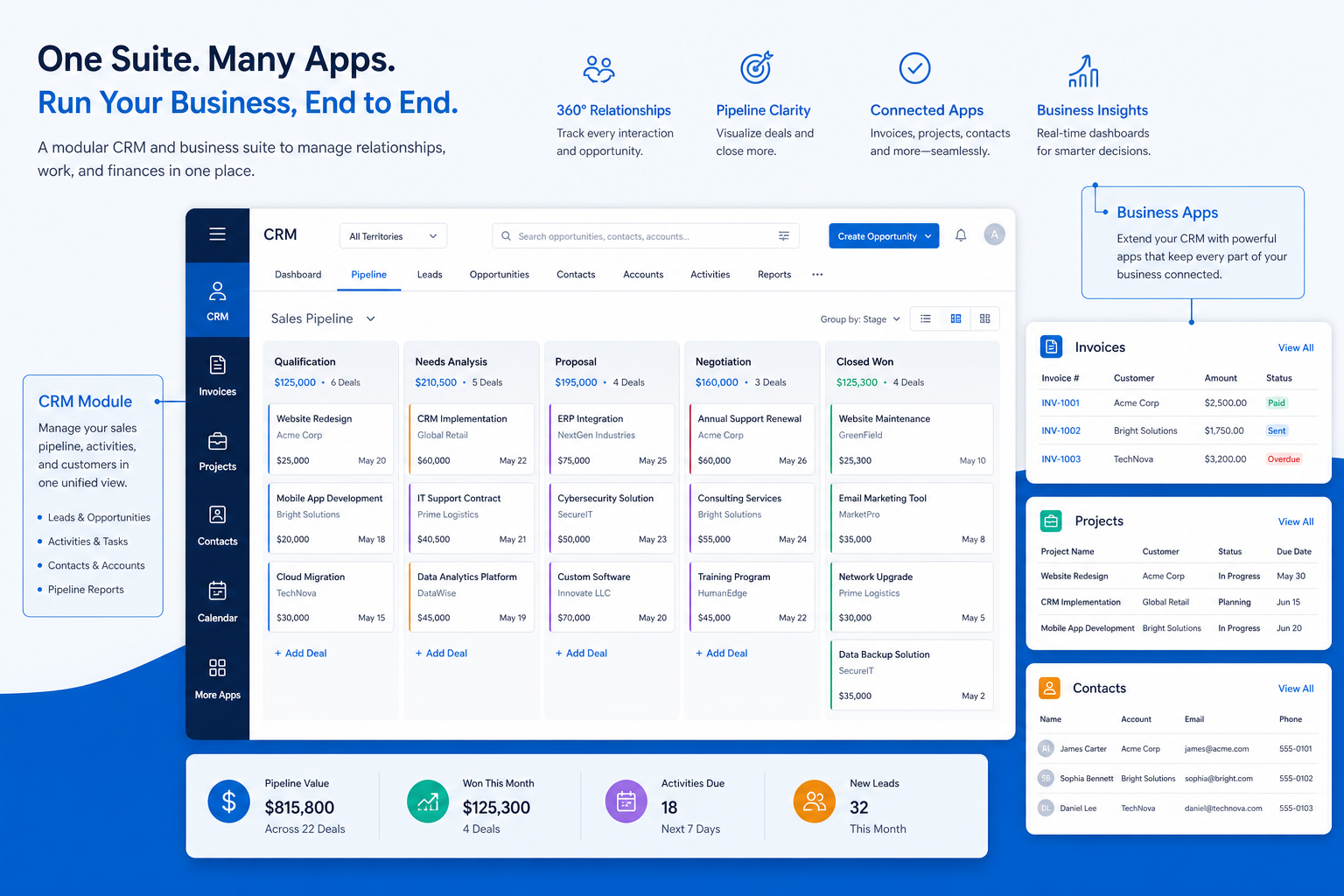
Verified: 16 Aug 2026
Open source ↗Screenshot · Attio
Supports
Demonstrates
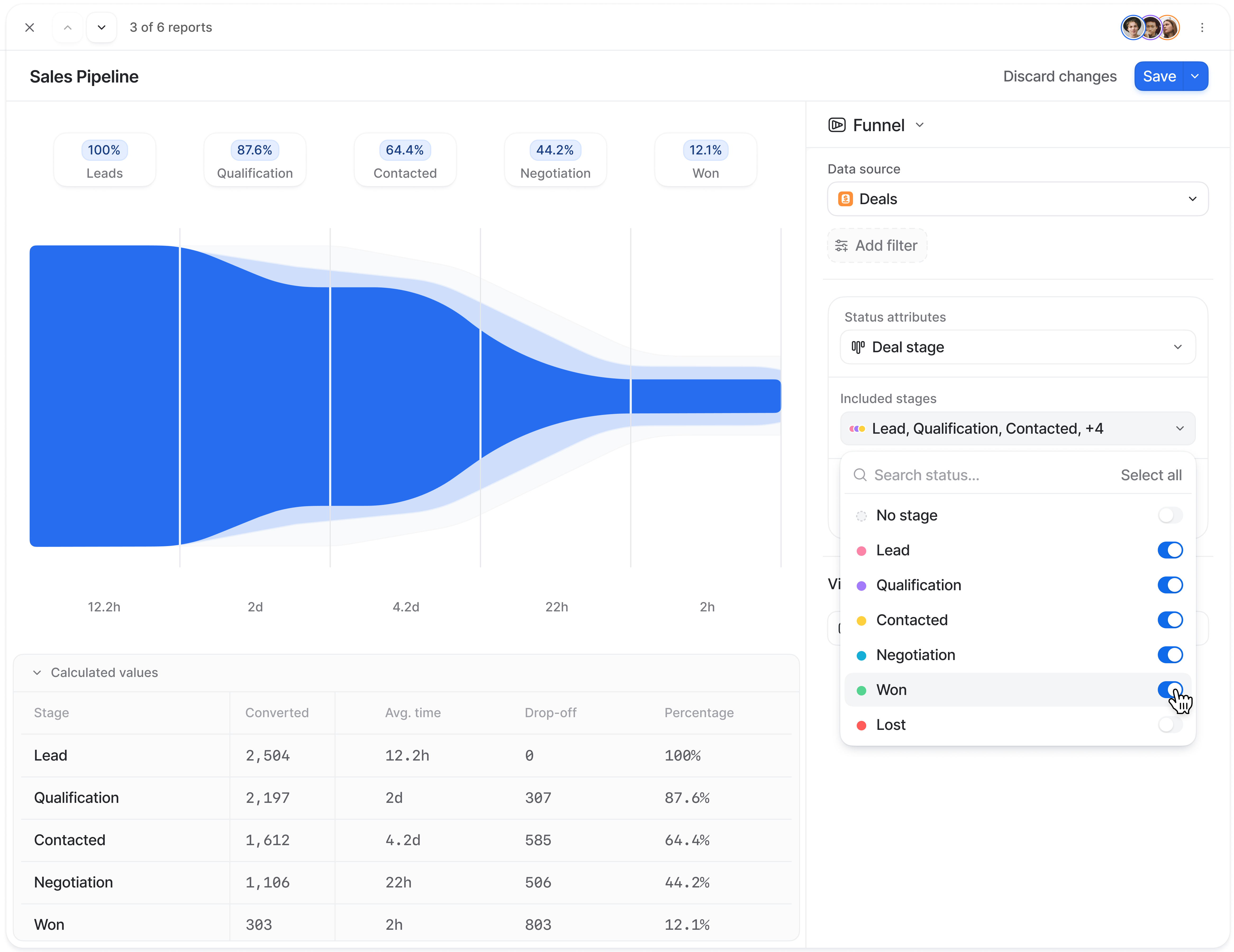
Verified: 15 Aug 2026
Open source ↗Screenshot · Attio
Supports
Demonstrates
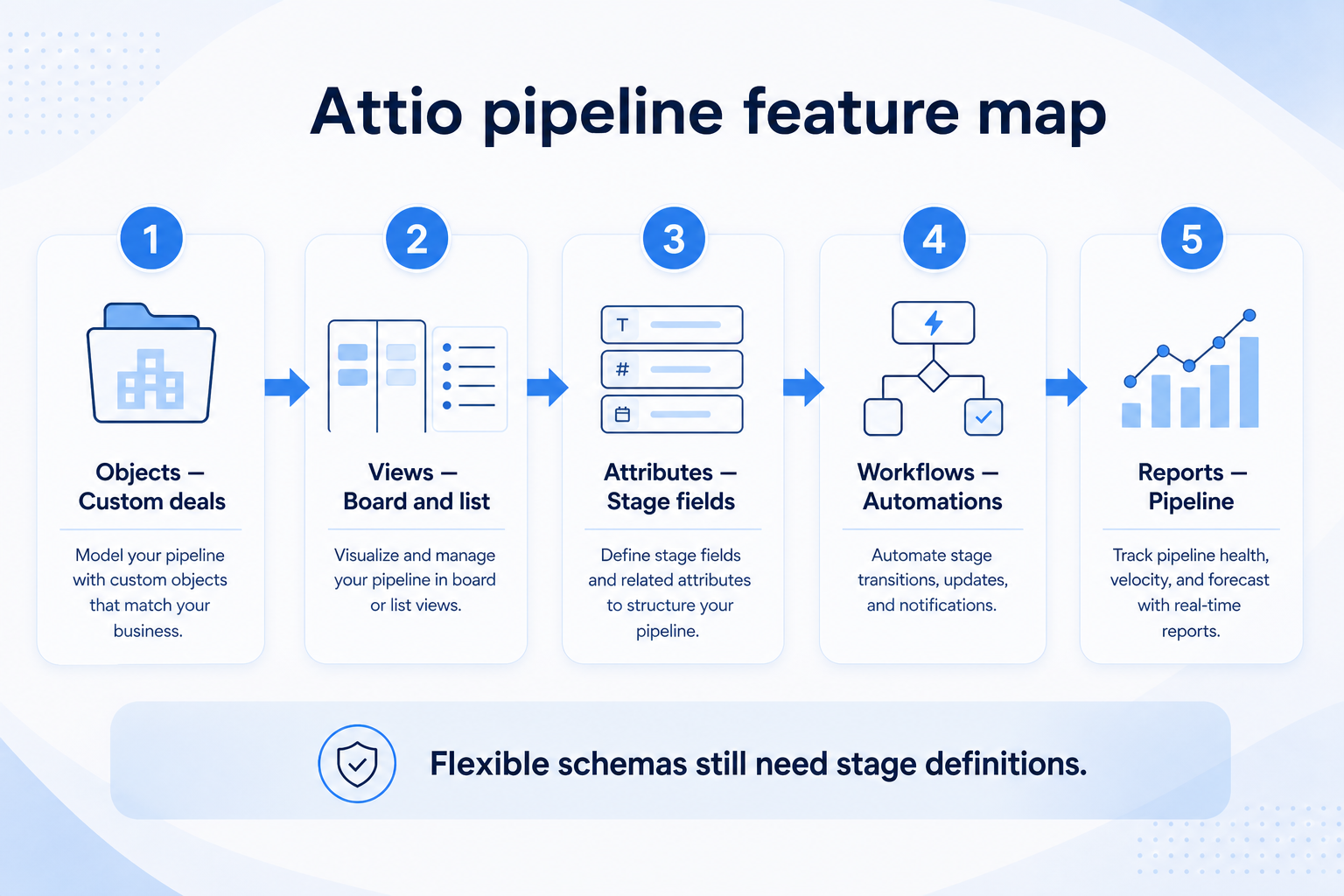
Verified: 15 Aug 2026
Open source ↗
