This video is hosted on YouTube
This content is hosted by YouTube. The player loads only after you allow marketing cookies.
Automate repetitive follow-ups and handoffs — after the team trusts owners, stages, and data.
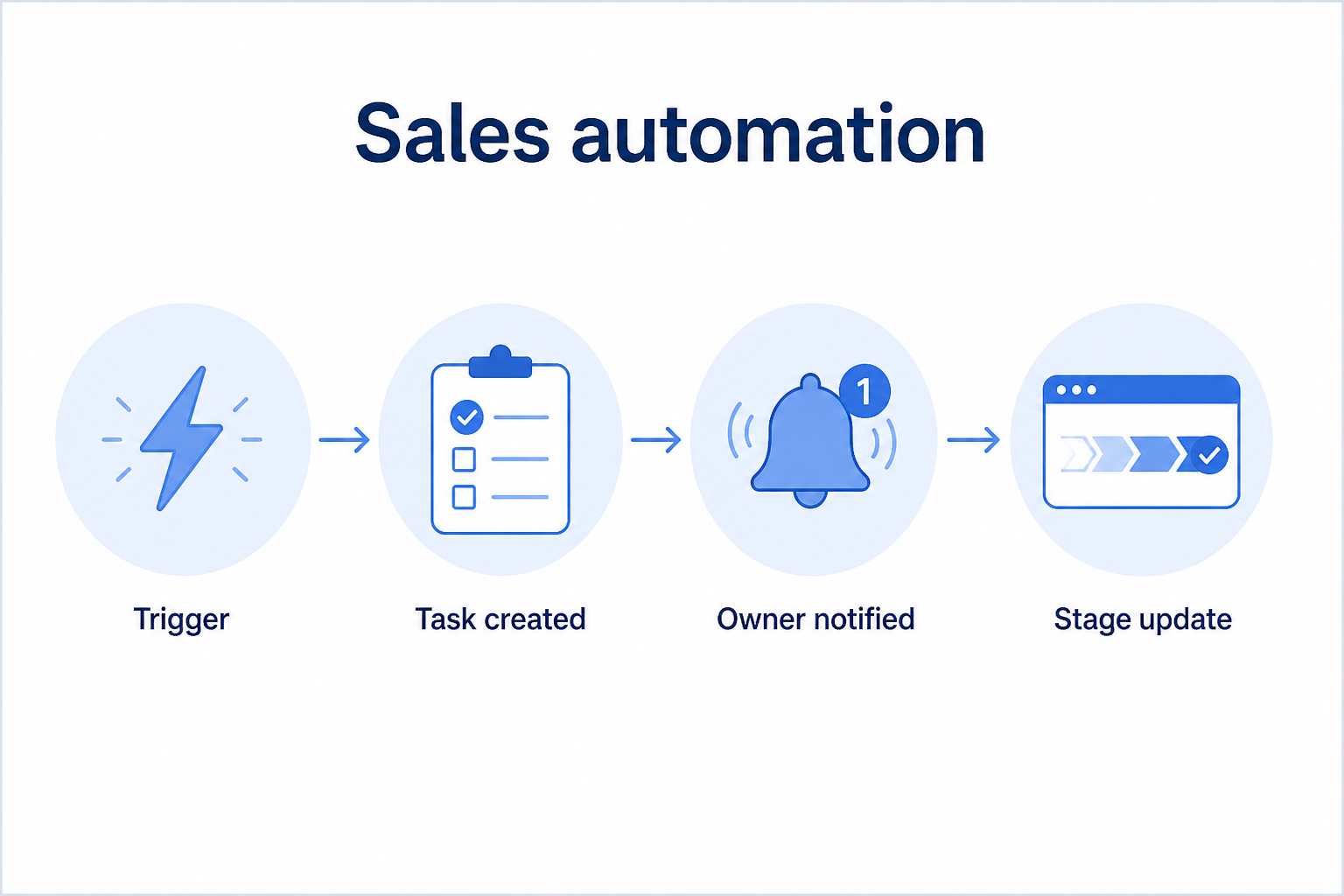
At a glance
Reduce repetitive sales admin without losing judgment
Sales ops, managers, and process-ready sales pods
Trusted base process · Event-based triggers · Task & reminder automation · Routing rules
9 products to explore
Fit snapshot
Sales automation is the CRM job of using rules and workflows to reduce repetitive tasks without removing human judgment. Teams use it for reminders, stage-based tasks, lead routing, and notification — once process and hygiene are real enough to automate safely.
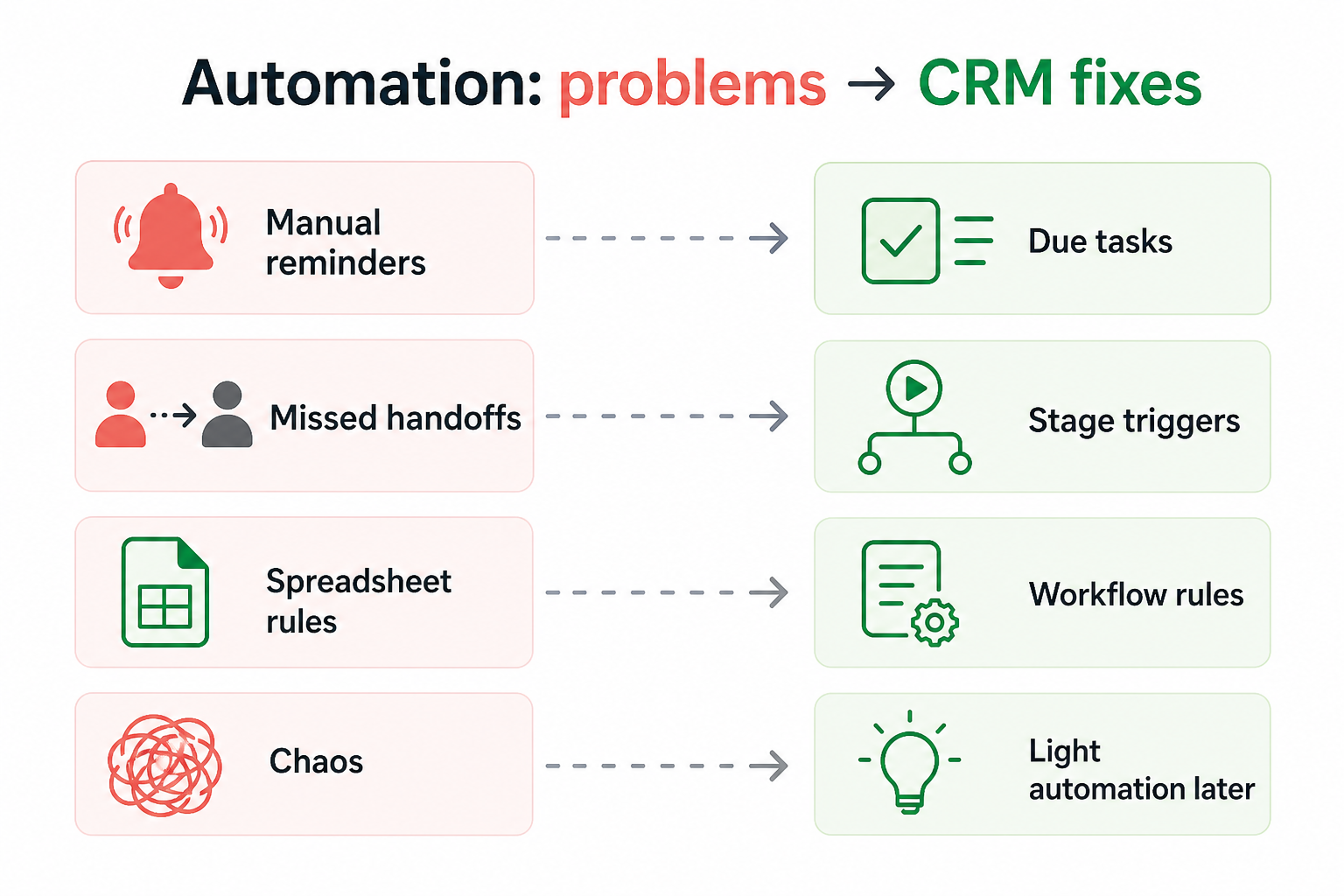
Sales ops, managers, and growing teams drowning in manual reminders and handoff checklists. You already have a CRM people update, but the same follow-ups and assignments still rely on memory.
How teams put CRM to work for automation
Example 1
a mid-market AE team
Before CRM automation
managers pinged reps about idle deals in Slack
After CRM
idle-stage rules create tasks at day seven — coaching focuses on stuck deals, not nagging
Example 2
an inbound SDR pod
Before CRM
routing waited on a human coordinator
After CRM
assignment rules route by territory immediately, with an alert if the owner misses the SLA
These are the operating problems that usually push teams toward CRM for automation — not feature wish lists.
Without CRM discipline: Bad stages and missing owners produce noisy tasks nobody trusts.
Without CRM discipline: Follow-up discipline depends on Slack pings, not the process.
Without CRM discipline: SDR-to-AE or AE-to-CS steps rely on someone remembering a checklist.
Without CRM discipline: Automation runs without context and damages relationships.
A CRM only helps when the team keeps owners, history, and next steps current. Here is what “good” looks like for automation.
With CRM discipline: Start with clean stages and ownership; automate only proven events.
With CRM discipline: Idle-deal and next-step rules create tasks where the work lives.
With CRM discipline: Stage or status changes can create the next owner’s required tasks.
With CRM discipline: Keep judgment gates; automate reminders and logging, not every message.
Fewer dropped follow-ups
Idle work surfaces as tasks instead of disappearing.
More consistent handoffs
Role transitions carry required next steps automatically.
Managers coach, not nag
Time shifts from reminders to stuck-deal conversations.
Process that scales with seats
New hires inherit the same triggers without tribal checklists.
Prioritize triggers tied to real process events (new lead, stage change, idle deal) and keep humans in the loop for judgment calls. Automating a broken process just scales chaos.
Stage changes, new leads, and idle timers beat vague batches.
Keep people deciding what to say and when to stop.
Encode role transitions as required tasks.
Kill noisy automations that create ignored tasks.
Start with must-haves your team will use weekly. Treat nice-to-haves as later upgrades — not day-one blockers.
Must-have
If-this-then-that rules on records and stages.
Create owned work when events fire.
Nice-to-have
Understand what needs to happen before comparing how products implement each step. Support overlays use structured research — never video inference.
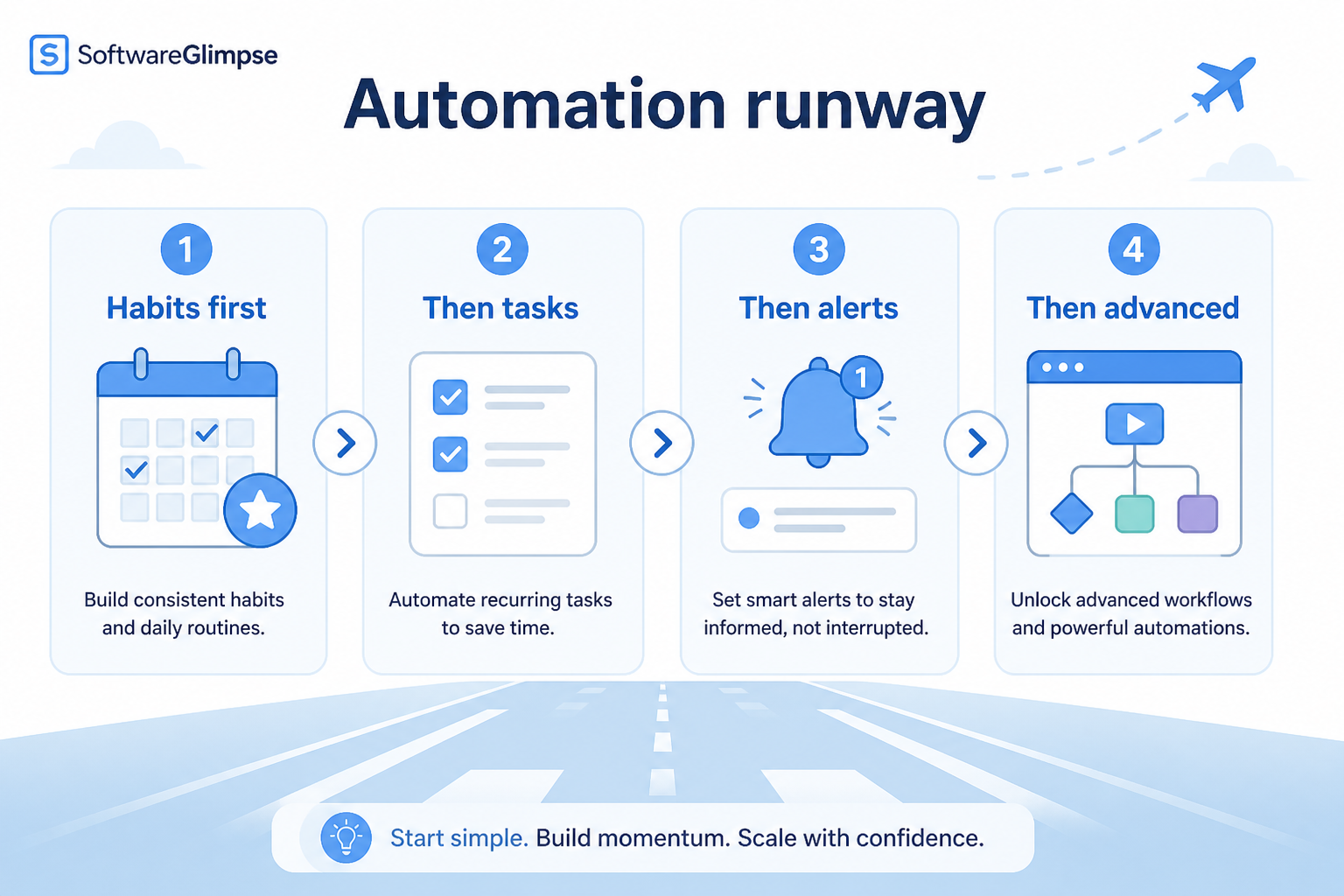
Support labels come from structured feature research — not from videos.
Objective
Confirm owners, stages, and logging habits before any rule.
Next step
Next step
Next step
Next step
Official product demonstrations can help show how different CRMs handle the automation workflow. Absence of a video does not mean a product lacks support for this use case.

HubSpot
The Official HubSpot Sales Hub Tutorial
Lead management workflow — capture through assignment and follow-up
This video is hosted on YouTube
This content is hosted by YouTube. The player loads only after you allow marketing cookies.
What this demonstrates
Workflow coverage
Coverage describes what the demo shows — not product support status.
What to notice
This demonstration does not establish
Related capabilities
Features visible in this demo
Source: HubSpot · Verified 14 Aug 2026

Pipedrive
The CRM Automations That Save Us 10 Hours A Week
Pipedrive CRM automation examples

This video is hosted on YouTube
This content is hosted by YouTube. The player loads only after you allow marketing cookies.
What this demonstrates
Workflow coverage
Coverage describes what the demo shows — not product support status.
This demonstration does not establish
Related capabilities
Features visible in this demo
Source: Pipedrive · Verified 15 Aug 2026

Dynamics 365
Working with sequences in Dynamics 365 Sales Accelerator
Sales Accelerator sequence configuration

This video is hosted on YouTube
This content is hosted by YouTube. The player loads only after you allow marketing cookies.
What this demonstrates
Workflow coverage
Coverage describes what the demo shows — not product support status.
This demonstration does not establish
Related capabilities
Features visible in this demo
Source: Microsoft Dynamics 365 · Verified 15 Aug 2026
Compare two products against the same workflow using researched assessments. Official demos help you see the workflow — they do not change support status.
HubSpot
This video is hosted on YouTube
This content is hosted by YouTube. The player loads only after you allow marketing cookies.
What to notice
Not shown in this demo
Pipedrive
This video is hosted on YouTube
This content is hosted by YouTube. The player loads only after you allow marketing cookies.
What to notice
Not shown in this demo
Canonical feature assessments for this workflow — not inferred from demos.
| Step | HubSpot | Pipedrive |
|---|---|---|
| Stabilize | Unknown | Unknown |
| Pick one job | Unknown | Unknown |
| Build | Unknown | Unknown |
| Monitor | Unknown | Unknown |
| Expand | Unknown | Unknown |
Based on the automation workflow, buyers commonly evaluate the checklist below. Nothing is written to your decision profile until you confirm in the tool.
Context: useCase=sales-automation — tools apply this only after your confirmation.
Best when
Managers spend hours chasing updates on deals with no next step.
Related page →Best when
SDR → AE → CS steps drop without a shared checklist.
Reminders, routing, and handoff tasks — not every email.
Requirements guide →Ask how non-engineers create, pause, and audit workflows.
Demo guide →Measure false positives before rolling out a suite of automations.
Trial evaluation →Someone reviews rule health monthly and retires noise.
Catalogue products that list sales automation as a supported use case. Inclusion here is not a ranking. Official demo counts never change ranking.
Crm
Pipeline-first sales CRM for visual deal management, activity-based selling, and growing sales teams.

Crm
Enterprise CRM platform for sales, service, marketing, and customer data across large and mid-market teams.
Crm
AI-powered customer platform with free forever CRM, plus paid Smart CRM seats and Sales/Marketing/Service hubs for growing teams.
Crm
Microsoft Dynamics 365 Sales CRM for pipeline management, forecasting, and Microsoft 365 / Copilot workflows.

Crm
Affordable multi-edition sales CRM with free tier, automation, and Zia AI across Standard through Ultimate.
Work OS–style sales CRM from monday.com for visual pipelines, automations, and team collaboration.

Crm
Small-business CRM with pipelines, marketing add-ons, and AI assistance on a clear per-user ladder.

Crm
Free-tier all-in-one CRM and collaboration suite with organization-based paid cloud plans.
After the team consistently updates owners, stages, and next steps. Automating earlier multiplies bad data and ignored tasks.
High-frequency, low-judgment jobs: idle-deal reminders, lead assignment, and handoff task creation. Keep message content human until cadences are mature.
No. Sales automation focuses on seller workflows around leads and deals. Marketing automation centers on campaigns and nurturing — related, but different operating jobs.
Look for fewer dropped follow-ups, completed handoff tasks, and less manager nagging — without a rise in ignored task queues.
Track deals through stages, keep ownership clear, and see where opportunities stall.
Capture, qualify, and route leads before they become pipeline deals.
Connect sales email sequences and tracking to CRM records.
Coordinate calling, messaging, and cadence tools around CRM records.
Use Finder for a fit-based shortlist, compare products, or build a requirements checklist before demos.
How we review
Evaluation, verification, and refresh — no fake testing claims.
Editorial methodology
Category criteria and scores grounded in evidence.
Editorial policy
Authorship, evidence levels, scoring, and disclosures.
Corrections
Spot something outdated? Tell us.
Want clearer software shortlists? Get buying guides and comparisons by email.
Newsletter coming soon.