SoftwareGlimpse
CRM Software

CRM Requirements Guide: Must-Haves, Nice-to-Haves & Stakeholders

Write demo-ready CRM requirements from 90-day outcomes, must vs nice features, stakeholders, and hard constraints — without feature-wishlist shopping.

By Lee M.Updated Aug 14, 20267 min readFact-checked

Quick answer

Write CRM requirements from 90-day outcomes first, then split must-have vs nice-to-have features against real stakeholders and hard constraints (integrations, admin capacity, budget). Decision rule: a requirement is ready for demos only when every must-have has an owner, a pass/fail check, and a named constraint — if you cannot run a demo script from the sheet, keep writing.

  • 90-day outcomes
  • Must vs nice
  • Stakeholder map
  • Integrations & admin
  • Budget posture
  • Demo-ready sheet
Goals
Features
Integrations
Cost
Ease of use
Growth

Key takeaways

  • Outcomes beat feature wishlists Vendors will match any long list; only observable 90-day outcomes keep the shortlist honest.
  • Must-haves need pass/fail checks If you cannot test it in a trial or demo, it is not a requirement yet.
  • Constraints are requirements too Integrations, who will admin, and budget posture kill more buys than missing AI features.
  • One sheet for demos Deliverable is a requirements sheet sellers and buyers can reuse across every vendor conversation.

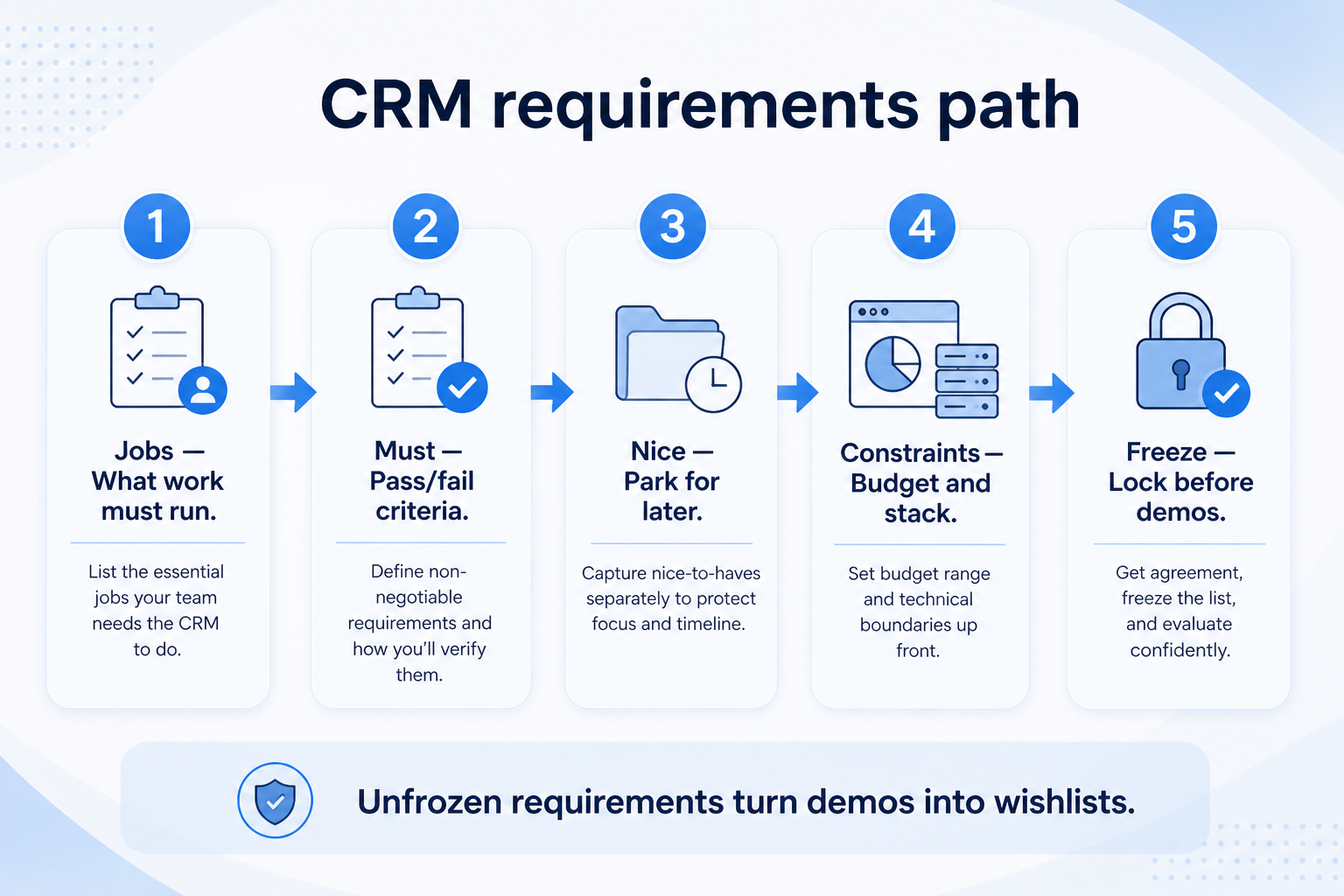
Requirements path

  1. 190-day results
  2. 2Who decides
  3. 3Split the list
  4. 4Integrations & admin
  5. 5Demo-ready
CRM requirements path: 90-day outcomes, stakeholders, must vs nice, tests, freeze the demo sheet.
Start from outcomes and constraints — not from vendor feature grids.

Worked example: Harbor’s 90-day sheet

  1. 01

    Must-haves they can test

    Worked example: Harbor Sales writes three 90-day outcomes — every deal has an owner, email is on the contact, Monday reviews use one pipeline. Each has a pass/fail demo check and an owner on the sheet.

    • Owner per must-have
    • Pass/fail in trial
    • Named constraint
  2. 02

    Nice-to-haves they freeze

    Worked example: AI summaries and a custom forecasting module stay nice-to-have until the core loop is trusted. Pulse’s admin capacity is a constraint, not a feature request.

    • Freeze before demos
    • Admin time is a requirement
    • Do not let vendors expand musts

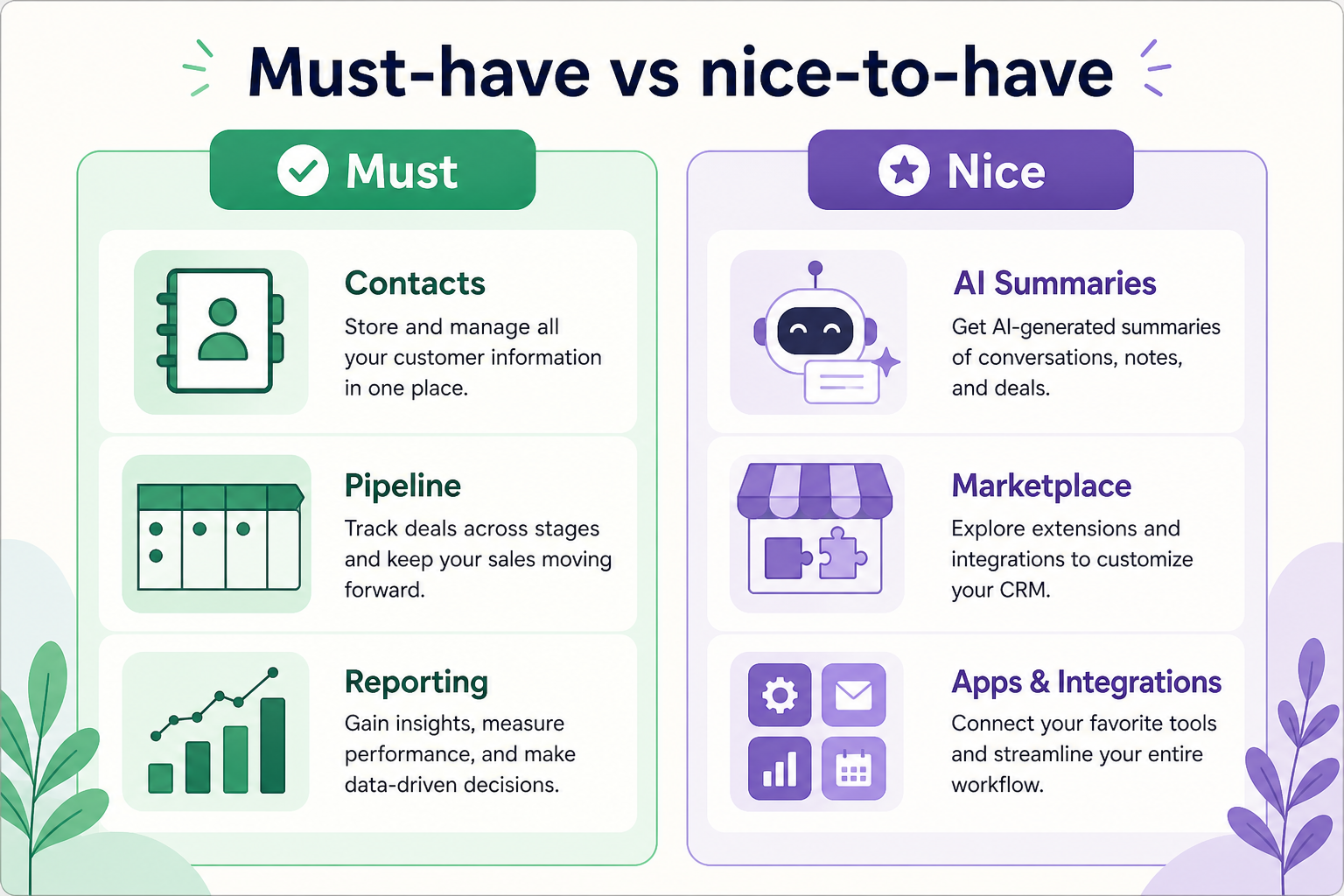
Must-have vs nice-to-have

CRM requirements matrix separating must-have outcomes and features from nice-to-haves, with stakeholder and constraint columns.
Must-haves unblock go-live; nice-to-haves wait until the core loop is trusted in weekly use.

1. Start with three 90-day outcomes

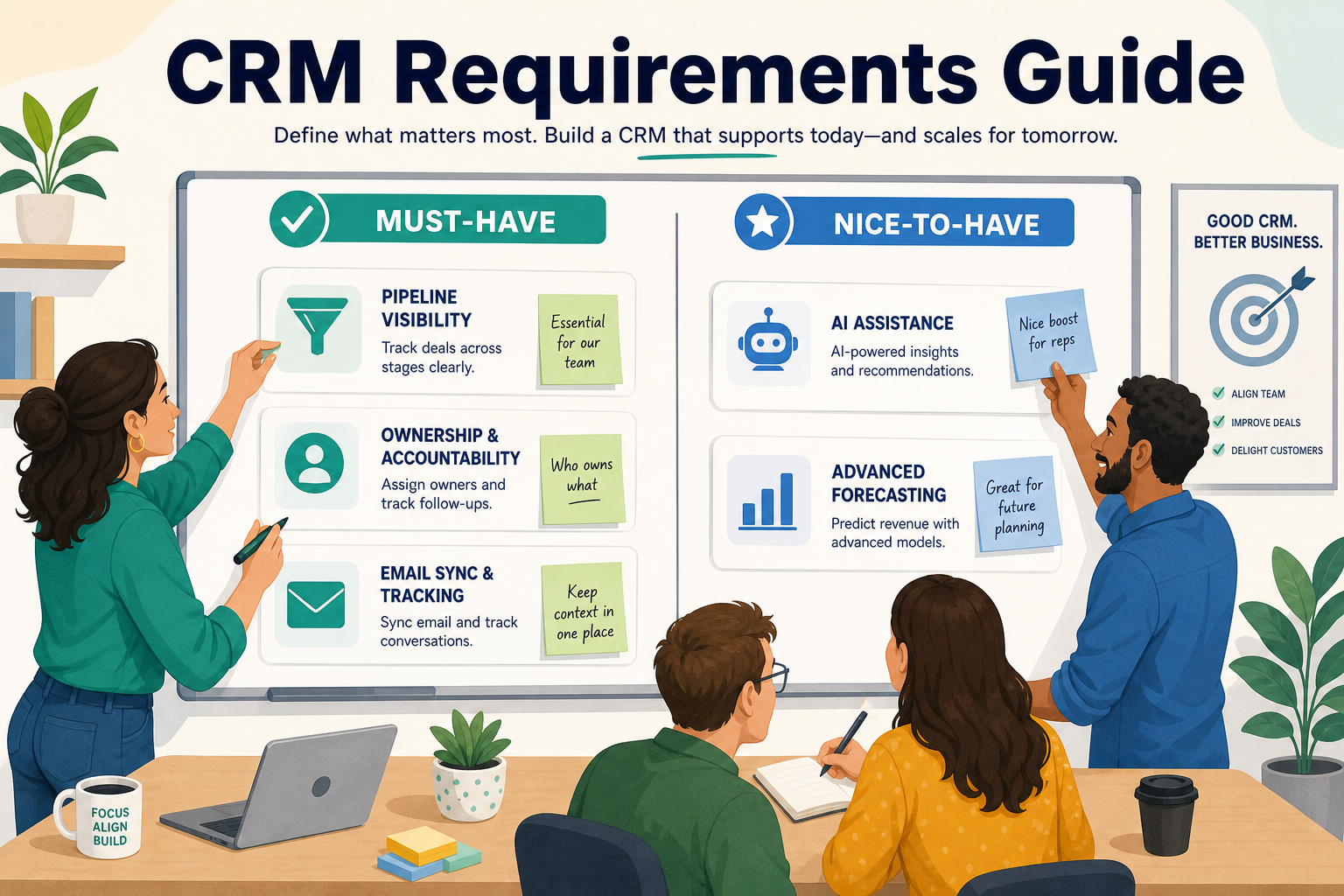
CRM requirements guide hero: outcomes, stakeholders, must-haves, and constraints feeding a demo-ready requirements sheet.
Requirements start from outcomes and constraints — not from a marketplace feature grid.
  • Lead ownership

    No lead sits unassigned past a stated SLA.

  • Pipeline truth

    Weekly reviews read the board instead of rebuilding status.

  • Handoff quality

    Delivery gets context without hunting inboxes.

Name results your team can observe weekly — not vendor feature names. Limit to three so demos stay comparable.

Example: a 6-person B2B services team (two sellers, founder, ops lead, two delivery) writes: (1) every inbound lead has an owner within one business day, (2) every open deal shows stage + next step by Friday, (3) handoffs to delivery include notes without rebuilding from email. Features that do not support those three stay nice-to-have.

2. Map stakeholders and hard constraints

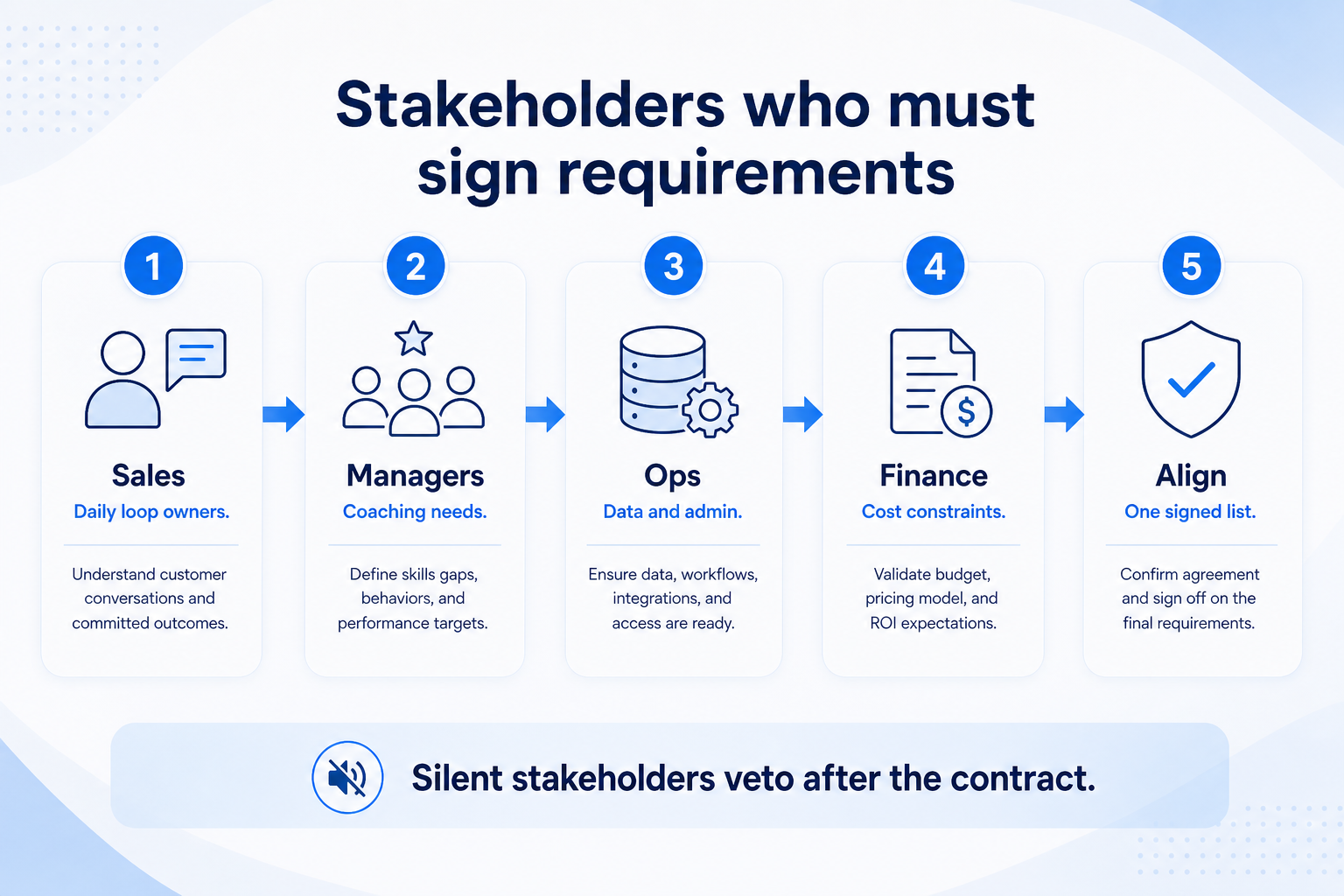
Map CRM stakeholders and hard constraints: buyer, daily users, admin capacity, integrations, freeze constraints.
A must-have without an admin who will keep it accurate is adoption debt.
  • Buyer vs daily user

    Buyers care about reporting; sellers care about logging speed — both belong on the sheet.

  • Admin capacity

    If nobody owns fields and stages, enterprise complexity fails regardless of features.

  • Integration truth

    Logo on a marketplace page is not the same as the workflow you need.

List who must approve, who will use daily, and who will admin. Capture integrations you already live in, admin hours available, and budget posture before demos start.

Example: the same 6-person team names the founder as buyer, both sellers as daily users, and the ops lead as part-time admin (≈2 hours/week). Hard constraints: Google Workspace email/calendar sync, Slack notifications, and no dedicated CRM admin hire in year one.

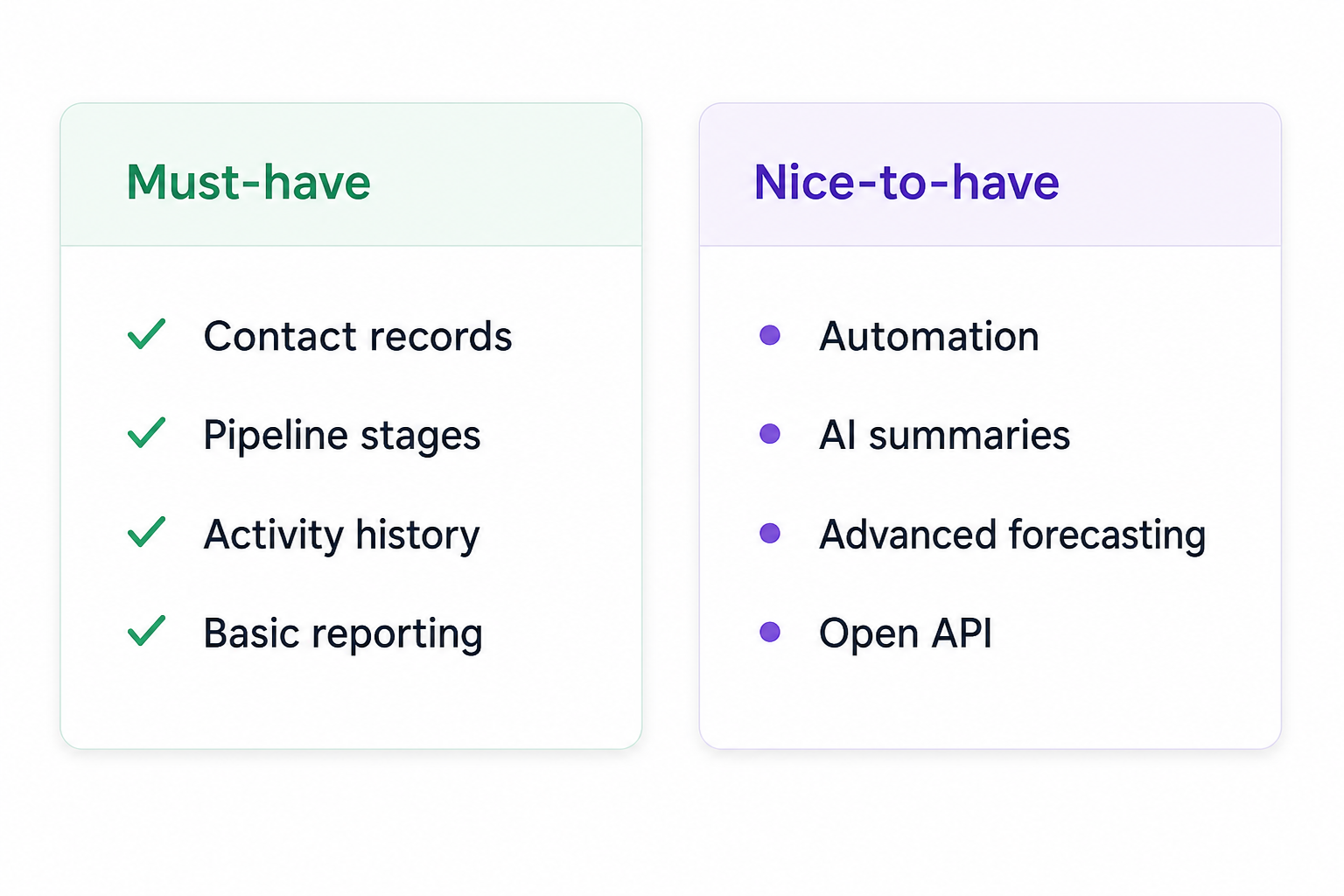
Must-have vs nice-to-have (starter)

Must-have versus nice-to-have CRM feature matrix.
Reuse this split in every vendor demo and trial scorecard.
Must-have
  • Contacts, companies, deals/stages
  • Owner + next-step fields
  • Email/calendar sync you already use
  • Basic pipeline report / board
Nice-to-have
  • Workflow automation library
  • AI summaries / writing aids

Requirements sheet dimensions

0/4 dimensions noted — saved in this browser only.

  • 90-day outcomes

  • Stakeholders

  • Hard constraints

  • Must-have tests

Demo-ready requirements sheet

Bring these questions to every demo

Ask vendors to show the workflow live, not just describe it.

  • 1Three 90-day outcomes writtenObservable in a weekly review.
  • 2Must vs nice split agreedEach must-have has a pass/fail check.
  • 3Constraints listedIntegrations, admin, budget, security baseline.
  • 4Stakeholder owners namedBuyer, daily users, admin.

Requirements mistakes

  • Starting from vendor feature grids

    You will inflate nice-to-haves and skip outcomes vendors cannot fake in a scripted demo.

  • Must-haves without tests

    “Good reporting” means nothing until you define the Friday board view you need.

  • Ignoring admin and integration constraints

    A perfect feature set fails if nobody can maintain fields or your inbox will not sync.

  • Letting every stakeholder add five must-haves

    Cap inputs, reconcile overlaps, and protect the three outcomes.

3. Shortlist only inside the same job cluster

Compare tools whose core product matches the weekly output you named. Adjacent tools can integrate later — they should not hijack the primary shortlist because of brand familiarity.

Worked example: A team that needs meeting transcripts shortlists Otter-class tools, not a general chat assistant, even if the chat tool also “does meetings.”

4. Trial the named workflow before signatures

Run the same script on two or three finalists. Success is a non-admin completing the weekly output without a rescue — not a polished vendor tour.

5. Use a one-page checklist before demos

For CRM Requirements Guide: Must-Haves, Nice-to-Haves & Stakeholders, list must-haves, owners, integrations, and the weekly ritual this purchase must improve. Share the sheet with finance and IT before you schedule a second demo.

  1. Name the primary job in one sentence.
  2. List must-have gates (plans, SSO, data residency, usage caps).
  3. Name integrations that must work on day one.
  4. Assign an admin owner and a weekly user champion.
  5. Define non-admin proof — what a sceptic completes without rescue.

Worked example: Harbor Ops refuses demos until the checklist is signed — cutting evaluation time in half.

6. Avoid the usual buying mistakes

Common failures in crm: buying for brand familiarity, comparing entry tiles across different usage units, skipping a fair trial script, and adding scope before adoption proves out.

Run one trial script on every finalist the same week. Score on the same card. Write a one-paragraph decision memo that names what you are not buying yet.

7. Hand off to the category shortlist

When assumptions are frozen, continue on /best/crm-software/ with the same headcount, usage band, and must-have gates on every quote.

Example official CRM product videos

Optional · 2 examples · collapse if you don’t need them

Verified vendor product videos from the CRM catalogue for context while you read. They are examples only — not a ranked shortlist — and they do not replace SoftwareGlimpse recommendations on this page.

  • Official vendor video · example

    Attio — Attio | How to build your sales pipelines

    This video is hosted on YouTube

    This content is hosted by YouTube. The player loads only after you allow marketing cookies.

    Official vendor tutorial

    Attio | How to build your sales pipelines

    What this shows

    • Attio sales pipeline setup
    • pipeline building as presented by Attio
    Attio research →
  • Official vendor video · example

    folk — How to use folk for Deal management & Closing?

    This video is hosted on YouTube

    This content is hosted by YouTube. The player loads only after you allow marketing cookies.

    Official vendor tutorial

    How to use folk for Deal management & Closing?

    What this shows

    • folk deal management workflow
    • closing process as presented by folk
    folk research →

Frequently asked questions

  • How do I write CRM requirements?

    Start with three observable 90-day outcomes, map stakeholders and hard constraints, then split must-have vs nice-to-have features with pass/fail checks. You are ready for demos when the sheet alone can drive a consistent script across vendors.

  • What belongs on a CRM requirements sheet?

    Outcomes, must-haves with tests, nice-to-haves, integrations, admin capacity, budget posture, security baseline, and named owners for buyer, daily users, and admin.

  • How many must-haves should we list?

    Prefer a short list tied to the three outcomes — typically a handful of day-one capabilities. Long must-have lists recreate feature shopping.

  • When should we involve delivery or finance?

    Early enough to capture handoff and cost constraints — not after a preferred vendor is already chosen from a demo.

  • What should I do next?

    Use the sheet in CRM Evaluation Guide scorecards and trials, or shortlist with CRM Finder once must-haves and constraints are clear.

Was this article helpful?

Have more questions? Contact our support team.

SoftwareGlimpse Updates

Want clearer software shortlists? Get buying guides and comparisons by email.

Newsletter coming soon.