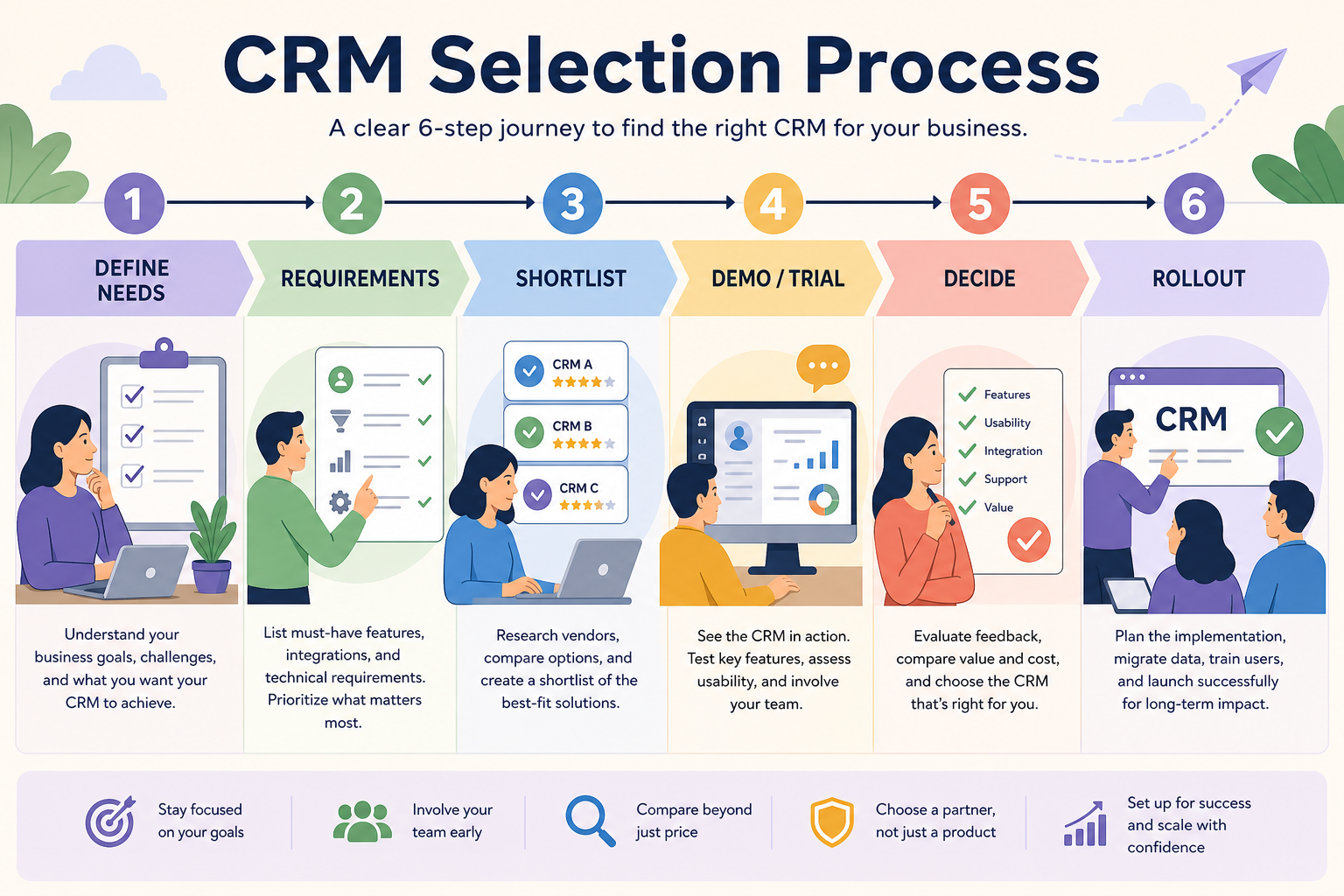
Run CRM selection as a gated process — Define → Requirements → Shortlist → Demo/trial → Decide → Rollout — with a named owner for each gate. Decision rule: do not advance stages until the gate artifact exists (outcomes, requirements sheet, scored shortlist, decision memo); skipping gates is how teams buy from the last demo.
Define need
Requirements sheet
Shortlist
Demo & trial
Decide
Rollout plan
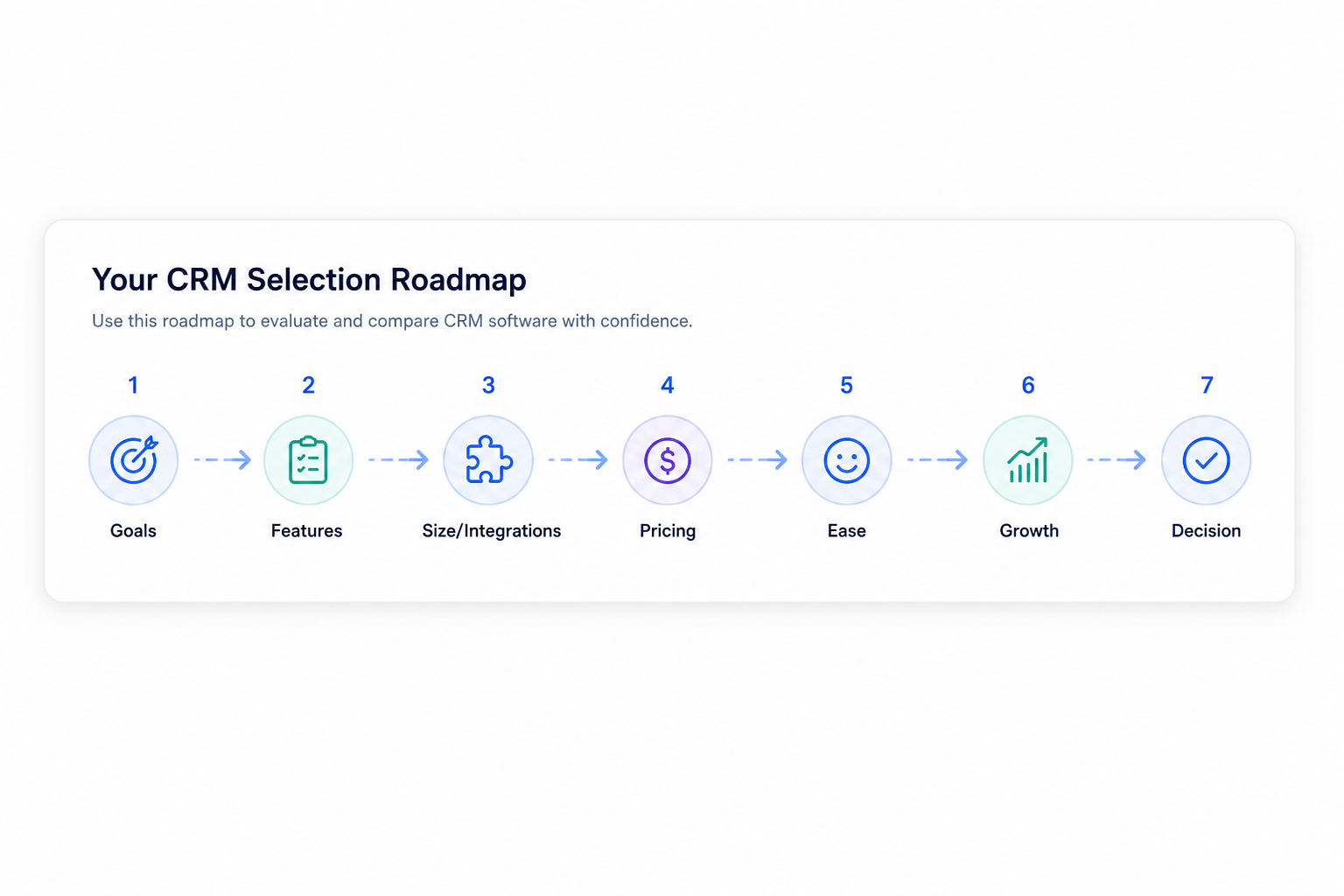
Goals
Features
Integrations
Cost
Ease of use
Growth
Key takeaways
Process beats preference — A short RACI and timeline prevent endless demos and silent vetoes.
Every gate needs an artifact — Outcomes, sheet, scores, and a written decision keep the team aligned.
Owners unblock speed — Ambiguous “the team will decide” stalls more buys than missing features.
Rollout is part of selection — Who owns fields, training, and go-live criteria should be named before signature.
Walk stages in order; gate artifacts prevent demo-driven jumps.
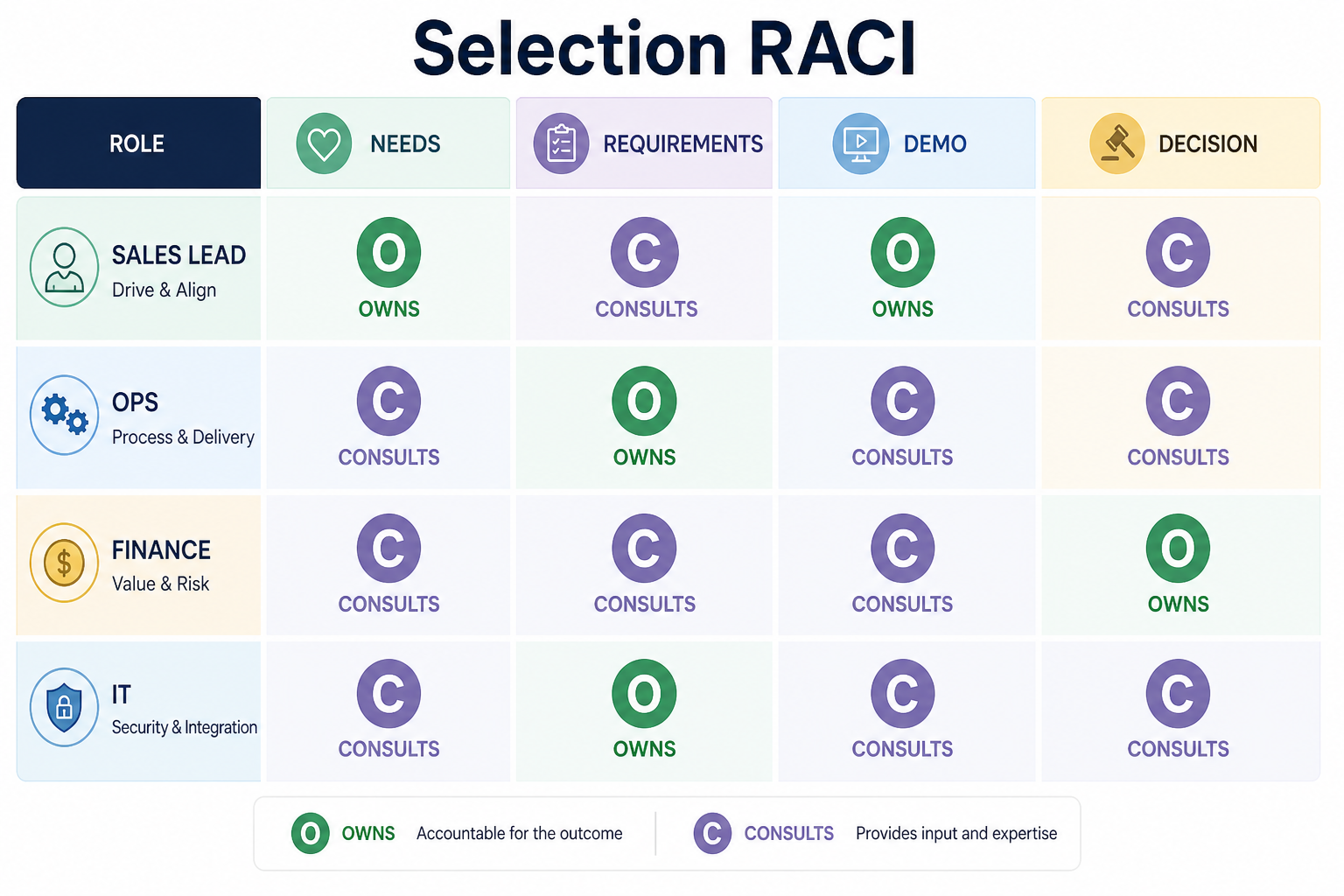
RACI / gate owners
Name R/A for each gate before demos start — consulted voices advise; they do not silently veto later.
1. Assign owners to each gate
Selection is a staged process with owners — not a series of unrelated demos.
Define
Confirm CRM need and 90-day scope with the buyer.
Requirements
Ops/admin owns the must vs nice sheet and constraints.
Decide
One accountable person signs the decision memo from scores.
Map Responsible and Accountable people for Define, Requirements, Shortlist, Demo/trial, Decide, and Rollout. Consult daily users early; keep one accountable decider.
Example: a 6-person B2B team sets RACI — founder Accountable for Decide; ops lead Responsible for Requirements sheet; both sellers Responsible for trial scores; delivery Consulted on handoff fields; finance Informed on budget posture. Gate rule: no vendor demo until the requirements sheet is marked complete by ops.
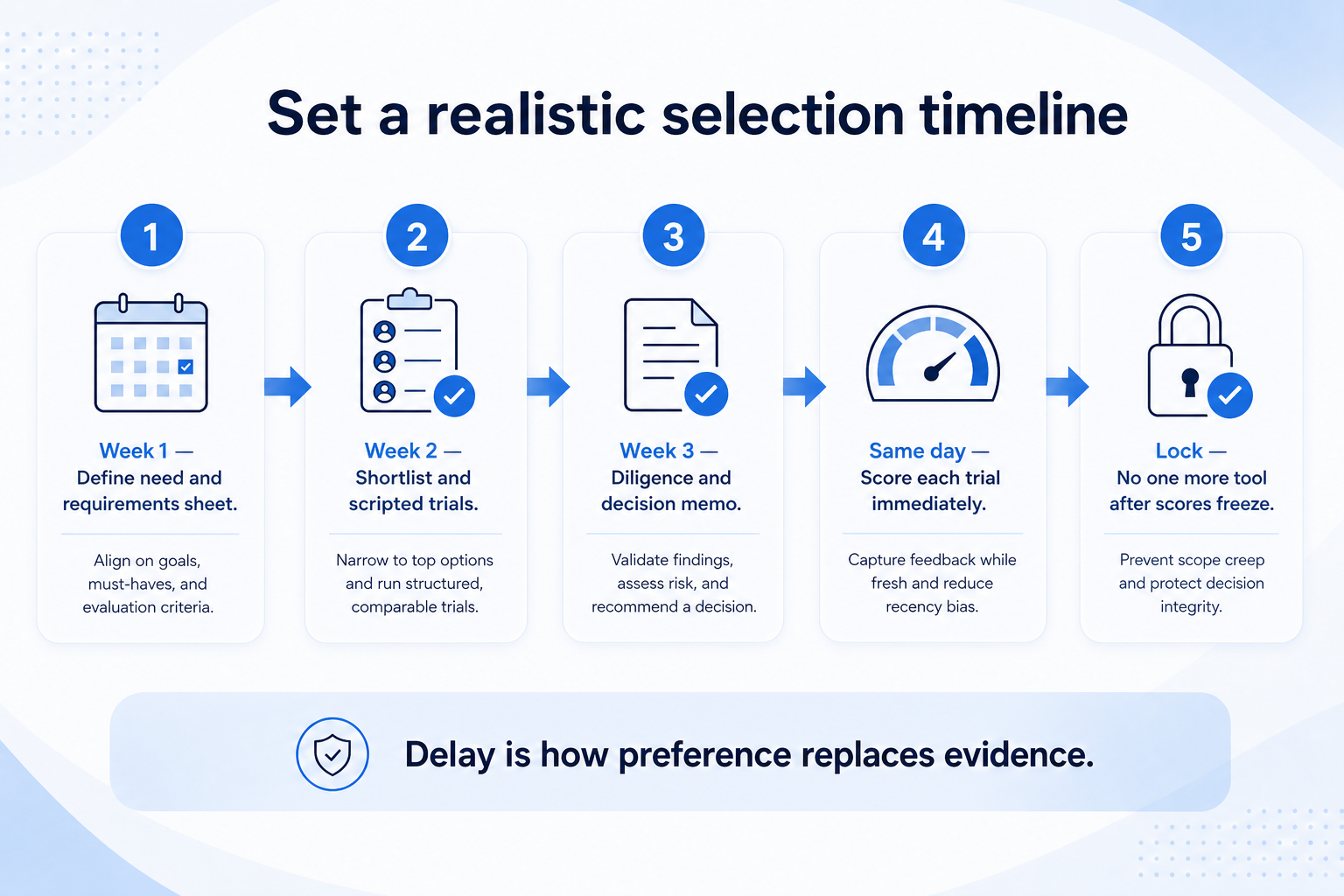
2. Set a realistic timeline
Schedule scores the same day as each trial — delay is how preference replaces evidence.
Too fast
Contract signed after one demo — no requirements sheet or non-admin trial.
Too slow
Months of demos with rotating stakeholders and no Accountable decider.
Healthy pace
Gates clear with artifacts; timeline has scoring and diligence days.
Small teams often finish Define through Decide in a few weeks if artifacts stay thin. Block calendar for scripted trials; do not stack five demos in two days without scoring time.
Example: the same team runs a three-week calendar — week 1 Define + requirements, week 2 shortlist + three scripted trials, week 3 diligence questions + decision memo + rollout owner checklist. They refuse to “just see one more tool” after scores are locked unless a hard constraint failed.
Process depth by team shape
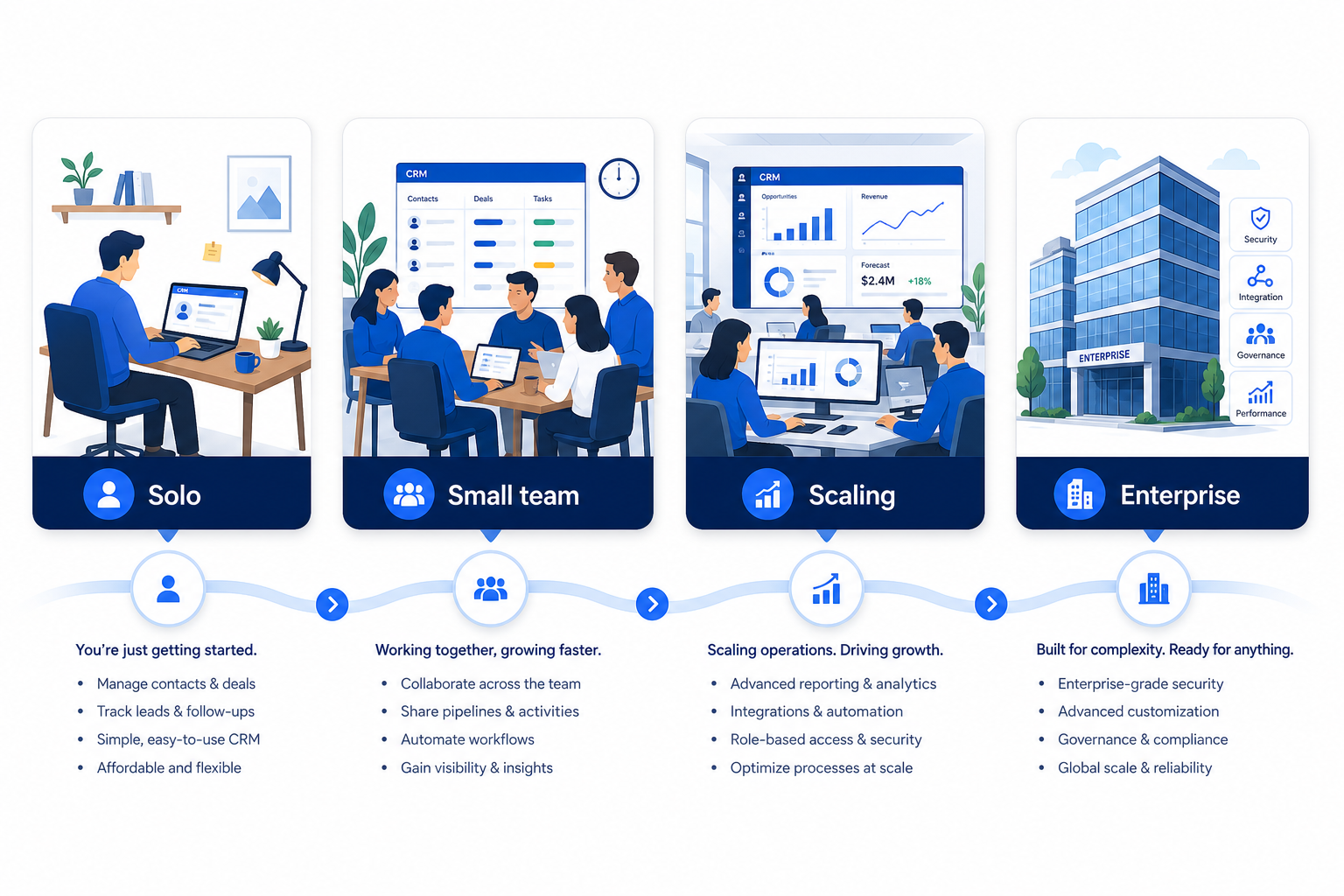
Match process weight to team size — do not copy enterprise RFP theater by default.
01
Solo / tiny team
Light process: outcomes, short must-list, one or two trials, written pick.
One decider
Thin sheet
02
Small shared sales team
Full gates with RACI, shared scorecard, and named rollout owner.
Seller scorers
Ops admin
03
Scaling / multi-team
Add security/review gates and clearer consult lists without inventing bureaucracy.
IT/security
Change owner
Gate checklist
0/5 dimensions noted — saved in this browser only.
Define gate
Requirements gate
Shortlist gate
Demo/trial gate
Decide gate
Artifacts to keep
Bring these questions to every demo
Ask vendors to show the workflow live, not just describe it.
1One-page RACIR/A for each gate.
2Requirements sheetOutcomes, musts, constraints.
3Shared scorecardSame script, same weights.
4Decision + rollout memoWhy this tool; who owns go-live.
Process mistakes
Starting with demos
Without Define and Requirements, every product looks viable.
No Accountable decider
Consensus theater delays the buy and invites late vetoes.
Skipping rollout ownership
Selection “ends” at signature — then nobody owns stages or training.
Infinite shortlist expansion
New vendors after scores are locked usually restart politics, not evidence.
3. Shortlist only inside the same job cluster
Compare tools whose core product matches the weekly output you named. Adjacent tools can integrate later — they should not hijack the primary shortlist because of brand familiarity.
Worked example: A team that needs meeting transcripts shortlists Otter-class tools, not a general chat assistant, even if the chat tool also “does meetings.”
4. Trial the named workflow before signatures
Run the same script on two or three finalists. Success is a non-admin completing the weekly output without a rescue — not a polished vendor tour.
5. Use a one-page checklist before demos
For CRM Selection Process: Steps, Owners & Timeline, list must-haves, owners, integrations, and the weekly ritual this purchase must improve. Share the sheet with finance and IT before you schedule a second demo.
Name the primary job in one sentence.
List must-have gates (plans, SSO, data residency, usage caps).
Name integrations that must work on day one.
Assign an admin owner and a weekly user champion.
Define non-admin proof — what a sceptic completes without rescue.
Worked example: Harbor Ops refuses demos until the checklist is signed — cutting evaluation time in half.
6. Avoid the usual buying mistakes
Common failures in crm: buying for brand familiarity, comparing entry tiles across different usage units, skipping a fair trial script, and adding scope before adoption proves out.
Run one trial script on every finalist the same week. Score on the same card. Write a one-paragraph decision memo that names what you are not buying yet.
7. Hand off to the category shortlist
When assumptions are frozen, continue on /best/crm-software/ with the same headcount, usage band, and must-have gates on every quote.
Example official CRM product videos
Optional · 2 examples · collapse if you don’t need them
Verified vendor product videos from the CRM catalogue for context while you read. They are examples only — not a ranked shortlist — and they do not replace SoftwareGlimpse recommendations on this page.
Official vendor video · example
Attio — Attio | How to build your sales pipelines
This video is hosted on YouTube
This content is hosted by YouTube. The player loads only after you allow marketing cookies.
A gated path: Define → Requirements → Shortlist → Demo/trial → Decide → Rollout, with named owners and artifacts at each gate. Do not advance until the gate artifact exists — that is the decision rule that prevents last-demo bias.
Who should own CRM selection?
One Accountable decider (often the buyer/founder), a Responsible owner for the requirements sheet, and daily users Responsible for trial scores. Consult delivery/IT as needed; avoid dual Accountables.
How long should selection take?
Small teams can often complete it in a few focused weeks if artifacts stay thin. Longer timelines need clearer RACI — not more demos.
When does rollout planning start?
Before signature: name who owns fields, stages, training, and go-live criteria so Decide includes implementation reality.
What should I do next?
Draft the RACI, then use the Requirements and Evaluation guides for gate artifacts — or CRM Finder once constraints are clear.