CRM Evaluation Checklist
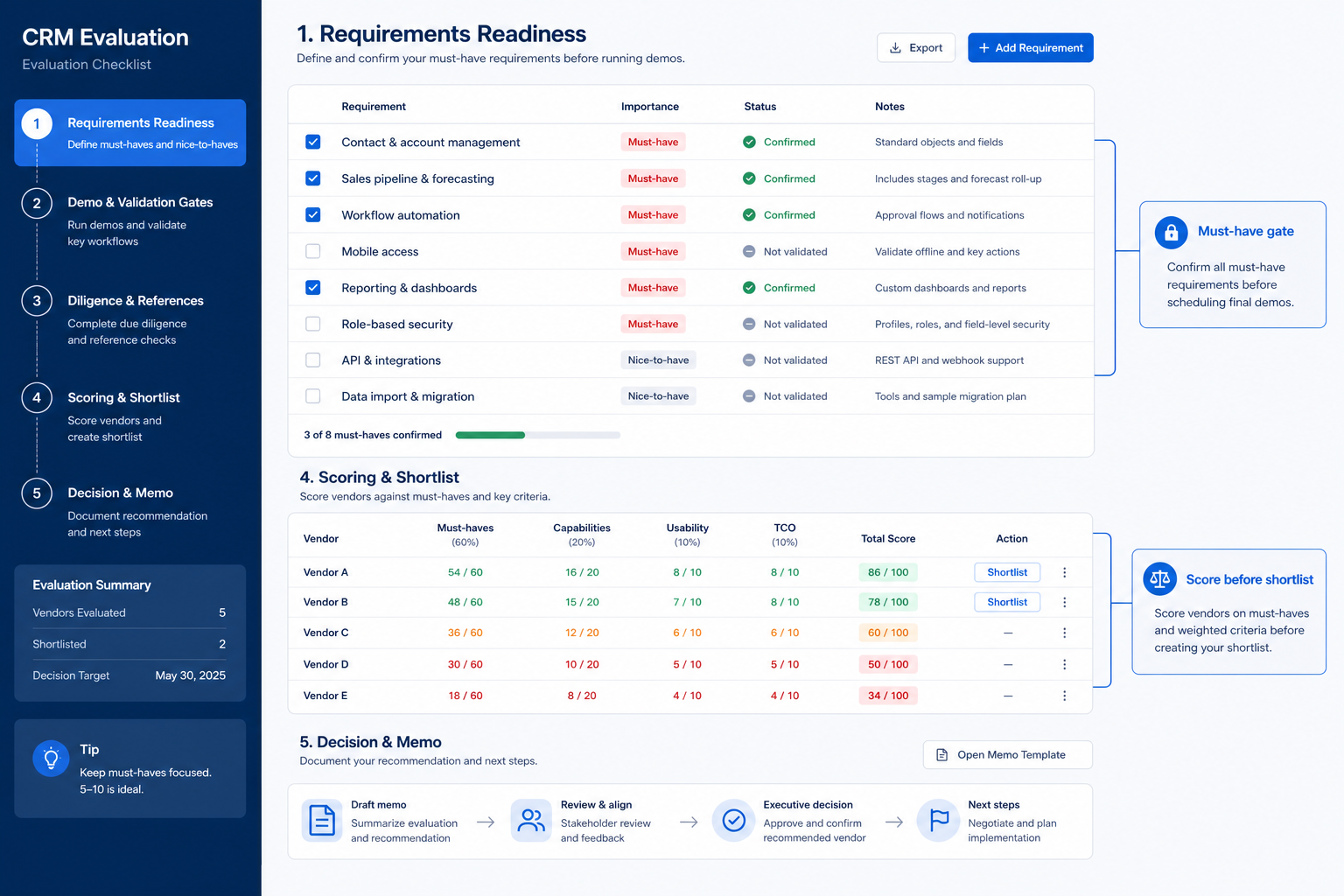
Evaluate every CRM against the same real-world tests.
Run this checklist during vendor demos and trials to verify workflow, email/calendar, reporting, administration, and commercial fit — then transfer results to your Vendor Scorecard.
Free to use · No email required · Updated 15 Aug 2026
- Best for
- CRM buying teams
- Stage
- Evaluate
- Time
- 30–60 min / vendor
- Format
- XLSX + PDF + MD
32
checklist items
10
categories
1
consistent process across vendors
Better decisions
with less risk and more proof
What's inside
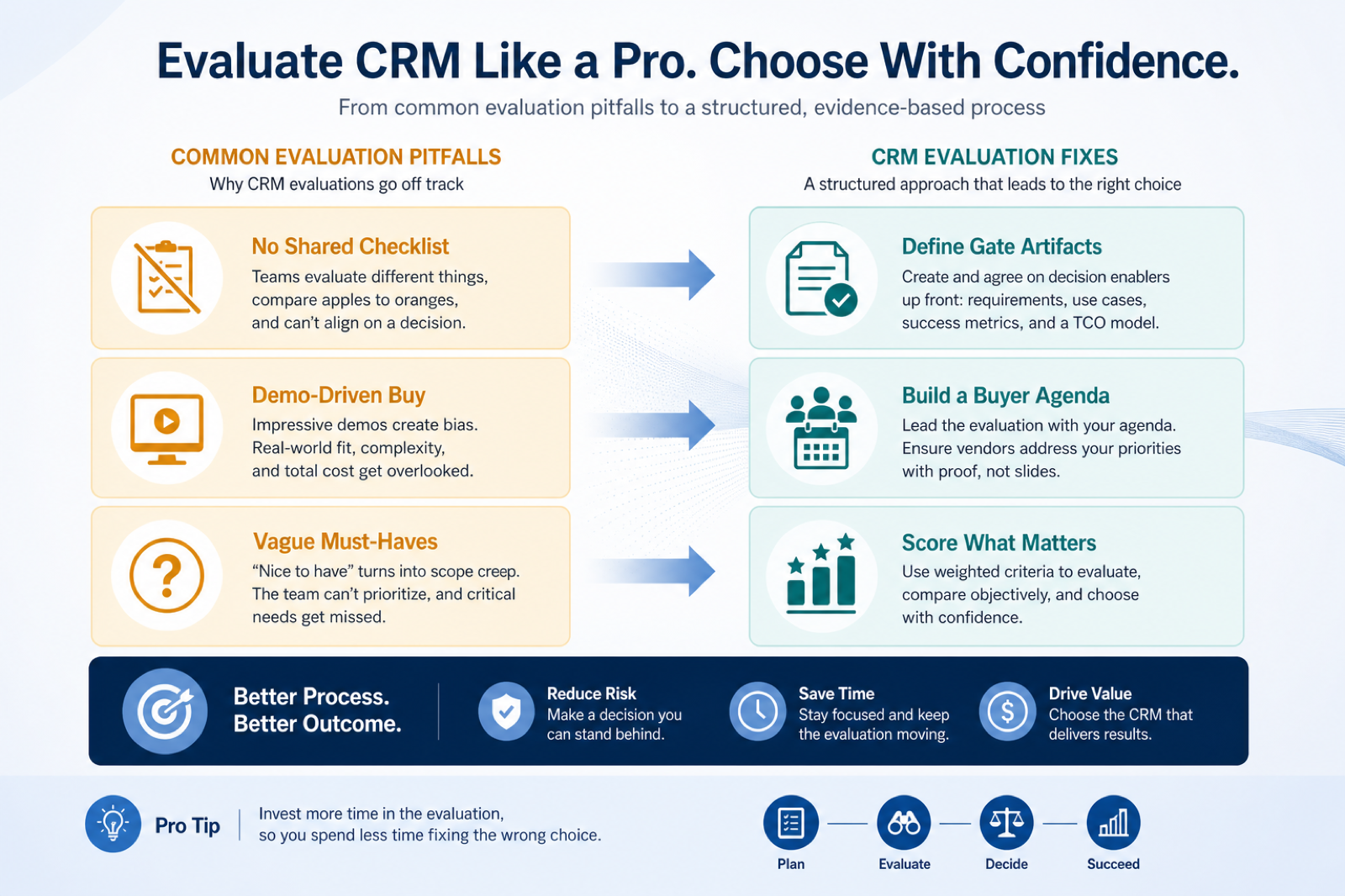
Workflow fit
Verify pipeline, contacts, activities, and daily sales workflows.
User adoption
Test navigation, data entry burden, mobile, and learning curve.
Email & calendar
Confirm sync direction, meeting logging, and non-admin usability.
Automation
Check assignment, workflows, notifications, and routing where needed.
Reporting
Validate pipeline visibility, dashboards, and forecasting options.
Integrations
Smoke-test critical integrations, API/webhooks, and sync reliability.
Security & admin
Light gates on roles, SSO need, auditability, and admin effort.
Commercial fit
Confirm editions, seats, add-ons, and limits against must-haves.
What this tool helps you do
Comparable evidence
Every shortlisted CRM faces the same checks and result scale.
Proof over promises
Pass / Partial / Fail only when evidence exists; otherwise Not tested.
Clean scorecard handoff
Results transfer into the Vendor Scorecard without rewriting criteria.
How to use this checklist
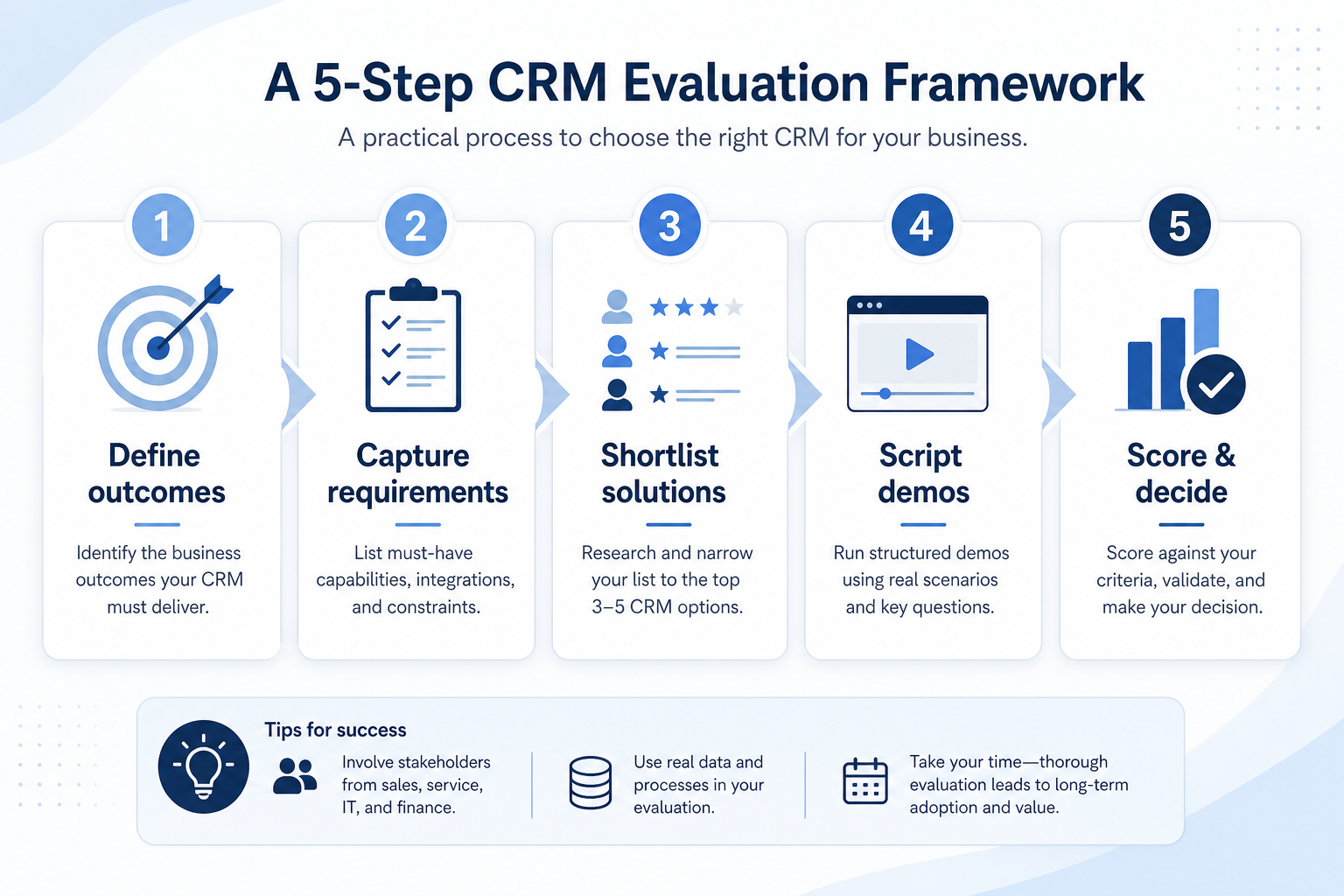
- 1
Define
Confirm must-haves and your process/stage model in the Requirements resource first.
- 2
Shortlist
Use CRM Finder or your existing longlist — typically 2–4 vendors.
- 3
Run the same checks
Use identical scenarios in every demo or trial.
- 4
Capture evidence
Log screenshots, docs, and vendor answers as proof.
- 5
Score separately
Transfer results to the Vendor Scorecard for weighted scoring.
- 6
Make the decision
Compare fit, risk, and cost with confidence.
Preview the checklist
Download ExcelRepresentative rows from the downloadable artifact. Full workbook includes Test / Scenario, Evidence, and Result columns.
| # | Check item | Why it matters | Required? | Evidence | Result |
|---|---|---|---|---|---|
| 1. Core workflow fit | |||||
| 1.1 | Pipeline stage model matches our process | Ensures comparable sales workflow across vendors. | Must-have | — | Not tested |
| 1.2 | Owner + next-step rules enforceable | Prevents unowned deals and stale pipeline. | Must-have | — | Not tested |
| 1.3 | Required fields on objects | Data quality and reporting accuracy. | Must-have | — | Not tested |
| 1.4 | Activity logging (from email/calendar or manual) | Real-world daily adoption depends on easy activity capture. | Must-have | — | Not tested |
| 2. User experience & adoption | |||||
| 2.1 | Daily rep workflow is tolerable | Adoption fails when data entry dominates selling time. | Must-have | — | Not tested |
| 2.2 | Navigation & search find records quickly | Lost records kill trust in the system of record. | Must-have | — | Not tested |
| 2.3 | Learning curve acceptable for target roles | Training cost and time-to-productivity. | Nice-to-have | — | Not tested |
Worked example
Hypothetical Vendor A / Vendor B scenario for teaching the artifact — not a SoftwareGlimpse case study.
Requirement
Reps must log Gmail activity to the contact/deal record without admin help.
Vendor A
PASSNon-admin logged sent mail to the deal timeline during trial.
Vendor B
PARTIALLogging available only on a higher edition than the quoted plan.
Evidence: Trial observation + vendor edition documentation.
What counts as evidence?
Counts
- • Observed in trial or buyer-led demo
- • Official product documentation
- • Written vendor response
- • Pricing or edition confirmation in writing
Does not count
- • Sales slide alone
- • Marketplace logo alone
- • Roadmap promises
- • Assumptions without a test
Related resource journey
Use before
Use with
FAQ
Do we still need a requirements checklist?
Yes. Define must-haves and your process model in the CRM Requirements Template first. This evaluation checklist assumes that work is done so demos stay comparable.
Should we run every row for every vendor?
Run every required row. Mark nice-to-haves Not tested only with an explicit reason. Niche or automation rows that do not apply can be Not tested / N/A — do not invent a Pass.
How is this different from the Vendor Scorecard?
This checklist captures Pass/Partial/Fail evidence during demos and trials. The Vendor Scorecard applies weights and compares vendors numerically. Use checklist first, scorecard next.
Where does deep security diligence go?
Light gates (roles, SSO need, admin effort) stay here. Deep SSO, export controls, and access-review work belongs on the CRM Security Checklist.
What counts as evidence?
Observed trial/demo behavior, official docs, written vendor answers, or written edition/pricing confirmation. Sales slides, marketplace logos, roadmaps, and assumptions do not count.
Can we change the checklist mid-evaluation?
Only with explicit team agreement and a note on what changed. Silent criteria changes destroy comparable results.
What if a vendor will not follow our script?
Score only what you verified, mark the rest Not tested, and treat refusal as a signal. Buyer-led scenarios are how evaluations stay fair.
Ready to evaluate your shortlist?
Download the checklist, then build or refine your shortlist in CRM Finder.
Part of CRM resources · CRM Software hub
SoftwareGlimpse Updates
Want clearer software shortlists? Get buying guides and comparisons by email.
Newsletter coming soon.