CRM Decision Matrix
Compare shortlisted CRM platforms using must-have gates, weighted criteria, evidence, cost and risk — then document why one option wins.
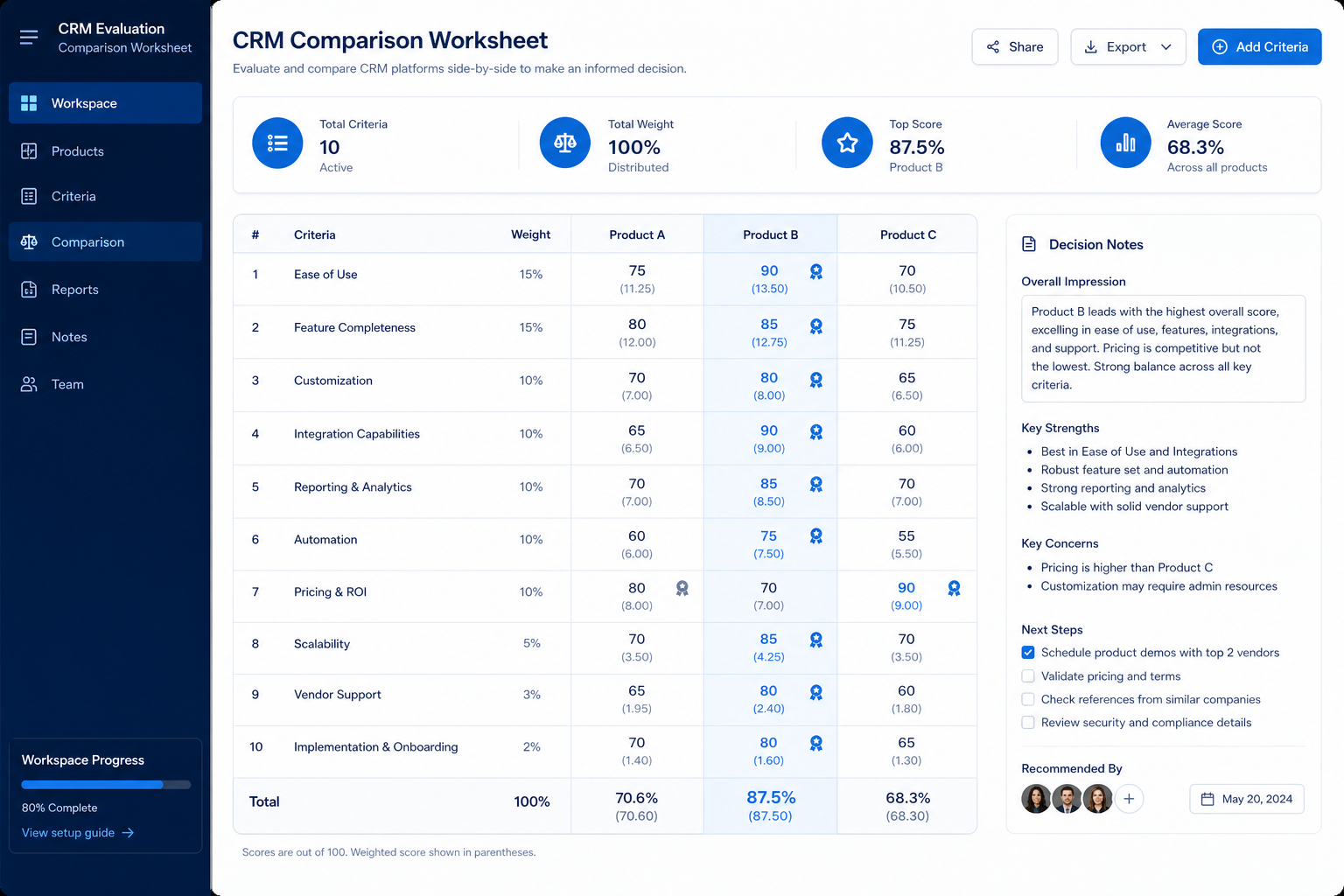
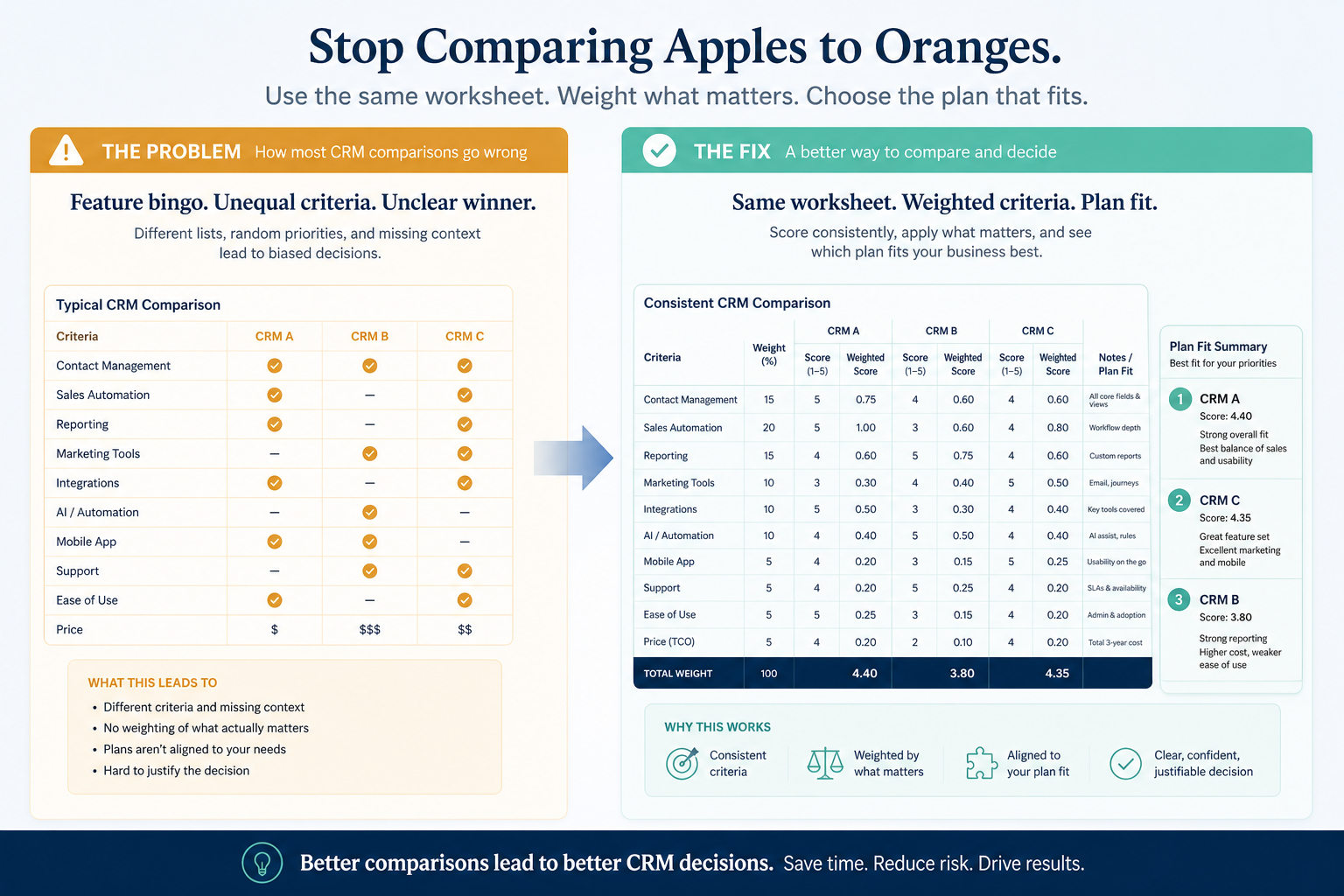
Bring finalists onto one decision model: binary gates that can disqualify, weighted fit that ranks survivors, evidence confidence, TCO, and risk — so the recommendation survives sponsor and finance review.
Free to use · No email required · Updated 18 Aug 2026
- Best for
- Buying committees
- Stage
- Decide
- Time
- Half-day to multi-day
- Format
- XLSX + PDF + MD
10
PDF decision pages
11
Excel engine sheets
Gates + weights
qualification then fit
1–5 · N/E
scores with HIGH · MEDIUM · LOW · UNKNOWN
What's inside
Must-have gates
PASS / FAIL / UNKNOWN qualification — failed mandates disqualify before scoring.
Weighted criteria
SAMPLE weights to replace: pipeline, automation, usability, platform, commercial.
Vendor scoring matrix
1–5 and N/E scores with confidence; weighted fit totals toward 100.
Evidence register
Hands-on, demo, docs, pricing, and references with dates and evaluators.
Cost, risk & sensitivity
Year 1 / 3-year TCO, risks, and weight scenarios that test ranking robustness.
Recommendation pack
Ranked summary, trade-offs, open conditions, and signatures — PDF for the committee.
What this tool helps you do
Compare finalists consistently
Same gates, weights, and score scale across every shortlisted CRM.
Keep must-have failures out of averages
Binary gates disqualify before weighted fit is compared.
Weight what matters to your team
Replace SAMPLE weights so the ranking reflects your priorities.
Track evidence behind scores
Confidence labels and an evidence register keep claims auditable.
Compare cost against fit
Year 1 and 3-year TCO sit beside weighted fit — unknowns stay blank.
Surface unresolved questions
UNKNOWN gates, N/E scores, and open risks stay visible before approval.
Test whether the result survives reweighting
Sensitivity scenarios show if the leader is robust or fragile.
Document the final recommendation
Winner, trade-offs, open conditions, and signatures for later audit.
How to use this matrix
- 1
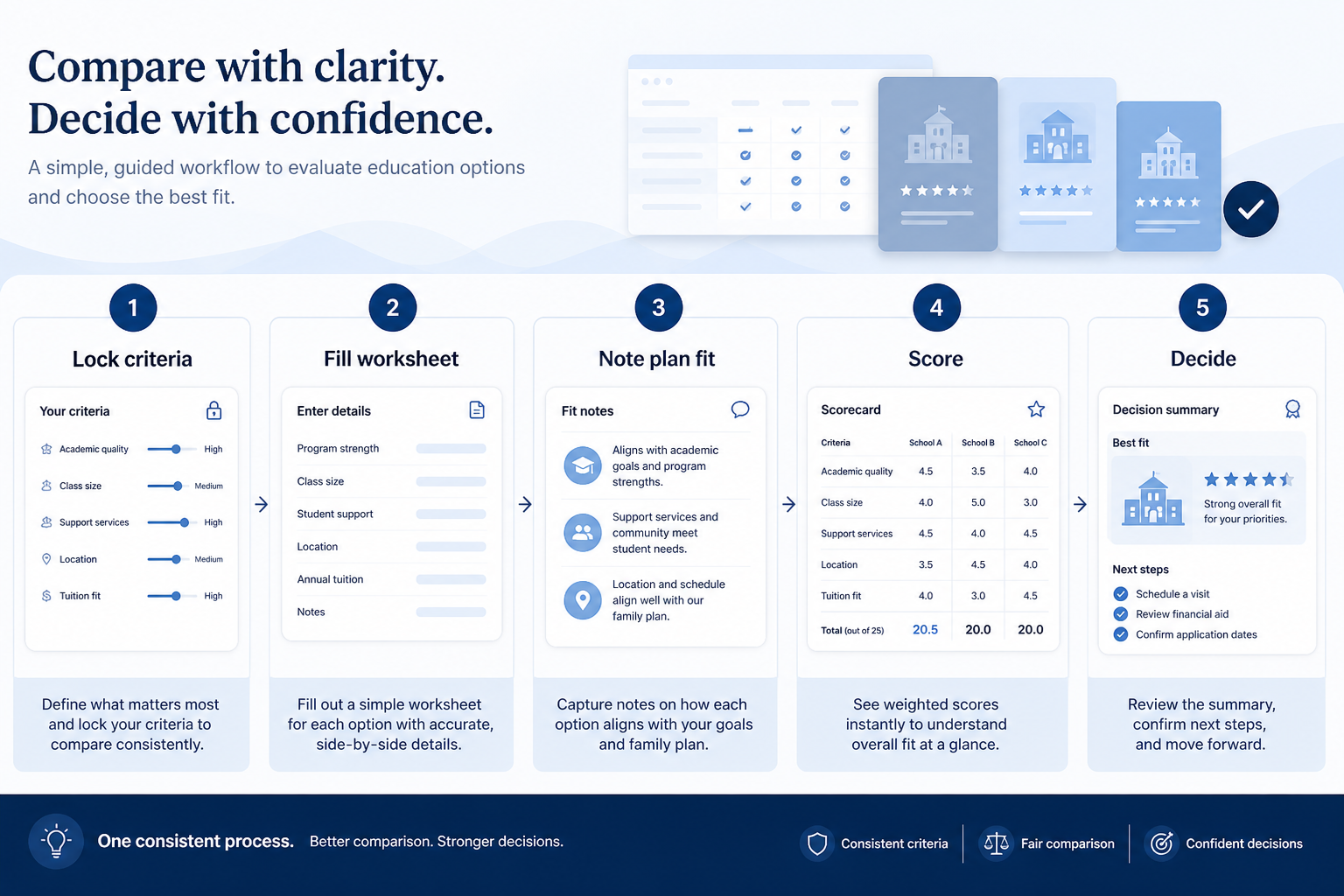
Name finalists
Vendor A–D plus status quo when replace-vs-keep is still open.
- 2
Run must-have gates
PASS / FAIL / UNKNOWN — resolve unknowns before approval.
- 3
Set weights to 100%
Replace SAMPLE weights with your committee’s priorities.
- 4
Score with evidence
1–5 or N/E plus confidence; link sources in the evidence sheet.
- 5
Add cost & risk
TCO where known; risks with likelihood, impact, mitigation.
- 6
Recommend & hand off
Write why / trade-off / open conditions — then build the Business Case.
Example decision matrix structure
Download ExcelRepresentative modules from the Excel decision engine and PDF summary. Full pack includes gates, weights, scoring, evidence, TCO, sensitivity, and recommendation.
Step 1
1. Decision overview & framework
Project framing, shortlist, decision rules, and the qualify → score → cost → risk → recommend flow.
- Finalists and status quo named — Setup sheet — rename Vendor A–D to real products.
- Decision rules agreed — Failed gates, unknowns, weight changes, evidence standard.
Step 2
2. Must-have gates
Binary qualification — never averaged into weighted fit.
- Mandatory requirements listed — Import from Requirements Builder / Evaluation Checklist.
- PASS / FAIL / UNKNOWN per vendor — Qualification status calculated in Excel.
Step 3
3. Weights & scoring
SAMPLE weights sum to 100% — replace before trusting totals.
- Criteria weights total 100% — Workbook flags when the sum is wrong.
- Scores 1–5 or N/E with confidence — Weighted contribution = score/5 × weight.
Step 4
4. Cost, risk & sensitivity
Commercial and robustness context beside fit.
- Year 1 and 3-year TCO inputs — Leave unknown lines blank.
- Sensitivity scenarios noted — BASE / COST-HEAVY / USABILITY-HEAVY robustness check.
Step 5
5. Recommendation
Human judgment with an auditable trail.
- Recommendation and trade-offs written — Why this vendor — and why not the runner-up.
- Open conditions before contract — Then hand off to the CRM Business Case Template.
- Flow: Qualify → Score → Compare cost → Assess risk → Recommend
Worked example (illustrative)
Hypothetical Vendor A / B / C scenario for teaching the matrix — not a SoftwareGlimpse case study or product ranking.
Requirement
Must-have gate: native data export on the quoted edition — FAIL disqualifies before weighted fit is compared.
Vendor A
PASSGate passes; SAMPLE weighted fit leads until your evidence and quotes replace teaching scores.
Vendor B
FAILMandatory export missing on the quoted edition — DISQUALIFIED; a high usability score does not decide.
Vendor C
PARTIALGate UNKNOWN until written edition confirmation; TCO lines stay blank (Unknown ≠ €0).
Evidence: Evaluation Checklist results plus written edition confirmation — EXAMPLE teaching only, not a SoftwareGlimpse ranking.
What counts as evidence?
Counts
- • Hands-on trial or structured demo observation with date and evaluator
- • Official documentation or written vendor confirmation for the quoted edition
- • Pricing documentation used for TCO inputs marked Verified where quoted
- • N/E or Unknown when evidence is incomplete — visible, not silent zero
Does not count
- • Sales slides or marketplace logos as proof of capability
- • Invented scores, prices, or TCO figures
- • Averaging away a failed must-have gate
- • Treating vendor claims as HIGH confidence without validation
Related resource journey
Use before
Use next
FAQ
How is this different from the Vendor Scorecard?
The Scorecard captures how well one vendor performed in evaluation. The Decision Matrix compares finalists side by side — gates, weights, cost, risk — and records the selection.
Why isn’t this a Pass / Fail checklist?
Pass / Fail belongs on must-have gates and evaluation checklists. Weighted criteria use a 1–5 scale with N/E so preferences are not forced into binary results.
Why is Excel the primary download?
The matrix is interactive: weights, scores, TCO, and sensitivity need formulas. The PDF is the printable executive decision record.
Can we use the SAMPLE weights as-is?
Only as a starting template. Replace them with your committee’s priorities so the total stays 100% and the ranking reflects your organisation.
Ready to decide between CRM finalists?
Download the Excel decision engine first, then share the PDF summary with your committee — without inventing scores or prices.
Part of CRM resources · CRM Software hub
SoftwareGlimpse Updates
Want clearer software shortlists? Get buying guides and comparisons by email.
Newsletter coming soon.