CRM Requirements Template
Define what your CRM must do before you shortlist.
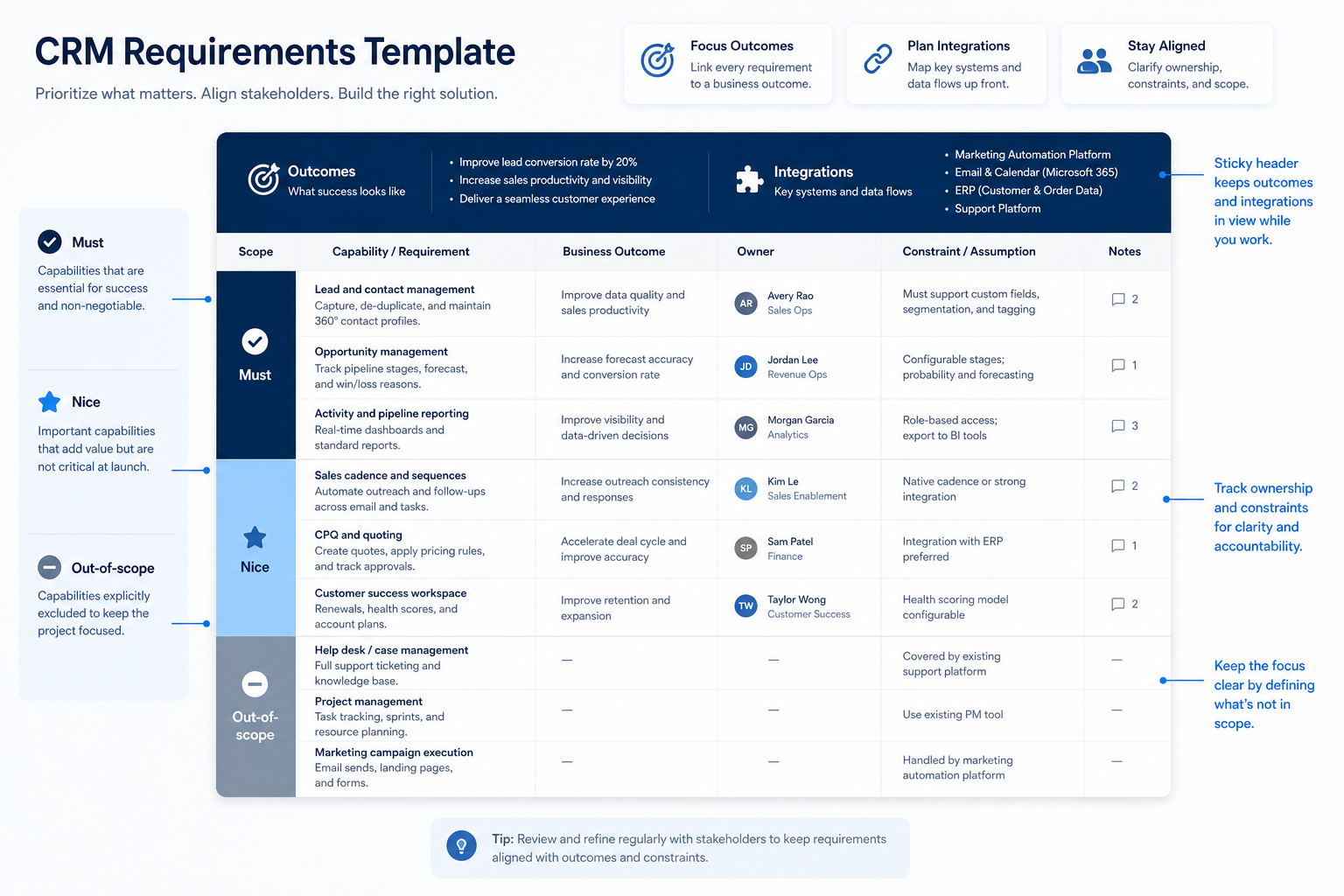
Fill this template with your pipeline model, must / should / nice priorities, hard constraints, and one acceptance check per must-have — then freeze it so every later demo and score uses the same bar.
Free to use · No email required · Updated 15 Aug 2026
- Best for
- Buying committees
- Stage
- Define
- Time
- 1–3 hours
- Format
- XLSX + PDF + MD
27
template sections
6
categories
Define
buying stage
XLSX + PDF + MD
download formats
What's inside
Buying context
Team, motion, current systems holding contacts and deals, and what is out of scope.
Stage & ownership model
Your pipeline stages, entry/exit checkpoints, owner and next-step rules.
Capability rows
Contacts, deals, activities, views, and seats written as needs — not feature names.
Email & calendar needs
Logging versus sync direction, and who needs it on day one.
Reporting, seats & admin
Weekly views, forecast needs, suspected edition gates, and admin capacity.
Constraints & data
Integrations, import sources, export requirement, and your real security baseline.
Acceptance checks
One trial-attemptable check per must-have so demos can verify it.
Freeze & change control
Priority tags, must-have cap, parking lot, sign-off date, and change log.
What this tool helps you do
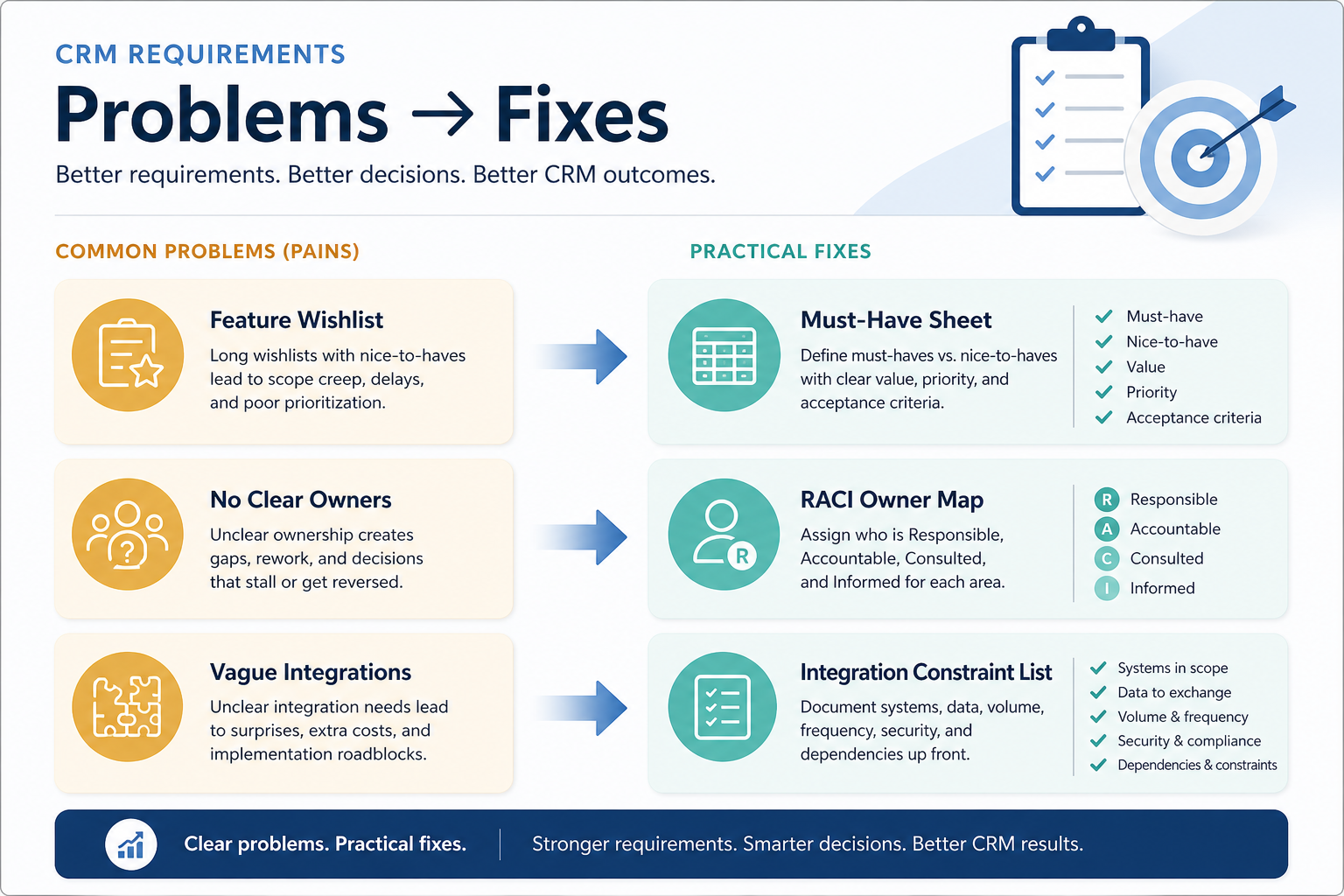
One agreed bar
Sales, ops, and IT argue before demos rather than during them.
Testable must-haves
Every must-have names something a non-admin can attempt in a trial.
Clean handoff
The frozen sheet feeds the Evaluation Checklist and scorecard weights without rework.
How to use this template
- 1
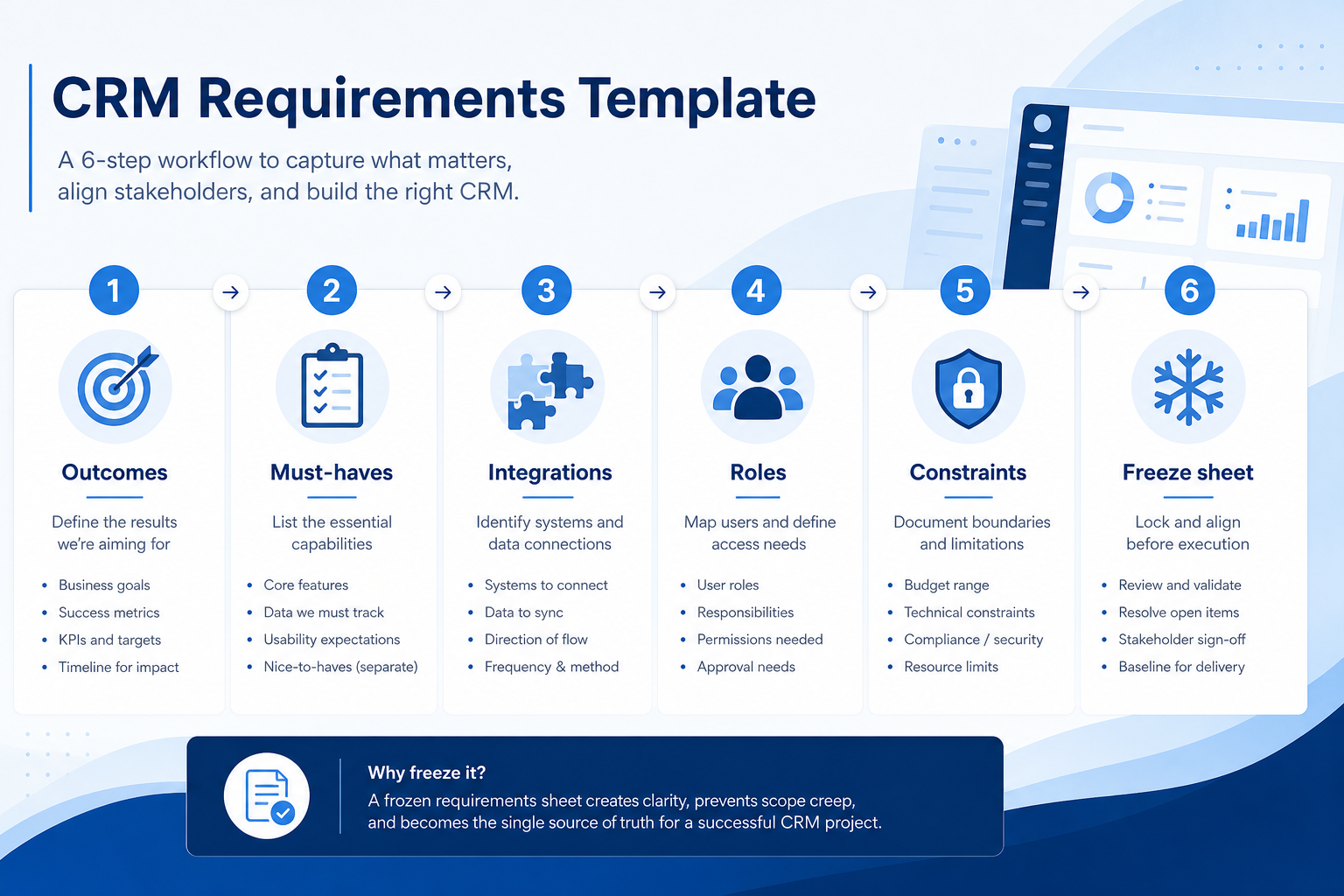
Capture context
Team, motion, systems holding contacts and deals today, and what is out of scope.
- 2
Write the stage model
Name your stages, entry/exit checkpoints, and owner plus next-step rules.
- 3
List capability rows
Contacts, activities, email/calendar, reporting, and seats — each tagged must / should / nice.
- 4
Add constraints & data
Integrations, import sources, export requirement, admin capacity, and security baseline.
- 5
Write acceptance checks
Give each must-have a check a non-admin can attempt in a trial or demo.
- 6
Freeze & hand off
Cap the must-haves, sign and date the sheet, then pass it to evaluation and scoring.
Preview the template
Download ExcelRepresentative rows from the downloadable artifact. Full workbook includes Test / Scenario, Evidence, and Result columns.
| # | Check item | Why it matters | Required? | Evidence | Result |
|---|---|---|---|---|---|
| 1. Buying context & scope | |||||
| 1.1 | Team, motion, and objects in scope | Every later row depends on how you sell and which CRM objects are day one. | Must-have | — | Not tested |
| 1.2 | Where contacts and deals live today | Migration effort and import risk come from your current systems, not the new one. | Must-have | — | Not tested |
| 1.3 | Top three operational pains | Keeps requirements tied to problems instead of feature envy. | Must-have | — | Not tested |
| 1.4 | Explicit out of scope for phase one | Prevents demo scope creep into marketing automation or custom objects. | Nice-to-have | — | Not tested |
| 2. Pipeline, stages & ownership | |||||
| 2.1 | Pipeline stage model written down | Stages are the spine of every later demo test and scorecard row. | Must-have | — | Not tested |
| 2.2 | Owner and dated next step on open deals | Unowned deals and missing next steps are the most common CRM failure. | Must-have | — | Not tested |
| 2.3 | Required deal fields kept short | Long required-field lists get bypassed and wreck reporting. | Must-have | — | Not tested |
| 2.4 | Multiple pipelines or motions | Independent stage sets change which editions and products qualify. | Nice-to-have | — | Not tested |
Worked example
Hypothetical Team A / Team B drafting scenario for teaching the artifact — not a SoftwareGlimpse case study.
Requirement
Draft requirement: “Reps log email activity to the contact and deal record without admin help.”
Team A draft
PASSTagged must-have, owner named, acceptance check written: a non-admin logs a sent email to a deal timeline during trial.
Team B draft
FAILRow reads “email integration” with no priority, owner, or acceptance check — nothing a demo can test.
Evidence: Requirements row review before freeze.
What counts as evidence?
Counts
- • A need expressed on contacts, deals, stages, activities, views, or seats
- • Something a non-admin can attempt in a trial
- • A constraint with a named owner
- • A row the committee signed off in writing
Does not count
- • A vendor feature name with no acceptance check
- • A wish added mid-demo without change control
- • Everything tagged must-have
- • A need that only works on a future roadmap date
Related resource journey
FAQ
How detailed should requirements be before demos?
Detailed enough that a non-admin can attempt each must-have on contacts, deals, activities, or views — and no more. You are writing a testable bar, not designing your future CRM taxonomy.
Must, should, or nice — how do we decide?
Must means the evaluation fails without it on day one, including capabilities locked to an edition you will not buy. Should means important but workable for 90 days. Nice means valuable later. If almost everything is a must, the tradeoffs are not finished.
How is this different from the Evaluation Checklist?
This template defines what you need and how you will verify it. The Evaluation Checklist runs those verifications against each shortlisted CRM and records Pass, Partial, Fail, or Not tested.
How does this relate to the Requirements Builder tool?
The interactive builder helps you assemble and prioritize needs quickly. This template is the durable, signable artifact for committees, RFPs, and handoffs. Use either entry point, but keep one canonical sheet.
Should pricing be a requirement?
Capture budget posture and the cost breakdown you need from vendors. Do not write a total cost into the sheet before you have written quotes — seat models and edition gates change the answer.
Where does deep security diligence go?
Keep only hard constraints here — required identity, access, or residency needs. Access reviews, export controls, and detailed diligence belong on the CRM Security Checklist.
What if stakeholders add must-haves during demos?
Park them. Promote an item only with a dated change-control note. Silent must-have inflation is how evaluations stop being comparable.
Ready to use the CRM Requirements Template?
Download the artifact, or continue with a related tool or guide.
Part of CRM resources · CRM Software hub
SoftwareGlimpse Updates
Want clearer software shortlists? Get buying guides and comparisons by email.
Newsletter coming soon.