CRM Vendor Scorecard
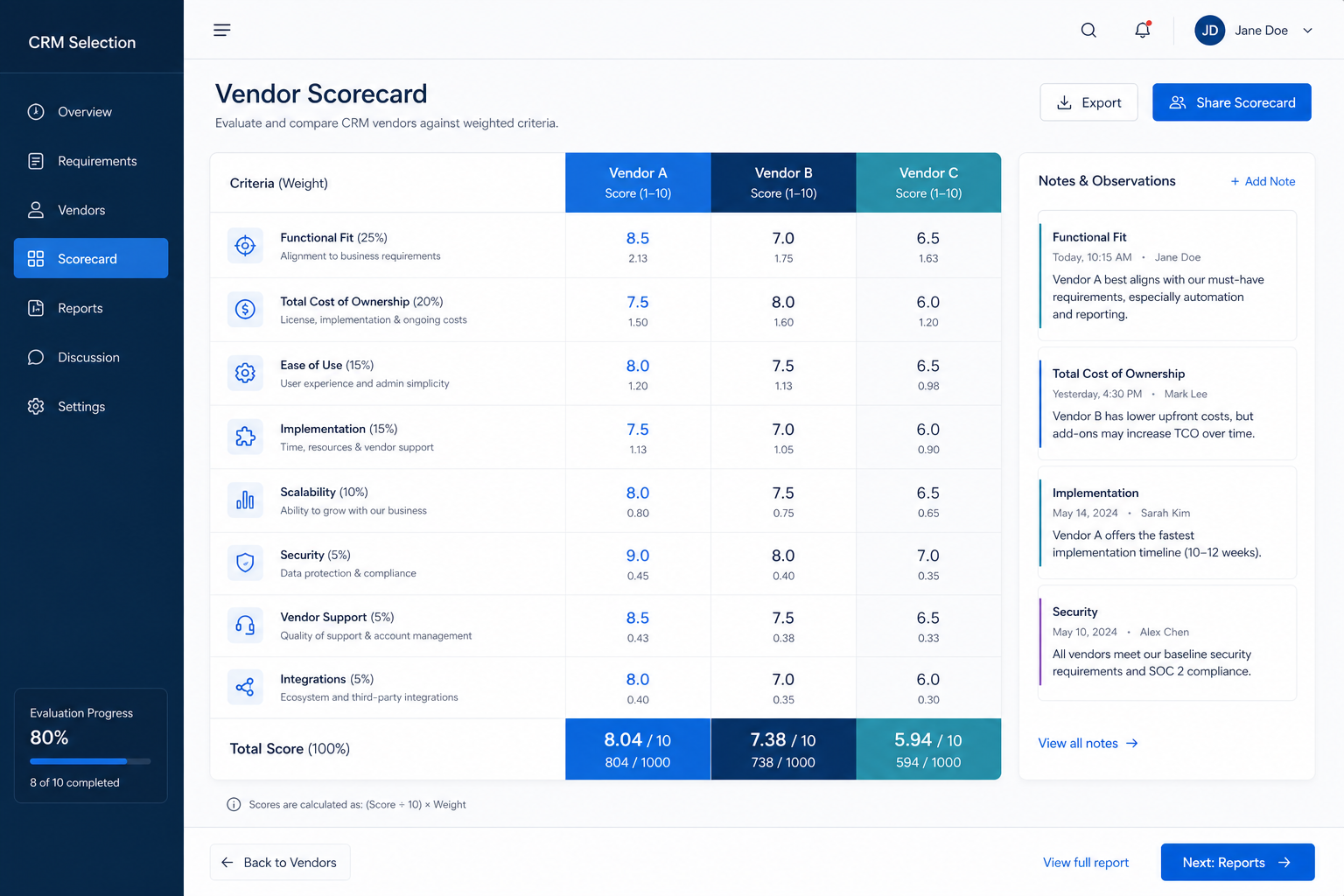
Score shortlisted CRMs against weighted requirements with evidence confidence and must-have gates.
This is not a Pass / Fail checklist. It is a scoring workbook: freeze weights, score every finalist 1–5 with confidence, apply must-have gates that cannot be averaged away, then archive totals for the committee — or mirror the same criteria in the interactive Vendor Scorecard tool.
Free to use · No email required · Updated 15 Aug 2026
- Best for
- Buying committees
- Stage
- Evaluate
- Time
- After demos / trials — half-day to multi-day
- Format
- XLSX + PDF + MD + CSV
8
PDF scorecard pages
8
Excel scoring sheets
1–5 · N/E
weighted fit toward 100
Gates
must-haves override totals
What's inside
Criteria & weight model
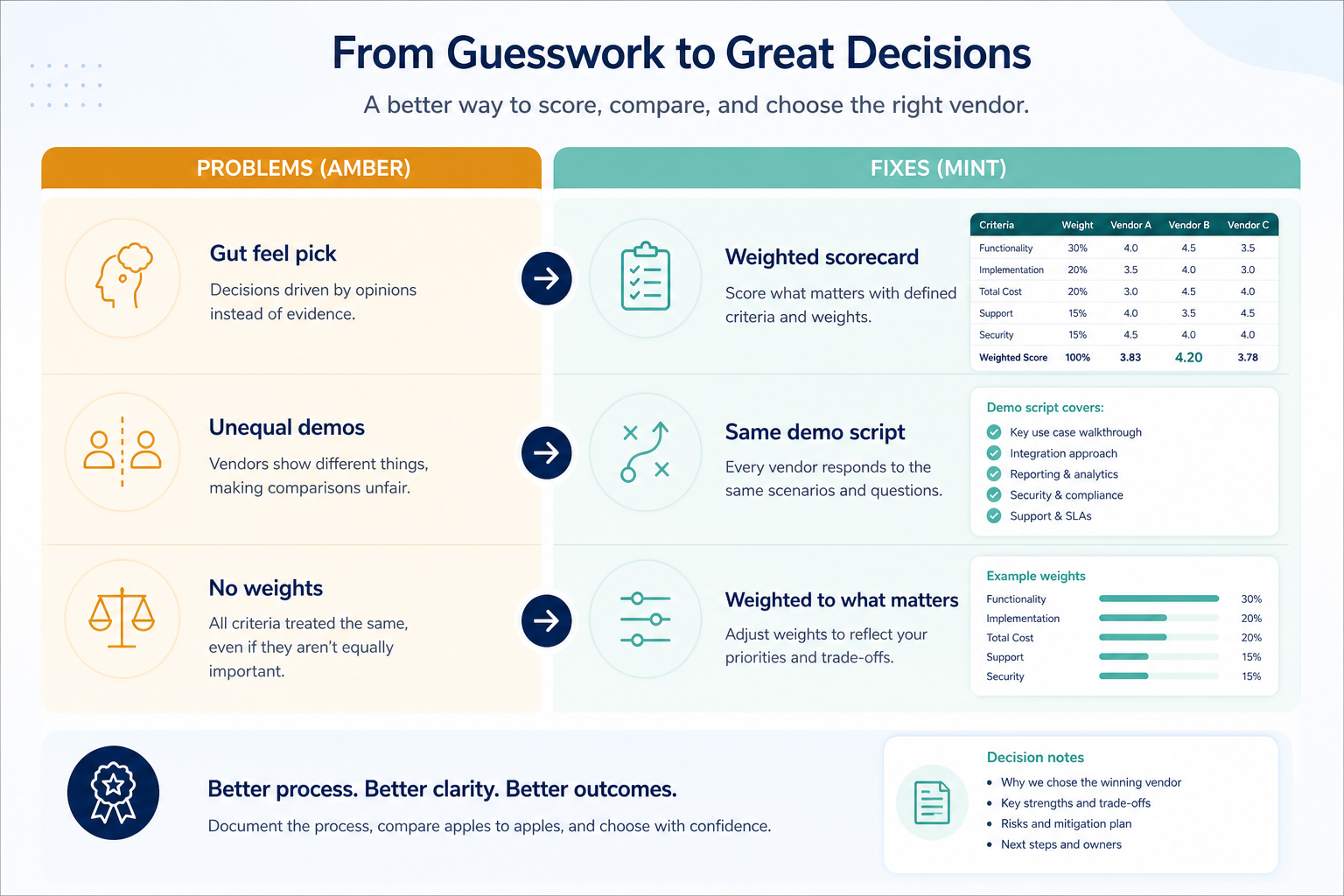
SAMPLE weights to replace — categories summing to 100% before any demo.
Vendor scoring matrix
1–5 or N/E per criterion with confidence and weighted contribution.
Must-have gates
PASS / FAIL / UNKNOWN — failures disqualify regardless of total.
Evidence register
Link scores to checklist results, trials, demos, and written answers.
Results & decision
Totals, residual risks, sign-off — then Decision Matrix for TCO.
Interactive tool twin
Mirror the same criteria in the live Vendor Scorecard tool when useful.
What this tool helps you do
Score finalists consistently
Same criteria, legend, and scorers on every vendor.
Keep must-have failures visible
Gates cannot be averaged into a fake win.
Trace scores to evidence
Confidence and evidence refs survive committee review.
Hand off to Decision Matrix
Scoring complete — add TCO, risk, and formal recommendation next.
How to use this scorecard
- 1
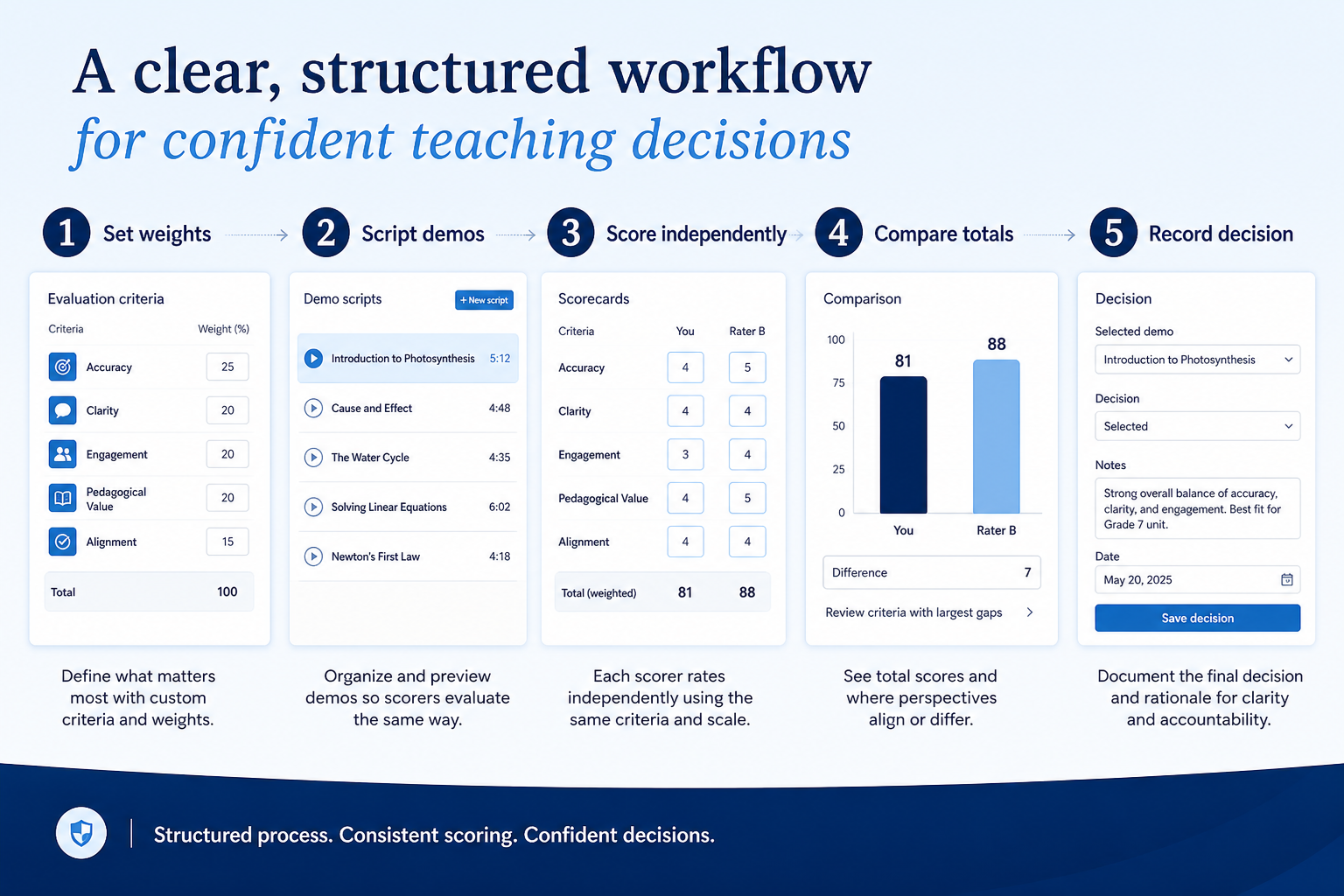
Import criteria
From signed requirements — do not invent mid-demo.
- 2
Freeze weights
Replace SAMPLE weights; total 100%; date the freeze.
- 3
Score 1–5
Same day as each session; N/E when evidence is missing.
- 4
Apply must-have gates
PASS / FAIL / UNKNOWN per vendor.
- 5
Review totals
Weighted fit only for vendors that clear gates.
- 6
Decide & archive
Then open the CRM Decision Matrix for cost and risk.
Example scorecard structure
Download ExcelRepresentative modules from the Excel scoring engine and PDF pack. Full pack includes weights, 1–5 scores, confidence, must-have gates, evidence, and decision archive.
Step 1
1. Setup & weight freeze
Project, vendors, scorers, and dated weight freeze.
- Vendor A–D named — Frozen shortlist only — two to four finalists.
- Weight freeze dated — Before the first scored session.
Step 2
2. Criteria & weights
Categories and criteria totaling 100%.
- SAMPLE weights replaced — Your committee’s priorities, not the template defaults.
- Must-have flags set — Gates that can disqualify.
Step 3
3. Vendor scoring matrix
1–5 × weight with confidence per cell.
- Scores with evidence confidence — HIGH / MEDIUM / LOW / UNKNOWN — not silent zeros.
- Weighted totals — Toward 100 when weights and scores exist.
Step 4
4. Must-have gates
Binary qualification beside the weighted model.
- PASS / FAIL / UNKNOWN per vendor — FAIL removes the vendor from contention.
Step 5
5. Results & sign-off
Totals, residual risks, archive, Decision Matrix handoff.
- Recommendation and residual risks — Then cost/risk on the Decision Matrix.
- Flow: Import criteria → Freeze weights → Score 1–5 → Apply gates → Totals → Decide
Worked example (illustrative)
Hypothetical Vendor A / B / C scenario for teaching the artifact — not a SoftwareGlimpse case study or ranking.
Requirement
Must-have gate: email activity logs to the contact and deal on the quoted edition — weight high, gate overrides total.
Vendor A
PASSScored from trial evidence with HIGH confidence; gate passes.
Vendor B
FAILStrong usability impression, but capability sits on a higher edition than quoted — gate fails; total does not decide.
Vendor C
PARTIALScore held as N/E until non-admin trial evidence is captured — confidence UNKNOWN.
Evidence: Evaluation Checklist results plus written edition confirmation — EXAMPLE teaching only.
What counts as evidence?
Counts
- • A score traced to an Evaluation Checklist result or trial observation
- • A written vendor answer for commercial and edition rows
- • The same scorers applying the same 1–5 legend
- • A weight freeze dated before the first session
Does not count
- • Scores written from memory days after the demo
- • Reweighting criteria after a favourite demo
- • A high total that hides a must-have failure
- • A usability impression with no note or confidence label
Related resource journey
Use next
FAQ
How is this different from the Evaluation Checklist?
The checklist runs tests and records Pass / Partial / Fail / Not tested with evidence. The scorecard turns that evidence into weighted 1–5 scores and must-have gates. Checklist first, scorecard second.
How is this different from the CRM Decision Matrix?
The scorecard answers how each finalist performed in evaluation. The Decision Matrix answers which option to select after adding TCO, implementation risk, sensitivity, and a formal recommendation.
How is this different from the interactive Vendor Scorecard tool?
The tool is for live weighting and exploration. This downloadable pack is the durable offline workbook for committees, audits, and handoffs. Mirror the same criteria in both when useful.
Why is Excel the primary download?
Weights, scores, gate counts, and weighted totals need formulas. The PDF is the printable committee summary.
Can we change weights mid-evaluation?
Only with a documented change after the freeze date. Silent reweighting after a favourite demo invalidates comparability.
Ready to score your CRM shortlist?
Download the Excel scoring engine first, then share the PDF with your committee — freeze weights before demos; do not invent scores.
Part of CRM resources · CRM Software hub
SoftwareGlimpse Updates
Want clearer software shortlists? Get buying guides and comparisons by email.
Newsletter coming soon.