CRM Vendor Questions: Ask Once, Compare Every Finalist
Copyable CRM vendor questions for demos, trials, and diligence — plan gates, integrations, admin, support, security, and exit — without product score claims.
Vendor questions are a shared list covering plan gates for must-haves, integrations, admin model, support, security baseline, and export/exit — asked identically to every finalist. Decision rule: if a critical answer is only verbal, treat it as open until written; do not sign on demo confidence alone.
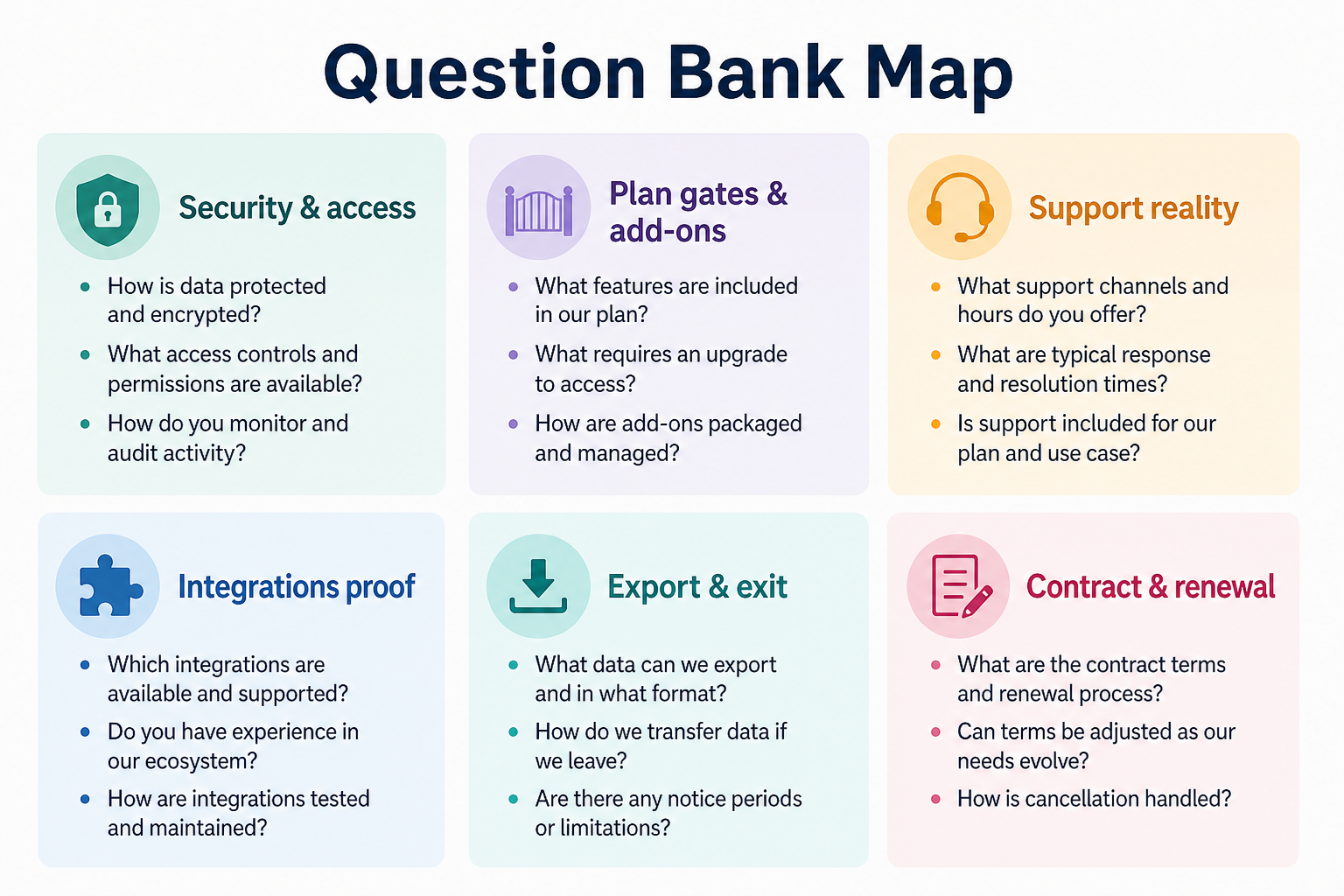
Use one category ring for every finalist — swap products, not the list.
Question categories
Use one category ring for every finalist — swap products, not the list.
1. Use this core question bank
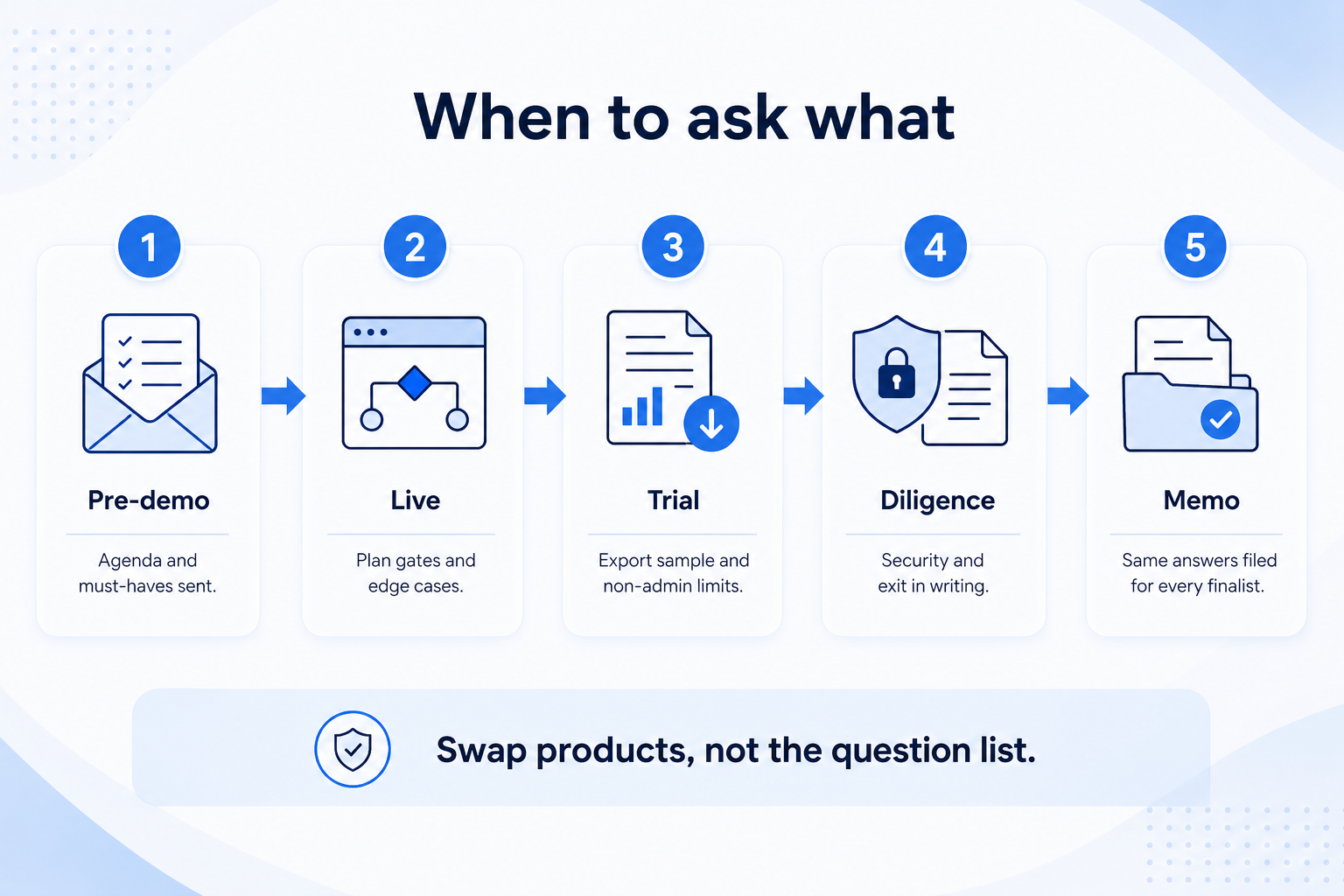
Identical asks create comparable diligence files.
Demo live
Plan gates + edge-case clicks.
Email follow-up
Security docs location + export path.
Trial proof
Non-admin limits + export sample.
Plan & packaging: Which plan includes our must-haves (list them)? Are automation, multiple pipelines, or advanced reporting separately licensed? What was the demo plan vs the proposed plan?
Integrations: How does email/calendar sync work with our stack? What breaks if we only use native features?
Admin: Who typically configures fields/permissions for a team our size? What cannot a non-admin do?
Support: Channels, hours, how escalations work on our plan.
Security: Roles, SSO needs, where security docs live, residency constraints we actually have.
Exit: What objects export, formats, who initiates, deletion/cancellation steps.
Example: an 11-person RevOps-light team emails this bank to three finalists after demos. One vendor clarifies reporting is on a higher tier than demoed; another provides an activity export sample during trial.
2. Score answers for clarity, not charm
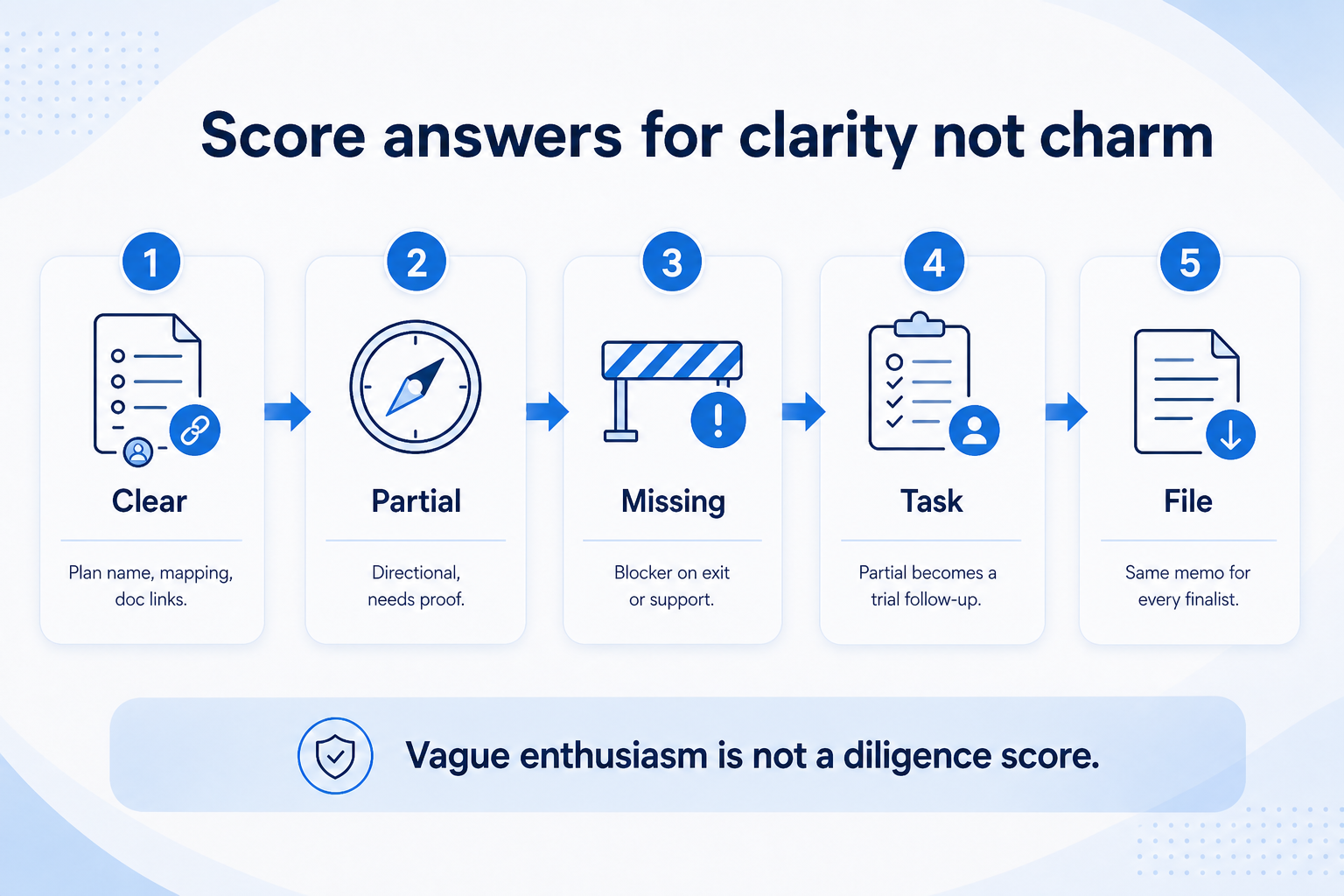
Do not convert vague enthusiasm into a high diligence score.
Clear
Plan name + feature mapping + doc links.
Partial
Directional answer, needs proof.
Missing
No reply on exit or support hours.
Mark each reply Clear / Partial / Missing. Partial answers become trial tasks or blockers. Do not convert vague enthusiasm into a high diligence score.
Example: “We’ll handle migration in onboarding” without objects/formats stays Partial until a concrete export/import story appears.
Copyable shortlist (send as-is)
Bring these questions to every demo
Ask vendors to show the workflow live, not just describe it.
1Which plan includes each must-have on our list?Name plan/tier; note add-ons.
2How are automation / multiple pipelines / advanced reporting licensed?Category question — verify per vendor.
3Show our email/calendar sync path and limits.Native vs add-on.
4What can a non-admin seller not do?Permissions reality.
5Support channels and hours on the proposed plan?Escalation path.
6How do we export contacts, deals, activities, and files?Formats + who initiates.
3. Shortlist only inside the same job cluster
Compare tools whose core product matches the weekly output you named. Adjacent tools can integrate later — they should not hijack the primary shortlist because of brand familiarity.
Worked example: A team that needs meeting transcripts shortlists Otter-class tools, not a general chat assistant, even if the chat tool also “does meetings.”
4. Trial the named workflow before signatures
Run the same script on two or three finalists. Success is a non-admin completing the weekly output without a rescue — not a polished vendor tour.
5. Use a one-page checklist before demos
For CRM Vendor Questions: Ask Once, Compare Every Finalist, list must-haves, owners, integrations, and the weekly ritual this purchase must improve. Share the sheet with finance and IT before you schedule a second demo.
Name the primary job in one sentence.
List must-have gates (plans, SSO, data residency, usage caps).
Name integrations that must work on day one.
Assign an admin owner and a weekly user champion.
Define non-admin proof — what a sceptic completes without rescue.
Worked example: Harbor Ops refuses demos until the checklist is signed — cutting evaluation time in half.
6. Avoid the usual buying mistakes
Common failures in crm: buying for brand familiarity, comparing entry tiles across different usage units, skipping a fair trial script, and adding scope before adoption proves out.
Run one trial script on every finalist the same week. Score on the same card. Write a one-paragraph decision memo that names what you are not buying yet.
7. Hand off to the category shortlist
When assumptions are frozen, continue on /best/crm-software/ with the same headcount, usage band, and must-have gates on every quote.
8. Use a one-page checklist before demos
For CRM Vendor Questions: Ask Once, Compare Every Finalist, list must-haves, owners, integrations, and the weekly ritual this purchase must improve. Share the sheet with finance and IT before you schedule a second demo.
Name the primary job in one sentence.
List must-have gates (plans, SSO, data residency, usage caps).
Name integrations that must work on day one.
Assign an admin owner and a weekly user champion.
Define non-admin proof — what a sceptic completes without rescue.
Worked example: Harbor Ops refuses demos until the checklist is signed — cutting evaluation time in half.
9. Avoid the usual buying mistakes
Common failures in crm: buying for brand familiarity, comparing entry tiles across different usage units, skipping a fair trial script, and adding scope before adoption proves out.
Run one trial script on every finalist the same week. Score on the same card. Write a one-paragraph decision memo that names what you are not buying yet.
10. Hand off to the category shortlist
When assumptions are frozen, continue on /best/crm-software/ with the same headcount, usage band, and must-have gates on every quote.
Example official CRM product videos
Optional · 2 examples · collapse if you don’t need them
Verified vendor product videos from the CRM catalogue for context while you read. They are examples only — not a ranked shortlist — and they do not replace SoftwareGlimpse recommendations on this page.
Official vendor video · example
Attio — Attio | How to build your sales pipelines
This video is hosted on YouTube
This content is hosted by YouTube. The player loads only after you allow marketing cookies.