CRM Pricing Guide: How Plans, Seats, and Add-Ons Really Work
Learn CRM pricing models — per-seat tiers, feature gates, add-ons, and annual vs monthly — with bands and qualifiers, then estimate with the Cost Calculator.
CRM pricing is usually per-seat tiers with feature gates and optional add-ons — the headline “from” tier is often not the plan that includes your must-haves. Decision rule: do not compare tools on marketing starting prices; map must-haves to the required plan, then estimate with the Cost Calculator using researched list prices and clear bands.
Per-seat common
Feature gates
Add-ons
Annual discounts
Plan ≠ must-haves
Use Calculator
Key takeaways
Starting price ≠ buying price — Must-haves often sit on higher tiers.
Seats multiply fast — Count daily users and viewers honestly.
Add-ons are part of the plan story — Ask which capabilities are licensed separately.
Bands beat fake precision — Use Calculator ranges; never invent list prices in copy.
Read pricing bottom-up from must-have gates — the cheapest tile rarely matches your sheet.
Worked example: Harbor maps must-haves to a qualifying plan
01
Headline tile vs qualifying SKU
Worked example: Harbor needs email sync and a second pipeline. Both sit above the public “from” tier. They estimate the qualifying plan in the Cost Calculator using researched list prices — not the marketing tile. Trade-off: fewer seats on a higher tier vs more seats without the must-have.
Must-haves → plan
Seat count honest
Add-ons listed
02
When starting price is a trap
Worked example: Pulse compares two CRMs on “from $15.” One gates reporting; the other gates SSO. They stop ranking starting prices and re-run the Calculator on the plans that actually include their sheet.
Do not invent list prices
Bands beat fake precision
Confirm live packaging
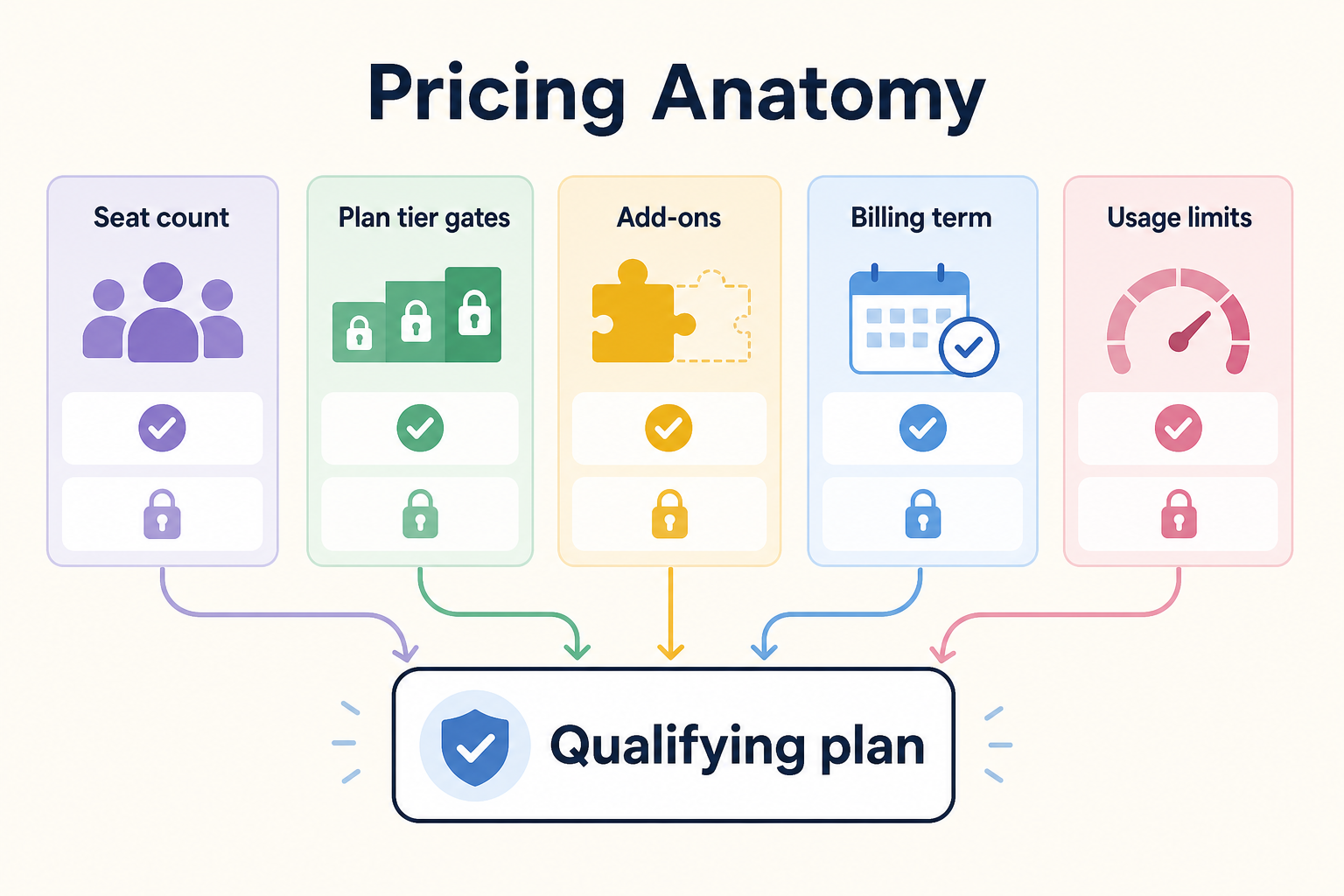
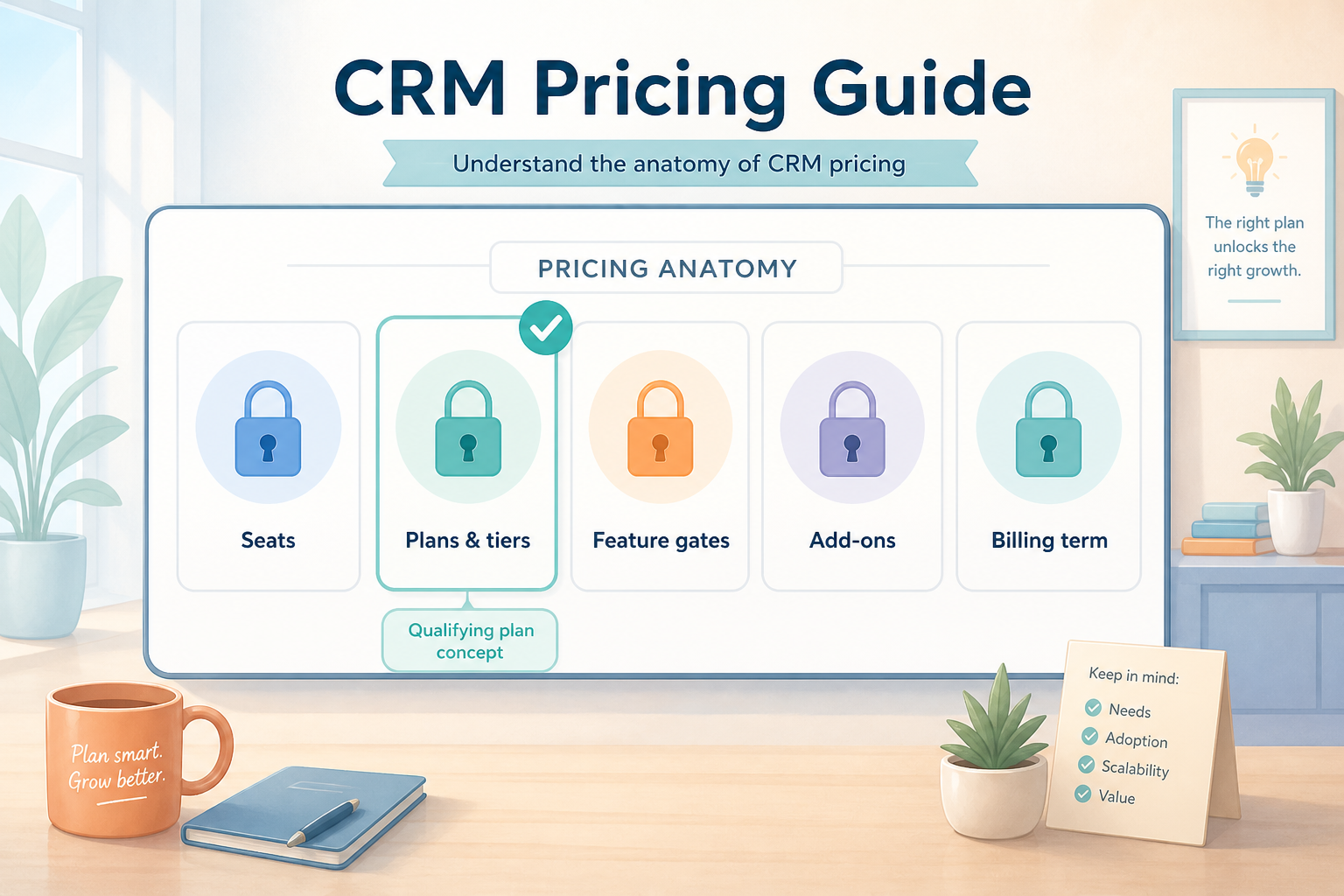
Anatomy of a CRM price
Read pricing bottom-up from must-have gates, not top-down from the cheapest tile.
1. Recognize common CRM pricing models
Feature locks explain why the cheapest tile rarely matches your sheet.
Per-seat tiers
Price scales with users; features scale with plan.
Add-on modules
Separate SKUs for calling, AI, or premium support.
Annual vs monthly
Term discounts vs flexibility — commercial choice, not a fake ROI %.
Most catalogue CRMs sell per-user monthly/annual plans with tiered features. Some gate automation, multiple pipelines, or advanced reporting behind higher tiers — ask how those capabilities are licensed without claiming a specific product’s policy as fact.
Example: a 12-person B2B advisory team needs email sync and a shared pipeline board on day one. They discard any “from” tier that cannot show those must-haves, then compare only the qualifying plans in the Cost Calculator.
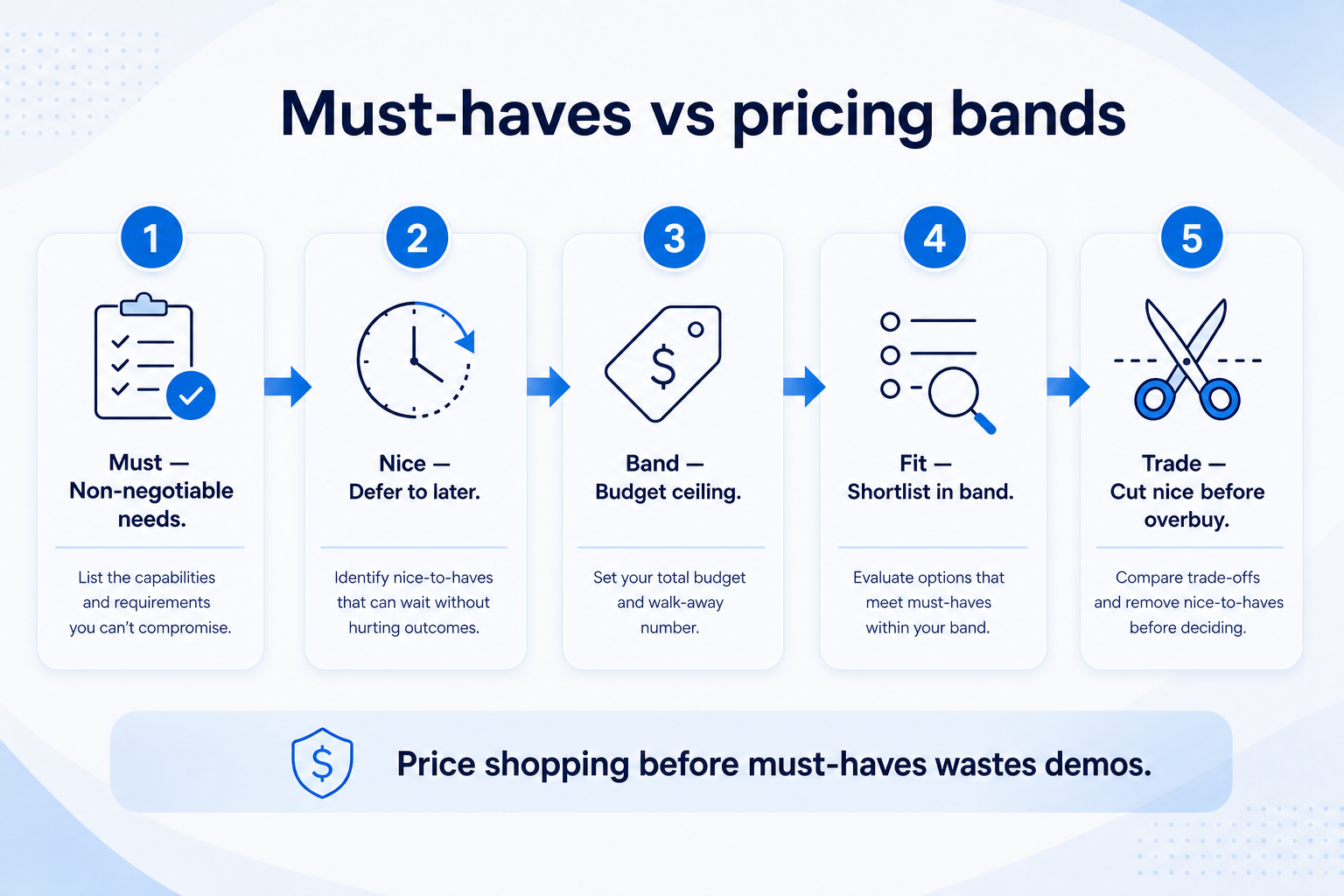
2. Map must-haves, then estimate in bands
Discard “from” tiers that cannot unlock must-haves — then compare only qualifying plans.
Seat inflation
Managers and delivery want logins — confirm license types.
Gate surprise
Automation or reporting appears only after upgrade talk.
Healthy estimate
Calculator band + written plan map attached to memo.
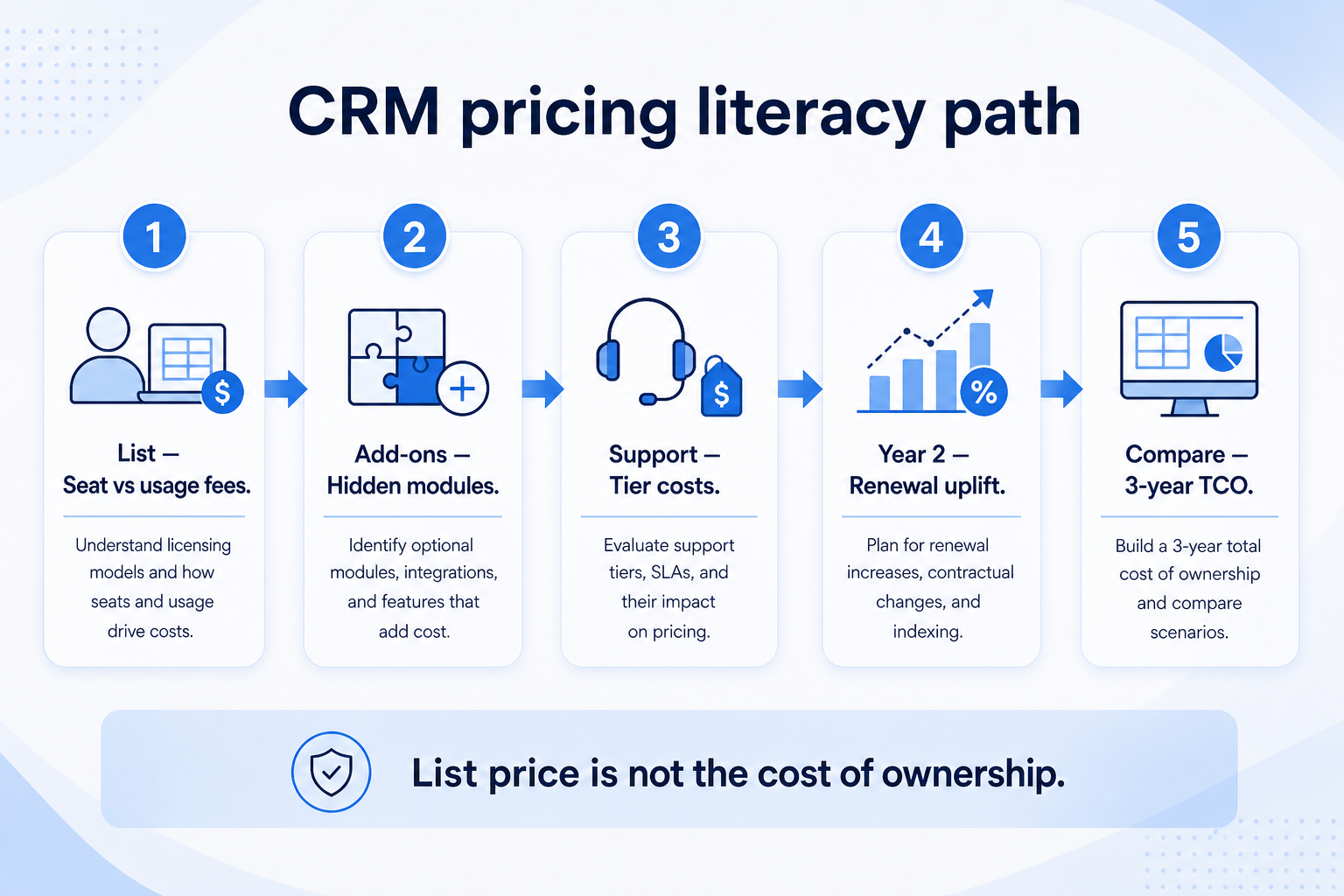
For each finalist, list must-haves → required plan → seat count → known add-ons. Feed researched list prices into the Cost Calculator. Treat implementation and training as separate TCO lines (see Total Cost Guide) — do not invent those fees here.
Example: the advisory team counts four sellers + one ops seat. They mark “viewer-only” stakeholders as non-seats until a vendor confirms otherwise in writing.
What “price” usually includes
Subscription lines you should separate before calling anything a total.
Illustrative mix
Seats61%
Add-ons18%
Implementation12%
Training5%
Other4%
Base seats × plan
Daily users on the tier that includes must-haves.
Feature gates / upgrades
Higher tier required by the sheet — not optional fluff.
Add-ons
Modules sold separately; confirm before signature.
Billing term effects
Monthly vs annual commercial terms — verify on the order form.
Every quote uses the same people who need access — not a pilot subset.
Same usage band
Credits, tokens, GPU hours, or send caps modeled at realistic volume.
Same gates
SSO, agents, stealth modes, or automation depth unlock on named tiers.
For every finalist in this category, fill one sheet: headcount or list size, must-have gates, usage units you will actually hit, and integrations that must work on day one. Ask each vendor which plan qualifies — then compare those plans only, not homepage tiles.
Worked example: Harbor Ops models the same seat count and credit band for three AI assistants. Vendor A’s personal tier looks cheaper until Business unlocks connectors; Vendor B’s team pack looks expensive until overage on Vendor A is included. The honest compare is qualifying configuration × usage — documented in writing.
4. Budget the first quarter, not the teaser month
Starter tiles optimize for sign-up, not your first 90 days at real scale. Include list or seat growth, seasonal spikes, overage triggers, and add-on SKUs (Copilot layers, credit packs, dedicated IP) before you ask finance to approve spend.
Worked example: Northline Studio adds 20% buffer to image-credit usage for a campaign launch and keeps annual vs monthly side by side when GPU spikes are likely.
5. Hand off to selection with frozen assumptions
When quotes are comparable, move to the selection framework with must-haves frozen. Rank finalists on fit for the weekly job, governance, and the total you modeled — not affiliate availability or brand familiarity.
Next: /guides/crm-total-cost-guide/
6. Use a one-page checklist before demos
For CRM Pricing Guide: How Plans, Seats, and Add-Ons Really Work, list must-haves, owners, integrations, and the weekly ritual this purchase must improve. Share the sheet with finance and IT before you schedule a second demo.
Name the primary job in one sentence.
List must-have gates (plans, SSO, data residency, usage caps).
Name integrations that must work on day one.
Assign an admin owner and a weekly user champion.
Define non-admin proof — what a sceptic completes without rescue.
Worked example: Harbor Ops refuses demos until the checklist is signed — cutting evaluation time in half.
7. Avoid the usual buying mistakes
Common failures in crm: buying for brand familiarity, comparing entry tiles across different usage units, skipping a fair trial script, and adding scope before adoption proves out.
Run one trial script on every finalist the same week. Score on the same card. Write a one-paragraph decision memo that names what you are not buying yet.
8. Hand off to the category shortlist
When assumptions are frozen, continue on /best/crm-software/ with the same headcount, usage band, and must-have gates on every quote.
Example official CRM product videos
Optional · 2 examples · collapse if you don’t need them
Verified vendor product videos from the CRM catalogue for context while you read. They are examples only — not a ranked shortlist — and they do not replace SoftwareGlimpse recommendations on this page.
Official vendor video · example
Attio — Attio | How to build your sales pipelines
This video is hosted on YouTube
This content is hosted by YouTube. The player loads only after you allow marketing cookies.