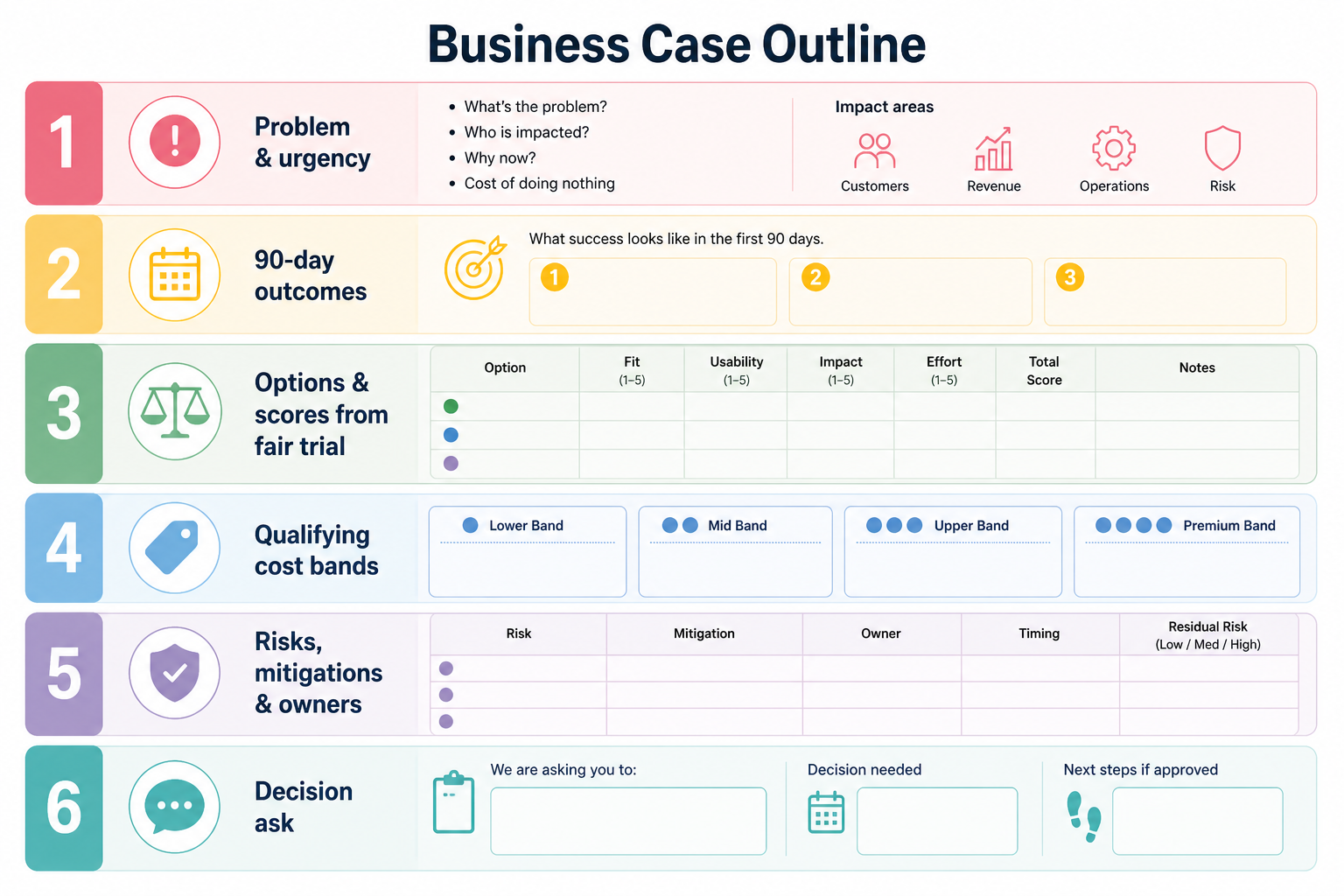
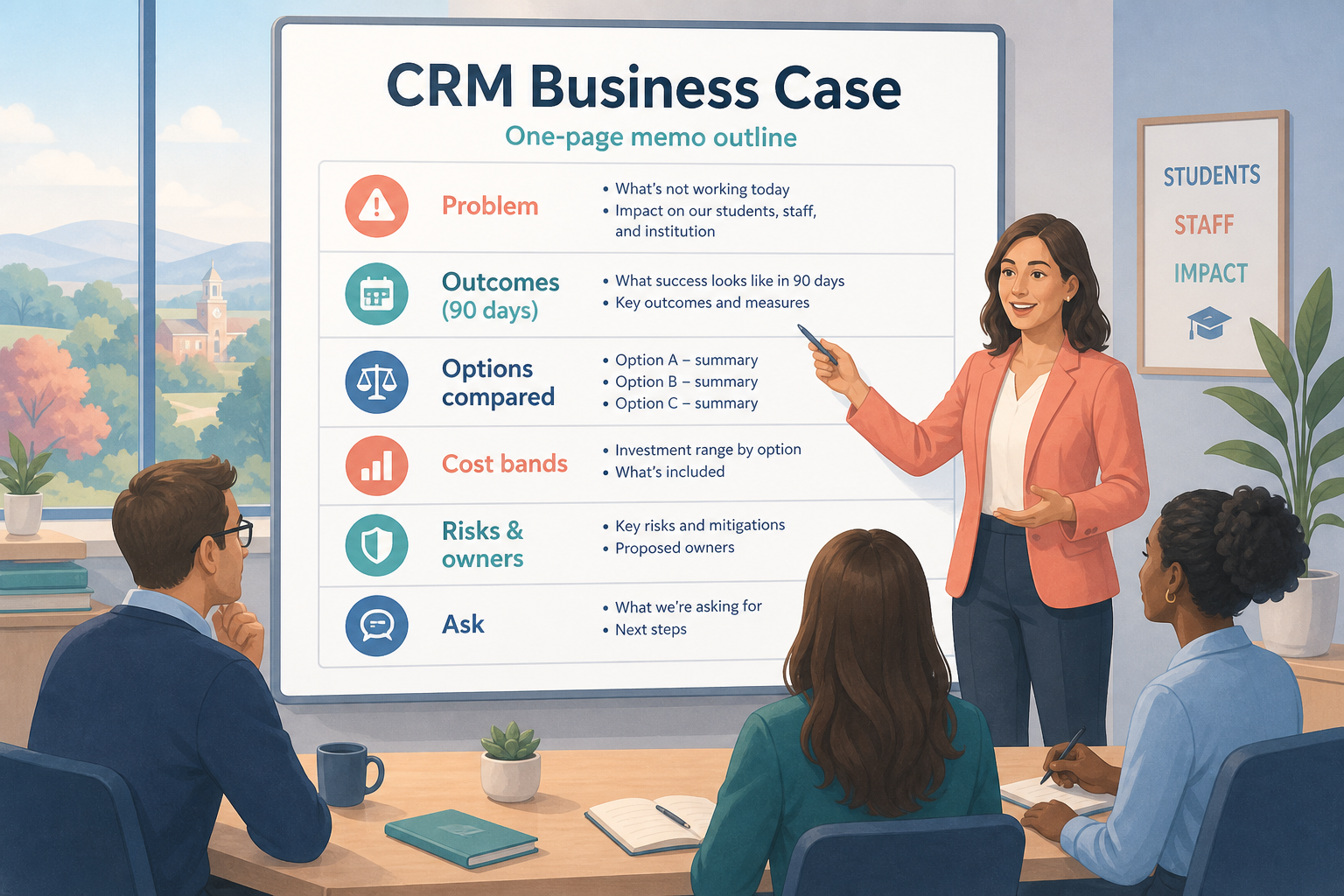
A CRM business case is a short decision memo: problem, 90-day outcomes, options considered, evaluation evidence, cost categories, risks, and a single ask. Decision rule: do not send the memo until scores and diligence notes exist; a preference paragraph is not a business case.
Problem
Outcomes
Options
Evidence
Costs
Ask
Goals
Features
Integrations
Cost
Ease of use
Growth
Key takeaways
One ask — Approvers need a decision, not a tour of the market.
Evidence over enthusiasm — Scorecard + trial notes beat adjectives.
Costs as categories — Calculator band + time/change lines; no fake totals.
Risks named — Adoption, admin capacity, exit, plan gates.
Keep the body to one or two pages; put scorecards and Calculator screenshots in appendices.
1. Write problem, outcomes, and options
The memo is the Decide gate artifact — not a marketing one-pager.
Buyer
Wants risk and cost clarity.
Users
Need adoption reality from trial.
Finance
Needs categories and plan posture, not vibes.
Open with the operating problem and why spreadsheets/status quo fail the 90-day outcomes. List options: status quo, finalist A, finalist B (from Finder shortlist). State recommendation only after evidence.
Example: a 7-person boutique consultancy writes: problem = founder rebuilds pipeline from chats weekly; outcomes = owner SLA + Friday board + handoff notes; options = stay on sheets, Tool A, Tool B.
2. Attach evidence, costs, risks, and the ask
Approve buy
Scores + diligence + owners ready.
Approve next gate
More security or reference calls needed.
Reject / pause
Admin capacity missing — fix readiness first.
Paste weighted scores, demo/trial notes, and diligence answers (exit, support, plan gates). Summarize TCO categories and Calculator subscription band. End with: recommended tool, who owns rollout, success checks at 30 days, and approval requested.
Example: the consultancy recommends Tool B with ops as admin owner, cites non-admin trial scores, lists unknown partner fees as “none planned,” and asks founder to approve a qualifying annual plan after order-form review.
Business case section checklist
Bring these questions to every demo
Ask vendors to show the workflow live, not just describe it.
1Problem & why now
2Three 90-day outcomes
3Options including status quo
4Scorecard + trial notes
5TCO categories + Calculator band
6Risks & mitigations
7Single ask + rollout owners
3. Shortlist only inside the same job cluster
Compare tools whose core product matches the weekly output you named. Adjacent tools can integrate later — they should not hijack the primary shortlist because of brand familiarity.
Worked example: A team that needs meeting transcripts shortlists Otter-class tools, not a general chat assistant, even if the chat tool also “does meetings.”
4. Trial the named workflow before signatures
Run the same script on two or three finalists. Success is a non-admin completing the weekly output without a rescue — not a polished vendor tour.
5. Use a one-page checklist before demos
For CRM Business Case: Write the Memo Approvers Actually Need, list must-haves, owners, integrations, and the weekly ritual this purchase must improve. Share the sheet with finance and IT before you schedule a second demo.
Name the primary job in one sentence.
List must-have gates (plans, SSO, data residency, usage caps).
Name integrations that must work on day one.
Assign an admin owner and a weekly user champion.
Define non-admin proof — what a sceptic completes without rescue.
Worked example: Harbor Ops refuses demos until the checklist is signed — cutting evaluation time in half.
6. Avoid the usual buying mistakes
Common failures in crm: buying for brand familiarity, comparing entry tiles across different usage units, skipping a fair trial script, and adding scope before adoption proves out.
Run one trial script on every finalist the same week. Score on the same card. Write a one-paragraph decision memo that names what you are not buying yet.
7. Hand off to the category shortlist
When assumptions are frozen, continue on /best/crm-software/ with the same headcount, usage band, and must-have gates on every quote.
8. Use a one-page checklist before demos
For CRM Business Case: Write the Memo Approvers Actually Need, list must-haves, owners, integrations, and the weekly ritual this purchase must improve. Share the sheet with finance and IT before you schedule a second demo.
Name the primary job in one sentence.
List must-have gates (plans, SSO, data residency, usage caps).
Name integrations that must work on day one.
Assign an admin owner and a weekly user champion.
Define non-admin proof — what a sceptic completes without rescue.
Worked example: Harbor Ops refuses demos until the checklist is signed — cutting evaluation time in half.
9. Avoid the usual buying mistakes
Common failures in crm: buying for brand familiarity, comparing entry tiles across different usage units, skipping a fair trial script, and adding scope before adoption proves out.
Run one trial script on every finalist the same week. Score on the same card. Write a one-paragraph decision memo that names what you are not buying yet.
10. Hand off to the category shortlist
When assumptions are frozen, continue on /best/crm-software/ with the same headcount, usage band, and must-have gates on every quote.
Example official CRM product videos
Optional · 2 examples · collapse if you don’t need them
Verified vendor product videos from the CRM catalogue for context while you read. They are examples only — not a ranked shortlist — and they do not replace SoftwareGlimpse recommendations on this page.
Official vendor video · example
Attio — Attio | How to build your sales pipelines
This video is hosted on YouTube
This content is hosted by YouTube. The player loads only after you allow marketing cookies.