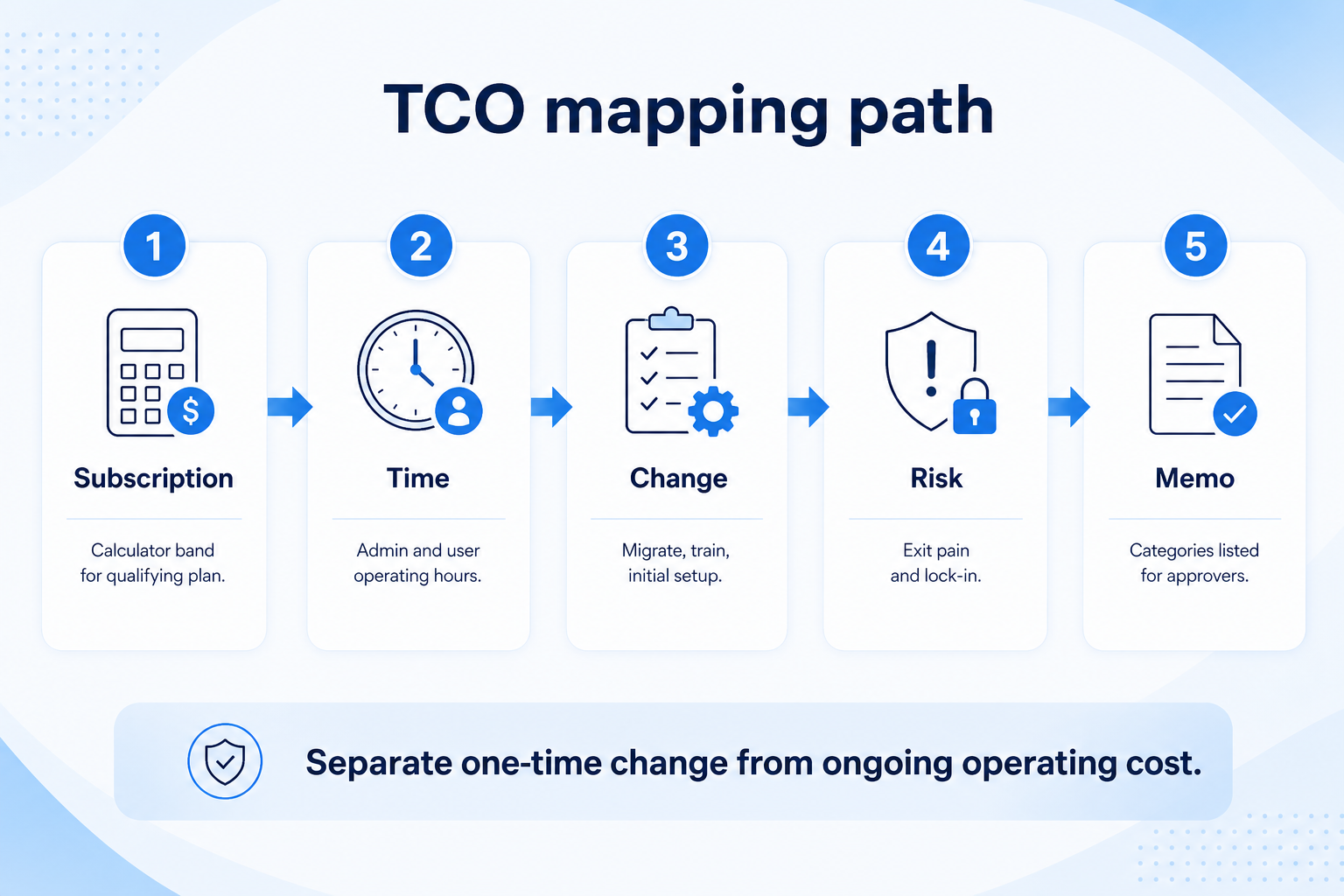
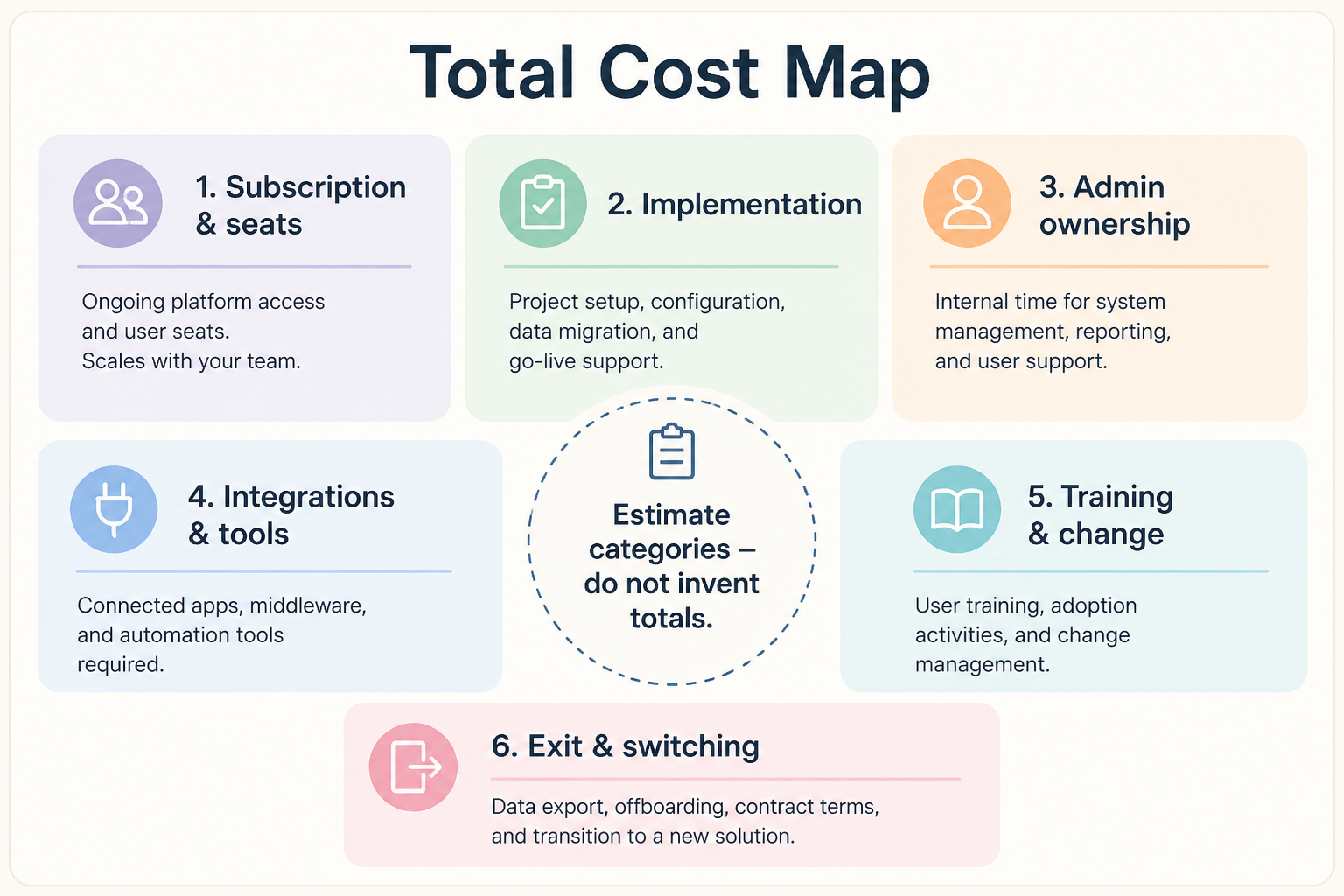
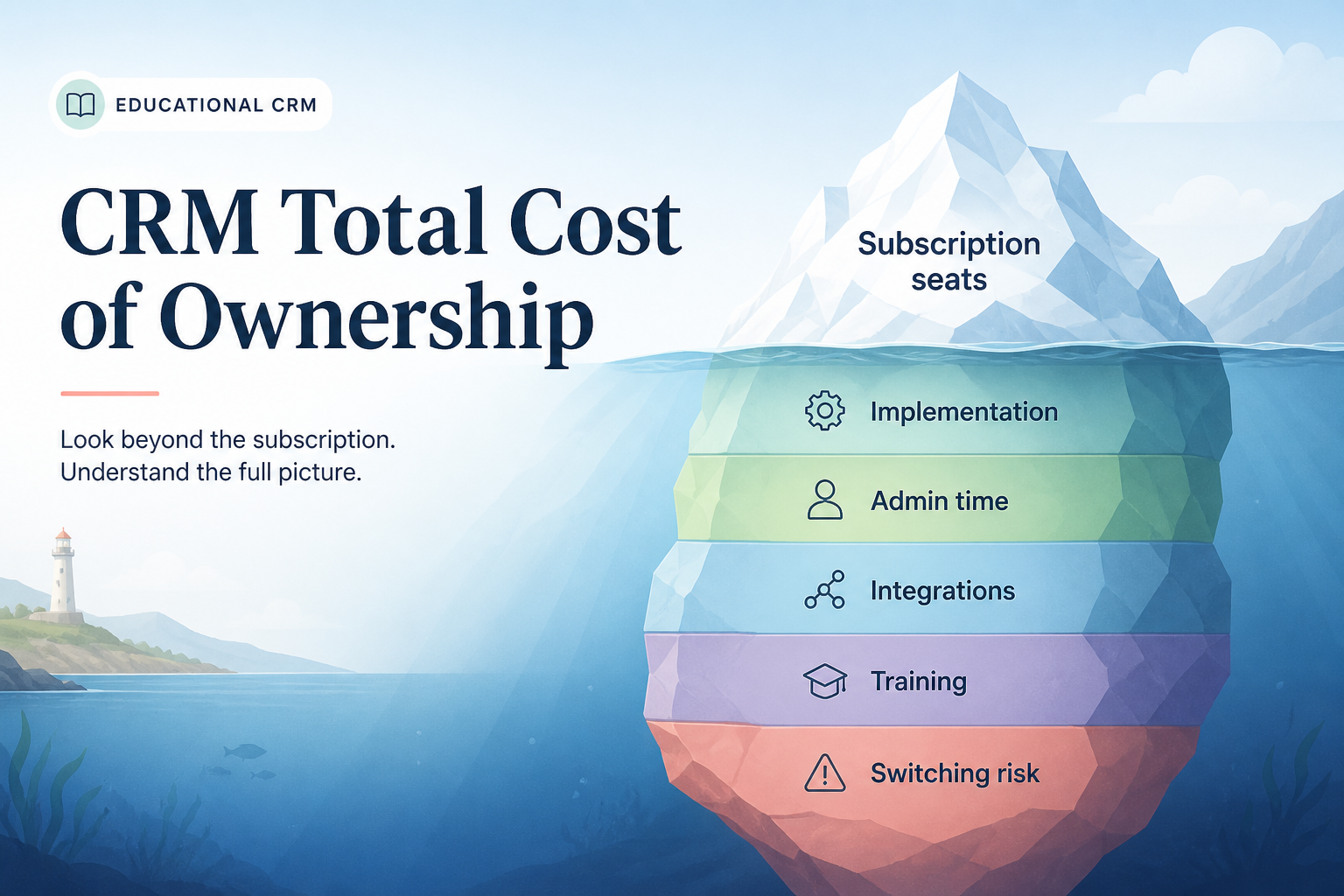
Total cost of CRM ownership is subscription plus the time and change costs to launch and run it — admin hours, migration, training, add-ons, and switching/exit risk. Decision rule: never call a per-seat quote “total cost” until those categories are listed with owners; use the Cost Calculator for subscription bands and keep non-list fees qualitative unless you have a real quote.
Subscription
Admin time
Migration
Training
Add-ons
Exit risk
Key takeaways
Time is a cost line — Part-time admins and seller learning show up as capacity, not invoices.
Migration is optional until it isn’t — Spreadsheets and old tools create one-time work.
Cheap seats, expensive sprawl — Complex tools burn admin hours even on “affordable” tiers.
No fake totals — Name categories; quantify only with Calculator or vendor quotes.
Separate one-time change costs from ongoing operating costs before you compare tools.
TCO category map
Separate one-time change costs from ongoing operating costs before you compare tools.
1. List every category before comparing quotes
Subscription is one slice — not the whole pie.
One-time
Import, cleanup, initial configuration.
Ongoing
Seats, add-ons, admin spare capacity.
Risk
Weak export, opaque renewals, forced upgrades.
Start with qualifying subscription (from Pricing Guide + Calculator). Add admin hours/week, seller onboarding time, data cleanup/import, training sessions, paid add-ons, and exit/export readiness.
Example: a 9-person agency moving off shared spreadsheets lists: four seller seats on the must-have plan, ops at ~2 hours/week admin, a weekend import cleanup, and two 45-minute training huddles. They refuse to “pick the cheaper tile” until Finalist B explains that multiple pipelines need a higher tier.
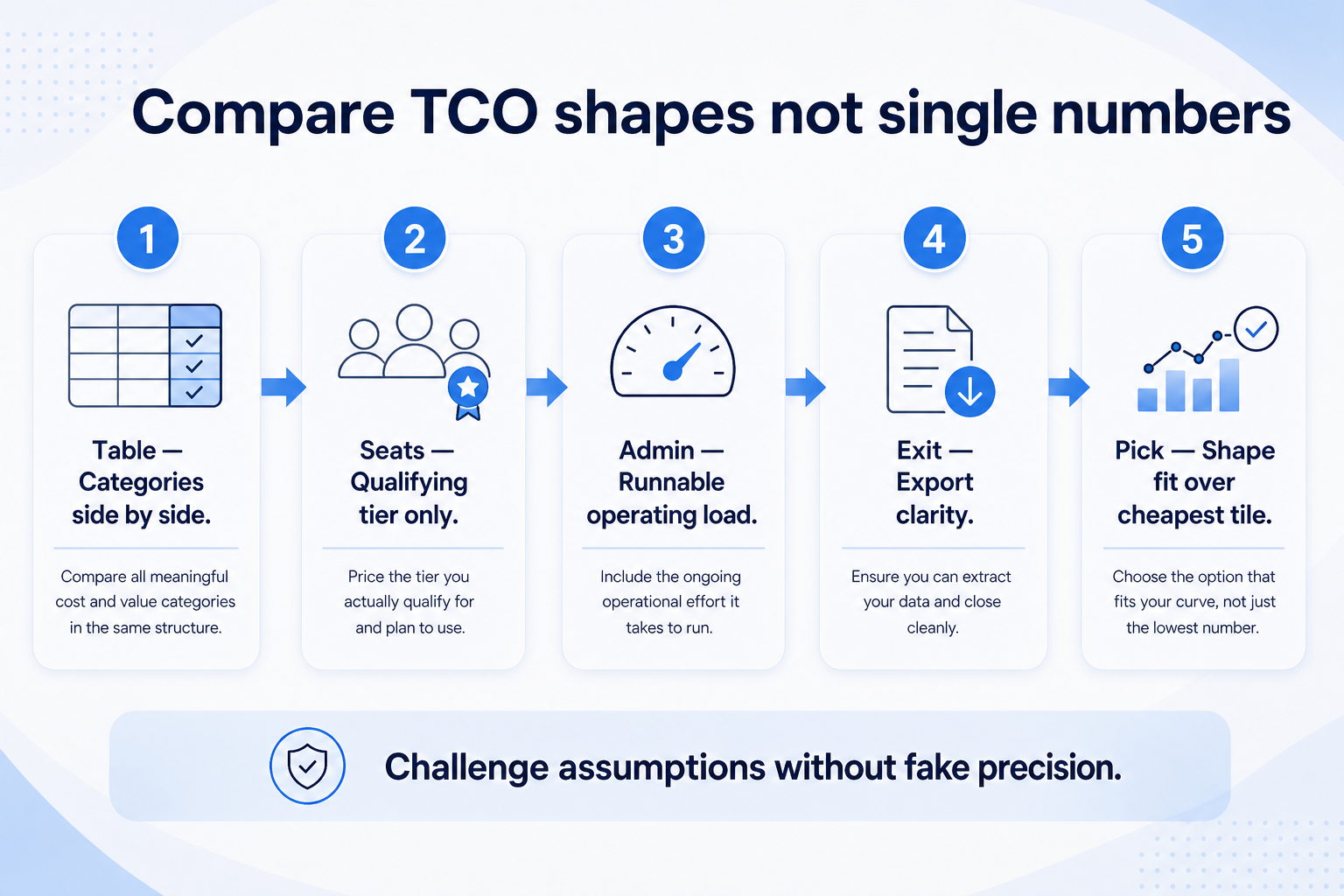
2. Compare TCO shapes, not single numbers
A lower seat band with heavy admin needs can lose to a clearer mid-tier plan your team can run.
Qualifying plan + runnable admin load + clear exit.
Put finalists side by side on categories. A lower seat band with heavy admin needs can lose to a clearer mid-tier plan your team can run. Keep unknown implementation partner fees as “unknown — need quote,” never as invented line items.
Example: the agency keeps Tool A for lower admin complexity despite a higher Calculator band, because Tool B’s trial showed sellers needing ops for basic reporting.
TCO lines to capture
Use qualitative notes where you lack quotes; quantify subscription via Calculator only.
Illustrative mix
Seats61%
Add-ons18%
Implementation12%
Training5%
Other4%
Qualifying subscription
Seats × plan that includes must-haves (Calculator).
Every quote uses the same people who need access — not a pilot subset.
Same usage band
Credits, tokens, GPU hours, or send caps modeled at realistic volume.
Same gates
SSO, agents, stealth modes, or automation depth unlock on named tiers.
For every finalist in this category, fill one sheet: headcount or list size, must-have gates, usage units you will actually hit, and integrations that must work on day one. Ask each vendor which plan qualifies — then compare those plans only, not homepage tiles.
Worked example: Harbor Ops models the same seat count and credit band for three AI assistants. Vendor A’s personal tier looks cheaper until Business unlocks connectors; Vendor B’s team pack looks expensive until overage on Vendor A is included. The honest compare is qualifying configuration × usage — documented in writing.
4. Budget the first quarter, not the teaser month
Starter tiles optimize for sign-up, not your first 90 days at real scale. Include list or seat growth, seasonal spikes, overage triggers, and add-on SKUs (Copilot layers, credit packs, dedicated IP) before you ask finance to approve spend.
Worked example: Northline Studio adds 20% buffer to image-credit usage for a campaign launch and keeps annual vs monthly side by side when GPU spikes are likely.
5. Hand off to selection with frozen assumptions
When quotes are comparable, move to the selection framework with must-haves frozen. Rank finalists on fit for the weekly job, governance, and the total you modeled — not affiliate availability or brand familiarity.
Next: /guides/crm-pricing-guide/
6. Use a one-page checklist before demos
For CRM Total Cost Guide: See Beyond Per-Seat Subscription, list must-haves, owners, integrations, and the weekly ritual this purchase must improve. Share the sheet with finance and IT before you schedule a second demo.
Name the primary job in one sentence.
List must-have gates (plans, SSO, data residency, usage caps).
Name integrations that must work on day one.
Assign an admin owner and a weekly user champion.
Define non-admin proof — what a sceptic completes without rescue.
Worked example: Harbor Ops refuses demos until the checklist is signed — cutting evaluation time in half.
7. Avoid the usual buying mistakes
Common failures in crm: buying for brand familiarity, comparing entry tiles across different usage units, skipping a fair trial script, and adding scope before adoption proves out.
Run one trial script on every finalist the same week. Score on the same card. Write a one-paragraph decision memo that names what you are not buying yet.
8. Hand off to the category shortlist
When assumptions are frozen, continue on /best/crm-software/ with the same headcount, usage band, and must-have gates on every quote.
Example official CRM product videos
Optional · 2 examples · collapse if you don’t need them
Verified vendor product videos from the CRM catalogue for context while you read. They are examples only — not a ranked shortlist — and they do not replace SoftwareGlimpse recommendations on this page.
Official vendor video · example
Attio — Attio | How to build your sales pipelines
This video is hosted on YouTube
This content is hosted by YouTube. The player loads only after you allow marketing cookies.
Subscription plus change and operating costs (time, migration, training, add-ons) and exit/renewal risk. Decision rule: list categories with owners before treating any quote as complete.
Can SoftwareGlimpse give me a dollar TCO?
No invented totals. Use the Cost Calculator for researched subscription estimates and your own quotes for services.
How do I account for admin time?
Estimate hours/week and who supplies them. If capacity is zero, simplify the tool or delay the buy.
Is migration always required?
Not always — some teams start clean. If history matters, budget cleanup time explicitly.
What should I do next?
Run Calculator bands, finish diligence on plan gates, then fold categories into the Business Case guide.