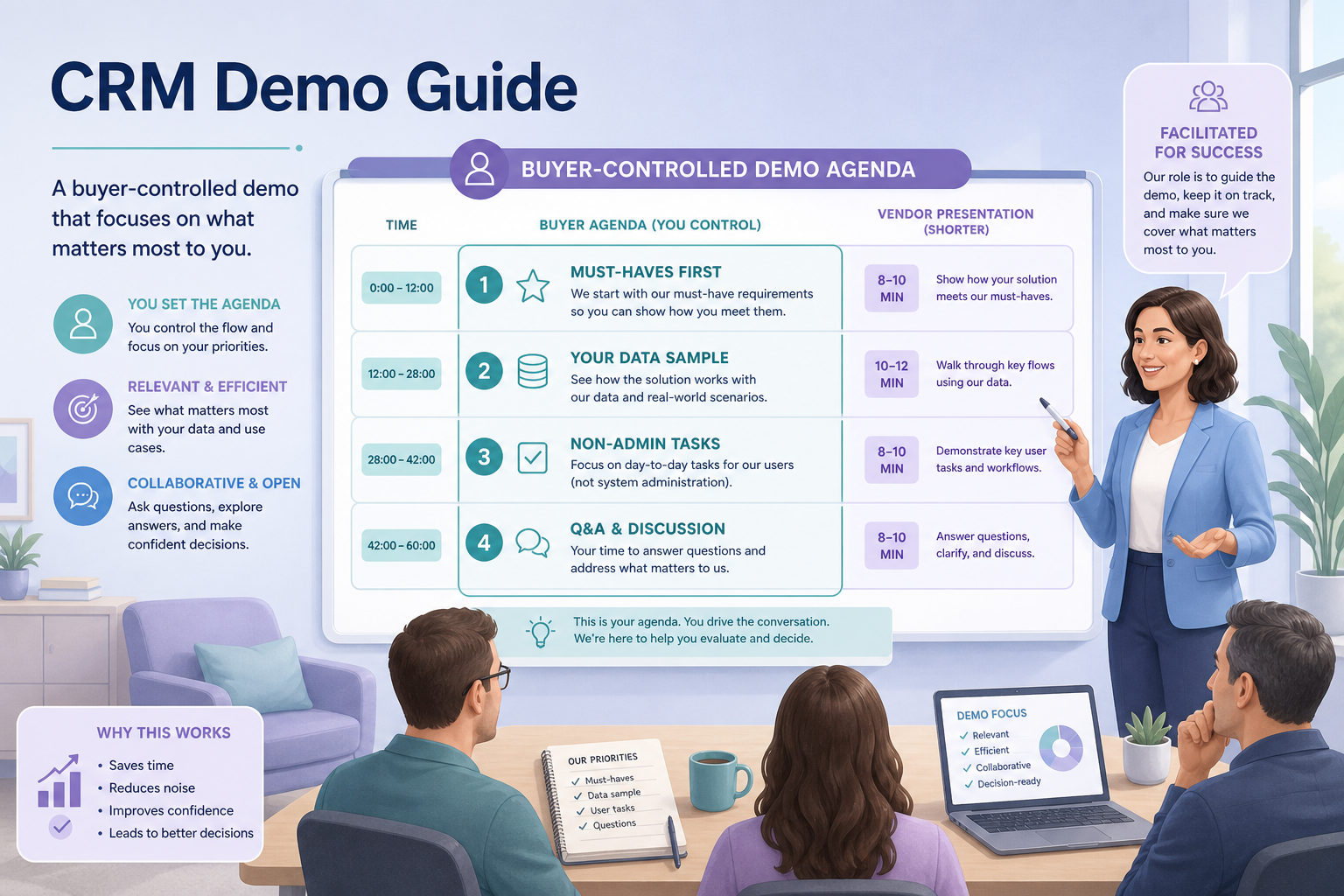
A useful CRM demo is buyer-led: you send the agenda, run must-have tasks first, and score on the same card you will use in trial. Decision rule: if the vendor drives the entire session and your must-haves never appear as live clicks, stop and reschedule — a tour is not an evaluation.
Buyer agenda
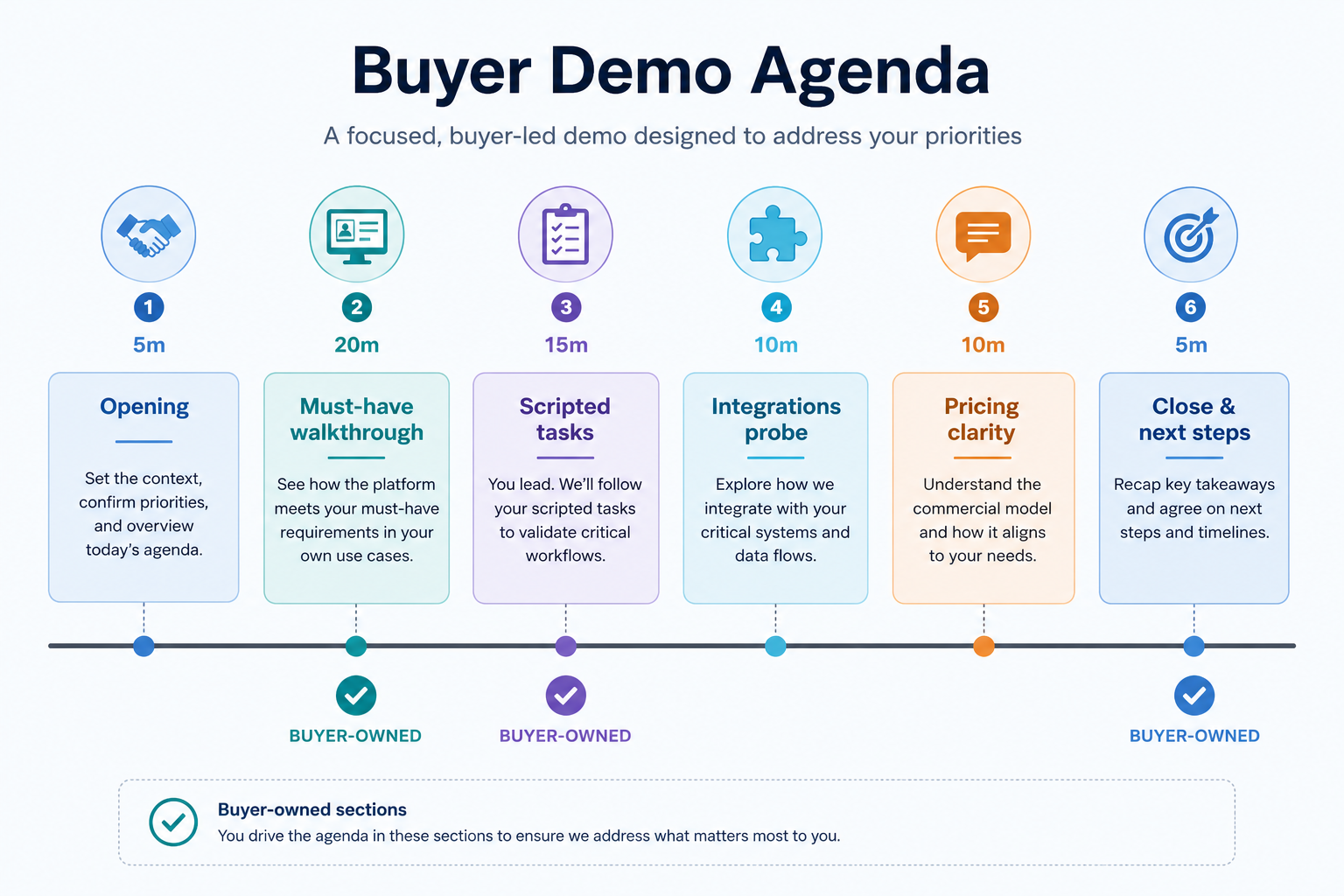
Must-haves first
Live scoring
Non-admin seat
Same script
Tour last
Goals
Features
Integrations
Cost
Ease of use
Growth
Key takeaways
Agenda is a control surface — Whoever owns the agenda owns what gets proven.
Must-haves before wow features — AI and marketplace apps wait until core loops pass.
Score during, not after memory fades — Write 1–5 notes before the call ends.
Demo ≠ trial — Demos prove possibility; trials prove your team can operate the product.
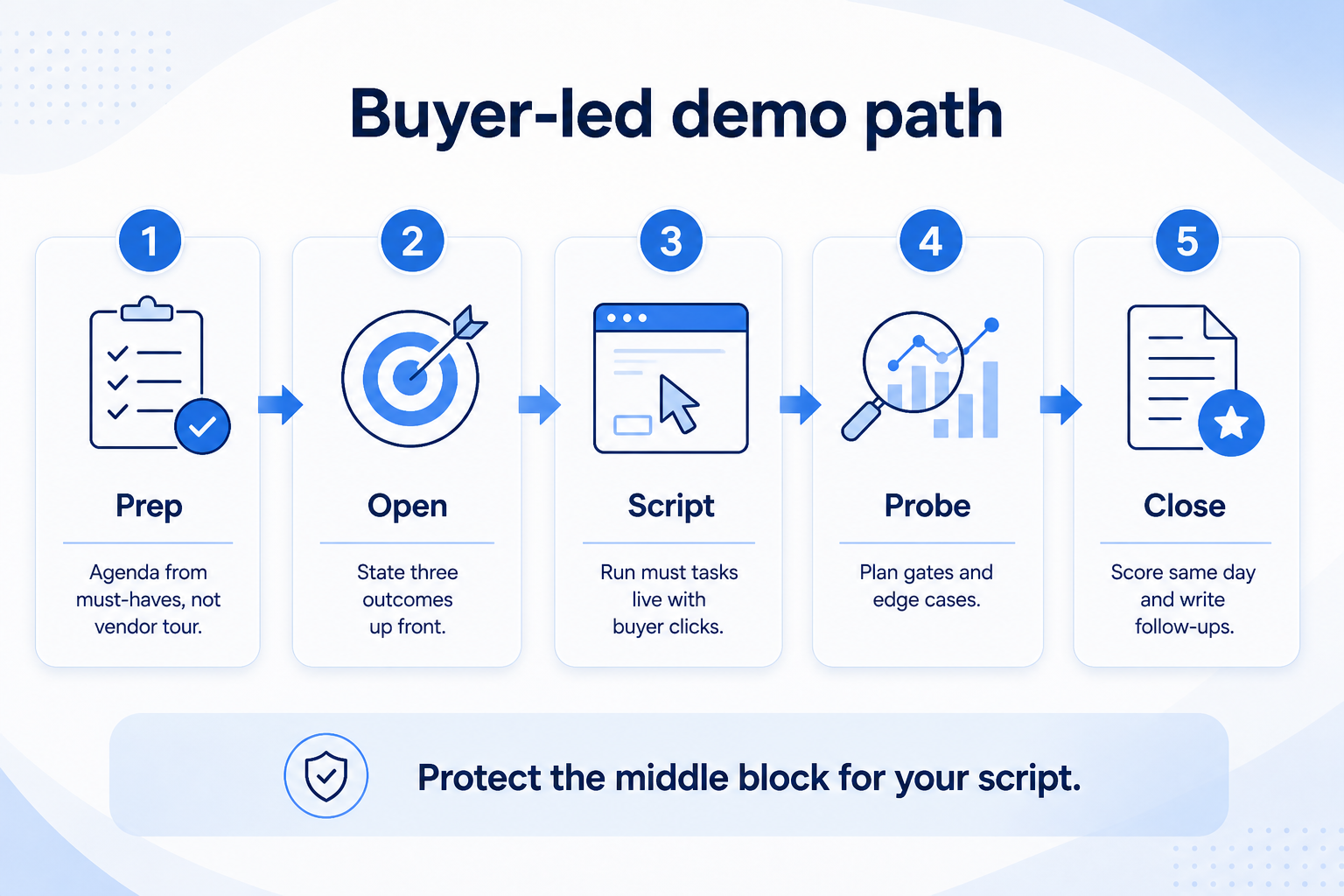
Protect the middle block for your script — that is where fit is proven.
60-minute demo agenda
Protect the middle block for your script — that is where fit is proven.
1. Prep the agenda from must-haves
Your agenda turns a sales call into an evaluation session.
Core loop
Contact → deal → activity → board.
Constraint check
Show the email/calendar path you already use.
Plan gate
Ask which tier includes each must-have — no invented prices.
Pull pass/fail checks from the requirements sheet. Typical live tasks: create/import a contact, open a deal with owner + next step, move stages, log an activity, show the weekly board, attempt one critical integration path, and ask which plan unlocks each must-have.
Example: an 8-person productized-services team sends a one-page agenda to two finalists. Block one is “seller creates deal from inbound lead”; block two is “ops filters pipeline by owner for Friday review.” They explicitly schedule “product tour” for the last ten minutes.
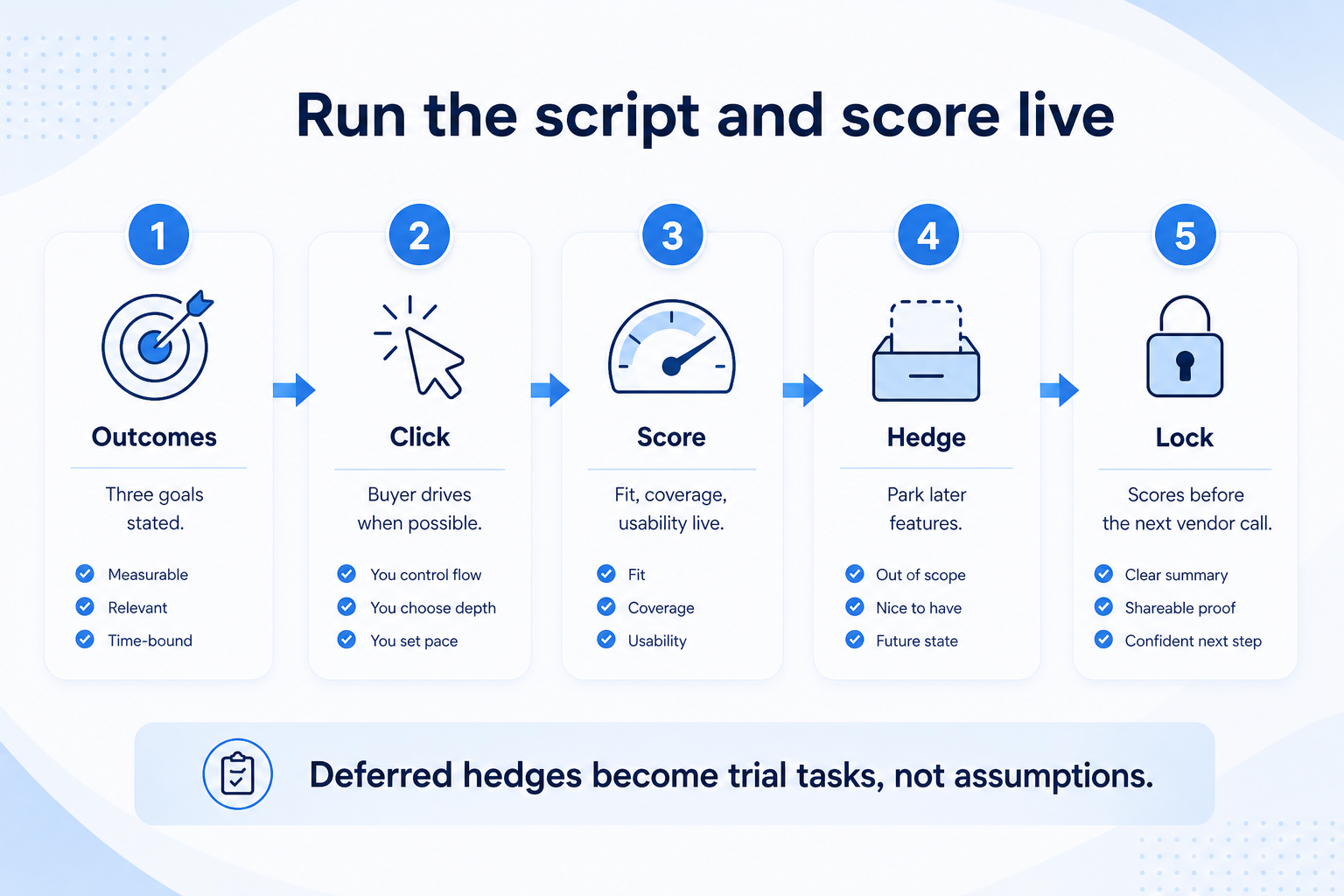
2. Run the script and score live
Score process fit and must-haves live — deferred hedges become trial tasks, not assumptions.
Demo theater
Happy-path clicks with pre-filled data — ask to start from empty.
Sequential bias
Score before the next vendor call starts.
Unresolved hedges
Anything deferred becomes a trial task or diligence email.
Open with your three outcomes. Hand the mouse to your side when possible, or narrate exact clicks you need. One person scores process fit, must-have coverage, and usability while another watches for “we’ll configure that later” hedges.
Example: during Finalist A’s demo, the seller completes create-deal quickly but the Friday board requires a custom report the AE cannot show without an admin sandbox. They score usability down and book a trial day for that gap — they do not “assume it exists.”
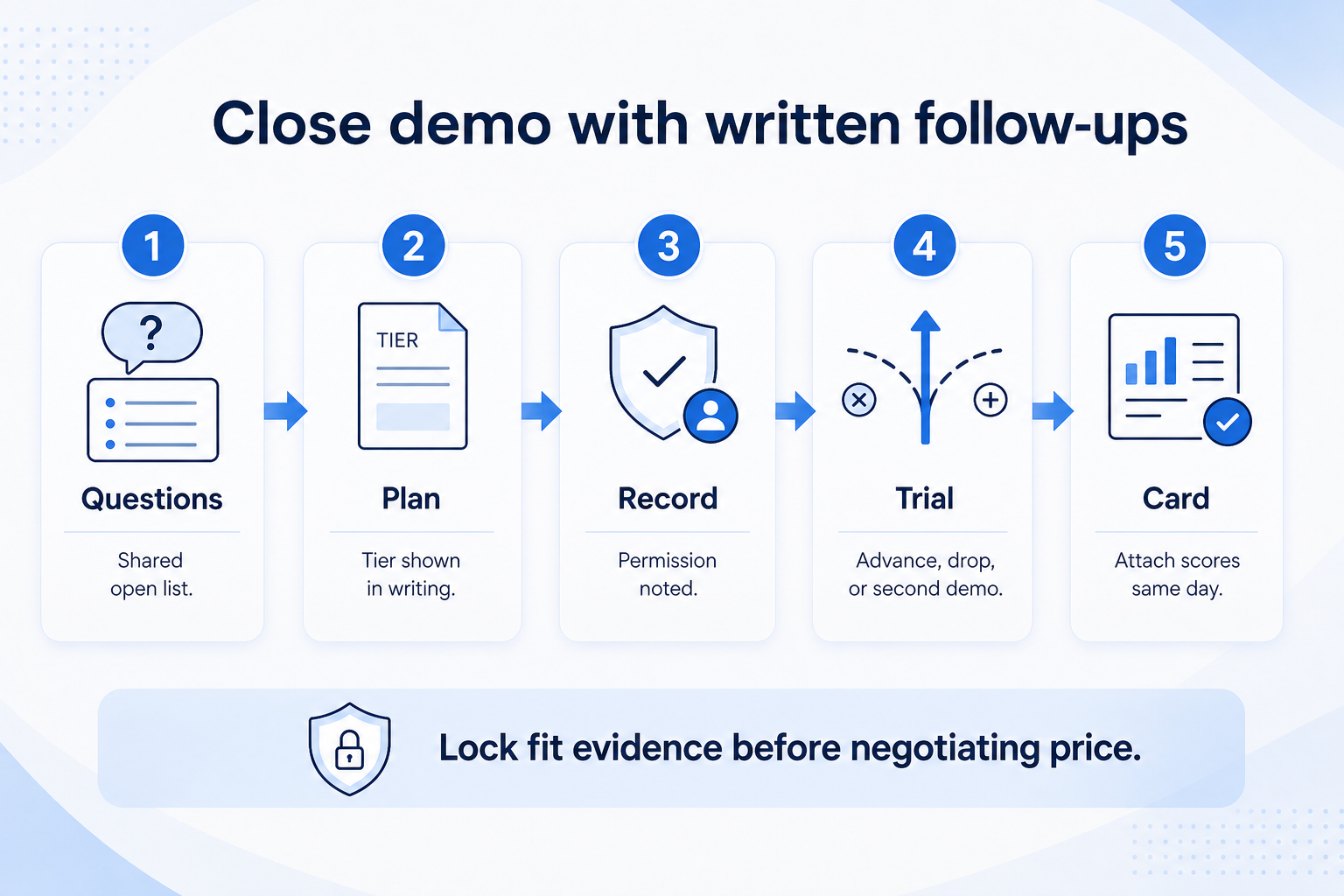
3. Close with written follow-ups
Same-day scores and written follow-ups beat memory before the next vendor call.
Advance to trial
Must-haves shown live; residual risk is hands-on.
Drop vendor
Core loop failed or plan gates unclear after probing.
Need second demo
Only if a named must-have was blocked by sandbox limits.
End with: open questions list, which plan was shown, recording permission if any, and whether a scripted trial is next. Attach demo scores to the evaluation card the same day.
Example: the services team emails both vendors the same three follow-ups — plan for multiple pipelines licensing, export of activities, and support hours — before scheduling trials.
4. Shortlist only inside the same job cluster
Compare tools whose core product matches the weekly output you named. Adjacent tools can integrate later — they should not hijack the primary shortlist because of brand familiarity.
Worked example: A team that needs meeting transcripts shortlists Otter-class tools, not a general chat assistant, even if the chat tool also “does meetings.”
5. Trial the named workflow before signatures
Run the same script on two or three finalists. Success is a non-admin completing the weekly output without a rescue — not a polished vendor tour.
6. Use a one-page checklist before demos
For CRM Demo Guide: Run Buyer-Led Demos That Reveal Fit, list must-haves, owners, integrations, and the weekly ritual this purchase must improve. Share the sheet with finance and IT before you schedule a second demo.
Name the primary job in one sentence.
List must-have gates (plans, SSO, data residency, usage caps).
Name integrations that must work on day one.
Assign an admin owner and a weekly user champion.
Define non-admin proof — what a sceptic completes without rescue.
Worked example: Harbor Ops refuses demos until the checklist is signed — cutting evaluation time in half.
7. Avoid the usual buying mistakes
Common failures in crm: buying for brand familiarity, comparing entry tiles across different usage units, skipping a fair trial script, and adding scope before adoption proves out.
Run one trial script on every finalist the same week. Score on the same card. Write a one-paragraph decision memo that names what you are not buying yet.
8. Hand off to the category shortlist
When assumptions are frozen, continue on /best/crm-software/ with the same headcount, usage band, and must-have gates on every quote.
Example official CRM product videos
Optional · 2 examples · collapse if you don’t need them
Verified vendor product videos from the CRM catalogue for context while you read. They are examples only — not a ranked shortlist — and they do not replace SoftwareGlimpse recommendations on this page.
Official vendor video · example
Attio — Attio | How to build your sales pipelines
This video is hosted on YouTube
This content is hosted by YouTube. The player loads only after you allow marketing cookies.