CRM (customer relationship management) software is the operational system of record for who you sell to, what stage each opportunity is in, and what happened last. Decision rule: if handoffs and follow-ups currently depend on memory, inboxes, or personal spreadsheets, you need a CRM — not another shared sheet tab.
Contacts & companies
Pipeline & deals
Activity history
Shared ownership
Basic reporting
Handoffs that stick
Key takeaways
One system of record — Contacts, deals, and history live together so the team is not reconstructing context from email threads.
Process before features — Map how you sell before you configure stages — vendor defaults rarely match your real workflow.
When spreadsheets fail — Shared ownership, follow-ups, and reporting are the usual tipping points into a dedicated CRM.
CRM ≠ every “CRM” logo — Marketing automation and sales intelligence may connect to CRM without replacing the sales system of record.
These blocks define a sales CRM — marketing or data tools may connect without replacing them.
1. How does CRM software work?
Most sales CRMs follow the same operational loop.
Capture
A lead or contact enters the CRM from a form, import, or manual entry.
Qualify
Someone owns the record and decides whether it is worth pursuing.
Advance
A deal moves through stages that match how you actually sell.
Log activity
Emails, calls, and tasks stay attached to the same record.
Review
Dashboards show pipeline health without another spreadsheet.
Most sales CRMs share a simple loop: capture a lead or contact, qualify it, move a deal through pipeline stages, log activities, and report on outcomes.
Example: a 4-person design agency captures a website inquiry as a contact, qualifies it on a discovery call, opens a deal in Proposal, logs the proposal email on that deal, and reviews open deals every Friday from the board — not from Slack search.
2. What CRM software typically includes
Core CRM keeps people, deals, and history together — extras attach around that core.
Core CRM products cover contact records, pipelines, activity history, and reporting. Many add email sync, automation, or calling. Sales intelligence and marketing platforms can connect to CRM but usually solve a different primary job — do not assume “CRM” on a homepage means the same product category.
Example: that agency’s must-haves are contacts, a short pipeline, logged emails, and a weekly board. A marketing automation suite’s nurture journeys are adjacent — useful later, not a substitute for the sales system of record.
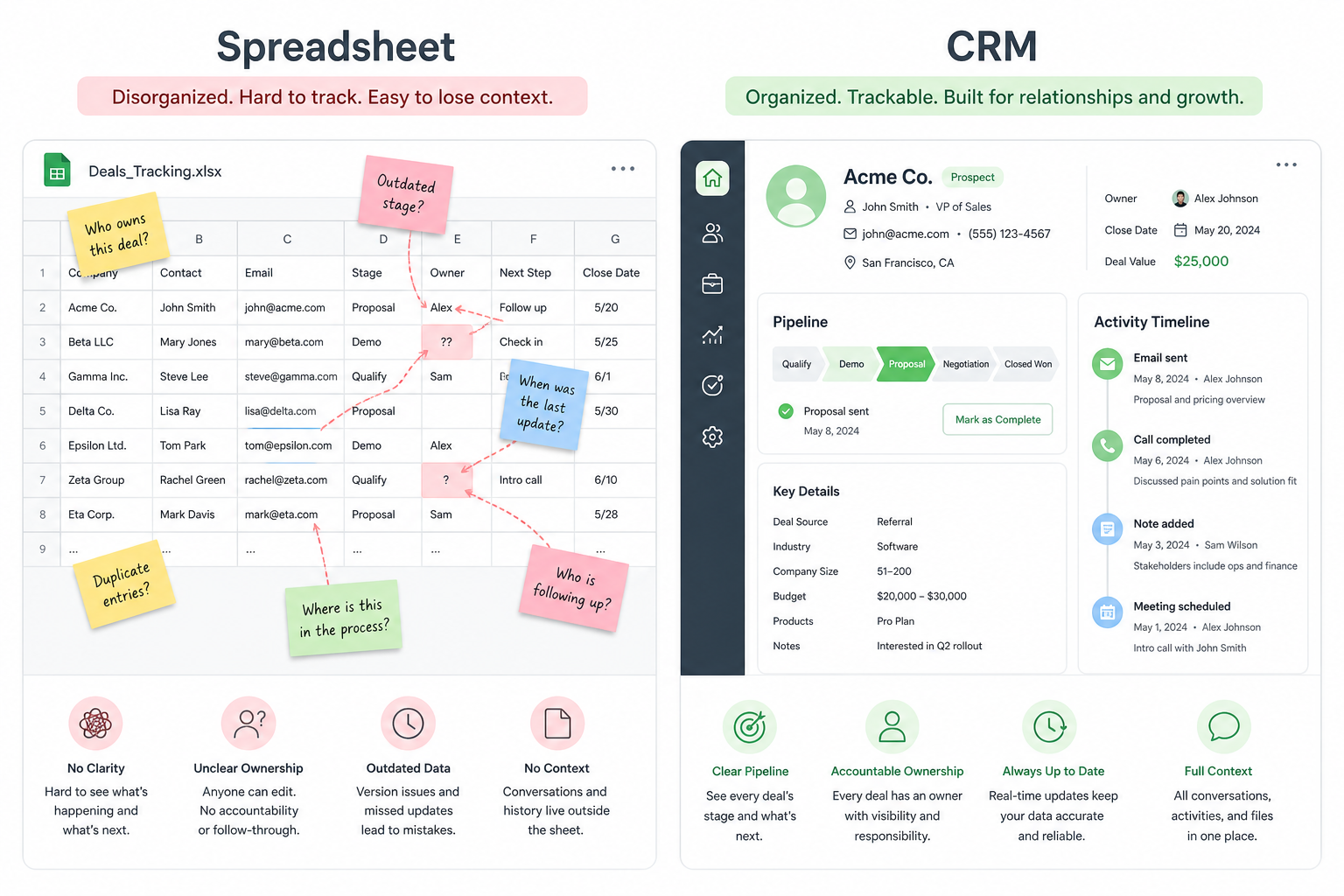
Spreadsheet vs dedicated CRM
Spreadsheets store lists; CRMs keep ownership, stages, and history together.
Must-have
✓Shared contact ownership
✓Pipeline stages & next steps
✓Activity history on the record
✓Team reporting
Nice-to-have
•Quick solo list tracking
•Heavy customization on day one
3. When do you need a CRM?
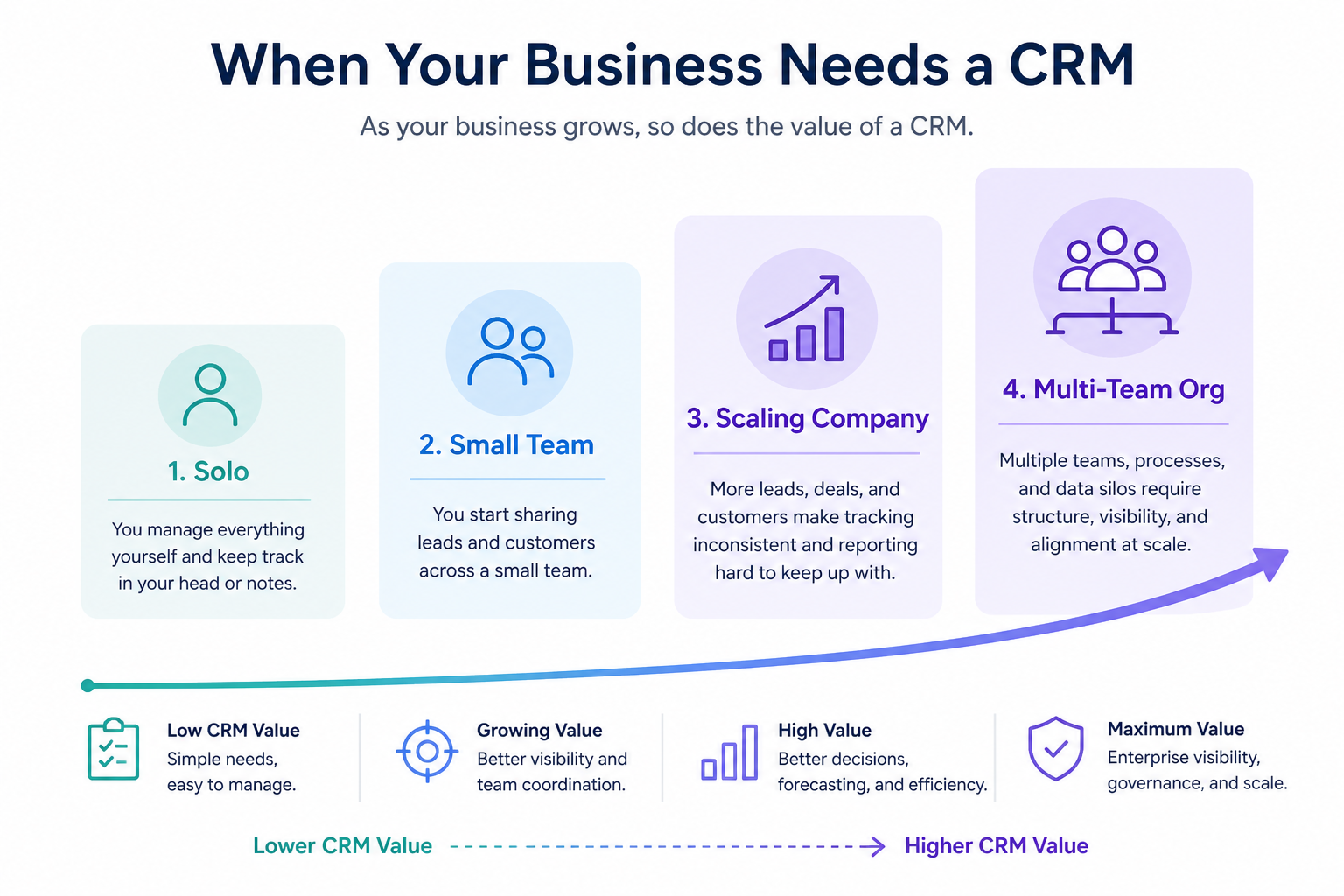
CRM value rises as shared ownership, stages, and reporting become daily needs.
A dedicated CRM usually pays off when more than one person touches the same customer, deals have stages worth tracking, or follow-ups fall through cracks in shared inboxes. Spreadsheets can work for a solo operator with a short list — they struggle once ownership, history, and reporting matter.
Example: two account managers at a 6-person consultancy both “owned” the same warm lead in a shared inbox — neither followed up. That dual-touch failure is a clearer CRM signal than “we should look more professional.”
When a CRM starts to pay off
CRM value rises as shared ownership and pipeline visibility become daily needs.
01
Solo / freelancer
A simple list may be enough until follow-ups and history get messy.
Short pipeline
Email-first workflows
02
Small team
Shared ownership and stage visibility usually justify a CRM.
Clear owners
Weekly pipeline review
03
Scaling company
Handoffs, reporting, and integrations become day-to-day needs.
Permissions
Reliable activity sync
04
Multi-team org
Governance, security, and complex processes dominate the buy.
SSO / audit
Cross-team workflows
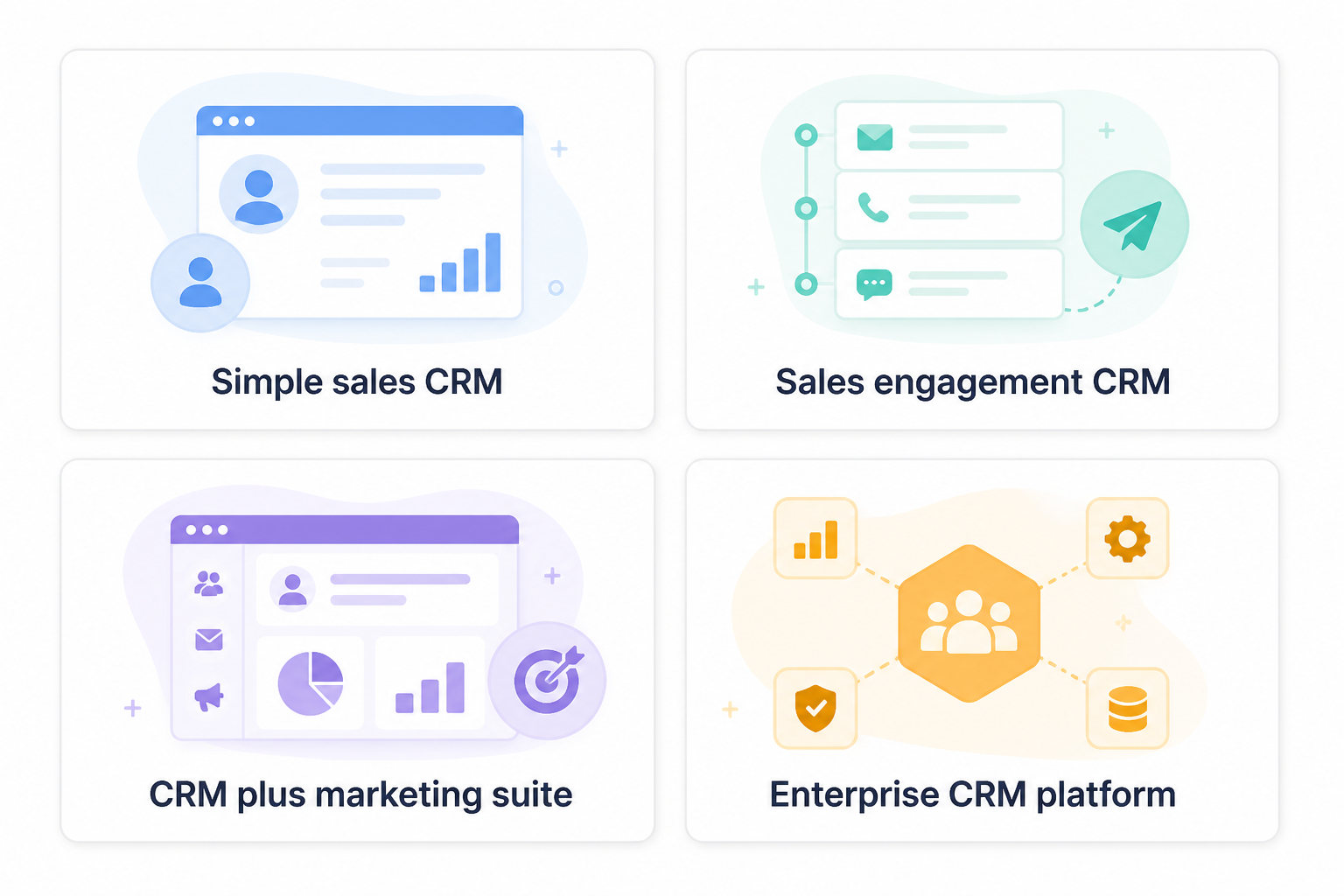
CRM shapes at a glance
Same category label — different primary jobs. Pick the shape before the vendor.
Common CRM shapes (not rankings)
Simple sales CRM
Best for: Small teams that need contacts, pipeline, and activity history without heavy admin.
Avoid when: You need complex multi-department governance or deep customization on day one.
Sales engagement–heavy CRM
Best for: Outbound teams living in sequences, dialers, and high activity volume.
Avoid when: Your main pain is account management or support history, not activity throughput.
CRM + marketing suite
Best for: Teams that want marketing and CRM in one vendor ecosystem and will use both.
Avoid when: You only need a sales CRM and dislike paying for unused modules.
Enterprise CRM platform
Best for: Complex processes, security reviews, and multi-team workflows with IT involvement.
Avoid when: A five-person team that needs to go live this month with minimal admin.
Common beginner mistakes
Buying for feature count
A longer feature list rarely fixes unclear ownership or messy stages.
Trusting every “CRM” label
Some products are marketing or intelligence tools that sync into CRM — not the system of record.
Skipping process mapping
Configuring vendor-default stages before you map how you sell creates busywork.
Staying on sheets too long
Once two people need the same history, spreadsheet drift usually costs more than a simple CRM.
Signals you need a CRM (not a longer spreadsheet)
Bring these questions to every demo
Ask vendors to show the workflow live, not just describe it.
1Two or more people touch the same leads or accountsShared ownership without a system of record creates missed follow-ups.
2Deals have stages worth reviewing weeklyIf “where is this?” is a recurring Slack question, stages belong in a CRM.
3Handoffs lose email/call contextActivity should stay on the record, not in personal inboxes.
4Pipeline reporting is rebuilt from memory or sheetsWeekly reviews need a trusted board, not a Friday spreadsheet rebuild.
5Follow-ups depend on memory or starred emailsTasks and next steps on the deal beat hope-based follow-up.
Example official CRM product videos
Optional · 2 examples · collapse if you don’t need them
Verified vendor product videos from the CRM catalogue for context while you read. They are examples only — not a ranked shortlist — and they do not replace SoftwareGlimpse recommendations on this page.
Official vendor video · example
Attio — Attio | How to build your sales pipelines
This video is hosted on YouTube
This content is hosted by YouTube. The player loads only after you allow marketing cookies.
CRM software is the operational system of record for who you sell to, what stage each opportunity is in, and what happened last — so the team does not rely on memory, inboxes, or personal spreadsheets for handoffs and follow-ups.
What does CRM stand for?
CRM stands for customer relationship management. In practice, buyers usually mean the software that keeps contacts, pipeline, and activity history together for the team.
Is a spreadsheet a CRM?
No. Spreadsheets can store contacts, but they lack reliable shared ownership, pipeline stages, activity history across handoffs, and team workflows that purpose-built CRMs provide. See our CRM vs spreadsheet guide when you need the side-by-side decision.
Is CRM only for sales teams?
Sales is the most common buyer, but support and account teams often use the same contact and history layers. Marketing tools may sync into CRM without replacing it.
How is CRM different from email marketing software?
Email marketing focuses on campaigns and lists. CRM focuses on relationships, deals, and day-to-day customer interactions. Many teams use both and connect them.
What should I do after I understand what a CRM is?
Use the How to Choose a CRM guide for a buying framework, download the CRM evaluation checklist to score vendors fairly, then CRM Finder for researched product matches from your answers — never from affiliate payout order.