SoftwareGlimpse
CRM Software

CRM Benefits: What Teams Actually Gain

See the practical benefits of CRM software for sales, managers, success, and marketing — shared ownership, follow-ups, pipeline visibility, and handoffs — without invented ROI percentages.

By Lee M.Updated Aug 14, 20267 min readFact-checked

Quick answer

CRM benefits show up as operational results: shared ownership, fewer dropped follow-ups, live pipeline reviews, cleaner handoffs, and reporting without weekly spreadsheet rebuilds. Decision rule: if the team will not maintain owners, stages, and history, those benefits will not appear — buy process discipline first, then the tool.

  • Shared ownership
  • Follow-up reliability
  • Pipeline visibility
  • Handoff continuity
  • Reporting without sheets
  • Process consistency

Key takeaways

  • Benefits are team outcomes CRM value shows up as fewer lost deals from neglect, clearer weekly reviews, and less “who owns this?” — not as a magic feature list.
  • Adoption unlocks benefits An unused CRM delivers no benefit. Training, ownership rules, and stage discipline matter as much as the vendor.
  • Different roles feel different wins Reps want less admin friction; managers want forecast clarity; success wants history; marketing wants clean handoffs.
  • No invented ROI theater Ignore vague “increase revenue by X%” claims without a measurement method tied to your process.

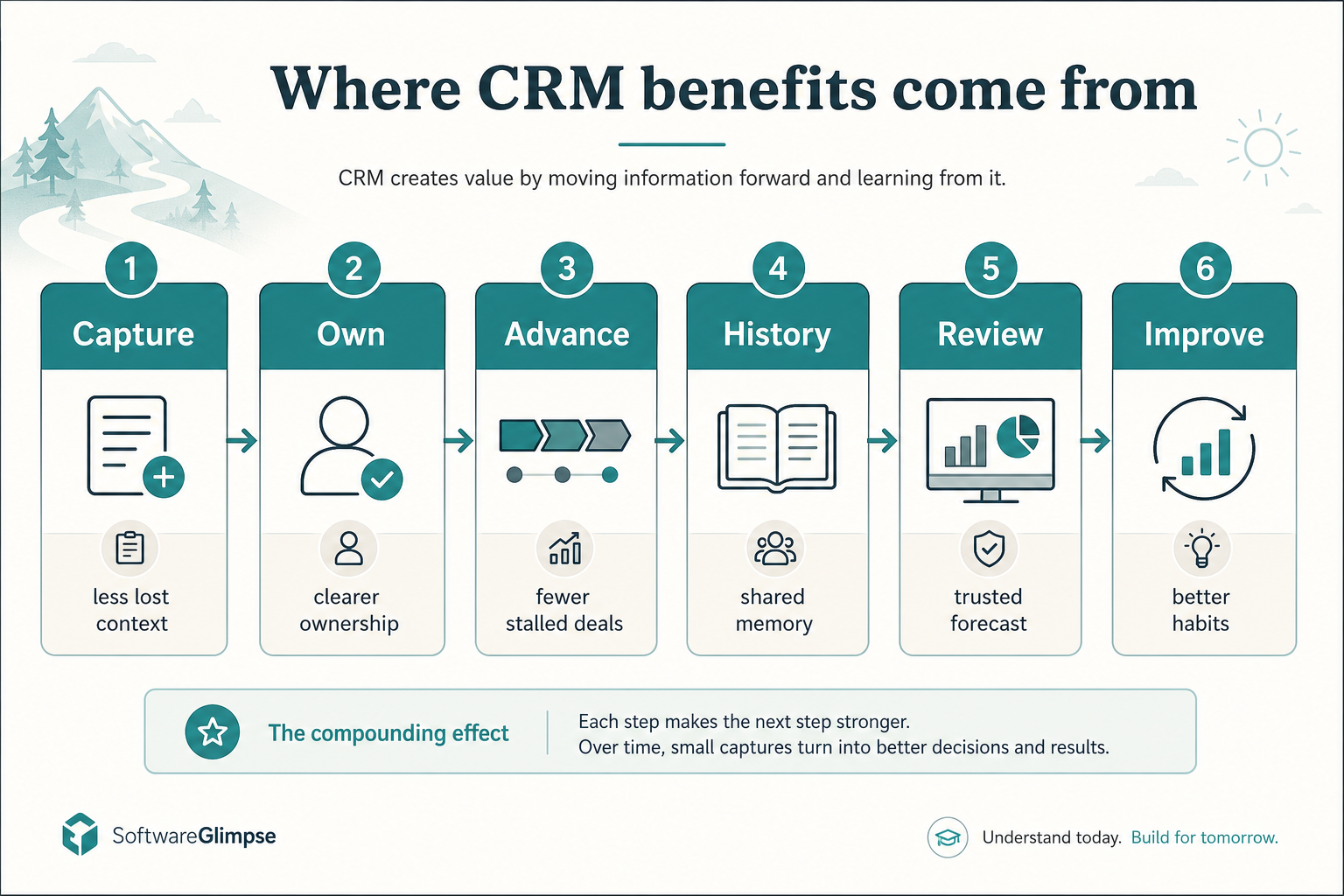
Where CRM benefits come from

  1. 1Leads enter one place
  2. 2Clear follow-up owner
  3. 3Visible stages
  4. 4Context for handoffs
  5. 5Honest pipeline view
  6. 6Fix process gaps
Benefit path from capture through ownership, stages, history, review, and improvement.
CRM benefits show up when each step reduces reconstruction work for the team.

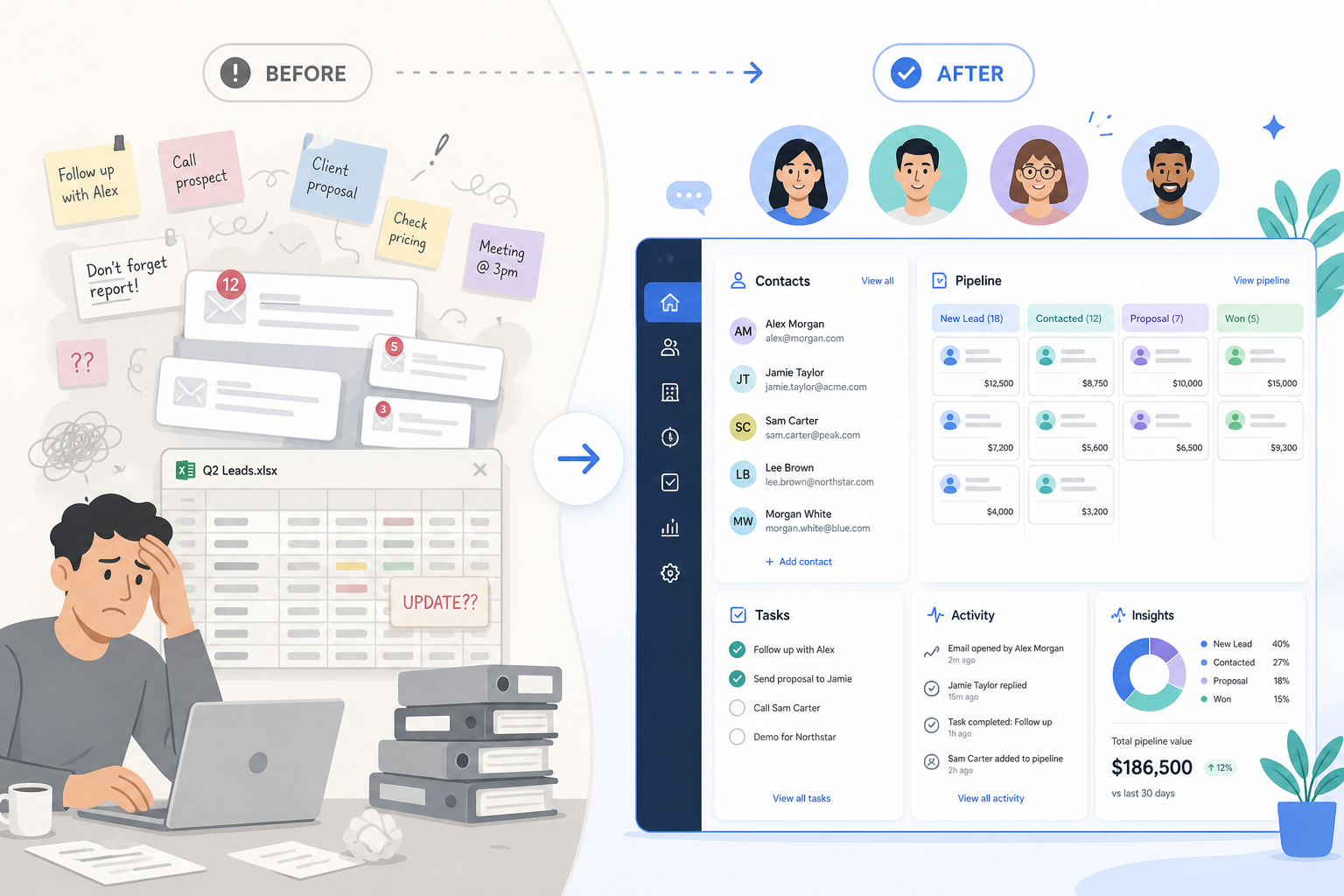
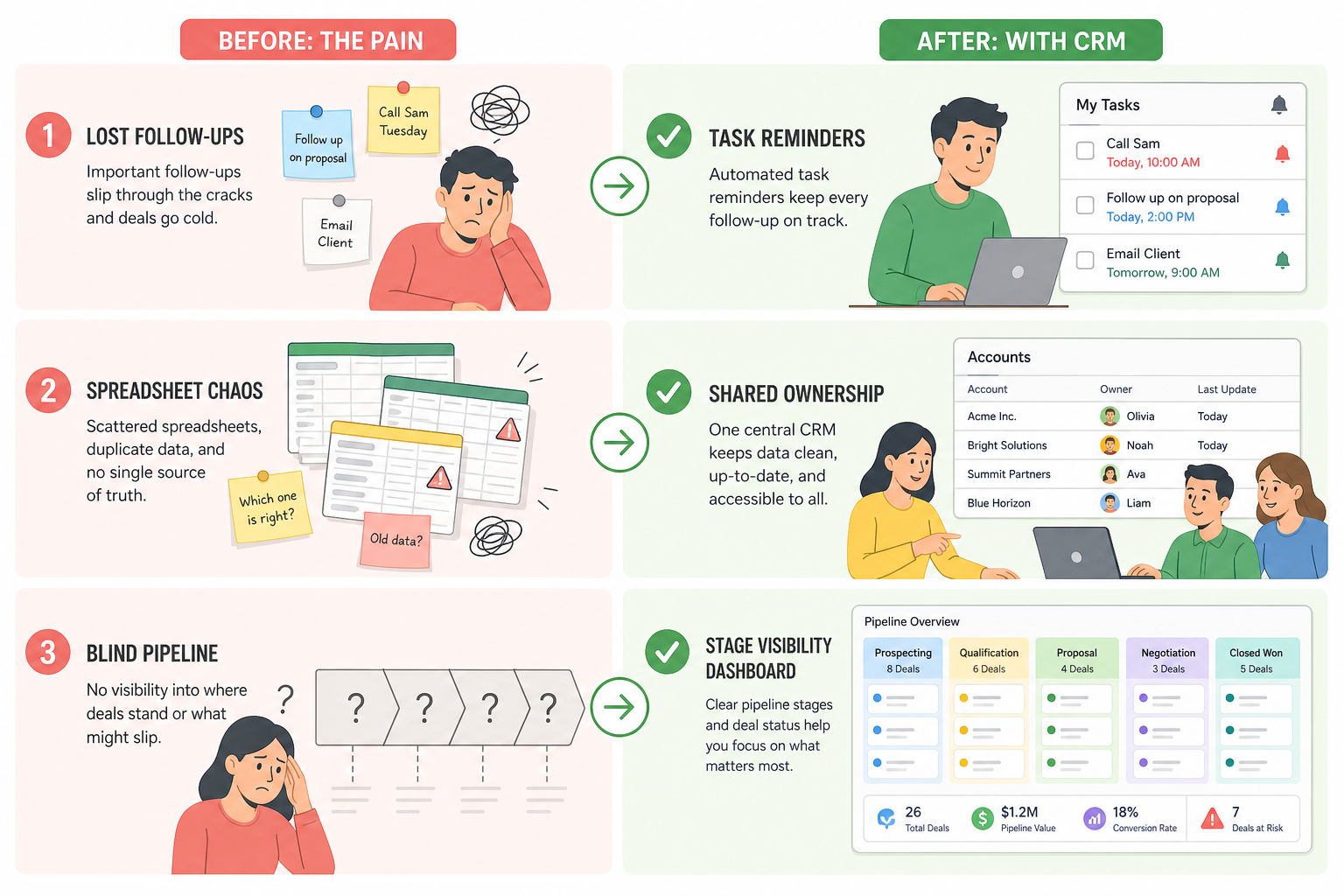
Before vs after a working CRM

Before CRM chaos with scattered notes versus after CRM with organized pipeline and shared team context.
Benefits appear when the team trusts one system of record.

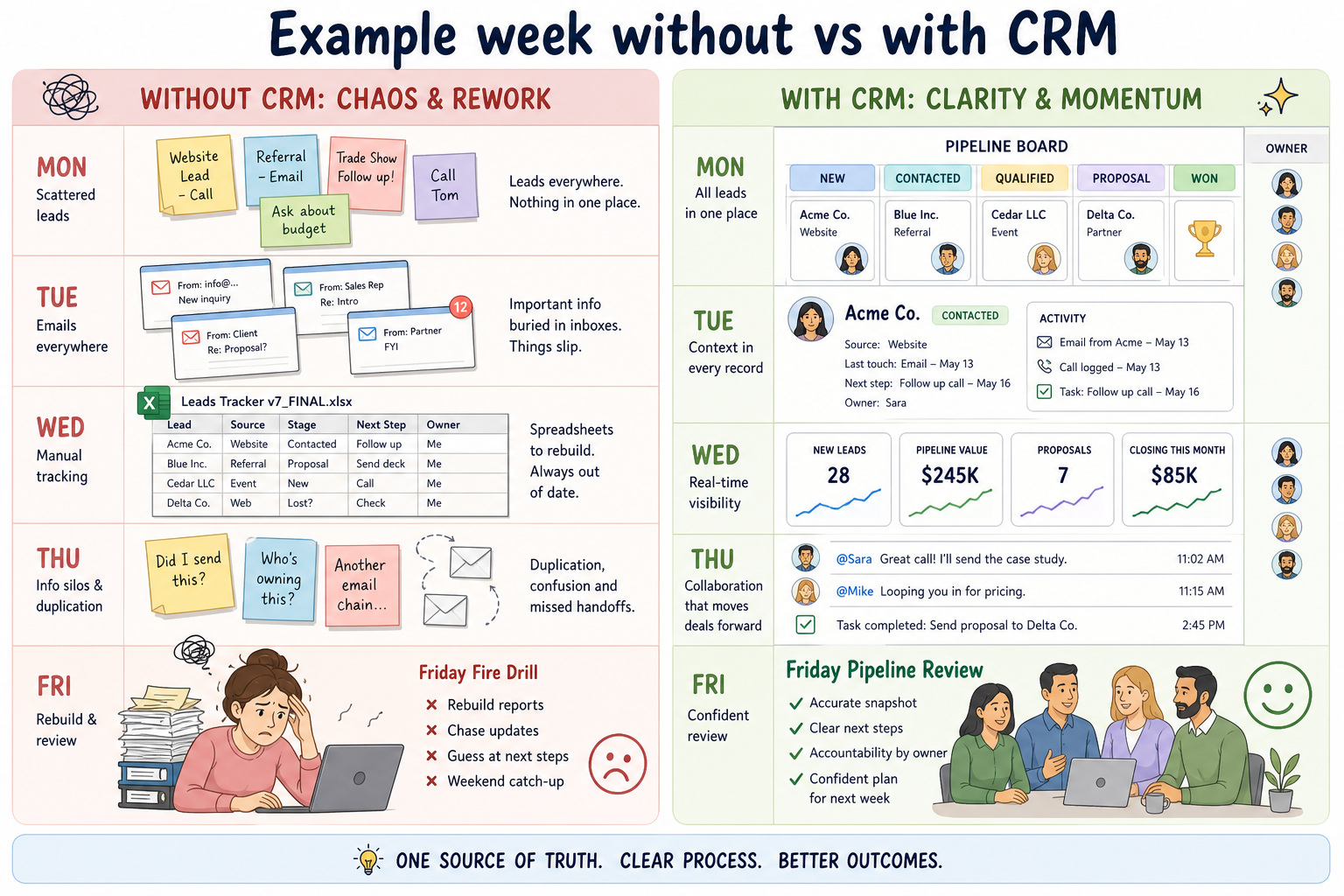
A week without vs with CRM

Worked example comparing one team week without CRM versus with a maintained CRM system of record.
Worked example: the benefit is a quieter week — fewer reconstruction tasks — when owners, stages, and history stay current.

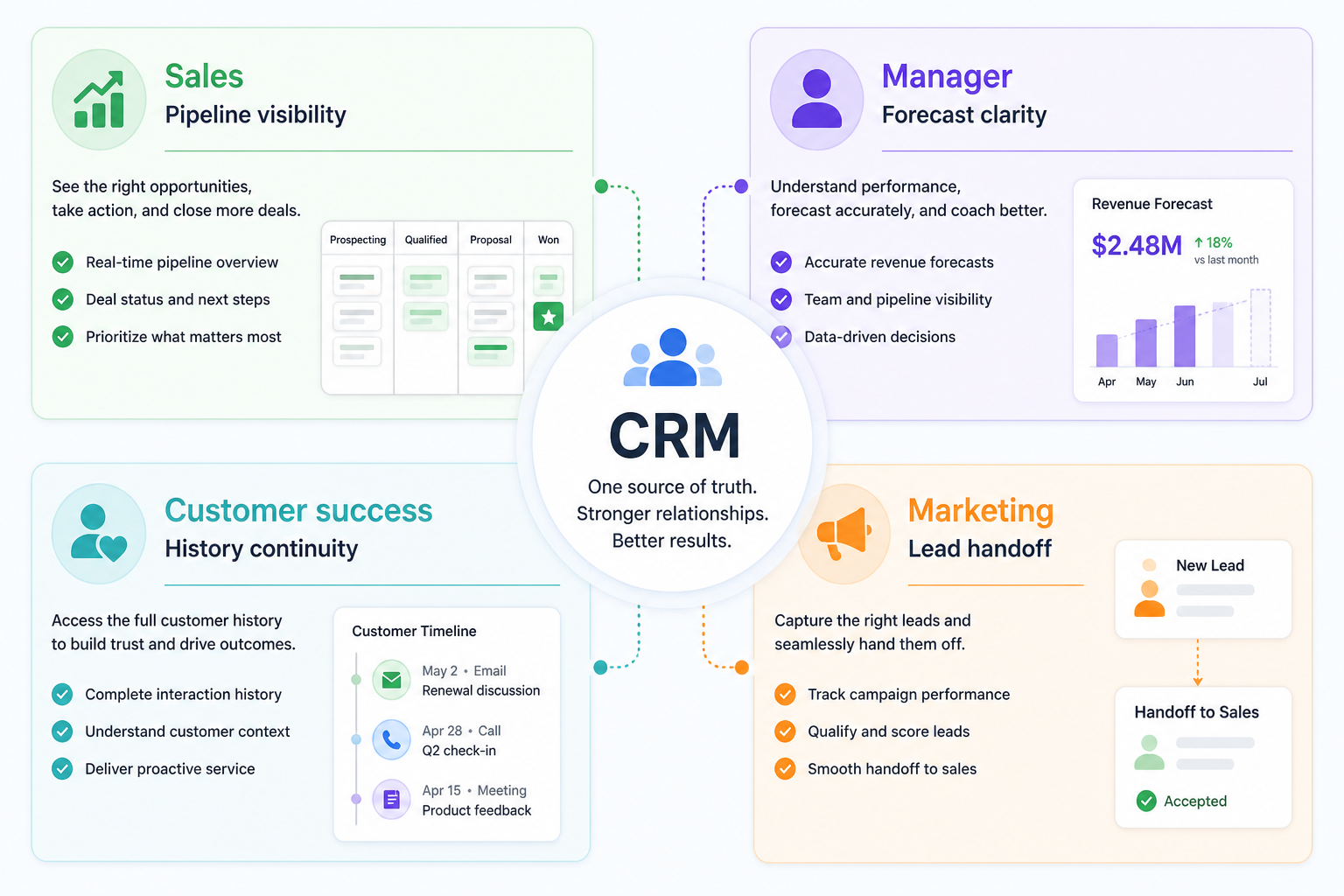
1. CRM benefits by role

CRM benefits for sales, managers, customer success, and marketing around a shared hub.
Same system — different outcomes by role.
  • Sales reps

    Next steps and history live with the deal; less hunting through email to remember context.

  • Managers

    Pipeline reviews use live stages and owners instead of last-minute spreadsheet rebuilds.

  • Customer success / account

    Handoffs include prior conversations and commitments — not a blank slate.

  • Marketing

    Lead status and ownership are visible after handoff, reducing “black hole” complaints.

A useful CRM helps different jobs without forcing everyone into the same workflow. The shared layer is customer and deal context; the benefit is less reconstruction work.

Example: on a 6-person B2B team, Maya (AE) opens a deal and sees Jordan’s discovery notes; Priya (manager) runs Friday review from live stages instead of Slack pings; Sam (CS) inherits the closed-won account with commitments already attached. Same records — different jobs get quieter weeks.

2. Common pains CRM is meant to remove

Three CRM outcome paths: follow-ups, shared ownership, and pipeline visibility.
Benefit claims should map to a concrete operational pain.
  • Dropped follow-ups

    Tasks and reminders attached to deals reduce “I forgot to reply” losses.

  • Spreadsheet drift

    Shared ownership and stage updates replace conflicting personal lists.

  • Blind pipeline

    Stage visibility makes weekly coaching possible without surprise end-of-month chaos.

Most teams buy CRM after a pattern of operational failures — not because a brochure promised transformation. Mapping pain → outcome keeps evaluation honest.

Example: before CRM, that same team lost two warm leads because follow-ups lived only in Maya’s inbox while she was out. After CRM, every open deal has an owner and a next-step task visible to the team — the pain (dropped follow-up) maps to a concrete outcome (shared, visible next actions).

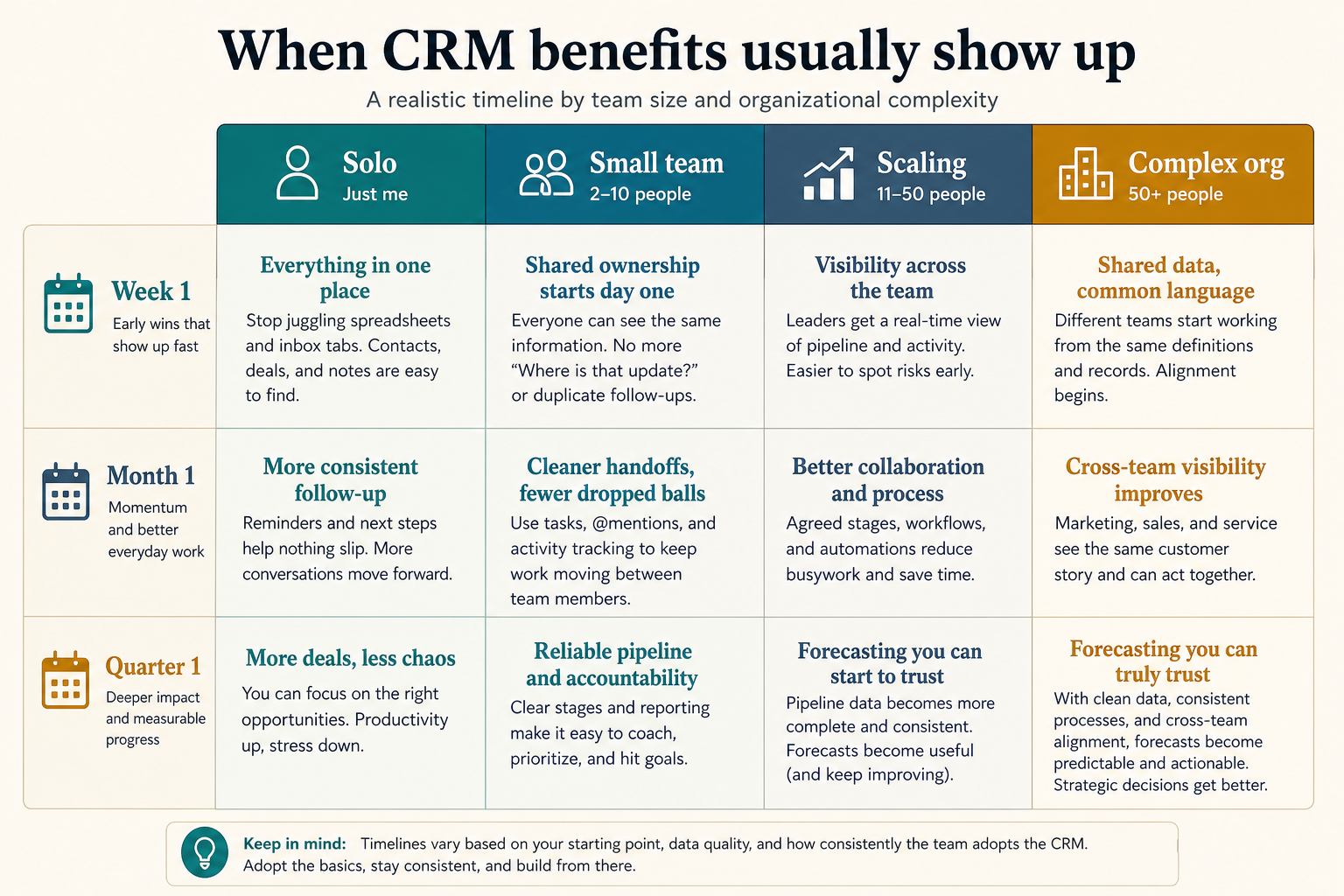
When benefits usually show up

Timeline of when CRM benefits typically appear from week one through the first quarter by team size.
Shared ownership shows early; forecast trust usually takes longer.
  1. 01

    Solo operator

    Benefits are modest until volume or memory load rises — a simple structure may be enough.

    • Light tracking
    • Personal discipline
  2. 02

    2–10 person sales team

    Shared ownership and follow-up reliability are usually the first clear wins.

    • Weekly review
    • Clear owners
  3. 03

    Scaling org

    Handoffs, reporting, and permissioned access become the high-value benefits.

    • Managers + reps
    • Integrations
  4. 04

    Multi-team / regulated

    Governance, auditability, and process consistency dominate the benefit case.

    • Security
    • Cross-team workflows

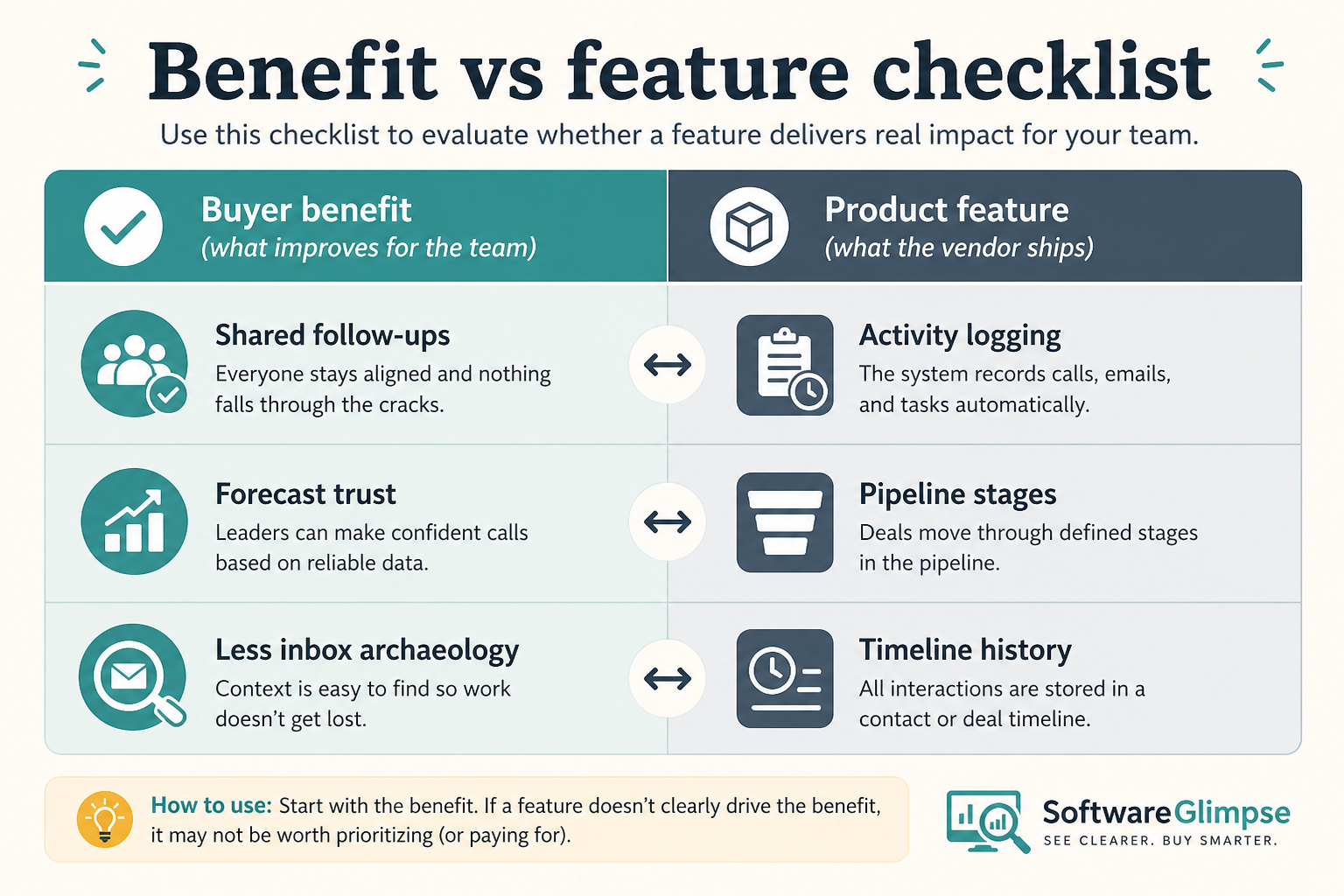
Benefit vs feature checklist

Side-by-side checklist mapping buyer benefits to the product features that enable them.
Buy the benefit — then require the feature that makes it real.
Must-have
  • Fewer missed follow-ups
  • Shared deal history
  • Honest pipeline reviews
Nice-to-have
  • AI “insights” demos
  • Vanity dashboards nobody opens

Benefit traps

  • Buying for aspirational benefits

    If the team will not update deals weekly, forecast benefits will not appear.

  • Confusing vendor ROI claims with your reality

    Percent-lift marketing is not evidence for your process, team size, or data quality.

  • Ignoring change cost

    Migration, training, and dual running can delay benefits for months — plan for that.

  • Measuring only license cost

    Under-adoption wastes more money than a slightly more expensive tool the team uses.

3. Name the job this category should own

Describe the weekly output this category must improve before comparing vendors.

4. Next: freeze requirements and compare fairly

Move to /guides/what-is-crm/ once the job cluster is clear. Compare finalists with the same assumptions — not affiliate-ordered lists.

5. Use a one-page checklist before demos

For CRM Benefits: What Teams Actually Gain, list must-haves, owners, integrations, and the weekly ritual this purchase must improve. Share the sheet with finance and IT before you schedule a second demo.

  1. Name the primary job in one sentence.
  2. List must-have gates (plans, SSO, data residency, usage caps).
  3. Name integrations that must work on day one.
  4. Assign an admin owner and a weekly user champion.
  5. Define non-admin proof — what a sceptic completes without rescue.

Worked example: Harbor Ops refuses demos until the checklist is signed — cutting evaluation time in half.

6. Avoid the usual buying mistakes

Common failures in crm: buying for brand familiarity, comparing entry tiles across different usage units, skipping a fair trial script, and adding scope before adoption proves out.

Run one trial script on every finalist the same week. Score on the same card. Write a one-paragraph decision memo that names what you are not buying yet.

7. Hand off to the category shortlist

When assumptions are frozen, continue on /best/crm-software/ with the same headcount, usage band, and must-have gates on every quote.

Example official CRM product videos

Optional · 2 examples · collapse if you don’t need them

Verified vendor product videos from the CRM catalogue for context while you read. They are examples only — not a ranked shortlist — and they do not replace SoftwareGlimpse recommendations on this page.

  • Official vendor video · example

    Attio — Attio | How to build your sales pipelines

    This video is hosted on YouTube

    This content is hosted by YouTube. The player loads only after you allow marketing cookies.

    Official vendor tutorial

    Attio | How to build your sales pipelines

    What this shows

    • Attio sales pipeline setup
    • pipeline building as presented by Attio
    Attio research →
  • Official vendor video · example

    folk — How to use folk for Deal management & Closing?

    This video is hosted on YouTube

    This content is hosted by YouTube. The player loads only after you allow marketing cookies.

    Official vendor tutorial

    How to use folk for Deal management & Closing?

    What this shows

    • folk deal management workflow
    • closing process as presented by folk
    folk research →

Frequently asked questions

  • What are the main benefits of CRM?

    Operational ones: shared ownership of contacts and deals, fewer dropped follow-ups, live pipeline visibility, cleaner handoffs, and reporting that does not require rebuilding spreadsheets every week. Those only appear when the team maintains the system of record.

  • What is the biggest benefit of CRM?

    For most sales teams: a trusted shared view of who owns each relationship, what stage deals are in, and what happened last.

  • Will CRM automatically increase revenue?

    Not by itself. It can reduce lost follow-ups and improve coaching visibility — revenue impact depends on process and adoption. Treat vague “X% revenue lift” claims without a measurement method as marketing, not evidence.

  • How soon should we see benefits?

    Shared ownership and follow-up reliability can appear within weeks if logging norms stick. Forecast quality usually takes longer — after stages and close dates are consistently maintained.

  • What should I read next?

    Review CRM examples for concrete scenarios, then How to Choose a CRM — or estimate cost with the CRM Cost Calculator.

Was this article helpful?

Have more questions? Contact our support team.

SoftwareGlimpse Updates

Want clearer software shortlists? Get buying guides and comparisons by email.

Newsletter coming soon.