How CRM Software Works: Records, Pipelines & Activity
Understand how CRM software actually operates — contacts, companies, deals, activity history, automation, and reporting — so you can evaluate products without vendor fog.
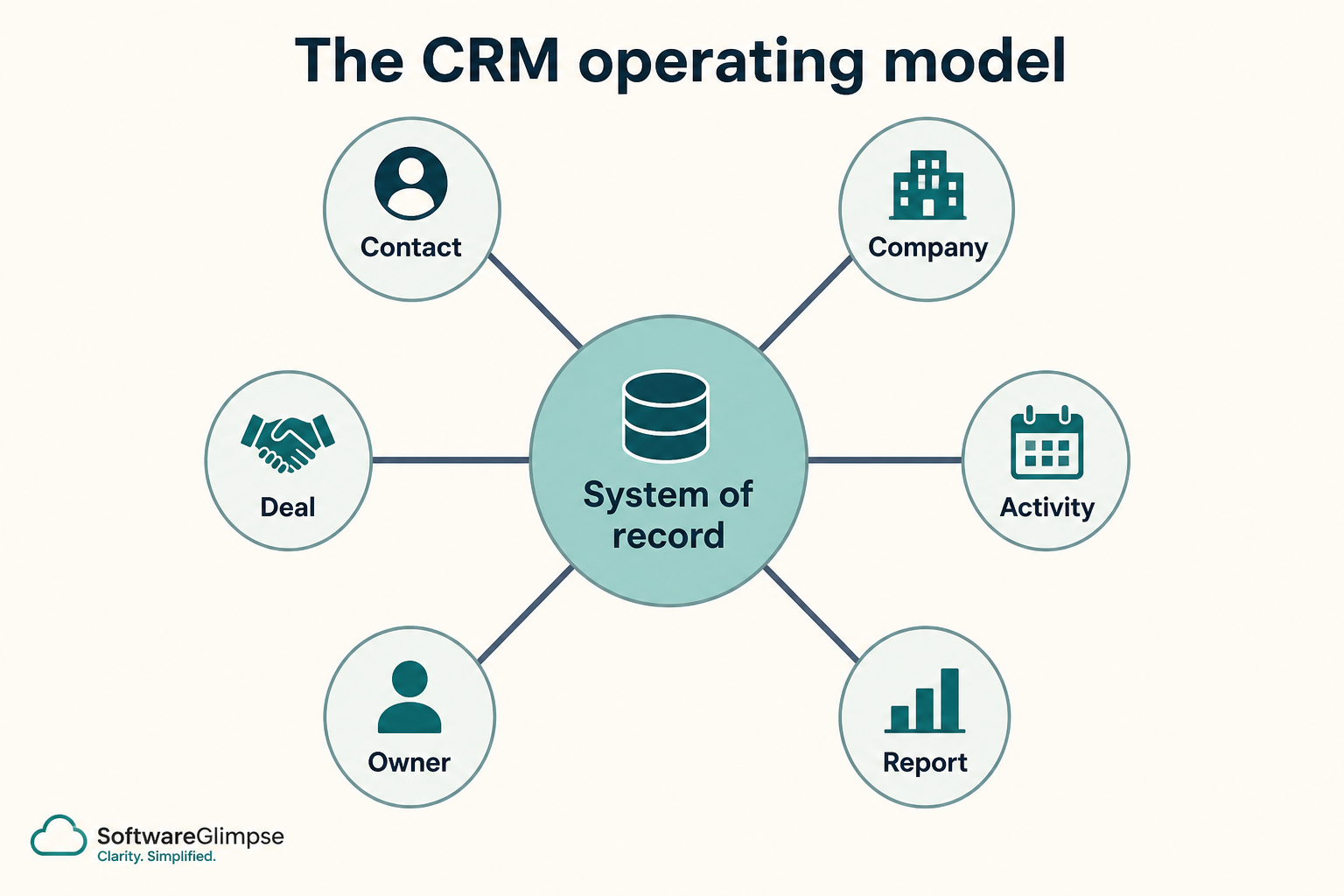
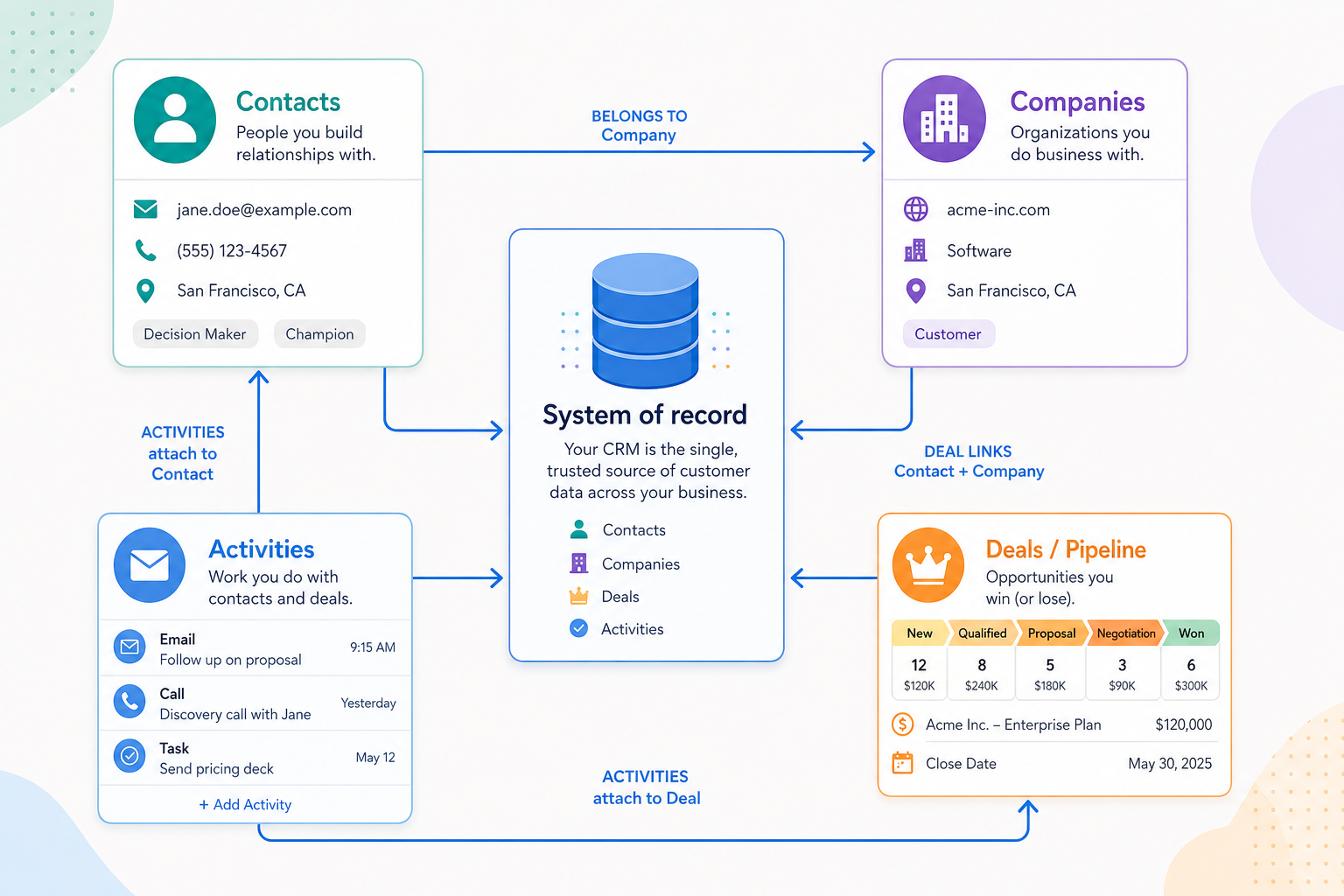
CRM software works as a shared system of record: people and companies are stored as records, deals move through pipeline stages, and emails, calls, and tasks stay attached to those records. Decision rule: the product is useful only when the team relies on that data enough to run follow-ups, handoffs, and pipeline reviews from it — not from memory or scattered spreadsheets.
Records (contacts & companies)
Deals & stages
Activity history
Ownership & permissions
Automation triggers
Reporting views
Key takeaways
Objects first, features second — Contacts, companies, deals, and activities are the core model. Features are just ways to create and update those records faster.
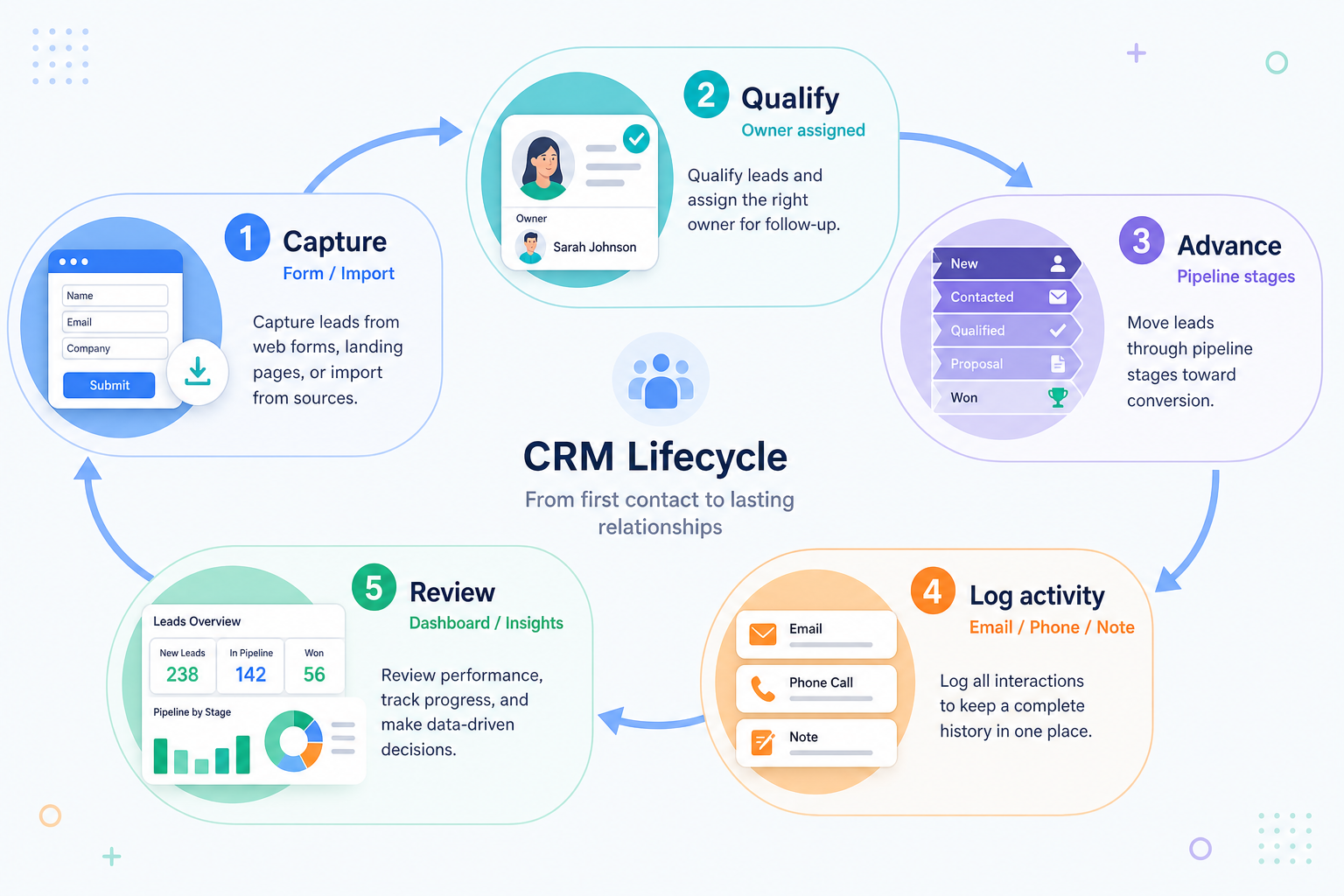
The loop is capture → advance → log → review — Every sales CRM implements some version of that loop. Customization changes stages and fields — not the basic job.
Trust is the real product — If owners, stages, and history are unreliable, dashboards and automation amplify noise instead of helping.
Integrations feed the record — Email sync, forms, and calendars matter because they keep activity on the same deal — not because “integration count” looks impressive.
CRM works when these objects stay linked under clear ownership.
Worked example: Harbor Sales vs a spreadsheet
01
When the loop is real
Worked example: Harbor Sales (eight AEs) logs every follow-up on the deal. Monday pipeline review opens the CRM, not a sheet. Handoffs to CS keep the same company record.
Shared ownership
Activity on the deal
Weekly review from CRM
02
When a sheet still wins
Worked example: a two-person founder sale with 12 named accounts. If nobody will log activity, a CRM just duplicates the spreadsheet — skip until the capture → advance → log loop is a weekly ritual.
Tiny named list
No shared handoff
Do not buy for the dashboard
CRM as a system of record
Everything useful in a CRM is either a record or an update to a record.
1. The day-to-day CRM loop
Customization changes fields and stages — not this basic loop.
Capture
Forms, imports, manual entry, or inbound tools create a contact/lead record.
Qualify
An owner decides whether the opportunity is real and worth a deal.
Advance
The deal moves through stages with required fields and next steps.
Log
Emails, calls, meetings, and tasks stay attached to the same record.
Review
Managers and reps use pipeline and activity views without rebuilding spreadsheets.
Most sales CRMs implement the same operational loop. A lead or contact is captured, someone owns qualification, a deal advances through stages that match how you sell, activities are logged against the record, and the team reviews pipeline health.
Example: at Northwind Labs (5 sellers), a form creates Contact “Riley Ng,” AE Jordan qualifies and opens a Deal, moves it to Proposal after a discovery call, logs the proposal email on that deal, and the manager reviews all Proposal deals Friday without rebuilding a sheet.
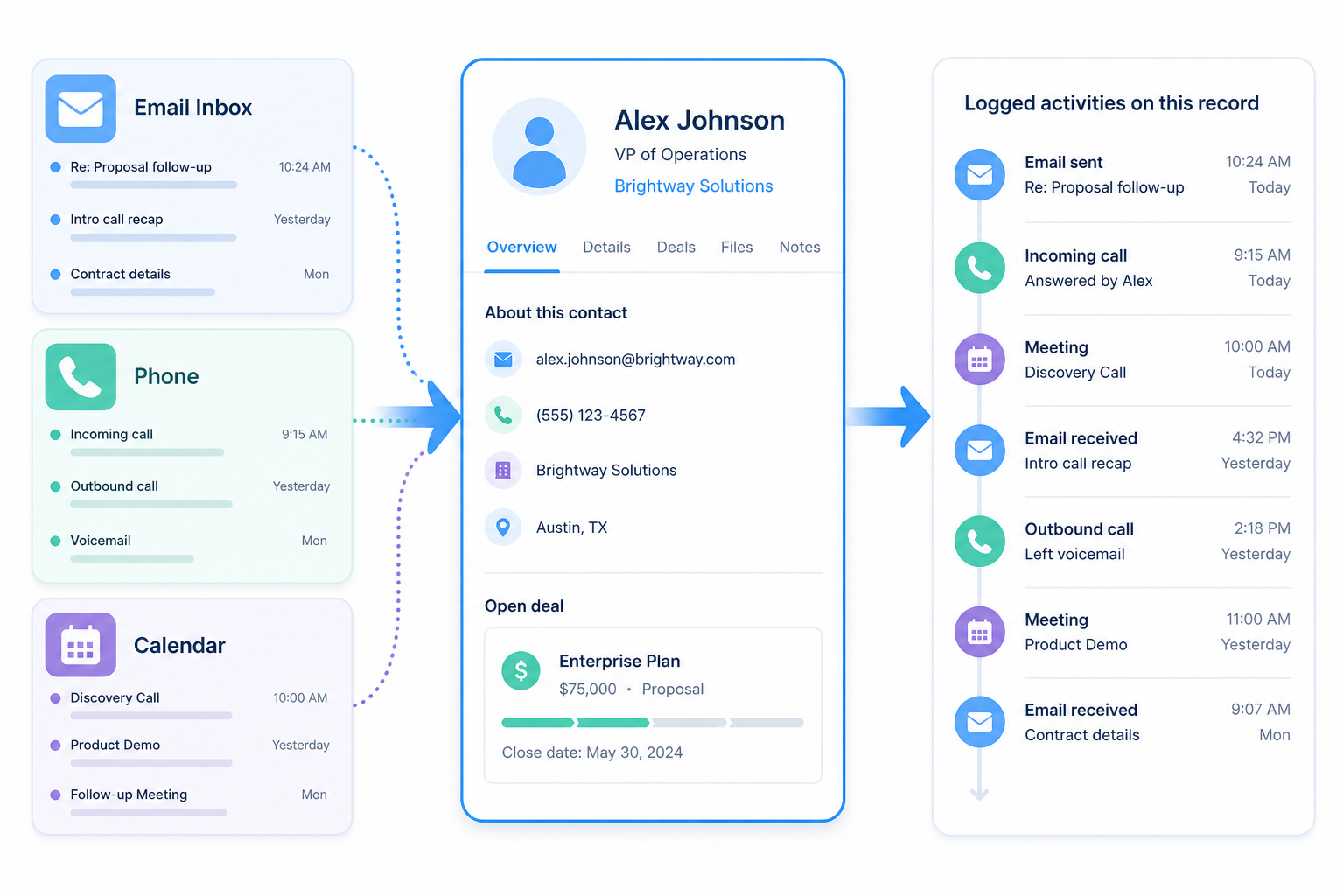
2. How activity history stays attached
The value is one timeline — not another disconnected inbox.
Email sync
Messages associated with a contact appear on the record for the team.
Calls & meetings
Outcomes and notes stay with the deal so follow-ups are visible.
Tasks
Next steps are owned and dated — not stuck in a personal to-do list.
Email sync, calling, calendars, and task tools only help when they write back to the contact or deal. That shared history is what makes handoffs possible — a new owner should see the last conversation without hunting through inboxes.
Example: when AE Jordan goes on PTO, teammate Sam opens the Acme deal and sees yesterday’s call note and the open “send proposal” task — no inbox archaeology required.
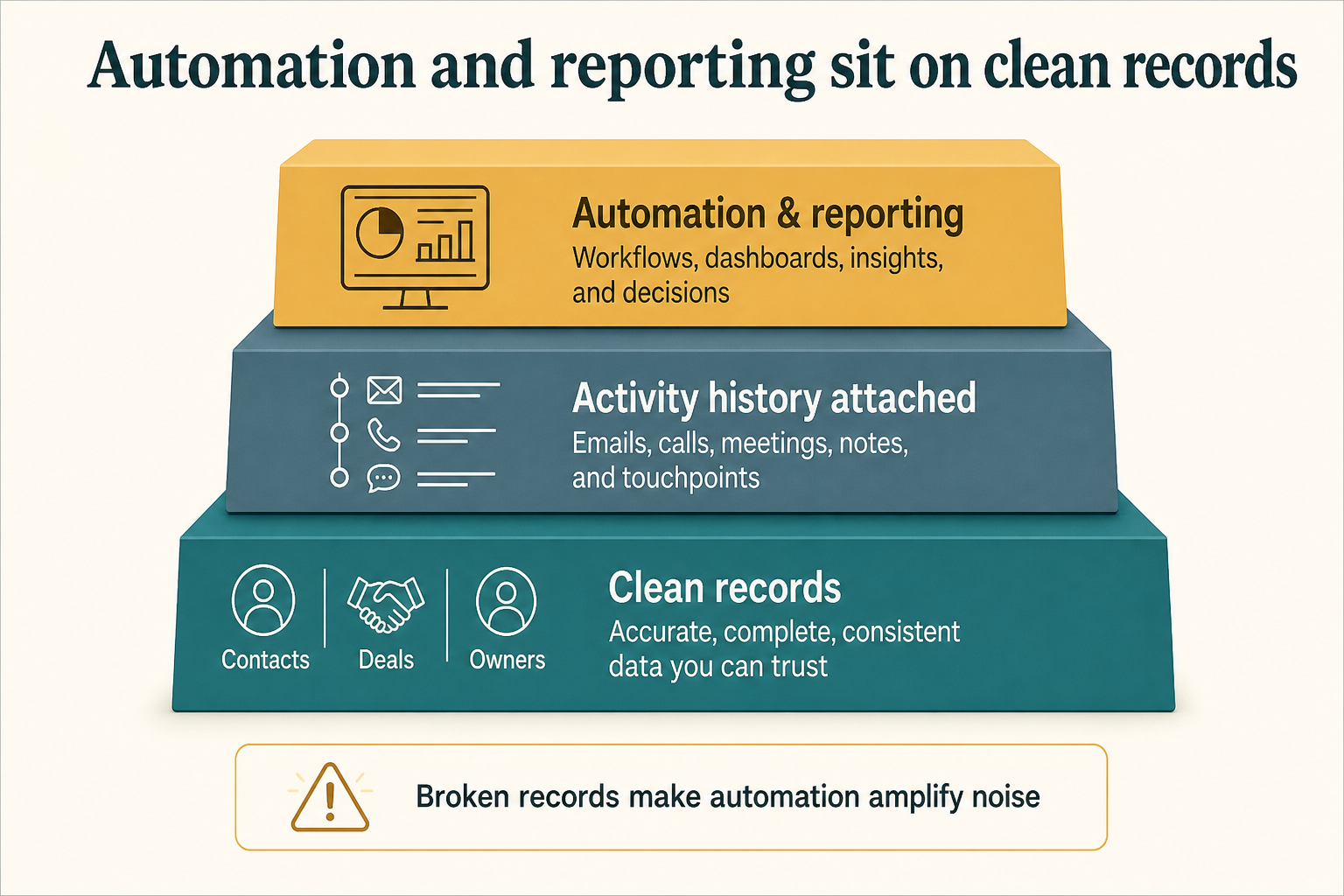
3. Automation and reporting sit on top of clean records
Automation amplifies whatever is in the records — clean data first.
Workflow automation can assign owners, create tasks, or notify teammates when a stage changes. Reporting aggregates deals and activities into pipeline and forecast views. Both assume stages, owners, and close dates are maintained — otherwise automation creates noise and reports invent confidence.
Example: when Northwind moves a deal to Proposal, automation creates a “send proposal” task for the owner and notifies the manager. Their Friday report only counts deals with owners and close dates — empty stages are treated as process incidents, not forecast fuel.
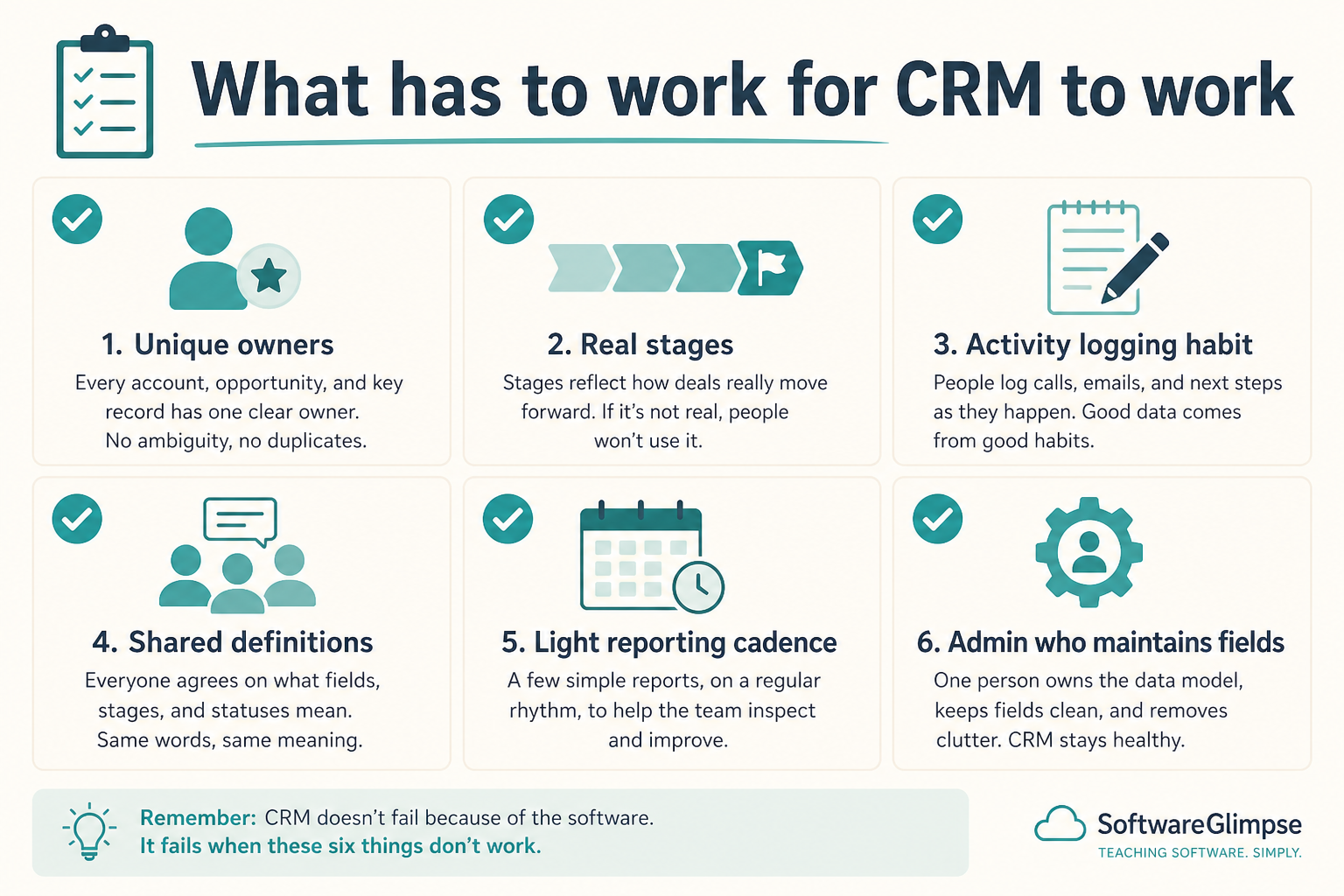
What has to work for CRM to “work”
If these foundations fail, features and automation will not save the rollout.
Must-have
✓Reliable contact & company records
✓Pipeline stages that match reality
✓Shared activity history
✓Clear ownership
✓Basic pipeline reporting
Nice-to-have
•Advanced AI insights
•Deep customization on week one
How teams break the CRM model
Treating CRM as a filing cabinet
If deals are not updated until month-end, the system cannot support daily follow-ups or honest forecasts.
Automating a messy process
Automation on unclear stages and duplicate contacts multiplies bad data.
Skipping ownership rules
Without clear owners, activities pile up and nobody is accountable for the next step.
Confusing adjacent tools with CRM
Marketing automation or sales intelligence can feed CRM — they do not replace the system of record unless that is their real job.
4. Walk the loop in order
Walk each step of the operating loop in order before you compare vendors.
5. Pressure-test with one worked example
Worked example: name one team, one weekly output, and where the loop breaks today without software.
6. Hand off to the selection framework
Use the loop to write must-haves, then shortlist in /guides/what-is-crm/.
Example official CRM product videos
Optional · 2 examples · collapse if you don’t need them
Verified vendor product videos from the CRM catalogue for context while you read. They are examples only — not a ranked shortlist — and they do not replace SoftwareGlimpse recommendations on this page.
Official vendor video · example
Attio — Attio | How to build your sales pipelines
This video is hosted on YouTube
This content is hosted by YouTube. The player loads only after you allow marketing cookies.
As a shared system of record: contacts and companies are records, deals move through stages, and activities stay attached so the team can run follow-ups, handoffs, and pipeline reviews from trusted data — not from memory.
Is CRM just a contact database?
Contacts are the foundation, but the operating value comes from deals, stages, ownership, and activity history working together. Example: a handoff only works when the new owner can see the last call note on the deal.
Do I need automation on day one?
Usually no. Get capture, ownership, stages, and logging reliable first. Automate after the team trusts the records.
Where does reporting data come from?
From the same deals and activities reps maintain. If those fields are empty or inconsistent, reports will look precise and still be wrong.
What should I read next?
Read Types of CRM to pick the right product shape, then How to Choose a CRM for a buying framework — or CRM Finder for a shortlist.