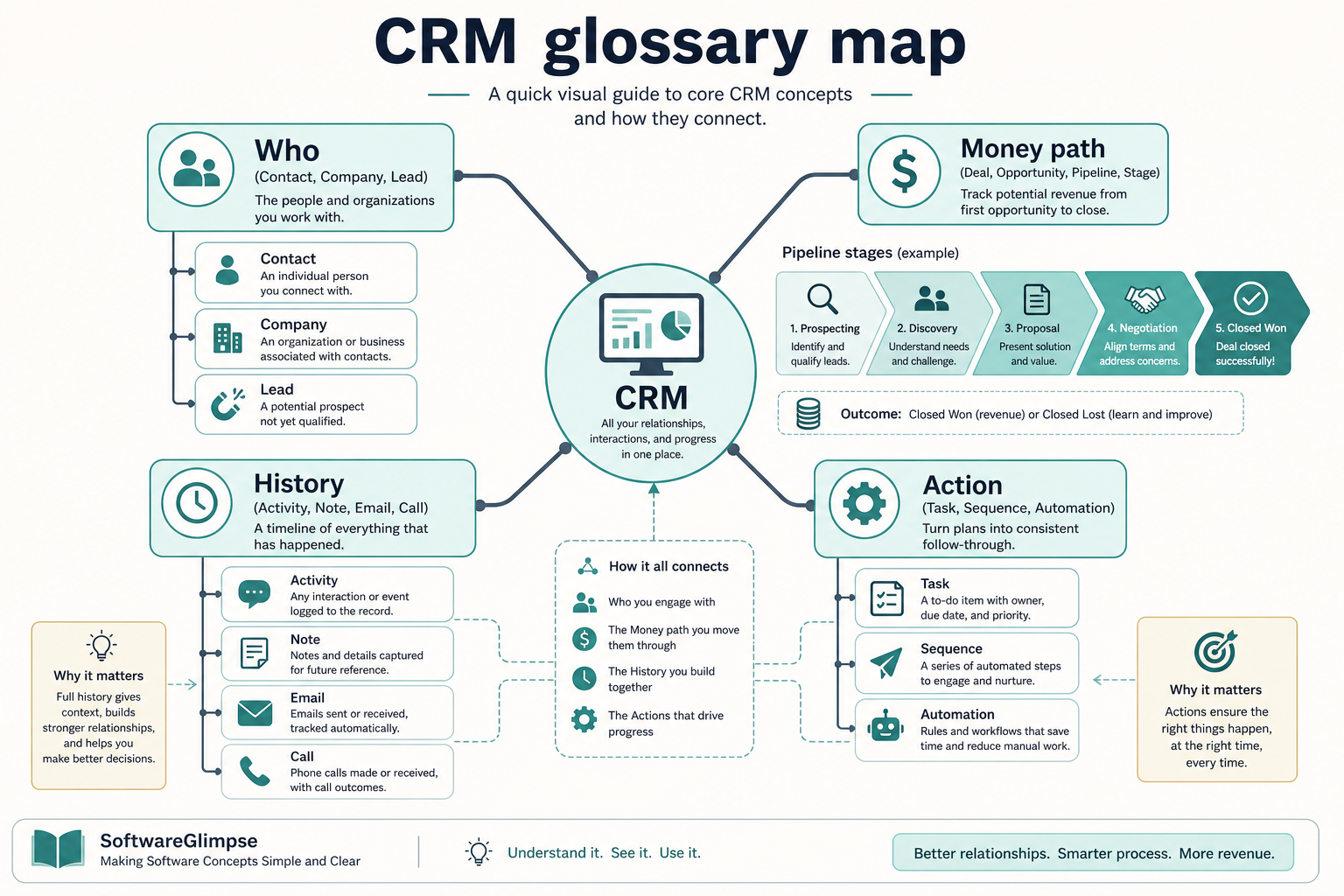
CRM terminology describes the system of record: contacts and companies (who), leads (potential interest), deals/opportunities (money in motion), pipelines and stages (process), activities (what happened), and automation/reporting (how the system helps the team act). Decision rule: if you can map a real sales sentence onto those objects, vendor pitches stop sounding more different than they are.
Contact & company
Lead vs deal
Pipeline & stages
Activity & task
Owner & permission
Workflow & report
Key takeaways
Objects are the language — If you can explain contact, company, deal, and activity, most CRM UIs become navigable.
Lead ≠ deal — A lead is unqualified interest; a deal is a tracked opportunity with stages and (usually) value.
Pipeline is process, not a report — A pipeline is the ordered set of stages deals move through — reports summarize those deals.
Vendors rename the same ideas — Opportunity, deal, and prospect may map to the same underlying concept — ask for the object model.
Learn terms as a connected map — not an alphabetical dump.
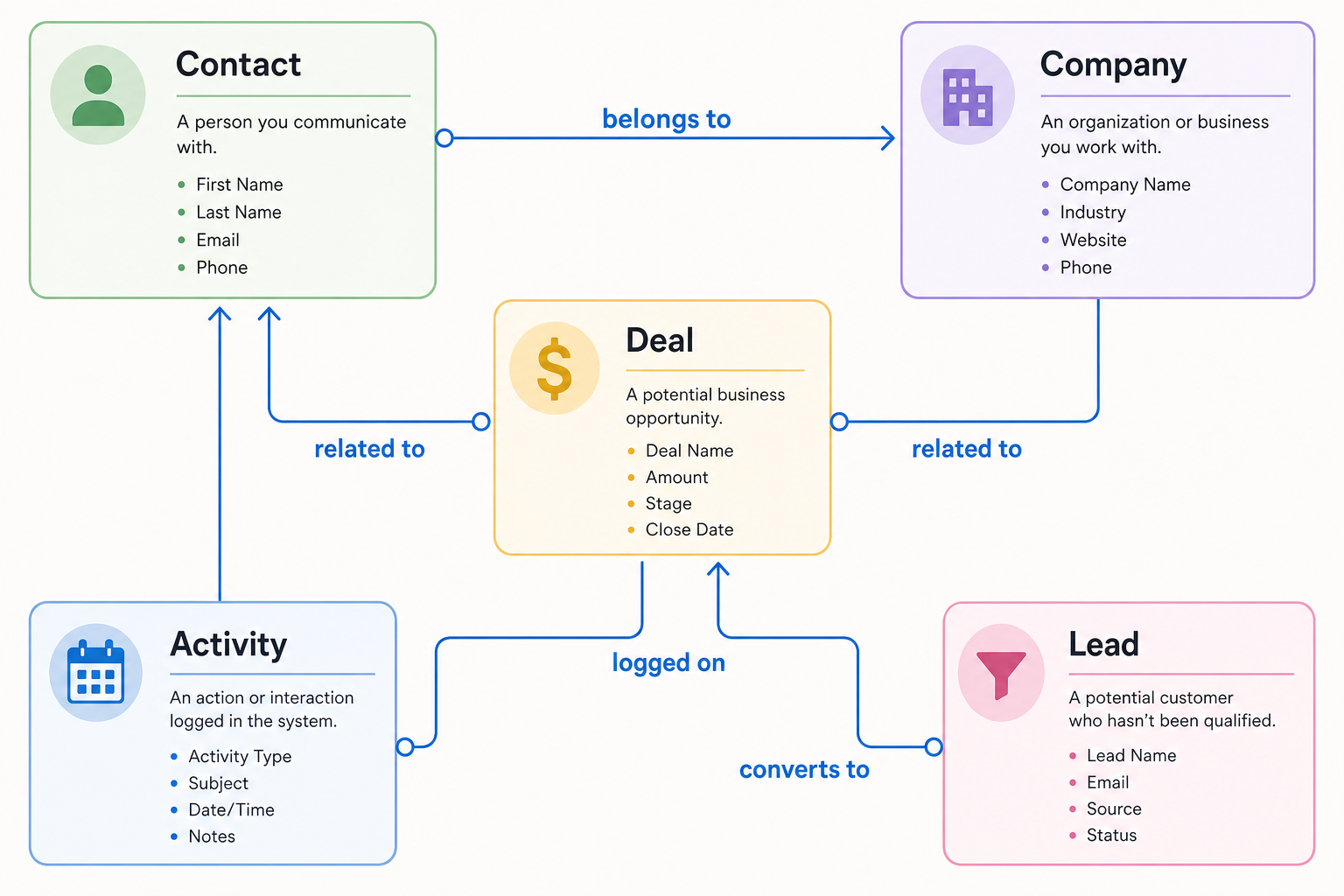
How the core terms connect
Learn relationships once — then vendor labels are easier to translate.
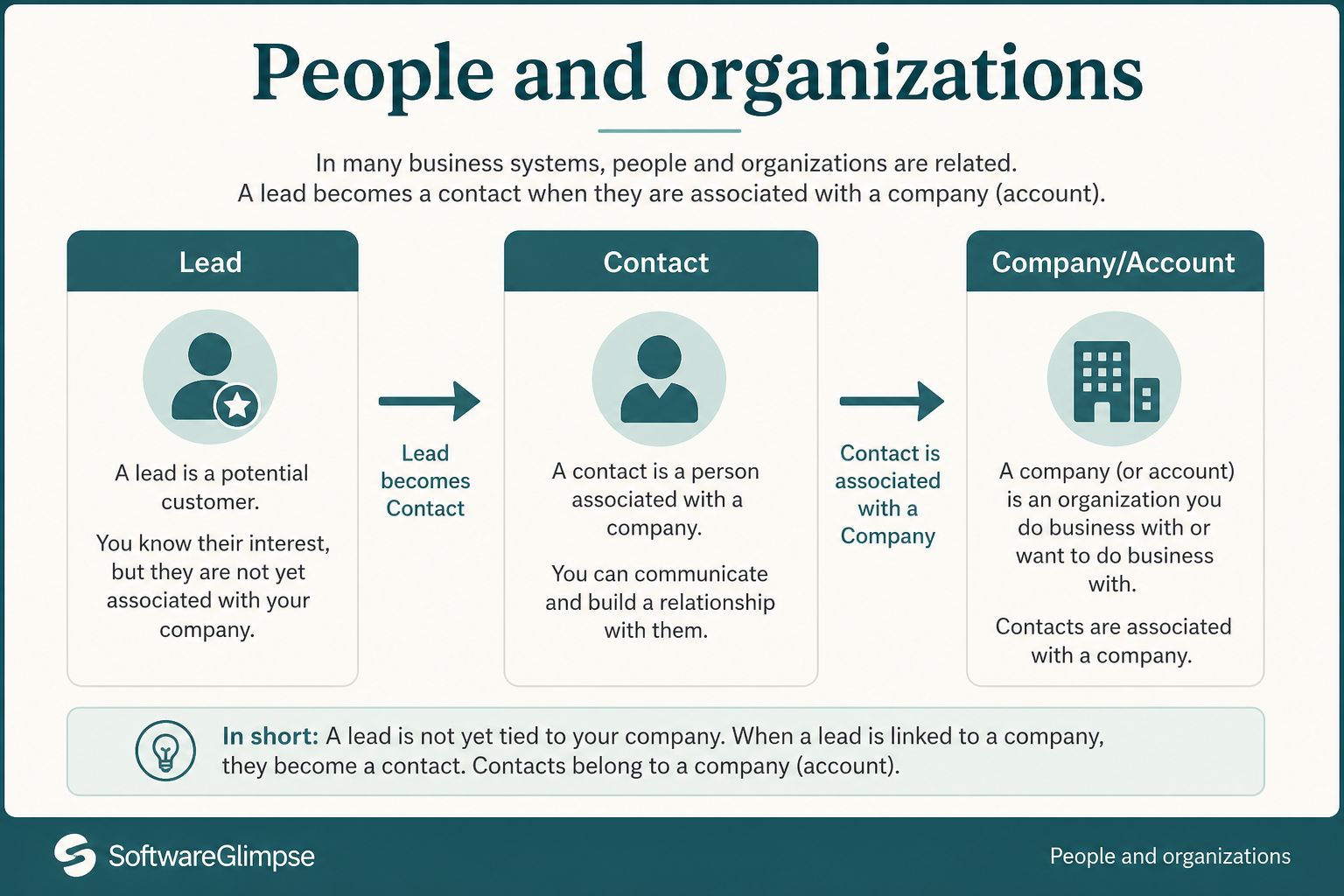
1. People and organizations
Who-terms describe people and accounts before money is tracked as a deal.
Contact
A person record — name, email, role, and history of interactions.
Company / account
An organization record that can own multiple contacts and deals.
Lead
A potential interest that has not yet been fully qualified into a contact/deal workflow.
These terms describe who you sell to and how accounts are structured.
Example: “Acme Corp’s CIO, Dana Chen, replied to our meeting invite” maps to Company = Acme Corp, Contact = Dana Chen, and (still) Lead or early Deal depending on whether you have opened a tracked opportunity yet.
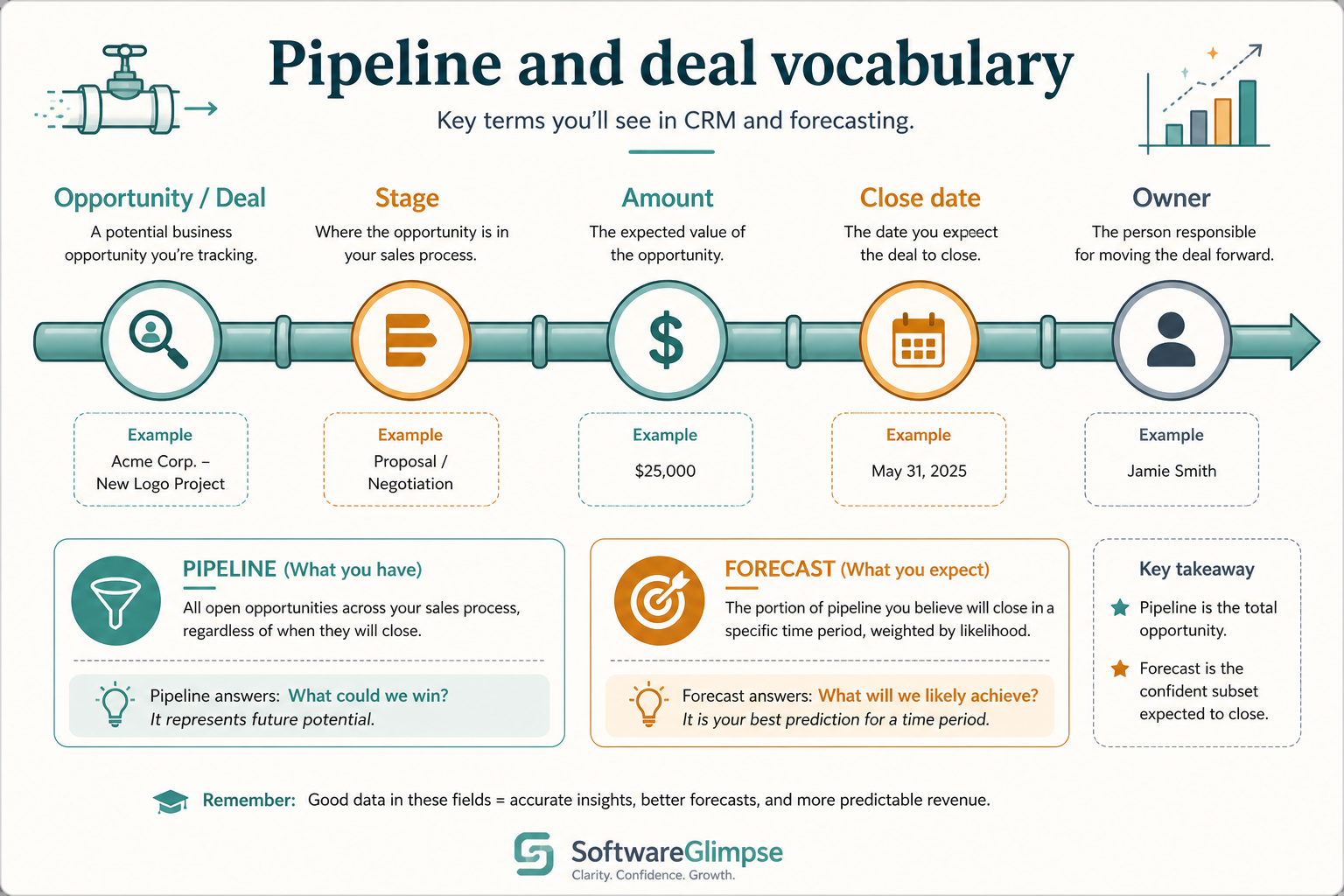
2. Pipeline and deal vocabulary
Deal language should map to one opportunity record — not three Slack threads.
Deal / opportunity
A tracked sales opportunity with stage, owner, and usually expected value and close date.
Pipeline
An ordered set of stages that deals move through (you can have more than one pipeline).
Stage
A named step in the process (e.g. Qualified, Proposal). Exit criteria should be explicit.
Forecast category
How likely a deal is to close for planning — only trustworthy if stages and dates are maintained.
Pipeline language is where product pitches get noisy. Keep definitions boring and precise.
Example: “We’re sending Acme a proposal next Tuesday” maps to Deal = Acme opportunity, Stage = Proposal, Owner = the AE, and Task = send proposal by Tuesday — not three separate Slack threads.
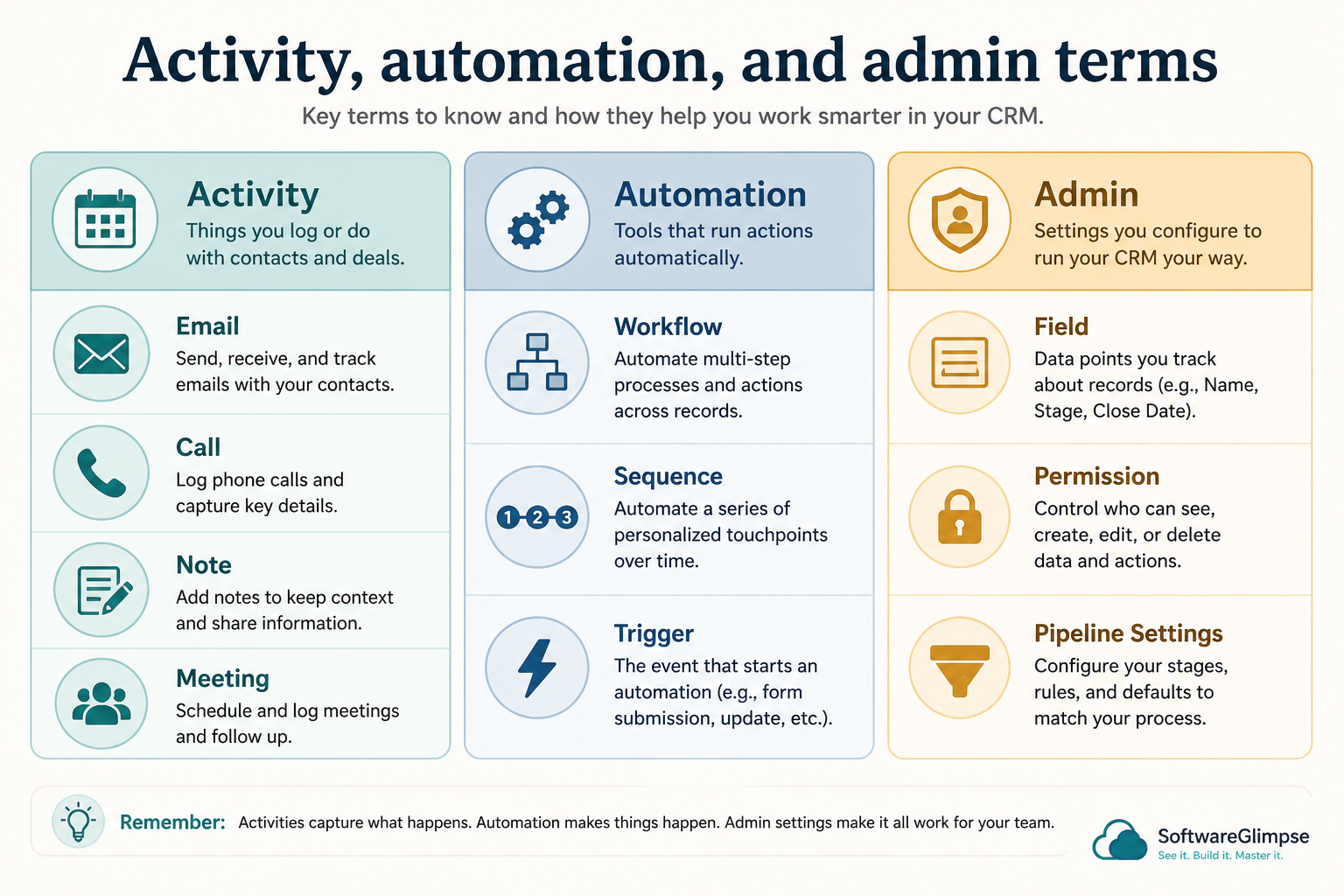
3. Activity, automation, and admin terms
Activity logs work; automation scales it; admin keeps the model trustworthy.
Activity
A logged interaction or event — email, call, meeting, note — attached to a record.
Task
A future action with an owner and due date (call back, send proposal).
Workflow / automation
Rules that create tasks, change fields, or notify people when conditions are met.
Permission / role
What a user can see or edit — critical once more than one team shares the CRM.
Custom field
A data field your team adds beyond vendor defaults — powerful, easy to overdo.
These terms describe how work gets logged and scaled across the team.
Example: after Dana’s call, the AE logs an Activity (call note on the deal), creates a Task (send proposal Tuesday), and a Workflow may notify the manager when Stage changes to Proposal — without anyone hunting the inbox.
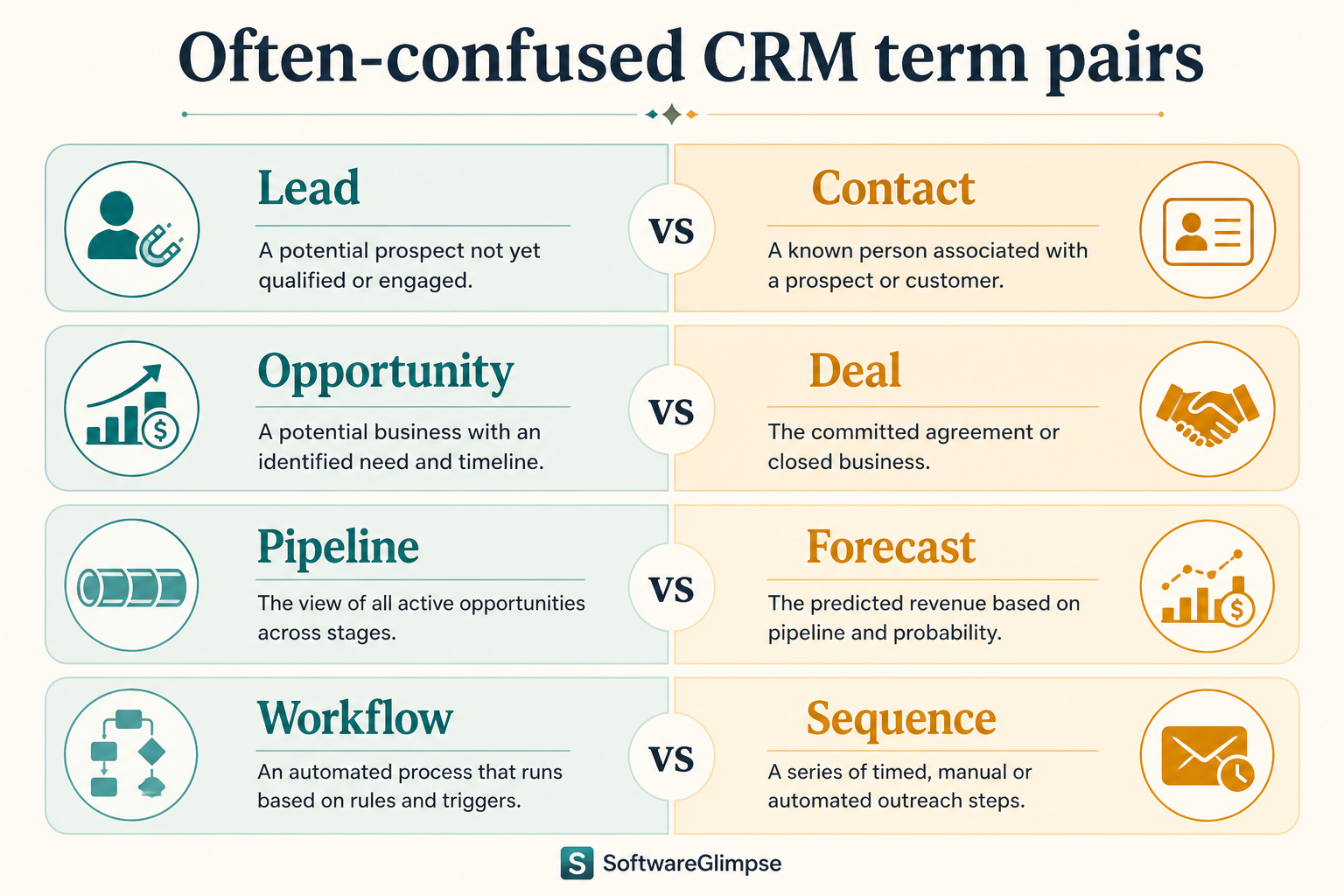
Often-confused term pairs
Most buying confusion is vocabulary collision — not feature gaps.
Must-have
✓Lead vs contact
✓Deal vs pipeline
✓Activity vs task
Nice-to-have
•Report vs dashboard
•Integration vs sync
Glossary mistakes in buying conversations
Assuming identical labels mean identical models
Ask what object a feature writes to — deal, contact, or a custom object.
Treating “AI” as a noun with no object
Ask which fields or recommendations change, and who verifies them.
Ignoring permissions vocabulary
Roles, teams, and record sharing determine whether collaboration is safe.
4. Name the job this category should own
Describe the weekly output this category must improve before comparing vendors.
5. Next: freeze requirements and compare fairly
Move to /guides/what-is-crm/ once the job cluster is clear. Compare finalists with the same assumptions — not affiliate-ordered lists.
6. Use a one-page checklist before demos
For CRM Glossary: Contacts, Deals, Pipelines & More, list must-haves, owners, integrations, and the weekly ritual this purchase must improve. Share the sheet with finance and IT before you schedule a second demo.
Name the primary job in one sentence.
List must-have gates (plans, SSO, data residency, usage caps).
Name integrations that must work on day one.
Assign an admin owner and a weekly user champion.
Define non-admin proof — what a sceptic completes without rescue.
Worked example: Harbor Ops refuses demos until the checklist is signed — cutting evaluation time in half.
7. Avoid the usual buying mistakes
Common failures in crm: buying for brand familiarity, comparing entry tiles across different usage units, skipping a fair trial script, and adding scope before adoption proves out.
Run one trial script on every finalist the same week. Score on the same card. Write a one-paragraph decision memo that names what you are not buying yet.
8. Hand off to the category shortlist
When assumptions are frozen, continue on /best/crm-software/ with the same headcount, usage band, and must-have gates on every quote.
Example official CRM product videos
Optional · 2 examples · collapse if you don’t need them
Verified vendor product videos from the CRM catalogue for context while you read. They are examples only — not a ranked shortlist — and they do not replace SoftwareGlimpse recommendations on this page.
Official vendor video · example
Attio — Attio | How to build your sales pipelines
This video is hosted on YouTube
This content is hosted by YouTube. The player loads only after you allow marketing cookies.
Contacts and companies are who you sell to; leads are early interest; deals are tracked opportunities; pipelines and stages are the process; activities and tasks are what happened or what is next. Map real sales talk onto those objects and vendor demos get clearer.
What does CRM stand for?
Customer relationship management — software that helps teams manage contacts, deals, and interaction history in one system of record.
What is a pipeline in CRM?
A pipeline is the ordered set of stages opportunities move through. Multiple pipelines can exist for different sales motions. Example: “We’re in proposal with Acme” means a deal sitting in the Proposal stage of your pipeline.
What is the difference between a lead and a deal?
A lead is unqualified or early interest. A deal (opportunity) is a tracked sales process with stages, ownership, and usually value. Example: a webinar registrant may start as a lead; once sales accepts and opens an opportunity, it becomes a deal.
What should I read next?
How CRM Works shows how these objects operate together; Types of CRM helps you pick a product shape.