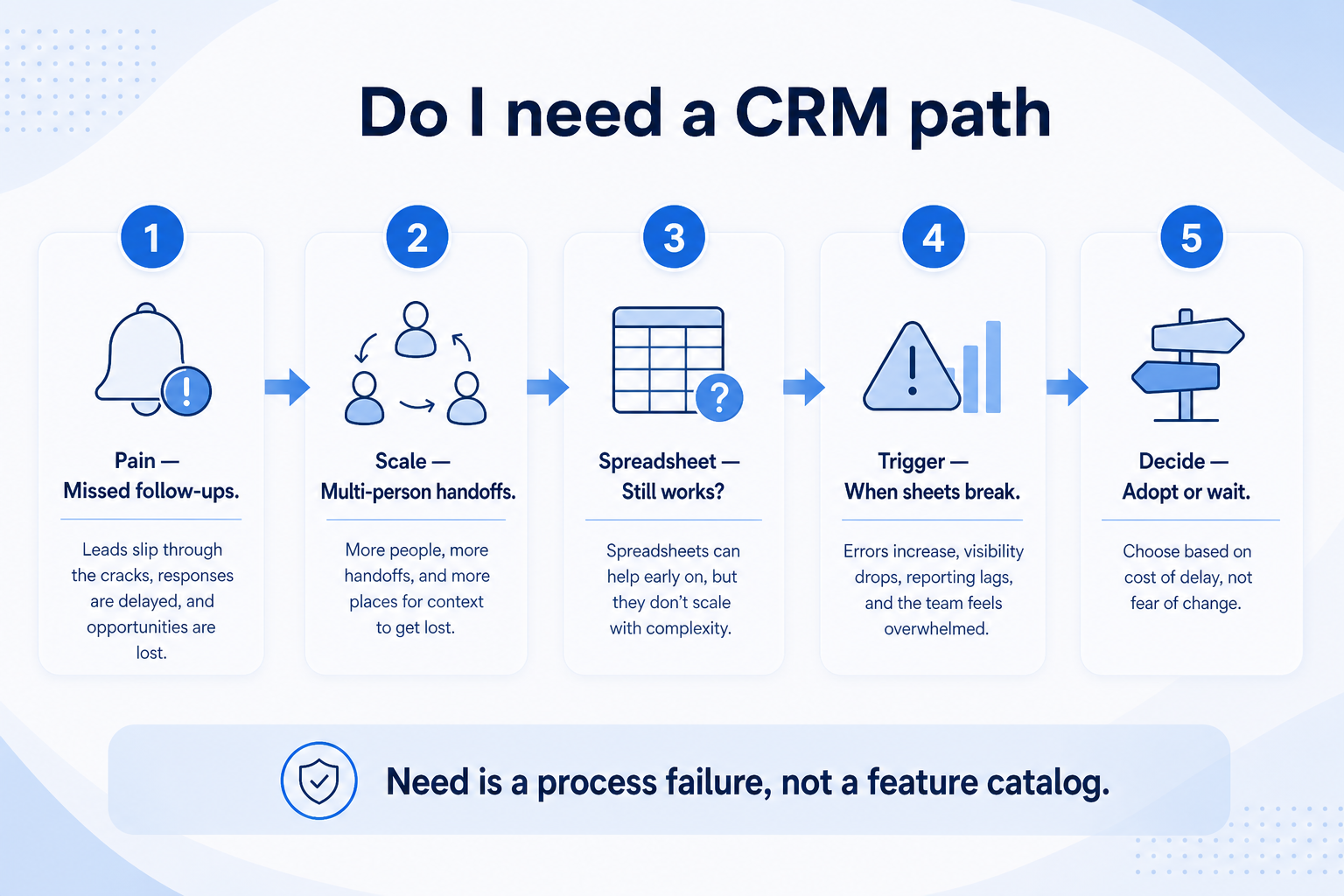
Decide whether you need CRM software using practical signals — missed follow-ups, dual ownership, pipeline rebuilds, and inbox-as-system-of-record — and when a spreadsheet is still enough.
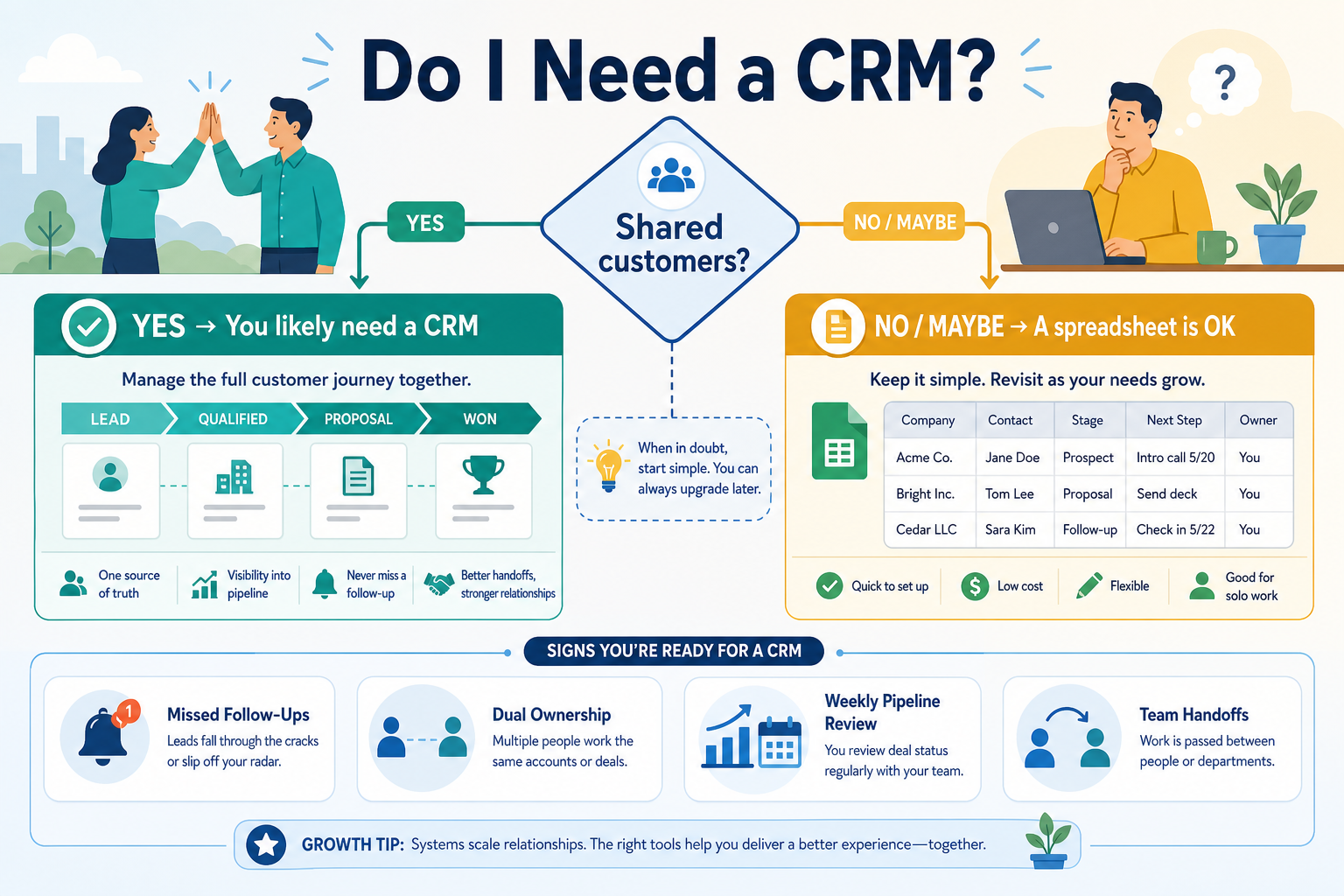
You need a CRM when shared ownership, follow-ups, and pipeline truth can no longer live safely in inboxes and spreadsheets. Decision rule: if two or more people must trust the same deal status this week — or follow-ups and weekly rebuilds are already failing — choose CRM; a structured spreadsheet remains enough for a solo operator with low volume and personal discipline.
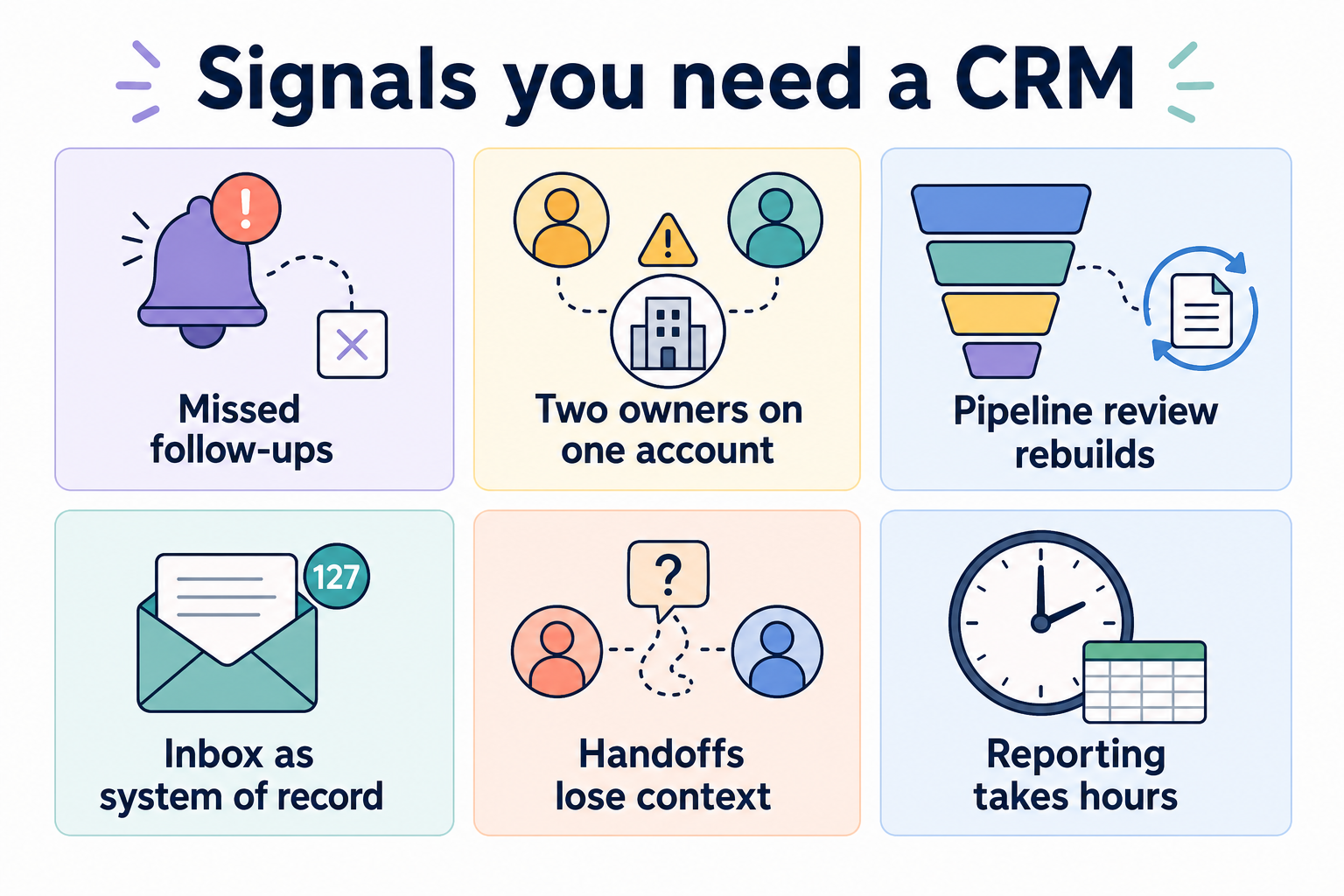
Missed follow-ups
Dual ownership fights
Weekly pipeline rebuilds
Inbox as system of record
Spreadsheet still OK (solo/low volume)
Buy for pain, not fashion
Goals
Features
Integrations
Cost
Ease of use
Growth
Key takeaways
CRM is a system of record decision — The question is whether relationships and deals need shared, durable ownership — not whether a vendor demo looks impressive.
Pain signals beat headcount rules — Team size helps, but repeated operational failures are the clearer trigger.
Spreadsheets are not “wrong” — They fail when concurrency, history, and handoffs outgrow personal lists.
Adoption readiness matters — If nobody will update stages and owners, a CRM will not fix the process by existing.
Need is driven by shared ownership and failure patterns — not by logo shopping.
Signals you likely need a CRM
Two or more recurring signals usually mean a spreadsheet is under strain.
1. Signals that point to “yes”
Need is driven by shared ownership and failure patterns — not by logo shopping.
Missed follow-ups
Promised replies and next steps disappear because tasks live in memory or personal notes.
Dual ownership
Two people contact the same account — or nobody does — because ownership is informal.
Pipeline rebuilds
Weekly reviews start by reconstructing status from email and chat instead of reading a trusted board.
Inbox as SoR
The only complete history is someone’s mailbox; absences and handoffs break context.
Treat these as operational evidence — not vendor pressure. If several show up weekly, you are already paying the cost of a missing system of record.
Example: a 5-person agency (two sellers, one founder, two delivery leads) keeps “clients.xlsx” plus Slack threads. Twice in one month, both sellers emailed the same prospect, and Friday pipeline review started with a 40-minute rebuild from inboxes. Those dual-ownership and rebuild signals mean they already need a CRM — not another spreadsheet tab.
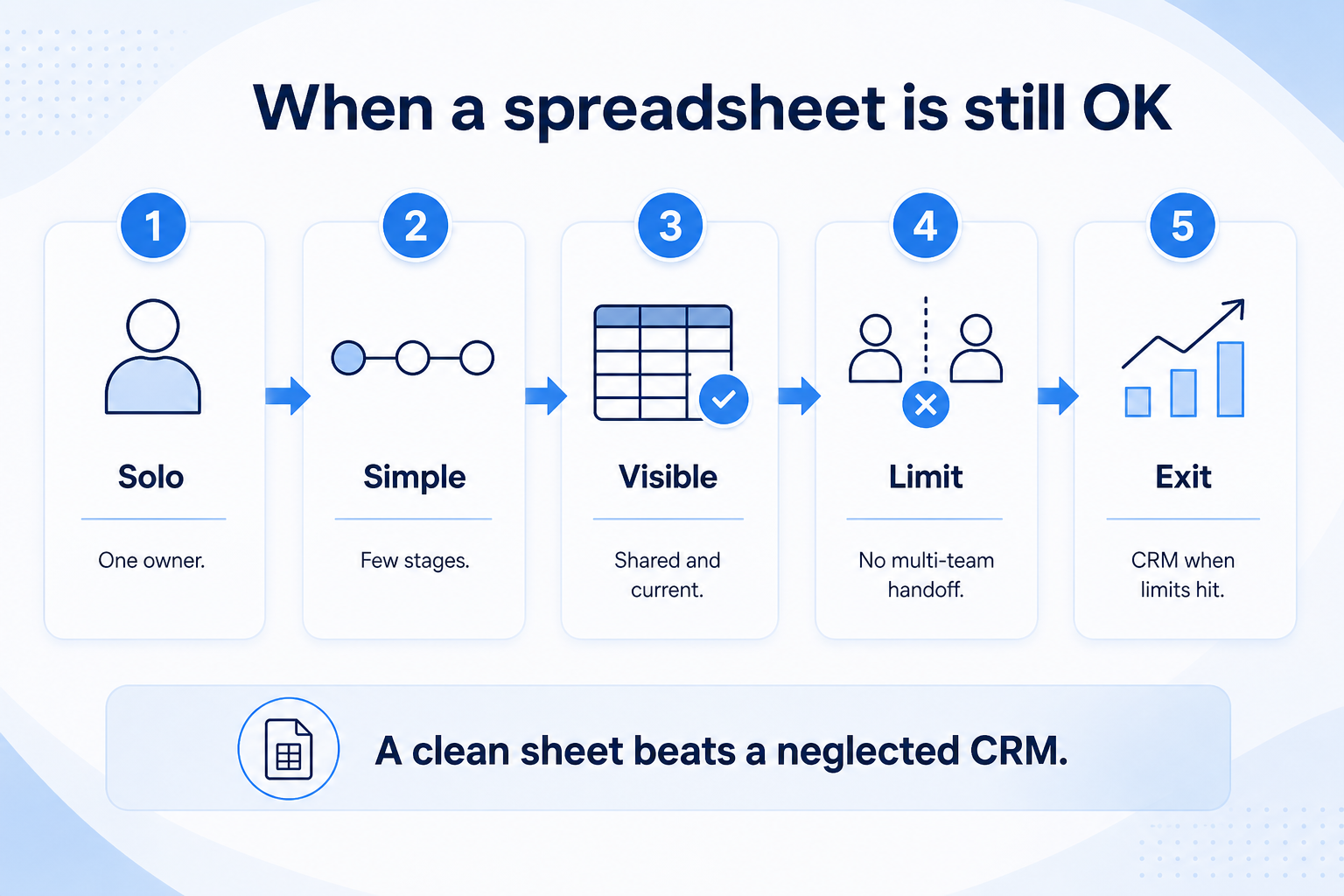
2. When a spreadsheet is still OK
A clean solo sheet beats a CRM nobody updates — revisit when dual ownership or rebuilds appear.
Solo operator
You alone own follow-ups and can keep a simple stage column honest.
Low concurrency
Rarely two people edit the same account in the same week.
Short cycles
Deals close quickly enough that deep history and complex permissions are optional.
A well-kept sheet (or lightweight list) can be enough when one person owns every deal, volume is modest, and history requirements are light. Upgrade when concurrency and handoffs appear — not because a blog said “every business needs CRM.”
Example: before that agency hired the second seller, the founder’s personal sheet worked. The tipping point was concurrency — two people editing status — not row count alone.
Situation → likely answer
01
Solo / low volume
Spreadsheet or light list is often enough until memory load or client count rises.
Personal discipline
Simple stages
02
2+ people sharing deals
CRM becomes likely — ownership and follow-ups need a shared home.
Clear owners
Weekly review
03
Scaling sales motion
CRM is usually required for pipeline visibility, handoffs, and reporting without rebuilds.
Managers + reps
Handoffs
04
No willingness to update
Fix process expectations first — an empty CRM is worse than an honest sheet.
Adoption rules
Owner habits
Need checklist (honest signals)
Must-have
✓More than one person touches the same deals
✓Follow-ups regularly slip
✓Pipeline rebuilt from email each week
Nice-to-have
•Want AI insights before basic ownership
•Buying because “everyone has one”
Decision mistakes
Buying before naming the pain
Without a concrete failure mode, you will evaluate features instead of fit.
Assuming headcount alone decides
A disciplined solo seller may outlast a chaotic five-person team on a sheet — until sharing breaks.
Skipping adoption rules
If nobody agrees who updates stages, CRM will mirror the same chaos digitally.
Confusing CDP or marketing suites with CRM need
Identity and campaign tools do not replace deal ownership and follow-up discipline.
3. Shortlist only inside the same job cluster
Compare tools whose core product matches the weekly output you named. Adjacent tools can integrate later — they should not hijack the primary shortlist because of brand familiarity.
Worked example: A team that needs meeting transcripts shortlists Otter-class tools, not a general chat assistant, even if the chat tool also “does meetings.”
4. Trial the named workflow before signatures
Run the same script on two or three finalists. Success is a non-admin completing the weekly output without a rescue — not a polished vendor tour.
5. Use a one-page checklist before demos
For Do I Need a CRM? Decision Signals That Matter, list must-haves, owners, integrations, and the weekly ritual this purchase must improve. Share the sheet with finance and IT before you schedule a second demo.
Name the primary job in one sentence.
List must-have gates (plans, SSO, data residency, usage caps).
Name integrations that must work on day one.
Assign an admin owner and a weekly user champion.
Define non-admin proof — what a sceptic completes without rescue.
Worked example: Harbor Ops refuses demos until the checklist is signed — cutting evaluation time in half.
6. Avoid the usual buying mistakes
Common failures in crm: buying for brand familiarity, comparing entry tiles across different usage units, skipping a fair trial script, and adding scope before adoption proves out.
Run one trial script on every finalist the same week. Score on the same card. Write a one-paragraph decision memo that names what you are not buying yet.
7. Hand off to the category shortlist
When assumptions are frozen, continue on /best/crm-software/ with the same headcount, usage band, and must-have gates on every quote.
Example official CRM product videos
Optional · 2 examples · collapse if you don’t need them
Verified vendor product videos from the CRM catalogue for context while you read. They are examples only — not a ranked shortlist — and they do not replace SoftwareGlimpse recommendations on this page.
Official vendor video · example
Attio — Attio | How to build your sales pipelines
This video is hosted on YouTube
This content is hosted by YouTube. The player loads only after you allow marketing cookies.
Yes when shared ownership, follow-ups, and pipeline truth can no longer live safely in inboxes and spreadsheets — typically when two or more people must trust the same deal status, follow-ups get missed, or you rebuild the pipeline every week. Solo operators with low volume can stay on a structured spreadsheet until concurrency appears.
Do small businesses need a CRM?
When more than one person shares deals or follow-ups regularly slip — yes. Solo operators with low volume can wait and use a structured spreadsheet. Example: a 5-person agency with two sellers and conflicting status files already has a CRM-shaped problem.
Is Excel or Google Sheets a CRM?
Sheets can track stages, but they are weak as a multi-user system of record with activity history, ownership rules, and handoffs. See CRM vs spreadsheet for the boundary.
What if we are not ready to adopt?
Agree owners and a weekly update habit first. Installing software without those norms rarely helps.
What should I do next?
If signals point to yes, read When to Adopt CRM for timing, then use CRM Finder to shortlist — or compare CRM vs spreadsheet if you are still on the fence.