Learn when to adopt CRM software — after pain appears and owners agree, pilot with real deals, then expand — without waiting for a perfect process or delaying until chaos piles up.
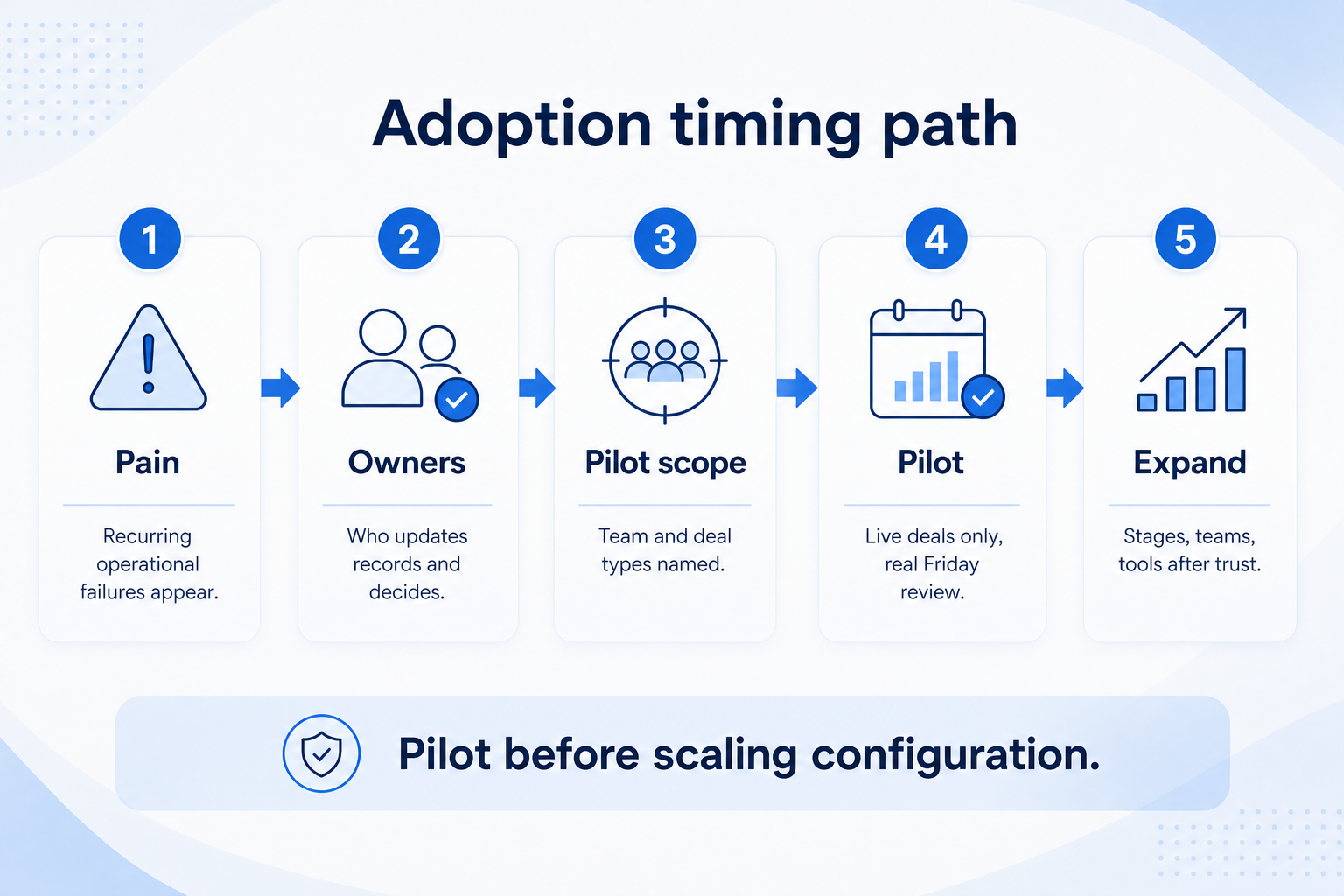
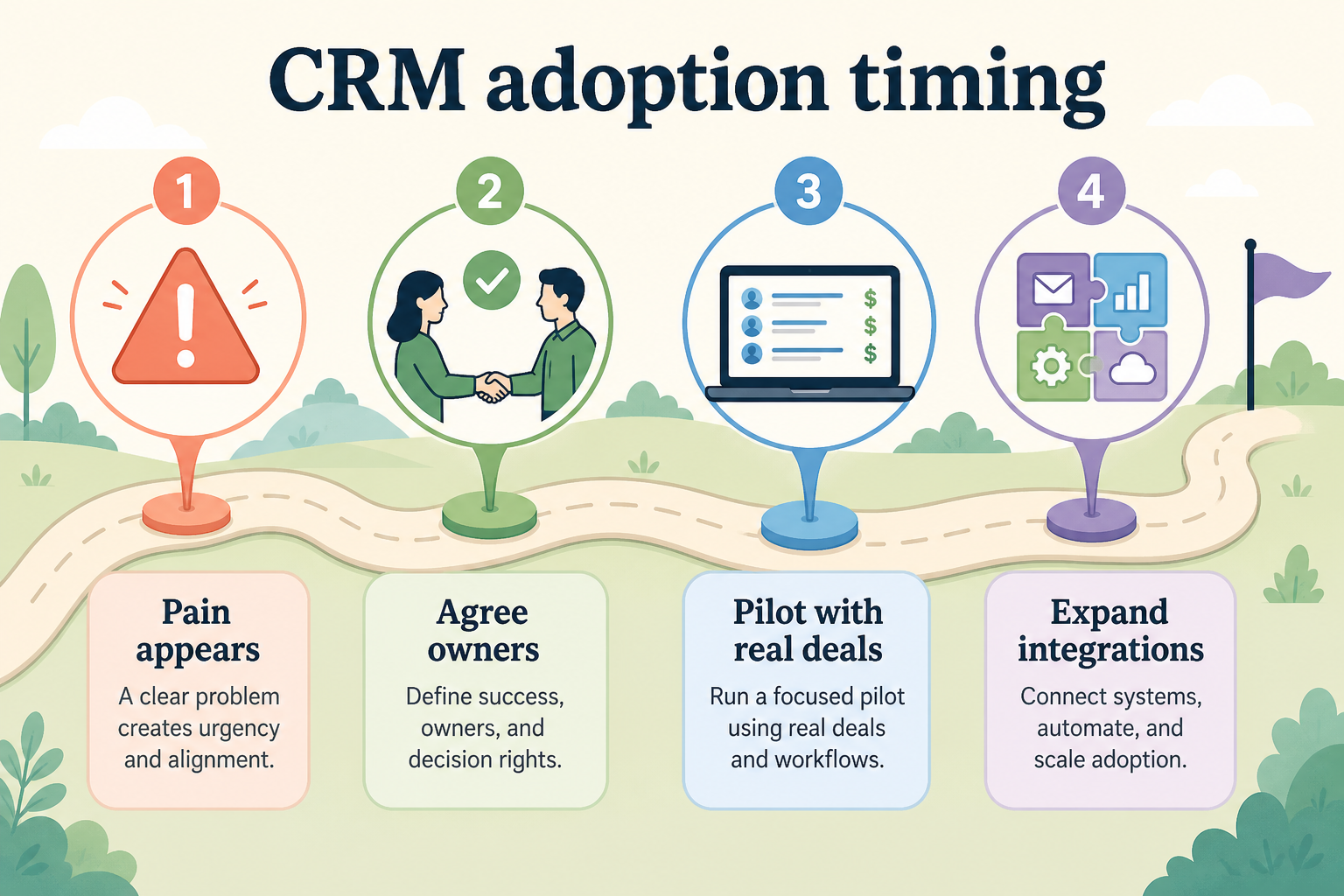
Adopt CRM when operational pain is real, owners can agree who updates what, and you can pilot with live deals — then expand. Decision rule: if pain is visible and a small group will maintain records, start the pilot now; if nobody will update stages, wait — empty fields are worse than a late buy.
Pain appears
Agree owners
Pilot real deals
Expand deliberately
Too early vs too late
Don’t wait for perfect process
Goals
Features
Integrations
Cost
Ease of use
Growth
Key takeaways
Timing is a process decision — The calendar date matters less than whether pain, ownership, and a pilot path exist.
Pilot beats big-bang — Run real deals in a thin workflow first; expand stages and integrations after habits stick.
Perfect process is a trap — Waiting to “finish” the sales process document often delays the system that would reveal the real process.
Late adoption has a cost — Every week of dual ownership and inbox history increases migration and cleanup work later.
Move when pain and ownership are real — then pilot before scaling configuration.
Adopt CRM on a practical timeline
Move when pain and ownership are real — then pilot before scaling configuration.
1. Too early vs too late
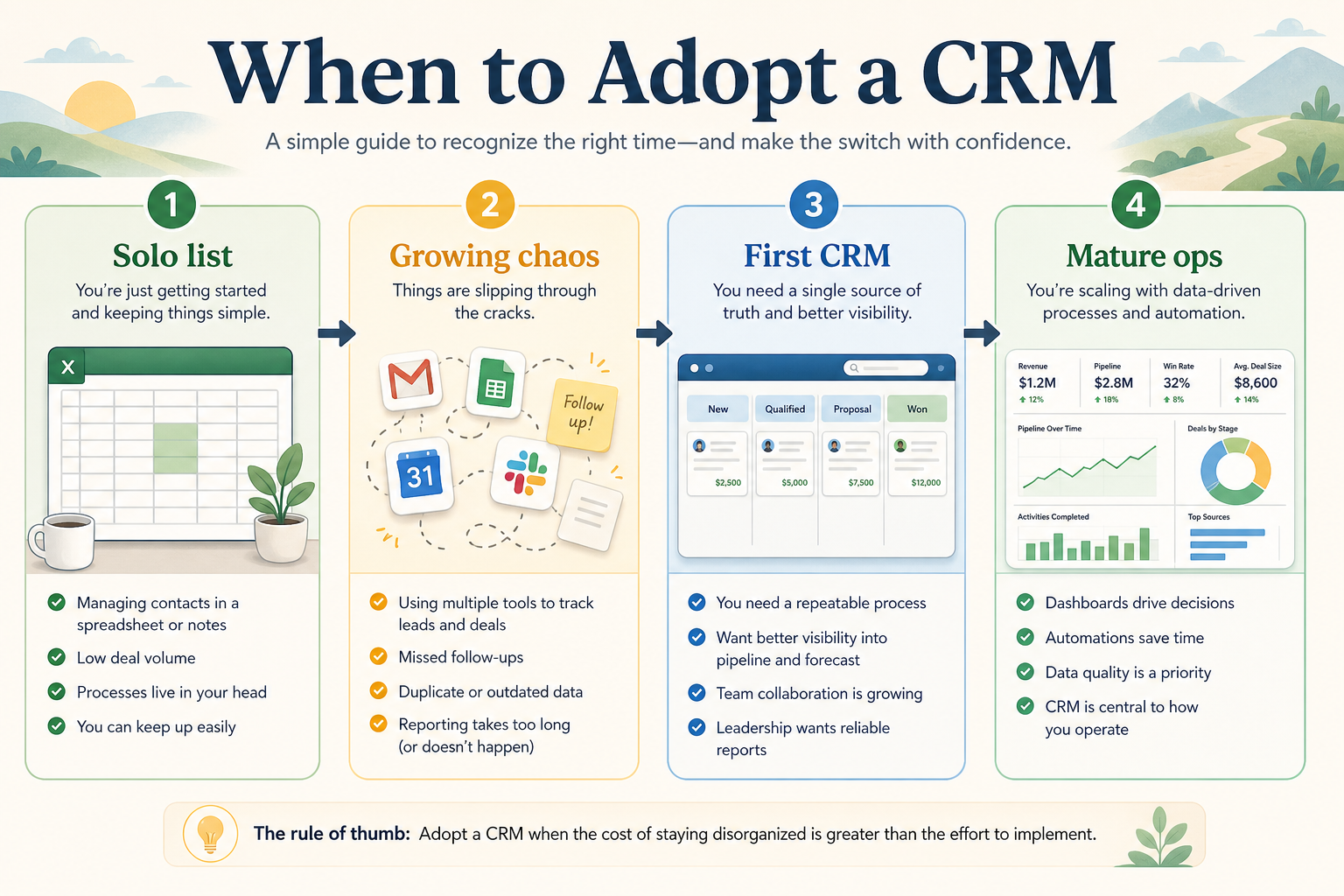
The useful window sits between “no shared pain” and “process already broken everywhere.”
Too early
Solo volume is low, no shared ownership pain, and nobody wants weekly updates — wait or use a light list.
Right window
Misses and ownership conflicts appear; a pilot team will log activity for real opportunities.
Too late
Forecasts are fiction, handoffs fail, and history lives only in inboxes — adopt, but budget cleanup time.
Early adoption without shared pain creates shelfware. Late adoption after months of spreadsheet chaos creates dirty migrations and entrenched workarounds. Aim for the middle: pain is visible, a small group will maintain records, and leadership will protect the pilot.
Example: a 3-person B2B SaaS founding team bought seats on day one with 12 empty required fields — reps stopped logging within two weeks. Six months later, after missed renewals and dual-owned accounts, they relaunched with four stages, mandatory owners, and a Friday review. The second attempt worked because pain and ownership were real.
2. Pilot real deals, then expand
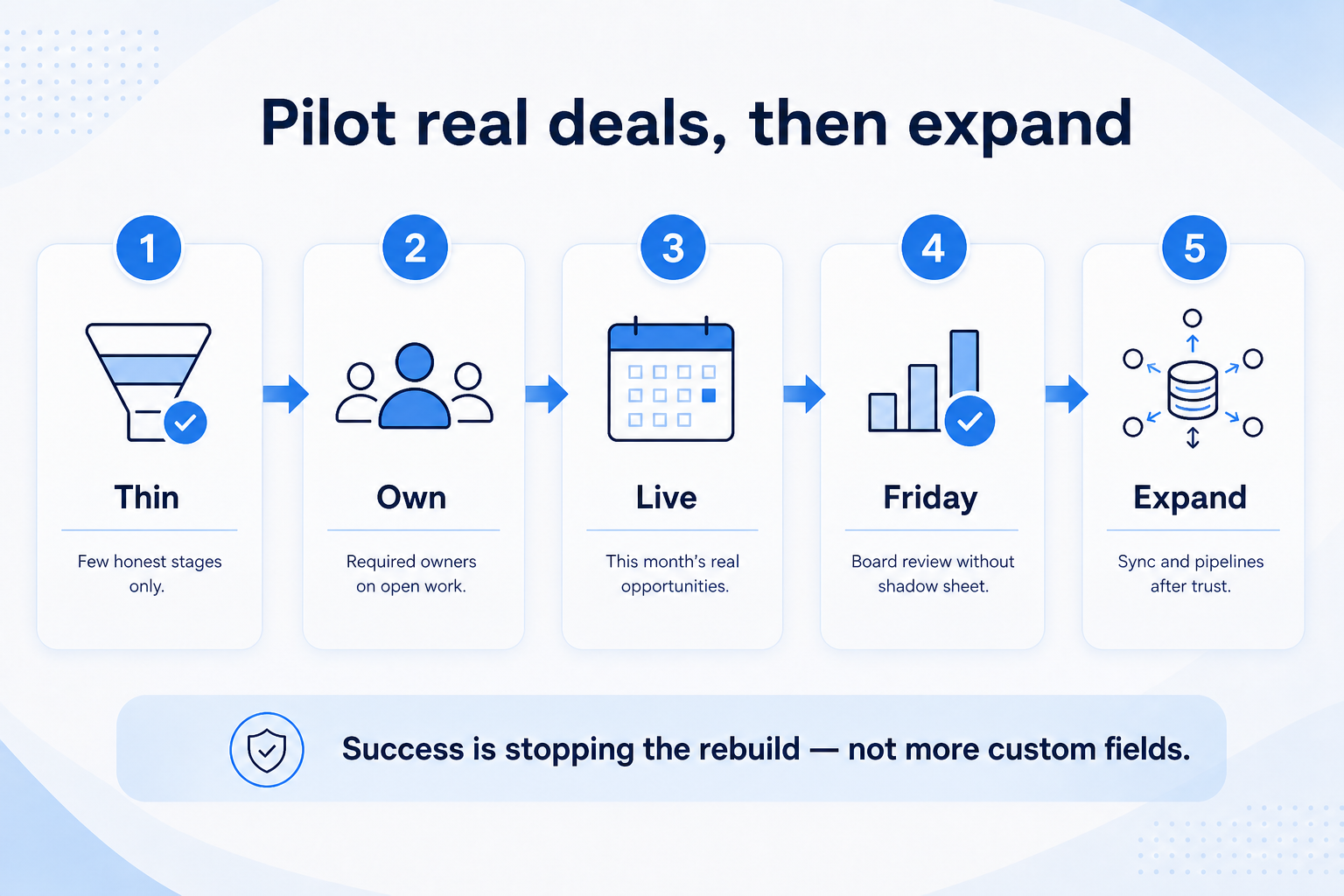
Measure pilot success by stopping the rebuild — not by how many custom fields you created.
Agree owners
Name who creates deals, who advances stages, and who cleans duplicates.
Pilot live deals
No sandbox-only theater — put active opportunities in the system and run one real weekly review.
Expand
Add teams, integrations, and reporting once logging habits stick for a few review cycles.
Start with a thin stage model, required ownership fields, and the deals that matter this month. Expand automations, integrations, and extra pipelines only after the pilot team trusts the board in weekly reviews.
Example: that SaaS team’s 30-day pilot used only New → Qualified → Proposal → Won/Lost, one owner field, and the 15 active opportunities — no marketing sync yet. After three Friday reviews ran from the board without a shadow sheet, they added email sync and a second pipeline for renewals.
Timing by team situation
01
Solo / founder-led
Adopt when volume or memory load breaks personal tracking — not because a checklist said day one.
Light stages
Personal discipline
02
First sales hire
Often the right moment: shared ownership appears overnight. Pilot together immediately.
Shared owners
Simple pipeline
03
Small sales team
If weekly reviews already hurt, you are in the adoption window — pilot one pod, then expand.
Weekly review
Pilot pod
04
Scaling / multi-team
Adopt (or re-implement) before handoffs multiply; delay increases migration pain.
Handoffs
Governance
Readiness signals
Must-have
✓Recurring operational pain named
✓Named people who will update records
✓Willing to run live deals in pilot
Nice-to-have
•Perfect process document finished
•Every integration built on day one
Timing mistakes
Waiting for the perfect process
The CRM will expose how work actually happens — delay usually protects a fictional process map.
Big-bang rollout
Forcing every team and every field on day one creates rejection and dirty data.
Piloting only fake data
Sandbox deals never surface the ownership and follow-up habits that matter.
Adopting with no review ritual
Without a weekly pipeline review that uses the CRM, the system becomes optional again.
3. Shortlist only inside the same job cluster
Compare tools whose core product matches the weekly output you named. Adjacent tools can integrate later — they should not hijack the primary shortlist because of brand familiarity.
Worked example: A team that needs meeting transcripts shortlists Otter-class tools, not a general chat assistant, even if the chat tool also “does meetings.”
4. Trial the named workflow before signatures
Run the same script on two or three finalists. Success is a non-admin completing the weekly output without a rescue — not a polished vendor tour.
5. Use a one-page checklist before demos
For When to Adopt a CRM: Timing, Pilot & Expand, list must-haves, owners, integrations, and the weekly ritual this purchase must improve. Share the sheet with finance and IT before you schedule a second demo.
Name the primary job in one sentence.
List must-have gates (plans, SSO, data residency, usage caps).
Name integrations that must work on day one.
Assign an admin owner and a weekly user champion.
Define non-admin proof — what a sceptic completes without rescue.
Worked example: Harbor Ops refuses demos until the checklist is signed — cutting evaluation time in half.
6. Avoid the usual buying mistakes
Common failures in crm: buying for brand familiarity, comparing entry tiles across different usage units, skipping a fair trial script, and adding scope before adoption proves out.
Run one trial script on every finalist the same week. Score on the same card. Write a one-paragraph decision memo that names what you are not buying yet.
7. Hand off to the category shortlist
When assumptions are frozen, continue on /best/crm-software/ with the same headcount, usage band, and must-have gates on every quote.
Example official CRM product videos
Optional · 2 examples · collapse if you don’t need them
Verified vendor product videos from the CRM catalogue for context while you read. They are examples only — not a ranked shortlist — and they do not replace SoftwareGlimpse recommendations on this page.
Official vendor video · example
Attio — Attio | How to build your sales pipelines
This video is hosted on YouTube
This content is hosted by YouTube. The player loads only after you allow marketing cookies.
When pain is recurring, owners can agree on update rules, and a pilot team can run real deals — then expand after habits stick. Example: a 3-person SaaS team that bought empty seats too early relaunched successfully only after naming owners and piloting 15 live deals.
Should startups adopt CRM on day one?
Only if shared ownership or volume already creates risk. Many solos start later; first sales hire is a common trigger.
How long should a CRM pilot last?
Long enough to cover several weekly reviews and real stage movements — typically weeks, not a single demo day. Extend if logging habits are still fragile.
What should I read next?
Confirm need with Do I Need a CRM?, avoid failure patterns in Common CRM Mistakes, then use How to Choose a CRM or CRM Finder.