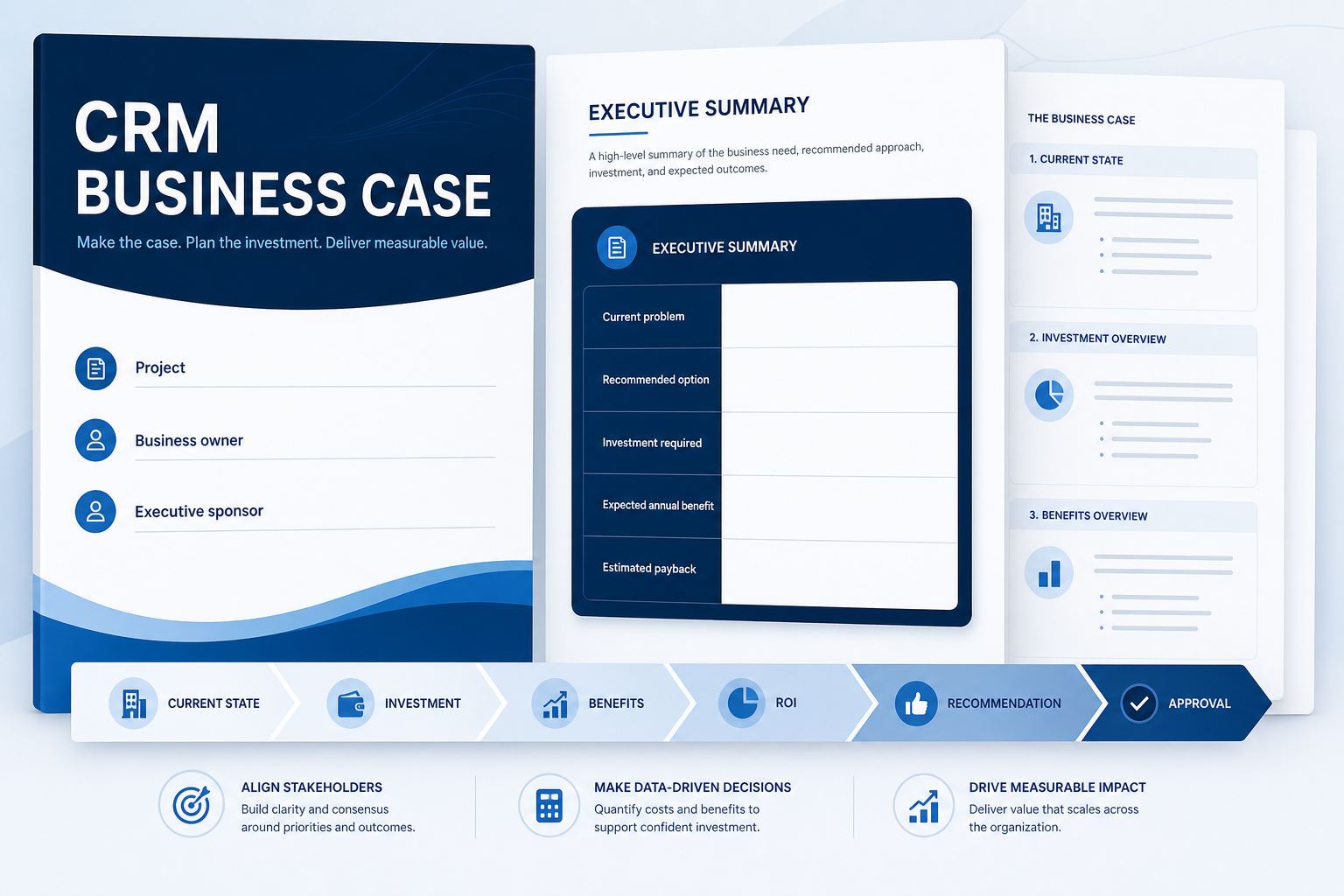
CRM Business Case Template
Build an approval-ready case for CRM investment — current-state costs, options, TCO, benefits, ROI assumptions, risks, and the decision request.
Turn an identified CRM problem into a financially and operationally credible proposal sponsors, finance, and procurement can review — without invented ROI or vendor uplift claims.
Free to use · No email required · Updated 15 Aug 2026
- Best for
- Sales Ops
- Stage
- Decide
- Time
- Half-day to multi-day
- Format
- PDF + XLSX + MD
12
PDF workbook pages
12
Excel model sheets
TCO + ROI
financial engine
Confidence
Verified · Estimated · Scenario · Unknown
What's inside
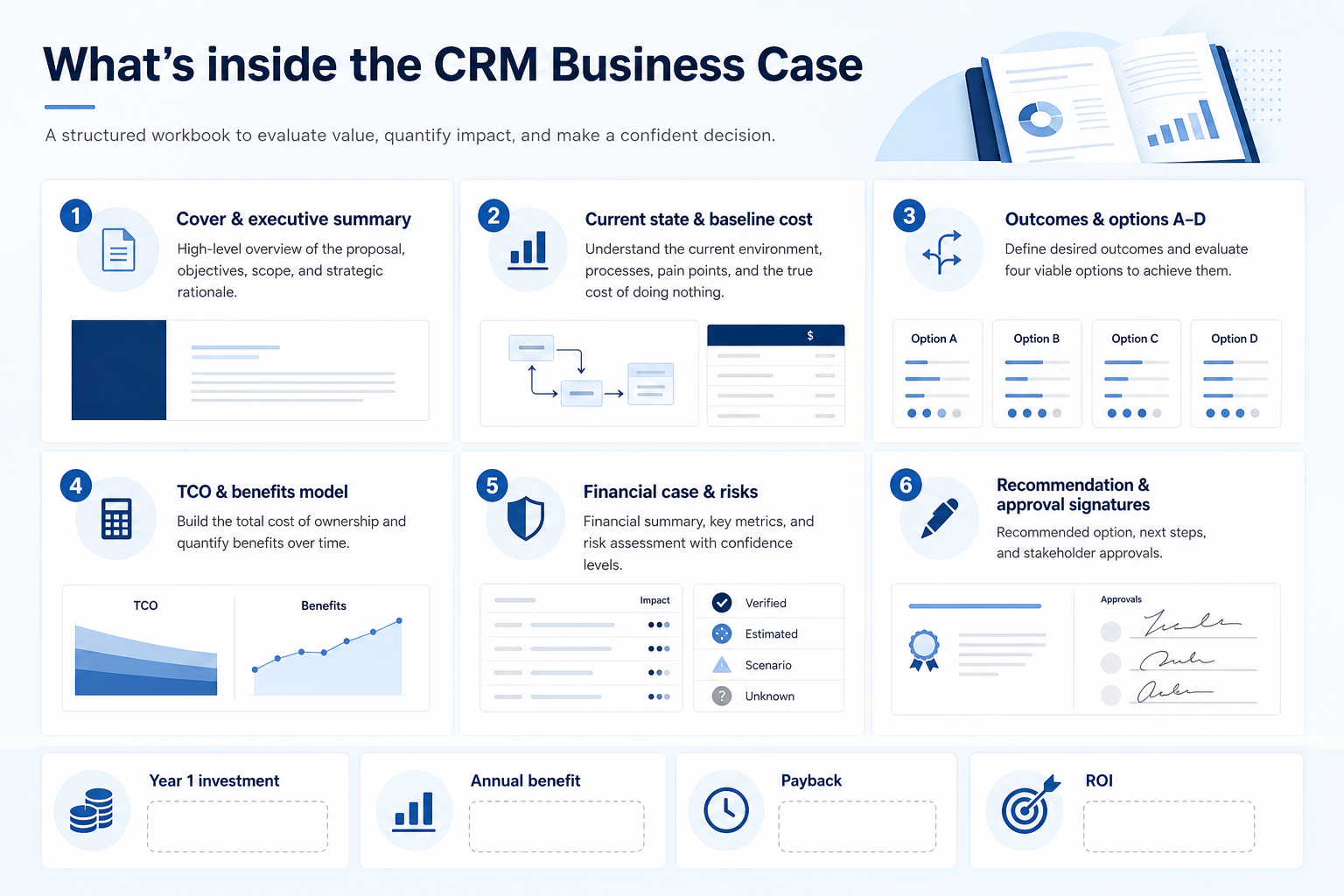
Cover & executive summary
Decision ask, current problem, recommended option, investment, benefit, payback, and decision date.
Current state & baseline cost
Problem, process, systems, pain points, and measurable current annual cost with confidence.
Outcomes & options
Success targets plus Options A–D so the case is not “we want Vendor X.”
TCO & benefits model
Year 1 and recurring costs, productivity / revenue scenarios / cost avoidance — labelled assumptions.
Financial case & risks
KPI cards, 3-year cash flows, payback/ROI when inputs exist, risks, and dependencies.
Recommendation & approval
Recommendation narrative, assumptions register, and formal sponsor / finance decision block.
What this tool helps you do
An ask leadership can decide
Problem, options, costs, benefits, risks, and decision appear in one coherent pack.
Finance can stress-test the model
Excel formulas expose drivers; confidence labels show what still needs validation.
Useful after the signature
Roadmap and 30/90/6/12-month checkpoints turn the case into a realisation plan.
How to use this template
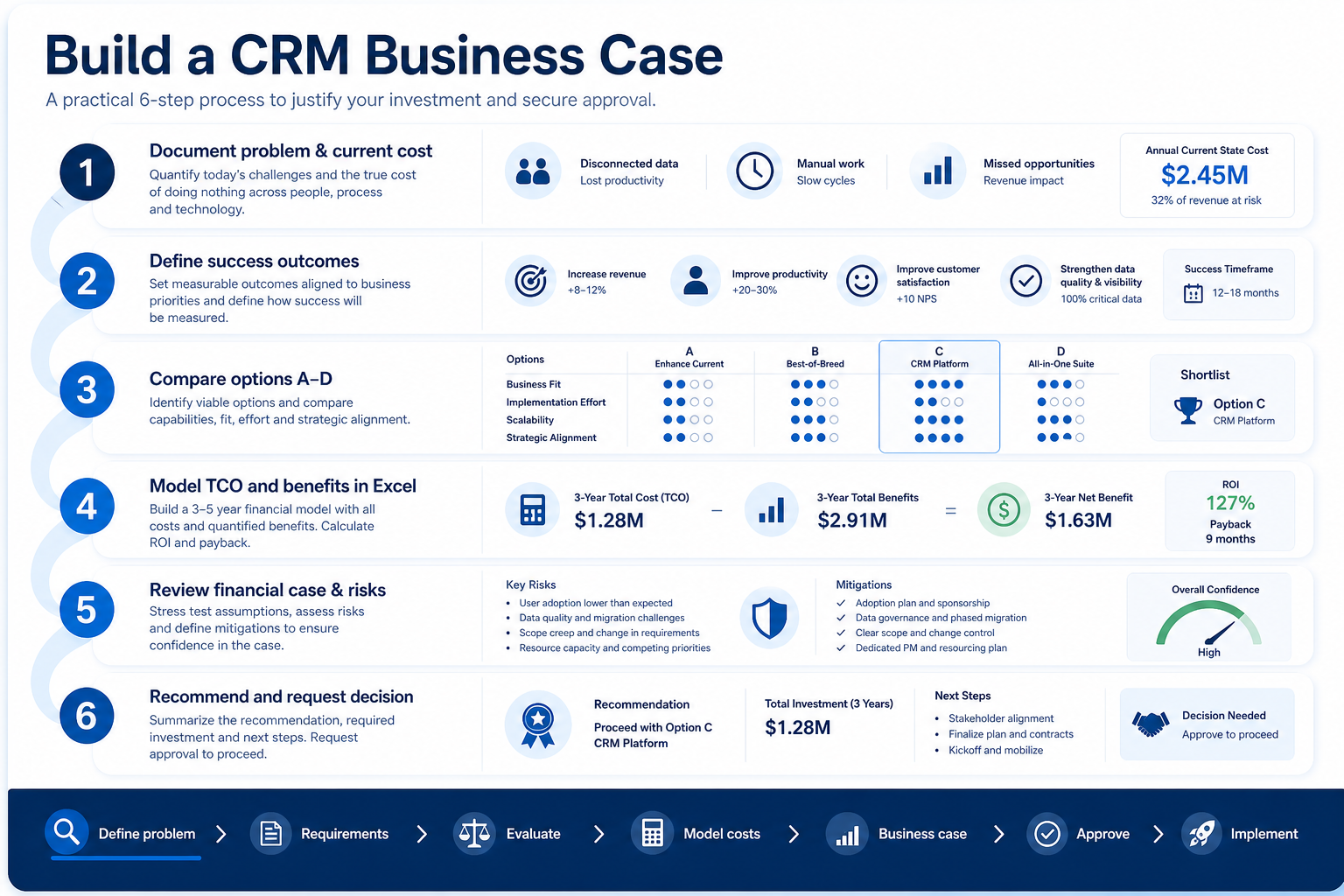
- 1
Document problem & current cost
Baselines, systems, pain points, and estimated current annual cost with confidence.
- 2
Define success outcomes
Targets, measurement, owners, and non-financial strategic value.
- 3
Compare options A–D
Do nothing, improve existing, implement CRM, alternative — then recommend.
- 4
Model TCO and benefits
Excel sheets for Year 1, recurring, productivity, scenarios, avoidance.
- 5
Review financial case & risks
Payback/ROI only when inputs exist; register assumptions and mitigations.
- 6
Recommend and request decision
Write the ask, realisation plan, and approval block for sponsor / finance.
Example business case structure
Download PDFRepresentative sections from the PDF workbook and Excel model. Full pack includes TCO, benefits, financial case, risks, assumptions register, and approval.
Step 1
1. Cover & executive summary
What an executive reads first.
- Decision request (“We are requesting approval to…”) — One clear ask sized to completed diligence.
- Current problem / recommended option / investment / benefit / payback — Compact executive summary fields — blank until evidenced.
Step 2
2. Why change? (current state)
Problem, process, systems, and pain points.
- Business problem and current process narrative — 2–4 sentences + how work runs today.
- Systems and pain-point tables — Replace / integrate / retain; evidence/source columns.
Step 3
3. Current-state cost (baseline)
Measured vs estimated vs unquantified.
- Baseline metrics with confidence — Verified / Estimated / Scenario / Unknown on every row.
- Current annual cost estimate + total — Admin, reporting, software, productivity, other.
Step 4
4. Desired outcomes
What success looks like.
- Outcome / baseline / target / measurement / owner / date — Operational targets you can re-measure.
- Non-financial benefits with strategic value H/M/L — CX, visibility, data quality, compliance, scalability, etc.
Step 5
5. Options considered
Prevent brand preference as the whole case.
- Options A–D comparison (cost, benefit, risk, fit) — Do nothing · Improve · CRM · Alternative.
- Why the recommended option — Narrative tied to the comparison — not vendor marketing.
- Flow: Current state → Investment → Benefits → ROI → Recommendation → Approval
Example scenario
Hypothetical teaching scenario — not a SoftwareGlimpse case study.
What counts as evidence?
Counts
- • Licence or quote figures marked Verified with a named source
- • Internal time or cost estimates marked Estimated with an owner
- • Scenario assumptions clearly labelled as modelling inputs
- • Blank or Unknown fields where validation is still required
Does not count
- • Invented ROI or productivity uplift percentages
- • Vendor marketing ROI applied without your own model
- • Pass / Fail checklist scoring as a substitute for financial justification
- • Cost totals with no stated assumptions or confidence
Related resource journey
FAQ
What questions does this template help me answer?
What problem we are solving, what happens today and what it costs, what success looks like, which options we considered, what the CRM will really cost, what benefits we expect, whether the investment is financially justified, what risks remain, what we recommend, and what decision is required.
When should I use the business case?
After initial problem definition and basic requirements discovery, and before final purchase approval or contract signature. Update it after vendor evaluation with real shortlisted costs. It sits near the approval stage — after evaluation, before implementation.
Do I need an ROI percentage?
Only if your model has enough inputs to calculate one. Inventing ROI weakens the case. Prefer Verified costs, Estimated internals, and clearly labelled Scenario benefits. Leave Unknown blank.
How is this different from the Evaluation Checklist?
The checklist tests whether a product meets requirements (Pass / Partial / Fail / Not tested). The business case justifies the investment and requests approval. Keep Pass/Fail on evaluation artifacts; use confidence badges here.
PDF vs Excel — which should I use?
Use the PDF as the narrative workbook for sponsors. Use Excel as the calculation engine (TCO, benefits, cash flows, payback, ROI). Fill numbers in Excel first, then transfer summary figures into the PDF.
How do I model CRM TCO?
Include Year 1 licences, add-ons, partner and internal effort, migration, integrations, training, change, security work, and contingency — then Year 2+ recurring licences, admin, support, and platform costs. The Excel 05_TCO sheet sums these into Year 1 investment, annual recurring, and 3-year TCO.
What are common mistakes?
Treating a vendor name as the case; ignoring do-nothing cost; quoting licence price as TCO; presenting scenario hours-saved as verified fact; inventing ROI; and asking for full purchase while must-have diligence is still open.
Which tools should I use before this?
Requirements Builder / template, CRM Finder, Evaluation Checklist, Vendor Scorecard, and Cost / TCO calculators. After approval, move to Implementation Checklist or Planner and measure outcomes against this case.
Ready to build your CRM business case?
Download the PDF workbook for sponsors, then populate the Excel financial model — without inventing ROI.
Part of CRM resources · CRM Software hub
SoftwareGlimpse Updates
Want clearer software shortlists? Get buying guides and comparisons by email.
Newsletter coming soon.