SoftwareGlimpse
CRM Software

CRM Selection Mistakes: Avoid the Buys Teams Regret

The most common CRM selection mistakes — demo theater, no requirements sheet, seat-price-only math, admin vacuum, and skipping exit — and how to catch each before signature.

By Lee M.Updated Aug 14, 20266 min readFact-checked

Quick answer

Most regretted CRM buys skip a requirements sheet, let vendor demos set the agenda, compare starting prices instead of qualifying plans, forget who will admin, or never prove data exit. Decision rule: if any of those five gaps is still open, pause signature — fix the gate artifact first (sheet, scripted scores, written diligence).

  • No sheet
  • Demo theater
  • Price-only
  • Admin vacuum
  • No exit
  • Pause to fix
Goals
Features
Integrations
Cost
Ease of use
Growth

Key takeaways

  • Mistakes are process failures Features rarely “betray” you; missing gates do.
  • Each mistake has a fix artifact Sheet, agenda, Calculator band, RACI, export test.
  • Late demos amplify bias Without scores, the last polished tour wins.
  • Regret shows up at renewal Plan gates and exit pain surface when switching is hardest.

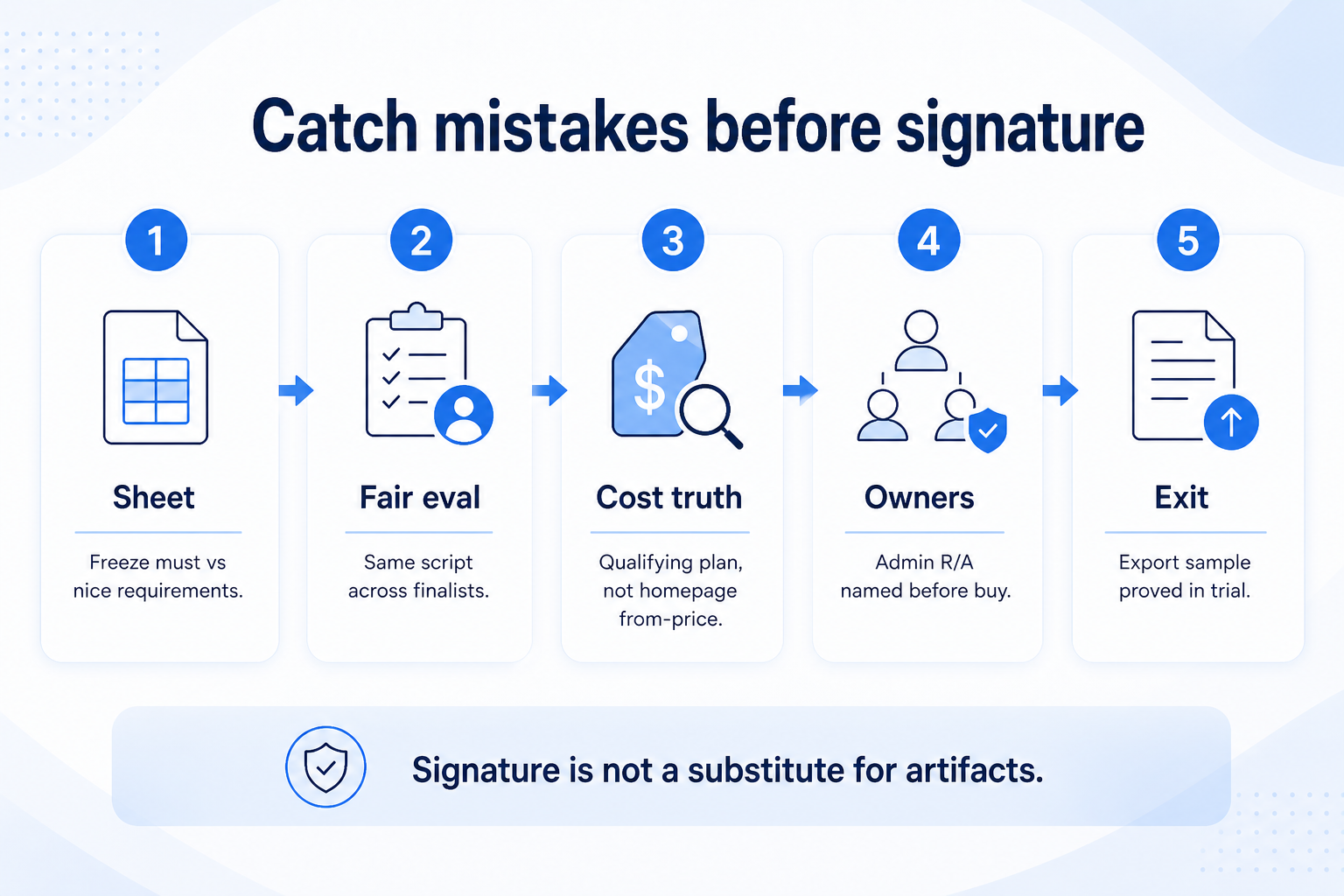
Catch mistakes before signature

  1. 1Requirements
  2. 2Same script
  3. 3Qualifying plan
  4. 4Admin named
  5. 5Export proved
Catch CRM selection mistakes before signature: requirements sheet, fair eval, cost truth, admin owners, export proved.
Each common mistake maps to a concrete artifact — signature is not a substitute.

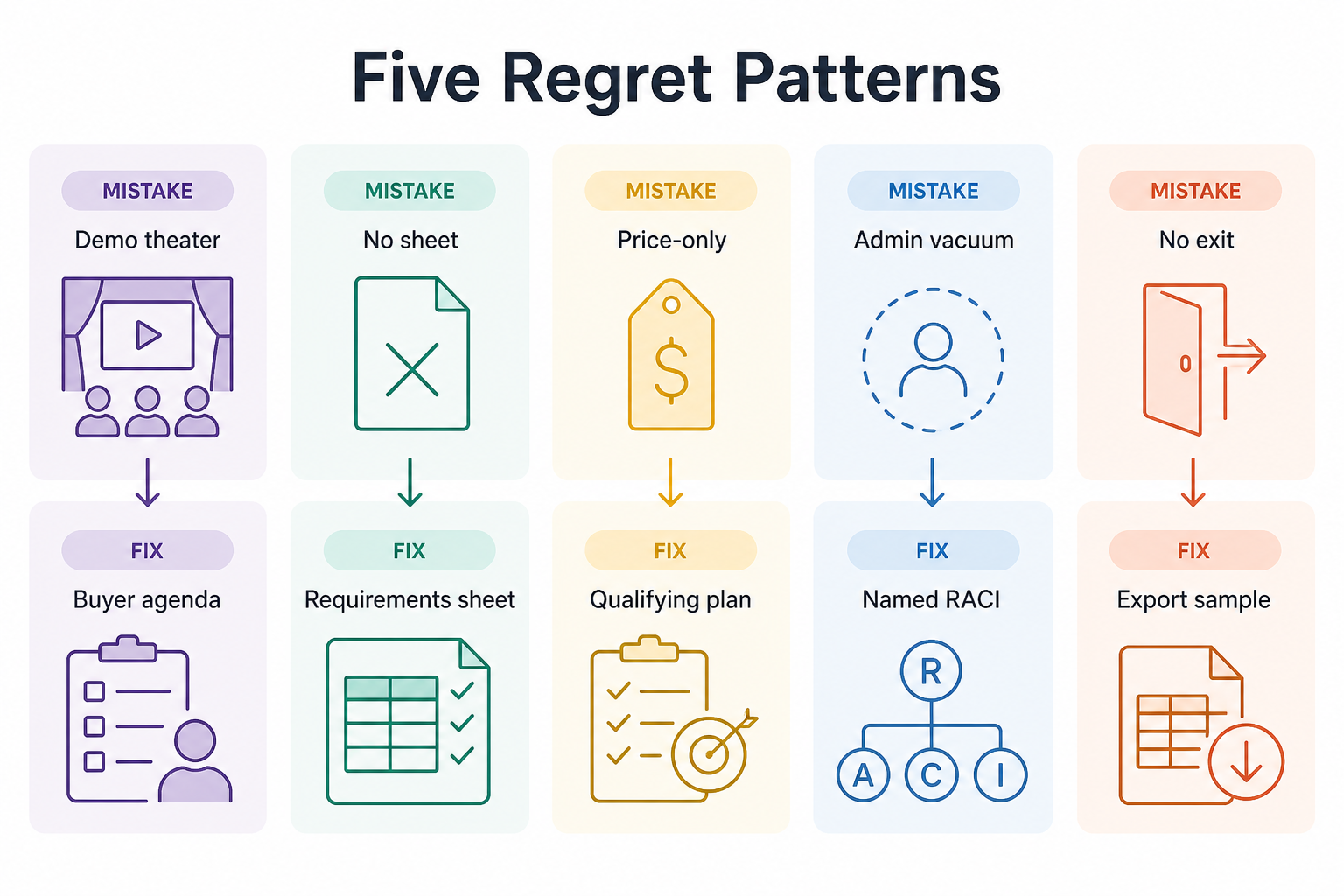
Five regret patterns

Five CRM selection mistake cards paired with fix artifacts: requirements sheet, buyer agenda, cost calculator, RACI admin owner, export sample.
Each common mistake maps to a concrete artifact — not a vague “be careful.”

1. Process mistakes: sheet, theater, and bias

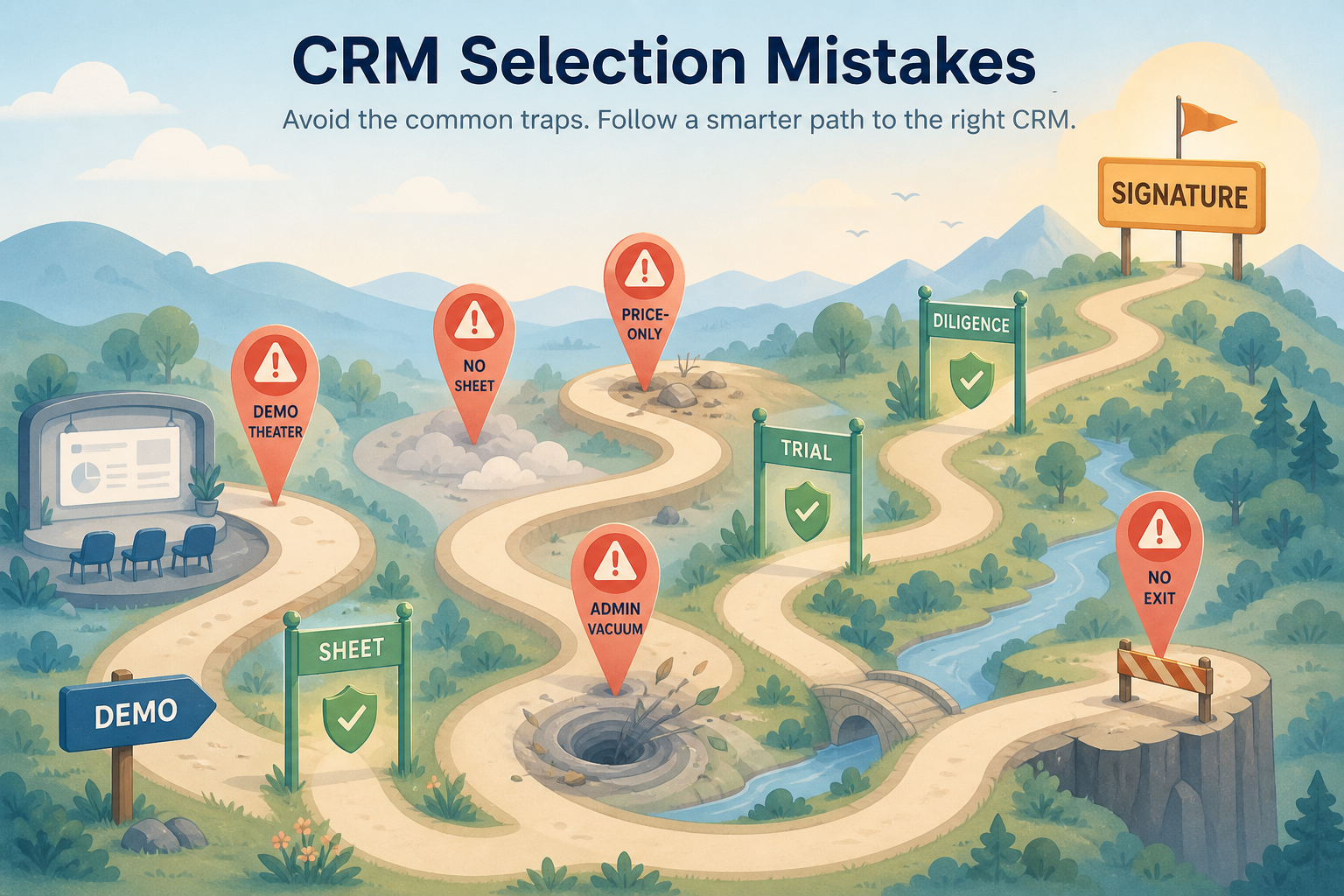
CRM selection mistakes hero: warning pins and gate checkpoints on the path to signature.
Pause at open gates — signature is not a substitute for artifacts.
  • No requirements sheet

    Fix: freeze must vs nice + constraints before demos.

  • Demo theater

    Fix: buyer agenda; must-haves first (Demo Guide).

  • Last-demo bias

    Fix: same-day scores on one card (Evaluation Guide).

Buying from a feature tour without a must/nice sheet, letting the vendor own the demo agenda, or changing scorecard weights midstream all produce the same outcome: preference dressed up as evaluation.

Example: a 12-person B2B advisory team almost signed after a charismatic demo. They stopped, wrote three 90-day outcomes in the Requirements Builder, ran the same non-admin script on two finalists, and dropped the demo favorite when sellers could not update next steps without an admin.

2. Commercial and operating mistakes

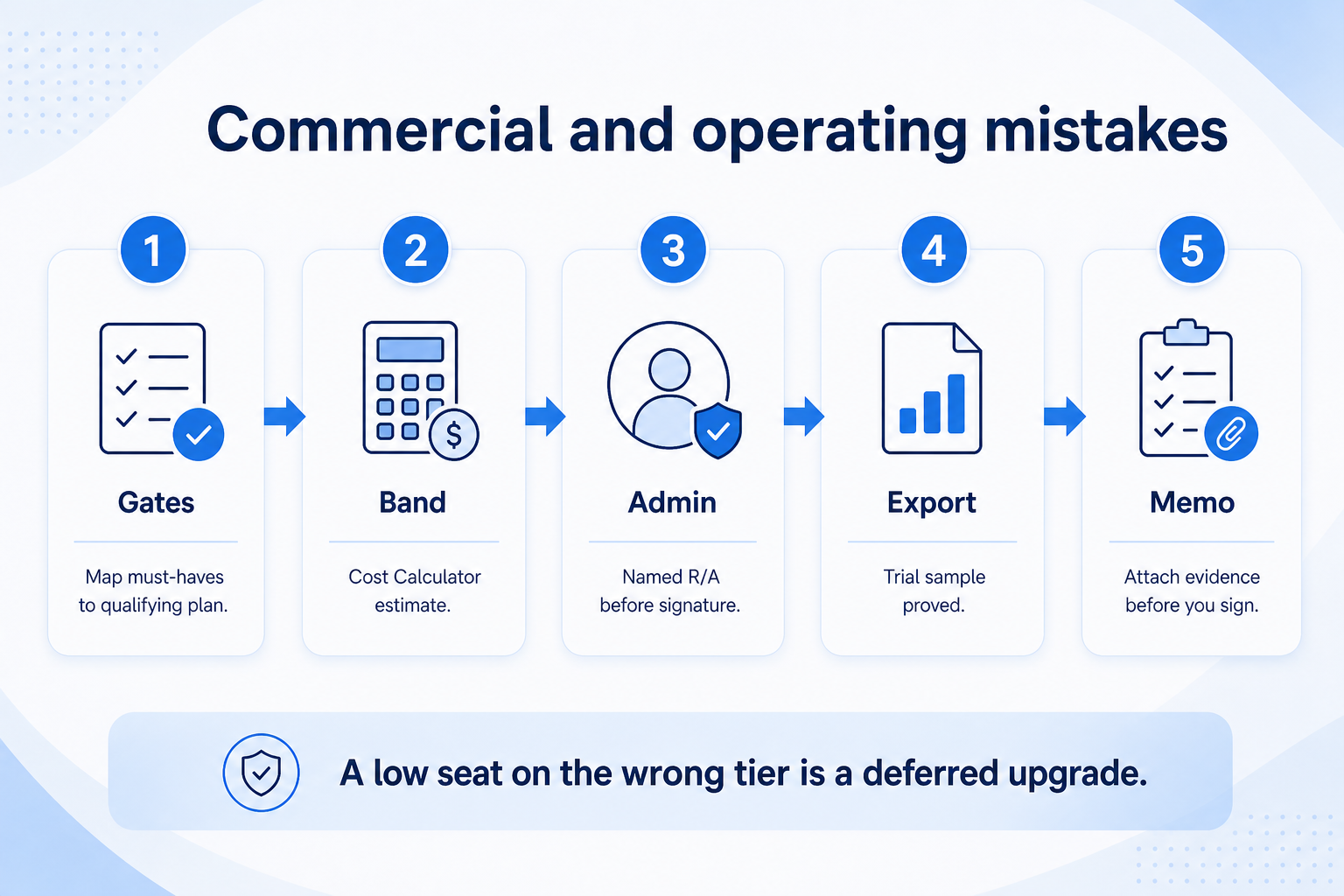
Commercial and operating CRM selection mistakes: map must-haves to plan, Calculator band, name admin R/A, prove export, memo before sign.
A low seat band on the wrong tier is not a savings — it is a deferred upgrade.
  • Price-only pick

    Fix: map must-haves → qualifying plan → Calculator band.

  • Admin vacuum

    Fix: name R/A for fields, users, hygiene before signature.

  • No exit plan

    Fix: written export path + sample in trial.

Comparing homepage “from” prices, ignoring add-on/plan gates, assigning no admin owner, and skipping export tests create renewal-time regret even when the UI looked fine.

Example: the same advisory team used the Cost Calculator only on plans that included email sync and board reporting, named ops for ~2 hours/week admin, and required a trial export sample before the decision memo.

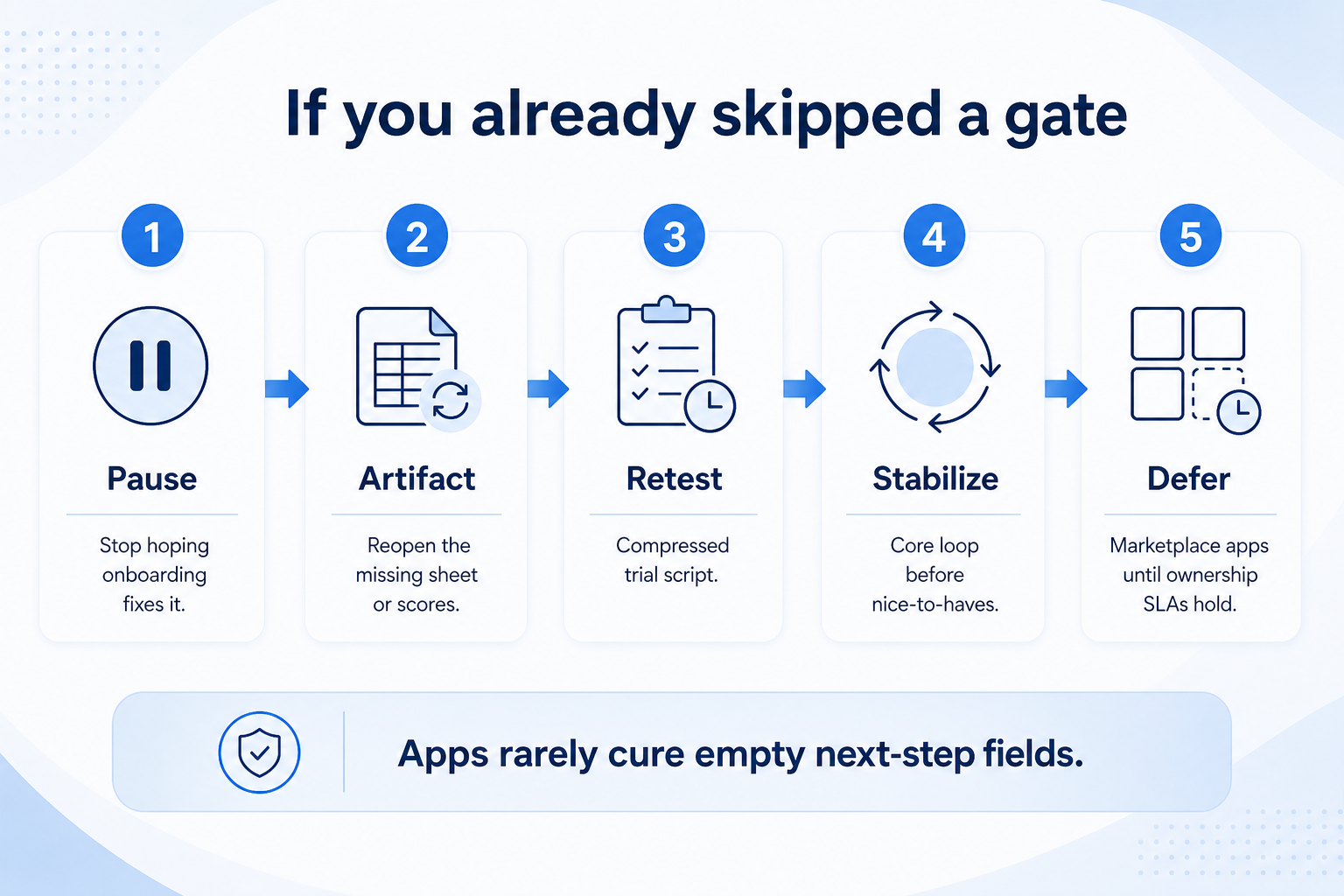
3. If you already skipped a gate

If you already skipped a CRM selection gate: hard pause, reopen artifact, compress trial, stabilize core loop, defer nice-to-haves.
Do not hope onboarding fixes a missing gate — reopen the artifact and stabilize the core loop.
  • Pre-signature gap

    Hard pause; complete sheet/scores/diligence.

  • Early post-buy gap

    Stabilize core loop; defer nice-to-haves.

  • Renewal looming

    Export test + plan-gate audit before you extend term.

Do not silently “hope onboarding fixes it.” Re-open the missing artifact: write the sheet, re-run a compressed trial script, or send the vendor question bank before renewal auto-charges.

Example: six weeks post-purchase, the team still rebuilt Fridays in Sheets. They paused new automation, rewrote outcomes, simplified fields, and scheduled a 30-day adoption review — treating process debt as the bug, not “more features.”

High-cost selection mistakes

  • Signing after one demo

    No sheet, no non-admin trial, no written plan gates.

  • Buying the cheapest tile

    Must-haves live on another tier — confirm before comparing.

  • Nobody owns the CRM

    Without an admin, data quality collapses regardless of product.

  • Ignoring integrations you already live in

    Marketplace logos are not your workflow proof.

  • Skipping export until you are unhappy

    Exit is cheapest to learn on day one.

  • Re-weighting the scorecard to crown a favorite

    Freeze weights before trials; document tradeoffs instead.

4. Shortlist only inside the same job cluster

Compare tools whose core product matches the weekly output you named. Adjacent tools can integrate later — they should not hijack the primary shortlist because of brand familiarity.

Worked example: A team that needs meeting transcripts shortlists Otter-class tools, not a general chat assistant, even if the chat tool also “does meetings.”

5. Trial the named workflow before signatures

Run the same script on two or three finalists. Success is a non-admin completing the weekly output without a rescue — not a polished vendor tour.

6. Use a one-page checklist before demos

For CRM Selection Mistakes: Avoid the Buys Teams Regret, list must-haves, owners, integrations, and the weekly ritual this purchase must improve. Share the sheet with finance and IT before you schedule a second demo.

  1. Name the primary job in one sentence.
  2. List must-have gates (plans, SSO, data residency, usage caps).
  3. Name integrations that must work on day one.
  4. Assign an admin owner and a weekly user champion.
  5. Define non-admin proof — what a sceptic completes without rescue.

Worked example: Harbor Ops refuses demos until the checklist is signed — cutting evaluation time in half.

7. Avoid the usual buying mistakes

Common failures in crm: buying for brand familiarity, comparing entry tiles across different usage units, skipping a fair trial script, and adding scope before adoption proves out.

Run one trial script on every finalist the same week. Score on the same card. Write a one-paragraph decision memo that names what you are not buying yet.

8. Hand off to the category shortlist

When assumptions are frozen, continue on /best/crm-software/ with the same headcount, usage band, and must-have gates on every quote.

Example official CRM product videos

Optional · 2 examples · collapse if you don’t need them

Verified vendor product videos from the CRM catalogue for context while you read. They are examples only — not a ranked shortlist — and they do not replace SoftwareGlimpse recommendations on this page.

  • Official vendor video · example

    Attio — Attio | How to build your sales pipelines

    This video is hosted on YouTube

    This content is hosted by YouTube. The player loads only after you allow marketing cookies.

    Official vendor tutorial

    Attio | How to build your sales pipelines

    What this shows

    • Attio sales pipeline setup
    • pipeline building as presented by Attio
    Attio research →
  • Official vendor video · example

    folk — How to use folk for Deal management & Closing?

    This video is hosted on YouTube

    This content is hosted by YouTube. The player loads only after you allow marketing cookies.

    Official vendor tutorial

    How to use folk for Deal management & Closing?

    What this shows

    • folk deal management workflow
    • closing process as presented by folk
    folk research →

Frequently asked questions

  • What is the #1 CRM selection mistake?

    Skipping a demo-ready requirements sheet and letting vendor theater define success. Decision rule: no demos until outcomes, must-haves, and constraints are written.

  • We already bought — is this guide still useful?

    Yes. Use the same gates to diagnose adoption failure: sheet clarity, admin owner, core-loop usability, and exit readiness before you add complexity.

  • How do I avoid price-only decisions?

    Map must-haves to qualifying plans, estimate with the Cost Calculator, and list TCO categories from the Total Cost Guide — never invent dollar totals.

  • How many tools should we evaluate?

    Usually two or three finalists after a constrained shortlist. More demos without scores increase bias, not insight.

  • What should I do next?

    Walk Selection Process gates, build the sheet in Requirements Builder or the Requirements Guide, shortlist with CRM Finder, then evaluate fairly.

Was this article helpful?

Have more questions? Contact our support team.

SoftwareGlimpse Updates

Want clearer software shortlists? Get buying guides and comparisons by email.

Newsletter coming soon.