
Crm
Pipeline-first sales CRM for visual deal management, activity-based selling, and growing sales teams.
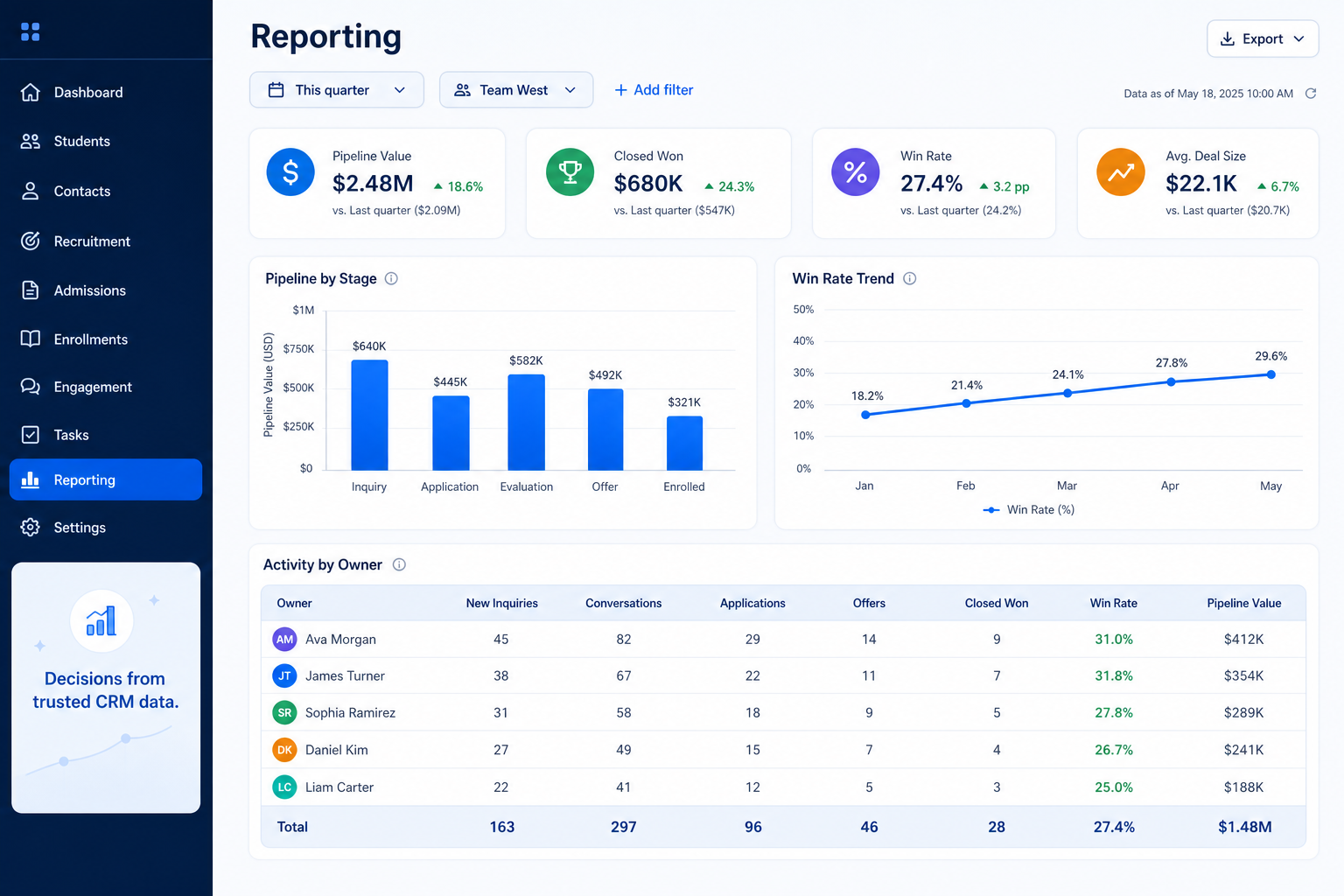
Dashboards and custom reports that turn CRM activity into something a manager can act on, without needing an analyst.
At a glance
Turn CRM data into reports and dashboards a manager can build and trust
Sales managers, RevOps, and leadership
Self-serve report building · Custom fields and filters in reports · Shareable dashboards · Activity plus pipeline combined
9 products to explore
Fit snapshot
Reporting is the CRM capability for building dashboards and custom reports from CRM data — pipeline by stage, conversion between stages, activity levels, and export for deeper analysis elsewhere. It's distinct from forecasting, which projects a specific future revenue number; reporting describes what has happened or is happening now.
Sales managers, RevOps, and leadership who need CRM data to answer real questions in a review, without rebuilding the numbers in a spreadsheet first.
How teams put CRM to work for reporting
Example 1
a manager who used to rebuild pipeline numbers in a spreadsheet before every Monday review. As a capability, reporting needs to let that manager build and save a stage-by-stage pipeline view directly in the CRM, without waiting on an administrator or exporting to Excel first.
Example 2
a leadership team that wants activity levels alongside pipeline data to explain a slow quarter. Reporting as a capability needs to combine activity — calls, emails, meetings — with pipeline metrics in the same report, not two separate exports that have to be manually reconciled.
These are the operating problems that usually push teams toward CRM for reporting — not feature wish lists.
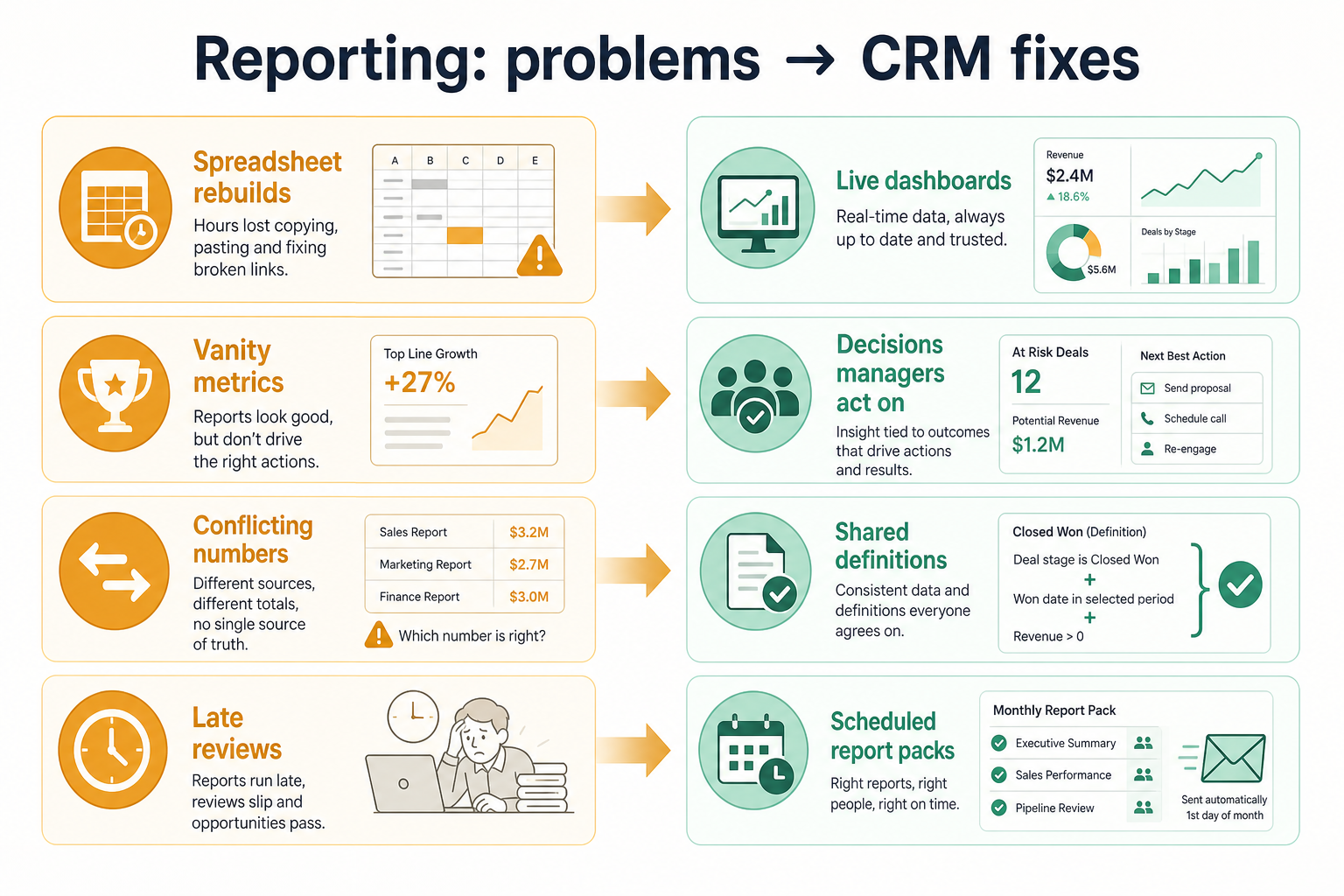
Without CRM discipline: A manager's question waits in a ticket queue instead of getting answered.
Without CRM discipline: Reports get rebuilt in a spreadsheet, so what's discussed lags reality.
Without CRM discipline: The custom fields your team actually tracks aren't reportable.
Without CRM discipline: You can't see whether low activity explains a slow pipeline.
A CRM only helps when the team keeps owners, history, and next steps current. Here is what “good” looks like for reporting.
With CRM discipline: Self-serve report builders let managers answer their own questions.
With CRM discipline: Live dashboards reflect current data instead of a snapshot from last week.
With CRM discipline: Reporting on custom fields lets you measure what actually matters to your process.
With CRM discipline: Combined activity and pipeline reporting connects cause and effect.
Managers answer their own questions
Report building doesn't wait on an administrator.
Numbers reflect current reality
Dashboards replace stale, manually rebuilt spreadsheets.
Reportable on the fields you actually track
Custom fields feed reports, not just default ones.
Activity and pipeline in one view
See what's driving results, not just the results themselves.
Evaluate whether a manager can build a report without administrator help, what fields reports can be built on, and how dashboards get shared — not the number of preset report templates.
Managers shouldn't need an administrator to answer a question.
Custom fields need to be reportable, not just stored.
A great report nobody sees doesn't help a review.
Understand why results look the way they do, not just what they are.
Start with must-haves your team will use weekly. Treat nice-to-haves as later upgrades — not day-one blockers.
Must-have
Nice-to-have
Explain pipeline changes with call and email activity.
Learn more →A simple operating loop beats a complex board nobody updates.
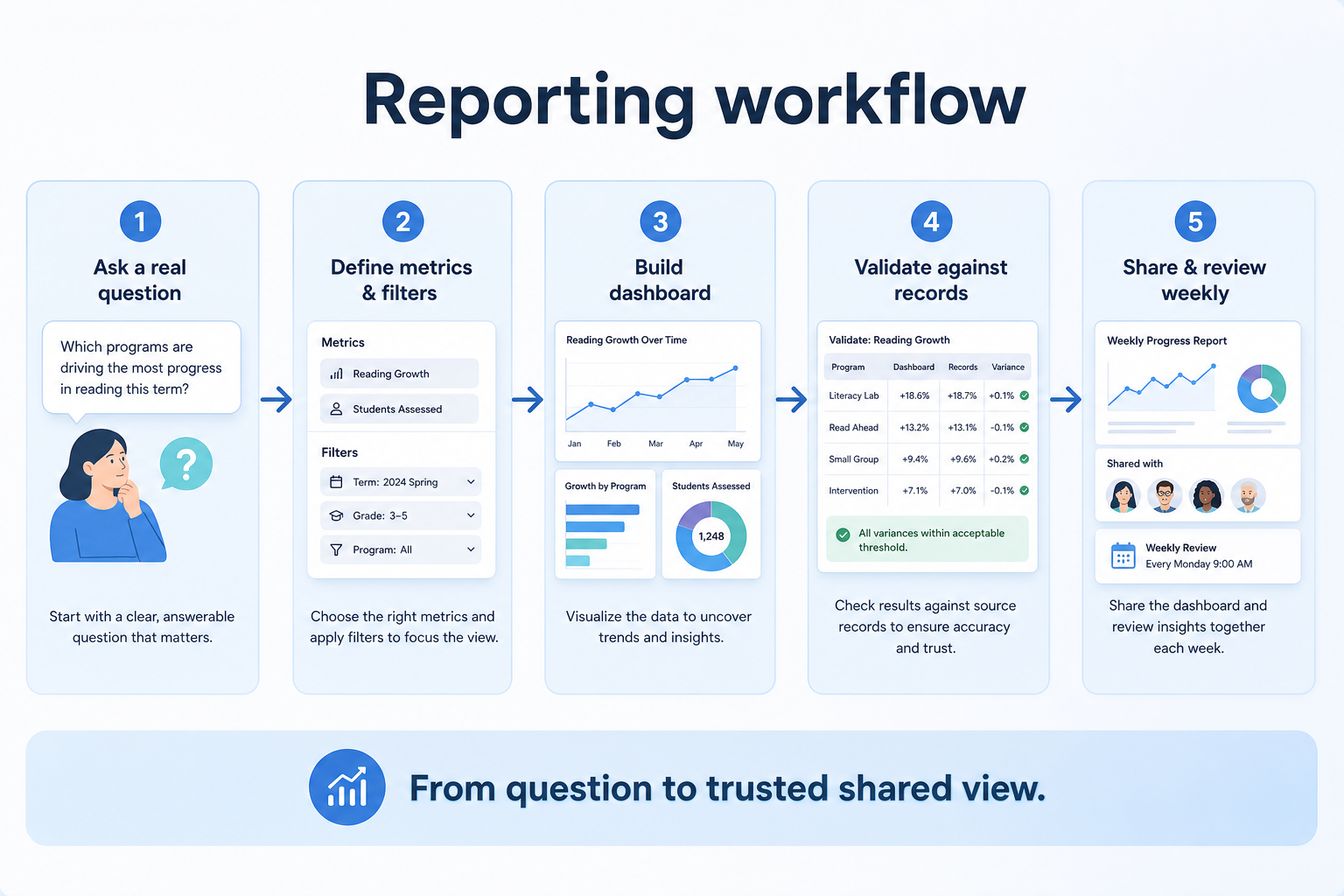
Decide the question a report or dashboard must answer.
A report is built on the relevant fields, filters, and groupings.
Dashboards are shared or scheduled to the people who need them.
The team reviews live numbers in a regular cadence.
Reports get adjusted as the questions that matter change.
Best when
A manager needs current, trusted numbers on a regular cadence.
Related page →Best when
Numbers get manually rebuilt before every review.
Related page →Best when
Sales, marketing, or finance stakeholders need the same shared numbers.
List the decisions a report or dashboard must support before building anything.
Check whether a manager, not just an admin, can build and edit reports.
Requirements guide →Build a report using the specific fields your team tracks, not default ones.
Trial evaluation →Confirm what happens once reporting needs outgrow native dashboards.
Catalogue products tagged to related use cases for reporting. Inclusion here is not a ranking.
Crm
Pipeline-first sales CRM for visual deal management, activity-based selling, and growing sales teams.

Crm
Freshworks sales CRM for lead management and pipeline workflows.

Crm
Sales-focused CRM for pipeline management and sales engagement workflows.

Crm
Relationship-focused CRM for small sales teams and founders.

Crm

Crm
Simple small-business CRM for contacts, sales pipelines, tasks, and lightweight automation without enterprise complexity.

Crm
Enterprise CRM platform for sales, service, marketing, and customer data across large and mid-market teams.

Crm
AI-powered customer platform with free forever CRM, plus paid Smart CRM seats and Sales/Marketing/Service hubs for growing teams.

Crm
Microsoft Dynamics 365 Sales CRM for pipeline management, forecasting, and Microsoft 365 / Copilot workflows.
It's the capability for building dashboards and custom reports from CRM data — pipeline, conversion, and activity — to describe what has happened or is currently happening.
Reporting describes what has happened or is happening now. Forecasting projects a future outcome from that data.
Usually not at first. It becomes worthwhile once you need CRM data joined to finance or product data, or history beyond what the CRM retains.
It depends on the product — confirm self-serve capability directly, since it varies significantly between platforms.
No. Fit depends on how your team works, which requirements are must-haves, and what the CRM has to integrate with. Use the requirement matrix and CRM Finder to build a shortlist rather than starting from a ranking.
Build pipeline-based forecasts teams can defend in weekly reviews.
Track opportunities through defined stages with owners and next steps.
Assistive CRM features and agentic sales workflows — verified governance and credit TCO before trust.
Next steps after evaluating reporting — decision tools and pages. Affiliate relationships never change recommendations.
Use Finder for a fit-based shortlist, compare products, or build a requirements checklist before demos.
Part of CRM capabilities · CRM Software hub
Want clearer software shortlists? Get buying guides and comparisons by email.
Newsletter coming soon.