CRM feature
Analytics in CRM Software
Compare how CRM platforms support analytics — availability, plan requirements, limits and implementation differences, based on researched evidence.
- Verified product evidence
- Same feature definition across products
- Affiliate-independent comparisons
Feature at a glance
Feature type
Reporting / analysis
Primary capability
Reporting and forecasting
Typical buyer need
Someone needs to explain why the numbers moved, not just report that they did
Common limitation
Advanced analytics is usually a top-tier or add-on capability with its own learning curve
Products covered
10
Evidence records
560
Reviewed 15 Aug 2026
What is analytics?
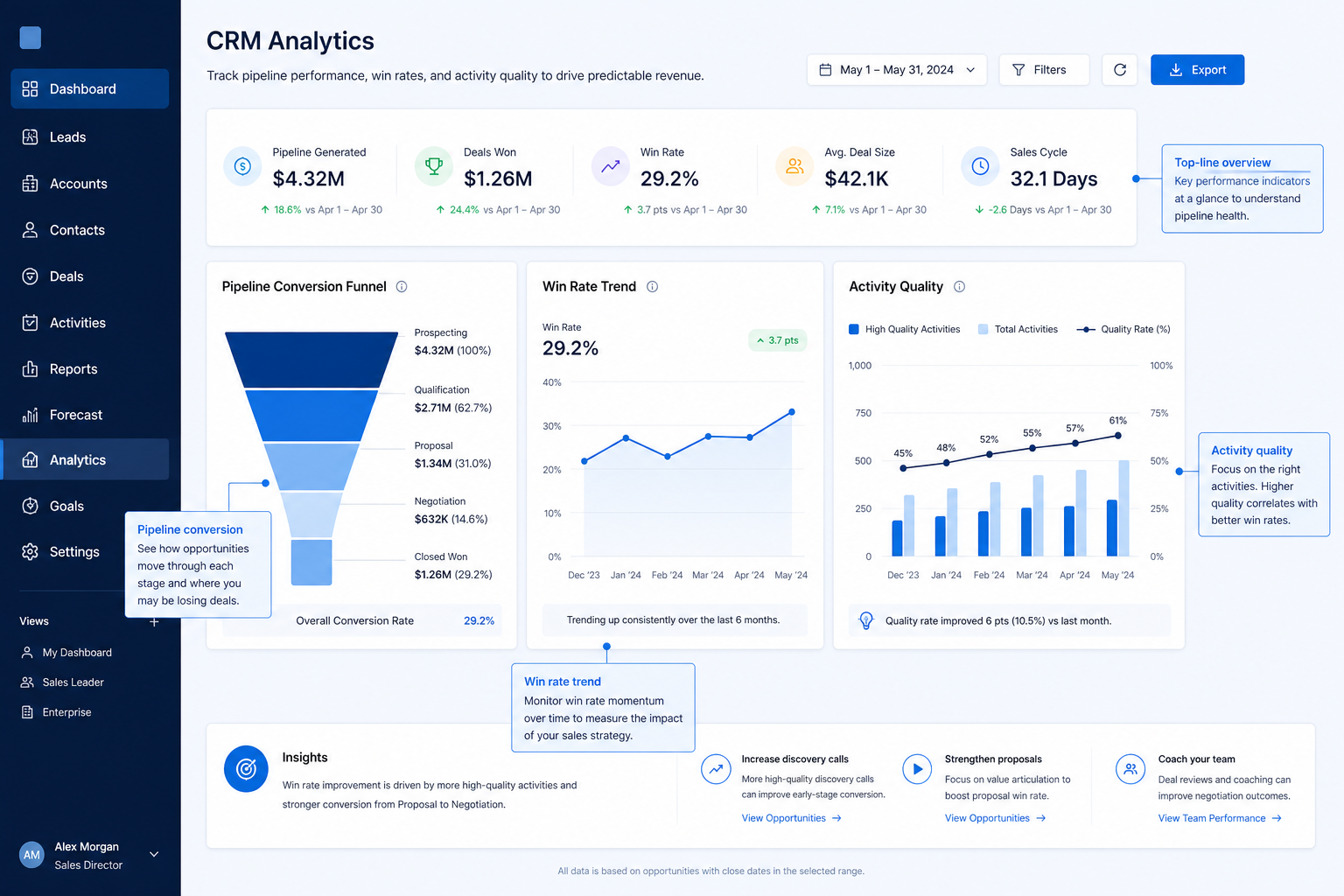
CRM analytics goes beyond standard reports to explore trends, conversion patterns, activity correlation, and derived metrics across the CRM dataset.
Analytics is NOT the same as
- Standard reports and dashboards
- Forecasting
- A dedicated BI or warehouse platform
- Website or product analytics
How it runs
Typical workflow
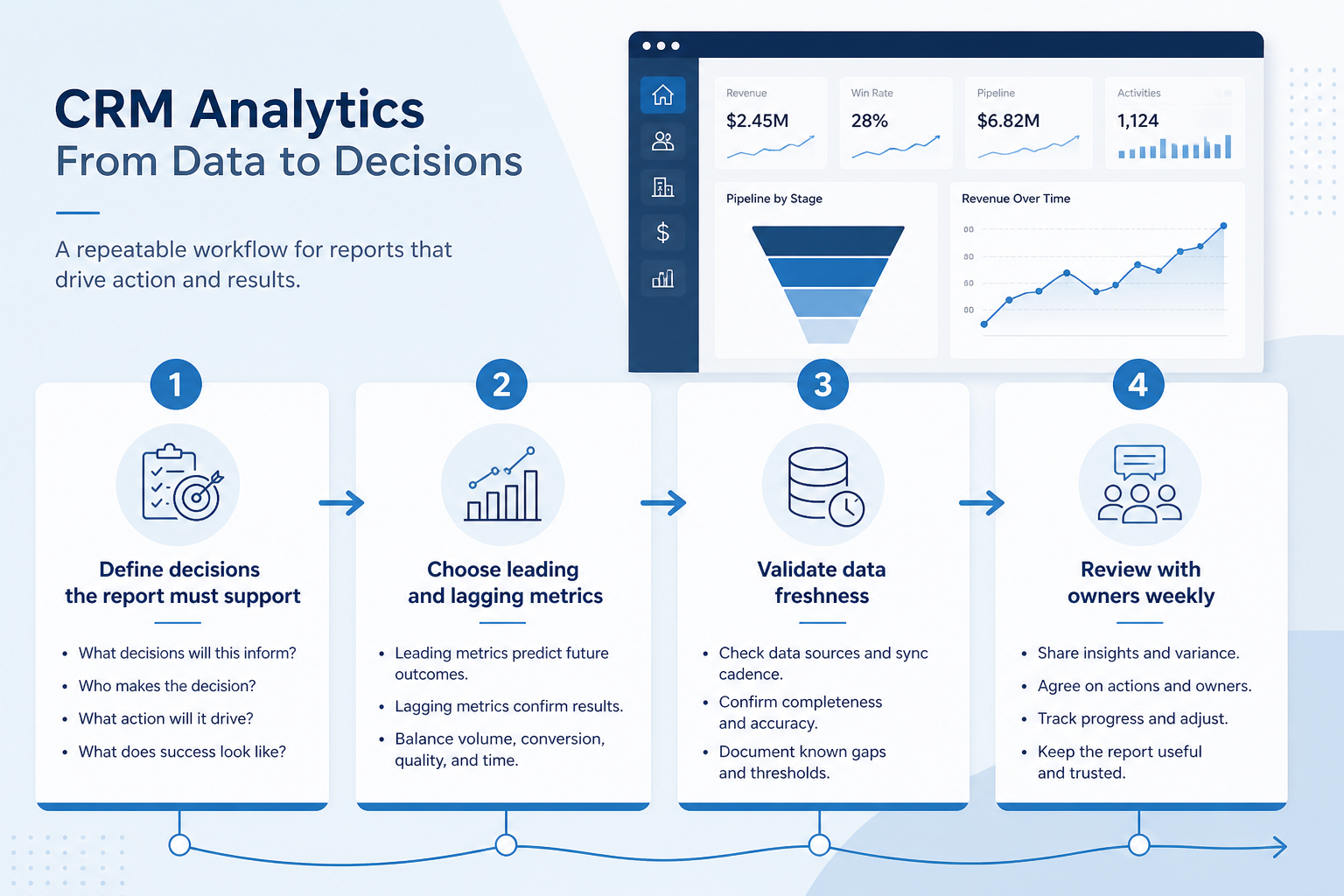
- 1
Define the job
Describe the weekly scenario where analytics must work — not the marketing name alone.
- 2
Check product support
Confirm availability, plan tier, and known limits from researched product evidence — unknown stays unknown.
- 3
Map to requirements
Link the feature to the buyer requirements it actually satisfies before treating it as a must-have.
- 4
Verify in a trial or demo
Run the scenario end-to-end with the fields, permissions, and related features your team needs.
Worked examples for analytics
Concrete buyer situations — not product recommendations. Use them to test whether a CRM’s implementation matches how your team works.
- 1
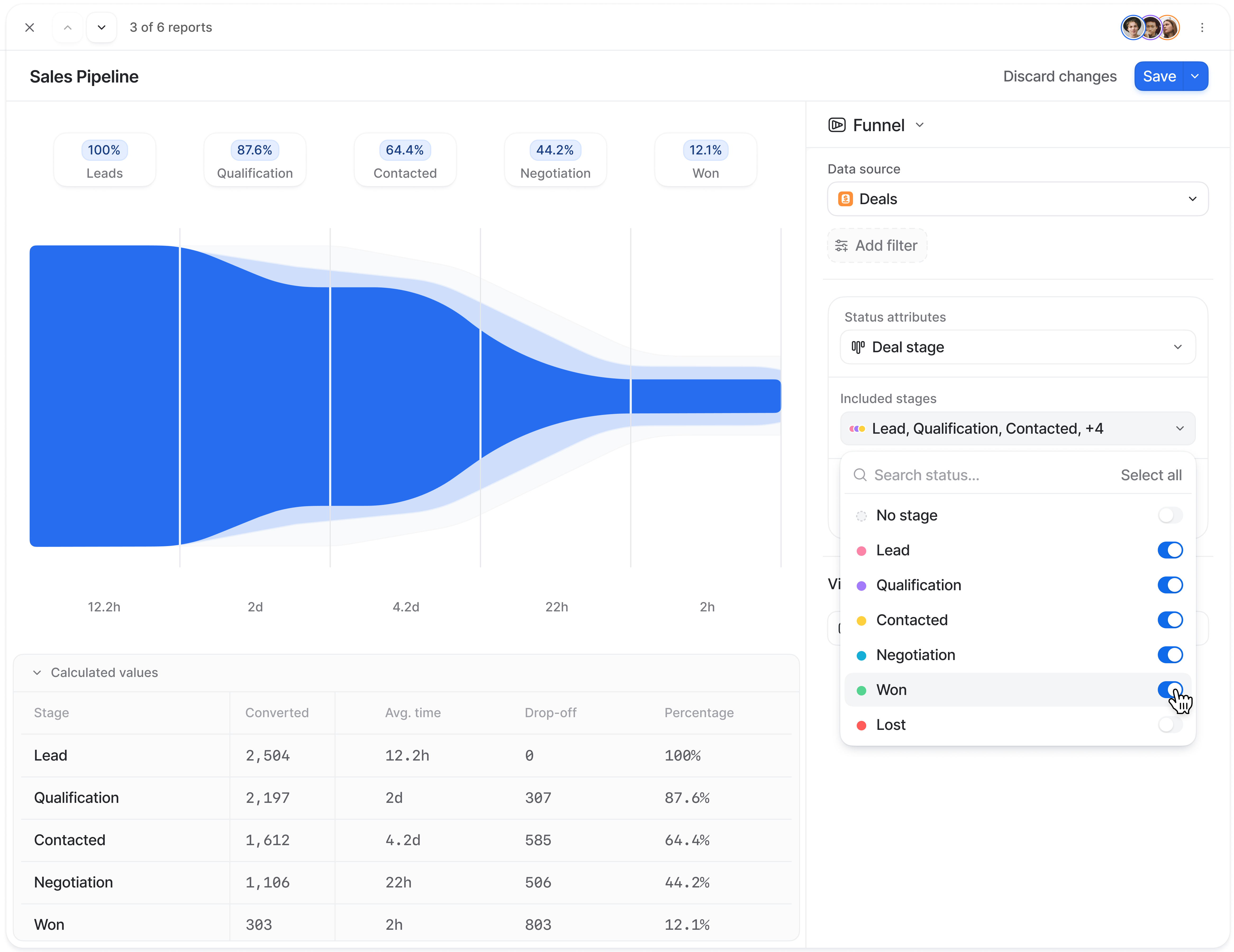
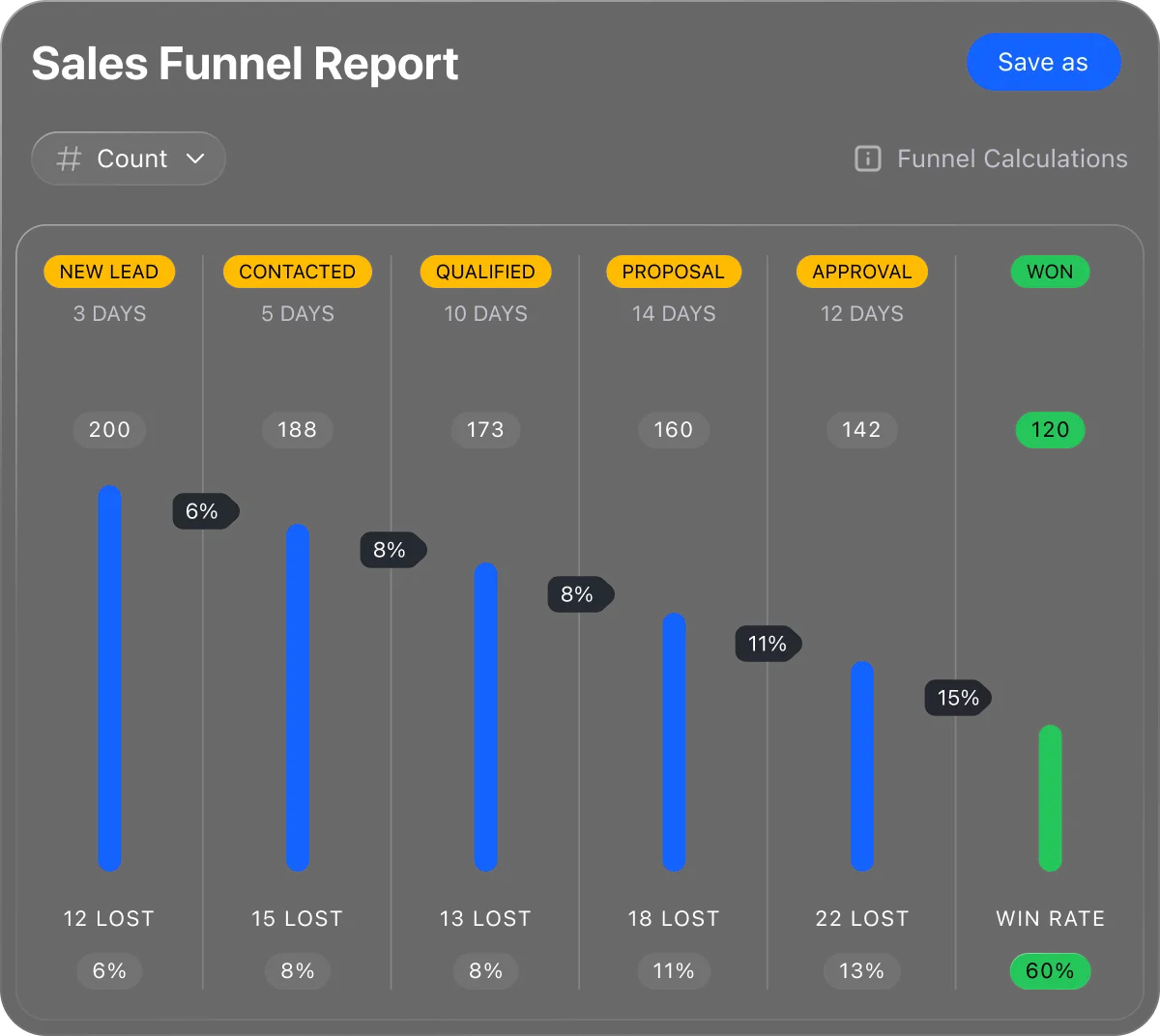
Find where conversion drops
Situation
Lead volume is fine but revenue is flat. Nobody can see which stage loses the most deals.
What good looks like
Funnel or conversion analytics show stage-to-stage drop-off over a chosen period.
Ask vendors
Which analytics are native vs add-on? Can we filter by team/source without exporting?
Do you actually need this feature?
You probably need it if
- You need to understand why conversion is changing
- Someone owns analysis as part of their role
- Standard reports keep prompting follow-up questions
You may not need it if
- Standard reports answer your current questions
- Nobody has time to explore data regularly
Where this feature fits
Capability
Reporting and forecasting
Requirement
Forecast revenue
Feature
Analytics
How we evaluate this feature
Feature availability
criticalMinimum plan
highUnderlying reporting
highHistorical data retention
importantData export for external analysis
important
Which requirements does this feature help satisfy?
Which CRM products support analytics?
Not verified means insufficient evidence — not the same as unsupported.

ACT!
Not verifiedDepthUnknown- From plan
- Not verified
- Known limit
- Not verified
- Evidence
- 4 sources
- Evidence confidence
- Medium

Affinity
Not verifiedDepthUnknown- From plan
- Not verified
- Known limit
- Not verified
- Evidence
- 4 sources
- Evidence confidence
- Medium

Agile CRM
Not verifiedDepthUnknown- From plan
- Not verified
- Known limit
- Not verified
- Evidence
- 4 sources
- Evidence confidence
- Medium

Apptivo
Not verifiedDepthUnknown- From plan
- Not verified
- Known limit
- Not verified
- Evidence
- 4 sources
- Evidence confidence
- Medium

Attio
Not verifiedDepthUnknown- From plan
- Not verified
- Known limit
- Not verified
- Evidence
- 2 sources · 1 screenshots
- Evidence confidence
- Medium
Compare analytics support
Cells use feature support. Unknown is never treated as No. Official videos open from evidence — they are never embedded in the matrix.
| Dimension | |||||
|---|---|---|---|---|---|
| Feature availability | Not verified | Not verified | Not verified | Not verified | Not verified |
| Minimum plan | Not verified | Not verified | Not verified | Not verified | Not verified |
| Underlying reporting | ◐Limited | Supported | Supported | Supported | Supported |
| Historical data retention | Not verified | Not verified | Not verified | Not verified | Not verified |
| Data export for external analysis | Supported | Supported | Supported | Supported | Supported |
How products implement this feature differently
Two products can both support the feature while differing in depth. Official demos below are supplementary — the comparison matrix remains the structured source of truth.
Underlying reporting
Compare how products differ on underlying reporting rather than assuming parity.
- ACT!Limited
- AffinitySupported
- Agile CRMSupported
Historical data retention
Compare how products differ on historical data retention rather than assuming parity.
- ACT!Not verified
- AffinityNot verified
- Agile CRMNot verified
Data export for external analysis
Compare how products differ on data export for external analysis rather than assuming parity.
- ACT!Supported
- AffinitySupported
- Agile CRMSupported
Loading evidence explorer…
See analytics in the products
Verified product captures only — never stock imagery or mockups.
How each product handles analytics
ACT! analytics
Not verified · UnknownEvidence: 2 · Medium confidence
We have not verified analytics support for ACT! yet.
Strengths
- Data export for external analysis: supported
Limitations
- Underlying reporting: Limited
Best for: Established SMBs already familiar with ACT!
Affinity analytics
Not verified · UnknownEvidence: 2 · Medium confidence
We have not verified analytics support for Affinity yet.
Strengths
- Underlying reporting: supported
- Data export for external analysis: supported
Limitations
- No major limitations surfaced for this feature.
Best for: Venture capital and private equity relationship teams
Agile CRM analytics
Not verified · UnknownEvidence: 2 · Medium confidence
We have not verified analytics support for Agile CRM yet.
Strengths
- Underlying reporting: supported
- Data export for external analysis: supported
Limitations
- No major limitations surfaced for this feature.
Best for: Budget-conscious SMBs wanting freemium CRM
Apptivo analytics
Not verified · UnknownEvidence: 2 · Medium confidence
We have not verified analytics support for Apptivo yet.
Strengths
- Underlying reporting: supported
- Data export for external analysis: supported
Limitations
- No major limitations surfaced for this feature.
Best for: SMBs wanting CRM plus adjacent business apps
Attio analytics
Not verified · UnknownEvidence: 2 · Medium confidence
We have not verified analytics support for Attio yet.
Strengths
- Underlying reporting: supported
- Data export for external analysis: supported
Limitations
- No major limitations surfaced for this feature.
Best for: Startups and GTM teams wanting flexible CRM
What to watch out for
Analytical depth vs usability
Deeper analysis tools need skill; simpler dashboards get used more often.
CRM analytics vs a warehouse
CRM analytics only sees CRM data; cross-system questions need export.
Plan restrictions
Availability and depth often differ by plan tier, so check where this feature starts.
Feature availability alone does not tell you whether the implementation fits your workflow. Compare depth, plan gating, and related dimensions before shortlisting.
Questions to ask vendors about analytics
- What analysis is possible beyond standard reports?
- How much history is retained for trend analysis?
- Can we define calculated metrics?
- Is analytics included, an upper tier, or an add-on?
- Can data be exported for external analysis?
Compare products on this feature


Related products
Related requirements
Need analytics?
Add this as a requirement in your CRM shortlist and personalize for team size, budget, and other priorities.
Find My CRMEvidence behind this feature comparison
10
Products covered
560
Evidence items
277
Screenshots
0
Plan records
How we evaluate analytics
Capability
Reporting and forecasting
Requirement
Forecast revenue
Feature
Analytics
Products
10 researched
Evidence
560 records
Evaluation steps
- Define what counts as the feature
- Break it into evaluation dimensions
- Collect product evidence from research
- Map support, plans, and limitations
- Compare products consistently
- Editorially review conclusions
Frequently asked questions
What is CRM analytics?
It is deeper analysis of CRM data — trends, funnels, correlations, and derived metrics — beyond the standard report set.
How is analytics different from reporting?
Reporting answers known questions repeatedly. Analytics is for exploring why something changed.
Do we need CRM analytics or a BI tool?
CRM analytics is enough while the questions stay inside CRM data. Cross-system analysis needs export into a warehouse or BI platform.
Need a CRM with analytics?
Compare catalogue CRM products based on this feature plus your other requirements, team size and budget.
- Free to use
- No signup required
- Independent recommendation model