
Crm
Pipeline-first sales CRM for visual deal management, activity-based selling, and growing sales teams.
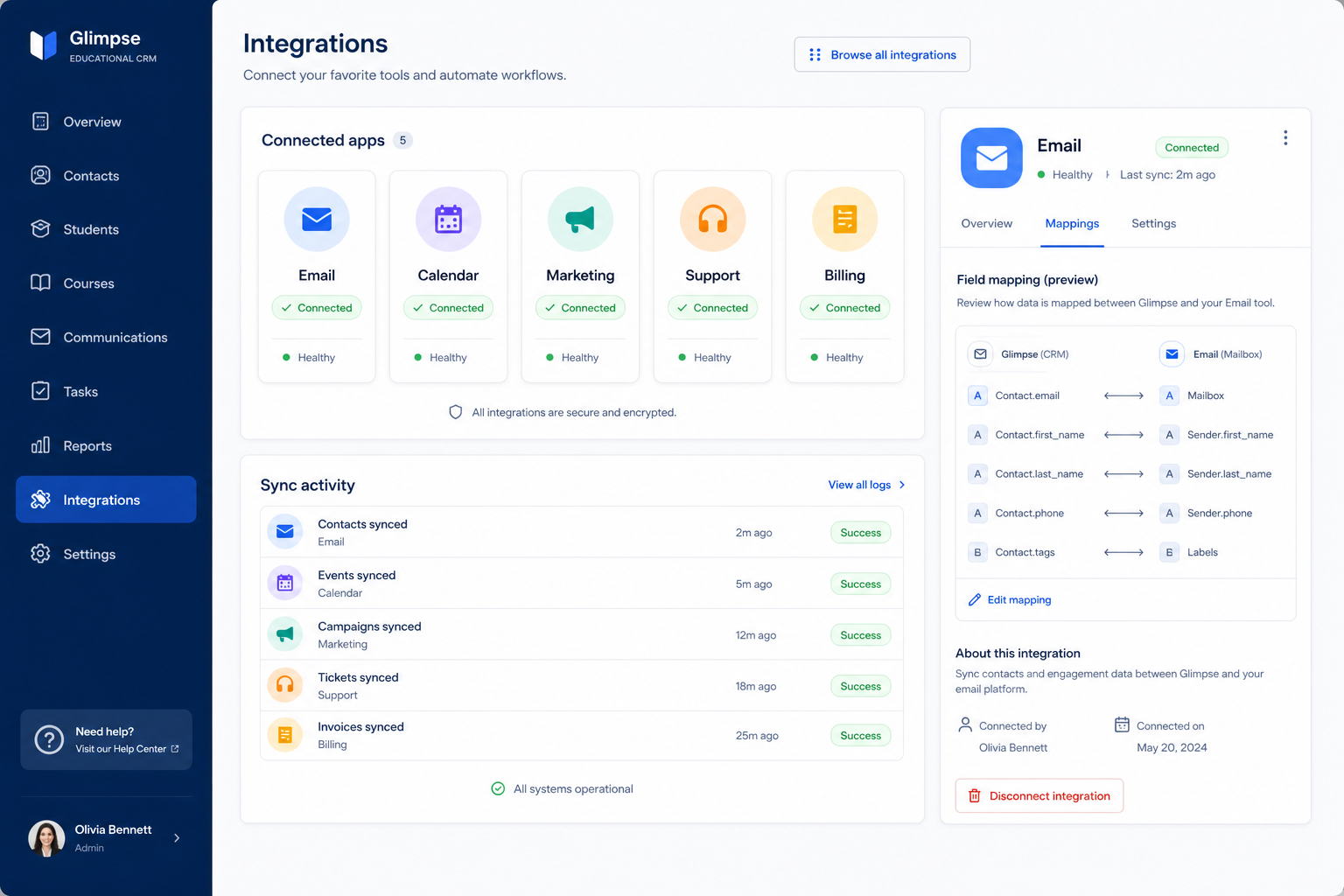
Native connectors and API access that keep the CRM synced with the tools your team already works in.
At a glance
Connect the CRM to the tools your team already depends on, without manual re-entry
RevOps, IT, and sales ops
Native integration depth · Sync direction and conflict rules · API access and limits · Webhook support
9 products to explore
Fit snapshot
Integrations is the CRM capability covering how the software connects to everything else — email and calendar, native app connectors for your stack, and API access for anything without a prebuilt connector. It decides whether the CRM reflects reality automatically or becomes one more place to re-enter data.
RevOps, IT, and sales ops evaluating whether a CRM will connect cleanly to an existing tool stack — not just whether it has an integration marketplace with a large number of listings.
How teams put CRM to work for integrations
Example 1
a team whose CRM and accounting system both hold customer records. As a capability, integrations need real two-way sync with a clear conflict rule — otherwise invoices and CRM records drift out of sync and someone has to manually reconcile them.
Example 2
a company using a niche industry tool with no native connector. Integrations as a capability needs a usable API with reasonable rate limits, so a custom connection can be built — otherwise that system stays permanently disconnected from the CRM.
These are the operating problems that usually push teams toward CRM for integrations — not feature wish lists.
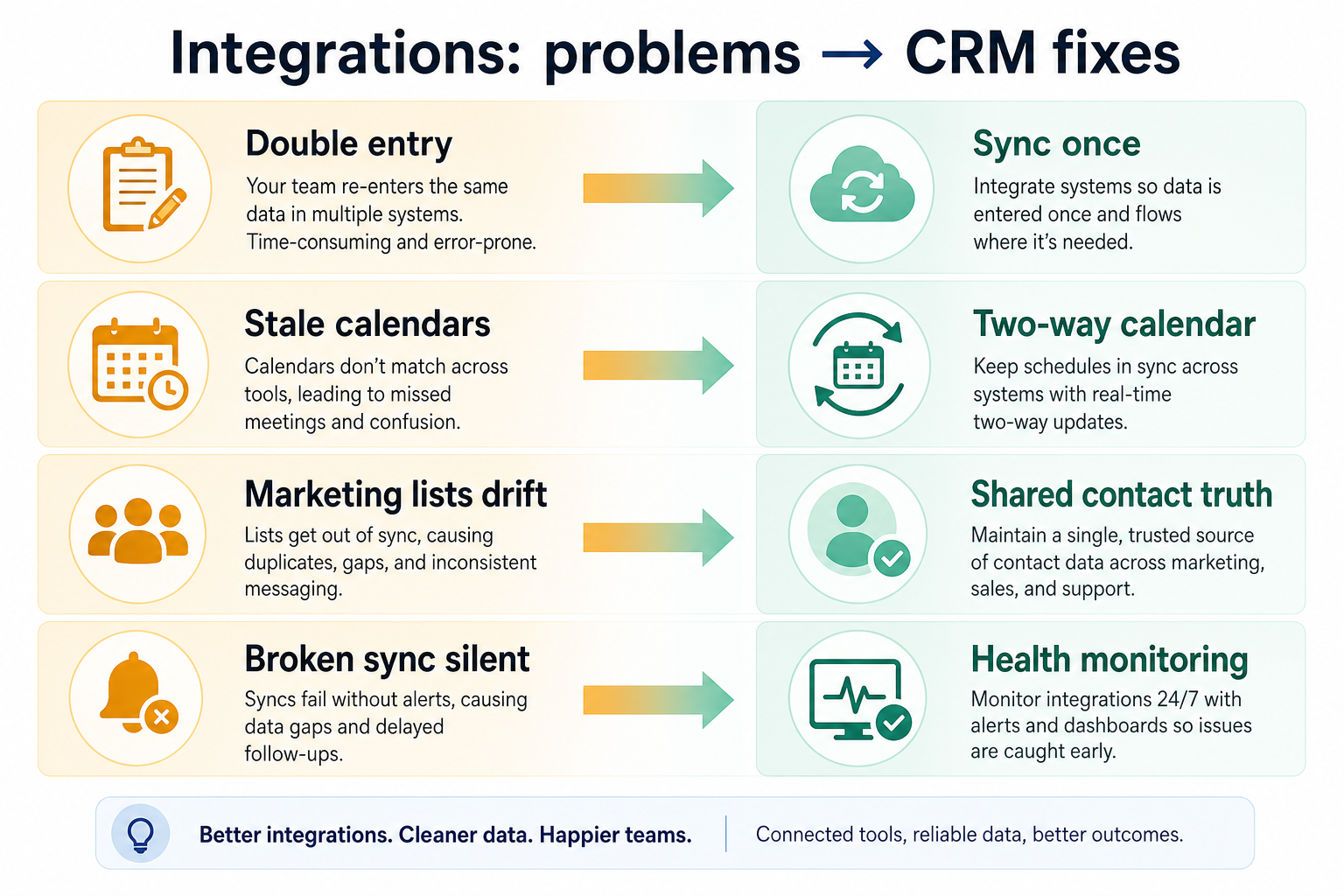
Without CRM discipline: The connector syncs one field when you need five, so manual work continues anyway.
Without CRM discipline: Bidirectional sync creates conflicting updates with no clear rule for which wins.
Without CRM discipline: That system stays disconnected, and data has to move manually.
Without CRM discipline: A connection breaks and nobody notices until data has been stale for weeks.
A CRM only helps when the team keeps owners, history, and next steps current. Here is what “good” looks like for integrations.
With CRM discipline: Checking real integration depth in a trial reveals what actually syncs versus what's marketed.
With CRM discipline: Explicit conflict rules — a source of truth per field — prevent silent data corruption.
With CRM discipline: API access lets you build a custom connection where no native one exists.
With CRM discipline: Monitoring and failure alerts surface broken connections before they cause real damage.
No more re-entering the same data twice
Real integration depth eliminates manual reconciliation.
Clear rules for conflicting updates
Sync direction and tiebreakers are explicit, not accidental.
Reach for tools without native connectors
API access extends the CRM to your full stack, not just the popular parts of it.
Broken connections get noticed quickly
Monitoring catches sync failures before data goes stale.
Evaluate depth and direction of the integrations you'll actually use, plus API access and limits — not the total count of listed connectors. A short list of deep, well-maintained integrations beats a long list of shallow ones.
Test the specific fields and direction you need in a trial.
Know which system wins before bidirectional sync goes live.
Confirm rate limits before planning a custom connection.
Someone needs to watch connections after go-live, not just set them up.
Start with must-haves your team will use weekly. Treat nice-to-haves as later upgrades — not day-one blockers.
Must-have
Sync correspondence and meetings so records stay current automatically.
Learn more →Prebuilt integrations for the systems your team depends on daily.
Learn more →Build custom connections where no native integration exists.
Nice-to-have
Confirm which system wins when both sides update the same field.
Get alerted when a connection breaks, instead of finding out weeks later.
Learn more →A simple operating loop beats a complex board nobody updates.
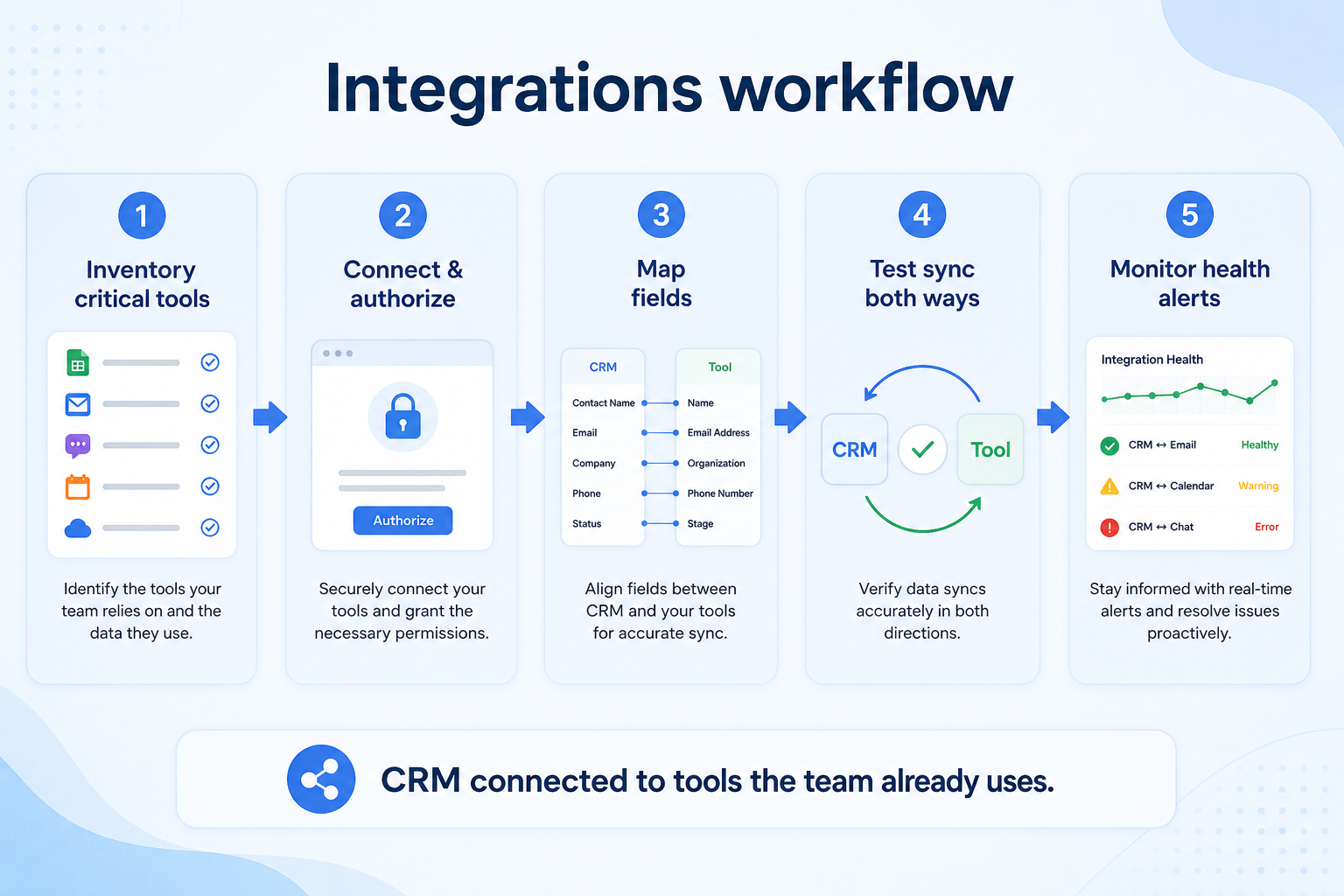
List every system that holds relevant customer or deal data.
Native connectors or API integrations link priority systems.
Source-of-truth rules are set for any field shared across systems.
Data flows automatically instead of being re-entered by hand.
An owner watches for sync failures and stale connections.
Best when
Email, calendar, and one or two operational systems need to stay in sync.
Related page →Best when
API access is the only realistic path to connect a system in your stack.
Best when
Sync has to work reliably for people not at a desk.
Related page →List every system that currently holds customer data.
Prioritize what the team touches every day over rarely-used connections.
Requirements guide →Test the actual fields and sync direction you need, not just that a connector exists.
Trial evaluation →Confirm API rate limits, sync frequency, and who maintains each connector.
Vendor questions guide →Catalogue products tagged to related use cases for integrations. Inclusion here is not a ranking.
Crm
Pipeline-first sales CRM for visual deal management, activity-based selling, and growing sales teams.

Crm
Freshworks sales CRM for lead management and pipeline workflows.

Crm
Sales-focused CRM for pipeline management and sales engagement workflows.

Crm
Simple relationship CRM for organizing contacts and collaborative outreach.

Crm

Crm

Sales Intelligence

Sales Intelligence
AI-powered multichannel outbound platform combining lead intelligence, sequences, deliverability, and Duo AI assistants.

Sales Intelligence
Real-time B2B contact database for building verified prospect lists with pay-as-you-go credits and a 97% deliverability guarantee.
Any connection — native connector or API-built — that syncs data between the CRM and another system your team uses.
Only if it includes your tools and the depth is real. A short list of deep, well-maintained integrations beats a long list of shallow ones.
A native integration is a supported connector you configure. The API lets you build and maintain a connection yourself.
Sometimes. Premium connectors or API access can sit on higher plans. Confirm before shortlisting.
No. Fit depends on how your team works, which requirements are must-haves, and what the CRM has to integrate with. Use the requirement matrix and CRM Finder to build a shortlist rather than starting from a ranking.
Access control, SSO, audit logs, and permission boundaries in CRM.
Roles, ownership rules, hygiene, and day-to-day CRM operations.
Sync, log, track, and sequence email from the CRM without losing the thread.
Next steps after evaluating integrations — decision tools and pages. Affiliate relationships never change recommendations.
Use Finder for a fit-based shortlist, compare products, or build a requirements checklist before demos.
Part of CRM capabilities · CRM Software hub
Want clearer software shortlists? Get buying guides and comparisons by email.
Newsletter coming soon.