This video is hosted on YouTube
This content is hosted by YouTube. The player loads only after you allow marketing cookies.
Connect outbound and follow-up email to CRM records so every thread has context and ownership.
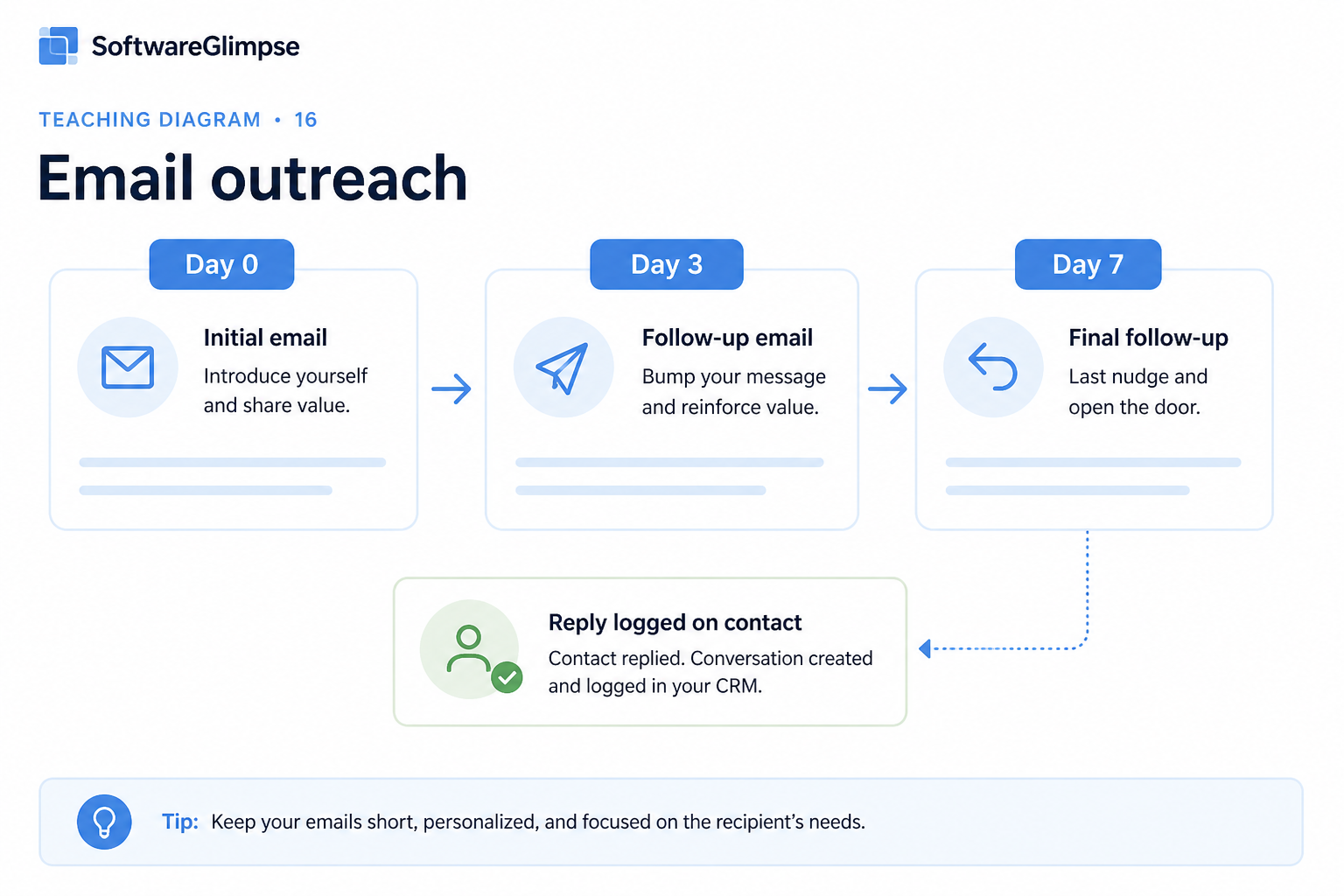
At a glance
Owned email outreach with CRM-visible history
SDRs, AEs, and outbound-led sales pods
Email synced to records · Sequence ownership · Reply visibility · Template discipline
9 products to explore
Fit snapshot
Email outreach in a CRM context means logging, sequencing, and tracking sales email against contacts and leads — not running marketing blasts. Teams use it so replies, opens, and next steps stay on the record the whole team can see.
SDRs, AEs, and founders who sell primarily over email and need outreach tied to CRM history. You are past one-off messages and need visibility into who was contacted, what was said, and what is due next.
How teams put CRM to work for email outreach
Example 1
an SDR team running cold and warm follow-ups
Before CRM
sequences lived in a separate mailbox tool and replies never updated lead status
After CRM
every send and reply lands on the contact — managers coach from the timeline
Example 2
AEs following up after demos
Before CRM
“I’ll send a recap” emails vanished into personal Sent folders
After CRM
outreach templates and tasks keep the deal record current for anyone covering the account
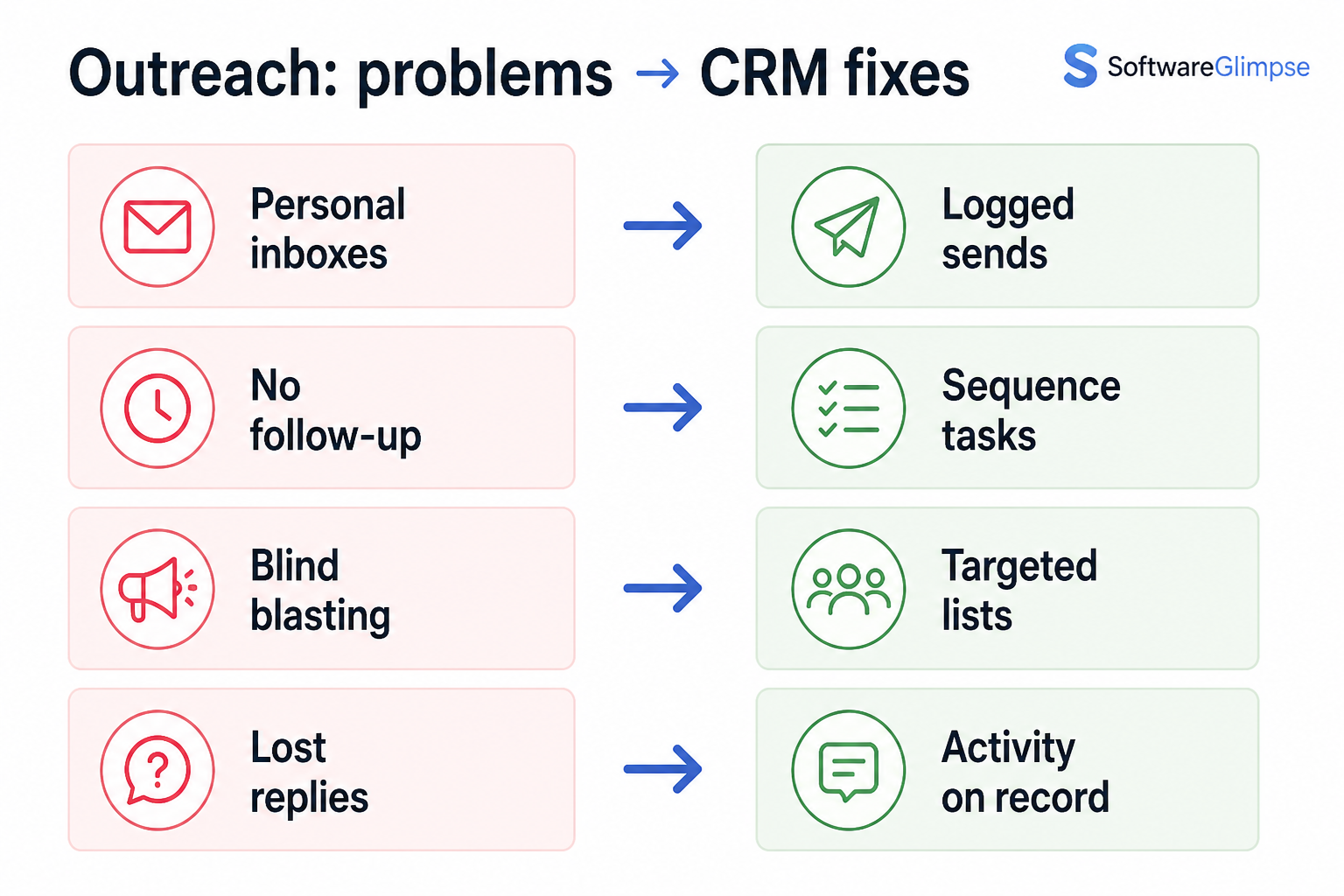
These are the operating problems that usually push teams toward CRM for email outreach — not feature wish lists.
Without CRM discipline: Sends happen in one system while status lives in another.
Without CRM discipline: Without shared status, outreach collides and looks unprofessional.
Without CRM discipline: Hot replies sit in personal inboxes while the lead looks cold in CRM.
Without CRM discipline: Every rep invents messaging; quality and claims vary wildly.
A CRM only helps when the team keeps owners, history, and next steps current. Here is what “good” looks like for email outreach.
With CRM discipline: Logging sends and replies on the contact keeps one timeline.
With CRM discipline: Ownership and last-touch fields make coverage visible before send.
With CRM discipline: Reply sync and tasks push follow-up back onto the shared record.
With CRM discipline: Shared templates plus required fields keep outreach consistent enough to coach.
One email timeline per contact
The team sees what was sent without inbox archaeology.
Fewer duplicate outreaches
Ownership and last-touch prevent stepping on teammates.
Cleaner SDR → AE handoffs
Conversation history travels with the lead or deal.
Coachable outbound activity
Managers review real threads and next steps, not vanity send counts alone.
Prioritize CRM sync of sends and replies, ownership of sequences, and compliance-friendly controls. Volume tools without record hygiene create duplicate outreach and lost context.
If it is not on the record, it did not happen for the team.
Prevent collision with clear contact owners.
Coach replies and relevance, not send counts alone.
Respect opt-outs and regional rules your team must follow.
Start with must-haves your team will use weekly. Treat nice-to-haves as later upgrades — not day-one blockers.
Must-have
Sends and replies attach to contacts and leads.
Multi-step outreach with ownership and pause rules.
Reusable messaging the team can improve together.
Nice-to-have
Useful signals when privacy policy allows — not a substitute for replies.
Understand what needs to happen before comparing how products implement each step. Support overlays use structured research — never video inference.
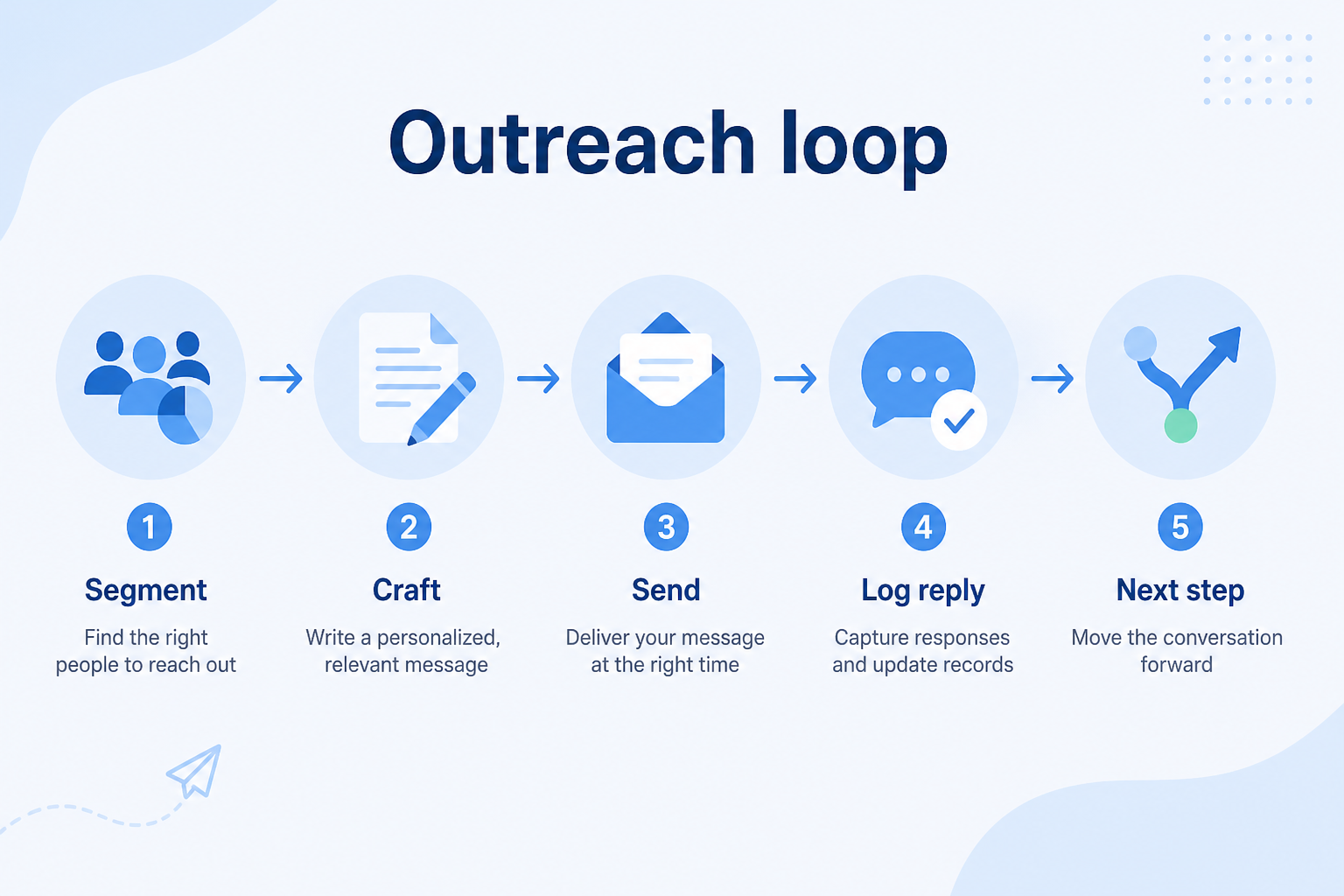
Support labels come from structured feature research — not from videos.
Objective
Choose owned contacts/leads with clear reason to reach out.
Next step
Next step
Next step
Next step
Official product demonstrations can help show how different CRMs handle the email outreach workflow. Absence of a video does not mean a product lacks support for this use case.

HubSpot
The Official HubSpot Sales Hub Tutorial
Lead management workflow — capture through assignment and follow-up
This video is hosted on YouTube
This content is hosted by YouTube. The player loads only after you allow marketing cookies.
What this demonstrates
Workflow coverage
Coverage describes what the demo shows — not product support status.
What to notice
This demonstration does not establish
Related capabilities
Features visible in this demo
Source: HubSpot · Verified 14 Aug 2026
Compare two products against the same workflow using researched assessments. Official demos help you see the workflow — they do not change support status.
HubSpot
This video is hosted on YouTube
This content is hosted by YouTube. The player loads only after you allow marketing cookies.
What to notice
Not shown in this demo

Pipedrive

Pipedrive’s sales CRM product view as shown on the official site.
What to notice
Not shown in this demo
Canonical feature assessments for this workflow — not inferred from demos.
| Step | HubSpot | Pipedrive |
|---|---|---|
| Select | Unknown | Unknown |
| Personalize | Unknown | Unknown |
| Send / sequence | Unknown | Unknown |
| Capture replies | Unknown | Unknown |
| Advance | Unknown | Unknown |
Based on the email outreach workflow, buyers commonly evaluate the checklist below. Nothing is written to your decision profile until you confirm in the tool.
Context: useCase=email-outreach — tools apply this only after your confirmation.
Best when
Multiple people email prospects and need shared last-touch visibility.
Related page →Best when
AEs need consistent recap and nurture emails tied to deals.
Related page →Best when
You are hiring the first SDR and need history they can inherit.
Define the job: 1:1/1:few sales outreach tied to records.
Sends, replies, and status changes must land on contacts/leads.
Requirements guide →In trial, confirm two users cannot silently email the same owned contact.
If CRM-native email is not enough, shortlist SI outreach tools that write back — keep ownership on the CRM record.
Sales intelligence category →Measure reply handling and CRM status updates for a week.
Trial evaluation →Catalogue products that list email outreach as a supported use case. Inclusion here is not a ranking. Official demo counts never change ranking.
Crm
Pipeline-first sales CRM for visual deal management, activity-based selling, and growing sales teams.

Crm
Freshworks sales CRM for lead management and pipeline workflows.

Crm
Sales-focused CRM for pipeline management and sales engagement workflows.

Crm
Simple relationship CRM for organizing contacts and collaborative outreach.

Sales Intelligence

Sales Intelligence
AI-powered multichannel outbound platform combining lead intelligence, sequences, deliverability, and Duo AI assistants.

Sales Intelligence
Real-time B2B contact database for building verified prospect lists with pay-as-you-go credits and a 97% deliverability guarantee.
No. Sales outreach is owned, conversational follow-up tied to contacts and deals. Marketing email is typically broader campaigns. Many teams need both, with clear boundaries.
Only if CRM-native email cannot support your cadence volume and controls. Evaluate sync quality first — a separate tool that does not update CRM recreates the split-brain problem. Sales intelligence sequencers can complement CRM when write-back is proven.
Reply logging and status updates. Opens can be noisy; replies and meetings are the operational signal.
Email outreach is one channel. Sales engagement coordinates multi-channel cadences (email, call, social) around the same CRM records.
Coordinate calling, messaging, and cadence tools around CRM records.
Find and prioritize accounts and contacts before the first conversation.
Capture, qualify, and route leads before they become pipeline deals.
Reduce repetitive follow-ups with workflows that still need human judgment.
Use Finder for a fit-based shortlist, compare products, or build a requirements checklist before demos.
How we review
Evaluation, verification, and refresh — no fake testing claims.
Editorial methodology
Category criteria and scores grounded in evidence.
Editorial policy
Authorship, evidence levels, scoring, and disclosures.
Corrections
Spot something outdated? Tell us.
Want clearer software shortlists? Get buying guides and comparisons by email.
Newsletter coming soon.