
This video is hosted on YouTube
This content is hosted by YouTube. The player loads only after you allow marketing cookies.
Coordinate calls, email, and messaging cadences around shared CRM records — not disconnected tools.
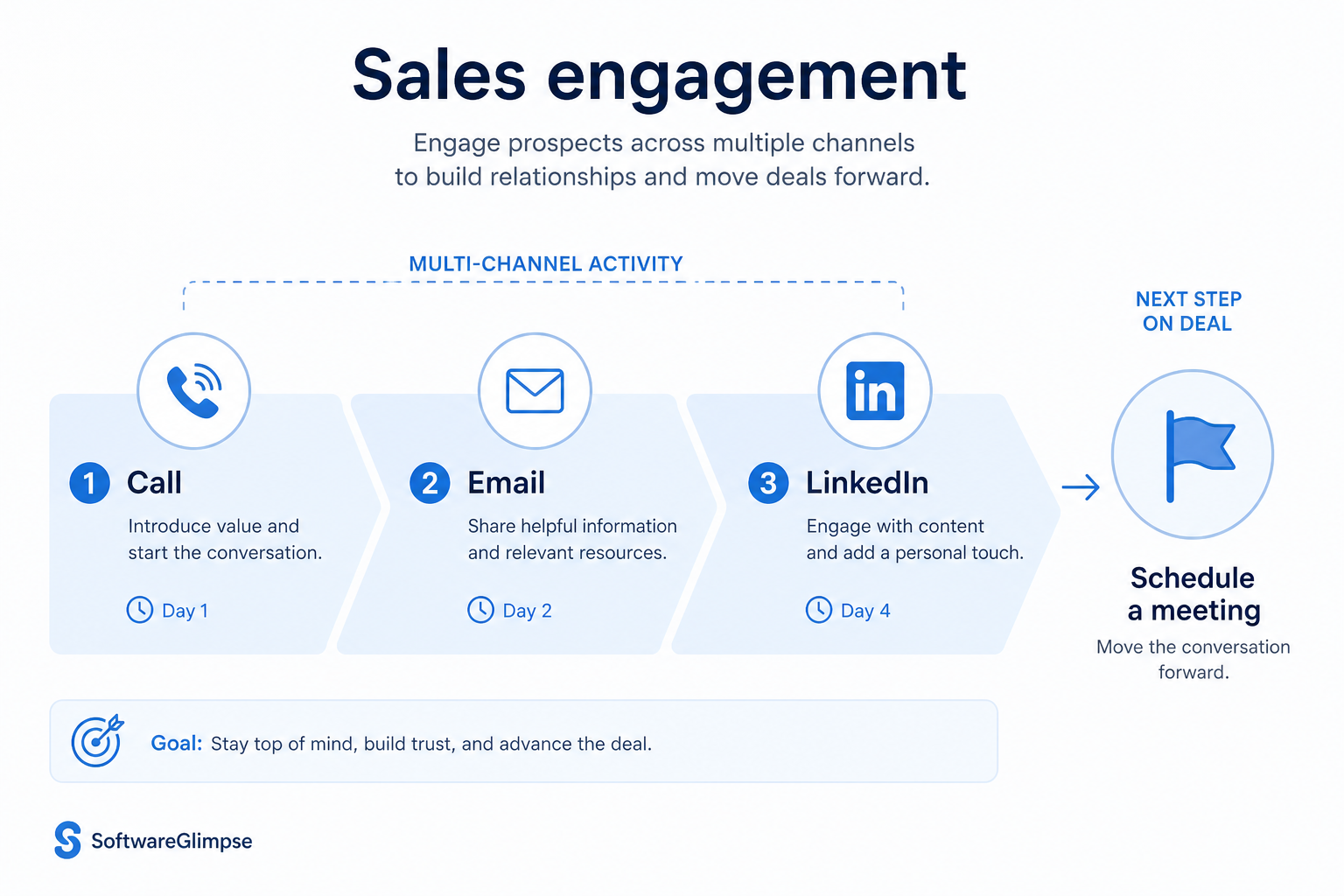
At a glance
Multi-channel cadences with CRM-visible outcomes
SDR/BDR pods and outbound-heavy AE teams
Cadence design · Multi-channel steps · CRM logging · Reply / pause rules
9 products to explore
Fit snapshot
Sales engagement is the CRM-centered job of running multi-channel outreach cadences with visibility and ownership. Teams use it so SDRs and AEs execute sequenced touches while replies, outcomes, and next steps stay on the lead or contact record.
Outbound and blended sales teams that run structured cadences across email, phone, and other channels. You need engagement activity tied to CRM so managers can coach process, not just activity volume.
How teams put CRM to work for engagement
Example 1
an SDR team running 8-step cadences
Before CRM engagement discipline
email lived in one tool and calls in another while lead status lagged
After CRM-centered engagement
each step logs to the lead and replies pause the cadence automatically
Example 2
AEs working inbound and outbound together
Before CRM
call notes never reached the deal
After CRM
engagement activity sits on the opportunity timeline for coaching and coverage
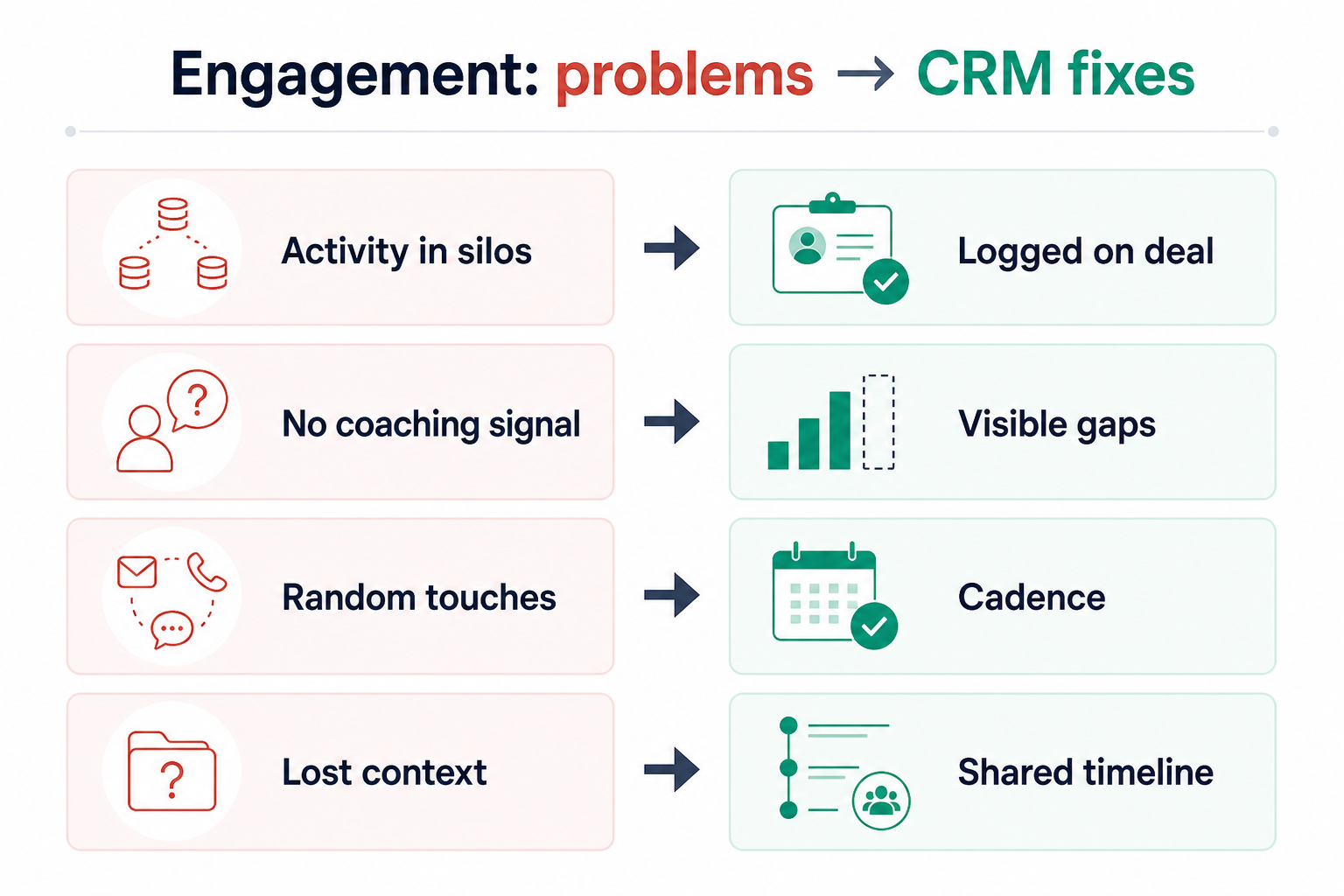
These are the operating problems that usually push teams toward CRM for engagement — not feature wish lists.
Without CRM discipline: Email, dialer, and CRM tell different stories about the same person.
Without CRM discipline: Prospects get automated follow-ups after they already answered.
Without CRM discipline: Teams optimize dials and sends while pipeline quality falls.
Without CRM discipline: Without shared step history, coaching becomes anecdotal.
A CRM only helps when the team keeps owners, history, and next steps current. Here is what “good” looks like for engagement.
With CRM discipline: Engagement steps log to one contact/lead timeline managers can trust.
With CRM discipline: Reply detection and pause rules keep sequences respectful.
With CRM discipline: Tie engagement to lead status and opportunity conversion, not vanity counts alone.
With CRM discipline: Cadence adherence and outcomes are visible on the record.
Unified touch history
Calls, emails, and messages appear on one timeline.
Respectful cadence control
Replies and meetings pause sequences instead of spamming.
Coachable engagement process
Managers see step completion and conversion, not just volume.
Cleaner handoffs
AE and managers inherit full engagement context with the record.
Prioritize CRM as the system of record, cadence ownership, multi-channel step visibility, and reply handling. A sequencing tool that does not update CRM recreates silos.
Engagement tools must write back — or do not buy them.
Coordinate email and calls as one process.
Respect conversations over cadence completion.
Start with must-haves your team will use weekly. Treat nice-to-haves as later upgrades — not day-one blockers.
Must-have
Sequenced touches across channels with ownership.
Every step writes to the lead/contact/deal.
Stop or branch when humans respond.
Work the next best step without spreadsheet lists.
Nice-to-have
Understand what needs to happen before comparing how products implement each step. Support overlays use structured research — never video inference.
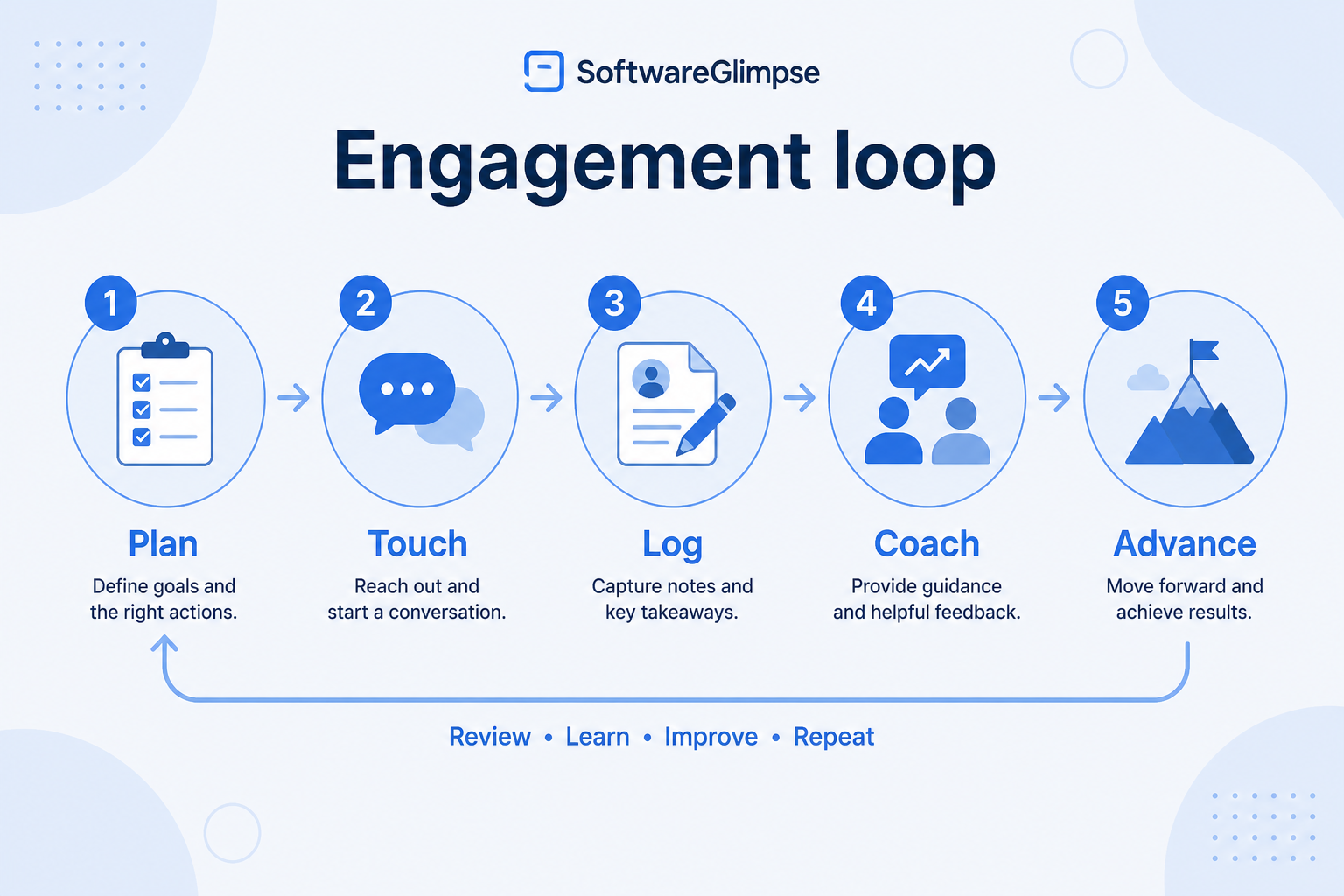
Support labels come from structured feature research — not from videos.
Objective
Put the right people into an owned multi-step cadence without losing CRM ownership.
Requirements
Must have
Next step
Next step
Next step
Next step
Official product demonstrations can help show how different CRMs handle the engagement workflow. Absence of a video does not mean a product lacks support for this use case.

Kixie
Full Kixie Platform Demo 2025
Power dialer CRM sync click-to-call SMS coaching
This video is hosted on YouTube
This content is hosted by YouTube. The player loads only after you allow marketing cookies.
What this demonstrates
Workflow coverage
Coverage describes what the demo shows — not product support status.
This demonstration does not establish
Features visible in this demo
Source: Kixie · Verified 17 Aug 2026

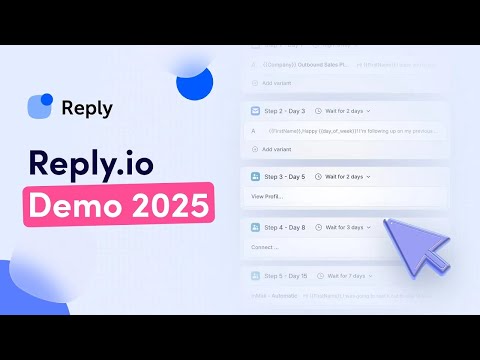
Reply.io
Reply.io AI Sales Engagement Platform Overview
Multichannel sequences and AI outbound workflow

This video is hosted on YouTube
This content is hosted by YouTube. The player loads only after you allow marketing cookies.
What this demonstrates
Workflow coverage
Coverage describes what the demo shows — not product support status.
This demonstration does not establish
Features visible in this demo
Source: Reply · Verified 17 Aug 2026
Compare two products against the same workflow using researched assessments. Official demos help you see the workflow — they do not change support status.

HubSpot
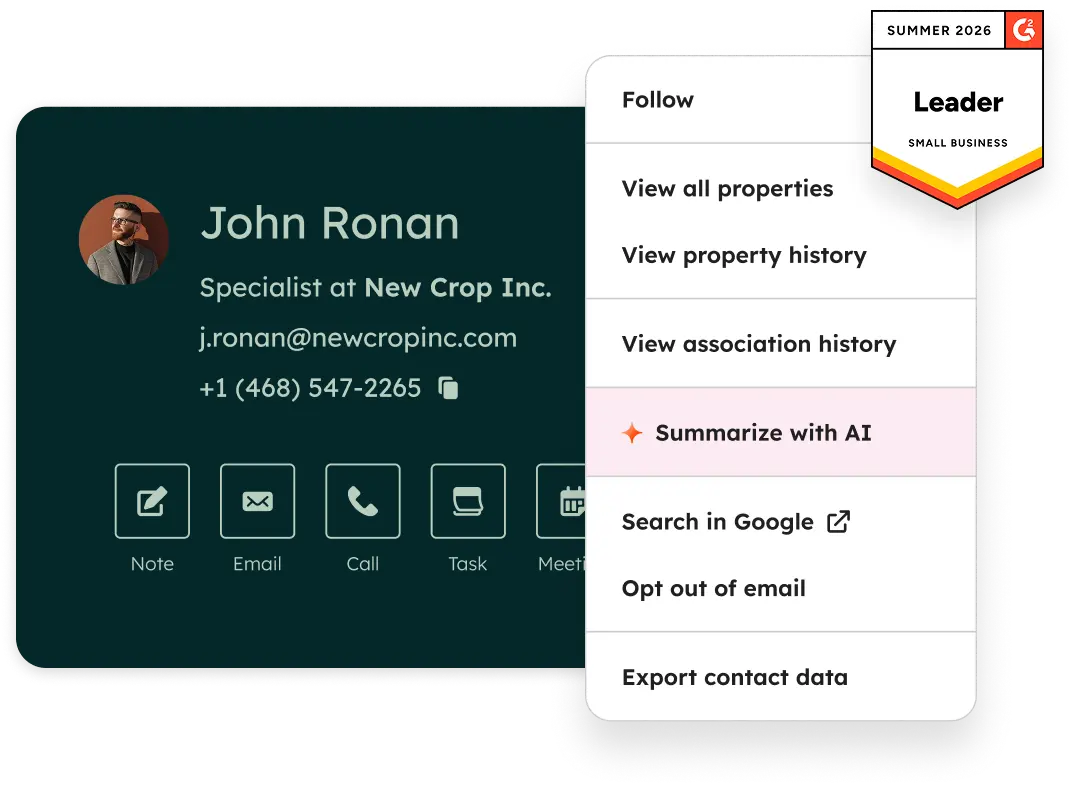
Official Free CRM hero product visualization.
What to notice
Not shown in this demo

Pipedrive

Pipedrive’s sales CRM product view as shown on the official site.
What to notice
Not shown in this demo
Canonical feature assessments for this workflow — not inferred from demos.
| Step | HubSpot | Pipedrive |
|---|---|---|
| Enroll | Supported | Partial |
| Execute | Supported | Partial |
| Respond | Supported | Partial |
| Update | Supported | Supported |
| Coach | Supported | Partial |
No material workflow-step differences from structured research for this pair.
Enroll owned leads/contacts into cadences
Keep owner visible on the cadence
Email sequences / cadences
Work the next cadence step from a queue
Log email/call activity to the record
Email sync
Sales automation
Pause or branch on replies
From verified featureSupport plan packaging — not demo claims.
Email Sequences
Lead Management
Contact Management
Email Sync
Sales Automation
Workflow Automation
Based on the engagement workflow, buyers commonly evaluate the checklist below. Nothing is written to your decision profile until you confirm in the tool.
Context: useCase=sales-engagement — tools apply this only after your confirmation.
Best when
Multiple prospectors run structured multi-touch sequences daily.
Related page →Best when
The same people work form fills and cold outreach with shared history.
Related page →Best when
Managers need process visibility without sitting next to reps.
Email, phone, LinkedIn, etc. — buy for real steps, not imagined ones.
8–12 steps max; define pause rules and success outcomes.
If CRM-native cadences are not enough, shortlist SI engagement platforms that sync activity back — keep CRM as the system of record.
Best sales intelligence →Pick outcome metrics before scaling cadences across the team.
Reporting use case →Catalogue products that list sales engagement as a supported use case. Inclusion here is not a ranking. Official demo counts never change ranking.

Crm
Sales-focused CRM for pipeline management and sales engagement workflows.

Sales Intelligence
AI-powered multichannel outbound platform combining lead intelligence, sequences, deliverability, and Duo AI assistants.

Sales Intelligence
LinkedIn + email outbound automation platform with enrichment, AI agents, and white-label options for agencies.
Sales Intelligence
AI sales engagement platform for multichannel outbound across email, LinkedIn, calls, SMS, and WhatsApp with built-in B2B data.
Voip Business Phone
AI-powered sales dialer and business phone platform for CRM-connected outbound calling, SMS, and coaching.

Sales Intelligence
Enterprise sales engagement / AI revenue platform — Amplify Essentials/Core/Plus/Pro packages; request pricing (seat + AI credits).

Sales Intelligence
Enterprise sales engagement / revenue generation platform — bi-directional CRM sync, sequencing, coaching; talk-to-sales pricing.

Sales Intelligence
Cold-email outreach infrastructure — Growth from $47/mo; Hypergrowth $97; Light Speed $358; bundles/credits add-ons; Enterprise custom.

Sales Intelligence
Conversation intelligence / revenue AI — per-user licenses + platform fee; custom proposal only (no public dollar list).
Loading evidence explorer…
Email outreach focuses on email as a channel. Sales engagement coordinates multi-channel cadences (email, call, and more) with shared process and CRM logging.
Only if your CRM cannot support the cadence volume and channel mix you need. Evaluate CRM write-back first; disconnected engagement tools recreate silos. When you do need depth, treat sales intelligence engagement tools as complementary — not a second system of record.
Use reply/meeting pauses, keep step counts reasonable, personalize with CRM context, and coach for relevance — not completion rate alone.
Enrollment quality, pause-rule health, meetings booked, and conversion to qualified opportunities — not dials or sends in isolation.
Connect sales email sequences and tracking to CRM records.
Find and prioritize accounts and contacts before the first conversation.
Reduce repetitive follow-ups with workflows that still need human judgment.
Capture, qualify, and route leads before they become pipeline deals.
Use Finder for a fit-based shortlist, compare products, or build a requirements checklist before demos.
How we review
Evaluation, verification, and refresh — no fake testing claims.
Editorial methodology
Category criteria and scores grounded in evidence.
Editorial policy
Authorship, evidence levels, scoring, and disclosures.
Corrections
Spot something outdated? Tell us.
Want clearer software shortlists? Get buying guides and comparisons by email.
Newsletter coming soon.
Trace workflow assessments to documentation, screenshots, and official vendor videos. Evidence strength depends on claim type — video quantity does not change product fit or ranking.
SoftwareGlimpse evaluates how products support the requirements and features that make up each workflow. Official vendor demonstrations may be used to verify visible product behavior, but video availability does not influence product rankings.
53 items
Official documentation · Amplemarket
Source: Official Amplemarket
Evidence chain
Sales engagement → Enroll → Enroll owned leads/contacts into cadences → Email sequences / cadences → Amplemarket — Supported
Supports
Demonstrates
Does not establish
Official documentation is preferred; video may support but does not replace docs.
Verified: —
Official documentation · Amplemarket
Source: Official Amplemarket
Evidence chain
Sales engagement → Enroll → Enroll owned leads/contacts into cadences → Lead management → Amplemarket — Supported
Supports
Demonstrates
Does not establish
Official documentation is preferred; video may support but does not replace docs.
Verified: —
Official documentation · Amplemarket
Source: Official Amplemarket
Evidence chain
Sales engagement → Execute → Work the next cadence step from a queue → Email sync → Amplemarket — Supported
Supports
Demonstrates
Does not establish
Official documentation is preferred; video may support but does not replace docs.
Verified: —
Official documentation · Amplemarket
Source: Official Amplemarket
Evidence chain
Sales engagement → Execute → Work the next cadence step from a queue → Sales automation → Amplemarket — Supported
Supports
Demonstrates
Does not establish
Official documentation is preferred; video may support but does not replace docs.
Verified: —
Official documentation · Amplemarket
Source: Official Amplemarket
Evidence chain
Sales engagement → Respond → Pause or branch on replies → Workflow automation → Amplemarket — Supported
Supports
Demonstrates
Does not establish
Official documentation is preferred; video may support but does not replace docs.
Verified: —
Official documentation · Amplemarket
Source: Official Amplemarket
Evidence chain
Sales engagement → Update → Update status from engagement outcomes → Deal management → Amplemarket — Partial
Supports
Demonstrates
Does not establish
Official documentation is preferred; video may support but does not replace docs.
Verified: —
Official documentation · Amplemarket
Source: Official Amplemarket
Evidence chain
Sales engagement → Update → Update status from engagement outcomes → Pipeline management → Amplemarket — Partial
Supports
Demonstrates
Does not establish
Official documentation is preferred; video may support but does not replace docs.
Verified: —
Official documentation · Amplemarket
Source: Official Amplemarket
Evidence chain
Sales engagement → Coach → Review cadence step health → Reporting → Amplemarket — Supported
Supports
Demonstrates
Does not establish
Official documentation is preferred; video may support but does not replace docs.
Verified: —
Official documentation · Close
Source: Official Close
Evidence chain
Sales engagement → Enroll → Enroll owned leads/contacts into cadences → Email sequences / cadences → Close — Supported
Supports
Demonstrates
Does not establish
Official documentation is preferred; video may support but does not replace docs.
Verified: —
Official documentation · Close
Source: Official Close
Evidence chain
Sales engagement → Enroll → Enroll owned leads/contacts into cadences → Lead management → Close — Supported
Supports
Demonstrates
Does not establish
Official documentation is preferred; video may support but does not replace docs.
Verified: —
Official documentation · Close
Source: Official Close
Evidence chain
Sales engagement → Enroll → Enroll owned leads/contacts into cadences → Contact management → Close — Supported
Supports
Demonstrates
Does not establish
Official documentation is preferred; video may support but does not replace docs.
Verified: —
Official documentation · Close
Source: Official Close
Evidence chain
Sales engagement → Execute → Work the next cadence step from a queue → Email sync → Close — Supported
Supports
Demonstrates
Does not establish
Official documentation is preferred; video may support but does not replace docs.
Verified: —
Official documentation · Close
Source: Official Close
Evidence chain
Sales engagement → Execute → Work the next cadence step from a queue → Sales automation → Close — Supported
Supports
Demonstrates
Does not establish
Official documentation is preferred; video may support but does not replace docs.
Verified: —
Official documentation · Close
Source: Official Close
Evidence chain
Sales engagement → Respond → Pause or branch on replies → Workflow automation → Close — Supported
Supports
Demonstrates
Does not establish
Official documentation is preferred; video may support but does not replace docs.
Verified: —
Official documentation · Close
Source: Official Close
Evidence chain
Sales engagement → Update → Update status from engagement outcomes → Deal management → Close — Supported
Supports
Demonstrates
Does not establish
Official documentation is preferred; video may support but does not replace docs.
Verified: —
Official documentation · Close
Source: Official Close
Evidence chain
Sales engagement → Update → Update status from engagement outcomes → Pipeline management → Close — Supported
Supports
Demonstrates
Does not establish
Official documentation is preferred; video may support but does not replace docs.
Verified: —
Official documentation · Close
Source: Official Close
Evidence chain
Sales engagement → Coach → Review cadence step health → Reporting → Close — Supported
Supports
Demonstrates
Does not establish
Official documentation is preferred; video may support but does not replace docs.
Verified: —
Official documentation · Closely
Source: Official Closely
Evidence chain
Sales engagement → Enroll → Enroll owned leads/contacts into cadences → Email sequences / cadences → Closely — Supported
Supports
Demonstrates
Does not establish
Official documentation is preferred; video may support but does not replace docs.
Verified: —
Official documentation · Closely
Source: Official Closely
Evidence chain
Sales engagement → Enroll → Enroll owned leads/contacts into cadences → Lead management → Closely — Supported
Supports
Demonstrates
Does not establish
Official documentation is preferred; video may support but does not replace docs.
Verified: —
Official documentation · Closely
Source: Official Closely
Evidence chain
Sales engagement → Execute → Work the next cadence step from a queue → Email sync → Closely — Supported
Supports
Demonstrates
Does not establish
Official documentation is preferred; video may support but does not replace docs.
Verified: —
Official documentation · Closely
Source: Official Closely
Evidence chain
Sales engagement → Execute → Work the next cadence step from a queue → Sales automation → Closely — Supported
Supports
Demonstrates
Does not establish
Official documentation is preferred; video may support but does not replace docs.
Verified: —
Official documentation · Closely
Source: Official Closely
Evidence chain
Sales engagement → Respond → Pause or branch on replies → Workflow automation → Closely — Supported
Supports
Demonstrates
Does not establish
Official documentation is preferred; video may support but does not replace docs.
Verified: —
Official documentation · Closely
Source: Official Closely
Evidence chain
Sales engagement → Update → Update status from engagement outcomes → Deal management → Closely — Partial
Supports
Demonstrates
Does not establish
Official documentation is preferred; video may support but does not replace docs.
Verified: —
Official documentation · Closely
Source: Official Closely
Evidence chain
Sales engagement → Update → Update status from engagement outcomes → Pipeline management → Closely — Partial
Supports
Demonstrates
Does not establish
Official documentation is preferred; video may support but does not replace docs.
Verified: —
Official documentation · Closely
Source: Official Closely
Evidence chain
Sales engagement → Coach → Review cadence step health → Reporting → Closely — Supported
Supports
Demonstrates
Does not establish
Official documentation is preferred; video may support but does not replace docs.
Verified: —
Official documentation · Gong
Source: Official Gong
Evidence chain
Sales engagement → Enroll → Enroll owned leads/contacts into cadences → Email sequences / cadences → Gong — Partial
Supports
Demonstrates
Does not establish
Official documentation is preferred; video may support but does not replace docs.
Verified: —
Official documentation · Gong
Source: Official Gong
Evidence chain
Sales engagement → Enroll → Enroll owned leads/contacts into cadences → Lead management → Gong — Partial
Supports
Demonstrates
Does not establish
Official documentation is preferred; video may support but does not replace docs.
Verified: —
Official documentation · Gong
Source: Official Gong
Evidence chain
Sales engagement → Enroll → Enroll owned leads/contacts into cadences → Contact management → Gong — Partial
Supports
Demonstrates
Does not establish
Official documentation is preferred; video may support but does not replace docs.
Verified: —
Official documentation · Gong
Source: Official Gong
Evidence chain
Sales engagement → Coach → Review cadence step health → Reporting → Gong — Partial
Supports
Demonstrates
Does not establish
Official documentation is preferred; video may support but does not replace docs.
Verified: —
Official documentation · Instantly
Source: Official Instantly
Evidence chain
Sales engagement → Enroll → Enroll owned leads/contacts into cadences → Email sequences / cadences → Instantly — Partial
Supports
Demonstrates
Does not establish
Official documentation is preferred; video may support but does not replace docs.
Verified: —
Official documentation · Instantly
Source: Official Instantly
Evidence chain
Sales engagement → Enroll → Enroll owned leads/contacts into cadences → Lead management → Instantly — Partial
Supports
Demonstrates
Does not establish
Official documentation is preferred; video may support but does not replace docs.
Verified: —
Official documentation · Instantly
Source: Official Instantly
Evidence chain
Sales engagement → Enroll → Enroll owned leads/contacts into cadences → Contact management → Instantly — Partial
Supports
Demonstrates
Does not establish
Official documentation is preferred; video may support but does not replace docs.
Verified: —
Official documentation · Instantly
Source: Official Instantly
Evidence chain
Sales engagement → Coach → Review cadence step health → Reporting → Instantly — Partial
Supports
Demonstrates
Does not establish
Official documentation is preferred; video may support but does not replace docs.
Verified: —
Official documentation · Kixie
Source: Official Kixie
Evidence chain
Sales engagement → Enroll → Enroll owned leads/contacts into cadences → Email sequences / cadences → Kixie — Partial
Supports
Demonstrates
Does not establish
Official documentation is preferred; video may support but does not replace docs.
Verified: —
Official documentation · Kixie
Source: Official Kixie
Evidence chain
Sales engagement → Enroll → Enroll owned leads/contacts into cadences → Lead management → Kixie — Partial
Supports
Demonstrates
Does not establish
Official documentation is preferred; video may support but does not replace docs.
Verified: —
Official documentation · Kixie
Source: Official Kixie
Evidence chain
Sales engagement → Enroll → Enroll owned leads/contacts into cadences → Contact management → Kixie — Partial
Supports
Demonstrates
Does not establish
Official documentation is preferred; video may support but does not replace docs.
Verified: —
Official documentation · Kixie
Source: Official Kixie
Evidence chain
Sales engagement → Respond → Pause or branch on replies → Workflow automation → Kixie — Partial
Supports
Demonstrates
Does not establish
Official documentation is preferred; video may support but does not replace docs.
Verified: —
Official documentation · Kixie
Source: Official Kixie
Evidence chain
Sales engagement → Coach → Review cadence step health → Reporting → Kixie — Partial
Supports
Demonstrates
Does not establish
Official documentation is preferred; video may support but does not replace docs.
Verified: —
Official documentation · Outreach
Source: Official Outreach
Evidence chain
Sales engagement → Enroll → Enroll owned leads/contacts into cadences → Email sequences / cadences → Outreach — Supported
Supports
Demonstrates
Does not establish
Official documentation is preferred; video may support but does not replace docs.
Verified: —
Official documentation · Outreach
Source: Official Outreach
Evidence chain
Sales engagement → Enroll → Enroll owned leads/contacts into cadences → Lead management → Outreach — Supported
Supports
Demonstrates
Does not establish
Official documentation is preferred; video may support but does not replace docs.
Verified: —
Official documentation · Outreach
Source: Official Outreach
Evidence chain
Sales engagement → Enroll → Enroll owned leads/contacts into cadences → Contact management → Outreach — Supported
Supports
Demonstrates
Does not establish
Official documentation is preferred; video may support but does not replace docs.
Verified: —
Official documentation · Outreach
Source: Official Outreach
Evidence chain
Sales engagement → Coach → Review cadence step health → Reporting → Outreach — Supported
Supports
Demonstrates
Does not establish
Official documentation is preferred; video may support but does not replace docs.
Verified: —
Official documentation · Reply.io
Source: Official Reply.io
Evidence chain
Sales engagement → Enroll → Enroll owned leads/contacts into cadences → Email sequences / cadences → Reply.io — Supported
Supports
Demonstrates
Does not establish
Official documentation is preferred; video may support but does not replace docs.
Verified: —
Official documentation · Reply.io
Source: Official Reply.io
Evidence chain
Sales engagement → Enroll → Enroll owned leads/contacts into cadences → Lead management → Reply.io — Supported
Supports
Demonstrates
Does not establish
Official documentation is preferred; video may support but does not replace docs.
Verified: —
Official documentation · Reply.io
Source: Official Reply.io
Evidence chain
Sales engagement → Enroll → Enroll owned leads/contacts into cadences → Contact management → Reply.io — Supported
Supports
Demonstrates
Does not establish
Official documentation is preferred; video may support but does not replace docs.
Verified: —
Official documentation · Reply.io
Source: Official Reply.io
Evidence chain
Sales engagement → Coach → Review cadence step health → Reporting → Reply.io — Supported
Supports
Demonstrates
Does not establish
Official documentation is preferred; video may support but does not replace docs.
Verified: —
Official documentation · Salesloft
Source: Official Salesloft
Evidence chain
Sales engagement → Enroll → Enroll owned leads/contacts into cadences → Email sequences / cadences → Salesloft — Supported
Supports
Demonstrates
Does not establish
Official documentation is preferred; video may support but does not replace docs.
Verified: —
Official documentation · Salesloft
Source: Official Salesloft
Evidence chain
Sales engagement → Enroll → Enroll owned leads/contacts into cadences → Lead management → Salesloft — Supported
Supports
Demonstrates
Does not establish
Official documentation is preferred; video may support but does not replace docs.
Verified: —
Official documentation · Salesloft
Source: Official Salesloft
Evidence chain
Sales engagement → Enroll → Enroll owned leads/contacts into cadences → Contact management → Salesloft — Supported
Supports
Demonstrates
Does not establish
Official documentation is preferred; video may support but does not replace docs.
Verified: —
Official documentation · Salesloft
Source: Official Salesloft
Evidence chain
Sales engagement → Coach → Review cadence step health → Reporting → Salesloft — Supported
Supports
Demonstrates
Does not establish
Official documentation is preferred; video may support but does not replace docs.
Verified: —
Official video · Kixie
Source: Kixie
Evidence chain
Sales engagement → Respond → Pause or branch on replies → Workflow automation → Kixie — Partial
Supports
Demonstrates
Does not establish
Official video or screenshots can be strong evidence for visible UI/workflow behavior.
This video is hosted on YouTube
This content is hosted by YouTube. The player loads only after you allow marketing cookies.
Official vendor video
Verified: 17 Aug 2026
Open source ↗Official video · Reply.io
Source: Reply
Evidence chain
Sales engagement → Enroll → Enroll owned leads/contacts into cadences → Email sequences / cadences → Reply.io — Supported
Supports
Demonstrates
Does not establish
Official video or screenshots can be strong evidence for visible UI/workflow behavior.
This video is hosted on YouTube
This content is hosted by YouTube. The player loads only after you allow marketing cookies.
Official vendor video
Verified: 17 Aug 2026
Open source ↗Official video · Reply.io
Source: Reply
Evidence chain
Sales engagement → Enroll → Enroll owned leads/contacts into cadences → Email sequences / cadences → Reply.io — Supported
Supports
Demonstrates
Does not establish
Official video or screenshots can be strong evidence for visible UI/workflow behavior.
This video is hosted on YouTube
This content is hosted by YouTube. The player loads only after you allow marketing cookies.
Official vendor video
Verified: 17 Aug 2026
Open source ↗