
Kixie Review
VOIP & BUSINESS PHONE SOFTWAREKixie is a strong calling and CRM-activity layer that contributes almost nothing to prospect sourcing. CRM sync and conversation reporting score high; contact data and email outreach score low by design. Treat it as a complement to a data vendor, not a replacement. Scores come from first-party kixie.com research, not hands-on lab testing.
Starting price
Custom quote
Free plan
No
Free trial
Yes
Best for
Outbound SDR and AE teams whose primary motion is high-volume calling rather than email
Some links may be affiliate links — we may earn a commission at no extra cost to you. Rankings and scores are never based on commission. Affiliate disclosure
SoftwareGlimpse review
6.1/10
Average
- Contact data4
- Prospecting6
- Data enrichment5
- Email outreach4
- CRM sync9
- Ease of use8
Pricing
Product screenshots
Verified captures from Kixie's product interface.
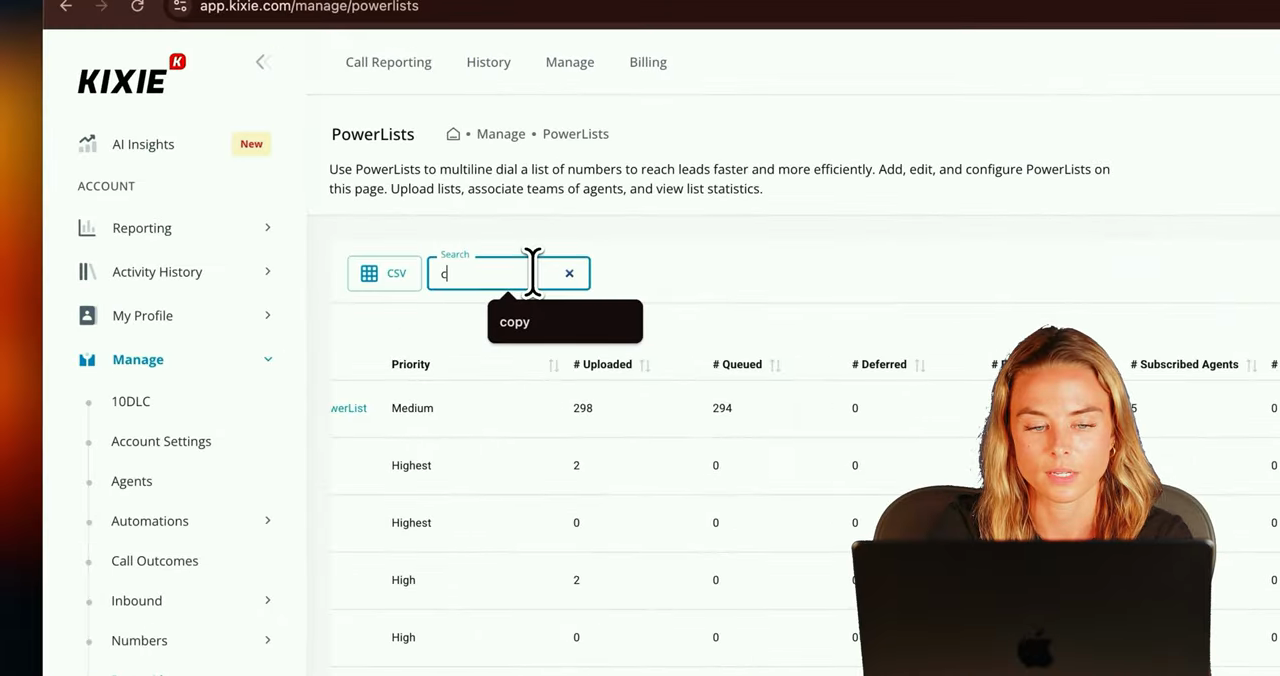
Official Kixie UI: PowerLists management for multiline dialing lists.
How Kixie works
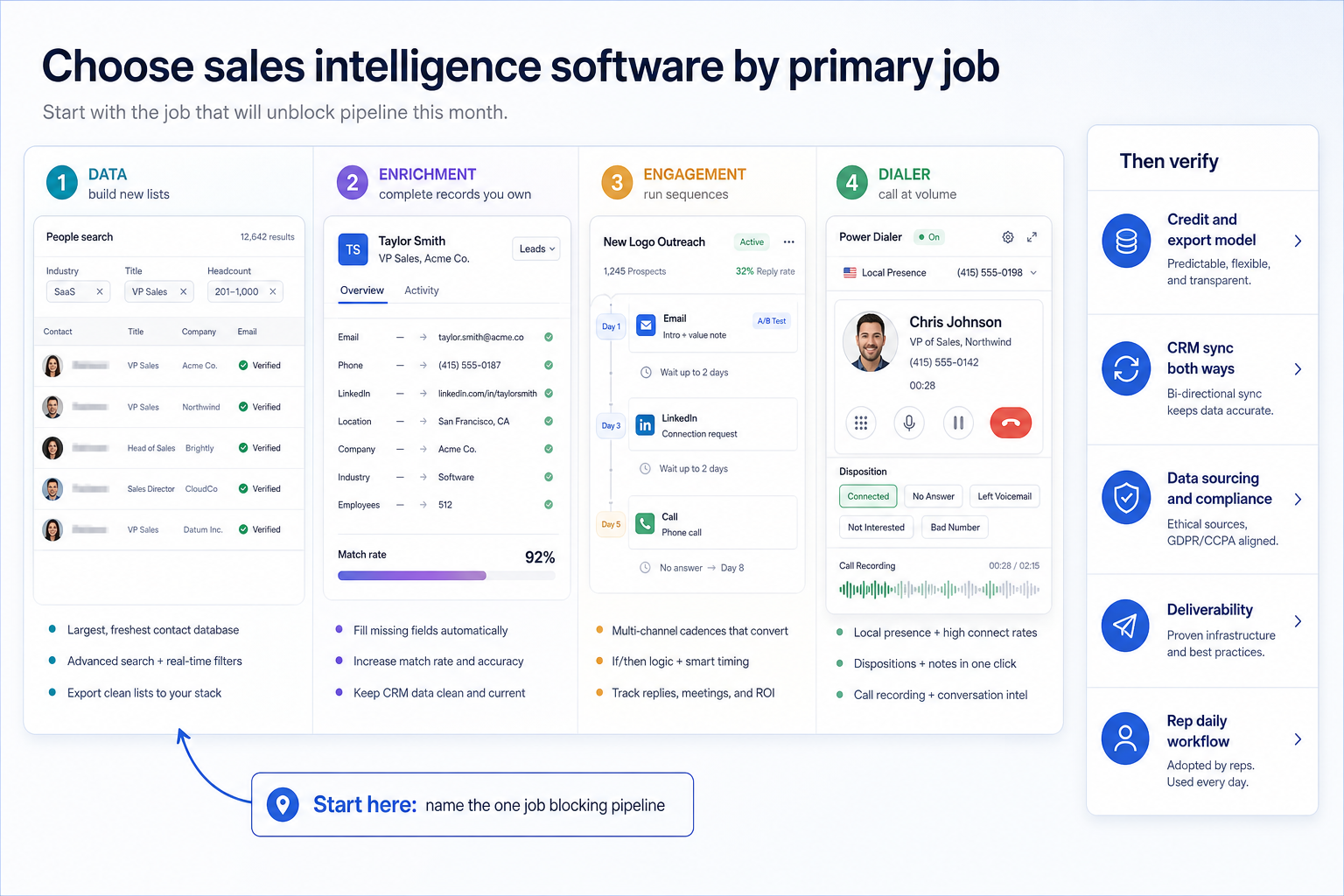
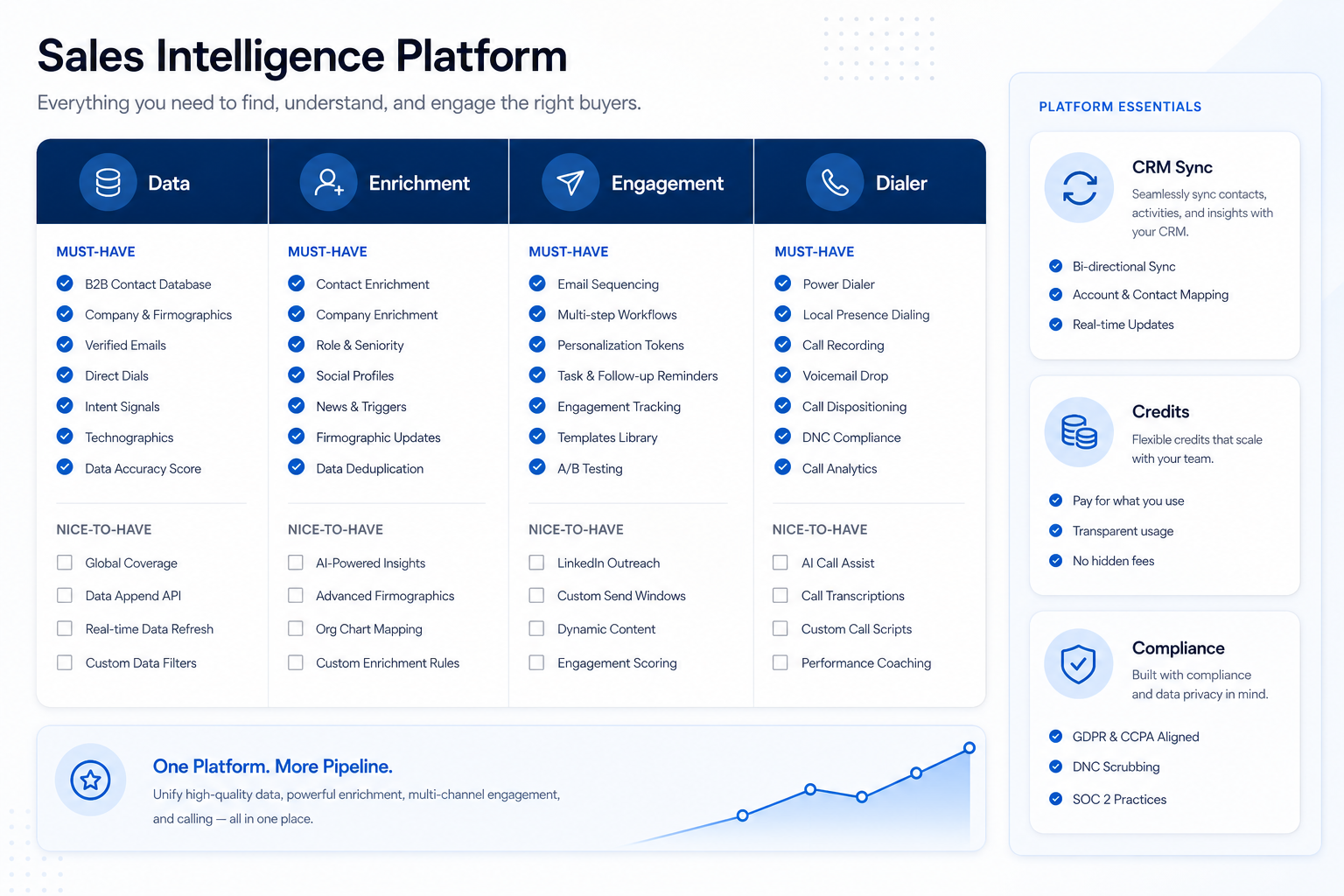
SoftwareGlimpse teaching diagrams grounded in product concepts — not vendor UI screenshots.
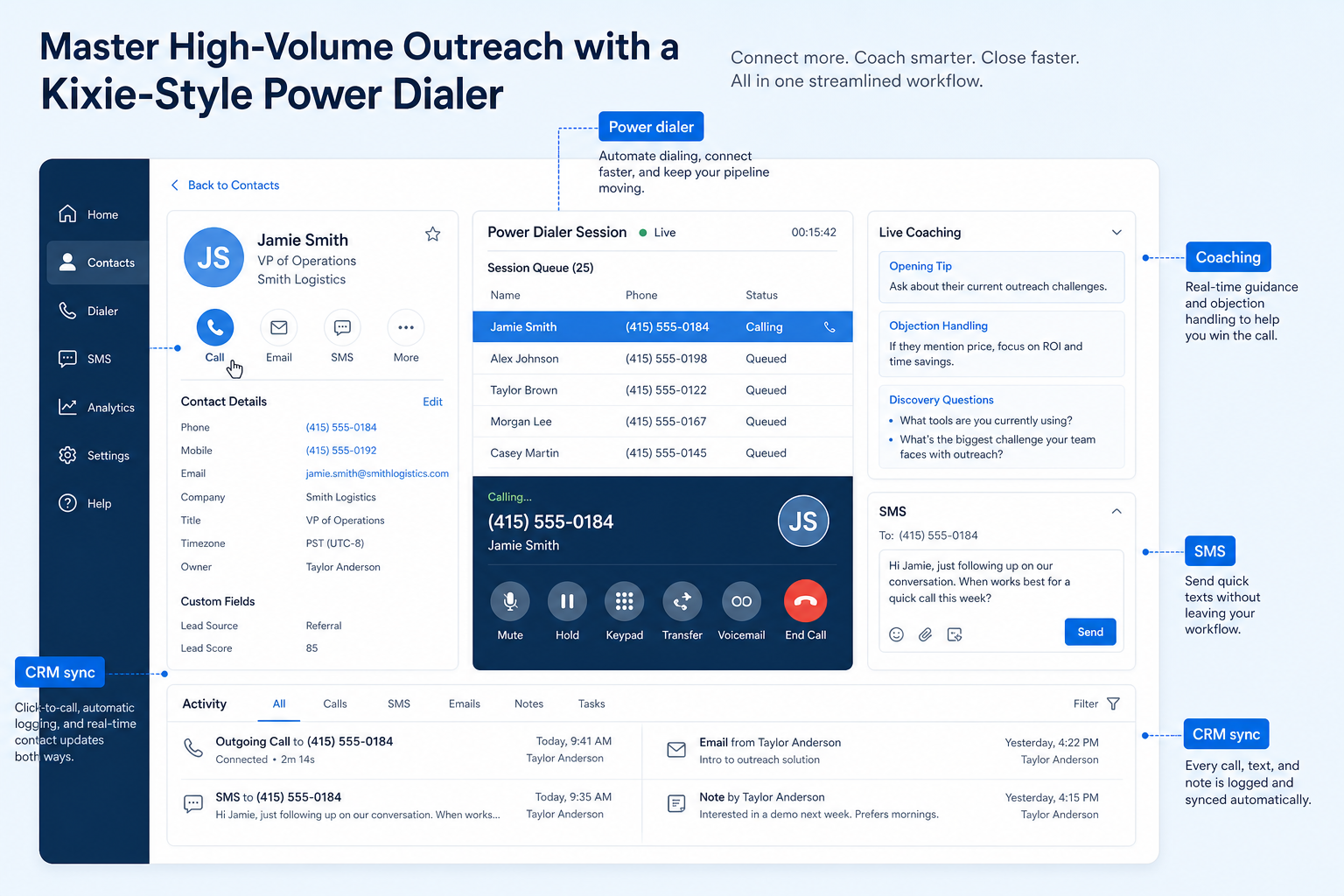
SoftwareGlimpse teaching diagram: how a power dialer sits on CRM records for calling, SMS, and coaching — not as a contact database.
Decision snapshot
Entity field audit 92/100
AI-powered sales dialer and business phone platform for CRM-connected outbound calling, SMS, and coaching.
Best for
- Outbound SDR and AE teams whose primary motion is high-volume calling rather than email
- Sales managers who need call recording, live coaching, and conversation intelligence for rep development
- Teams already standardized on HubSpot, Salesforce, Zoho, or Pipedrive who want calling activity logged automatically
- Contact-center-style inbound teams needing routing alongside outbound dialing
Not ideal for
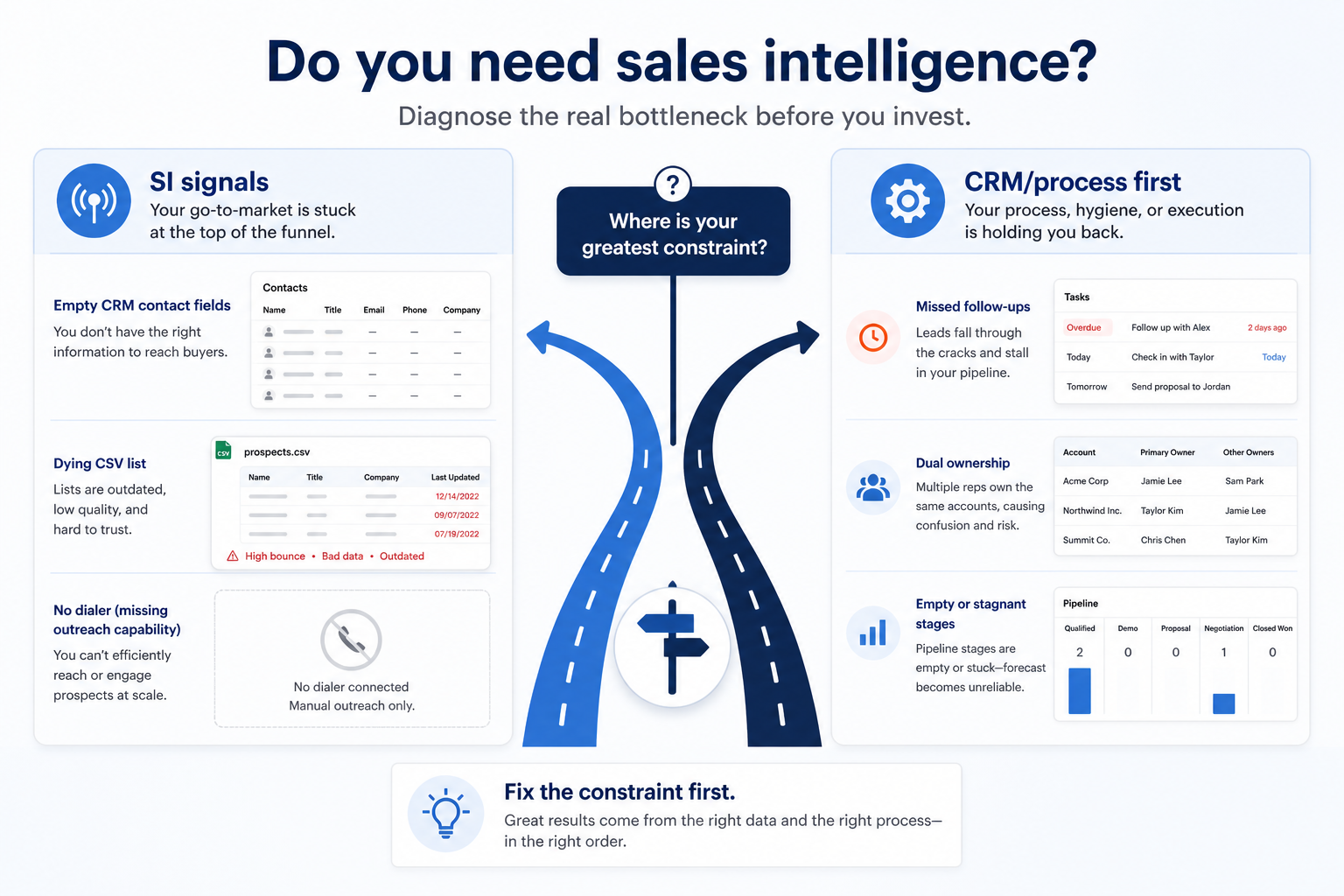
- Buyers looking for a contact database or prospect sourcing tool
- Teams whose outbound motion is email-first or LinkedIn-first
- Shoppers who refuse to engage sales for a quote before comparing options
- Organizations wanting a single vendor for both prospect data and outreach execution
Key tradeoffs
- Communications platform for modern revenue teams with power dialing, contact center, SMS, and conversation intelligence.
Pricing: 3 documented plans · entry paid: Professional
Evidence: Research/data-based (no completed hands-on test) · Latest verification/research signal: 2026-08-17T05:54:27.564Z · Editorial assessment: approved
Incomplete entity fields (not invented): trial
Next step: Compare against peers: Close vs Kixie
Our verdict
Kixie is the calling execution layer beneath a sales intelligence stack rather than a member of it. Bi-directional CRM sync, PowerDialer throughput, and conversation intelligence are genuinely strong, but Kixie sources no contacts and sends no email sequences, so it always needs a data provider and usually an email tool alongside it. Seat prices are not published on the official pricing page, so total cost requires a quote covering seats plus the add-ons you actually need. This review is based on first-party kixie.com documentation — not hands-on product testing.
Best for
- Outbound SDR and AE teams whose primary motion is high-volume calling rather than email
- Sales managers who need call recording, live coaching, and conversation intelligence for rep development
- Teams already standardized on HubSpot, Salesforce, Zoho, or Pipedrive who want calling activity logged automatically
- Contact-center-style inbound teams needing routing alongside outbound dialing
Not ideal for
- Buyers looking for a contact database or prospect sourcing tool
- Teams whose outbound motion is email-first or LinkedIn-first
- Shoppers who refuse to engage sales for a quote before comparing options
- Organizations wanting a single vendor for both prospect data and outreach execution
Bottom line
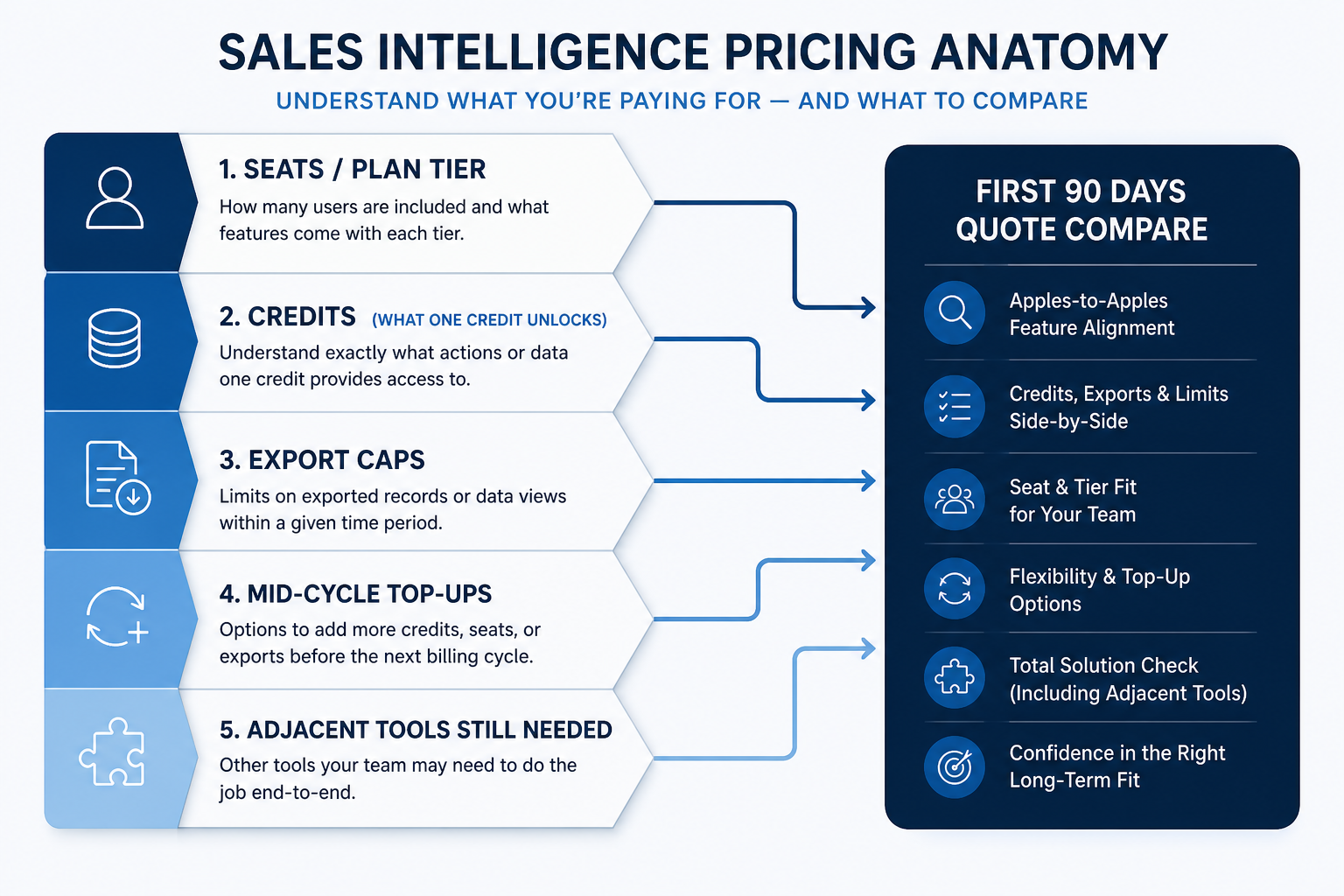
Per-seat subscription pricing in USD across three plans — Professional, Single-Line PowerDialer, and Multi-Line PowerDialer — all of which are contact-sales with no dollar amounts published on the official pricing page. There is no free plan, but a 7-day free trial requires no credit card. Premium add-ons such as ConnectionBoost, Conversation Intelligence, AI Human Detection, and DNC scrubbing are priced separately, so request a quote covering seats plus the specific add-ons you need before comparing total cost.
Kixie pros and cons
Pros
- Bi-directional CRM integration with HubSpot, Salesforce, Zoho, Pipedrive, and Zapier across plans
- PowerDialer ladder from Professional through Single-Line to Multi-Line dialing up to four lines
- Analytics and reporting plus AI Insights and Conversation Intelligence as first-party feature pillars
- Business phone, SMS, voicemail drop, live coaching, and inbound contact-center features in one layer
- 7-day free trial with no credit card required for genuine hands-on evaluation
Cons
- No B2B contact database — Kixie dials lists sourced from your CRM or a separate data vendor
- Email sequencing is not a documented capability; the product is phone and SMS first
- Seat dollar amounts are not published on the official pricing page, so every plan requires a quote
- Premium add-ons including AI Human Detection, Conversation Intelligence, DNC, and ConnectionBoost stack cost
- Number health, carrier reputation, and DNC compliance need ongoing operational attention
Pricing comparison
Full comparison →| Kixie(this review) | Close | Amplemarket | Apollo.io | |
|---|---|---|---|---|
| Starting price | Custom quote | $9.00/user/month | $600.00/user/month | $49.00/user/month |
| Free plan | No | No | No | Yes |
| Free trial | Yes | Yes | Yes | Yes |
Use cases for Kixie
Sales calling & dialing
Run outbound call volume with dialing tools and automatic CRM logging instead of hand-typed numbers.
Explore use case →Sales engagement
Coordinate calling, messaging, and cadence tools around CRM records.
Explore use case →Outbound sales
Run targeted outbound sequences with ownership, logging, and clear next steps in CRM.
Explore use case →Business phone
Give the business real phone numbers, shared answering, and call logging instead of personal mobiles.
Explore use case →
Kixie may not be the best fit if…
- · Buyers looking for a contact database or prospect sourcing tool
- · Teams whose outbound motion is email-first or LinkedIn-first
- · Shoppers who refuse to engage sales for a quote before comparing options
- · Organizations wanting a single vendor for both prospect data and outreach execution
Kixie guides
Setup, implementation, migration, plans, and worth-it walkthroughs for this product.
Part of Sales Engagement · Software reviews
Try a decision tool
Interactive helpers use recommendation criteria — affiliate status never changes outcomes.