
Crm
Pipeline-first sales CRM for visual deal management, activity-based selling, and growing sales teams.
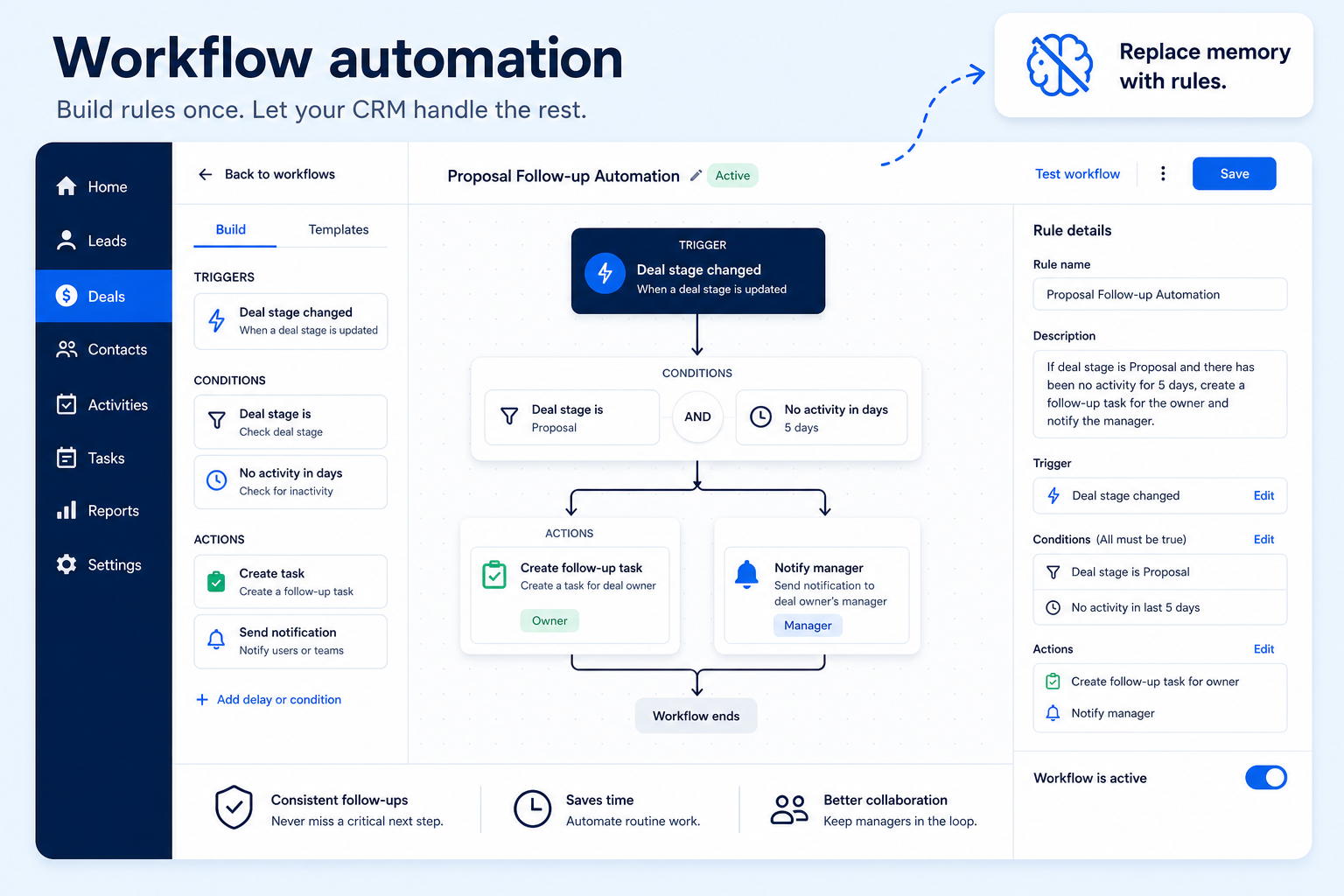
Rule-based actions — tasks, assignments, updates, emails — that fire on their own instead of depending on someone remembering.
At a glance
Rule-based actions that run consistently without manual follow-up
RevOps, sales ops, and process owners
Trigger types · Available actions · Conditional logic · Plan-tier execution limits
9 products to explore
Fit snapshot
Workflow automation is the CRM capability that performs actions automatically when a defined condition is met: creating a task, updating a field, assigning a record, or sending an email. It's the rules engine underneath process discipline — separate from sales engagement, which is about the content and cadence of outbound communication itself.
RevOps, sales ops, and managers who need process consistency to survive growth without adding administrative headcount. It matters most once manual follow-up starts slipping under volume.
How teams put CRM to work for automation
Example 1
a team that used to lose new inbound leads over a weekend. As a capability, workflow automation needs to trigger on record creation (not just scheduled batches) so a new lead gets an assignment and reminder within minutes, any day of the week.
Example 2
a team wanting to escalate stalled deals. The automation capability needs conditional logic — deals with no activity in a set number of days, in a specific stage — not just a single flat trigger, or every stalled deal gets treated the same regardless of why it stalled.
These are the operating problems that usually push teams toward CRM for automation — not feature wish lists.
Without CRM discipline: You need date-based or record-creation triggers, but the plan only supports scheduled batches.
Without CRM discipline: You can update a field but can't send an email or create a task from the same rule.
Without CRM discipline: Every record gets the same treatment regardless of what's actually different about it.
Without CRM discipline: The rules work in a trial and then hit a hard limit once volume is real.
A CRM only helps when the team keeps owners, history, and next steps current. Here is what “good” looks like for automation.
With CRM discipline: Broad trigger support (creation, field change, date, form submission) covers more real scenarios.
With CRM discipline: A wider action set (tasks, field updates, emails, notifications) supports real workflows in one rule.
With CRM discipline: Conditional logic lets one workflow behave differently based on record data.
With CRM discipline: Confirming execution limits before rollout avoids mid-rollout surprises.
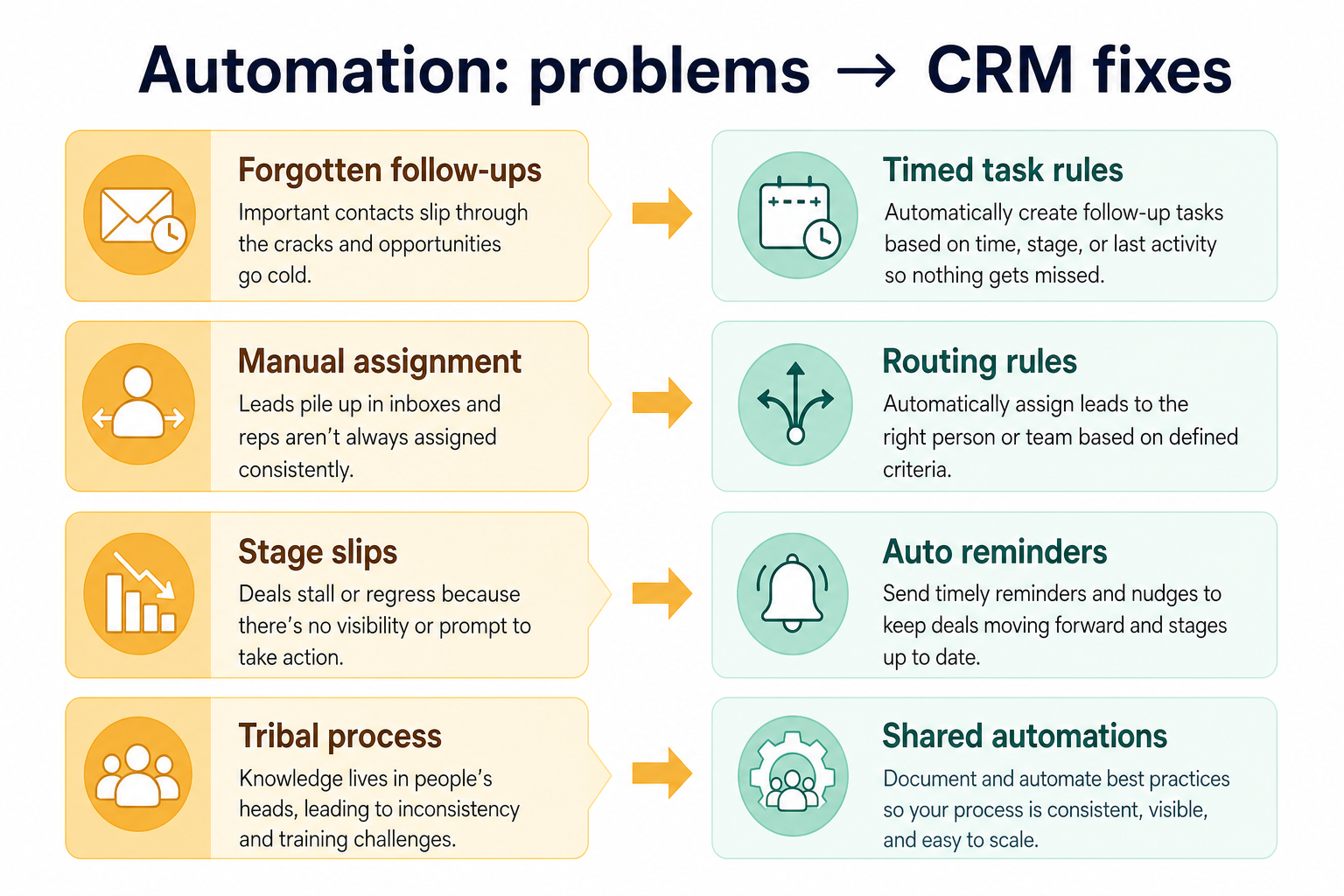
Follow-up that doesn't depend on memory
Rules run whether or not someone remembers to check.
Records assigned the same way every time
Routing logic doesn't drift between people.
Less repetitive manual entry
Field updates and task creation happen automatically.
Automation you can see and audit
Logs show what a rule actually changed and when.
Evaluate what can trigger a rule, what actions are available, and plan-tier limits on active workflows — not the total feature list. A capable automation engine capped at a handful of active workflows on your plan is not capable for your team.
Date-based and creation triggers matter as much as scheduled ones.
One rule should be able to do more than update a single field.
Check caps on active workflows and monthly executions before committing.
Rules that silently modify records are hard to trust or debug.
Learn more →Start with must-haves your team will use weekly. Treat nice-to-haves as later upgrades — not day-one blockers.
Must-have
Fire on record creation, field changes, dates, and form submissions.
Learn more →Route new records to an owner without manual triage.
Nice-to-have
Let rules behave differently based on record data.
See and test what an automation actually did before trusting it.
Learn more →A simple operating loop beats a complex board nobody updates.
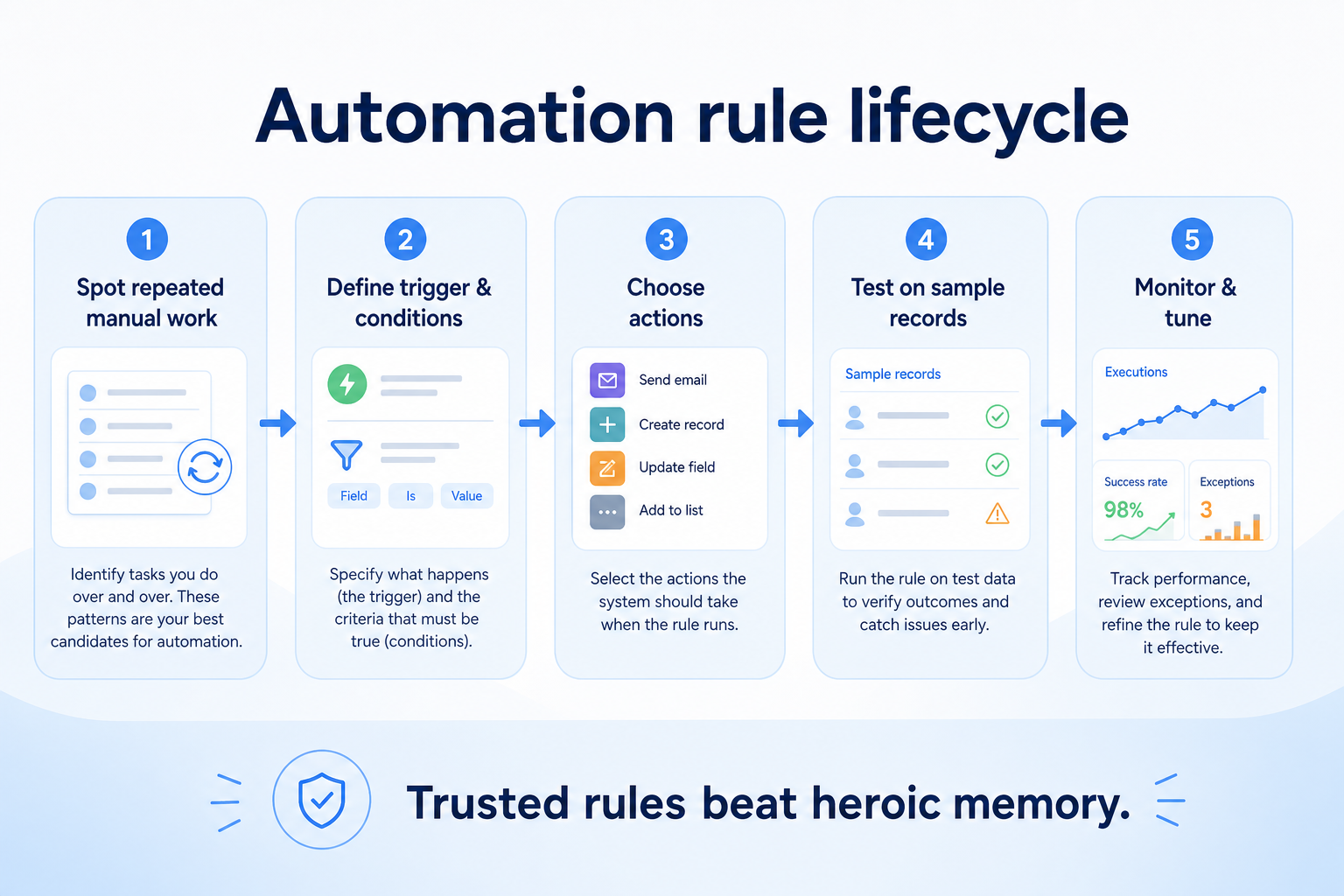
Document the manual process a rule should replace.
Configure the trigger, conditions, and actions for one workflow.
Run against a small set of records before enabling broadly.
Turn the rule on and monitor early executions.
Retire or adjust rules as the process changes.
Best when
The team can no longer manually track every task and reminder.
Related page →Best when
Process discipline needs to come from rules, not extra staff.
Best when
Deals or leads go quiet and nobody notices until it's too late.
Related page →Start with the highest-cost manual follow-up, not the most interesting one.
List the specific events and actions your top workflow requires.
Requirements guide →Build and test the real workflow in a trial, not a generic demo automation.
Trial evaluation →Verify active workflow and monthly execution caps against your real volume.
Catalogue products tagged to related use cases for workflow automation. Inclusion here is not a ranking.
Crm
Pipeline-first sales CRM for visual deal management, activity-based selling, and growing sales teams.

Crm
Freshworks sales CRM for lead management and pipeline workflows.

Crm
Sales-focused CRM for pipeline management and sales engagement workflows.

Crm
Relationship-focused CRM for small sales teams and founders.

Crm
Simple relationship CRM for organizing contacts and collaborative outreach.

Crm

Crm

Crm
Simple small-business CRM for contacts, sales pipelines, tasks, and lightweight automation without enterprise complexity.

Crm
Enterprise CRM platform for sales, service, marketing, and customer data across large and mid-market teams.
It is rule-based work the CRM performs on your behalf — creating tasks, updating fields, assigning records, or sending emails when a defined condition is met.
Automation acts on records — tasks, fields, assignment. Sales engagement is about the content and cadence of outbound communication to people.
The highest-cost follow-up you currently miss, once the underlying process is stable enough to automate.
Often — it's a common upgrade trigger, and plans may cap active workflows or monthly executions. Verify limits with vendors before shortlisting.
No. Fit depends on how your team works, which requirements are must-haves, and what the CRM has to integrate with. Use the requirement matrix and CRM Finder to build a shortlist rather than starting from a ranking.
Capture, score, route, and work leads before they become pipeline deals.
Track opportunities through defined stages with owners and next steps.
Sync, log, track, and sequence email from the CRM without losing the thread.
Coordinate calling, sequences, and multi-channel outreach cadences.
Next steps after evaluating workflow automation — decision tools and pages. Affiliate relationships never change recommendations.
Use Finder for a fit-based shortlist, compare products, or build a requirements checklist before demos.
Part of CRM capabilities · CRM Software hub
Want clearer software shortlists? Get buying guides and comparisons by email.
Newsletter coming soon.