This video is hosted on YouTube
This content is hosted by YouTube. The player loads only after you allow marketing cookies.
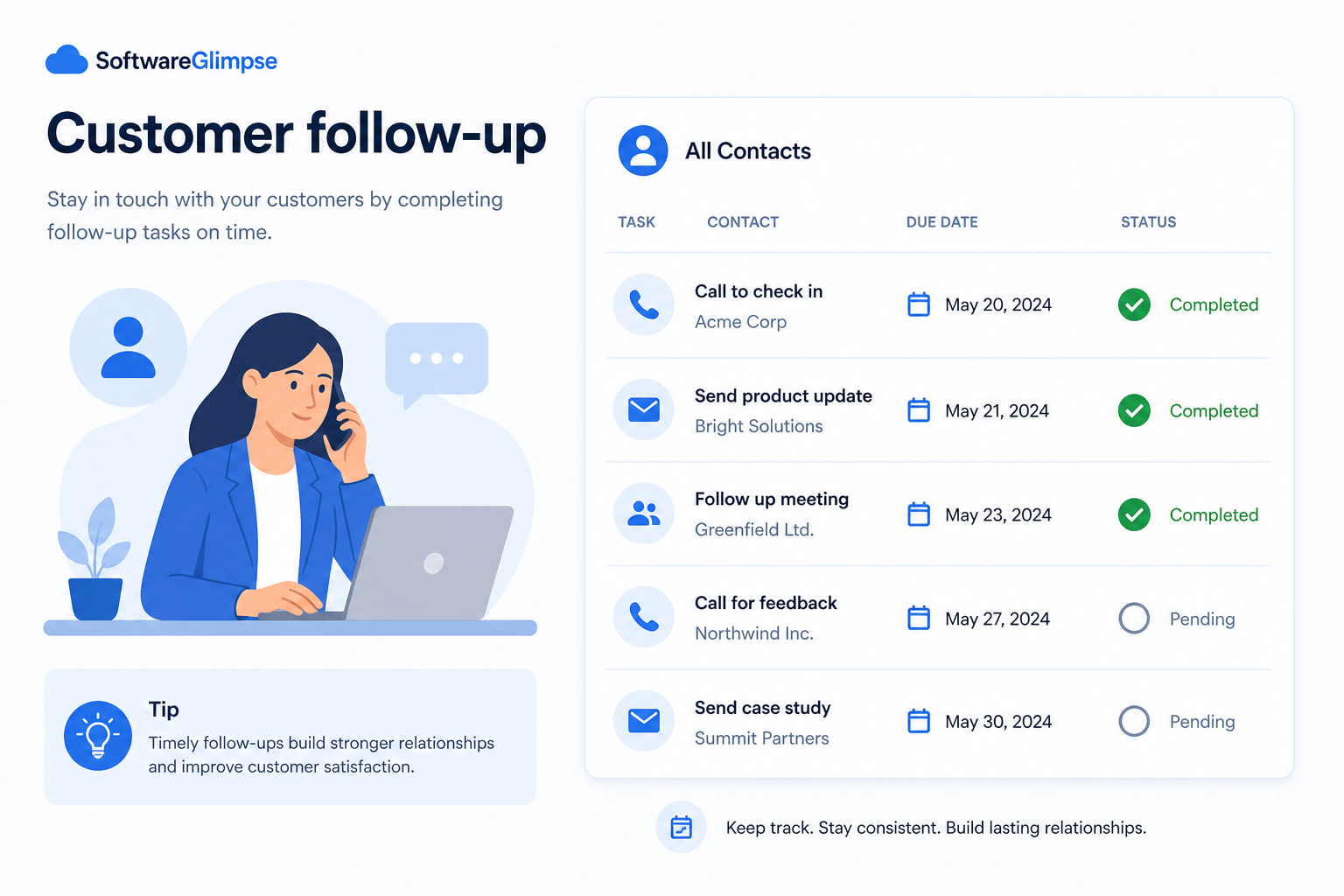
Make the next step unavoidable — dated tasks on records so promises after calls and meetings do not vanish into inboxes.
At a glance
Dated, owned next steps after every meaningful conversation
AEs, SDRs, account managers, sales managers
Required next dates · Owner task queues · Overdue visibility · Post-meeting hygiene
9 products to explore
Fit snapshot
Customer follow-up is the CRM job of enforcing next-step discipline: every conversation ends with a dated, owned task on the contact, lead, or deal. It differs from broader sales engagement or email outreach by focusing on the operational habit of closing the loop — not on cadence design or campaign volume.
AEs, SDRs, account managers, and managers tired of “I’ll ping them next week” with no system of record. You lose momentum when follow-ups live only in memory, sticky notes, or personal reminders.
How teams put CRM to work for follow-up
Example 1
an AE team after demos
Before CRM
follow-ups sat in personal calendars and many demos went quiet
After CRM
every demo creates a dated next task on the opportunity — Friday reviews clear overdue follow-ups before new outbound
Example 2
an AM promising a QBR and a pricing review
Before CRM
both lived in email drafts
After CRM
tasks on the account make missed follow-ups visible to the manager before the customer notices
These are the operating problems that usually push teams toward CRM for follow-up — not feature wish lists.
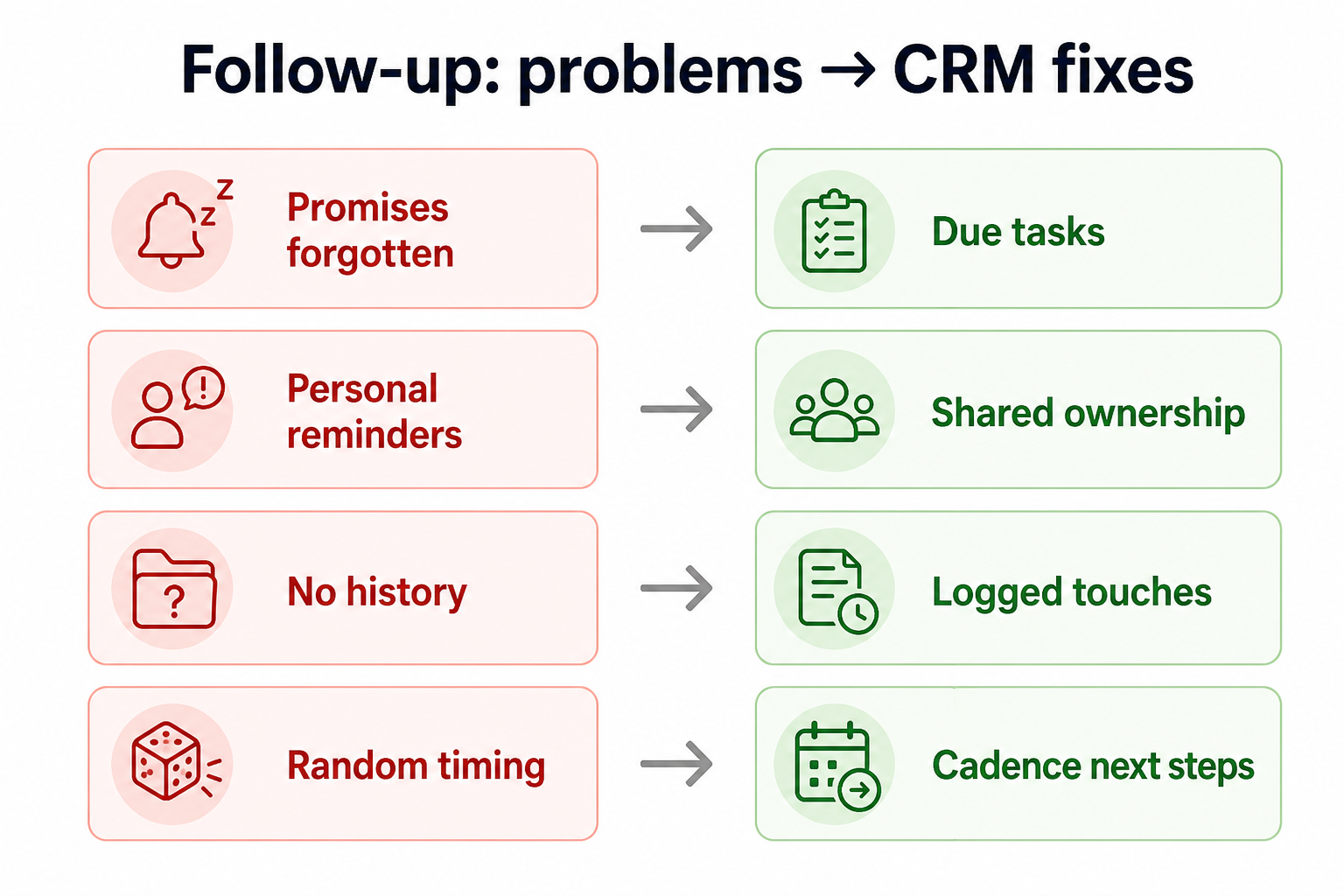
Without CRM discipline: Promised pings never happen; deals cool without a visible miss.
Without CRM discipline: Only the sender knows a follow-up was implied.
Without CRM discipline: Managers cannot see which conversations are dangling.
Without CRM discipline: Notes prove a call happened but not what happens next.
A CRM only helps when the team keeps owners, history, and next steps current. Here is what “good” looks like for follow-up.
With CRM discipline: Tasks with due dates on records make next steps reviewable and coachable.
With CRM discipline: Logging the next step on the shared record makes coverage survive vacations.
With CRM discipline: Queues of overdue tasks by owner drive weekly hygiene.
With CRM discipline: Process rules: meaningful activity requires a dated next action.
Fewer dropped follow-ups
Promises after calls become dated work on the record.
Manager visibility into dangling work
Overdue tasks surface before customers feel ignored.
Handoff-safe next steps
Covering reps inherit what was promised and when.
Cleaner pipeline and account reviews
Reviews start from missing next steps, not from reconstructing history.
Prioritize required next dates, task queues by owner, and review of overdue follow-ups. Automation reminders help after the team accepts that open work without a next step is incomplete.
Open work without a next step is incomplete by definition.
Reps work CRM follow-ups, not only inbox stars.
Tasks on deals, accounts, or contacts — not orphan personal todos.
Learn more →Start with must-haves your team will use weekly. Treat nice-to-haves as later upgrades — not day-one blockers.
Must-have
Next steps attach to the right record with an owner and date.
Each rep sees today’s and overdue follow-ups clearly.
Nice-to-have
Helpful when meetings already drive the day — optional early on.
Understand what needs to happen before comparing how products implement each step. Support overlays use structured research — never video inference.
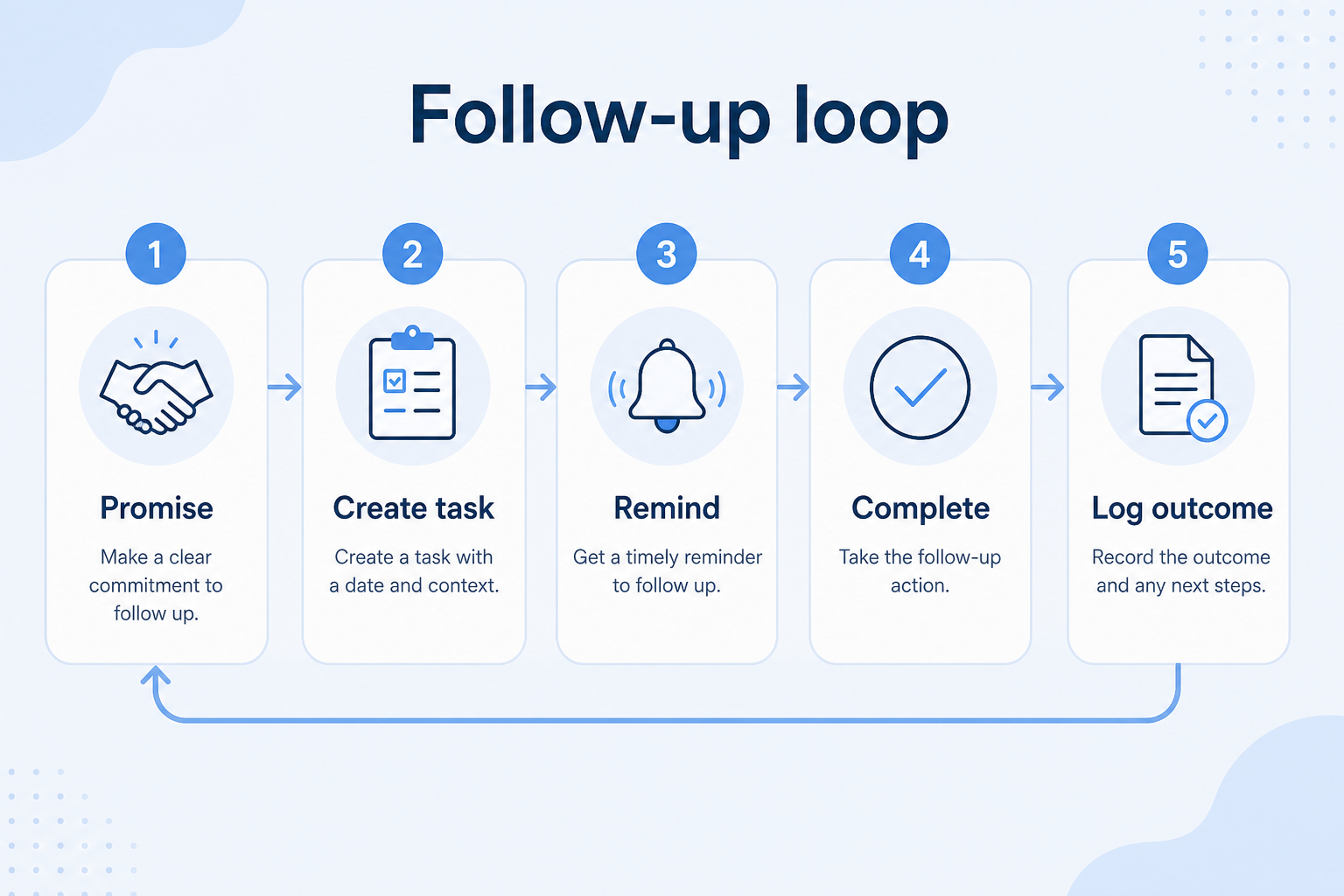
Support labels come from structured feature research — not from videos.
Objective
Complete the call, meeting, or email thread with a clear outcome.
Next step
Next step
Next step
Next step
Official product demonstrations can help show how different CRMs handle the follow-up workflow. Absence of a video does not mean a product lacks support for this use case.

HubSpot
The Official HubSpot Sales Hub Tutorial
Lead management workflow — capture through assignment and follow-up
This video is hosted on YouTube
This content is hosted by YouTube. The player loads only after you allow marketing cookies.
What this demonstrates
Workflow coverage
Coverage describes what the demo shows — not product support status.
What to notice
This demonstration does not establish
Related capabilities
Features visible in this demo
Source: HubSpot · Verified 14 Aug 2026
Compare two products against the same workflow using researched assessments. Official demos help you see the workflow — they do not change support status.
HubSpot
This video is hosted on YouTube
This content is hosted by YouTube. The player loads only after you allow marketing cookies.
What to notice
Not shown in this demo

Pipedrive

Pipedrive’s sales CRM product view as shown on the official site.
What to notice
Not shown in this demo
Canonical feature assessments for this workflow — not inferred from demos.
| Step | HubSpot | Pipedrive |
|---|---|---|
| Converse | Unknown | Unknown |
| Capture | Unknown | Unknown |
| Schedule | Unknown | Unknown |
| Execute | Unknown | Unknown |
| Review | Unknown | Unknown |
Based on the follow-up workflow, buyers commonly evaluate the checklist below. Nothing is written to your decision profile until you confirm in the tool.
Context: useCase=customer-follow-up — tools apply this only after your confirmation.
Best when
Deals stall because nobody owns the next conversation after a good meeting.
Related page →Best when
Renewal and expansion conversations need dated commercial follow-ups.
Related page →Best when
Handoffs fail when the next step was only in the SDR’s head.
Related page →Logged touch + dated next step on the right record — write the rule.
Ask how reps see today’s and overdue follow-ups without admin help.
Demo guide →Run one week where managers clear overdue tasks from CRM only.
Trial evaluation →Follow-up hygiene should feed stage and account meetings.
Requirements guide →Automate nudges only when manual task discipline is already working.
Catalogue products that list customer follow-up as a supported use case. Inclusion here is not a ranking. Official demo counts never change ranking.
Crm
Pipeline-first sales CRM for visual deal management, activity-based selling, and growing sales teams.

Crm
Freshworks sales CRM for lead management and pipeline workflows.

Crm
Sales-focused CRM for pipeline management and sales engagement workflows.

Crm
Relationship-focused CRM for small sales teams and founders.

Crm
Simple relationship CRM for organizing contacts and collaborative outreach.

Crm
Simple small-business CRM for contacts, sales pipelines, tasks, and lightweight automation without enterprise complexity.

Crm
Enterprise CRM platform for sales, service, marketing, and customer data across large and mid-market teams.
Sales engagement often focuses on cadences and multi-channel outreach programs. Customer follow-up is the narrower discipline of ensuring every conversation has a dated next step on the CRM record.
No. Require next steps after meaningful conversations — demos, discovery, pricing, renewals — not after every trivial ping. Too many tasks recreate inbox noise.
On the object that owns the work: opportunity for active deals, account for post-sale promises, lead/contact for pre-pipeline conversations. Consistency matters more than perfection.
Overdue tasks by owner, open deals/accounts with no next step, and handoffs where the next action was never created.
Track deals through stages, keep ownership clear, and see where opportunities stall.
Own post-sale accounts with stakeholders, renewals, and expansion opportunities in one place.
Coordinate calling, messaging, and cadence tools around CRM records.
Reduce repetitive follow-ups with workflows that still need human judgment.
Maintain ongoing customer context beyond the first closed deal.
Use Finder for a fit-based shortlist, compare products, or build a requirements checklist before demos.
How we review
Evaluation, verification, and refresh — no fake testing claims.
Editorial methodology
Category criteria and scores grounded in evidence.
Editorial policy
Authorship, evidence levels, scoring, and disclosures.
Corrections
Spot something outdated? Tell us.
Want clearer software shortlists? Get buying guides and comparisons by email.
Newsletter coming soon.