
Crm
Relationship-focused CRM for small sales teams and founders.
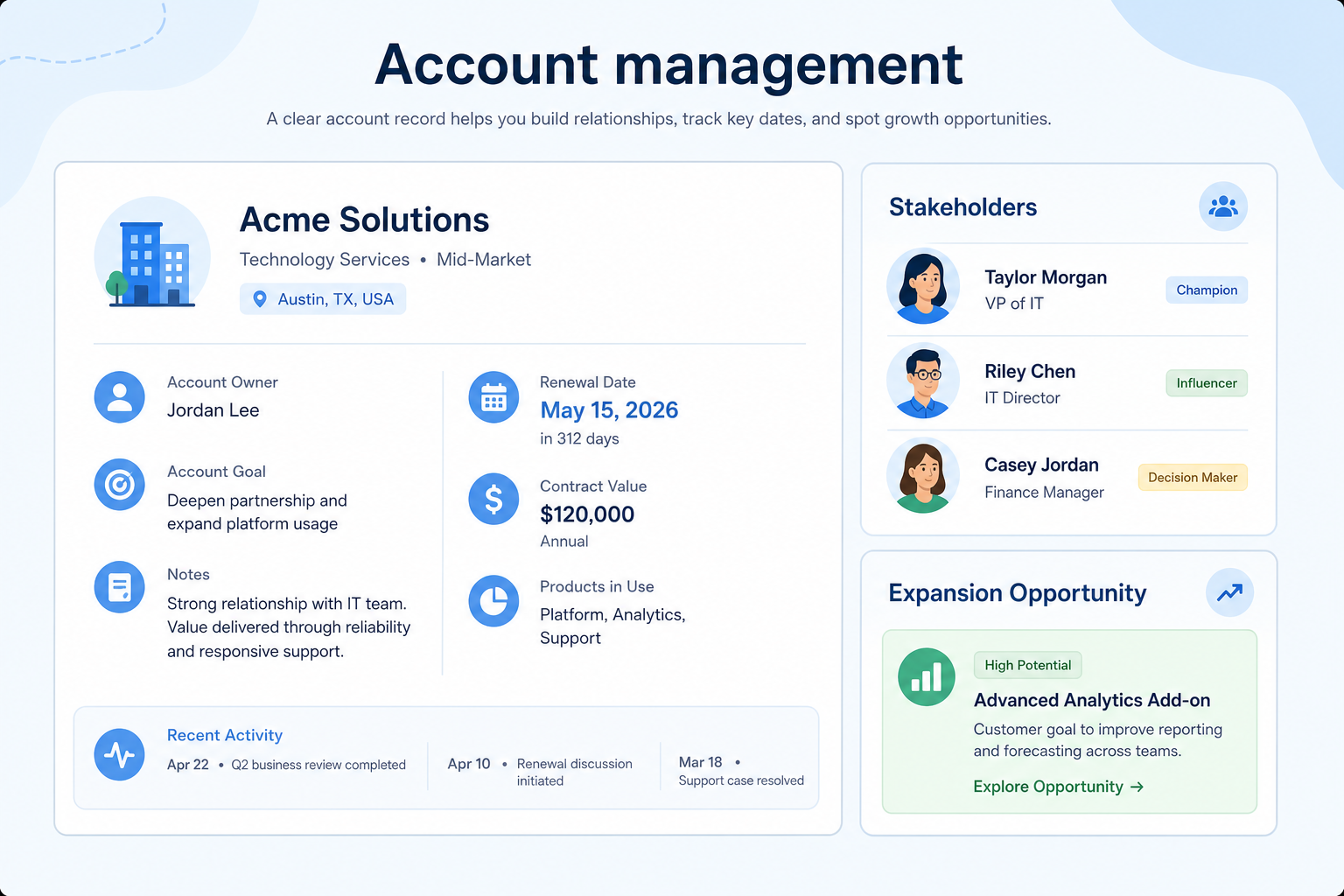
Own post-sale accounts with renewal, expansion, and health context — not a contact list that ends at close-won.
At a glance
Named ownership of post-sale accounts with renewal and expansion visibility
Account managers, CSMs with commercial goals, sales leaders
Named account owners · Renewal dates · Expansion opportunities · Stakeholder maps
9 products to explore
Fit snapshot
Account management is the CRM job of running named customer accounts after the initial sale: ownership, health signals, renewals, and expansion opportunities. It differs from broader relationship management by focusing on commercial account ownership — who owns the account, what is at risk, and what grows next — not only staying in touch.
Account managers, CSMs with commercial ownership, and sales leaders responsible for renewals and expansion. You close deals well but struggle when renewals, upsells, and stakeholder maps live in inboxes instead of on the account.
How teams put CRM to work for accounts
Example 1
a SaaS AM team with 40 named accounts
Before CRM
renewals surfaced when finance emailed an invoice date
After CRM
every account has an owner, renewal date, and open expansion opp — QBR prep starts from at-risk accounts, not from searching Slack
Example 2
a services firm handing closed deals to delivery
Before CRM
the AE’s notes never reached the AM
After CRM
the account record carries stakeholders, contract terms, and next commercial step so expansion does not restart from zero
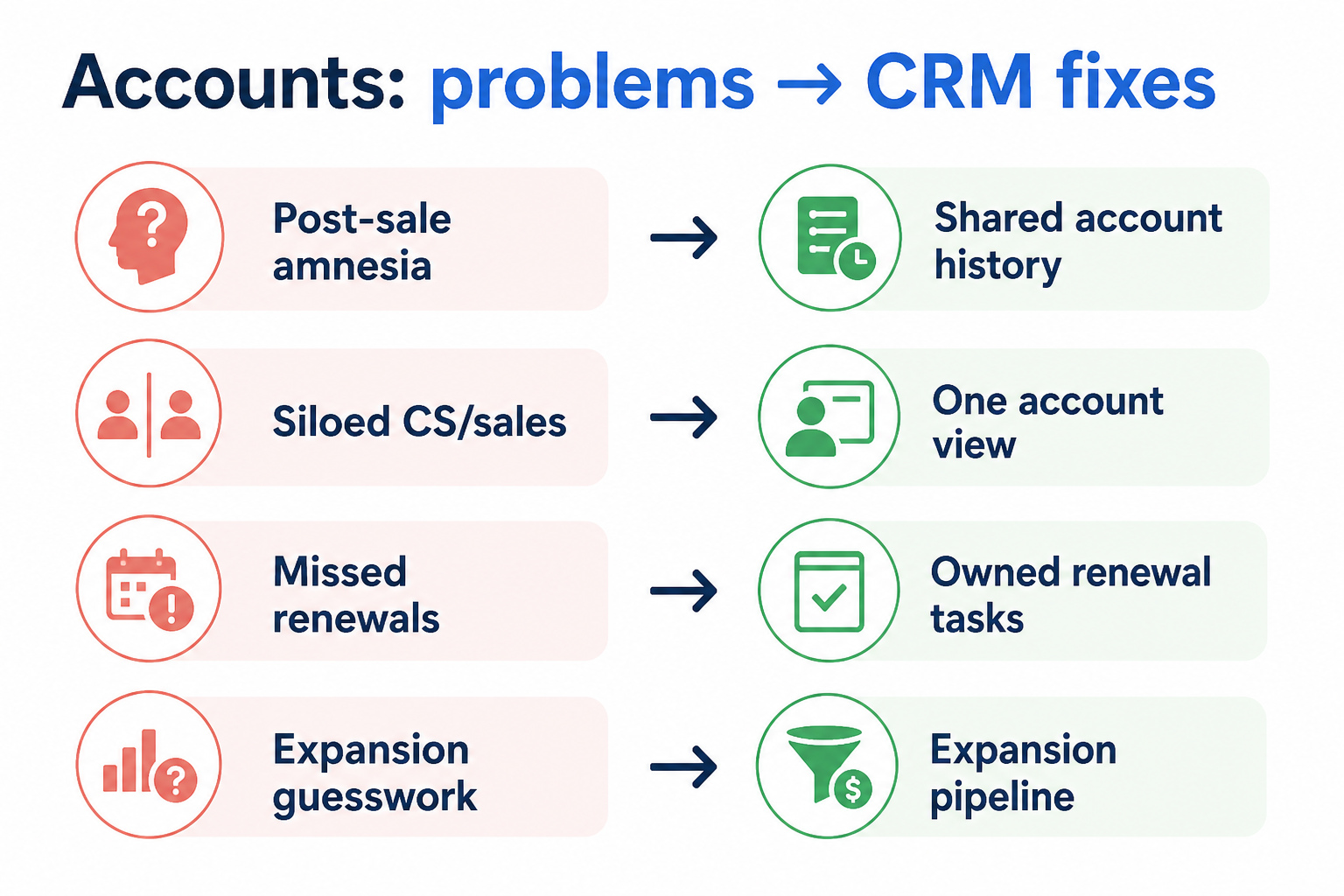
These are the operating problems that usually push teams toward CRM for accounts — not feature wish lists.
Without CRM discipline: Nobody owns the commercial relationship once delivery starts.
Without CRM discipline: Teams scramble when contract end dates appear in finance systems first.
Without CRM discipline: Upsell ideas stay in one person’s head and vanish on vacation or turnover.
Without CRM discipline: Champions leave and the AM discovers it at renewal time.
A CRM only helps when the team keeps owners, history, and next steps current. Here is what “good” looks like for accounts.
With CRM discipline: Account records keep a named AM owner, renewal date, and next commercial step.
With CRM discipline: Renewal fields and tasks on the account make upcoming renewals reviewable weekly.
With CRM discipline: Linked expansion opportunities and notes sit on the account for handoffs.
With CRM discipline: Contacts and roles on the account make coverage gaps visible before renewals.
Every strategic account has an owner
Coverage is visible — no orphan renewals waiting for someone to notice.
Renewals managed on a calendar
Upcoming renewals and risks surface in reviews, not in last-minute fire drills.
Expansion treated as real pipeline
Upsells and cross-sells become owned opportunities with stages and next steps.
Cleaner AE-to-AM handoffs
Context travels with the account instead of living in the closer’s inbox.
Prioritize account ownership, renewal dates, health or risk notes, and linked expansion opportunities. Contact history alone is not enough — you need a commercial picture of the account over time.
Every strategic account has a clear commercial owner.
Contract end dates live on the account, not only in finance.
Start with must-haves your team will use weekly. Treat nice-to-haves as later upgrades — not day-one blockers.
Must-have
Named owners and hierarchy for parent/child accounts where needed.
Dates and status that power renewal reviews and tasks.
Expansion and renewal deals sit on the same account context.
Learn more →Stakeholder map with roles for buying and renewal conversations.
Learn more →Nice-to-have
Lightweight signals for at-risk accounts — after ownership is real.
Understand what needs to happen before comparing how products implement each step. Support overlays use structured research — never video inference.
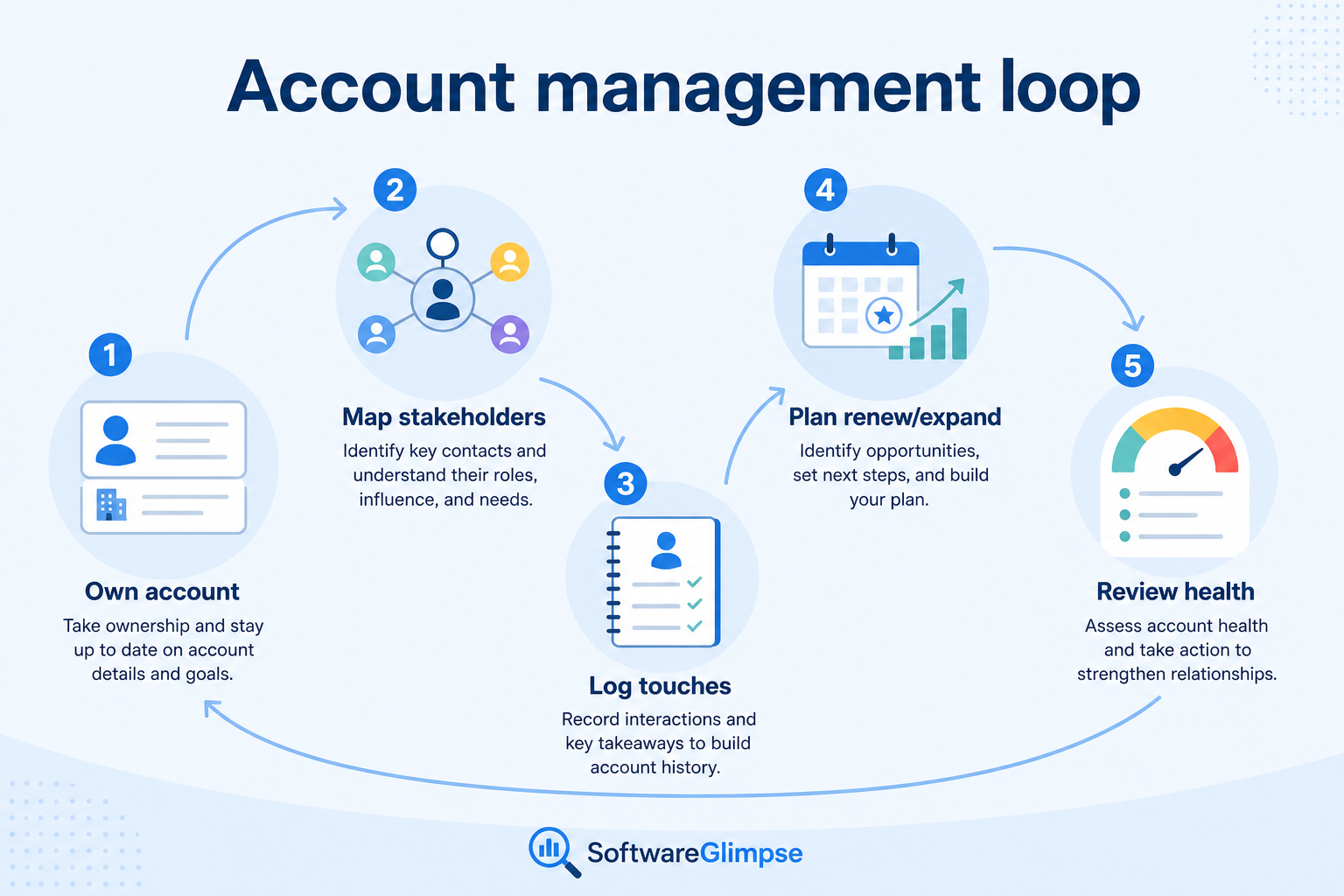
Support labels come from structured feature research — not from videos.
Objective
Won deal creates or updates the account with AM owner and key context.
Next step
Next step
Next step
Next step
Compare two products against the same workflow using researched assessments. Official demos help you see the workflow — they do not change support status.

HubSpot
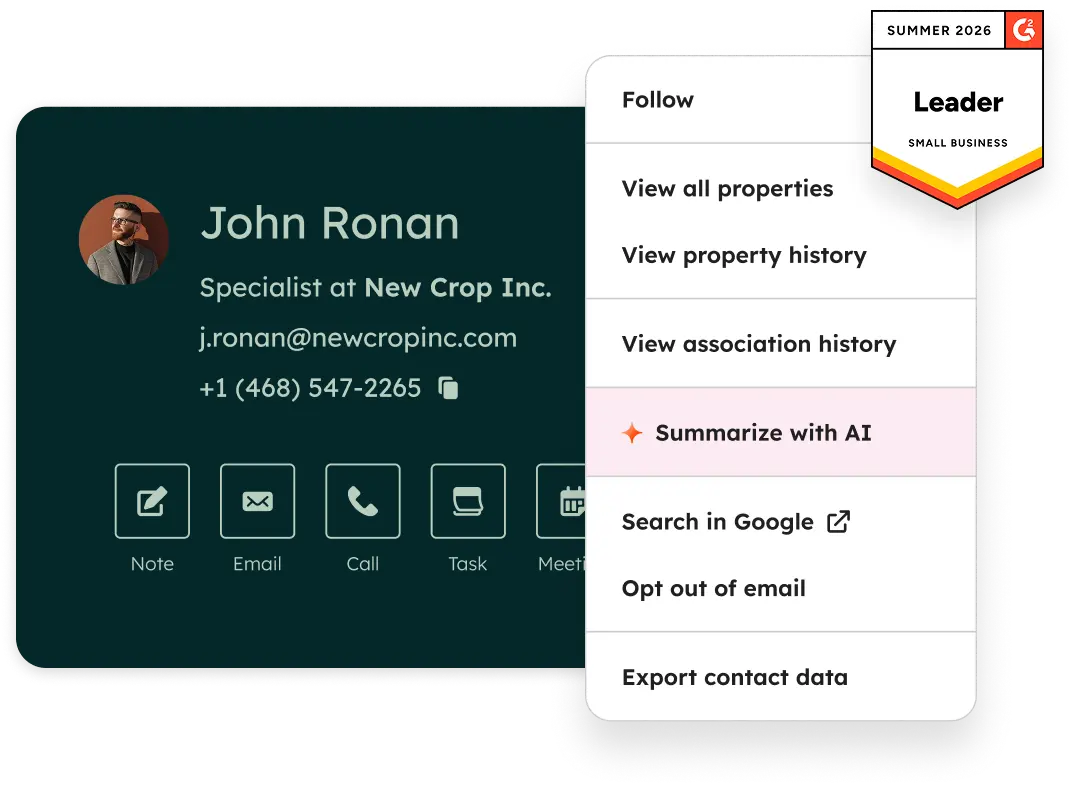
Official Free CRM hero product visualization.
What to notice
Not shown in this demo

Pipedrive

Pipedrive’s sales CRM product view as shown on the official site.
What to notice
Not shown in this demo
Canonical feature assessments for this workflow — not inferred from demos.
| Step | HubSpot | Pipedrive |
|---|---|---|
| Hand off | Unknown | Unknown |
| Map | Unknown | Unknown |
| Engage | Unknown | Unknown |
| Expand or renew | Unknown | Unknown |
| Review | Unknown | Unknown |
Based on the accounts workflow, buyers commonly evaluate the checklist below. Nothing is written to your decision profile until you confirm in the tool.
Context: useCase=account-management — tools apply this only after your confirmation.
Best when
AMs own renewals and expansion across a book of accounts.
Best when
Closed deals must transfer context without losing stakeholders or terms.
Related page →Best when
A large share of revenue depends on renewals and expansion, not only new logos.
Related page →Separate post-sale ownership from new-business pipeline stages before demos.
Owner, renewal date, key contacts, health notes, linked opportunities.
Requirements guide →Import a slice of renewals and run one AM review from CRM only.
Trial evaluation →Confirm won deals create usable account context for AMs — not empty shells.
Someone owns fields, renewal hygiene, and review cadence — or books decay.
Catalogue products that list account management as a supported use case. Inclusion here is not a ranking. Official demo counts never change ranking.
Crm
Relationship-focused CRM for small sales teams and founders.

Crm
Simple relationship CRM for organizing contacts and collaborative outreach.

Crm
Simple small-business CRM for contacts, sales pipelines, tasks, and lightweight automation without enterprise complexity.

Crm
Enterprise CRM platform for sales, service, marketing, and customer data across large and mid-market teams.
Crm
AI-powered customer platform with free forever CRM, plus paid Smart CRM seats and Sales/Marketing/Service hubs for growing teams.

Crm
Microsoft Dynamics 365 Sales CRM for pipeline management, forecasting, and Microsoft 365 / Copilot workflows.

Crm
Affordable multi-edition sales CRM with free tier, automation, and Zia AI across Standard through Ultimate.

Crm
Modern, flexible CRM for startups and GTM teams with a data-model-first workspace and AI assistance.

Crm
Google Workspace-native CRM for pipeline and relationship management inside Gmail and Google apps.
Relationship management is the broader practice of staying connected across contacts and history. Account management is specifically post-sale commercial ownership: renewals, expansion, health, and who owns the customer account.
Not necessarily on day one. Many teams start with account ownership, renewal dates, and linked opportunities in CRM. Add specialized CS tooling when health scoring and product usage workflows outgrow that model.
Usually both: a renewal date on the account for calendar visibility, plus a renewal opportunity when active selling work starts — so stages and next steps stay clear.
When there is a real next commercial conversation with an owner and date — not every vague upsell idea. Keep noise off the board; keep intent on the account as notes until it qualifies.
Maintain ongoing customer context beyond the first closed deal.
Never drop promised next steps — tasks, reminders, and history attached to the right record.
Track deals through stages, keep ownership clear, and see where opportunities stall.
Build forecasts from pipeline truth — stages, categories, and hygiene — not optimistic storytelling.
Keep people, companies, and interaction history in one searchable system.
Use Finder for a fit-based shortlist, compare products, or build a requirements checklist before demos.
How we review
Evaluation, verification, and refresh — no fake testing claims.
Editorial methodology
Category criteria and scores grounded in evidence.
Editorial policy
Authorship, evidence levels, scoring, and disclosures.
Corrections
Spot something outdated? Tell us.
Want clearer software shortlists? Get buying guides and comparisons by email.
Newsletter coming soon.