This video is hosted on YouTube
This content is hosted by YouTube. The player loads only after you allow marketing cookies.
Keep people, companies, and interaction history in one searchable system the whole team can trust.
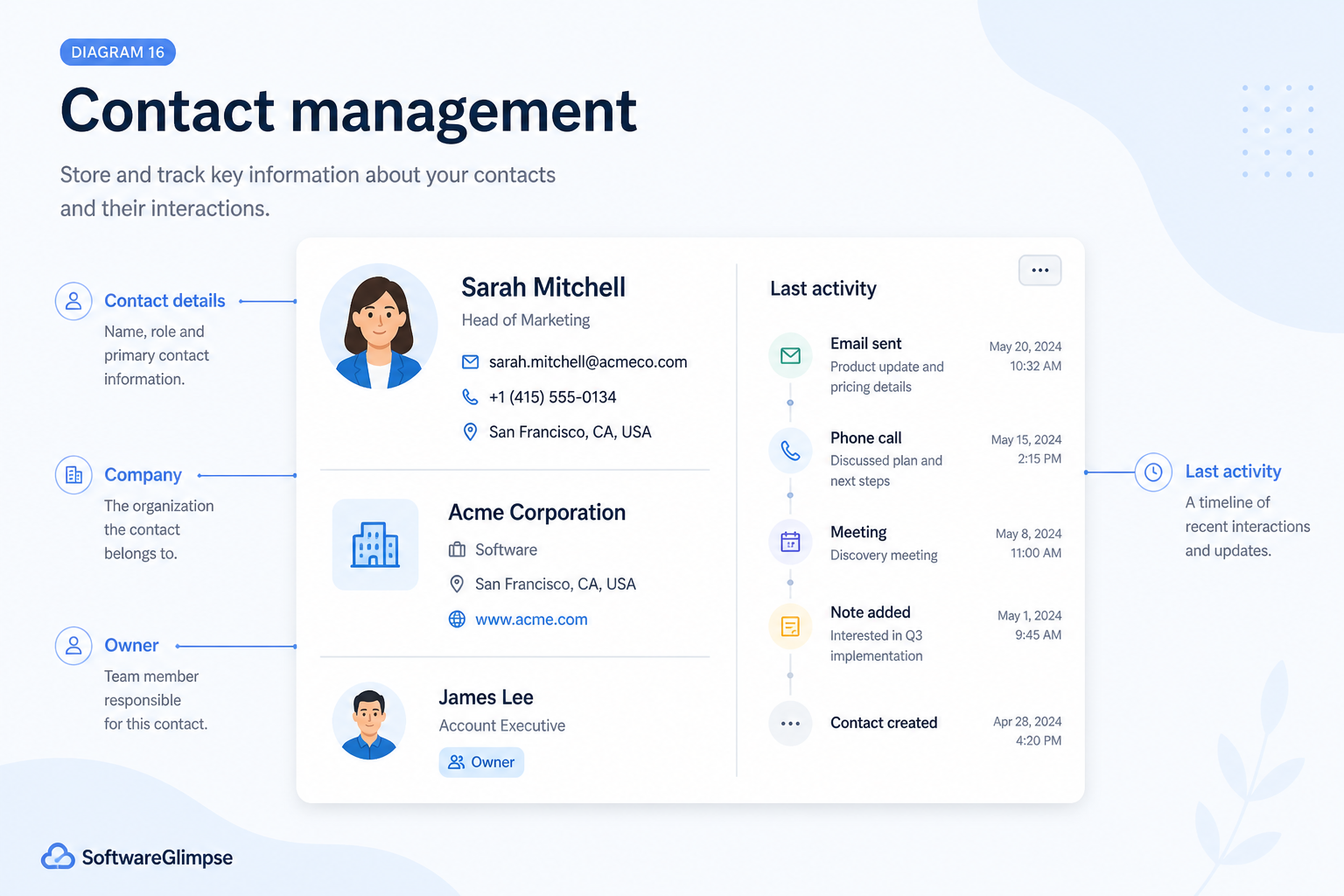
At a glance
Shared, searchable people and company history
Sales, account, and ops teams that share customers
Contact & company records · Activity timelines · Duplicate control · Email / calendar sync
9 products to explore
Fit snapshot
Contact management is the CRM foundation of durable records for people and organizations. Teams use it so notes, emails, and roles are not trapped in personal inboxes — and so coverage does not mean rebuilding history from scratch.
Anyone who shares customers across sales, success, or delivery — from small owner-led teams to account pods. You need searchable people and company records before advanced pipelines or automation pay off.
How teams put CRM to work for contacts
Example 1
a professional-services firm
Before CRM
client history lived in partner notebooks and email folders
After CRM
each contact sits under an account with a shared timeline — covering partners stop asking “who spoke last?”
Example 2
a small sales team leaving spreadsheets
Before CRM
phone numbers and roles drifted across conflicting rows
After CRM
one contact record is the source of truth, with duplicates merged and roles labeled
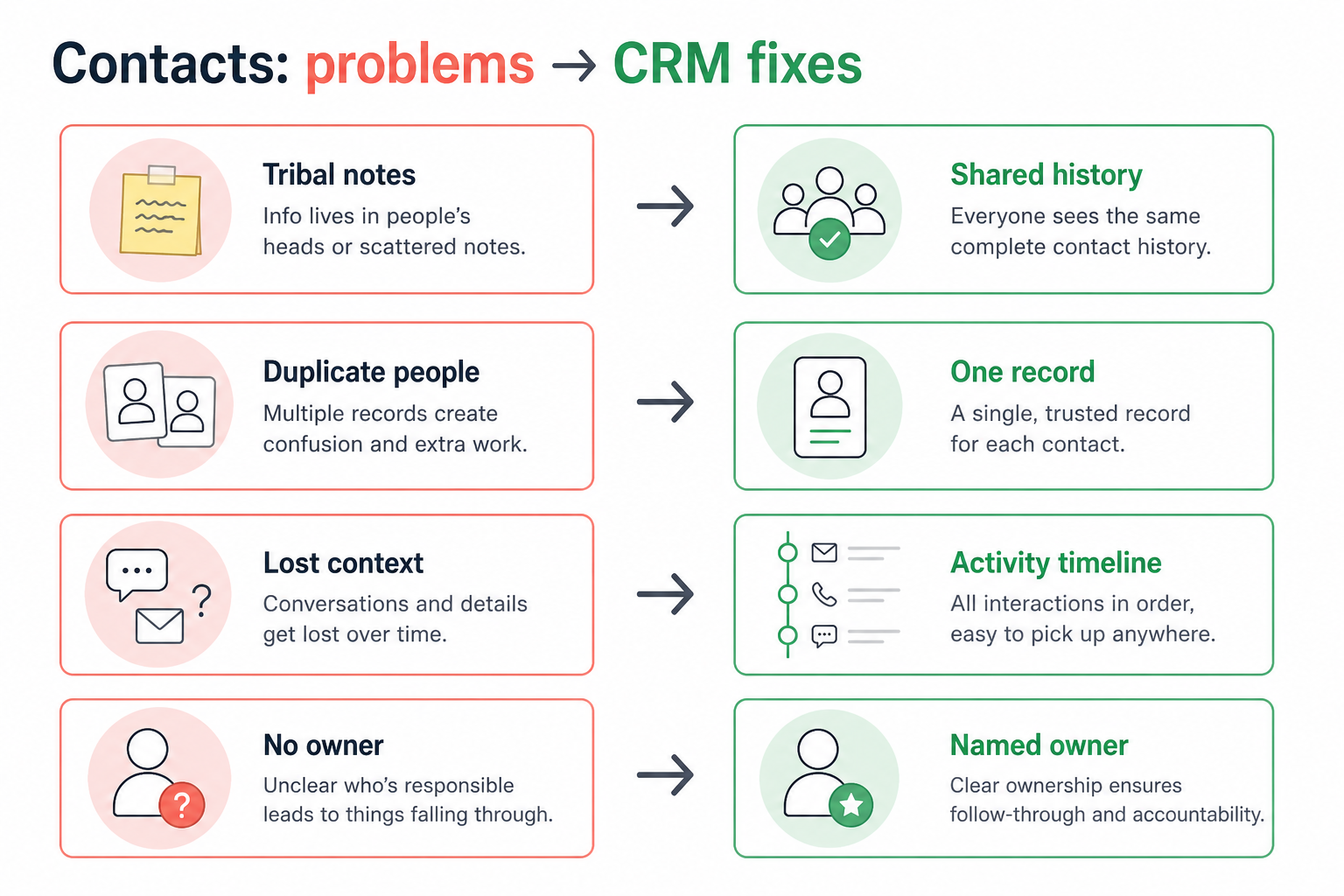
These are the operating problems that usually push teams toward CRM for contacts — not feature wish lists.
Without CRM discipline: When that person is out, the team rebuilds relationships from memory.
Without CRM discipline: The same person appears three times with conflicting details.
Without CRM discipline: Useful detail stays in chat tools and never surfaces later.
Without CRM discipline: Buying committees and account context are invisible.
A CRM only helps when the team keeps owners, history, and next steps current. Here is what “good” looks like for contacts.
With CRM discipline: Notes, emails, and meetings attach to shared contact and account records.
With CRM discipline: Deduplication and merge habits keep one trusted record.
With CRM discipline: Activity logging on the contact makes history searchable.
With CRM discipline: Account hierarchies and roles map who belongs together.
One trusted contact record
The team stops arguing which phone number or email is current.
Coverage without archaeology
Anyone can pick up a relationship with timeline context.
Faster findability
People and companies are searchable instead of buried in inboxes.
Solid foundation for other CRM jobs
Pipeline, engagement, and reporting inherit clean records.
Prioritize clean contact/company structure, activity timelines, and low-friction logging (especially email/calendar sync). Fancy fields help only after duplicates and ownership are under control.
People belong to accounts; roles are labeled.
History is attached, searchable, and shared.
Duplicates and stale fields get a weekly owner.
Sync reduces the tax that kills adoption.
Start with must-haves your team will use weekly. Treat nice-to-haves as later upgrades — not day-one blockers.
Must-have
People linked to organizations with clear ownership.
Emails, calls, meetings, and notes on one record.
Keep one trusted version of each person.
Reduce manual logging so history actually gets captured.
Nice-to-have
Capture the attributes your process actually uses.
Share records without exposing every sensitive field.
Understand what needs to happen before comparing how products implement each step. Support overlays use structured research — never video inference.
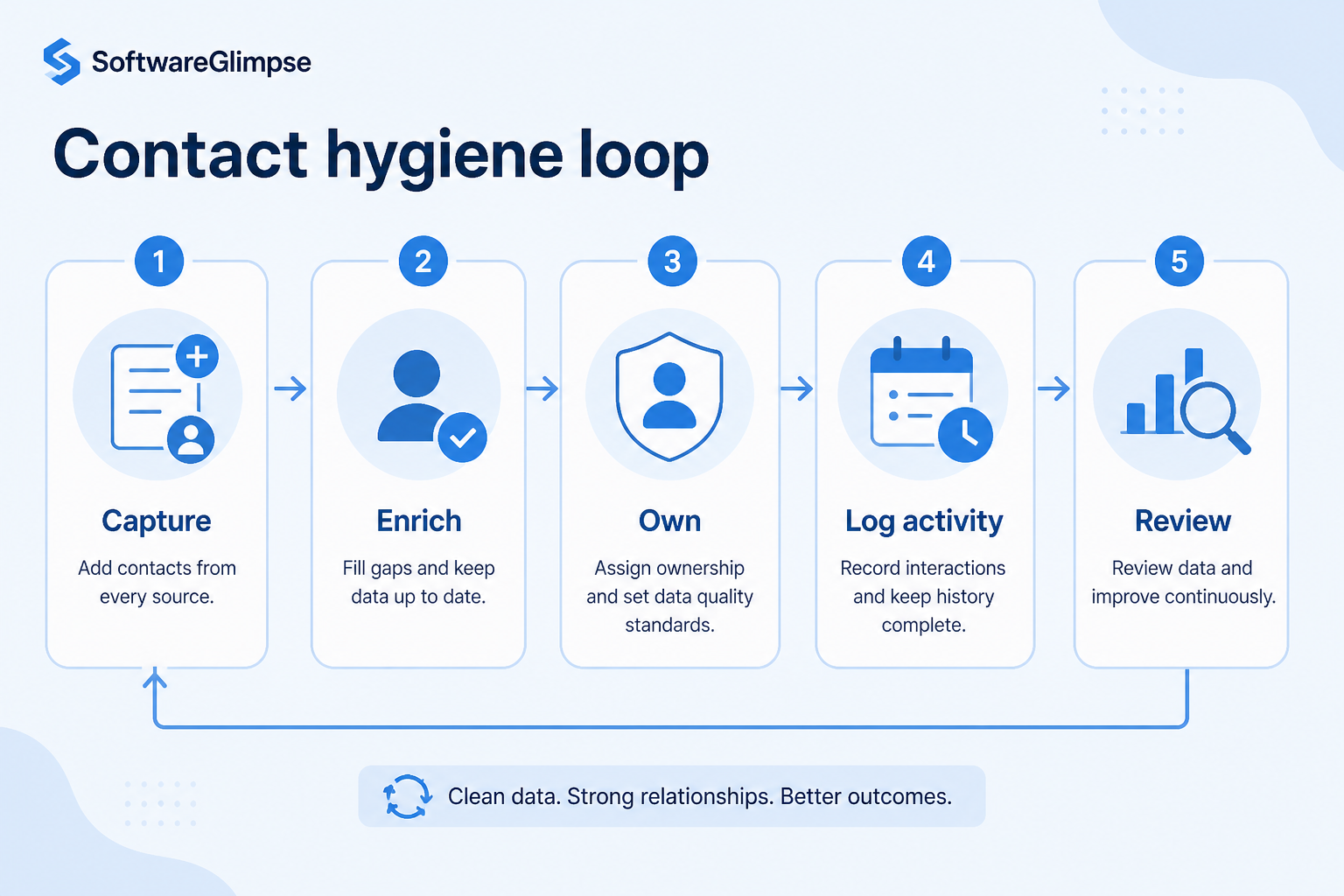
Support labels come from structured feature research — not from videos.
Objective
Add or update contact and company with required fields only.
Next step
Next step
Next step
Next step
Official product demonstrations can help show how different CRMs handle the contacts workflow. Absence of a video does not mean a product lacks support for this use case.

HubSpot
The Official HubSpot Sales Hub Tutorial
Lead management workflow — capture through assignment and follow-up
This video is hosted on YouTube
This content is hosted by YouTube. The player loads only after you allow marketing cookies.
What this demonstrates
Workflow coverage
Coverage describes what the demo shows — not product support status.
What to notice
This demonstration does not establish
Related capabilities
Features visible in this demo
Source: HubSpot · Verified 14 Aug 2026
Compare two products against the same workflow using researched assessments. Official demos help you see the workflow — they do not change support status.
HubSpot
This video is hosted on YouTube
This content is hosted by YouTube. The player loads only after you allow marketing cookies.
What to notice
Not shown in this demo

Pipedrive

Pipedrive’s sales CRM product view as shown on the official site.
What to notice
Not shown in this demo
Canonical feature assessments for this workflow — not inferred from demos.
| Step | HubSpot | Pipedrive |
|---|---|---|
| Create / enrich | Unknown | Unknown |
| Relate | Unknown | Unknown |
| Log | Unknown | Unknown |
| Dedupe | Unknown | Unknown |
| Use | Unknown | Unknown |
Based on the contacts workflow, buyers commonly evaluate the checklist below. Nothing is written to your decision profile until you confirm in the tool.
Context: useCase=contact-management — tools apply this only after your confirmation.
Best when
More than one person covers the same accounts and needs history.
Related page →Best when
New hires should inherit context instead of shadowing for weeks.
Sheets, inboxes, and tools that hold phone numbers and roles.
CRM vs spreadsheet →Name, company, role, owner — resist a giant form on day one.
Requirements guide →If logging is painful, history will not stay current.
Who merges records weekly, and what “good enough” looks like.
Import the book you touch now — not years of junk contacts.
Catalogue products that list contact management as a supported use case. Inclusion here is not a ranking. Official demo counts never change ranking.

Crm
Relationship-focused CRM for small sales teams and founders.

Crm
Simple relationship CRM for organizing contacts and collaborative outreach.

Crm
Simple small-business CRM for contacts, sales pipelines, tasks, and lightweight automation without enterprise complexity.

Sales Intelligence
B2B data intelligence platform for verified contact/company data, enrichment, signals, and Engage outreach sequences.
Crm
AI-powered customer platform with free forever CRM, plus paid Smart CRM seats and Sales/Marketing/Service hubs for growing teams.

Crm
Modern, flexible CRM for startups and GTM teams with a data-model-first workspace and AI assistance.

Crm
Google Workspace-native CRM for pipeline and relationship management inside Gmail and Google apps.

Crm
CRM plus project management for service-oriented SMBs, with automation and AI on higher plans.
Sometimes. If your main pain is shared history and follow-ups, contacts plus tasks may be enough before you invest in complex pipelines.
Contact management is the record structure and timeline. Relationship management is the ongoing operating rhythm of coverage, check-ins, and account health on top of those records.
Usually no. Start with active relationships and recent opportunities. Expand once hygiene habits exist.
Only fields the team will maintain weekly. Extra required fields increase skip behavior and dirty data.
Maintain ongoing customer context beyond the first closed deal.
Capture, qualify, and route leads before they become pipeline deals.
Track deals through stages, keep ownership clear, and see where opportunities stall.
Forecast and pipeline reporting managers can trust without spreadsheet rebuilds.
Use Finder for a fit-based shortlist, compare products, or build a requirements checklist before demos.
How we review
Evaluation, verification, and refresh — no fake testing claims.
Editorial methodology
Category criteria and scores grounded in evidence.
Editorial policy
Authorship, evidence levels, scoring, and disclosures.
Corrections
Spot something outdated? Tell us.
Want clearer software shortlists? Get buying guides and comparisons by email.
Newsletter coming soon.