This video is hosted on YouTube
This content is hosted by YouTube. The player loads only after you allow marketing cookies.
Keep every open opportunity owned, staged, and reviewable — so weekly forecasts stop being storytelling.
At a glance
Shared, honest visibility of open opportunities by stage
Sales managers, AEs, and founder-led pods
Clear stage definitions · Named deal owners · Next-step discipline · Weekly board reviews
9 products to explore
These pages cover related CRM topics but serve different jobs — buyer workflow, capability evaluation, or feature evidence — not duplicate rankings.
Fit snapshot
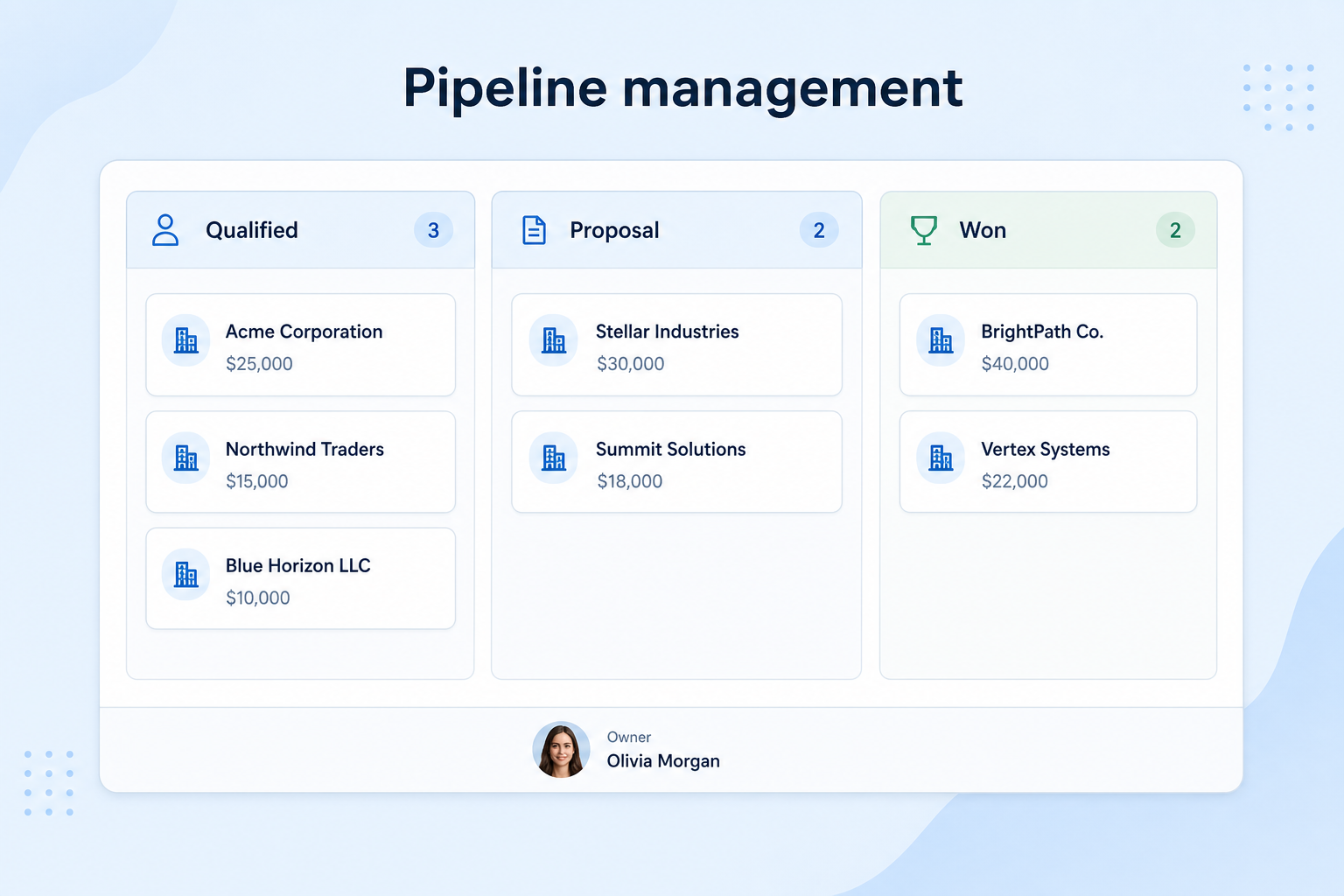
Pipeline management is the CRM job of tracking deals through defined stages with clear owners and next steps. Teams use it to see where opportunities stall, coach from a shared board, and replace private spreadsheets with a process everyone can explain.
Sales managers, AEs, and founders who run multi-person pipelines and need a single view of open deals. You are past “keep it in your head,” and Friday reviews still depend on verbal updates instead of a trusted stage board.
How teams put CRM to work for pipeline
Example 1
a B2B sales pod with four AEs
Before CRM
each rep kept deals in a personal sheet and managers reconstructed status in Slack
After CRM
every opportunity has a stage, owner, and next date — Monday reviews start from stuck deals, not from “any updates?”
Example 2
a founder-led team hiring its first AE
Before CRM
the founder’s inbox was the pipeline
After CRM
demos and proposals live on a shared board so coverage and coaching survive vacations and handoffs
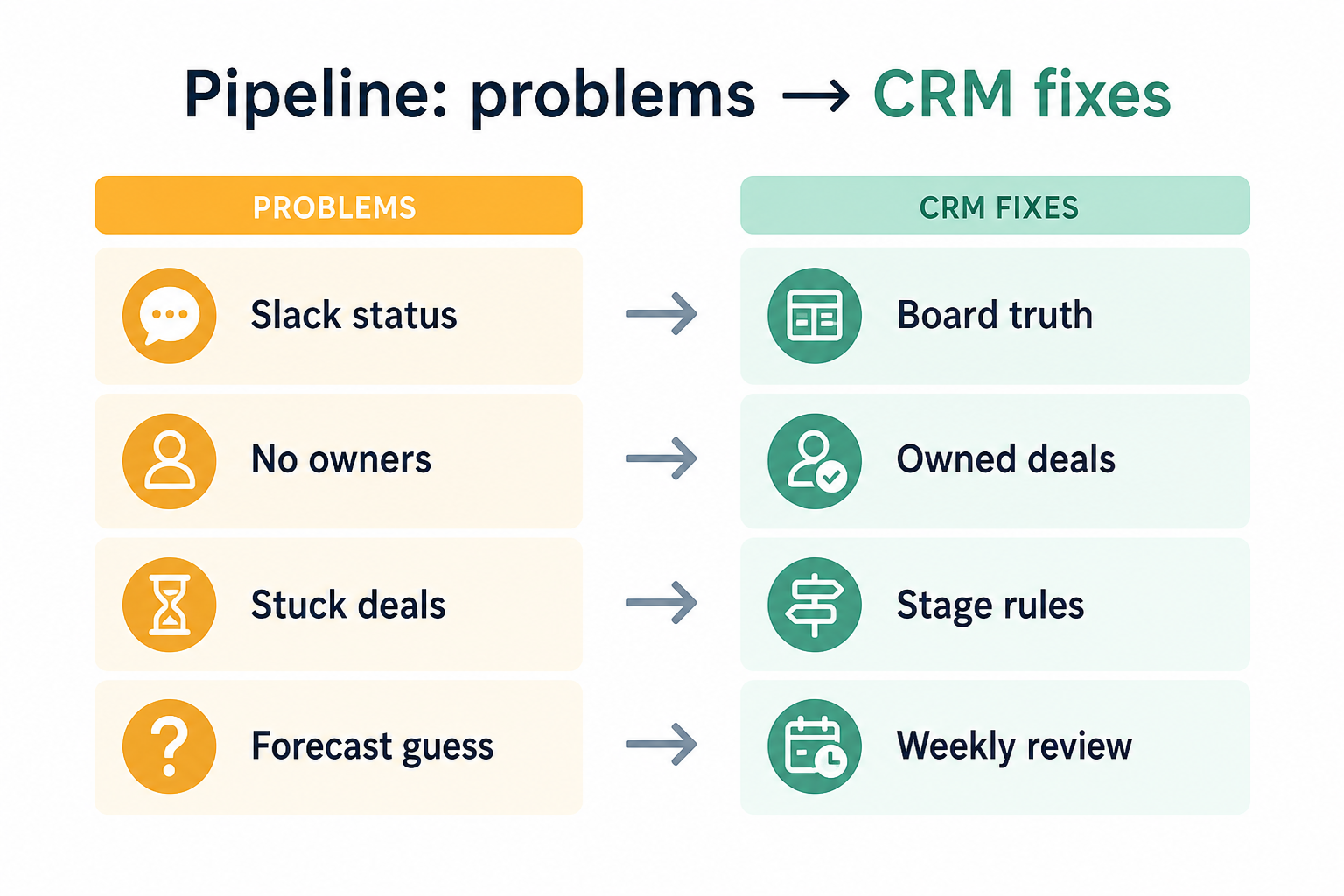
These are the operating problems that usually push teams toward CRM for pipeline — not feature wish lists.
Without CRM discipline: Managers cannot see the same deals reps claim are “active,” so forecasts disagree.
Without CRM discipline: Deals jump ahead while discovery, proposal, or approval work is unfinished.
Without CRM discipline: Warm deals cool off because nobody owns the next conversation.
Without CRM discipline: Time goes to reconstructing history instead of coaching stuck deals.
A CRM only helps when the team keeps owners, history, and next steps current. Here is what “good” looks like for pipeline.
With CRM discipline: One shared stage board with required owners replaces conflicting personal lists.
With CRM discipline: Stages encode real checkpoints so reviews focus on blockers, not wishful status.
With CRM discipline: Ownership and next-step dates sit on the record so coverage is visible.
With CRM discipline: A trusted board makes reviews about next actions and stage honesty.
One pipeline the team trusts
Open deals stop living in private sheets and Slack threads.
Owned next steps on every deal
Coverage and coaching start from dates and owners, not memory.
More honest weekly reviews
Stuck stages surface early instead of at quarter-end surprises.
Cleaner handoffs
New AEs and covering managers inherit context with the deal.
Prioritize honest stage definitions, mandatory ownership, and activity that attaches to the deal — not feature count. A short pipeline the team updates beats a complex board nobody trusts.
Few stages everyone can explain in one sentence.
No orphan deals — coverage is visible on the board.
Every open deal has a dated next action.
Start with must-haves your team will use weekly. Treat nice-to-haves as later upgrades — not day-one blockers.
Must-have
A stage model that matches how you actually sell.
Every open opportunity has a named owner.
Notes, calls, and due dates attached to the deal.
Filter by owner, stage, and stuck age for reviews.
Nice-to-have
Understand what needs to happen before comparing how products implement each step. Support overlays use structured research — never video inference.
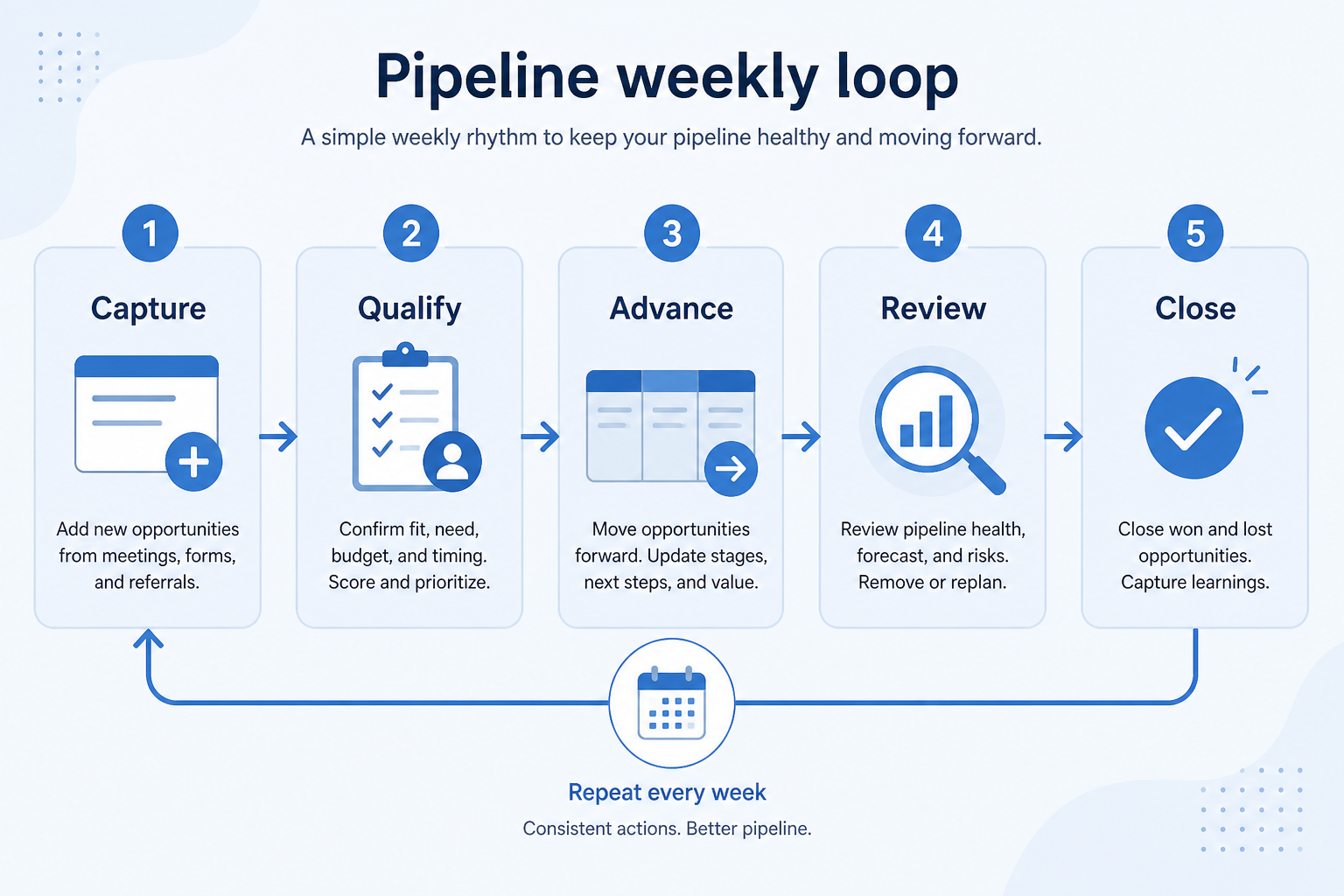
Support labels come from structured feature research — not from videos.
Objective
Qualified opportunity enters the pipeline with a named owner.
Next step
Next step
Next step
Next step
Official product demonstrations can help show how different CRMs handle the pipeline workflow. Absence of a video does not mean a product lacks support for this use case.

HubSpot
The Official HubSpot Sales Hub Tutorial
Lead management workflow — capture through assignment and follow-up
This video is hosted on YouTube
This content is hosted by YouTube. The player loads only after you allow marketing cookies.
What this demonstrates
Workflow coverage
Coverage describes what the demo shows — not product support status.
What to notice
This demonstration does not establish
Related capabilities
Features visible in this demo
Source: HubSpot · Verified 14 Aug 2026

Pipedrive
How to Set Up Your Sales Pipeline - Pipedrive CRM
Pipedrive sales pipeline setup

This video is hosted on YouTube
This content is hosted by YouTube. The player loads only after you allow marketing cookies.
What this demonstrates
Workflow coverage
Coverage describes what the demo shows — not product support status.
This demonstration does not establish
Related capabilities
Features visible in this demo
Source: Pipedrive · Verified 15 Aug 2026

Salesforce
What is Lead Management & How Does It Work? | Salesforce Explained
How Salesforce explains lead management from capture through qualification.

This video is hosted on YouTube
This content is hosted by YouTube. The player loads only after you allow marketing cookies.
What this demonstrates
Workflow coverage
Coverage describes what the demo shows — not product support status.
What to notice
This demonstration does not establish
Features visible in this demo
Source: Salesforce · Verified 15 Aug 2026
Compare two products against the same workflow using researched assessments. Official demos help you see the workflow — they do not change support status.
HubSpot
This video is hosted on YouTube
This content is hosted by YouTube. The player loads only after you allow marketing cookies.
What to notice
Not shown in this demo
Pipedrive
This video is hosted on YouTube
This content is hosted by YouTube. The player loads only after you allow marketing cookies.
What to notice
Not shown in this demo
Canonical feature assessments for this workflow — not inferred from demos.
| Step | HubSpot | Pipedrive |
|---|---|---|
| Create | Unknown | Unknown |
| Stage | Unknown | Unknown |
| Act | Unknown | Unknown |
| Review | Unknown | Unknown |
| Close or recycle | Unknown | Unknown |
Based on the pipeline workflow, buyers commonly evaluate the checklist below. Nothing is written to your decision profile until you confirm in the tool.
Context: useCase=pipeline-management — tools apply this only after your confirmation.
Best when
Two or more people sell the same offer and managers need a shared view.
Best when
Deal lists disagree across personal sheets and inbox folders.
Related page →Best when
Leadership needs stage-based visibility without rebuilding status weekly.
Related page →Write the checkpoints you already use — discovery, proposal, negotiation — before demos.
Ownership, stage moves, activity logging, and a weekly review view.
Requirements guide →Import a slice of open opportunities and run one real review cycle.
Trial evaluation →Check that stage and amount fields support the reviews you need.
Reporting use case →Someone owns fields, stages, and hygiene weekly — or the board decays.
Catalogue products that list pipeline management as a supported use case. Inclusion here is not a ranking. Official demo counts never change ranking.
Crm
Pipeline-first sales CRM for visual deal management, activity-based selling, and growing sales teams.

Crm
Freshworks sales CRM for lead management and pipeline workflows.

Crm
Sales-focused CRM for pipeline management and sales engagement workflows.

Crm
Simple small-business CRM for contacts, sales pipelines, tasks, and lightweight automation without enterprise complexity.
Crm
Enterprise CRM platform for sales, service, marketing, and customer data across large and mid-market teams.
Crm
AI-powered customer platform with free forever CRM, plus paid Smart CRM seats and Sales/Marketing/Service hubs for growing teams.

Crm
Microsoft Dynamics 365 Sales CRM for pipeline management, forecasting, and Microsoft 365 / Copilot workflows.

Crm
Affordable multi-edition sales CRM with free tier, automation, and Zia AI across Standard through Ultimate.
It is tracking open opportunities through defined stages with owners and next steps, so the team shares one view of where deals stand and what happens next.
Usually five to seven stages everyone can explain. Add complexity only after the team updates the board consistently.
Not if ownership and stage honesty are still weak. Get a trusted board first; forecasting quality follows data quality.
Lead management covers capture and qualification before a deal is created. Pipeline management starts once an opportunity is owned and staged.
Capture, qualify, and route leads before they become pipeline deals.
Reduce repetitive follow-ups with workflows that still need human judgment.
Forecast and pipeline reporting managers can trust without spreadsheet rebuilds.
Coordinate calling, messaging, and cadence tools around CRM records.
Use Finder for a fit-based shortlist, compare products, or build a requirements checklist before demos.
How we review
Evaluation, verification, and refresh — no fake testing claims.
Editorial methodology
Category criteria and scores grounded in evidence.
Editorial policy
Authorship, evidence levels, scoring, and disclosures.
Corrections
Spot something outdated? Tell us.
Want clearer software shortlists? Get buying guides and comparisons by email.
Newsletter coming soon.