Crm
Pipeline-first sales CRM for visual deal management, activity-based selling, and growing sales teams.
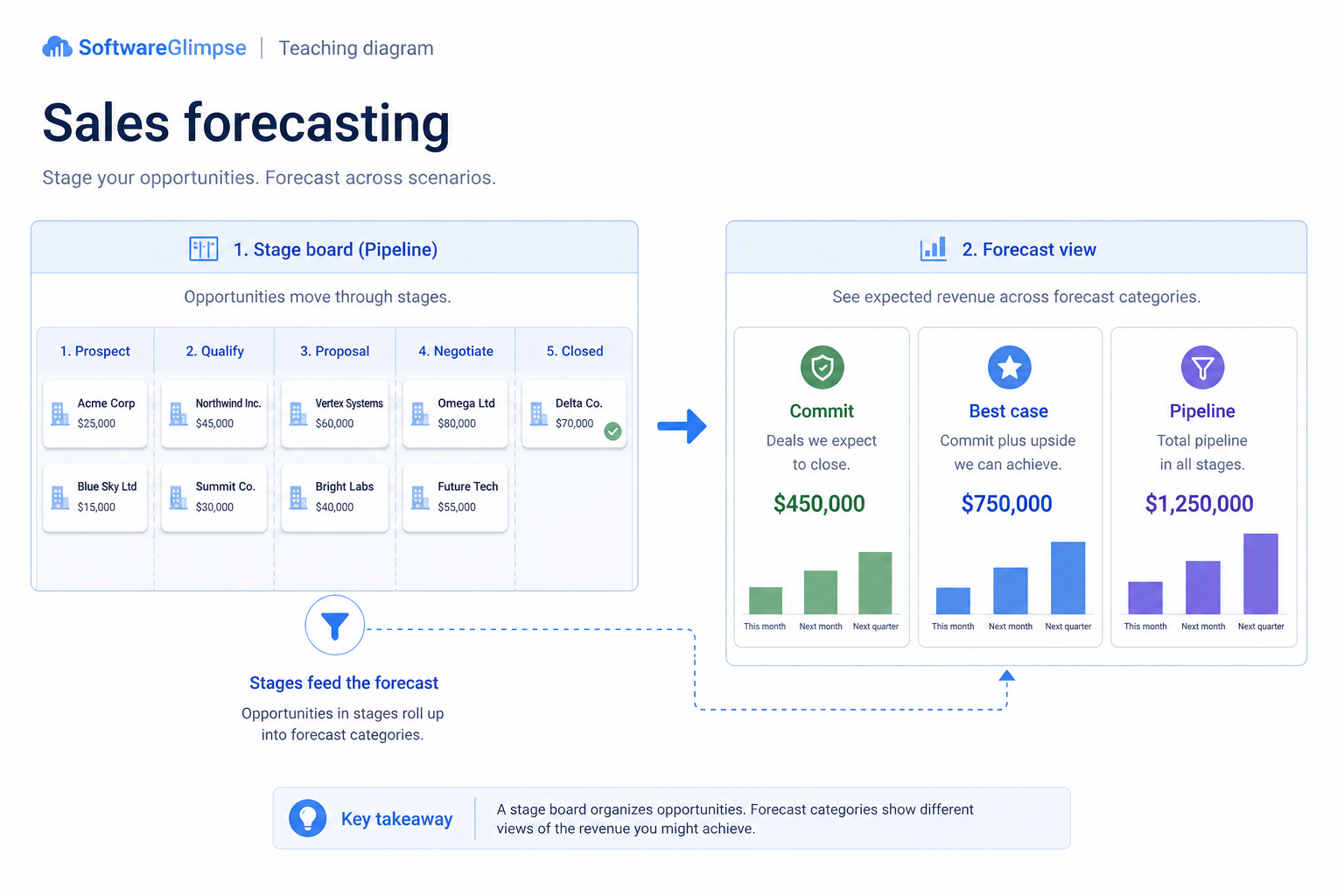
Build commit and best-case calls from clean pipeline stages — so forecasts stop being optimistic storytelling.
At a glance
Evidence-based forecast categories from a trusted pipeline
Sales managers, founders, RevOps
Stage honesty · Category definitions · Amount & close dates · Deal inspection ritual
9 products to explore
These pages cover related CRM topics but serve different jobs — buyer workflow, capability evaluation, or feature evidence — not duplicate rankings.
Fit snapshot
Sales forecasting is the CRM job of turning honest pipeline into forecast categories: commit, best case, pipeline, and omitted — with owners accountable for evidence. It differs from general reporting by focusing on forward-looking category judgment from stage, amount, close date, and deal quality — not only historical dashboards of activity or conversion.
Sales managers, founders, and RevOps partners who must call a number weekly or monthly. You are done reconstructing forecasts from AE verbal updates and mismatched personal sheets.
How teams put CRM to work for forecasting
Example 1
a sales manager submitting a Friday forecast
Before CRM
each AE emailed a number with different meanings of “commit.”
After CRM
categories sit on opportunities with shared stage rules — the forecast meeting inspects evidence on borderline deals, not arithmetic in a new sheet
Example 2
a founder preparing a board update
Before CRM
pipeline dollar totals mixed wishful late stages
After CRM
forecast views separate commit from upside so leadership sees risk clearly
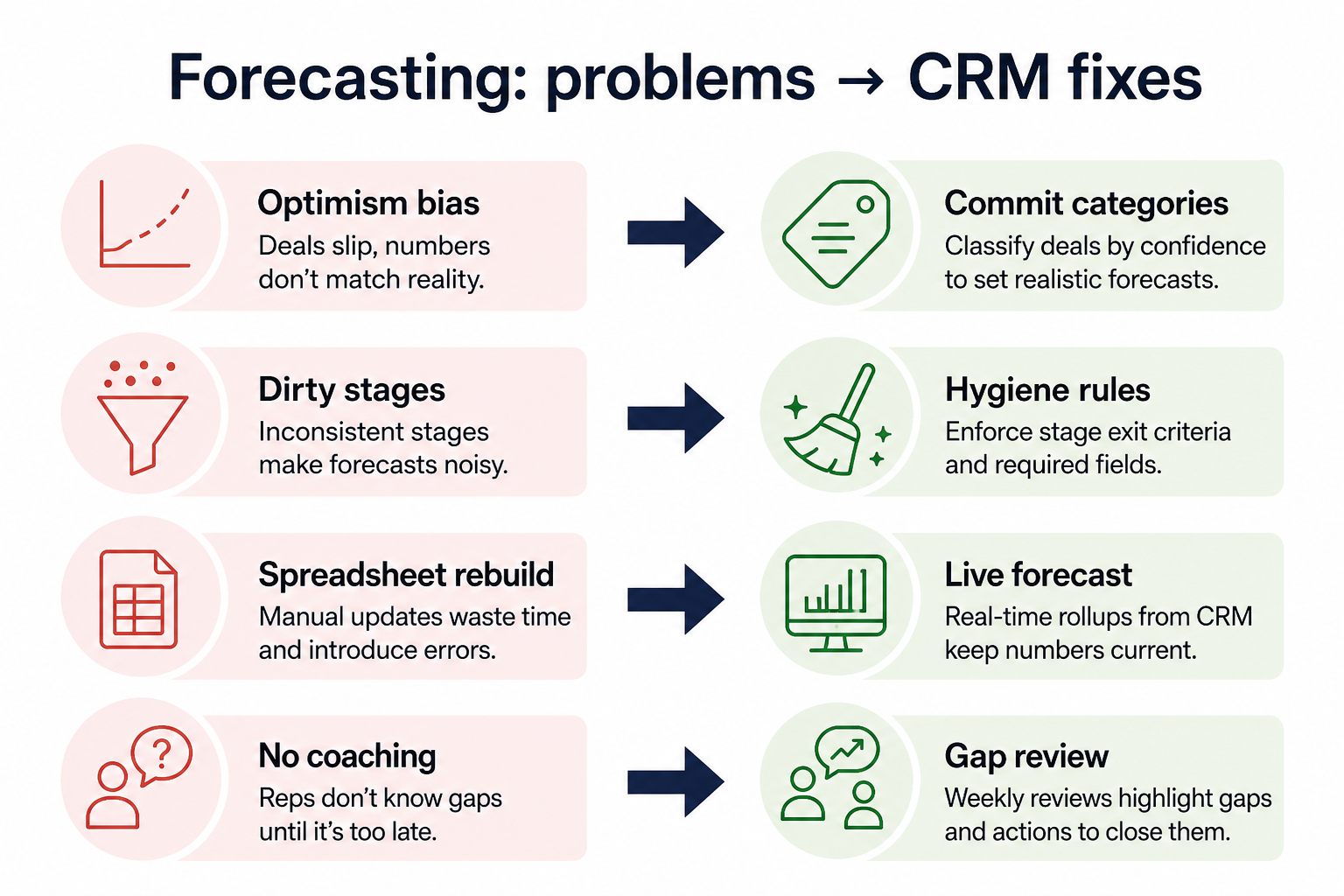
These are the operating problems that usually push teams toward CRM for forecasting — not feature wish lists.
Without CRM discipline: Weekly numbers are negotiated verbally instead of inspected in a system.
Without CRM discipline: Missing amounts, fictional stages, and zombie deals inflate totals.
Without CRM discipline: One AE’s commit is another’s best case.
Without CRM discipline: The “real” forecast lives outside CRM, so CRM data never improves.
A CRM only helps when the team keeps owners, history, and next steps current. Here is what “good” looks like for forecasting.
With CRM discipline: Categories on opportunities with shared definitions make calls reviewable.
With CRM discipline: Forecast quality forces pipeline hygiene: owners, stages, close dates.
With CRM discipline: Written category rules and manager overrides create a common language.
With CRM discipline: Running the call from CRM views removes the parallel sheet habit.
A shared forecast language
Commit and best case mean the same thing across the team.
Inspectable borderline deals
Meetings challenge evidence on categories, not just totals.
Cleaner pipeline as a side effect
Forecast pressure drives stage honesty and zombie-deal cleanup.
Less weekly rebuild labor
Managers stop recreating the forecast in a personal workbook.
Prioritize stage honesty, required amount/close-date fields, and clear category definitions before advanced AI forecast models. A simple commit process on clean pipeline beats a sophisticated model on fiction.
Commit vs best case must be teachable in one sentence each.
Start with must-haves your team will use weekly. Treat nice-to-haves as later upgrades — not day-one blockers.
Must-have
Required fields that power commit and upside views.
Managers review commit, best case, and pipeline in one place.
Nice-to-have
Useful after category discipline and hygiene are real.
Understand what needs to happen before comparing how products implement each step. Support overlays use structured research — never video inference.
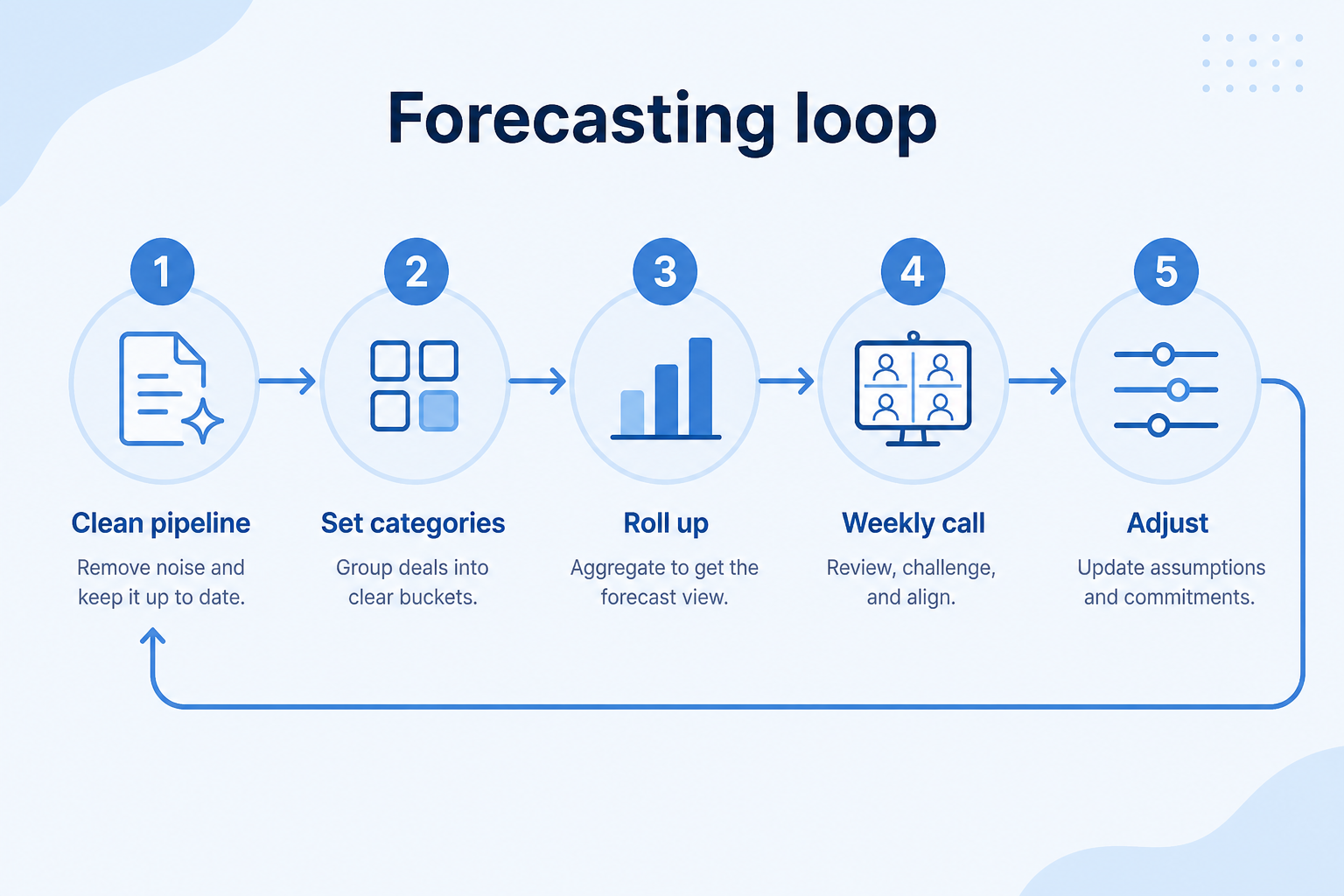
Support labels come from structured feature research — not from videos.
Objective
Clear zombie deals, fix amounts/close dates, confirm next steps.
Next step
Next step
Next step
Next step
Compare two products against the same workflow using researched assessments. Official demos help you see the workflow — they do not change support status.

HubSpot
Official Free CRM hero product visualization.
What to notice
Not shown in this demo
Pipedrive

Pipedrive’s sales CRM product view as shown on the official site.
What to notice
Not shown in this demo
Canonical feature assessments for this workflow — not inferred from demos.
| Step | HubSpot | Pipedrive |
|---|---|---|
| Hygiene | Unknown | Unknown |
| Categorize | Unknown | Unknown |
| Inspect | Unknown | Unknown |
| Call | Unknown | Unknown |
| Calibrate | Unknown | Unknown |
Based on the forecasting workflow, buyers commonly evaluate the checklist below. Nothing is written to your decision profile until you confirm in the tool.
Context: useCase=sales-forecasting — tools apply this only after your confirmation.
Best when
Managers must submit a number and need shared category evidence.
Best when
Founders need commit vs upside separated from raw pipeline totals.
Related page →Best when
Complex deals need category calls grounded in stakeholders and stages.
Related page →Commit, best case, pipeline, omit — evidence rules before vendor demos.
Stage, amount, close date, owner — standardize meanings.
Requirements guide →Ask how managers change categories and run a period call without exports.
Demo guide →Run Friday from CRM only; note which deals lack evidence.
Trial evaluation →AI forecast aids wait until categories and hygiene are trusted.
Catalogue products that list sales forecasting as a supported use case. Inclusion here is not a ranking. Official demo counts never change ranking.
Crm
Pipeline-first sales CRM for visual deal management, activity-based selling, and growing sales teams.

Crm
Freshworks sales CRM for lead management and pipeline workflows.

Crm
Sales-focused CRM for pipeline management and sales engagement workflows.

Crm
Enterprise CRM platform for sales, service, marketing, and customer data across large and mid-market teams.
Crm
AI-powered customer platform with free forever CRM, plus paid Smart CRM seats and Sales/Marketing/Service hubs for growing teams.

Crm
Microsoft Dynamics 365 Sales CRM for pipeline management, forecasting, and Microsoft 365 / Copilot workflows.

Crm
Affordable multi-edition sales CRM with free tier, automation, and Zia AI across Standard through Ultimate.

Crm
Google Workspace-native CRM for pipeline and relationship management inside Gmail and Google apps.
Work OS–style sales CRM from monday.com for visual pipelines, automations, and team collaboration.
Reporting visualizes pipeline, conversion, and activity for coaching and planning. Forecasting specifically assigns forward-looking categories (commit, best case, etc.) to call a number for a period — it depends on reporting inputs but is a distinct operating ritual.
Honest stages, required amounts and close dates, named owners, and next steps. Without those, forecast categories decorate fiction.
Write a short evidence rule your team can apply — for example, stage past a checkpoint, economic buyer engaged, and a dated mutual next step. Consistency beats a perfect definition.
Treat predictive aids as a second opinion after your category process works. Manager inspection of borderline deals remains the operating core for most teams.
Track deals through stages, keep ownership clear, and see where opportunities stall.
Forecast and pipeline reporting managers can trust without spreadsheet rebuilds.
Coordinate multi-stakeholder deals with stages, approvals, and shared buying-group context.
Own post-sale accounts with stakeholders, renewals, and expansion opportunities in one place.
Reduce repetitive follow-ups with workflows that still need human judgment.
Use Finder for a fit-based shortlist, compare products, or build a requirements checklist before demos.
How we review
Evaluation, verification, and refresh — no fake testing claims.
Editorial methodology
Category criteria and scores grounded in evidence.
Editorial policy
Authorship, evidence levels, scoring, and disclosures.
Corrections
Spot something outdated? Tell us.
Want clearer software shortlists? Get buying guides and comparisons by email.
Newsletter coming soon.