
Crm
Relationship-focused CRM for small sales teams and founders.
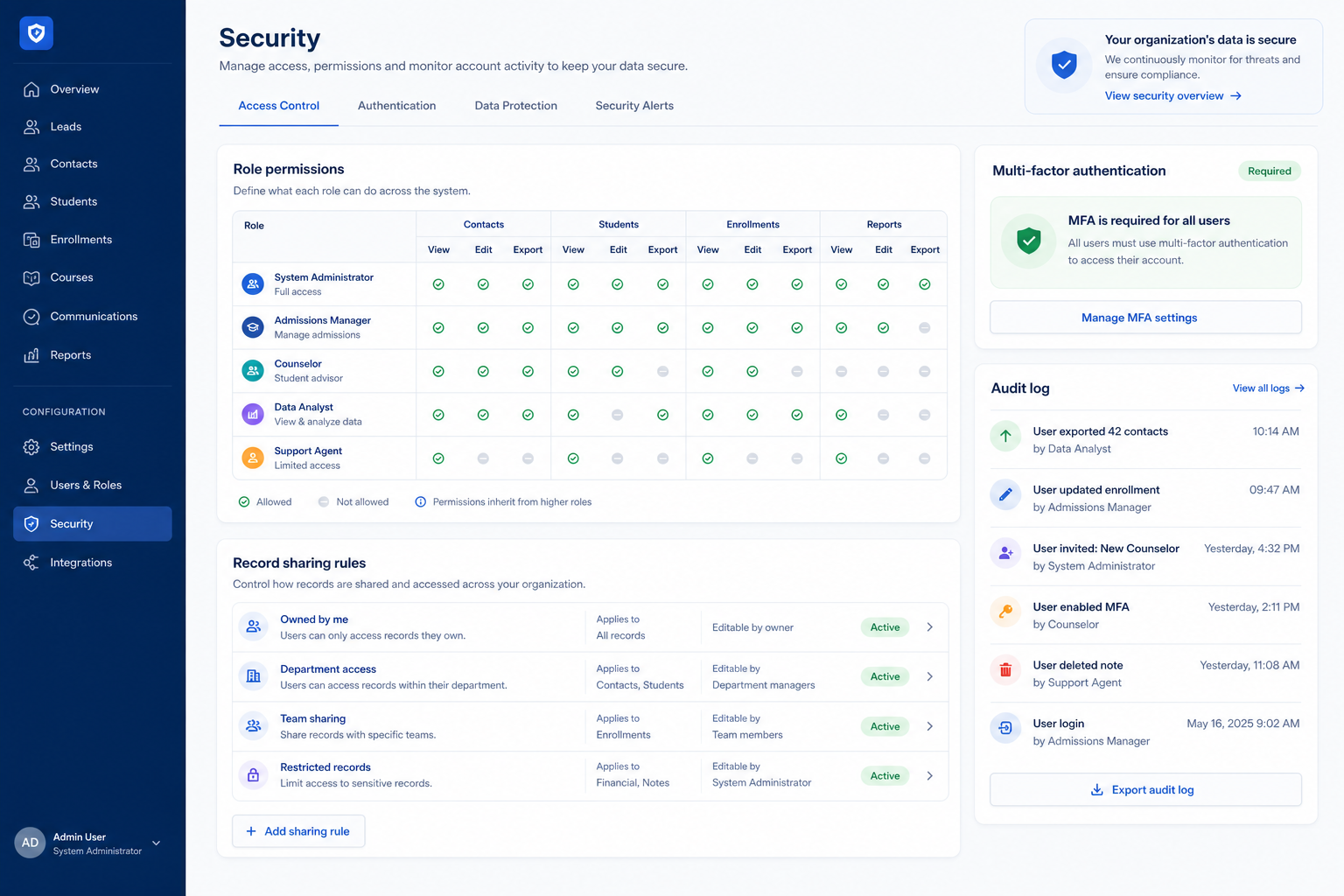
Access control, single sign-on, and audit logging that decide who can see, change, and export customer data.
At a glance
Control exactly who can see, change, and export customer data
IT, security leads, and CRM administrators
Role and record-level permissions · Single sign-on support · Audit logging depth · Export controls
9 products to explore
Fit snapshot
Security is the CRM capability covering access control and data protection: role-based and record-level permissions, single sign-on, audit logging, and export controls. It's distinct from administration, which covers day-to-day configuration and user management — security is specifically about who can see, change, or extract data, and how that's enforced and recorded.
IT, security-conscious operations leads, and anyone responsible for answering questions about who has access to what. It matters more as team size, sensitivity of data, or regulatory exposure grows.
How teams put CRM to work for security
Example 1
a team where a sensitive set of accounts needed to be visible only to two people. As a capability, security needs record-level permissions, not just role-based ones — a role-only model that shows all accounts to "everyone in Sales" can't represent that restriction.
Example 2
a company centralizing identity through an SSO provider. Security as a capability needs to support the specific identity protocol the company already uses, and ideally on a plan tier the company can actually afford — SSO is a common feature that gets pushed to higher, sometimes significantly costlier, plans.
These are the operating problems that usually push teams toward CRM for security — not feature wish lists.
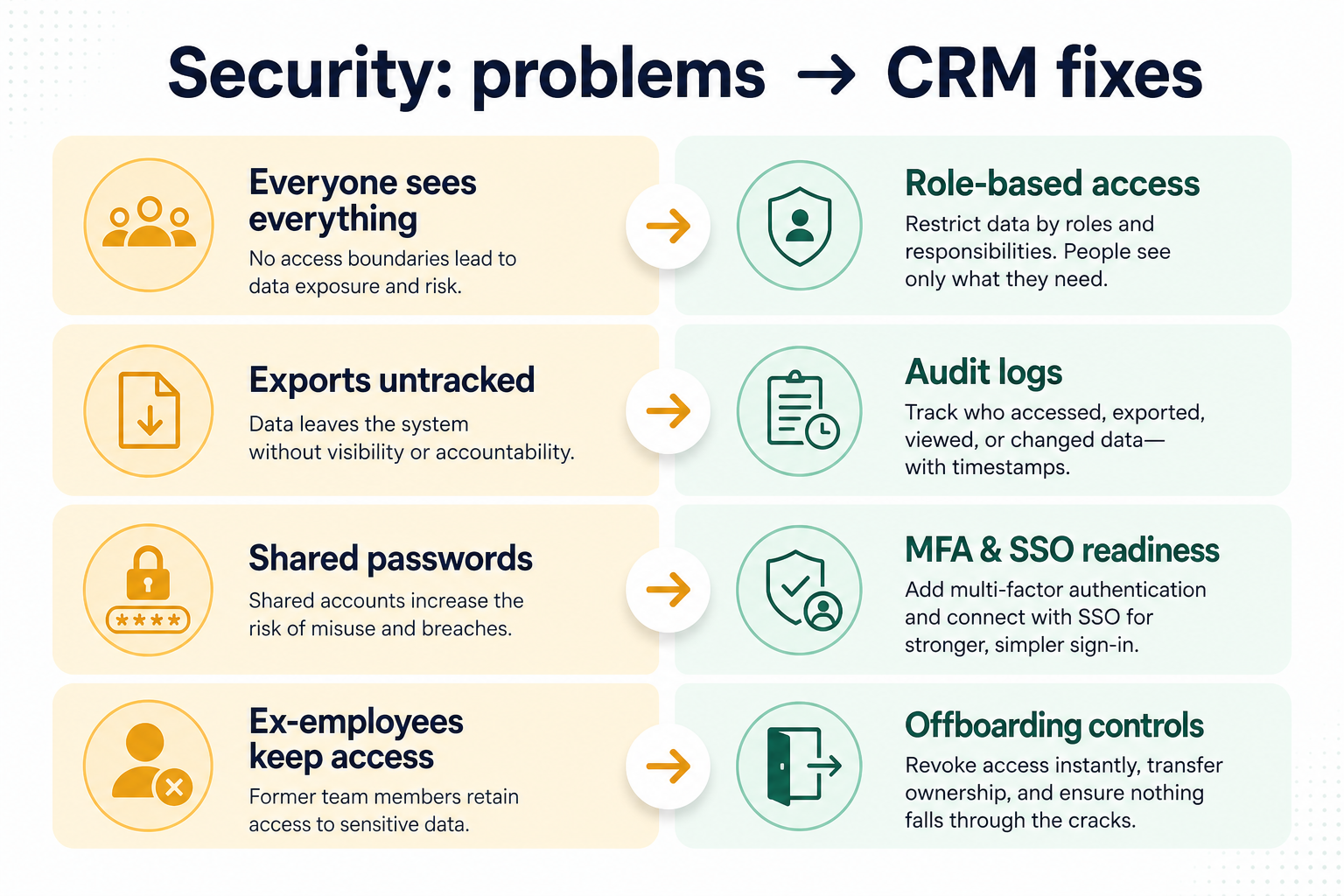
Without CRM discipline: A sensitive record can't be restricted without restricting an entire role's access.
Without CRM discipline: Offboarding means remembering to disable a CRM account separately from everything else.
Without CRM discipline: You can't tell who viewed or changed a specific record after the fact.
Without CRM discipline: There's no way to see who took a full data export, or when.
A CRM only helps when the team keeps owners, history, and next steps current. Here is what “good” looks like for security.
With CRM discipline: Record and field-level permissions allow narrower, more precise restrictions.
With CRM discipline: Single sign-on centralizes authentication and offboarding through your existing identity provider.
With CRM discipline: Deeper audit logging records access and changes for investigation and review.
With CRM discipline: Export controls limit and log who can extract bulk data.
Access restricted precisely, not just broadly
Record and field-level controls protect sensitive data without over-restricting everyone.
Authentication centralized through your identity provider
Offboarding becomes one action, not a separate CRM step to remember.
A real answer to "who accessed this?"
Audit logs support investigations and access reviews.
Bulk exports are visible and controllable
You know who can take the whole database out, and when they did.
Evaluate permission granularity, SSO support, and what's actually captured in audit logs — not marketing claims about security posture. This is an evaluation framework, not a compliance verdict — confirm specifics directly with vendors and your own advisers.
Very fine-grained permissions are precise but can get hard to reason about.
Confirm the specific protocol and provider support, and the plan tier it requires.
Check what's actually captured, not just that logging exists.
Know who can take the whole database, and see when they do.
Start with must-haves your team will use weekly. Treat nice-to-haves as later upgrades — not day-one blockers.
Must-have
Restrict sensitive records or fields beyond a broad role setting.
Nice-to-have
Limit and monitor who can extract bulk data.
A simple operating loop beats a complex board nobody updates.
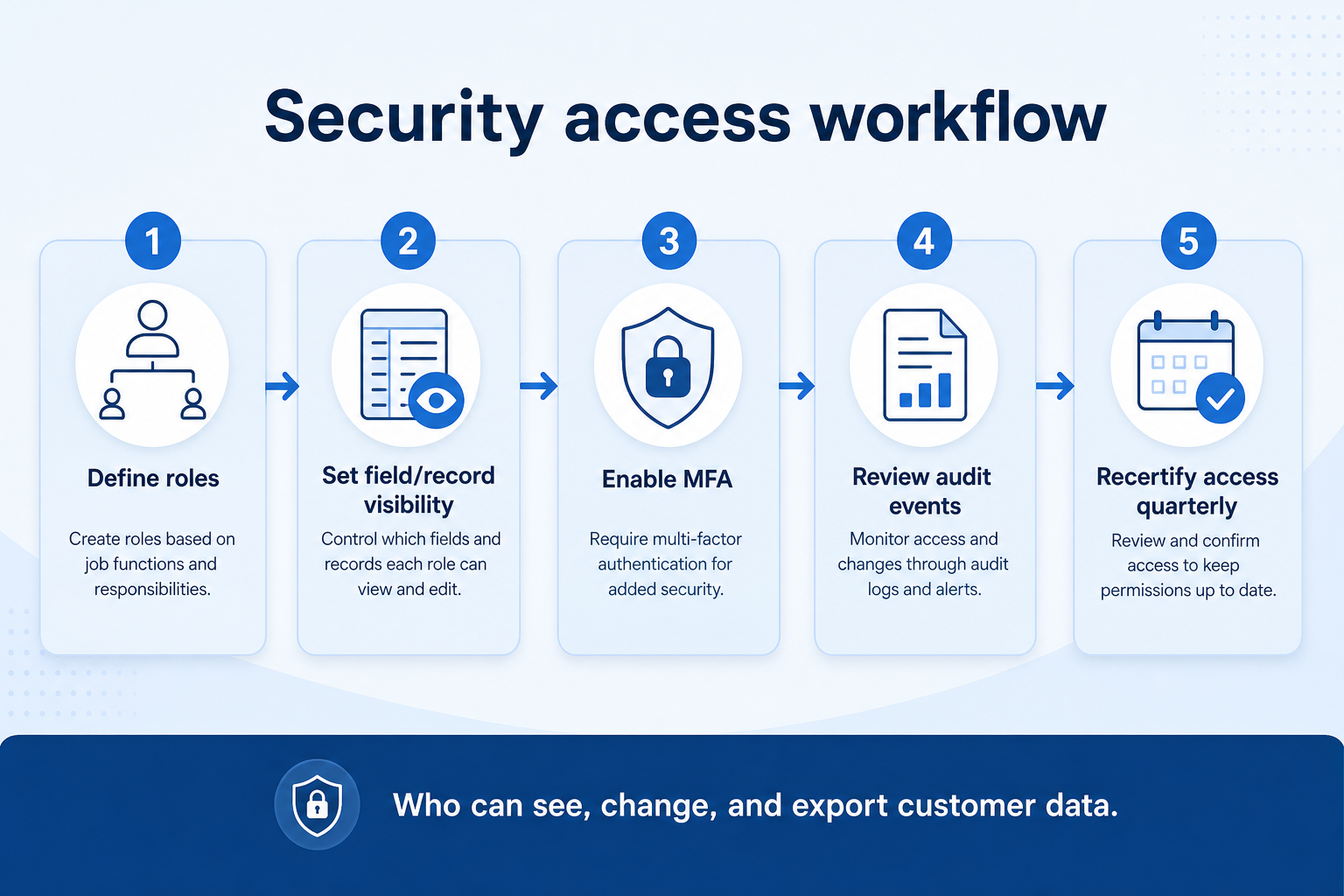
Roles and their appropriate access levels are agreed before assigning users.
Sensitive records or fields get narrower access where genuinely needed.
Users sign in through SSO where configured, centralizing identity.
Access and changes are recorded in the audit trail automatically.
Access and logs are reviewed periodically, not just set once.
Best when
Not every team member should see every record, even within one role.
Best when
SSO reduces password sprawl and speeds up offboarding.
Best when
An investigation or compliance process asks who accessed specific data.
Define sensitivity levels and access needs before evaluating permission models.
Check the specific identity protocol supported and what plan it requires.
Requirements guide →Get specifics on captured events and retention period, not a general claim.
Vendor questions guide →Ask vendors for their security and compliance documentation rather than relying on marketing pages.
Compare security capability depth across a fit-based shortlist.
Try CRM Finder →Catalogue products tagged to related use cases for security. Inclusion here is not a ranking.
Crm
Relationship-focused CRM for small sales teams and founders.

Crm
Simple relationship CRM for organizing contacts and collaborative outreach.

Crm
Simple small-business CRM for contacts, sales pipelines, tasks, and lightweight automation without enterprise complexity.

Crm
Enterprise CRM platform for sales, service, marketing, and customer data across large and mid-market teams.

Crm
AI-powered customer platform with free forever CRM, plus paid Smart CRM seats and Sales/Marketing/Service hubs for growing teams.

Crm
Microsoft Dynamics 365 Sales CRM for pipeline management, forecasting, and Microsoft 365 / Copilot workflows.

Crm
Affordable multi-edition sales CRM with free tier, automation, and Zia AI across Standard through Ultimate.

Crm
Modern, flexible CRM for startups and GTM teams with a data-model-first workspace and AI assistance.

Crm
Google Workspace-native CRM for pipeline and relationship management inside Gmail and Google apps.
Role and record-level access control, single sign-on, audit logging, and export controls — who can see, change, and extract customer data.
It becomes valuable once you have an identity provider and enough users that manual account management is a risk. It's often gated to higher plans.
At minimum, who accessed or changed a record and when. Confirm specifics per vendor.
No. Compliance depends on your obligations, configuration, and contracts. This is an evaluation framework — verify regulatory requirements with vendors and your own advisers.
No. Fit depends on how your team works, which requirements are must-haves, and what the CRM has to integrate with. Use the requirement matrix and CRM Finder to build a shortlist rather than starting from a ranking.
Roles, ownership rules, hygiene, and day-to-day CRM operations.
Connect CRM to email, calendar, marketing, support, and finance stacks.
Keep one reliable record of people, accounts, and interaction history.
Next steps after evaluating security — decision tools and pages. Affiliate relationships never change recommendations.
Use Finder for a fit-based shortlist, compare products, or build a requirements checklist before demos.
Part of CRM capabilities · CRM Software hub
Want clearer software shortlists? Get buying guides and comparisons by email.
Newsletter coming soon.