CRM feature
CRM Audit Logs feature
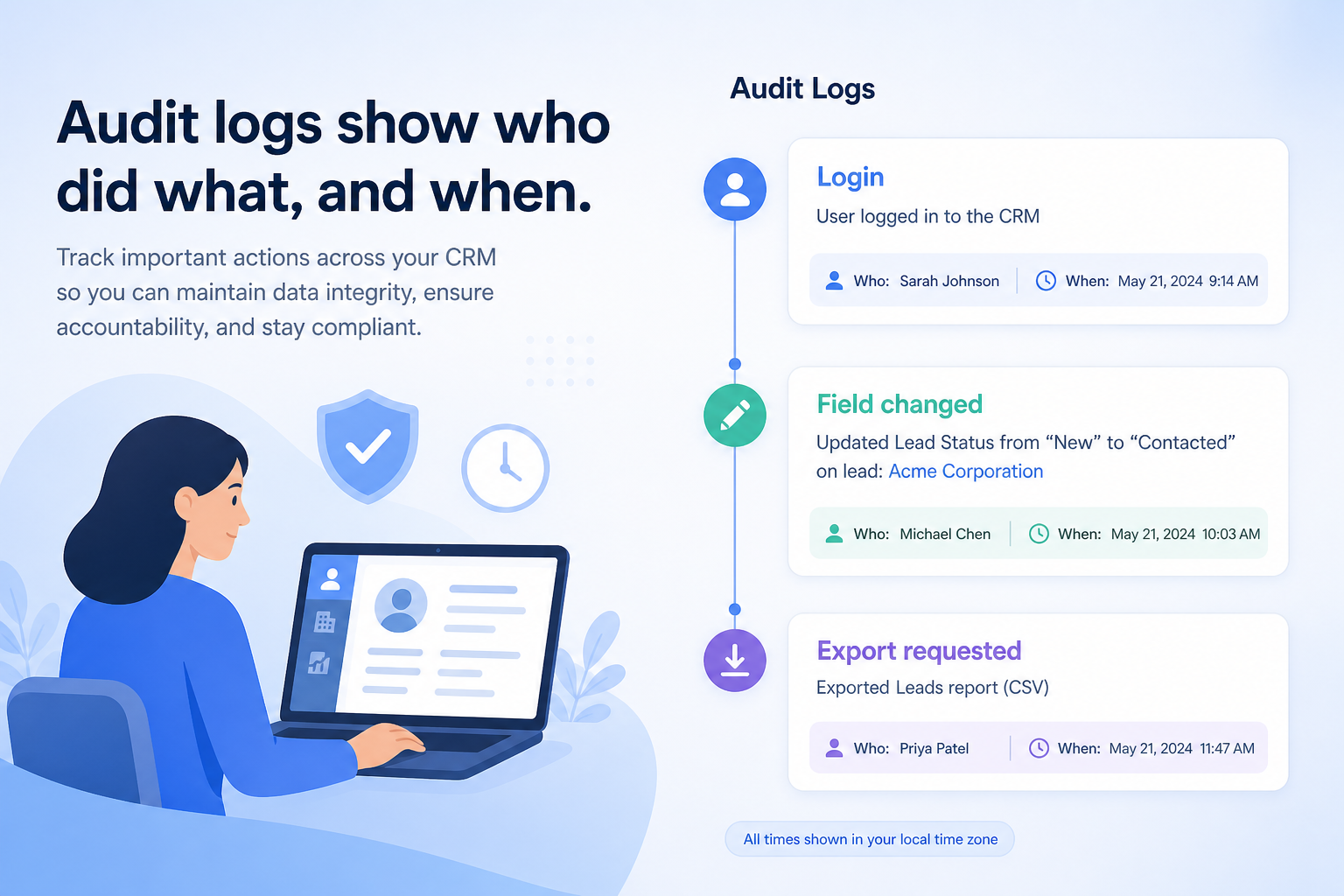
Record who viewed, changed, exported, or deleted CRM data — so investigations and compliance reviews have evidence, not guesswork.
- Verified product evidence
- Same feature definition across products
- Affiliate-independent comparisons
Feature at a glance
Feature type
Administration / accountability
Primary capability
Security and administration
Typical buyer need
Someone needs to be able to answer who changed or accessed a record
Common limitation
Coverage and retention differ widely, and full audit logs are usually a top-tier feature
Products covered
10
Evidence records
560
Reviewed 15 Aug 2026
Fit snapshot
Overview
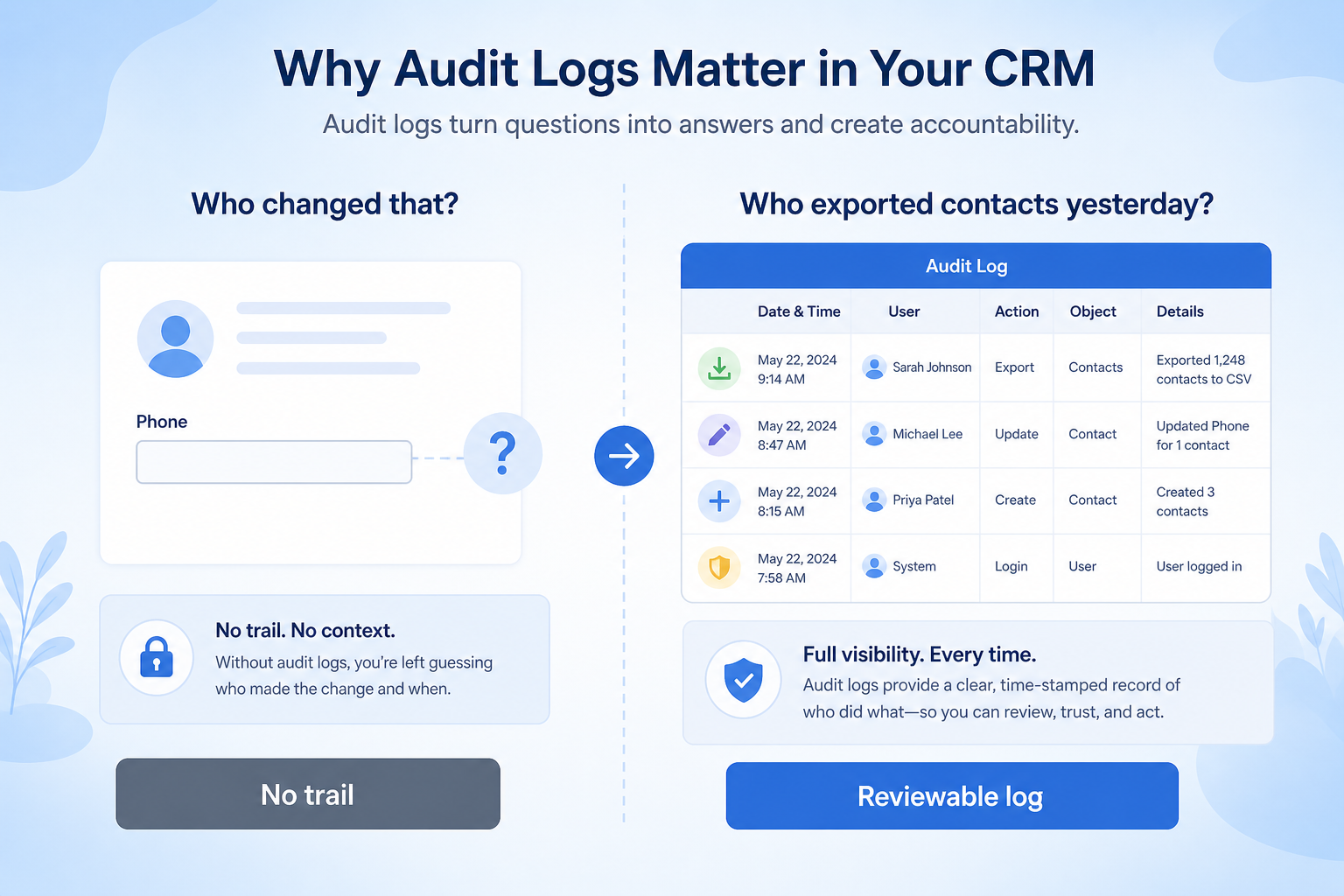
Audit logs are the CRM feature that captures a trail of security-relevant and data-change events: logins, permission changes, record edits, exports, and deletions. They support investigations, customer commitments, and regulated industries. Audit logs are not the same as SSO (authentication) or role permissions (access rules); they answer “what happened?” after access was granted. Retention length and exportability matter as much as whether logging exists.
Who this is for
Security, compliance, IT, and ops leaders in firms that handle sensitive client data — RIAs, financial services, healthcare-adjacent sellers, and any team that must answer “who exported that list?” or “who changed this field?”
What matters when evaluating
Evaluate event coverage (reads vs writes vs exports), retention period, search/export, immutability, and plan gating — not a vague “audit trail” checkbox. A log that only keeps seven days of edits may not meet your policy.
What is audit logs?
Audit logs record what happened in the CRM — who signed in, who changed or deleted a record, and who exported data — so access and changes can be reviewed after the fact.
Audit Logs is NOT the same as
- Activity history on a record, which is user-facing
- Reporting on sales activity
- Role permissions, which prevent actions
- Backups
Pressure points
Challenges this feature addresses
Nobody can prove who changed a record
Pain: A deal amount or client attribute changes; the team argues from memory.
How the feature helps: Field-level or record-level change logs show actor, time, and before/after values where supported.
Exports leave no trail
Pain: A CSV of contacts leaves the building with no record of who pulled it.
How the feature helps: Export and bulk-action events in the audit log support incident response.
Suspicious access is a mystery
Pain: A leaver or compromised account may have viewed records; there is no evidence trail.
How the feature helps: Login and, where available, view events narrow the blast-radius investigation.
Logs expire before reviews
Pain: Annual compliance asks for six months of history; the CRM kept two weeks.
How the feature helps: Confirm retention and export-to-SIEM options against your policy before buying.
Results
Outcomes teams look for
Investigable data changes
Ops and security can answer who changed what, and when.
Export accountability
Bulk extracts are attributable for incident and compliance reviews.
Evidence for policy reviews
Access and admin actions can be shown to auditors with less manual reconstruction.
Deterrence through visibility
Knowing sensitive actions are logged reduces casual misuse.
How it runs
Typical workflow
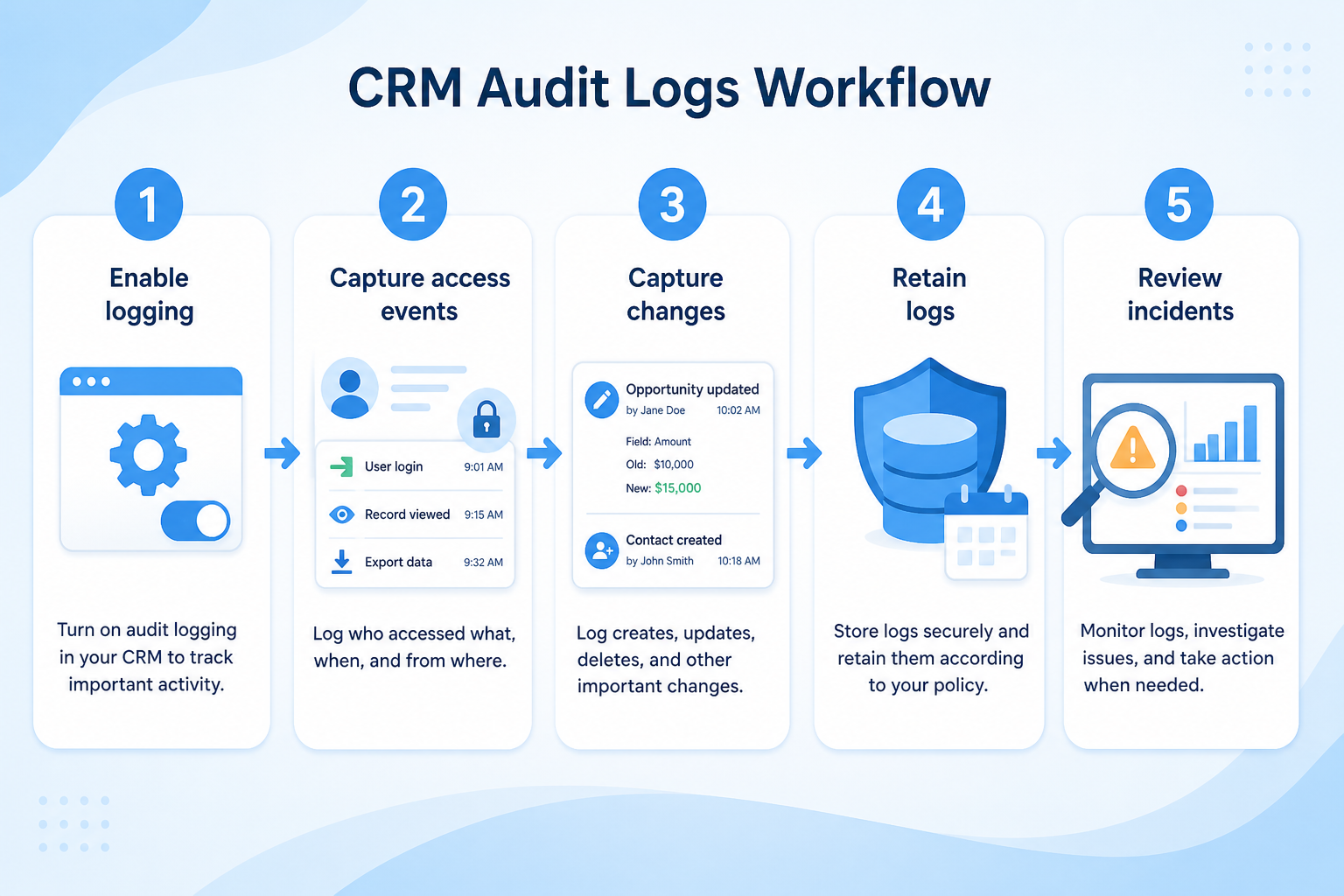
- 1
Map required events
List actions your policy must retain (edits, exports, logins, permission changes).
- 2
Verify coverage
Confirm the CRM logs those events on the plan you will buy.
- 3
Set retention
Align CRM retention or SIEM export with legal/compliance needs.
- 4
Control log access
Limit who can read audit logs; separate from day-to-day CRM roles.
- 5
Use in incidents
Practice searching logs for a sample investigation before go-live.
Worked examples for audit logs
Concrete buyer situations — not product recommendations. Use them to test whether a CRM’s implementation matches how your team works.
- 1
RIA: suitability field change investigation
Situation
A client complains a risk rating changed. The RIA’s CRM shows the new value; three advisors touched the household that week. Without logs, compliance cannot show who edited the field.
What good looks like
Audit history shows advisor B changed Risk Rating at a timestamp with old and new values. Compliance documents the finding. Role permissions still prevent junior staff from editing that field going forward.
Ask vendors
Is field history available on standard and custom fields? How long is it retained? Can we export audit events for an external archive?
- 2
B2B SaaS: unexpected contact export
Situation
Security learns a large contact export occurred after a contractor’s last week. The CRM has no export log; IT only sees that the user existed.
What good looks like
Audit log shows export event, user, time, and approximate volume. SSO had already revoked login; the log still closes the investigation. Future exports alert security where supported.
Ask vendors
Are exports and bulk API pulls logged? Can logs stream to a SIEM? Which plans include full audit logging?
Do you actually need this feature?
You probably need it if
- You must be able to investigate data access
- Internal policy requires periodic access review
- Export of the customer database is a real risk
You may not need it if
- A very small team with full mutual visibility
- Record-level history already answers your questions
Where this feature fits
Capability
Security and administration
Requirement
Audit user activity
Feature
Audit Logs
How we evaluate this feature
Feature availability
criticalMinimum plan
highRole permissions
importantLog retention
highLog export
important
Which requirements does this feature help satisfy?
Which CRM products support audit logs?
Not verified means insufficient evidence — not the same as unsupported.

Freshsales
◐Plan dependentDepthLimited- From plan
- Enterprise
- Known limit
- Not verified
- Evidence
- 7 sources
- Evidence confidence
- Medium

folk
Not verifiedDepthUnknown- From plan
- Not verified
- Known limit
- Not verified
- Evidence
- 4 sources
- Evidence confidence
- Medium

HubSpot
Not verifiedDepthUnknown- From plan
- Not verified
- Known limit
- Not verified
- Evidence
- 6 sources
- Evidence confidence
- Low

Pipedrive
Not verifiedDepthUnknown- From plan
- Not verified
- Known limit
- Not verified
- Evidence
- 8 sources · 1 screenshots
- Evidence confidence
- Low

Salesflare
Not verifiedDepthUnknown- From plan
- Not verified
- Known limit
- Not verified
- Evidence
- 4 sources
- Evidence confidence
- Low
Compare audit logs support
Cells use feature support. Unknown is never treated as No. Official videos open from evidence — they are never embedded in the matrix.
| Dimension | |||||
|---|---|---|---|---|---|
| Feature availability | ◐Plan dependent | Not verified | Not verified | Not verified | Not verified |
| Minimum plan | Enterprise | Not verified | Not verified | Not verified | Not verified |
| Role permissions | Not verified | ◐Plan dependent | ◐Plan dependent | Not verified | ◐Plan dependent |
| Log retention | Not verified | Not verified | Not verified | Not verified | Not verified |
| Log export | Not verified | ◐Plan dependent | Not verified | Supported | Not verified |
Which plans include this feature?
Plan names come from feature entitlements — not inferred from marketing tier labels alone.
| Product | Feature starts at | Notes |
|---|---|---|
| Freshsales | Enterprise | Higher-plan gated (researched) |
How products implement this feature differently
Two products can both support the feature while differing in depth. Official demos below are supplementary — the comparison matrix remains the structured source of truth.
Role permissions
Compare how products differ on role permissions rather than assuming parity.
- FreshsalesNot verified
- folkPlan dependent
- HubSpotPlan dependent
Log retention
Compare how products differ on log retention rather than assuming parity.
- FreshsalesNot verified
- folkNot verified
- HubSpotNot verified
Log export
Compare how products differ on log export rather than assuming parity.
- FreshsalesNot verified
- folkPlan dependent
- HubSpotNot verified
Loading evidence explorer…
See audit logs in the products
Verified product captures only — never stock imagery or mockups.
How each product handles audit logs
Freshsales audit logs
Plan dependent · LimitedEvidence: 2 · Medium confidence
Available from: Enterprise
Audit logs listed as Enterprise on Freshsales pricing research.
Strengths
- Available from Enterprise (researched)
Limitations
- Feature may require a higher plan
- Audit logs listed as Enterprise on Freshsales pricing research.
- Feature availability: Plan dependent
Best for: SMB and mid-market teams wanting CRM + phone/email engagement
folk audit logs
Not verified · UnknownEvidence: 2 · Medium confidence
We have not verified audit logs support for folk yet.
Strengths
- See matrix for coverage.
Limitations
- Role permissions: Plan dependent
- Log export: Plan dependent
Best for: Founders and SMB teams running relationship-led sales from LinkedIn/email
HubSpot audit logs
Not verified · UnknownEvidence: 1 · Low confidence
We have not verified audit logs support for HubSpot yet.
Strengths
- See matrix for coverage.
Limitations
- Role permissions: Plan dependent
Best for: SMB and mid-market teams wanting free CRM now and room to expand into hubs later
Pipedrive audit logs
Not verified · UnknownEvidence: 1 · Low confidence
We have not verified audit logs support for Pipedrive yet.
Strengths
- Log export: supported
Limitations
- No major limitations surfaced for this feature.
Best for: SMB and mid-market sales teams prioritizing pipeline visibility
Salesflare audit logs
Not verified · UnknownEvidence: 1 · Low confidence
We have not verified audit logs support for Salesflare yet.
Strengths
- See matrix for coverage.
Limitations
- Role permissions: Plan dependent
Best for: Small B2B sales teams that hate CRM data entry
What to watch out for
Coverage vs noise
Comprehensive logs answer more questions and are harder to review without tooling.
Retention vs plan tier
Retention windows are often short on lower plans, which limits investigations.
Plan restrictions
Availability and depth often differ by plan tier, so check where this feature starts.
Feature availability alone does not tell you whether the implementation fits your workflow. Compare depth, plan gating, and related dimensions before shortlisting.
Questions to ask vendors about audit logs
- What events are captured in the audit log?
- Are data exports and deletions logged?
- How long are logs retained?
- Can logs be exported or streamed to our own systems?
- Who can view the audit log?
- Which plan includes full audit logging?
Compare products on this feature







Related products
Related requirements
Need audit logs?
Add this as a requirement in your CRM shortlist and personalize for team size, budget, and other priorities.
Find My CRMEvidence behind this feature comparison
10
Products covered
560
Evidence items
277
Screenshots
1
Plan records
How we evaluate audit logs
Capability
Security and administration
Requirement
Audit user activity
Feature
Audit Logs
Products
10 researched
Evidence
560 records
Evaluation steps
- Define what counts as the feature
- Break it into evaluation dimensions
- Collect product evidence from research
- Map support, plans, and limitations
- Compare products consistently
- Editorially review conclusions
Frequently asked questions
What are audit logs in a CRM?
They are recorded events showing who did what in the CRM — such as logins, record changes, permission updates, and exports — for investigation and compliance.
How are audit logs different from role permissions?
Permissions define what users are allowed to do. Audit logs record what they actually did (and sometimes what they viewed), for after-the-fact accountability.
Do all CRMs keep audit logs long enough?
No. Retention and event depth vary widely and are often plan-gated. Match vendor retention to your policy — or export logs to a system you control.
Need a CRM with audit logs?
Compare catalogue CRM products based on this feature plus your other requirements, team size and budget.
- Free to use
- No signup required
- Independent recommendation model