
This video is hosted on YouTube
This content is hosted by YouTube. The player loads only after you allow marketing cookies.
CRM feature
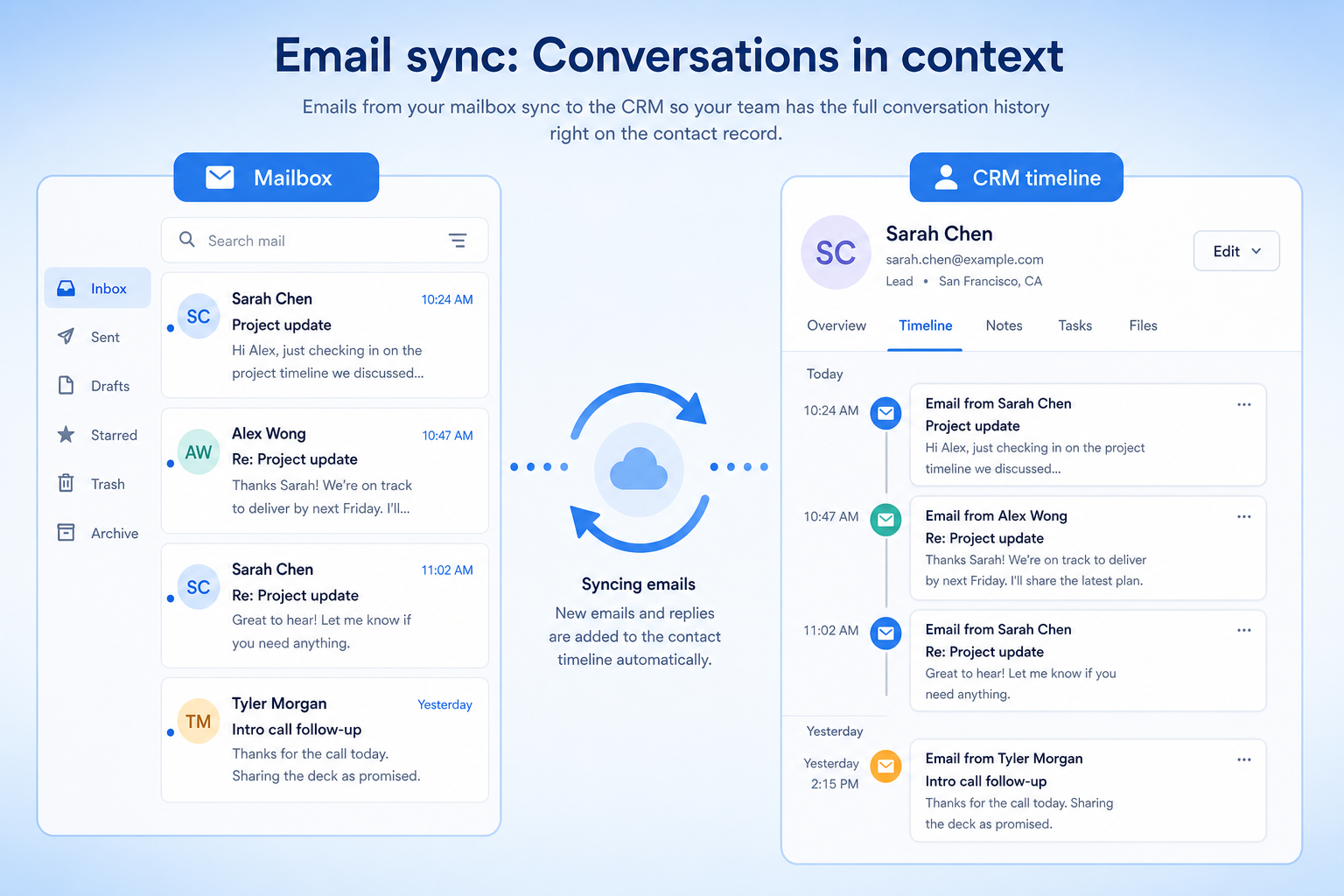
Attach sent and received email to the right contact and deal automatically — so relationship history does not live in one person’s inbox.
Feature at a glance
Feature type
Integration
Primary capability
Integrations
Typical buyer need
Correspondence must reach the record without anyone remembering to log it
Common limitation
Provider support and sync direction differ, and some products sync only outbound mail
Products covered
10
Evidence records
560
Reviewed 15 Aug 2026
Fit snapshot
Email sync is the CRM feature that connects mailboxes (and often calendars) so correspondence and meetings land on contact, account, and deal timelines without manual logging. It is the backbone of shared relationship history, distinct from marketing email blasts and from outbound email sequences. Teams evaluate sync on mailbox coverage, matching accuracy, privacy controls, and whether sync is two-way or logging-only.
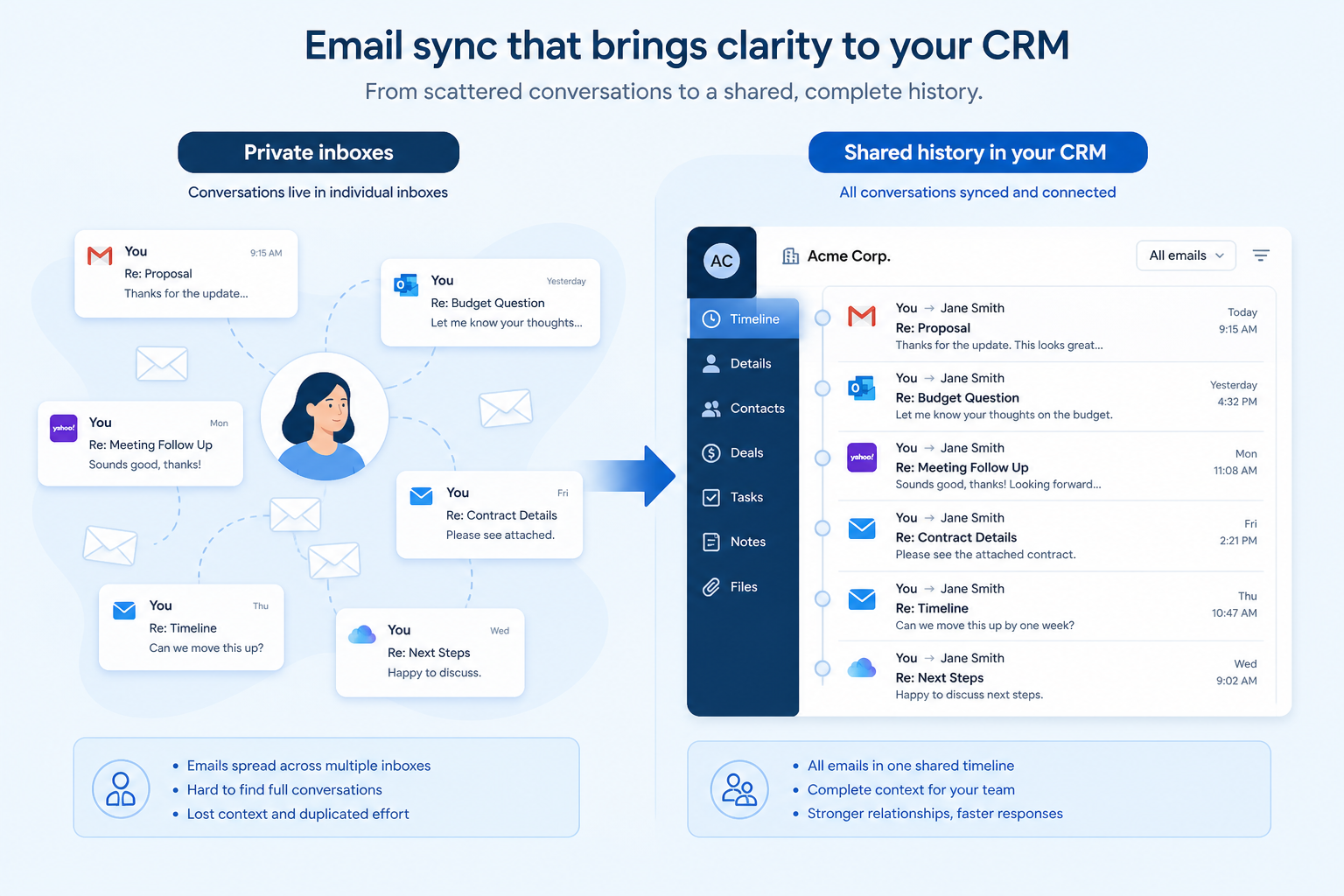
Any multi-person sales, account, or advisory team where covering for a colleague, onboarding a new hire, or answering “what did we last promise?” still requires forwarding threads. Especially painful for agencies, RIAs, and B2B SaaS once more than one person touches the same account.
Evaluate which mail providers sync, how messages match to records, BCC/shared-inbox behavior, private vs shared controls, and calendar capture — not whether “email” appears on a feature list. Sync that nobody trusts gets turned off.
Email sync connects a mailbox to the CRM so correspondence is attached to the right contact or deal automatically, rather than being copied in manually.
Email Sync is NOT the same as
Pressure points
Pain: Covering AMs and new hires ask clients to repeat context because the thread never left a private mailbox.
How the feature helps: Synced email attaches to the shared CRM record so history survives handoffs.
Pain: Reps promise to “log it later,” then the record stays empty when managers need it.
How the feature helps: Automatic capture removes the logging step for day-to-day correspondence.
Pain: Bad matching creates clutter or privacy scares, and teams disable sync.
How the feature helps: Clear matching rules, manual overrides, and privacy settings keep sync trustworthy.
Pain: Deal records show emails but not the discovery calls that actually moved the deal.
How the feature helps: Calendar sync puts meetings alongside email on the same timeline where supported.
Results
Anyone with access sees recent correspondence without digging through personal mail.
Coverage and role changes inherit context already on the record.
Reps spend time on conversations, not copy-pasting emails into notes.
Coaching and deal reviews start from real touches, not reconstructed memory.
How it runs
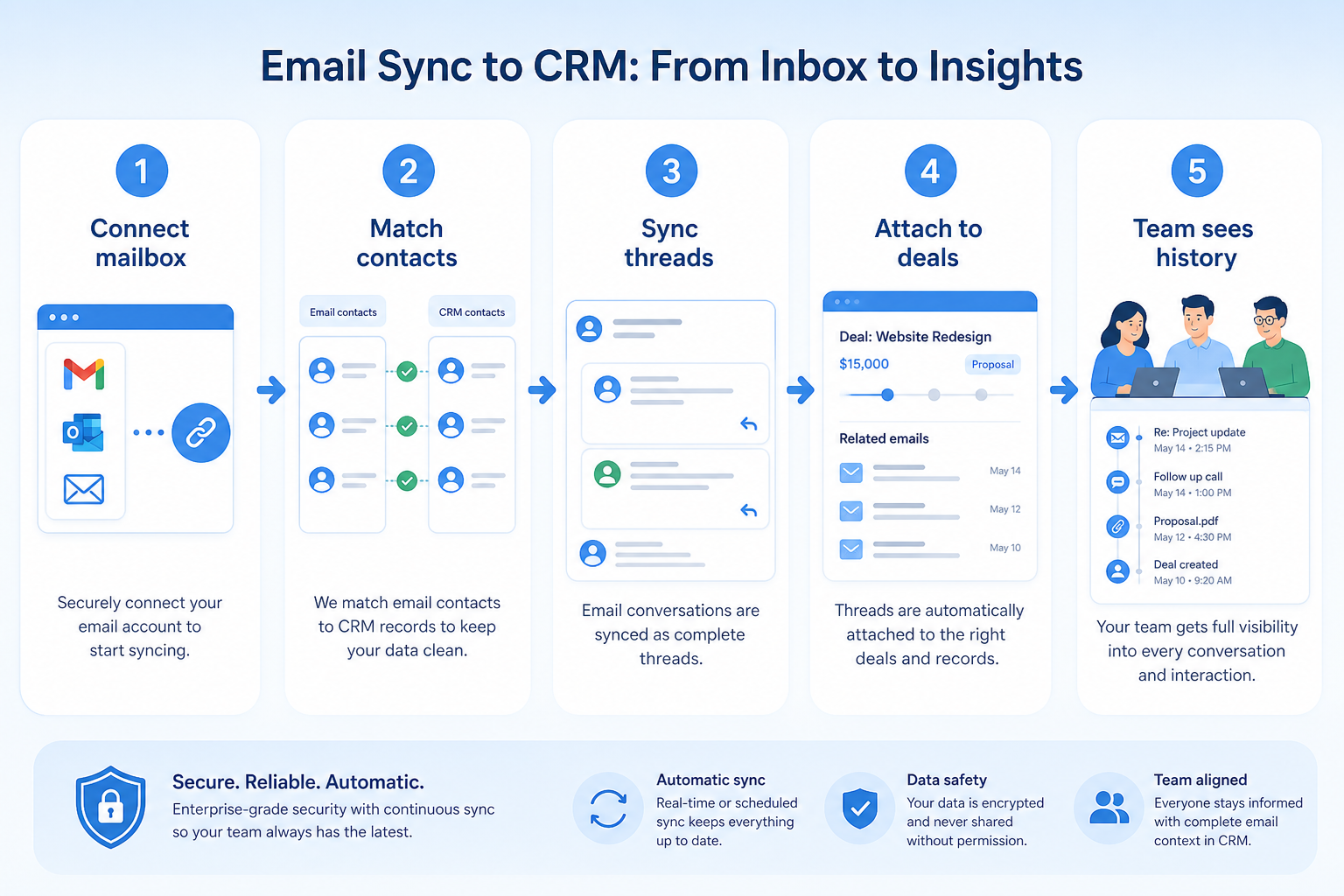
Users authorize Google, Microsoft, or other supported providers under the right privacy policy.
Incoming and outgoing messages associate to contacts and open deals by address and rules.
Users confirm private threads stay private and fix mis-matches early.
Timelines inform calls, handoffs, and pipeline reviews.
Admins set retention, shared-inbox rules, and who can see synced content.
Concrete buyer situations — not product recommendations. Use them to test whether a CRM’s implementation matches how your team works.
Agency: account manager coverage
Situation
A 10-person agency’s senior AM goes on leave. Client history is in her Gmail; the covering AM spends two days asking clients “remind me where we left off.”
What good looks like
Gmail sync attaches threads to client accounts automatically. The covering AM opens the account timeline, sees last week’s scope email, and joins the call prepared. Private HR threads stay excluded via privacy rules.
Ask vendors
Does Google Workspace sync include past mail or only new mail? Can users mark threads private? How are shared inboxes handled?
B2B SaaS: AE to CSM handoff
Situation
A SaaS AE closes a deal and dumps a Slack summary to CS. Implementation discovers missing stakeholder emails that lived only in the AE’s inbox.
What good looks like
Synced mail on the opportunity and account shows procurement and champion threads. CSM starts from the record, not a recap. Calendar sync shows the kickoff already booked.
Ask vendors
Do emails attach to deals as well as contacts? Is calendar sync included? What happens to sync when a user is deactivated?
You probably need it if
You may not need it if
Capability
Integrations
Requirement
Integrate with email
Feature
Email Sync
Feature availability
criticalMinimum plan
highAppears on contact timeline
highOpen and click tracking
importantSupported providers
highOfficial product demonstrations can help show how vendors implement the same feature differently. SoftwareGlimpse evaluates these alongside documentation, screenshots and other product evidence. Absence of a video does not mean a product lacks the feature.

Affinity
How to Use Relationship Intelligence in your CRM
This video is hosted on YouTube
This content is hosted by YouTube. The player loads only after you allow marketing cookies.
What this demonstrates
Not established by this video
Source: Affinity · Verified 16 Aug 2026
Open source ↗
Cloze
Cloze CRM: Section Tour

This video is hosted on YouTube
This content is hosted by YouTube. The player loads only after you allow marketing cookies.
What this demonstrates
Not established by this video
Source: Cloze · Verified 16 Aug 2026
Open source ↗
Close
Getting Started with Email in Close | How to Send and Manage Emails from Your CRM

This video is hosted on YouTube
This content is hosted by YouTube. The player loads only after you allow marketing cookies.
What this demonstrates
Not established by this video
Source: Close · Verified 15 Aug 2026
Open source ↗
ACT!
Act! CRM Training | Fundamentals: Mastering the Basics

This video is hosted on YouTube
This content is hosted by YouTube. The player loads only after you allow marketing cookies.
What this demonstrates
Not established by this video
Source: ACT! · Verified 16 Aug 2026
Open source ↗Not verified means insufficient evidence — not the same as unsupported.
ACT!
Affinity

Agile CRM

Apptivo
Close
Cloze
Cells use feature support. Unknown is never treated as No. Official videos open from evidence — they are never embedded in the matrix.
| Dimension | |||||
|---|---|---|---|---|---|
| Feature availability | Supported | Supported | Supported | Supported | Supported |
| Minimum plan | Enterprise | Essential | Free | Lite | Solo |
| Appears on contact timeline | Supported | Supported | Supported | Supported | Supported |
| Open and click tracking | Supported | Supported | Supported | Supported | Supported |
| Supported providers | Not verified | Not verified | Not verified | Not verified | Not verified |
Plan names come from feature entitlements — not inferred from marketing tier labels alone.
| Product | Feature starts at | Notes |
|---|---|---|
| ACT! | Enterprise | — |
| Affinity | Essential | — |
| Agile CRM | Free | — |
| Apptivo | Lite | — |
| Close | Solo | — |
| Cloze | Pro | — |
Two products can both support the feature while differing in depth. Official demos below are supplementary — the comparison matrix remains the structured source of truth.
Affinity
This video is hosted on YouTube
This content is hosted by YouTube. The player loads only after you allow marketing cookies.
Official vendor tutorial
Automatic email and calendar capture into Affinity profiles
Cloze
This video is hosted on YouTube
This content is hosted by YouTube. The player loads only after you allow marketing cookies.
Official vendor tutorial
Cloze Agenda, People, and section navigation
Appears on contact timeline
Compare how products differ on appears on contact timeline rather than assuming parity.
Open and click tracking
Compare how products differ on open and click tracking rather than assuming parity.
Supported providers
Compare how products differ on supported providers rather than assuming parity.
Loading evidence explorer…
Verified product captures only — never stock imagery or mockups.
ACT! email sync
Supported · StrongEvidence: 5 · High confidence
Available from: Enterprise
ACT! has researched support for email sync. See the comparison matrix for related dimensions.
Strengths
Limitations
Best for: Established SMBs already familiar with ACT!
See it in action
This video is hosted on YouTube
This content is hosted by YouTube. The player loads only after you allow marketing cookies.
Official vendor tutorial
Official vendor demonstration — complementary evidence, not a substitute for the comparison matrix.
View all feature evidenceAffinity email sync
Supported · StrongEvidence: 5 · High confidence
Available from: Essential
Affinity has researched support for email sync. See the comparison matrix for related dimensions.
Strengths
Limitations
Best for: Venture capital and private equity relationship teams
See it in action
This video is hosted on YouTube
This content is hosted by YouTube. The player loads only after you allow marketing cookies.
Official vendor tutorial
Official vendor demonstration — complementary evidence, not a substitute for the comparison matrix.
View all feature evidenceAgile CRM email sync
Supported · StrongEvidence: 5 · High confidence
Available from: Free
Agile CRM has researched support for email sync. See the comparison matrix for related dimensions.
Strengths
Limitations
Best for: Budget-conscious SMBs wanting freemium CRM
Apptivo email sync
Supported · StrongEvidence: 5 · High confidence
Available from: Lite
Apptivo has researched support for email sync. See the comparison matrix for related dimensions.
Strengths
Limitations
Best for: SMBs wanting CRM plus adjacent business apps
See it in action
This video is hosted on YouTube
This content is hosted by YouTube. The player loads only after you allow marketing cookies.
Official vendor tutorial
Official vendor demonstration — complementary evidence, not a substitute for the comparison matrix.
View all feature evidenceClose email sync
Supported · StrongEvidence: 5 · High confidence
Available from: Solo
Close has researched support for email sync. See the comparison matrix for related dimensions.
Strengths
Limitations
Best for: Inside sales and outbound teams that live on phone/email/SMS
See it in action
This video is hosted on YouTube
This content is hosted by YouTube. The player loads only after you allow marketing cookies.
Official vendor tutorial
Official vendor demonstration — complementary evidence, not a substitute for the comparison matrix.
View all feature evidenceCompleteness vs privacy
Full mailbox sync gives complete history and shares more than some teams intend.
Provider dependency
Sync depth usually differs between mail providers, so test with yours.
Support is not the same as depth
Two products can both support this feature and implement it very differently.
Feature availability alone does not tell you whether the implementation fits your workflow. Compare depth, plan gating, and related dimensions before shortlisting.
Relationship-led teams
High relevanceCapture correspondence automatically.
Growing teams
High relevanceCapture history without extra data entry.
Add this as a requirement in your CRM shortlist and personalize for team size, budget, and other priorities.
Find My CRM10
Products covered
560
Evidence items
277
Screenshots
37
Plan records
Capability
Integrations
Requirement
Integrate with email
Feature
Email Sync
Products
10 researched
Evidence
560 records
It connects user mailboxes so sent and received messages (and often meetings) appear on CRM contact, account, and deal timelines without manual logging.
No. Sync captures real correspondence onto records. Sequences schedule outbound follow-up steps to a person. Most sales teams eventually need both.
It depends on provider support, matching rules, and privacy settings. Treat sync design as a trust exercise — mis-matched or over-shared mail is why teams turn it off.
Compare catalogue CRM products based on this feature plus your other requirements, team size and budget.
Explore the official documentation, screenshots and product demonstrations used to understand how each CRM implements this feature.
46 items
Official video · ACT!
Supports
Demonstrates
This video is hosted on YouTube
This content is hosted by YouTube. The player loads only after you allow marketing cookies.
Official vendor tutorial
Verified: 16 Aug 2026
Open source ↗Official video · ACT!
Supports
Demonstrates

This video is hosted on YouTube
This content is hosted by YouTube. The player loads only after you allow marketing cookies.
Official vendor video
Verified: 16 Aug 2026
Open source ↗Official video · Affinity
Supports
Demonstrates
This video is hosted on YouTube
This content is hosted by YouTube. The player loads only after you allow marketing cookies.
Official vendor tutorial
Verified: 16 Aug 2026
Open source ↗Official video · Affinity
Supports
Demonstrates

This video is hosted on YouTube
This content is hosted by YouTube. The player loads only after you allow marketing cookies.
Official vendor video
Verified: 16 Aug 2026
Open source ↗Official video · Apptivo
Supports
Demonstrates
This video is hosted on YouTube
This content is hosted by YouTube. The player loads only after you allow marketing cookies.
Official vendor tutorial
Verified: 16 Aug 2026
Open source ↗Official video · Apptivo
Supports
Demonstrates

This video is hosted on YouTube
This content is hosted by YouTube. The player loads only after you allow marketing cookies.
Official vendor video
Verified: 16 Aug 2026
Open source ↗Official video · Close
Supports
Demonstrates
This video is hosted on YouTube
This content is hosted by YouTube. The player loads only after you allow marketing cookies.
Official vendor tutorial
Verified: 15 Aug 2026
Open source ↗Official video · Close
Supports
Demonstrates

This video is hosted on YouTube
This content is hosted by YouTube. The player loads only after you allow marketing cookies.
Official vendor tutorial
Verified: 15 Aug 2026
Open source ↗Official video · Cloze
Supports
Demonstrates
This video is hosted on YouTube
This content is hosted by YouTube. The player loads only after you allow marketing cookies.
Official vendor tutorial
Verified: 16 Aug 2026
Open source ↗
Official video · Dynamics 365
Supports
Demonstrates

This video is hosted on YouTube
This content is hosted by YouTube. The player loads only after you allow marketing cookies.
Official vendor tutorial
Verified: 15 Aug 2026
Open source ↗Official video · Dynamics 365
Supports
Demonstrates
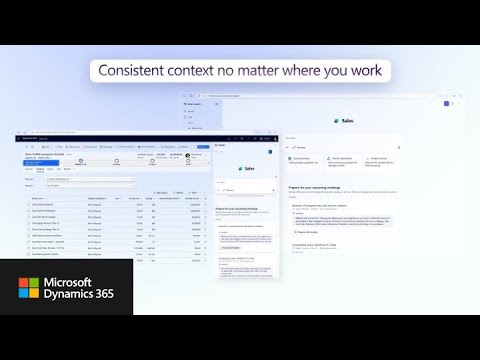
This video is hosted on YouTube
This content is hosted by YouTube. The player loads only after you allow marketing cookies.
Official vendor video
Verified: 15 Aug 2026
Open source ↗Official video · HubSpot
Supports
Demonstrates

This video is hosted on YouTube
This content is hosted by YouTube. The player loads only after you allow marketing cookies.
Official vendor tutorial
Lead management workflow — capture through assignment and follow-up
Verified: 14 Aug 2026
Open source ↗Official video · HubSpot
Supports
Demonstrates

This video is hosted on YouTube
This content is hosted by YouTube. The player loads only after you allow marketing cookies.
Official vendor tutorial
How HubSpot manages marketing contacts and lists as a CRM contact workflow.
Verified: 15 Aug 2026
Open source ↗
Official video · Mailchimp
Supports
Demonstrates

This video is hosted on YouTube
This content is hosted by YouTube. The player loads only after you allow marketing cookies.
Official vendor tutorial
How Mailchimp presents the product in an official vendor video.
Verified: 16 Aug 2026
Open source ↗
Official video · Nimble
Supports
Demonstrates

This video is hosted on YouTube
This content is hosted by YouTube. The player loads only after you allow marketing cookies.
Official vendor tutorial
Verified: 16 Aug 2026
Open source ↗
Official video · Pipeline CRM
Supports
Demonstrates

This video is hosted on YouTube
This content is hosted by YouTube. The player loads only after you allow marketing cookies.
Official vendor tutorial
Verified: 16 Aug 2026
Open source ↗Official video · Salesforce
Supports
Demonstrates

This video is hosted on YouTube
This content is hosted by YouTube. The player loads only after you allow marketing cookies.
Official vendor video
Verified: 16 Aug 2026
Open source ↗Screenshot · Attio
Supports
Demonstrates
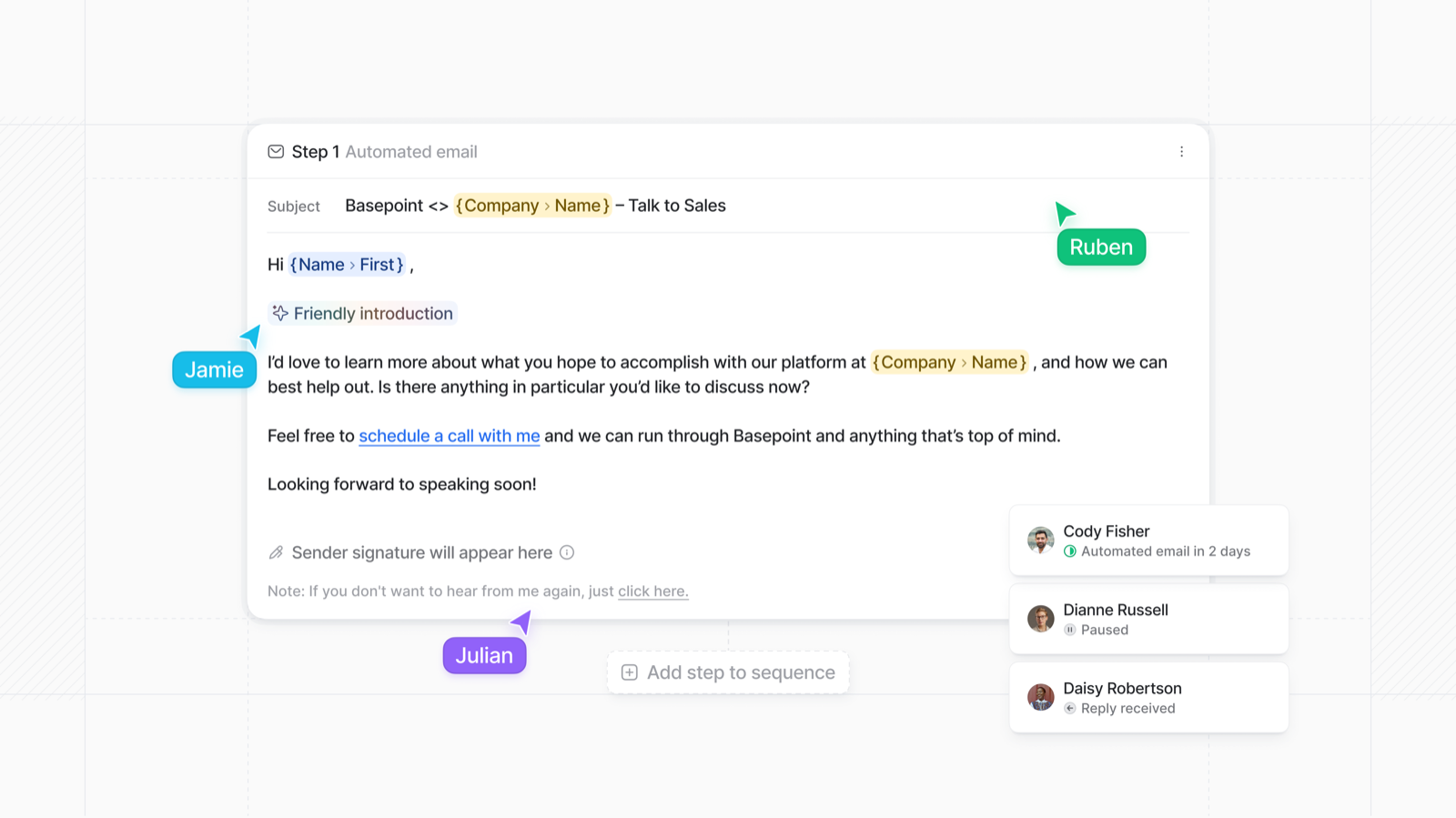
Verified: 15 Aug 2026
Open source ↗Screenshot · Close
Supports
Demonstrates
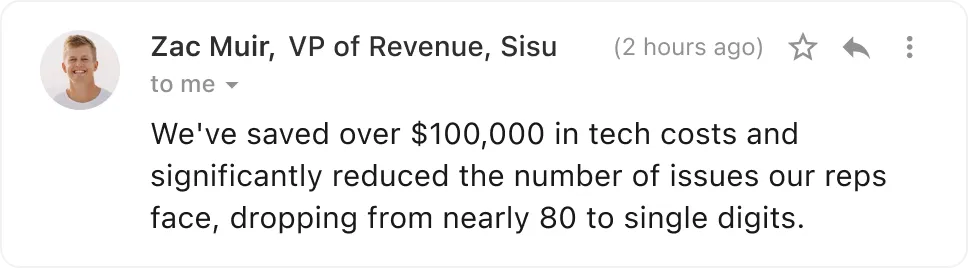
Verified: 13 Aug 2026
Open source ↗Screenshot · Dynamics 365
Supports
Demonstrates
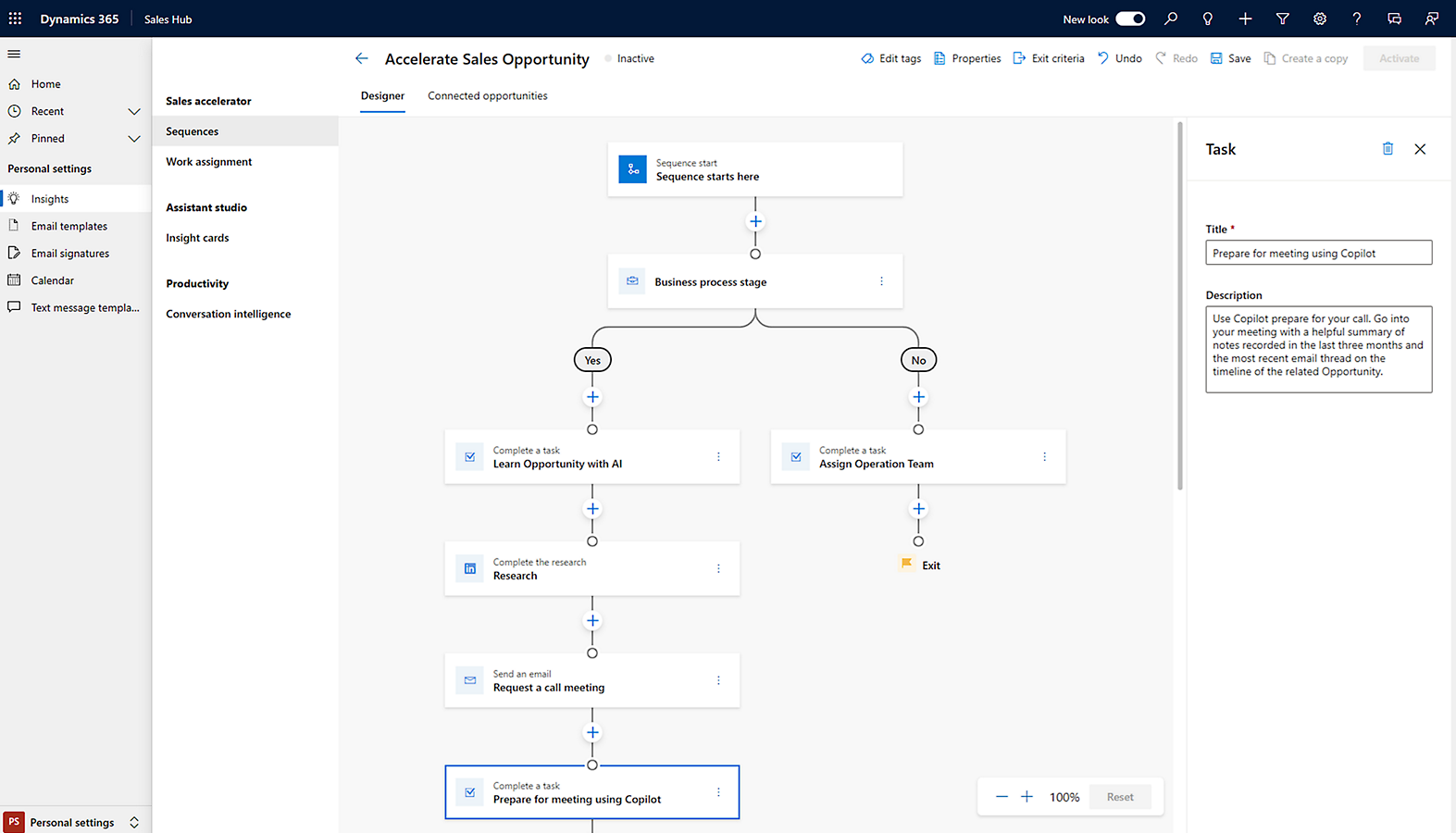
Verified: 14 Aug 2026
Open source ↗Screenshot · Mailchimp
Supports
Demonstrates
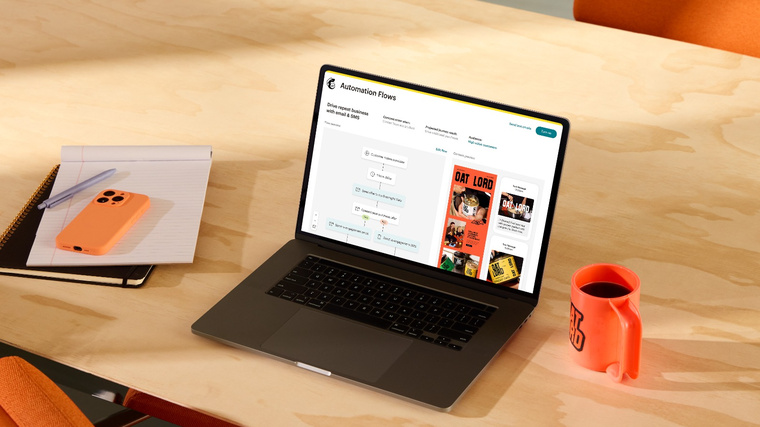
Verified: 17 Aug 2026
Open source ↗Screenshot · Mailchimp
Supports
Demonstrates
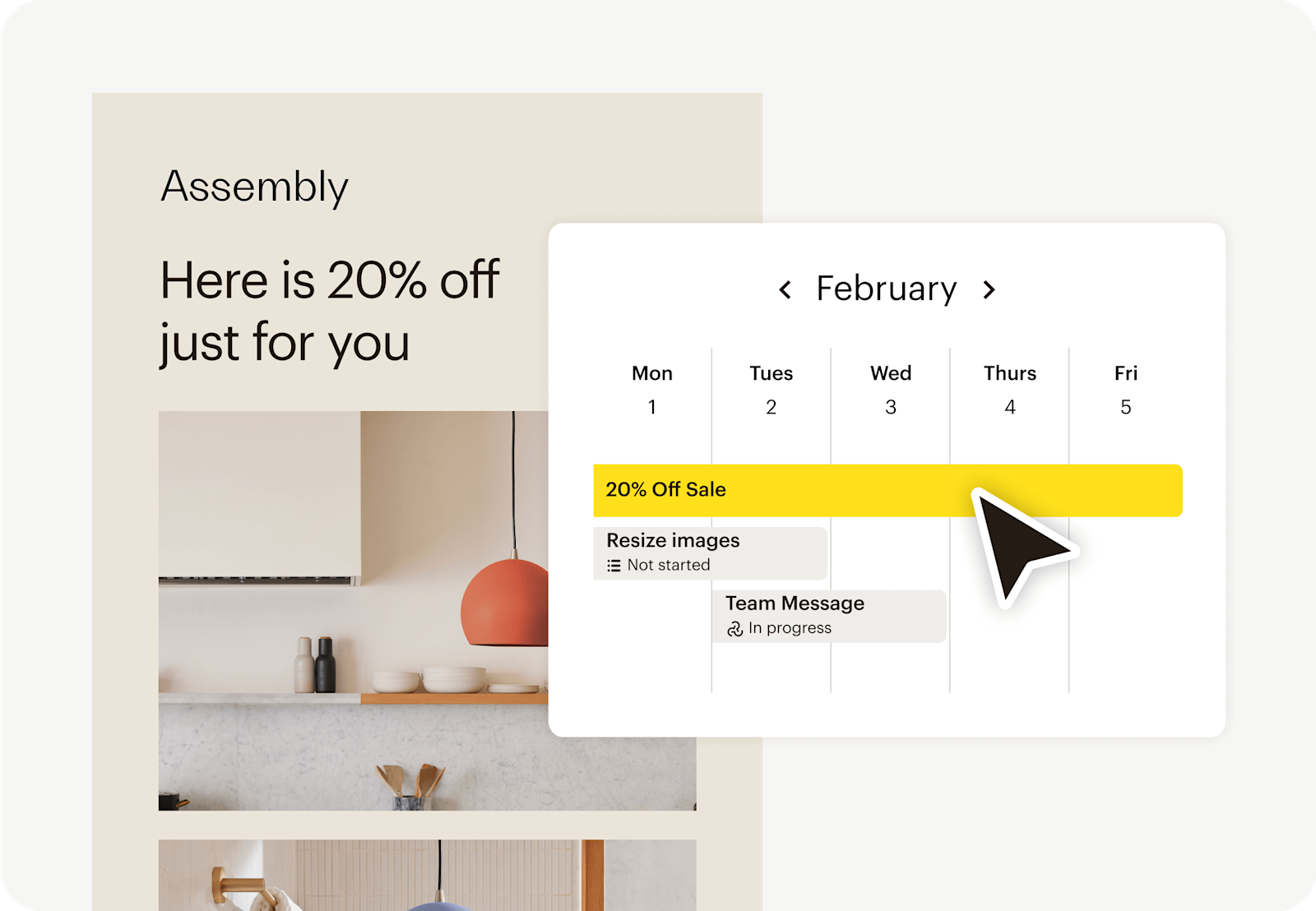
Verified: 17 Aug 2026
Open source ↗Screenshot · Salesflare
Supports
Demonstrates
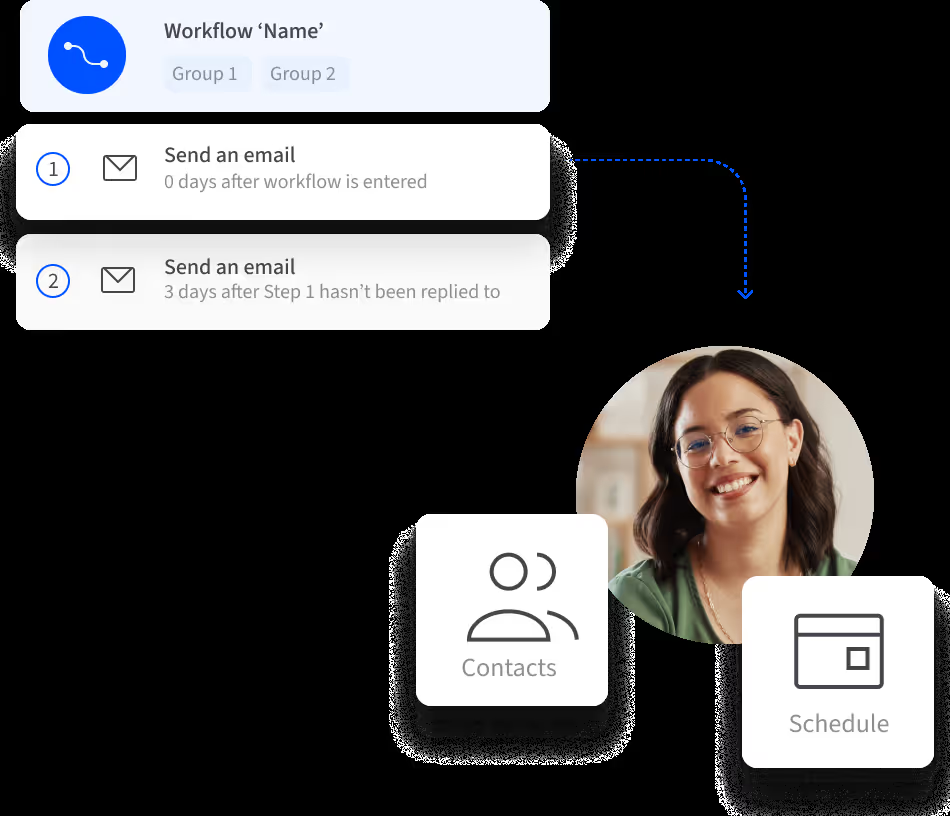
Verified: 13 Aug 2026
Open source ↗Screenshot · Salesforce
Supports
Demonstrates
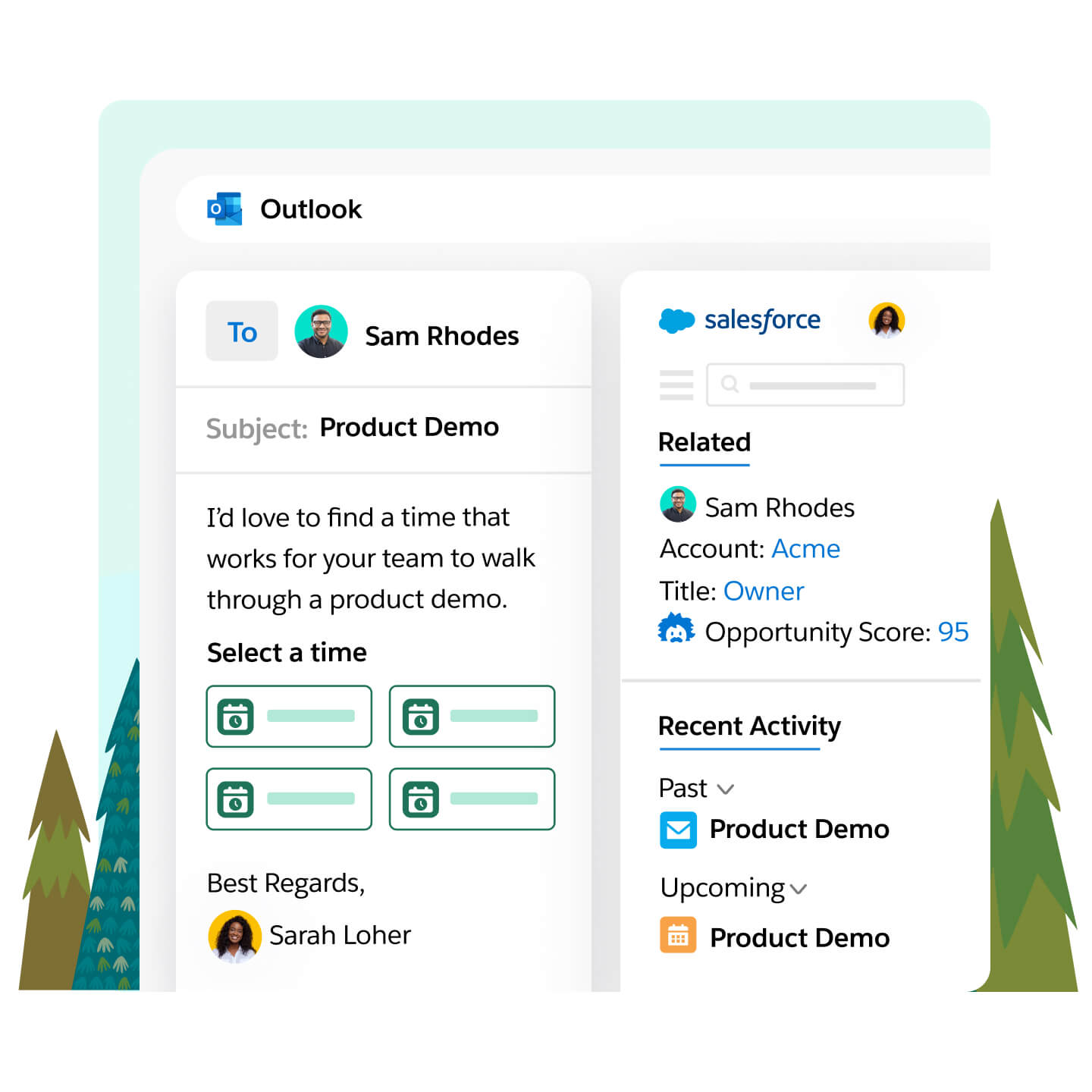
Verified: 14 Aug 2026
Open source ↗Screenshot · Streak
Supports
Demonstrates
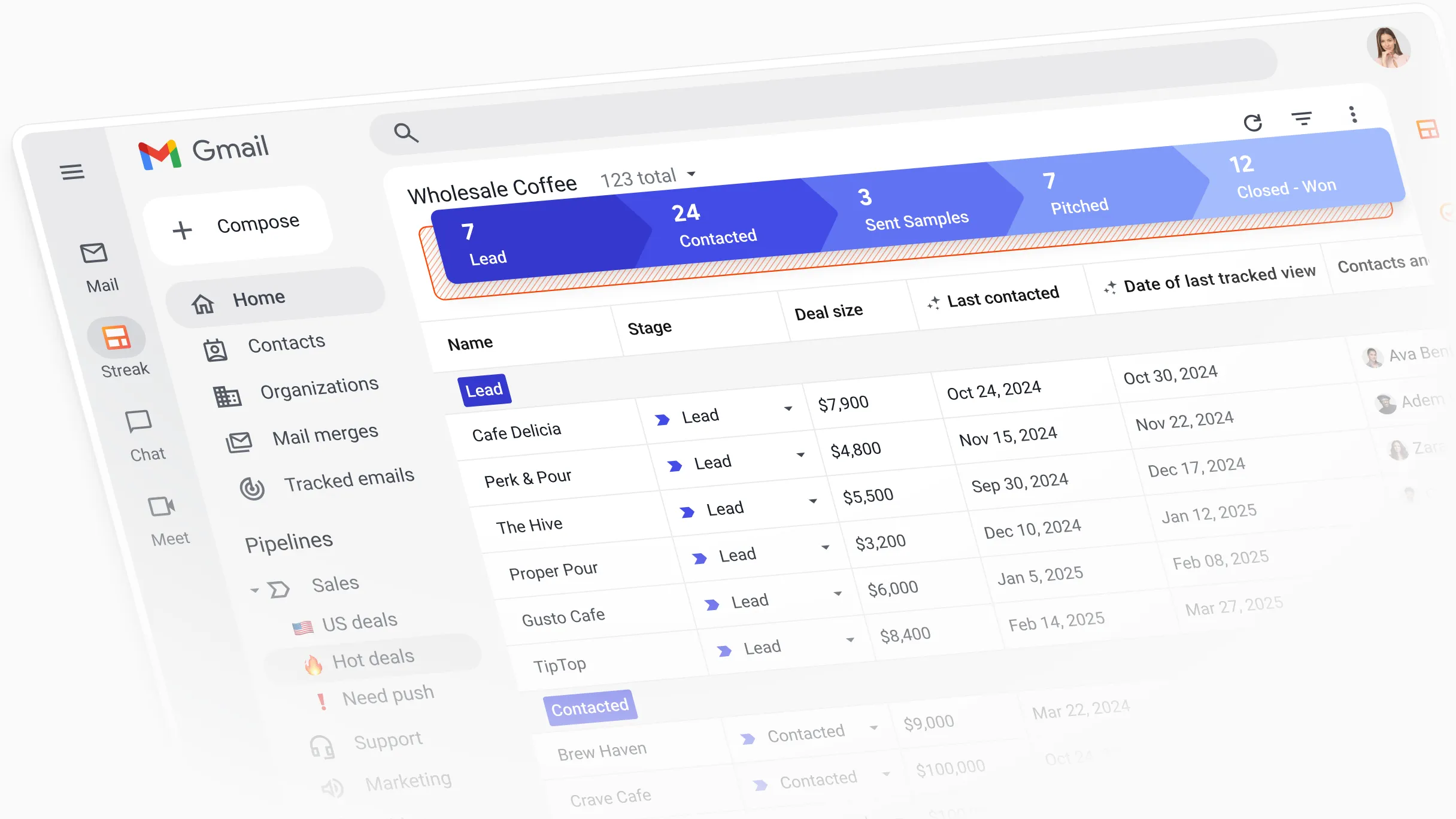
Verified: 13 Aug 2026
Open source ↗Screenshot · Streak
Supports
Demonstrates
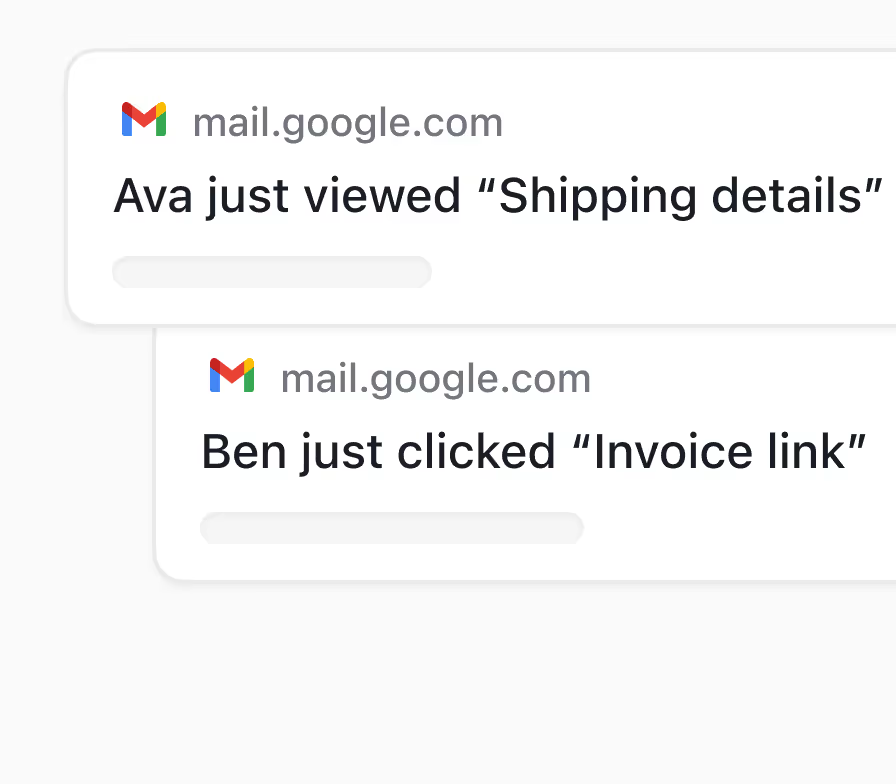
Verified: 13 Aug 2026
Open source ↗Official documentation · ACT!
Supports
Verified: —
Open source ↗Official documentation · ACT!
Supports
Verified: —
Open source ↗Official documentation · Affinity
Supports
Verified: —
Open source ↗Official documentation · Affinity
Supports
Verified: —
Open source ↗Official documentation · Agile CRM
Supports
Verified: —
Open source ↗Official documentation · Agile CRM
Supports
Verified: —
Open source ↗Official documentation · Apptivo
Supports
Verified: —
Open source ↗Official documentation · Apptivo
Supports
Verified: —
Open source ↗Official documentation · Close
Supports
Verified: —
Open source ↗Official documentation · Close
Supports
Verified: —
Open source ↗Official documentation · Cloze
Supports
Verified: —
Open source ↗Official documentation · Cloze
Supports
Verified: —
Open source ↗Official documentation · Dynamics 365
Supports
Verified: —
Open source ↗Official documentation · Dynamics 365
Supports
Verified: —
Open source ↗Official documentation · Mailchimp
Supports
Verified: —
Open source ↗Official documentation · Mailchimp
Supports
Verified: —
Open source ↗Official documentation · Nimble
Supports
Verified: —
Open source ↗Official documentation · Nimble
Supports
Verified: —
Open source ↗Official documentation · Pipeline CRM
Supports
Verified: —
Open source ↗Official documentation · Pipeline CRM
Supports
Verified: —
Open source ↗

