
This video is hosted on YouTube
This content is hosted by YouTube. The player loads only after you allow marketing cookies.
CRM requirement
Connect team mailboxes so threads and meetings land on the right record — without relying on reps to paste history by hand.
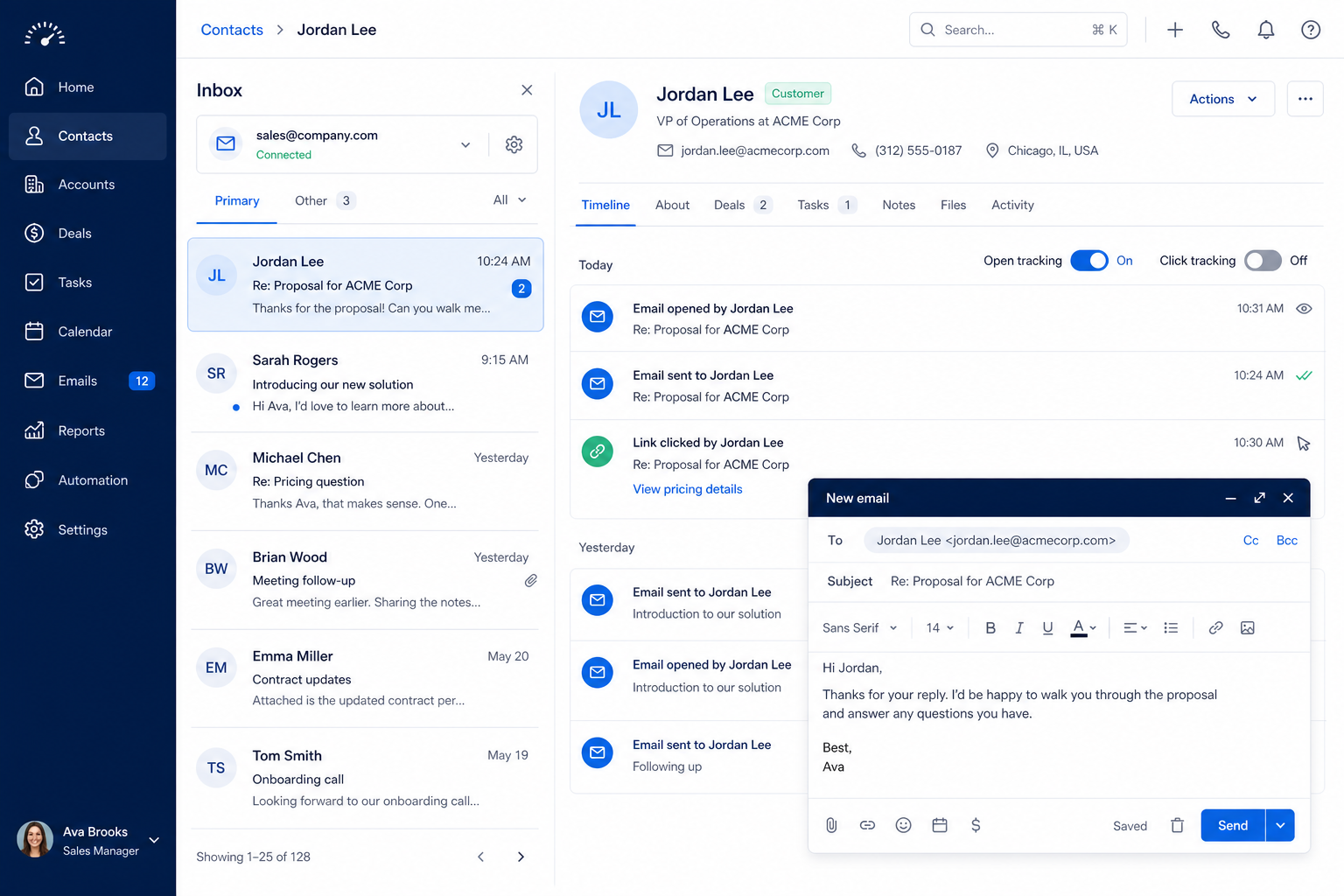
Requirement at a glance
Requirement type
Integration / communication
Primary capability
Typical importance
High
3
Core features
2
Supporting features
10
Products covered
Last reviewed 14 Aug 2026
Requirement snapshot
Email integration connects workplace mail and often calendar to the CRM so correspondence is logged against contacts, companies, and deals. Buyers should treat this as an adoption requirement: when logging is manual, history goes missing and the CRM becomes a second system nobody trusts. Evaluate provider fit (Gmail-class and Outlook-class workplaces), inbound and outbound capture, record matching, and exclusion controls for private or sensitive threads — without assuming any single vendor’s product claims.
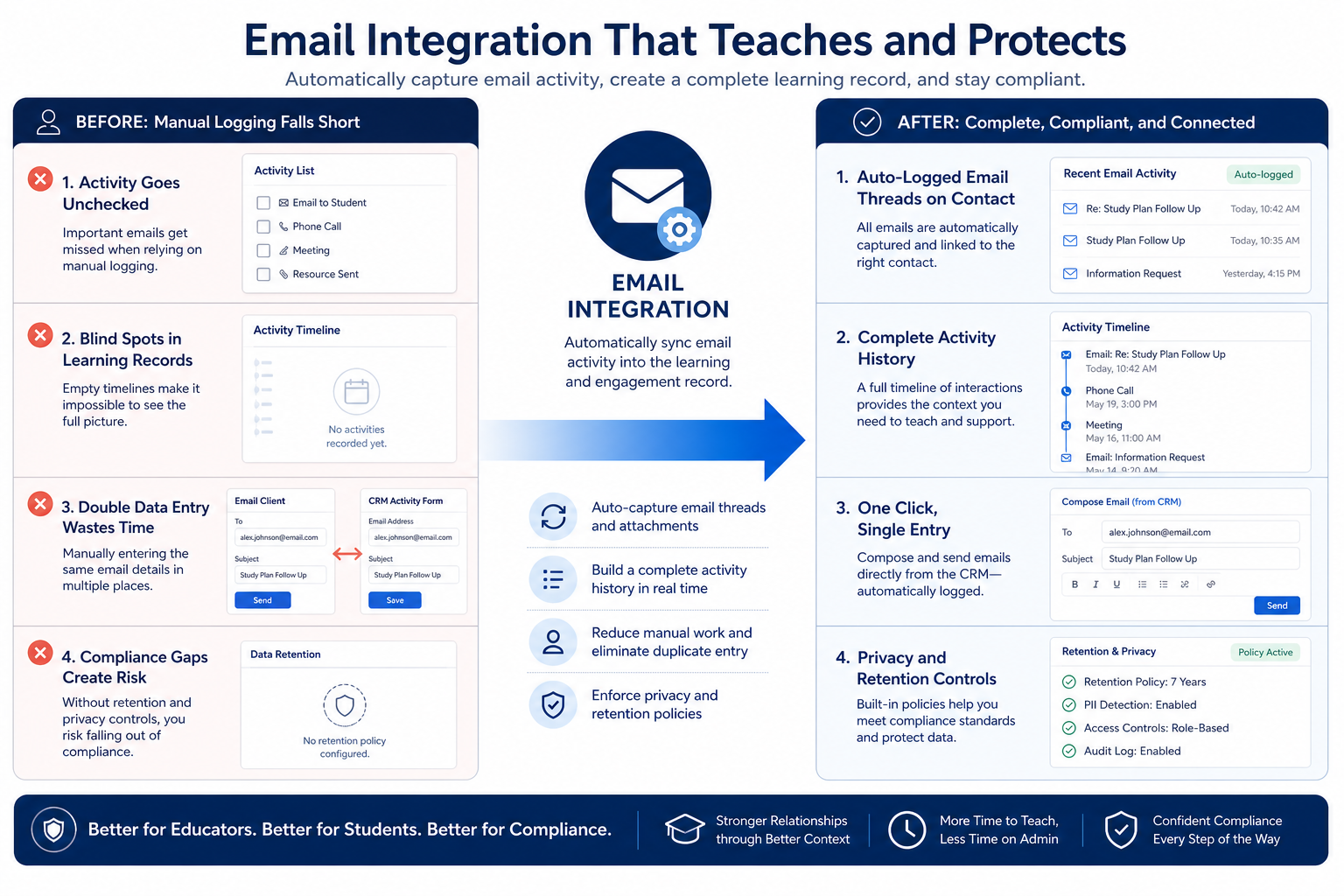
Sales and account teams whose client work mainly happens in email, plus founders and managers who need shared visibility when someone is out. It is especially acute for relationship-heavy motions, outbound pods that live in the inbox, and regulated environments that still need selective logging rather than “sync everything.”
How teams satisfy “integrate with email” in practice
Example 1
a B2B outbound team of eight
Before CRM
deal context lived in each AE’s inbox; managers reconstructed status from forwards
After CRM
mailbox sync attaches sent and received messages to the opportunity timeline, so coverage and coaching start from the thread — not from “can you forward that?”
Example 2
a regulated financial-services advisory desk
Before CRM
advisors avoided logging for fear of capturing personal threads
After CRM
sync is on with exclusion rules for internal and personal domains, so client correspondence is reviewable without vacuuming private mail
These are the operating problems that usually push teams to require “integrate with email” from a CRM — not feature wish lists.
Without this capability in CRM: The CRM timeline is empty while the real conversation continues in the inbox.
Without this capability in CRM: Threads attach to duplicates or the wrong company, poisoning account history.
Without this capability in CRM: Adoption stalls if every personal thread might appear on a shared timeline.
Without this capability in CRM: Managers see what was sent but not the customer replies that changed the deal.
A CRM only satisfies “integrate with email” when the team keeps owners, history, and next steps current. Here is what “good” looks like once the requirement is met.
When this requirement is satisfied: Mailbox sync captures correspondence automatically so history updates without extra steps.
When this requirement is satisfied: Matching rules and contact hygiene keep mail on the intended contact or deal.
When this requirement is satisfied: Exclusion controls for contacts, domains, and threads make sync acceptable to roll out.
When this requirement is satisfied: Two-way capture keeps the full conversation on the record for handoffs and reviews.
Shared conversation history
Covering reps and managers see the thread without inbox archaeology.
Higher CRM adoption
The record stays current because logging is not a separate chore.
Cleaner leave and coverage handoffs
Relationship context survives vacation, role change, or departure.
Selective, trustworthy capture
Exclusions keep private mail out while client work remains visible.
Start with must-haves your team will use weekly to accept this requirement as met. Treat nice-to-haves as later upgrades — not day-one blockers.
Must-have
Your production mail and calendar environment (Gmail-class or Outlook-class) connects in a real tenant test — not a slide.
Learn more →Received and sent messages both appear on the matched record when sync is enabled.
Mail attaches to the correct contact, company, or deal with an understandable fallback when ambiguous.
Learn more →Users or admins can exclude threads, contacts, or domains so private mail is not forced onto timelines.
Nice-to-have
Meetings can appear on the record without duplicate manual entry.
Open or click signals are available if your motion uses them — evaluated after basic sync works.
Learn more →If you use shared inboxes, confirm how those messages are attributed and visible.
A simple validation loop beats a long checklist nobody runs during a trial.
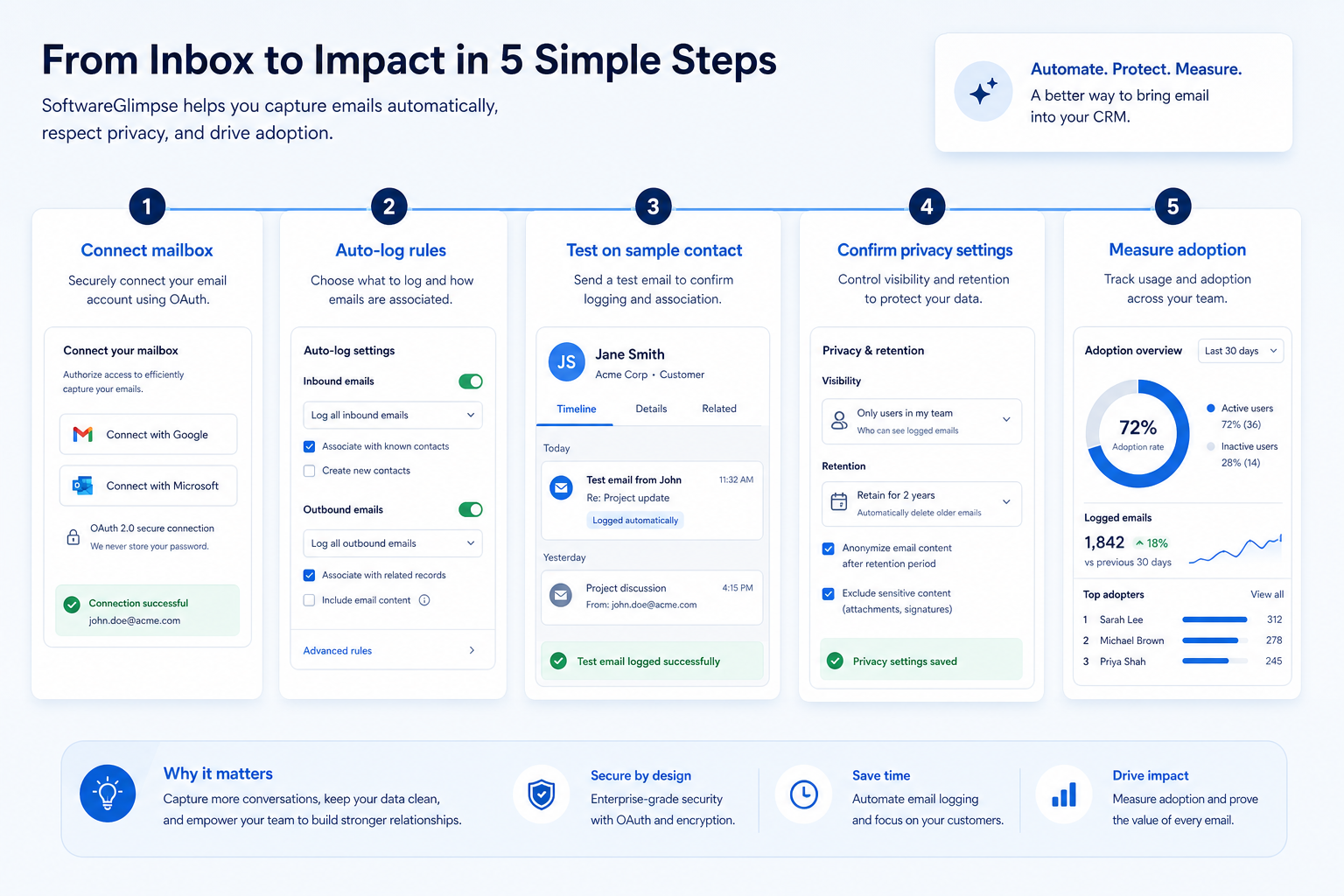
Document provider, desktop vs web clients, aliases, and whether shared inboxes matter.
Use a non-production test account in the same provider class as production.
Create a contact, exchange mail both ways, and confirm both directions hit the timeline.
Exclude a domain or thread and verify it stays off the shared record.
Have a second user open the record and reconstruct the conversation without inbox access.
Check three things: whether your mail provider is properly supported, whether inbound as well as outbound mail is captured, and whether users can exclude threads. Email integration is usually the single biggest driver of whether a CRM stays current.
You probably need this if
You may not need this if
Adoption
Automatic capture is usually what stops a CRM becoming extra typing.
Completeness
History stays complete even when people forget to log things.
Continuity
Colleagues can cover an account without forwarding email chains.
Activity visibility
Email activity data supports coverage and responsiveness reporting.
Use cases
3 linkedCapability
EmailRequirement
Integrate with EmailFeatures
5 relatedProducts
10 evaluatedProvider support
Is your mail and calendar provider properly supported?
Capture direction
Are inbound and outbound messages both captured?
Record matching
Is correspondence attached to the right contact or deal?
Exclusion controls
Can specific threads, contacts, or domains be excluded?
Calendar sync
Are meetings logged and kept in step with the calendar?
Core features
Email Sync
CriticalProvides the mailbox and calendar connection itself.
Evidence across catalogue products: Docs · Screenshots · Official demos
Explore feature →Contact Management
CriticalSupplies the records correspondence is matched to.
Evidence across catalogue products: Docs · Screenshots · Official demos
Explore feature →Integrations
ImportantDetermines which providers and adjacent tools are supported natively.
Evidence across catalogue products: Docs · Screenshots · Official demos
Explore feature →Supporting features
Email Tracking
SupportingAdds engagement signals to synced correspondence.
Evidence across catalogue products: Docs · Screenshots · Official demos
Explore feature →Email Sequences
OptionalSending follow-up steps usually depends on the same mailbox connection.
Evidence across catalogue products: Docs · Screenshots · Official demos
Explore feature →See how CRM products support integrate with email. Official product demonstrations can help show how supporting features work in practice. SoftwareGlimpse evaluates these alongside documentation, screenshots and plan evidence — video availability does not change rankings.

Official video · Close
Source: Close
This video is hosted on YouTube
This content is hosted by YouTube. The player loads only after you allow marketing cookies.
What this demonstrates
Features demonstrated
Not established by this video
Verified: 2026-08-15
Open official source ↗
Official video · ACT!
Source: ACT!

This video is hosted on YouTube
This content is hosted by YouTube. The player loads only after you allow marketing cookies.
What this demonstrates
Features demonstrated
Not established by this video
Verified: 2026-08-16
Open official source ↗
Official video · Affinity
Source: Affinity

This video is hosted on YouTube
This content is hosted by YouTube. The player loads only after you allow marketing cookies.
What this demonstrates
Features demonstrated
Not established by this video
Verified: 2026-08-16
Open official source ↗Fit reflects feature support for this requirement — not affiliate status. Insufficient evidence is never treated as failure.
Close
Strong supportVisual evidence available
Key strength: Email Sync: supported
Why this fit?ACT!
Strong supportVisual evidence available
Key strength: Email Sync: supported
Why this fit?Affinity
Strong supportVisual evidence available
Key strength: Email Sync: supported
Why this fit?
Agile CRM
Strong supportKey strength: Email Sync: supported
Why this fit?
Apptivo
Strong supportVisual evidence available
Key strength: Email Sync: supported
Why this fit?
Cloze
Strong supportVisual evidence available
Key strength: Email Sync: supported
Why this fit?Each cell reflects feature support for that criterion. Open Why? for documentation, screenshots, and official videos mapped to that criterion only — video counts never change the assessment.
| Criterion | Close | ACT! | Affinity | Agile CRM | Apptivo | Cloze |
|---|---|---|---|---|---|---|
| Provider support | Strong 2 docs · 1 screenshots | Strong 2 docs | Strong 2 docs · 1 video | Strong 2 docs | Strong 2 docs | Strong 2 docs · 1 video |
| Capture direction | Strong 2 docs · 3 screenshots | Strong 2 docs · 2 screenshots | Strong 2 docs · 2 screenshots · 1 video | Strong 2 docs · 2 screenshots | Strong 2 docs · 2 screenshots | Strong 2 docs · 2 screenshots · 1 video |
| Record matching | Strong 1 docs · 1 screenshots · 2 videos | Strong 2 docs · 2 videos | Strong 2 docs · 2 videos | Strong 2 docs | Strong 2 docs · 2 videos | Strong 2 docs · 1 video |
| Exclusion controls | Strong 2 docs | Strong 2 docs | Strong 2 docs · 1 video | Strong 2 docs | Strong 2 docs | Strong 2 docs · 1 video |
| Calendar sync | Strong 3 docs | Strong 4 docs | Strong 4 docs · 1 video | Strong 4 docs | Strong 4 docs | Strong 4 docs · 1 video |
| Overall / plan | StrongSoloConfidence: High | StrongEnterpriseConfidence: High | StrongEssentialConfidence: High | StrongFreeConfidence: High | StrongLiteConfidence: High | StrongProConfidence: High |
Structured evaluation — not media-driven. Video helps illustrate implementation; it does not determine who ranks higher.
| Criterion | Close | ACT! | Affinity |
|---|---|---|---|
| Provider support | Strong support | Strong support | Strong support |
| Capture direction | Strong support | Strong support | Strong support |
| Record matching | Strong support | Strong support | Strong support |
| Exclusion controls | Strong support | Strong support | Strong support |
| Calendar sync | Strong support | Strong support | Strong support |
Official video · Close
Source: Close
This video is hosted on YouTube
This content is hosted by YouTube. The player loads only after you allow marketing cookies.
What this demonstrates
Features demonstrated
Not established by this video
Verified: 2026-08-15
Open official source ↗Official video · ACT!
Source: ACT!
This video is hosted on YouTube
This content is hosted by YouTube. The player loads only after you allow marketing cookies.
What this demonstrates
Features demonstrated
Not established by this video
Verified: 2026-08-16
Open official source ↗SoftwareGlimpse interpretation
These official demos illustrate visible product behavior for mapped criteria and features. Fit and ranking still come from structured feature assessments — not from which demo looks smoother.
Unknown / not verified is never treated as unsupported.
| Feature | |||||
|---|---|---|---|---|---|
| Email sync | |||||
| Contact management | |||||
| Email tracking | |||||
| Email sequences | |||||
| Integrations |
Close for integrate with email
Strong supportEvidence confidence: High
Plan required: Solo
Plan availability comes from official pricing / plan documentation — not from feature demos.
Why
Trade-offs
See it in action
View all evidence →ACT! for integrate with email
Strong supportEvidence confidence: High
Plan required: Enterprise
Plan availability comes from official pricing / plan documentation — not from feature demos.
Why
Trade-offs
See it in action
View all evidence →Affinity for integrate with email
Strong supportEvidence confidence: High
Plan required: Essential
Plan availability comes from official pricing / plan documentation — not from feature demos.
Why
Trade-offs
See it in action
View all evidence →Agile CRM for integrate with email
Strong supportEvidence confidence: High
Plan required: Free
Plan availability comes from official pricing / plan documentation — not from feature demos.
Why
Trade-offs
Apptivo for integrate with email
Strong supportEvidence confidence: High
Plan required: Lite
Plan availability comes from official pricing / plan documentation — not from feature demos.
Why
Trade-offs
See it in action
View all evidence →Plan names come from feature entitlements on the features that support this requirement. Pricing estimates appear only when verified — otherwise use the Cost Calculator.
| Product | Minimum qualifying plan | Core coverage | Confidence |
|---|---|---|---|
| Close | Solo | 3/3 | High |
| ACT! | Enterprise | 3/3 | High |
| Affinity | Essential | 3/3 | High |
| Agile CRM | Free | 3/3 | High |
| Apptivo | Lite | 3/3 | High |
| Cloze | Pro | 3/3 | High |
Verified product captures only — never stock imagery or mockups.
Take this checklist into every vendor session and ask each product to demonstrate the same scenario. Your results stay in your vendor scorecard — they do not rewrite SoftwareGlimpse recommendations.
Objective
Verify that the product can satisfy: Connect team mailboxes and calendars to the CRM so email and meetings are logged against the right record without manual effort.
Preconditions
Ask the vendor to demonstrate
What good support looks like
Failure signals
Follow-up questions
Official vendor example
An official product video can show an example of the behavior — it does not substitute for your own vendor demo.
Official video · Close
Source: Close
This video is hosted on YouTube
This content is hosted by YouTube. The player loads only after you allow marketing cookies.
What this demonstrates
Features demonstrated
Not established by this video
Verified: 2026-08-15
Open official source ↗Record what happened in the live session. This is your evaluation — not SoftwareGlimpse recommendations.
Standard mailbox integration
A common provider, straightforward sync, minimal configuration.
Priorities: Provider support · Two-way capture
Best recommended fit: Close
Shared or team mailboxes
Enquiries arrive at a shared address and need routing to owners.
Priorities: Shared mailbox handling · Assignment · Matching
Best recommended fit: Close
Sensitive correspondence
Some threads must stay out of the shared record entirely.
Priorities: Exclusions · Permissions · Audit
Best recommended fit: Close
Completeness vs privacy
Full sync gives the best history and shares more than some teams want.
Provider dependency
Depth varies by mail provider, so test with the one you actually use.
Plan impact
Basic sync is often included while advanced controls sit higher up.
Email outreach
CriticalOutbound motions collapse when sent mail never appears on the prospect record.
Explore use case →Relationship management
HighShared timelines are how relationship context survives handoffs.
Explore use case →Customer follow-up
HighFollow-up quality depends on seeing the last real conversation, not the last logged note.
Explore use case →Add this requirement to CRM Finder and personalize for team size, budget, and other priorities.
Add this requirement to CRM FinderLoading evidence explorer…
SoftwareGlimpse assesses whether products satisfy a requirement by evaluating the specific criteria and features needed to meet that buyer need. Official vendor demonstrations may be used as evidence of visible product behavior, but video availability does not influence product ranking and videos are not used alone to establish pricing, plan entitlement, security or comparative superiority.
10
Products covered
5
Supporting features
560
Evidence records
10
Screenshots
6
Official videos
Buyer need
Integrate with Email
Capability
Criteria
5 evaluation criteria
Features
3 core · 2 supporting
Products
10 researched
It can help outbound logging but usually fails the “automatic and two-way” bar. If inbound replies and calendar still need manual work, treat BCC as a partial stopgap — not full integration.
Not if basic sync is broken. Tracking is a sales-engagement nicety; shared history and matching are the adoption requirement. Add tracking after timelines are trusted.
Require exclusion controls before wide rollout. Define domains and patterns that must never sync, and train people how to keep a thread private.
Not necessarily. Sync keeps history on the record; sequences and cadences are a separate motion. Many teams need both — validate sync first.
Compare catalogue CRM products based on this requirement plus your other needs, team size and budget.
Browse documentation, screenshots, and official vendor videos by requirement criterion and feature. Video quantity does not change product fit.
SoftwareGlimpse assesses whether products satisfy a requirement by evaluating the specific criteria and features needed to meet that buyer need. Official vendor demonstrations may be used as evidence of visible product behavior, but video availability does not influence product ranking and videos are not used alone to establish pricing, plan entitlement, security or comparative superiority.
15 items
Screenshot · Attio
Source: Official Attio
Supports
Demonstrates
Does not establish
Screenshots can be strong evidence for visible UI behavior.
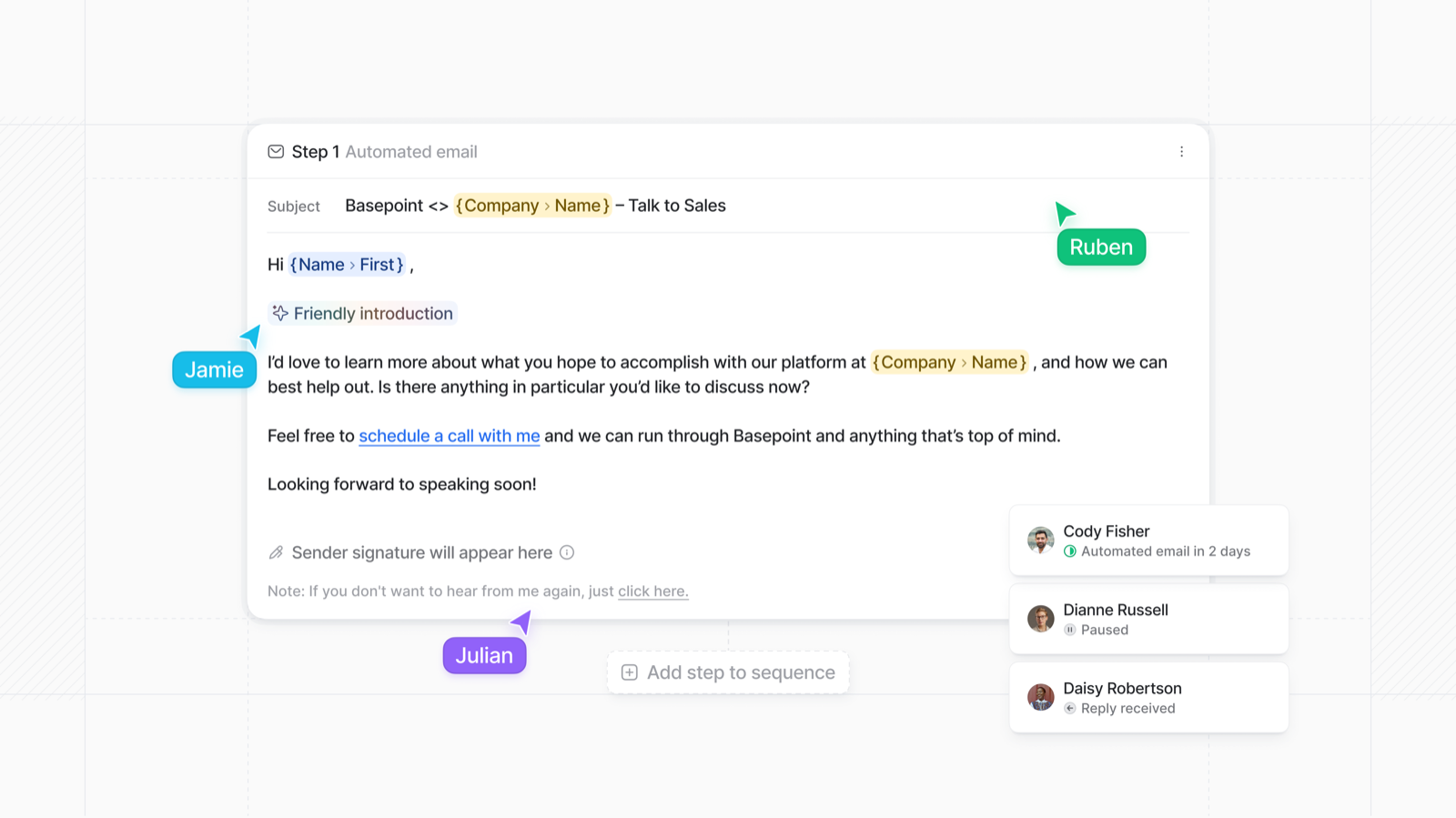
Verified: 15 Aug 2026
Open source ↗Screenshot · Close
Source: Official Close
Supports
Demonstrates
Does not establish
Screenshots can be strong evidence for visible UI behavior.
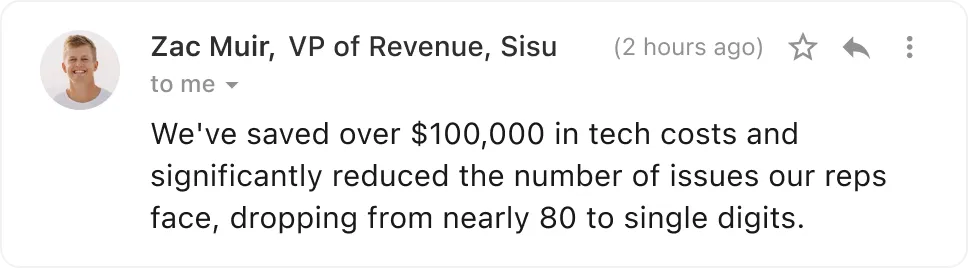
Verified: 13 Aug 2026
Open source ↗Screenshot · Dynamics 365
Source: Official Dynamics 365
Supports
Demonstrates
Does not establish
Screenshots can be strong evidence for visible UI behavior.
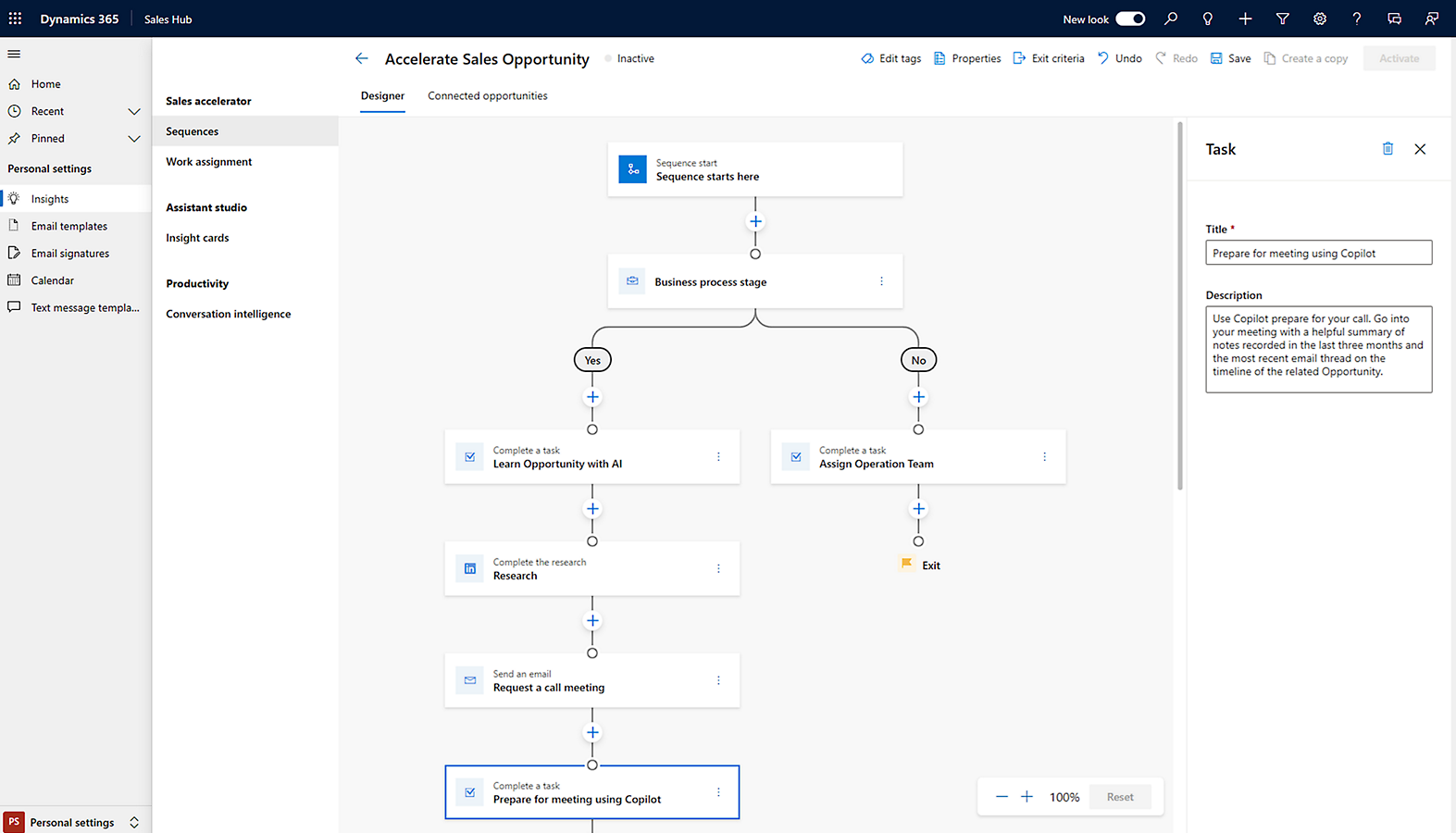
Verified: 14 Aug 2026
Open source ↗Screenshot · folk
Source: Official folk
Supports
Demonstrates
Does not establish
Screenshots can be strong evidence for visible UI behavior.
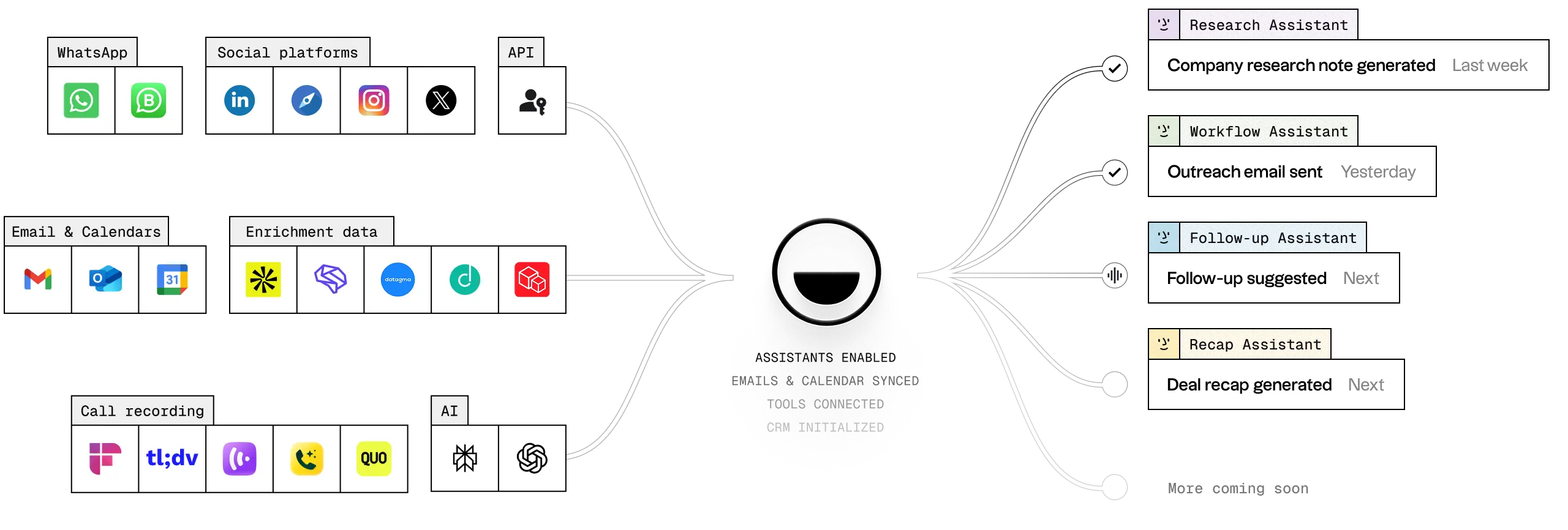
Verified: 13 Aug 2026
Open source ↗Screenshot · Insightly
Source: Official Insightly
Supports
Demonstrates
Does not establish
Screenshots can be strong evidence for visible UI behavior.
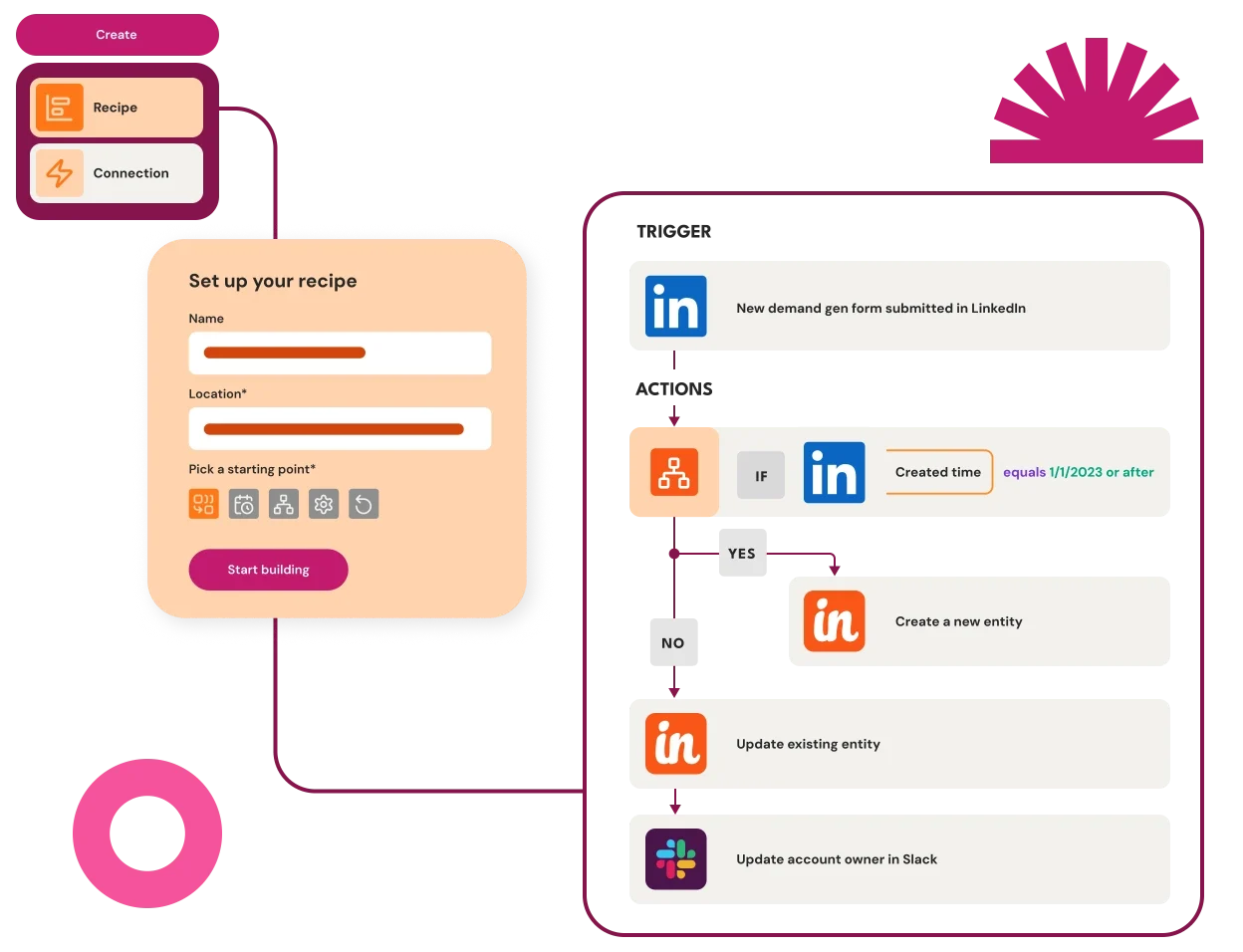
Verified: 15 Aug 2026
Open source ↗
Screenshot · Mailchimp
Source: Official Mailchimp
Supports
Demonstrates
Does not establish
Screenshots can be strong evidence for visible UI behavior.
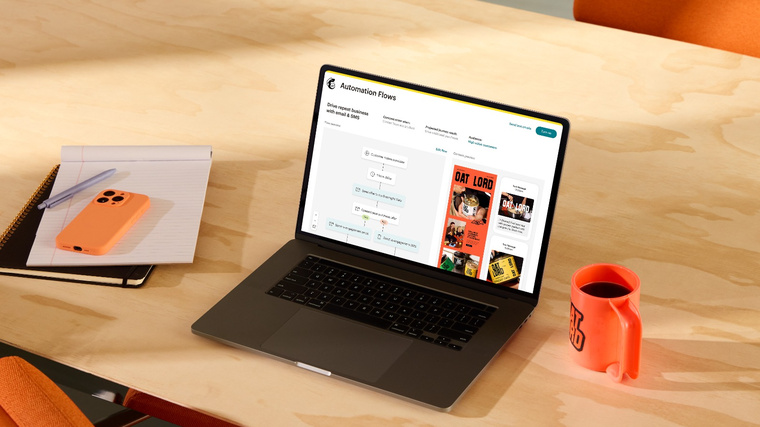
Verified: 17 Aug 2026
Open source ↗Screenshot · Mailchimp
Source: Official Mailchimp
Supports
Demonstrates
Does not establish
Screenshots can be strong evidence for visible UI behavior.
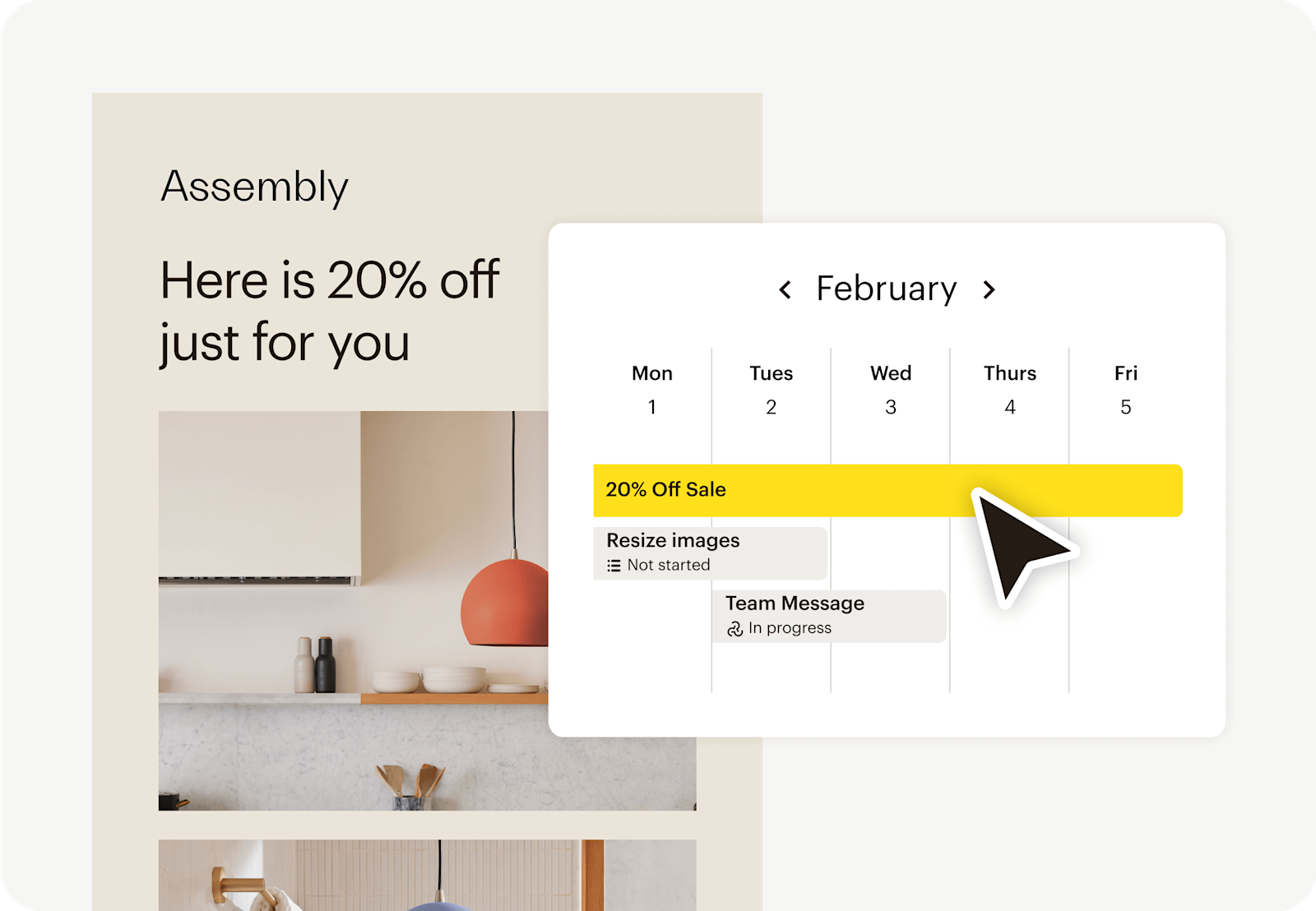
Verified: 17 Aug 2026
Open source ↗Screenshot · Salesflare
Source: Official Salesflare
Supports
Demonstrates
Does not establish
Screenshots can be strong evidence for visible UI behavior.
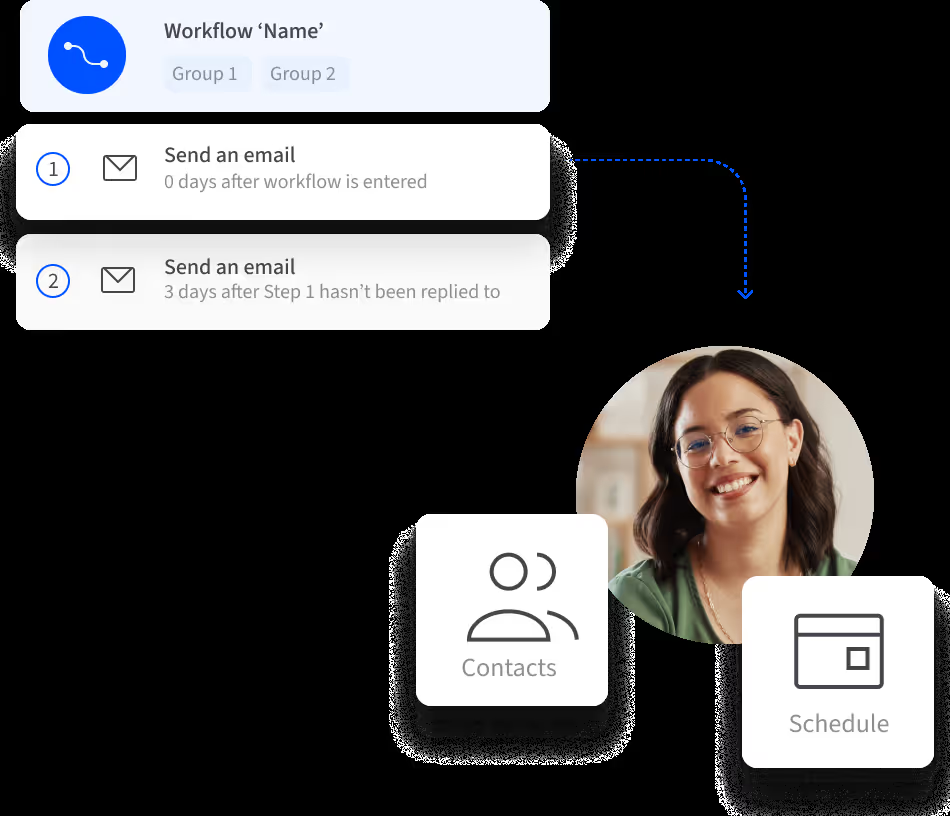
Verified: 13 Aug 2026
Open source ↗Screenshot · Salesforce
Source: Official Salesforce
Supports
Demonstrates
Does not establish
Screenshots can be strong evidence for visible UI behavior.
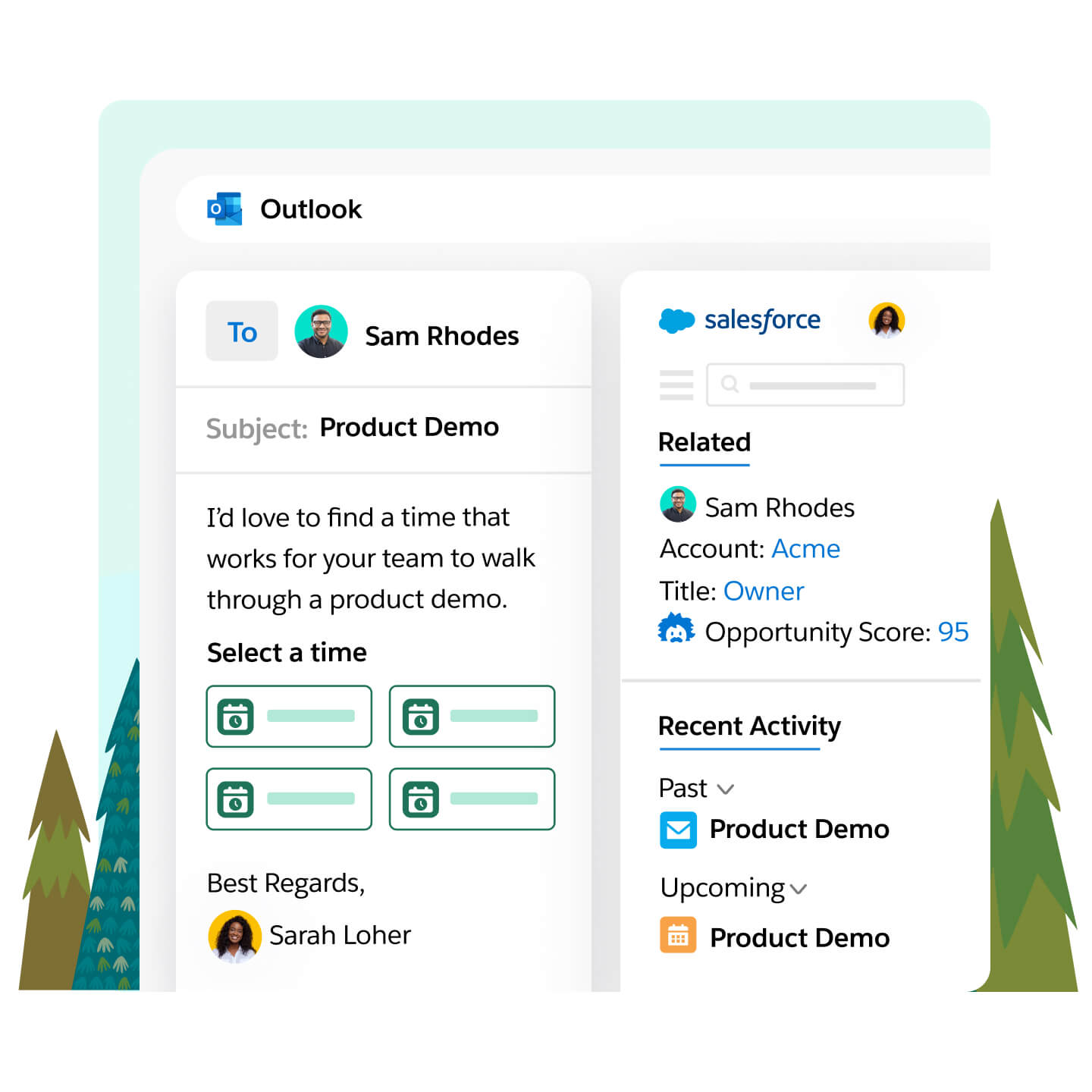
Verified: 14 Aug 2026
Open source ↗Official video · attio
Source: Attio
Evidence chain
Integrate with Email → attio
Supports
Demonstrates
Does not establish
Official video may support visible behavior for mapped criteria only — not pricing, plan entitlement, or full requirement support.

This video is hosted on YouTube
This content is hosted by YouTube. The player loads only after you allow marketing cookies.
Official vendor tutorial
Verified: 15 Aug 2026
Open source ↗Official video · bitrix24
Source: Bitrix24
Evidence chain
Integrate with Email → bitrix24
Supports
Demonstrates
Does not establish
Official video may support visible behavior for mapped criteria only — not pricing, plan entitlement, or full requirement support.

This video is hosted on YouTube
This content is hosted by YouTube. The player loads only after you allow marketing cookies.
Official vendor tutorial
Verified: 15 Aug 2026
Open source ↗Official video · capsule
Source: Capsule
Evidence chain
Integrate with Email → capsule
Supports
Demonstrates
Does not establish
Official video may support visible behavior for mapped criteria only — not pricing, plan entitlement, or full requirement support.

This video is hosted on YouTube
This content is hosted by YouTube. The player loads only after you allow marketing cookies.
Official vendor tutorial
Verified: 15 Aug 2026
Open source ↗Official video · capsule
Source: Capsule
Evidence chain
Integrate with Email → capsule
Supports
Demonstrates
Does not establish
Official video may support visible behavior for mapped criteria only — not pricing, plan entitlement, or full requirement support.

This video is hosted on YouTube
This content is hosted by YouTube. The player loads only after you allow marketing cookies.
Official vendor tutorial
Verified: 15 Aug 2026
Open source ↗Official video · capsule
Source: Capsule
Evidence chain
Integrate with Email → capsule
Supports
Demonstrates
Does not establish
Official video may support visible behavior for mapped criteria only — not pricing, plan entitlement, or full requirement support.

This video is hosted on YouTube
This content is hosted by YouTube. The player loads only after you allow marketing cookies.
Official vendor tutorial
Verified: 15 Aug 2026
Open source ↗Official video · Mailchimp
Source: Mailchimp
Evidence chain
Integrate with Email → Mailchimp
Supports
Demonstrates
Does not establish
Official video may support visible behavior for mapped criteria only — not pricing, plan entitlement, or full requirement support.

This video is hosted on YouTube
This content is hosted by YouTube. The player loads only after you allow marketing cookies.
Official vendor tutorial
How Mailchimp presents the product in an official vendor video.
Verified: 16 Aug 2026
Open source ↗

