
This video is hosted on YouTube
This content is hosted by YouTube. The player loads only after you allow marketing cookies.
CRM requirement
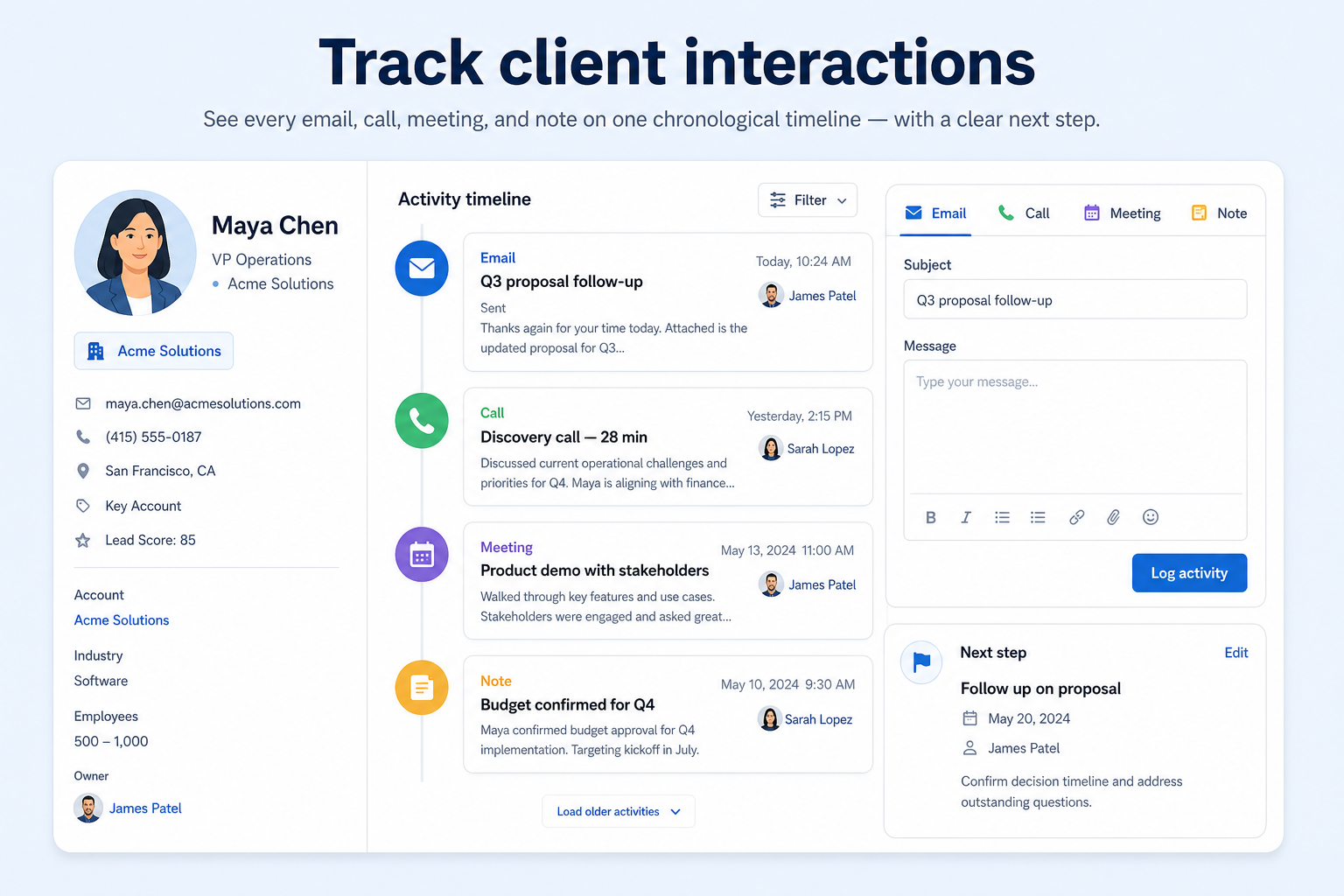
Keep emails, calls, meetings, and notes on a shared activity timeline — so coverage and coaching start from the record, not from someone’s inbox.
Requirement at a glance
Requirement type
Record keeping / relationship history
Primary capability
Relationship management
Typical importance
High
3
Core features
3
Supporting features
10
Products covered
Last reviewed 14 Aug 2026
Requirement snapshot
Tracking client interactions means every meaningful touch — email, call, meeting, note — can be attached to the right contact, account, or deal and reviewed on a timeline. This requirement underpins relationship continuity, handoffs, and coaching; it is not the same as marketing engagement scoring or a complete customer-support ticket system. Teams need it when commitments live in private inboxes and covering colleagues restart the story. Evaluate logging effort, email/calendar capture, timeline completeness, and whether activity is visible to the people who need coverage — with appropriate access controls.
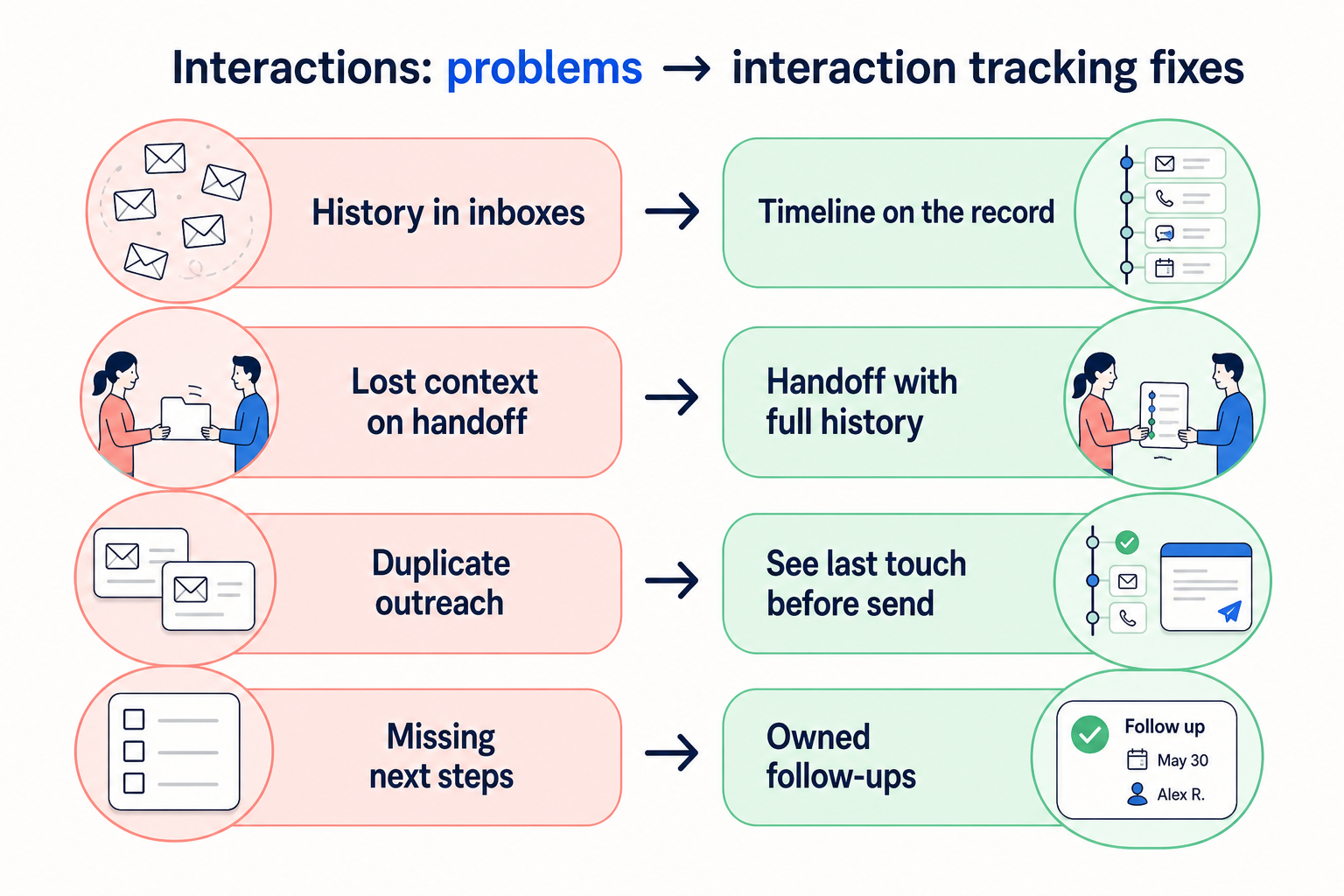
Account managers, advisors, AEs, and client-success partners who share relationships — an advisory practice covering households, an agency retainer pod, or a B2B SaaS AM team running QBRs. You feel the pain when a colleague is out and the only history is buried in one person’s mailbox.
How teams satisfy “track client interactions” in practice
Example 1
a financial-services advisory practice
Before CRM
household commitments lived in planner notebooks and personal email; covering advisors restarted discovery
After CRM
calls, meeting notes, and synced emails sit on the household timeline with a dated next review — coverage starts from the record
Example 2
an agency retainer pod
Before CRM
the lead strategist’s inbox was the account history
After CRM
every client account shows recent meetings, emailed decisions, and open follow-ups — the pod can brief a substitute without a scavenger hunt
These are the operating problems that usually push teams to require “track client interactions” from a CRM — not feature wish lists.
Without this capability in CRM: Only the sender knows what was promised; coverage and coaching are blind.
Without this capability in CRM: Activity exists as a calendar block with no decisions or next steps on the record.
Without this capability in CRM: Slack, email, and spreadsheets each hold a partial story nobody can assemble quickly.
Without this capability in CRM: New AMs or covering advisors ask the client to repeat history already told.
A CRM only satisfies “track client interactions” when the team keeps owners, history, and next steps current. Here is what “good” looks like once the requirement is met.
When this requirement is satisfied: Email and meeting capture attach correspondence to the shared contact or account timeline.
When this requirement is satisfied: Structured notes and tasks on the interaction make history actionable for the team.
When this requirement is satisfied: A single activity timeline on the CRM record becomes the default place to reconstruct context.
When this requirement is satisfied: Complete interaction history travels with the account when ownership changes.
Shared interaction memory
Commitments and preferences live on the account timeline, not in one inbox.
Faster coverage briefings
Substitutes reconstruct recent touches without hunting through personal mail.
Coachable conversation history
Managers review what happened and what is next from the same record.
Easier to spot quiet relationships
Last-activity context makes coverage gaps visible before clients feel ignored.
Start with must-haves your team will use weekly to accept this requirement as met. Treat nice-to-haves as later upgrades — not day-one blockers.
Must-have
Emails, calls, meetings, and notes appear in chronological context on the record.
Learn more →Reps can log a call or meeting note with owner and date without a heavy form.
Learn more →Meaningful touches can create or update a dated follow-up on the same record.
Learn more →People who need coverage can read the timeline (within your access model).
Learn more →Nice-to-have
Reduces manual logging for correspondence and meetings when the team will actually adopt it.
Learn more →Managers can see quiet accounts or activity distribution without exporting raw logs.
Learn more →A simple validation loop beats a long checklist nobody runs during a trial.
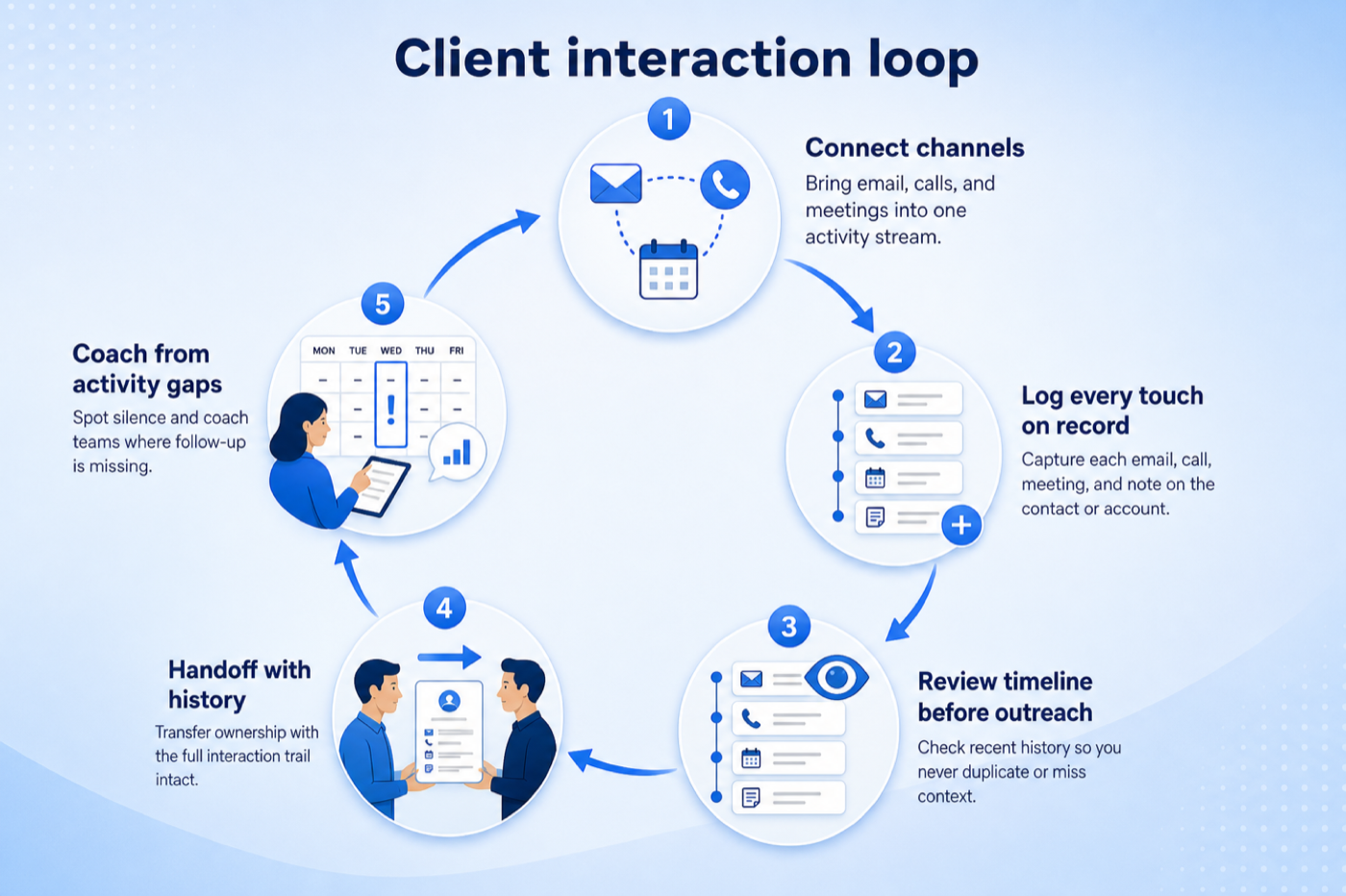
List which interaction types must appear on the timeline (calls, meetings, emails, notes).
In trial, enable logging plus any email/calendar sync you expect to use in production.
Have two people log and sync touches on the same sample account, including a coverage handoff.
A third person briefs from the timeline only — time how long it takes and what is missing.
Keep only capture methods the team will sustain; drop sync that creates noise or privacy issues.
The requirement is met when history arrives without anyone remembering to log it. Automatic email and calendar capture does most of the work; call logging and mobile access close the remaining gaps. Check what is captured automatically versus manually, and who can see it.
You probably need this if
You may not need this if
Continuity
Anyone can pick up a relationship without re-learning its history.
Coverage
You can see which accounts have gone quiet, not just which are active.
Client credibility
Nobody asks a client to repeat something already discussed with a colleague.
Activity reporting
Interaction data explains why pipeline moved the way it did.
Use cases
3 linkedCapability
Relationship managementRequirement
Track Client InteractionsFeatures
6 relatedProducts
10 evaluatedUnified timeline
Do all interaction types appear in one chronological view?
Automatic capture
Is email and calendar activity logged without manual work?
Call capture
Can calls be logged with outcomes and notes?
Capture away from a desk
Can notes be added immediately after a meeting?
Controlled visibility
Can access to sensitive history be limited?
Core features
Contact Management
CriticalProvides the record and timeline interactions attach to.
Evidence across catalogue products: Docs · Screenshots · Official demos
Explore feature →Email Sync
CriticalCaptures most interactions automatically for the majority of teams.
Evidence across catalogue products: Docs · Screenshots · Official demos
Explore feature →Call Functionality
ImportantBrings phone conversations onto the same timeline.
Evidence across catalogue products: Docs · Screenshots · Official demos
Explore feature →Supporting features
Mobile App
SupportingAllows capture at the point of interaction, away from a desk.
Evidence across catalogue products: Docs · Screenshots · Official demos
Explore feature →Email Tracking
OptionalAdds engagement detail to recorded correspondence.
Evidence across catalogue products: Docs · Screenshots · Official demos
Explore feature →Role Permissions
OptionalDetermines who can see interaction history once it is shared.
Evidence across catalogue products: Docs · Screenshots · Official demos
Explore feature →See how CRM products support track client interactions. Official product demonstrations can help show how supporting features work in practice. SoftwareGlimpse evaluates these alongside documentation, screenshots and plan evidence — video availability does not change rankings.

Official video · Close
Source: Close
This video is hosted on YouTube
This content is hosted by YouTube. The player loads only after you allow marketing cookies.
What this demonstrates
Features demonstrated
Not established by this video
Verified: 2026-08-15
Open official source ↗
Official video · Freshsales
Source: Freshworks

This video is hosted on YouTube
This content is hosted by YouTube. The player loads only after you allow marketing cookies.
What this demonstrates
Features demonstrated
Not established by this video
Verified: 2026-08-15
Open official source ↗
Official video · ACT!
Source: ACT!

This video is hosted on YouTube
This content is hosted by YouTube. The player loads only after you allow marketing cookies.
What this demonstrates
Features demonstrated
Not established by this video
Verified: 2026-08-16
Open official source ↗Fit reflects feature support for this requirement — not affiliate status. Insufficient evidence is never treated as failure.
Close
Strong supportVisual evidence available
Key strength: Contact Management: supported
Why this fit?Freshsales
Strong supportVisual evidence available
Key strength: Contact Management: supported
Why this fit?ACT!
Strong supportVisual evidence available
Key strength: Contact Management: supported
Why this fit?
Affinity
Strong supportVisual evidence available
Key strength: Contact Management: supported
Why this fit?
Agile CRM
Strong supportKey strength: Contact Management: supported
Why this fit?
Apptivo
Strong supportVisual evidence available
Key strength: Contact Management: supported
Why this fit?Each cell reflects feature support for that criterion. Open Why? for documentation, screenshots, and official videos mapped to that criterion only — video counts never change the assessment.
| Criterion | Close | Freshsales | ACT! | Affinity | Agile CRM | Apptivo |
|---|---|---|---|---|---|---|
| Unified timeline | Strong 1 docs · 2 videos | Strong 2 docs · 2 videos | Strong 2 docs · 2 videos | Strong 2 docs · 2 videos | Strong 2 docs | Strong 2 docs · 2 videos |
| Automatic capture | Strong 2 docs · 3 screenshots | Strong 1 docs · 3 screenshots | Strong 2 docs · 2 screenshots | Strong 2 docs · 2 screenshots · 1 video | Strong 2 docs · 2 screenshots | Strong 2 docs · 2 screenshots |
| Call capture | Strong 2 docs · 3 screenshots | Strong 1 docs · 3 screenshots | Insufficient evidence 2 screenshots | Insufficient evidence 2 screenshots | Insufficient evidence 2 screenshots | Insufficient evidence 2 screenshots |
| Capture away from a desk | Strong 1 docs · 3 screenshots | Strong 1 docs · 3 screenshots | Strong 2 docs · 2 screenshots | Strong 2 docs · 2 screenshots | Strong 2 docs · 2 screenshots | Strong 2 docs · 2 screenshots |
| Controlled visibility | Insufficient evidence | Insufficient evidence | Insufficient evidence | Insufficient evidence | Insufficient evidence | Insufficient evidence |
| Overall / plan | StrongSoloConfidence: High | StrongGrowthConfidence: High | StrongEnterpriseConfidence: High | StrongEssentialConfidence: High | StrongFreeConfidence: High | StrongLiteConfidence: High |
Structured evaluation — not media-driven. Video helps illustrate implementation; it does not determine who ranks higher.
| Criterion | Close | Freshsales | ACT! |
|---|---|---|---|
| Unified timeline | Strong support | Strong support | Strong support |
| Automatic capture | Strong support | Strong support | Strong support |
| Call capture | Strong support | Strong support | Insufficient evidence |
| Capture away from a desk | Strong support | Strong support | Strong support |
| Controlled visibility | Insufficient evidence | Insufficient evidence | Insufficient evidence |
Official video · Close
Source: Close
This video is hosted on YouTube
This content is hosted by YouTube. The player loads only after you allow marketing cookies.
What this demonstrates
Features demonstrated
Not established by this video
Verified: 2026-08-15
Open official source ↗Official video · Freshsales
Source: Freshworks
This video is hosted on YouTube
This content is hosted by YouTube. The player loads only after you allow marketing cookies.
What this demonstrates
Features demonstrated
Not established by this video
Verified: 2026-08-15
Open official source ↗SoftwareGlimpse interpretation
These official demos illustrate visible product behavior for mapped criteria and features. Fit and ranking still come from structured feature assessments — not from which demo looks smoother.
Unknown / not verified is never treated as unsupported.
| Feature | |||||
|---|---|---|---|---|---|
| Contact management | |||||
| Email sync | |||||
| Email tracking | |||||
| Call functionality | |||||
| Mobile app | |||||
| Custom fields |
Close for track client interactions
Strong supportEvidence confidence: High
Plan required: Solo
Plan availability comes from official pricing / plan documentation — not from feature demos.
Why
Trade-offs
See it in action
View all evidence →Freshsales for track client interactions
Strong supportEvidence confidence: High
Plan required: Growth
Plan availability comes from official pricing / plan documentation — not from feature demos.
Why
Trade-offs
See it in action
View all evidence →ACT! for track client interactions
Strong supportEvidence confidence: High
Plan required: Enterprise
Plan availability comes from official pricing / plan documentation — not from feature demos.
Why
Trade-offs
See it in action
View all evidence →Affinity for track client interactions
Strong supportEvidence confidence: High
Plan required: Essential
Plan availability comes from official pricing / plan documentation — not from feature demos.
Why
Trade-offs
See it in action
View all evidence →Agile CRM for track client interactions
Strong supportEvidence confidence: High
Plan required: Free
Plan availability comes from official pricing / plan documentation — not from feature demos.
Why
Trade-offs
Incomplete evidence for specific criteria — not a claim that the product lacks support. Missing video is never treated as missing support.
Close
Controlled visibility
Not sufficiently verified
Freshsales
Controlled visibility
Not sufficiently verified
ACT!
Call capture
Not sufficiently verified
ACT!
Controlled visibility
Not sufficiently verified
Affinity
Call capture
Not sufficiently verified
Affinity
Controlled visibility
Not sufficiently verified
Agile CRM
Call capture
Not sufficiently verified
Agile CRM
Controlled visibility
Not sufficiently verified
Plan names come from feature entitlements on the features that support this requirement. Pricing estimates appear only when verified — otherwise use the Cost Calculator.
| Product | Minimum qualifying plan | Core coverage | Confidence |
|---|---|---|---|
| Close | Solo | 3/3 | High |
| Freshsales | Growth | 3/3 | High |
| ACT! | Enterprise | 2/2 | High |
| Affinity | Essential | 2/2 | High |
| Agile CRM | Free | 2/2 | High |
| Apptivo | Lite | 2/2 | High |
Verified product captures only — never stock imagery or mockups.
Take this checklist into every vendor session and ask each product to demonstrate the same scenario. Your results stay in your vendor scorecard — they do not rewrite SoftwareGlimpse recommendations.
Objective
Verify that the product can satisfy: Keep a complete, shared record of every interaction with a client — email, calls, meetings, and notes — on a single timeline.
Preconditions
Ask the vendor to demonstrate
What good support looks like
Failure signals
Follow-up questions
Official vendor example
An official product video can show an example of the behavior — it does not substitute for your own vendor demo.
Official video · Close
Source: Close
This video is hosted on YouTube
This content is hosted by YouTube. The player loads only after you allow marketing cookies.
What this demonstrates
Features demonstrated
Not established by this video
Verified: 2026-08-15
Open official source ↗Record what happened in the live session. This is your evaluation — not SoftwareGlimpse recommendations.
Accounts touched by several colleagues
Correspondence must be visible to people who were not copied in.
Priorities: Email sync · Shared timeline · Permissions
Best recommended fit: Close
Phone-heavy relationships
Most context comes from calls, so logging cannot depend on memory.
Priorities: Call logging · Outcomes · Mobile capture
Best recommended fit: Close
Client-facing staff on the move
Notes are captured between meetings, not at a desk.
Priorities: Mobile app · Fast entry · Offline behaviour
Best recommended fit: Close
Completeness vs privacy
Full mailbox capture builds the best history and shares more than some teams intend.
Detail vs entry effort
Structured notes report better; free text is faster and less analysable.
Channel coverage
Interactions on unintegrated channels stay invisible unless logged manually.
Relationship management
CriticalOngoing client context depends on a trustworthy interaction history.
Explore use case →Account management
CriticalAccount coverage and renewals need shared touches across the pod.
Explore use case →Customer follow-up
HighLogging a touch without a next step still drops the ball — pair timeline with dated tasks.
Explore use case →Add this requirement to CRM Finder and personalize for team size, budget, and other priorities.
Add this requirement to CRM FinderLoading evidence explorer…
SoftwareGlimpse assesses whether products satisfy a requirement by evaluating the specific criteria and features needed to meet that buyer need. Official vendor demonstrations may be used as evidence of visible product behavior, but video availability does not influence product ranking and videos are not used alone to establish pricing, plan entitlement, security or comparative superiority.
10
Products covered
6
Supporting features
560
Evidence records
17
Screenshots
6
Official videos
Buyer need
Track Client Interactions
Capability
Relationship management
Criteria
5 evaluation criteria
Features
3 core · 3 supporting
Products
10 researched
It means meaningful emails, calls, meetings, and notes can live on a shared CRM timeline for contacts, accounts, or deals — so coverage and coaching do not depend on one person’s inbox. Activity timelines and email sync are features that help satisfy that need.
Relationship management is the broader capability/use case of ongoing account context and coverage. Tracking interactions is the specific requirement that history of touches is captured and reviewable on the record.
Not always. Many teams start with disciplined meeting notes and call logs, then add sync when volume makes manual capture unreliable. Sync helps only if privacy rules and adoption are clear.
No. This requirement focuses on sales and relationship touches on CRM records. Support tickets may integrate later; do not assume a CRM activity feed replaces a service desk.
Compare catalogue CRM products based on this requirement plus your other needs, team size and budget.
Browse documentation, screenshots, and official vendor videos by requirement criterion and feature. Video quantity does not change product fit.
SoftwareGlimpse assesses whether products satisfy a requirement by evaluating the specific criteria and features needed to meet that buyer need. Official vendor demonstrations may be used as evidence of visible product behavior, but video availability does not influence product ranking and videos are not used alone to establish pricing, plan entitlement, security or comparative superiority.
15 items
Screenshot · Attio
Source: Official Attio
Supports
Demonstrates
Does not establish
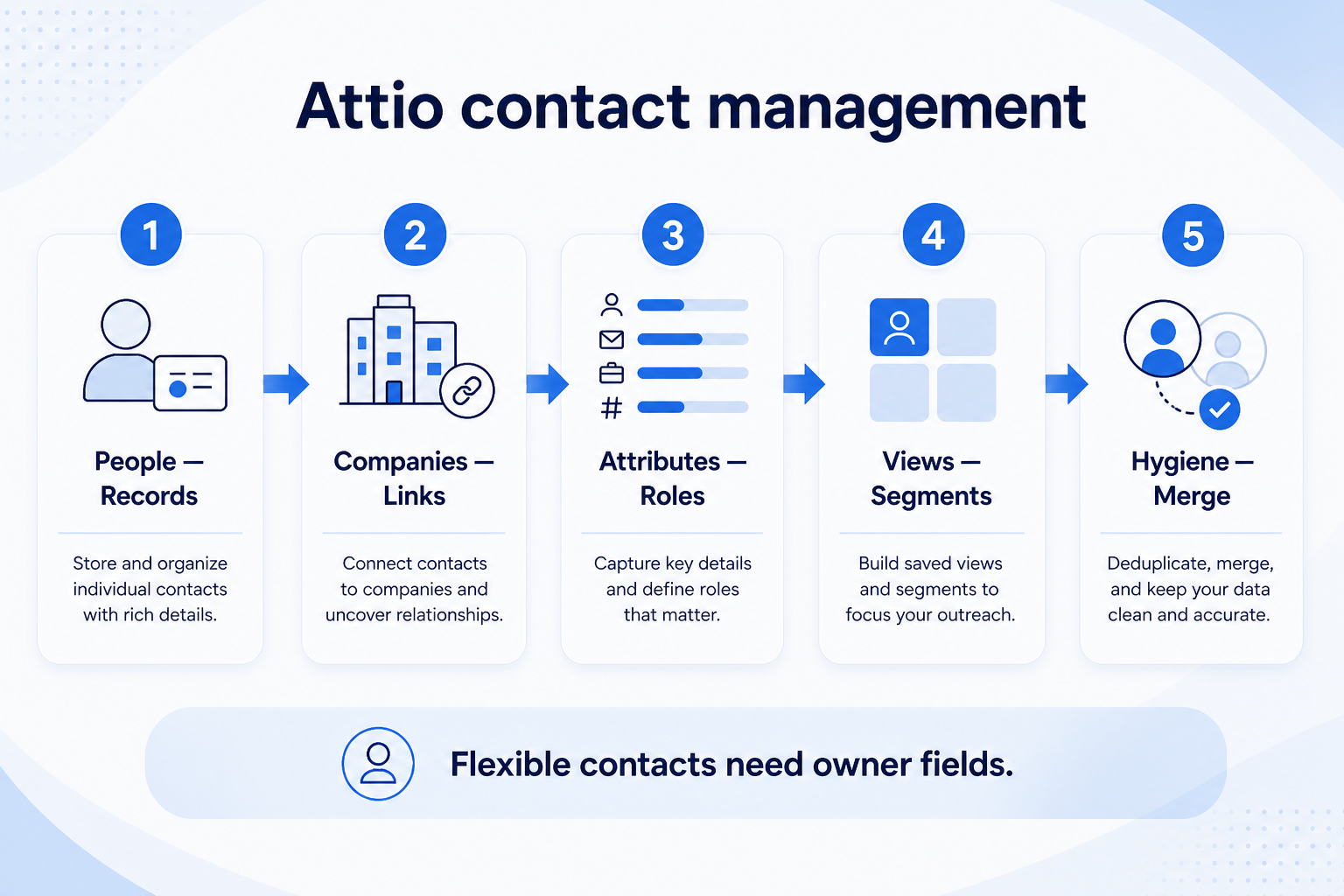
Screenshots can be strong evidence for visible UI behavior.
Verified: 15 Aug 2026
Open source ↗Screenshot · Bitrix24
Source: Official Bitrix24
Supports
Demonstrates
Does not establish
Screenshots can be strong evidence for visible UI behavior.
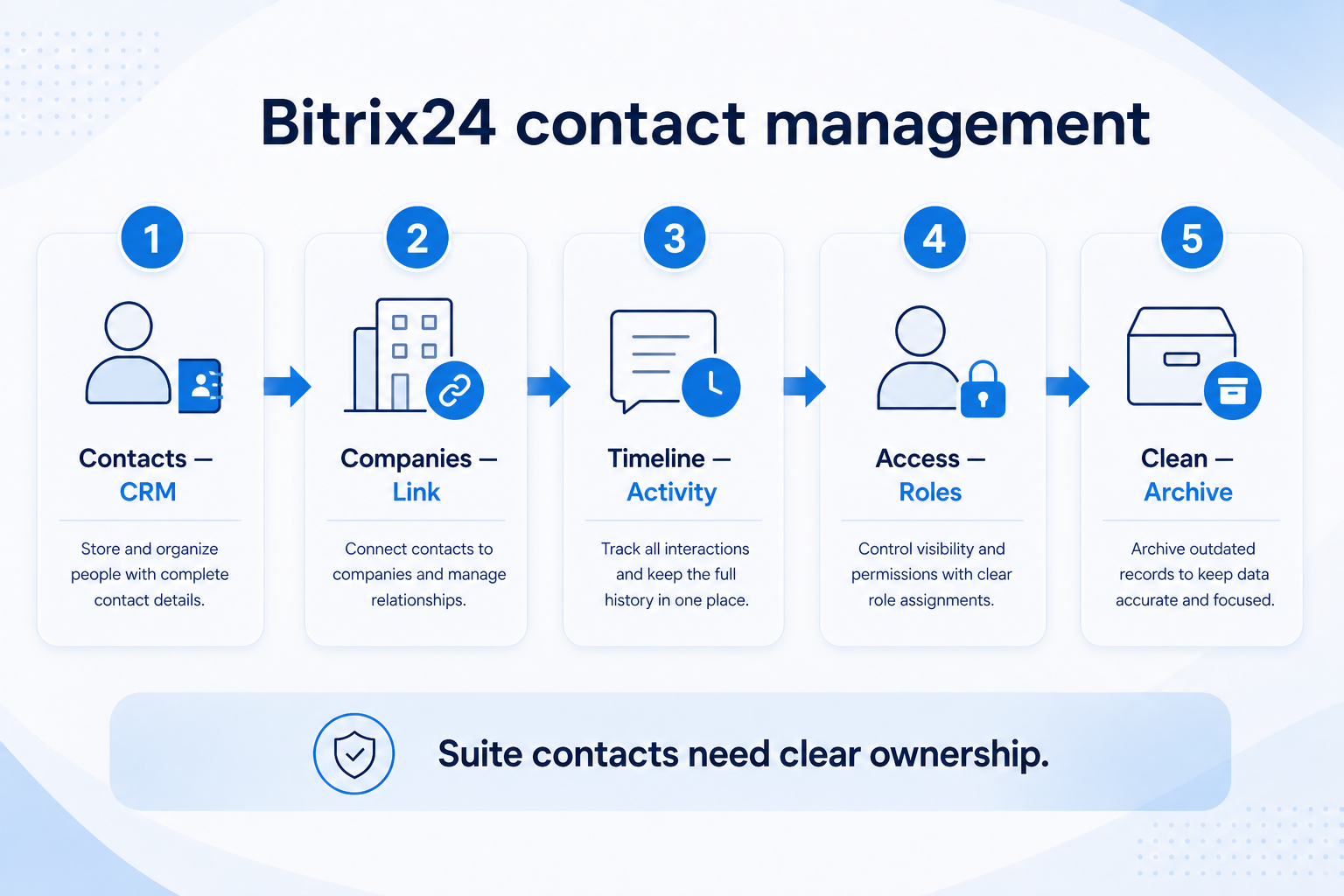
Verified: 15 Aug 2026
Open source ↗Screenshot · Capsule
Source: Official Capsule
Supports
Demonstrates
Does not establish
Screenshots can be strong evidence for visible UI behavior.
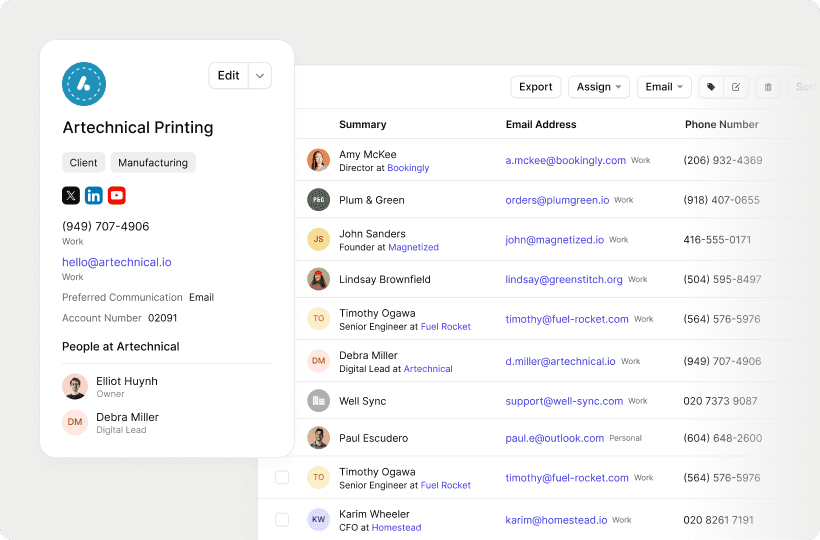
Verified: 13 Aug 2026
Open source ↗Screenshot · Capsule
Source: Official Capsule
Supports
Demonstrates
Does not establish
Screenshots can be strong evidence for visible UI behavior.
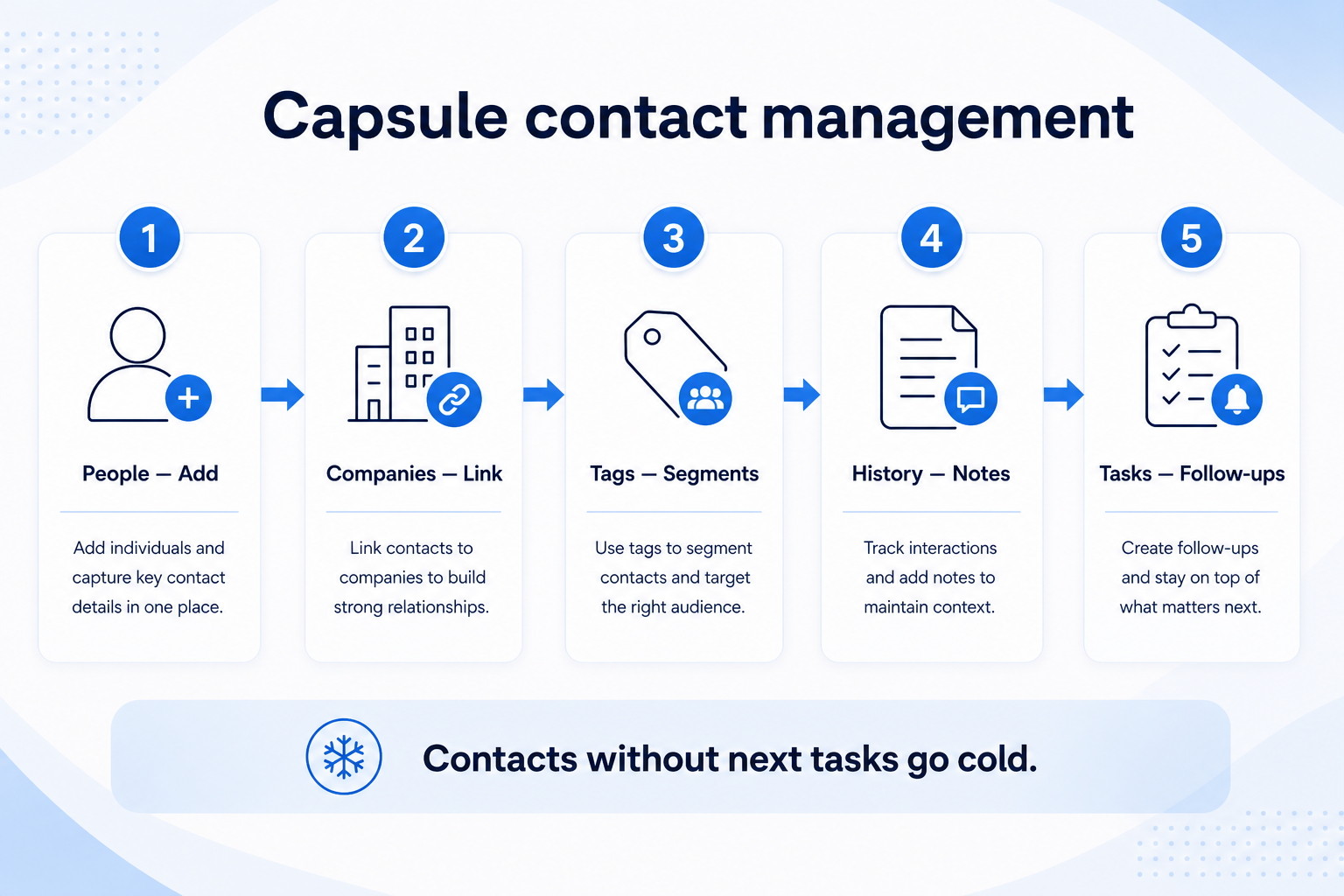
Verified: 15 Aug 2026
Open source ↗Screenshot · Close
Source: Official Close
Supports
Demonstrates
Does not establish
Screenshots can be strong evidence for visible UI behavior.
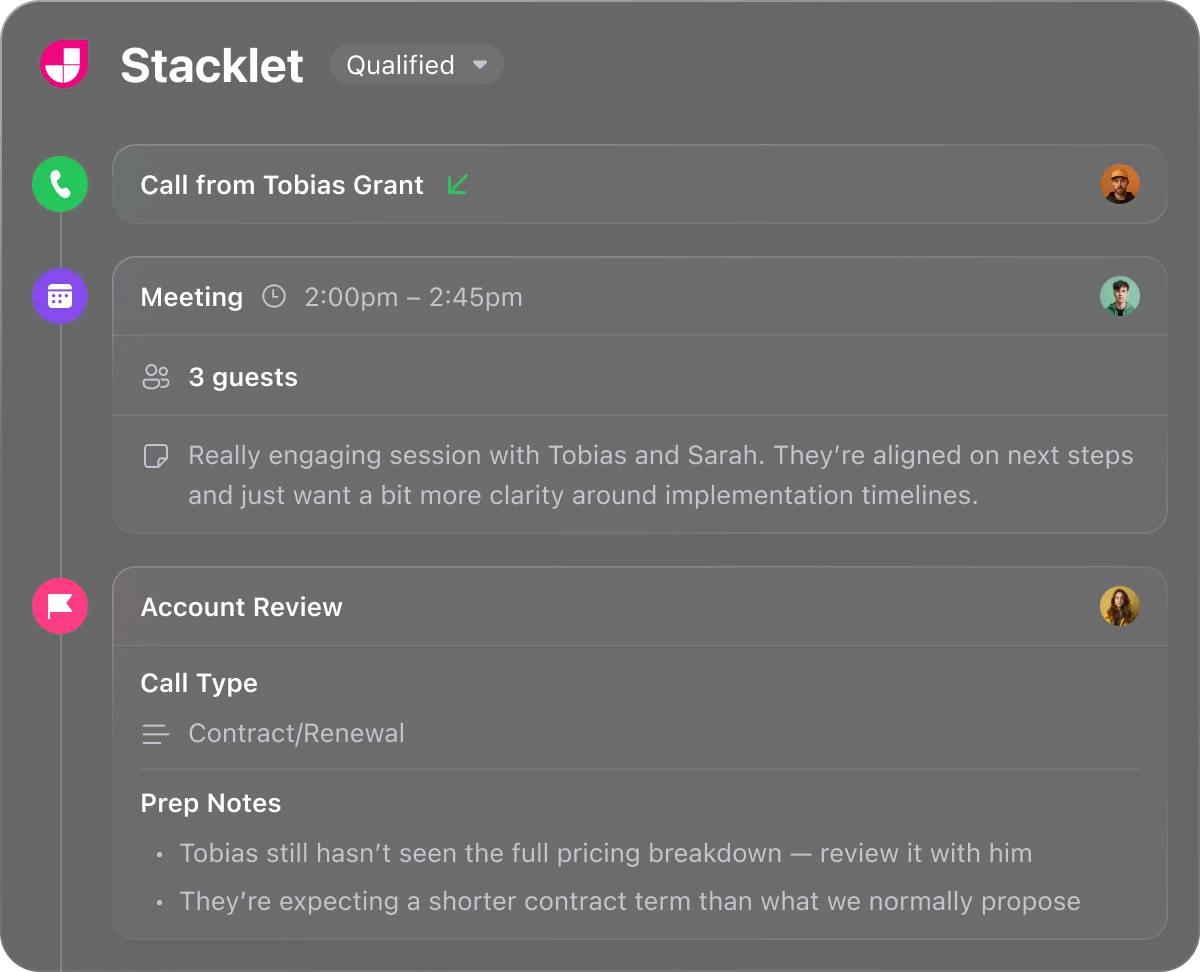
Verified: 13 Aug 2026
Open source ↗Screenshot · Close
Source: Official Close
Supports
Demonstrates
Does not establish
Screenshots can be strong evidence for visible UI behavior.
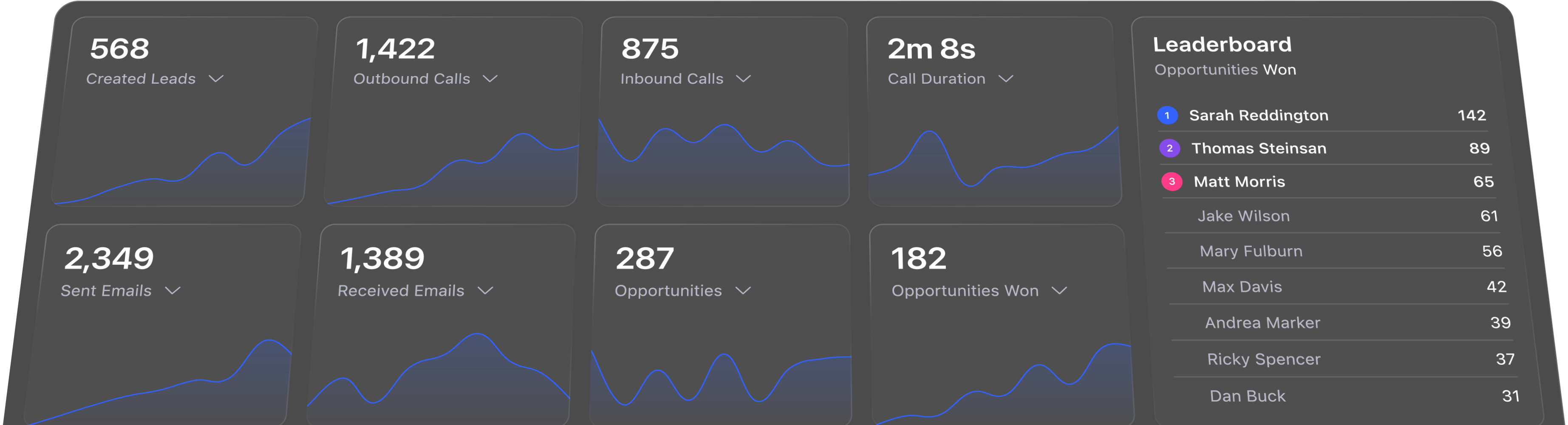
Verified: 13 Aug 2026
Open source ↗Screenshot · Copper
Source: Official Copper
Supports
Demonstrates
Does not establish
Screenshots can be strong evidence for visible UI behavior.
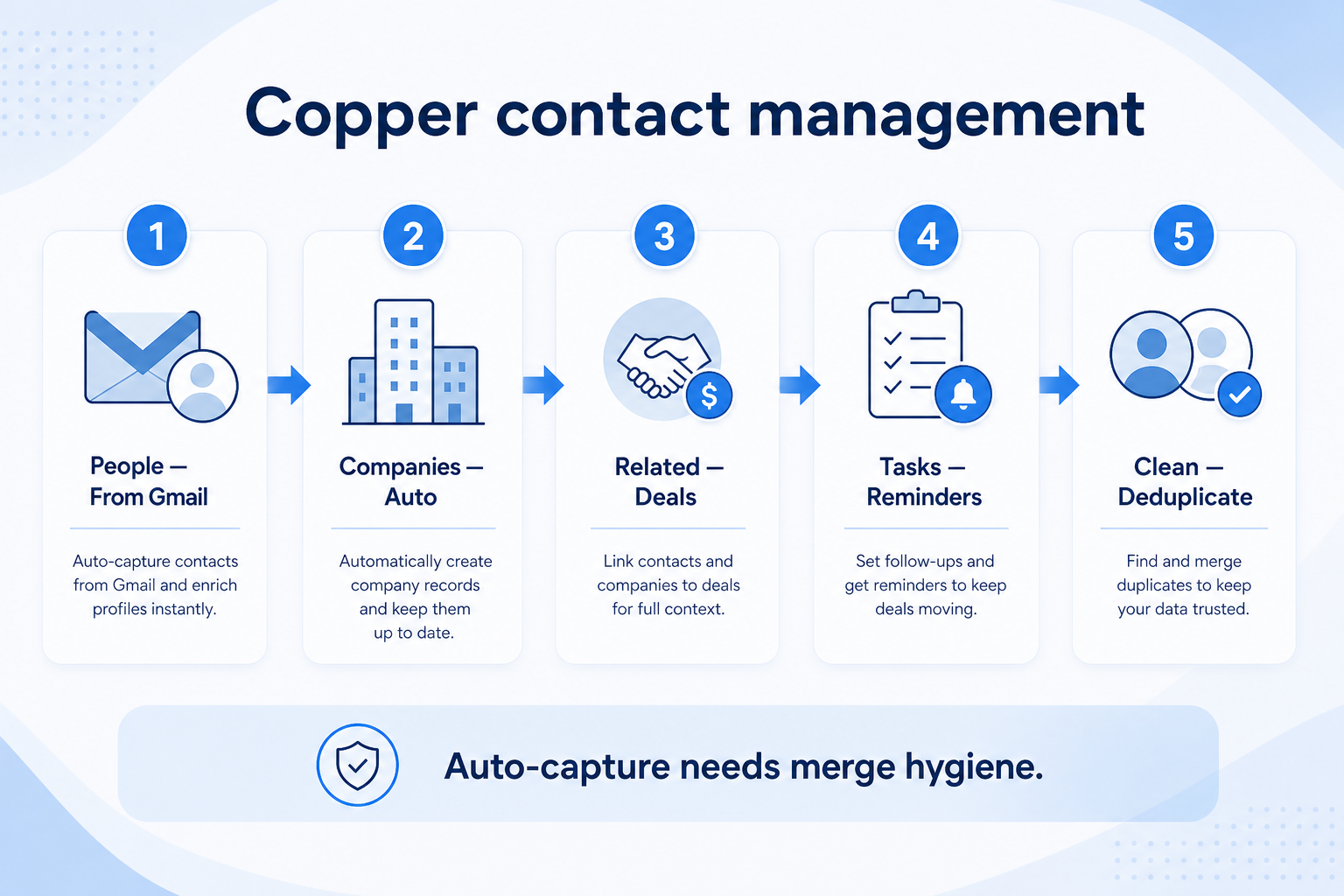
Verified: 15 Aug 2026
Open source ↗Screenshot · folk
Source: Official folk
Supports
Demonstrates
Does not establish
Screenshots can be strong evidence for visible UI behavior.
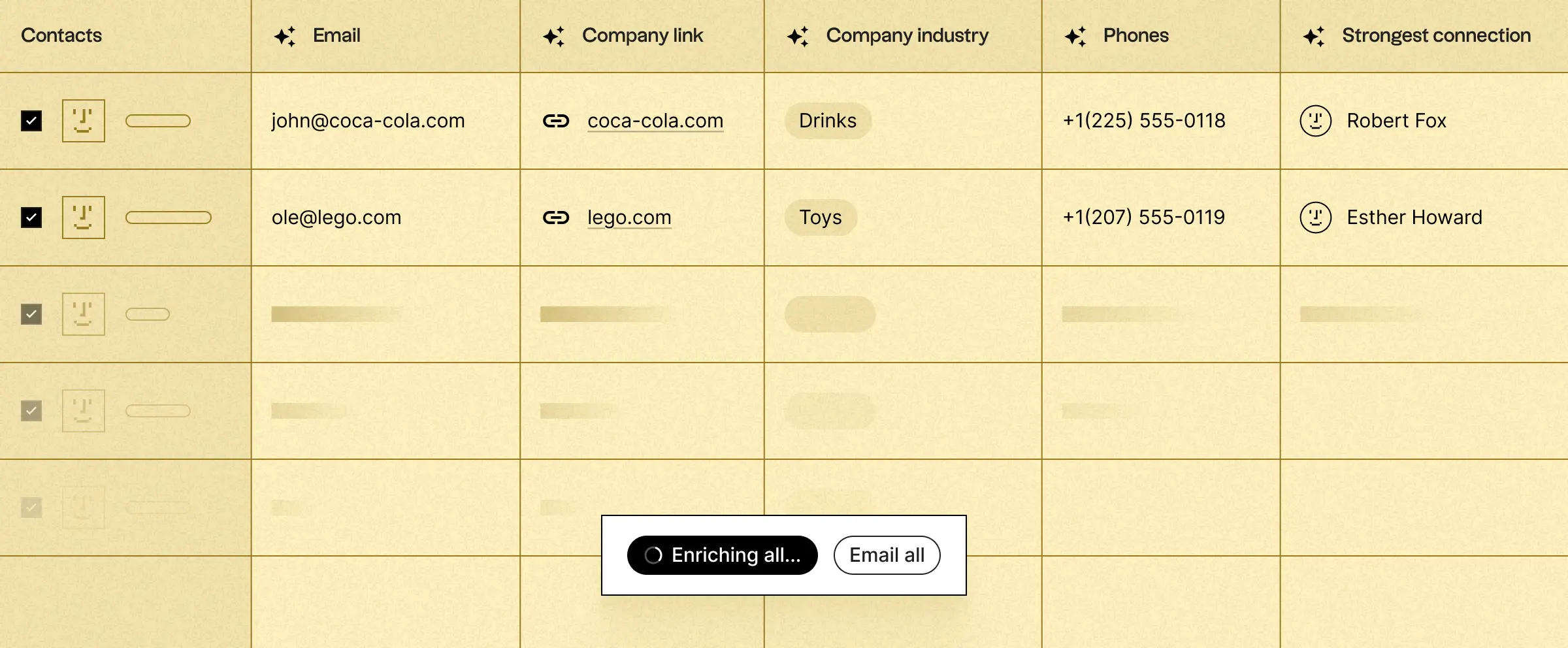
Verified: 13 Aug 2026
Open source ↗Screenshot · folk
Source: Official folk
Supports
Demonstrates
Does not establish
Screenshots can be strong evidence for visible UI behavior.
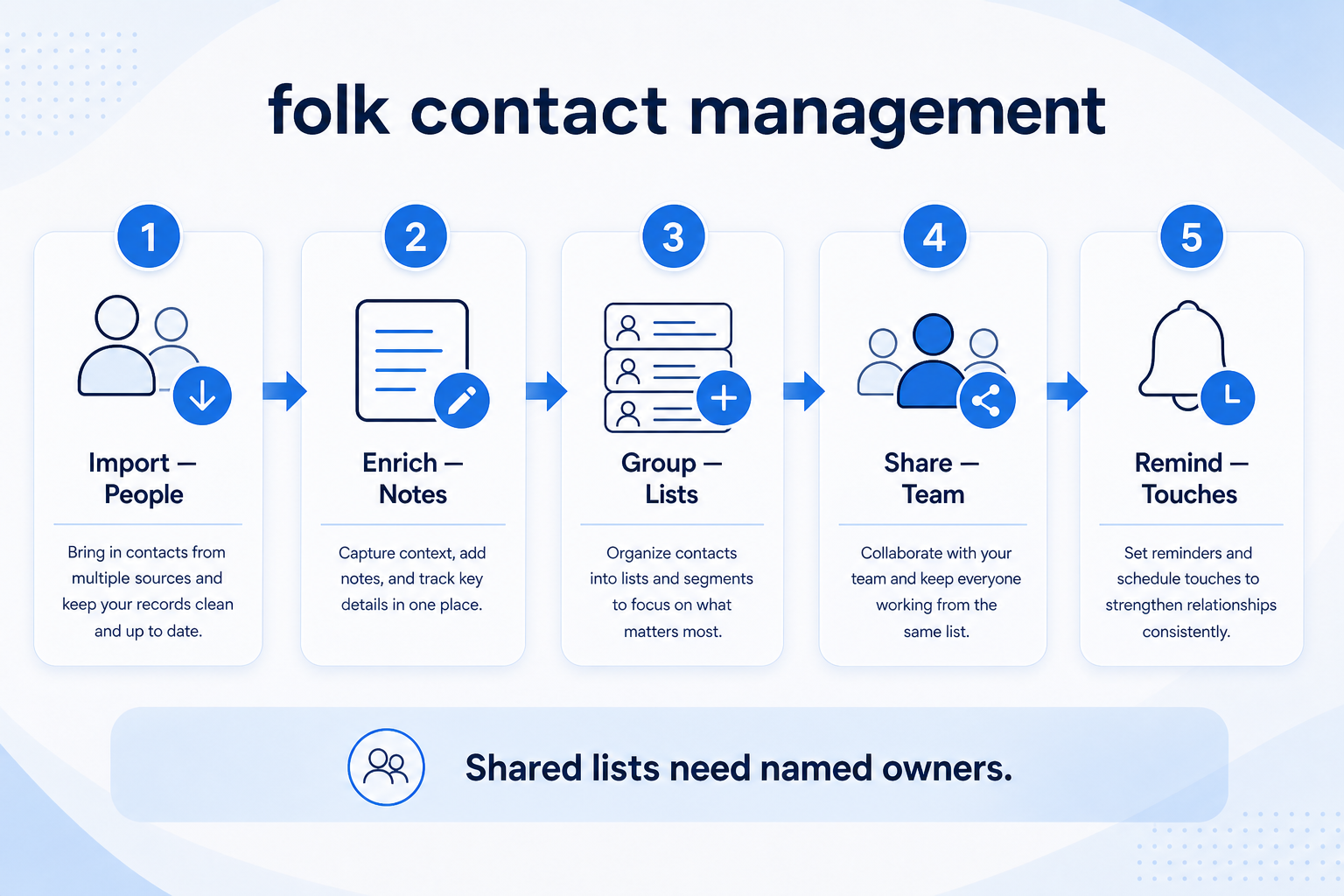
Verified: 15 Aug 2026
Open source ↗Official video · attio
Source: Attio
Evidence chain
Track Client Interactions → attio
Supports
Demonstrates
Does not establish
Official video may support visible behavior for mapped criteria only — not pricing, plan entitlement, or full requirement support.

This video is hosted on YouTube
This content is hosted by YouTube. The player loads only after you allow marketing cookies.
Official vendor tutorial
Verified: 15 Aug 2026
Open source ↗Official video · bitrix24
Source: Bitrix24
Evidence chain
Track Client Interactions → bitrix24
Supports
Demonstrates
Does not establish
Official video may support visible behavior for mapped criteria only — not pricing, plan entitlement, or full requirement support.

This video is hosted on YouTube
This content is hosted by YouTube. The player loads only after you allow marketing cookies.
Official vendor tutorial
Verified: 15 Aug 2026
Open source ↗Official video · capsule
Source: Capsule
Evidence chain
Track Client Interactions → capsule
Supports
Demonstrates
Does not establish
Official video may support visible behavior for mapped criteria only — not pricing, plan entitlement, or full requirement support.

This video is hosted on YouTube
This content is hosted by YouTube. The player loads only after you allow marketing cookies.
Official vendor tutorial
Verified: 15 Aug 2026
Open source ↗Official video · capsule
Source: Capsule
Evidence chain
Track Client Interactions → capsule
Supports
Demonstrates
Does not establish
Official video may support visible behavior for mapped criteria only — not pricing, plan entitlement, or full requirement support.

This video is hosted on YouTube
This content is hosted by YouTube. The player loads only after you allow marketing cookies.
Official vendor tutorial
Verified: 15 Aug 2026
Open source ↗
Official video · Mailchimp
Source: Mailchimp
Evidence chain
Track Client Interactions → Mailchimp
Supports
Demonstrates
Does not establish
Official video may support visible behavior for mapped criteria only — not pricing, plan entitlement, or full requirement support.

This video is hosted on YouTube
This content is hosted by YouTube. The player loads only after you allow marketing cookies.
Official vendor tutorial
How Mailchimp presents the product in an official vendor video.
Verified: 16 Aug 2026
Open source ↗Official video · salesforce
Source: Salesforce
Evidence chain
Track Client Interactions → salesforce
Supports
Demonstrates
Does not establish
Official video may support visible behavior for mapped criteria only — not pricing, plan entitlement, or full requirement support.

This video is hosted on YouTube
This content is hosted by YouTube. The player loads only after you allow marketing cookies.
Official vendor video
Financial Services Cloud overview — client/account relationships and advisor workflows
Verified: 14 Aug 2026
Open source ↗

