

This video is hosted on YouTube
This content is hosted by YouTube. The player loads only after you allow marketing cookies.
CRM requirement
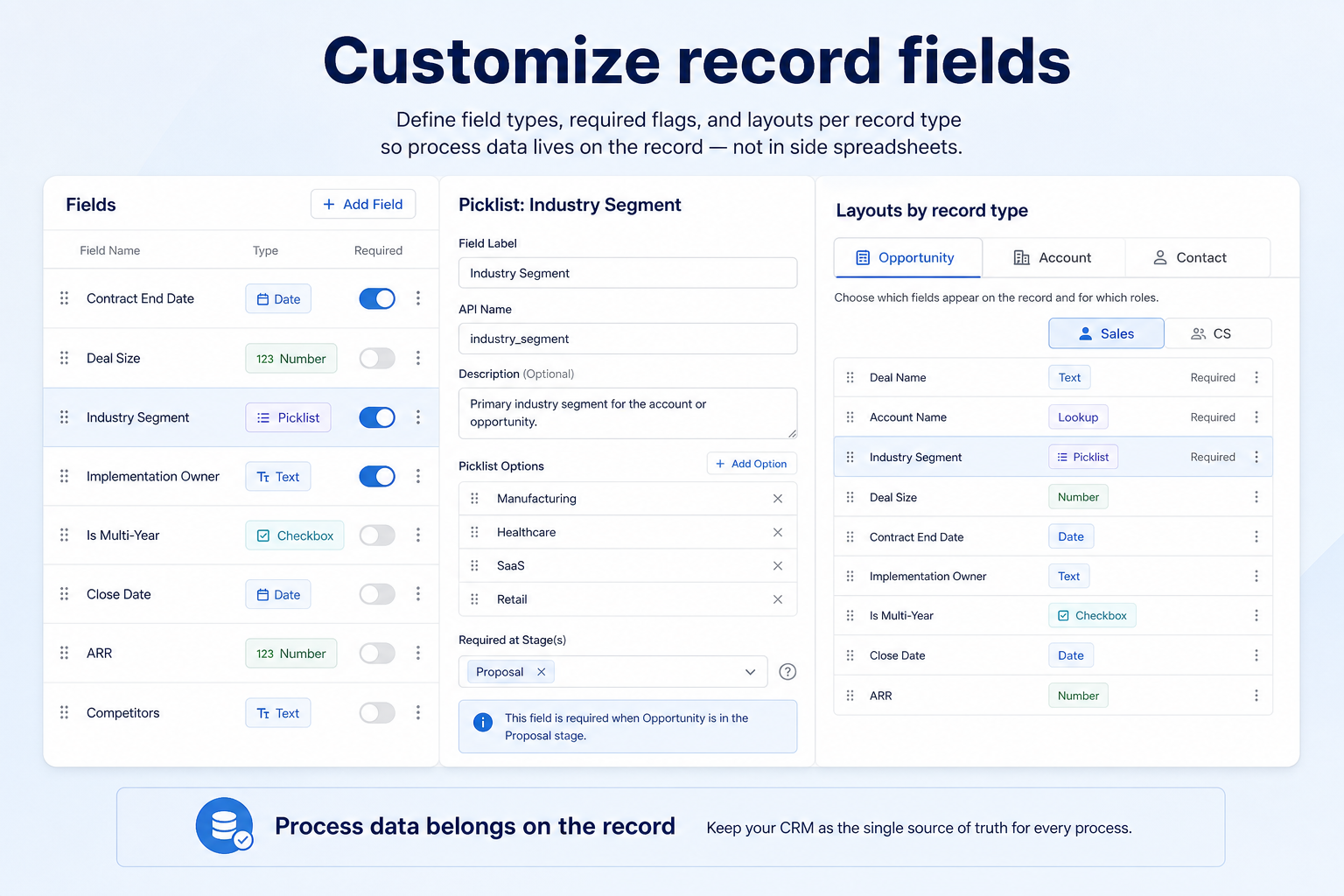
Make qualification, compliance, and reporting fields first-class on the record — not trapped in notes nobody can filter.
Requirement at a glance
Requirement type
Configuration / data model
Primary capability
Customization
Typical importance
Medium–High
3
Core features
2
Supporting features
10
Products covered
Last reviewed 14 Aug 2026
Requirement snapshot
Customizing record fields means administrators can add structured attributes to contacts, companies, leads, and deals so the CRM reflects how the team actually qualifies and reports. The requirement is not “can we add a text box?” — it is whether those fields are typed correctly, required where the process needs them, usable in layouts and filters, and available to reports and automation. Teams that skip this end up with process data in free-text notes that never show up in a dashboard.
RevOps and CRM admins who must encode process-specific data (ICP fit, regulated attributes, delivery constraints) on shared records. It also matters for sales managers whose Friday reviews depend on fields that do not exist in the default schema — especially multi-product SaaS, agencies with client taxonomy, and financial-services teams with suitability or risk attributes.
How teams satisfy “customize record fields” in practice
Example 1
a global SaaS sales org selling three SKUs across enterprise and mid-market
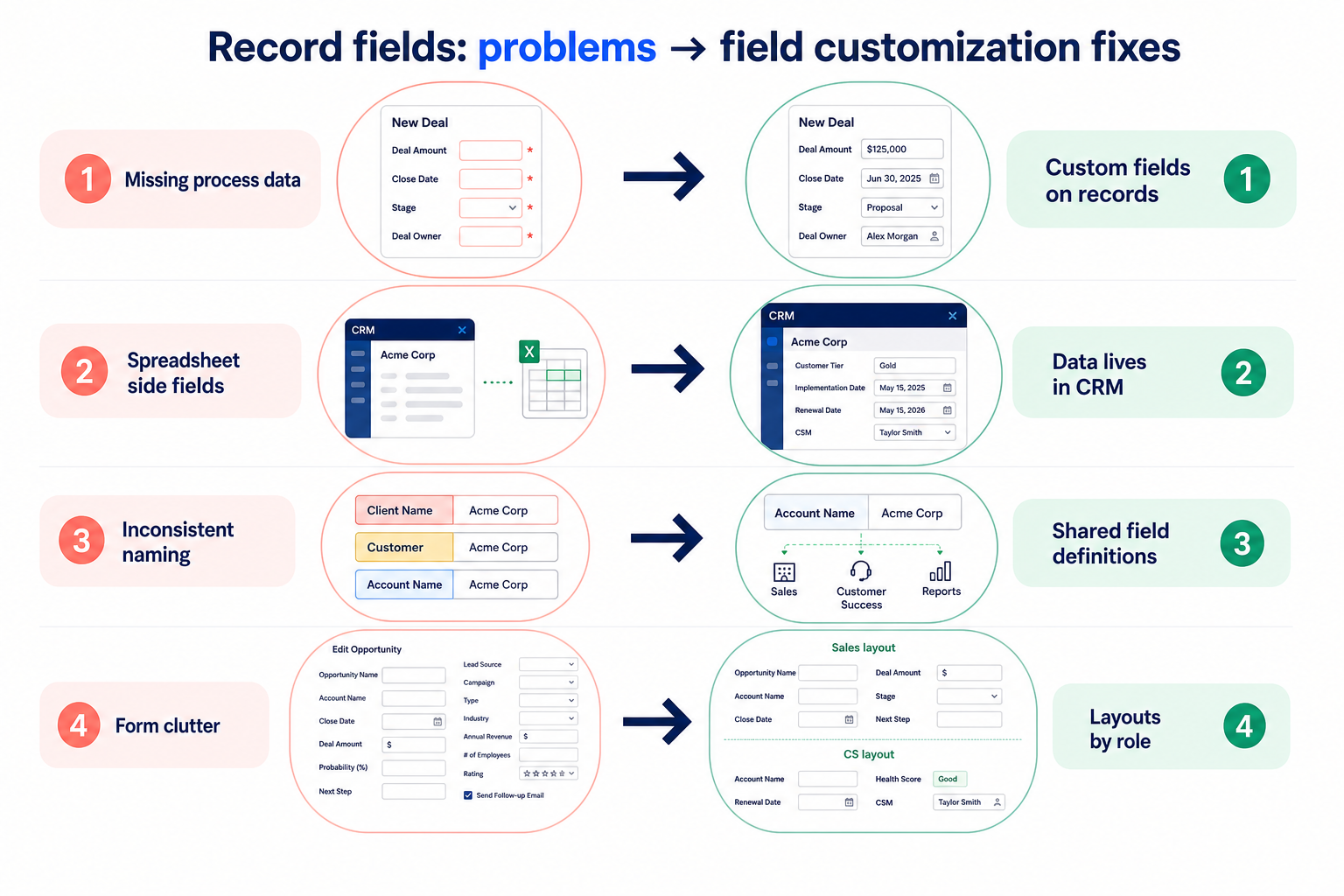
Before CRM
“product interest,” “security review status,” and “procurement vehicle” lived in AE notes and a shared sheet
After CRM
those attributes are required fields on the opportunity with dropdown values — pipeline reviews filter stuck security reviews without archaeology
Example 2
a multi-country creative agency
Before CRM
client industry, retainer tier, and primary office lived inconsistently across project tools
After CRM
company records carry those fields on a standard layout, so account handoffs and utilization reports use the same taxonomy
These are the operating problems that usually push teams to require “customize record fields” from a CRM — not feature wish lists.
Without this capability in CRM: Managers cannot filter or report on qualification attributes buried in free text.
Without this capability in CRM: Optional custom fields pile up; reports stay empty because required checkpoints were never enforced.
Without this capability in CRM: Reps ignore the form because it looks like a tax return of irrelevant attributes.
Without this capability in CRM: You capture data that automation and dashboards cannot read, so the model never pays off.
A CRM only satisfies “customize record fields” when the team keeps owners, history, and next steps current. Here is what “good” looks like once the requirement is met.
When this requirement is satisfied: Typed custom fields put process data on the record where filters, views, and reports can use it.
When this requirement is satisfied: Required fields and stage-aware layouts force capture at the moment the process needs the data.
When this requirement is satisfied: Role- or process-specific layouts surface only the fields that matter for that job.
When this requirement is satisfied: Reportable and automation-ready fields turn customization into operational leverage.
A shared process schema
Qualification and handoff attributes mean the same thing on every record.
Reviews that filter on real checkpoints
Managers open views for “missing security status” instead of hunting notes.
Cleaner account and deal handoffs
Covering reps inherit structured context, not a scavenger hunt.
Automation that can branch correctly
Rules and tasks key off field values instead of guesswork.
Start with must-haves your team will use weekly to accept this requirement as met. Treat nice-to-haves as later upgrades — not day-one blockers.
Must-have
Administrators can add fields on core objects during configuration — not only via professional services.
Learn more →Dropdowns, dates, numbers, checkboxes, and relationships cover your qualification model — not text-only.
You can require critical attributes and present different layouts by role or process.
Custom fields appear in list filters, saved views, and reporting — not display-only.
Learn more →Nice-to-have
Workflow rules can branch on and update custom field values after hygiene is real.
Learn more →Limits are documented per object so you do not design a model the tier cannot hold.
A simple validation loop beats a long checklist nobody runs during a trial.
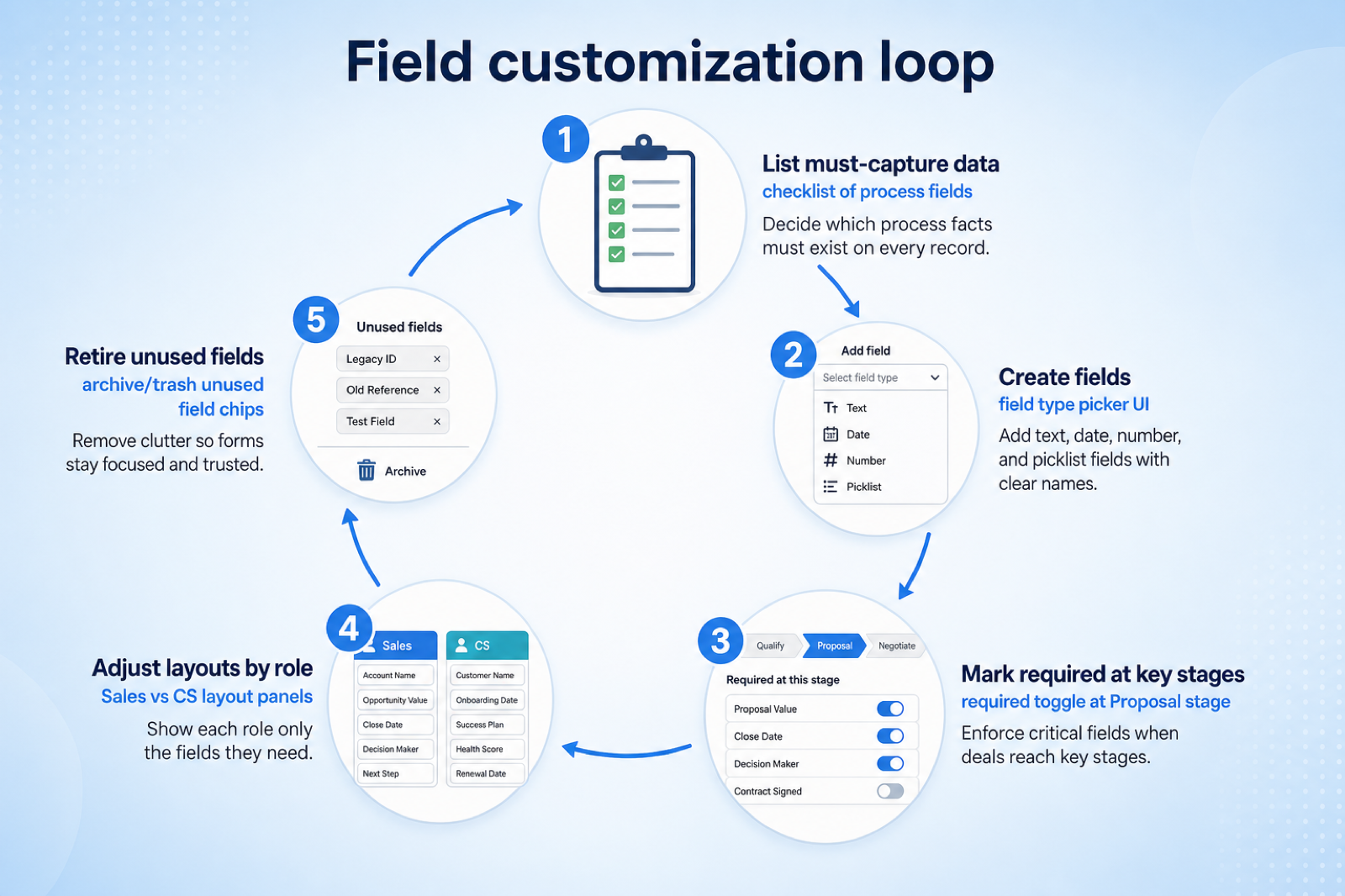
List the 8–15 attributes reviews and handoffs actually need — exclude “nice someday” fields.
Assign field types, owners, and when each field becomes required (create, qualify, propose).
Have an admin add them live; confirm layouts, permissions, and mobile forms without a vendor ticket.
Build a saved view and a report that group or filter on those fields with sample data.
If you need rules, trigger one branch on a custom field change and confirm the task or update fires.
Adding a field is rarely the hard part. What matters is whether custom fields are usable in reports and automation, whether the field types you need exist, and how many the plan allows. Check limits per object, not just totals.
You probably need this if
You may not need this if
Process fit
The CRM describes your business rather than a generic template.
Reporting
Structured fields can be reported on; the same detail in notes cannot.
Automation
Rules need structured values to make reliable decisions.
Consistency
Defined options reduce the variation that free text introduces.
Use cases
3 linkedCapability
CustomizationRequirement
Customize Record FieldsFeatures
5 relatedProducts
10 evaluatedField creation
Can administrators add fields without vendor involvement?
Field types
Are dropdowns, dates, numbers, and relationships available as needed?
Usable in reporting
Can custom fields be filtered, grouped, and reported on?
Usable in automation
Can rules read and write custom fields?
Field limits
How many fields does the plan allow per object?
Core features
Custom Fields
CriticalThe feature that satisfies the requirement directly.
Evidence across catalogue products: Docs · Screenshots · Official demos
Explore feature →Contact Management
ImportantThe records custom fields are added to.
Evidence across catalogue products: Docs · Screenshots · Official demos
Explore feature →Reporting
ImportantCustom fields only pay off if they can be filtered and reported on.
Evidence across catalogue products: Docs · Screenshots · Official demos
Explore feature →Supporting features
Workflow Automation
SupportingAutomation branching usually depends on custom field values.
Evidence across catalogue products: Docs · Screenshots · Official demos
Explore feature →Role Permissions
OptionalDetermines whether sensitive fields can be restricted.
Evidence across catalogue products: Docs · Screenshots · Official demos
Explore feature →See how CRM products support customize record fields. Official product demonstrations can help show how supporting features work in practice. SoftwareGlimpse evaluates these alongside documentation, screenshots and plan evidence — video availability does not change rankings.

Official video · Salesforce
Source: Salesforce
This video is hosted on YouTube
This content is hosted by YouTube. The player loads only after you allow marketing cookies.
What this demonstrates
Features demonstrated
Not established by this video
Verified: 2026-08-15
Open official source ↗
Official video · Apptivo
Source: Apptivo
This video is hosted on YouTube
This content is hosted by YouTube. The player loads only after you allow marketing cookies.
What this demonstrates
Features demonstrated
Not established by this video
Verified: 2026-08-16
Open official source ↗
Official video · Attio
Source: Attio

This video is hosted on YouTube
This content is hosted by YouTube. The player loads only after you allow marketing cookies.
What this demonstrates
Features demonstrated
Not established by this video
Verified: 2026-08-15
Open official source ↗Fit reflects feature support for this requirement — not affiliate status. Insufficient evidence is never treated as failure.
Salesforce
Strong supportVisual evidence available
Key strength: Custom Fields: supported
Why this fit?
Agile CRM
Strong supportKey strength: Custom Fields: supported
Why this fit?Apptivo
Strong supportVisual evidence available
Key strength: Custom Fields: supported
Why this fit?Attio
Strong supportVisual evidence available
Key strength: Custom Fields: supported
Why this fit?
Bitrix24
Strong supportVisual evidence available
Key strength: Custom Fields: supported
Why this fit?
Copper
Strong supportVisual evidence available
Key strength: Custom Fields: supported
Why this fit?Each cell reflects feature support for that criterion. Open Why? for documentation, screenshots, and official videos mapped to that criterion only — video counts never change the assessment.
| Criterion | Salesforce | Agile CRM | Apptivo | Attio | Bitrix24 | Copper |
|---|---|---|---|---|---|---|
| Field creation | Strong 1 docs | Strong 2 docs | Strong 2 docs | Strong 2 docs | Strong 2 docs | Strong 2 docs |
| Field types | Strong 1 docs | Strong 2 docs | Strong 2 docs | Strong 2 docs | Strong 2 docs | Strong 2 docs |
| Usable in reporting | Strong 2 docs · 1 screenshots | Strong 2 docs | Strong 2 docs | Strong 2 docs · 2 screenshots | Strong 2 docs | Strong 2 docs |
| Usable in automation | Strong 2 docs · 2 screenshots · 1 video | Strong 2 docs | Strong 2 docs | Strong 2 docs · 2 screenshots | Strong 2 docs · 1 screenshots | Strong 2 docs · 1 screenshots |
| Field limits | Strong 1 docs | Strong 2 docs | Strong 2 docs | Strong 2 docs | Strong 2 docs | Strong 2 docs |
| Overall / plan | StrongPro SuiteConfidence: High | StrongFreeConfidence: High | StrongLiteConfidence: High | StrongFreeConfidence: High | StrongFreeConfidence: High | StrongBasicConfidence: High |
Structured evaluation — not media-driven. Video helps illustrate implementation; it does not determine who ranks higher.
| Criterion | Salesforce | Agile CRM | Apptivo |
|---|---|---|---|
| Field creation | Strong support | Strong support | Strong support |
| Field types | Strong support | Strong support | Strong support |
| Usable in reporting | Strong support | Strong support | Strong support |
| Usable in automation | Strong support | Strong support | Strong support |
| Field limits | Strong support | Strong support | Strong support |
Official video · Salesforce
Source: Salesforce
This video is hosted on YouTube
This content is hosted by YouTube. The player loads only after you allow marketing cookies.
What this demonstrates
Features demonstrated
Not established by this video
Verified: 2026-08-15
Open official source ↗Official video · Apptivo
Source: Apptivo
This video is hosted on YouTube
This content is hosted by YouTube. The player loads only after you allow marketing cookies.
What this demonstrates
Features demonstrated
Not established by this video
Verified: 2026-08-16
Open official source ↗SoftwareGlimpse interpretation
These official demos illustrate visible product behavior for mapped criteria and features. Fit and ranking still come from structured feature assessments — not from which demo looks smoother.
Unknown / not verified is never treated as unsupported.
| Feature | |||||
|---|---|---|---|---|---|
| Custom fields | |||||
| Contact management | |||||
| Reporting | |||||
| Workflow automation | |||||
| Role permissions |
Salesforce for customize record fields
Strong supportEvidence confidence: High
Plan required: Pro Suite
Plan availability comes from official pricing / plan documentation — not from feature demos.
Why
Trade-offs
See it in action
View all evidence →Agile CRM for customize record fields
Strong supportEvidence confidence: High
Plan required: Free
Plan availability comes from official pricing / plan documentation — not from feature demos.
Why
Trade-offs
Apptivo for customize record fields
Strong supportEvidence confidence: High
Plan required: Lite
Plan availability comes from official pricing / plan documentation — not from feature demos.
Why
Trade-offs
See it in action
View all evidence →Attio for customize record fields
Strong supportEvidence confidence: High
Plan required: Free
Plan availability comes from official pricing / plan documentation — not from feature demos.
Why
Trade-offs
See it in action
View all evidence →Bitrix24 for customize record fields
Strong supportEvidence confidence: High
Plan required: Free
Plan availability comes from official pricing / plan documentation — not from feature demos.
Why
Trade-offs
See it in action
View all evidence →Plan names come from feature entitlements on the features that support this requirement. Pricing estimates appear only when verified — otherwise use the Cost Calculator.
| Product | Minimum qualifying plan | Core coverage | Confidence |
|---|---|---|---|
| Salesforce | Pro Suite | 3/3 | High |
| Agile CRM | Free | 3/3 | High |
| Apptivo | Lite | 3/3 | High |
| Attio | Free | 3/3 | High |
| Bitrix24 | Free | 3/3 | High |
| Copper | Basic | 3/3 | High |
Verified product captures only — never stock imagery or mockups.
Take this checklist into every vendor session and ask each product to demonstrate the same scenario. Your results stay in your vendor scorecard — they do not rewrite SoftwareGlimpse recommendations.
Objective
Verify that the product can satisfy: Add and configure your own fields on CRM records so the data model reflects how your team qualifies, segments, and reports.
Preconditions
Ask the vendor to demonstrate
What good support looks like
Failure signals
Follow-up questions
Official vendor example
An official product video can show an example of the behavior — it does not substitute for your own vendor demo.
Official video · Salesforce
Source: Salesforce
This video is hosted on YouTube
This content is hosted by YouTube. The player loads only after you allow marketing cookies.
What this demonstrates
Features demonstrated
Not established by this video
Verified: 2026-08-15
Open official source ↗Record what happened in the live session. This is your evaluation — not SoftwareGlimpse recommendations.
Structured qualification
Priority depends on a handful of attributes that must be captured consistently.
Priorities: Dropdown fields · Required fields · Reporting
Best recommended fit: Salesforce
Segmenting a large contact base
Outreach depends on categories the default record does not hold.
Priorities: Field types · Filtering · Field limits
Best recommended fit: Salesforce
Automation that branches on data
Workflows behave differently depending on record attributes.
Priorities: Automation access to fields · Validation
Best recommended fit: Salesforce
Flexibility vs field sprawl
Unmanaged fields accumulate until nobody knows which ones matter.
Data quality vs entry speed
Required fields improve reporting and slow down record creation.
Plan impact
Field counts and advanced field types are commonly plan-limited.
Complex sales processes
HighMulti-step deals need stage-specific attributes that default schemas rarely include.
Explore use case →Account management
HighRetainer, segment, and health attributes should live on the account — not in AM notebooks.
Explore use case →Reporting
CriticalCustom fields only pay off when managers can report on them consistently.
Explore use case →Add this requirement to CRM Finder and personalize for team size, budget, and other priorities.
Add this requirement to CRM FinderLoading evidence explorer…
SoftwareGlimpse assesses whether products satisfy a requirement by evaluating the specific criteria and features needed to meet that buyer need. Official vendor demonstrations may be used as evidence of visible product behavior, but video availability does not influence product ranking and videos are not used alone to establish pricing, plan entitlement, security or comparative superiority.
10
Products covered
5
Supporting features
560
Evidence records
17
Screenshots
6
Official videos
Buyer need
Customize Record Fields
Capability
Customization
Criteria
5 evaluation criteria
Features
3 core · 2 supporting
Products
10 researched
No. Count matters less than types, required rules, layouts, and whether fields are filterable and reportable. A plan with fewer well-behaved fields can beat one with many display-only attributes.
No. Reserve structured fields for attributes you will filter, report, require, or automate on. Narrative context belongs in notes or activity — forcing everything into fields creates form fatigue.
Usually RevOps or a named CRM admin with sales-manager input. Unowned field sprawl is how schemas rot; treat additions like product changes with a short approval path.
Multiple pipelines often need different required fields at different stages. Field customization and process separation reinforce each other — validate both if you sell more than one motion.
Compare catalogue CRM products based on this requirement plus your other needs, team size and budget.
Browse documentation, screenshots, and official vendor videos by requirement criterion and feature. Video quantity does not change product fit.
SoftwareGlimpse assesses whether products satisfy a requirement by evaluating the specific criteria and features needed to meet that buyer need. Official vendor demonstrations may be used as evidence of visible product behavior, but video availability does not influence product ranking and videos are not used alone to establish pricing, plan entitlement, security or comparative superiority.
15 items
Screenshot · Attio
Source: Official Attio
Supports
Demonstrates
Does not establish
Screenshots can be strong evidence for visible UI behavior.
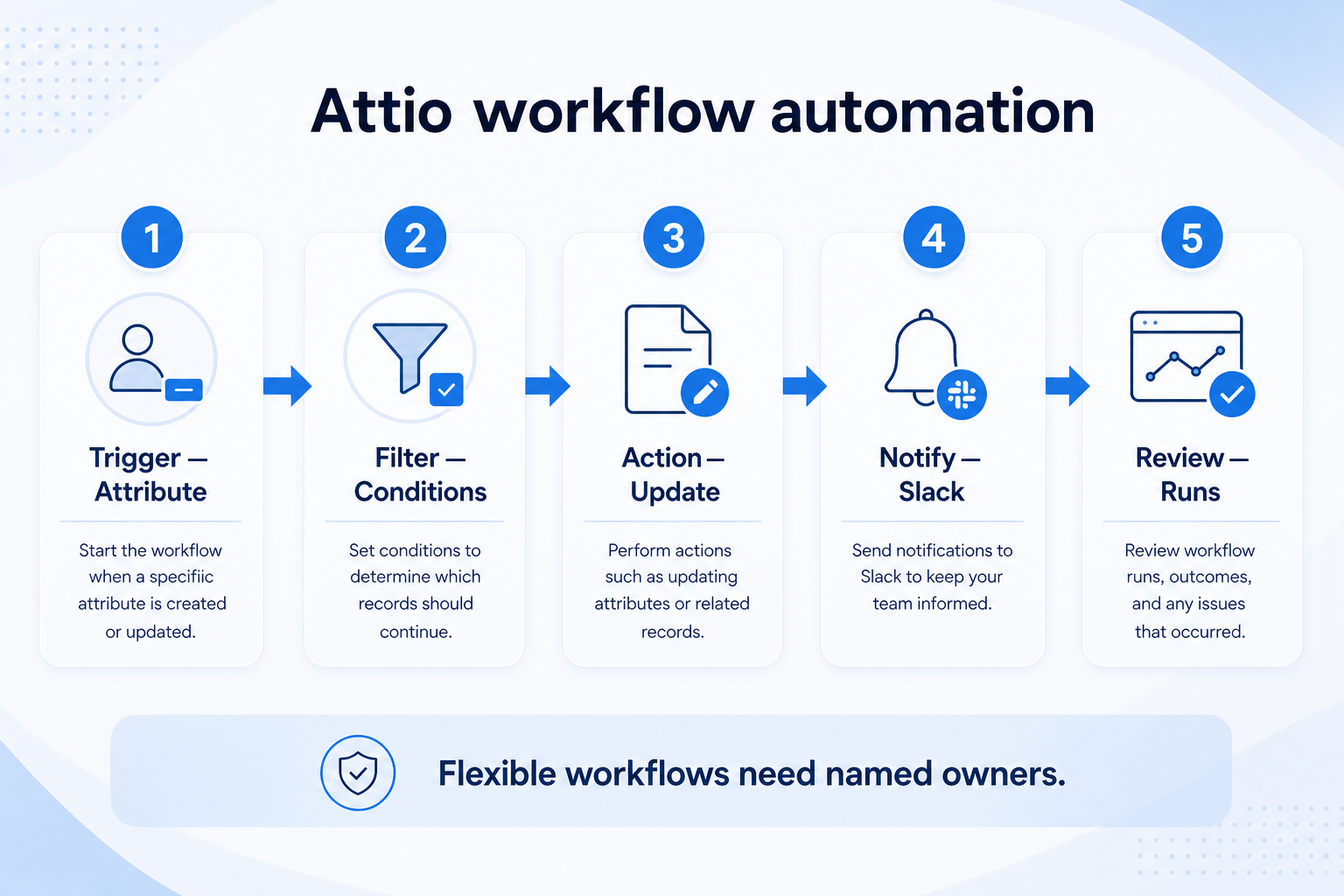
Verified: 15 Aug 2026
Open source ↗Screenshot · Capsule
Source: Official Capsule
Supports
Demonstrates
Does not establish
Screenshots can be strong evidence for visible UI behavior.
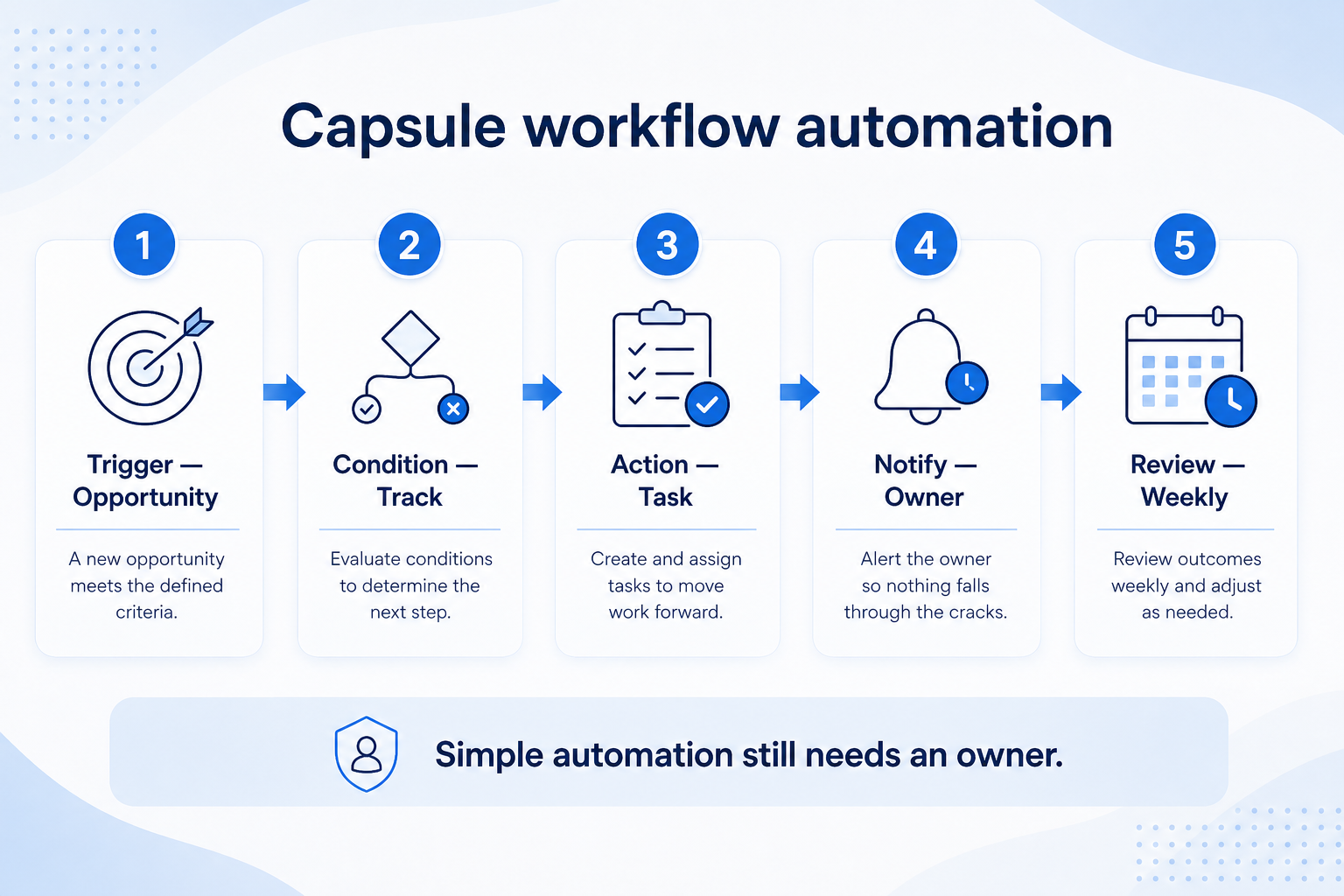
Verified: 15 Aug 2026
Open source ↗Screenshot · Close
Source: Official Close
Supports
Demonstrates
Does not establish
Screenshots can be strong evidence for visible UI behavior.
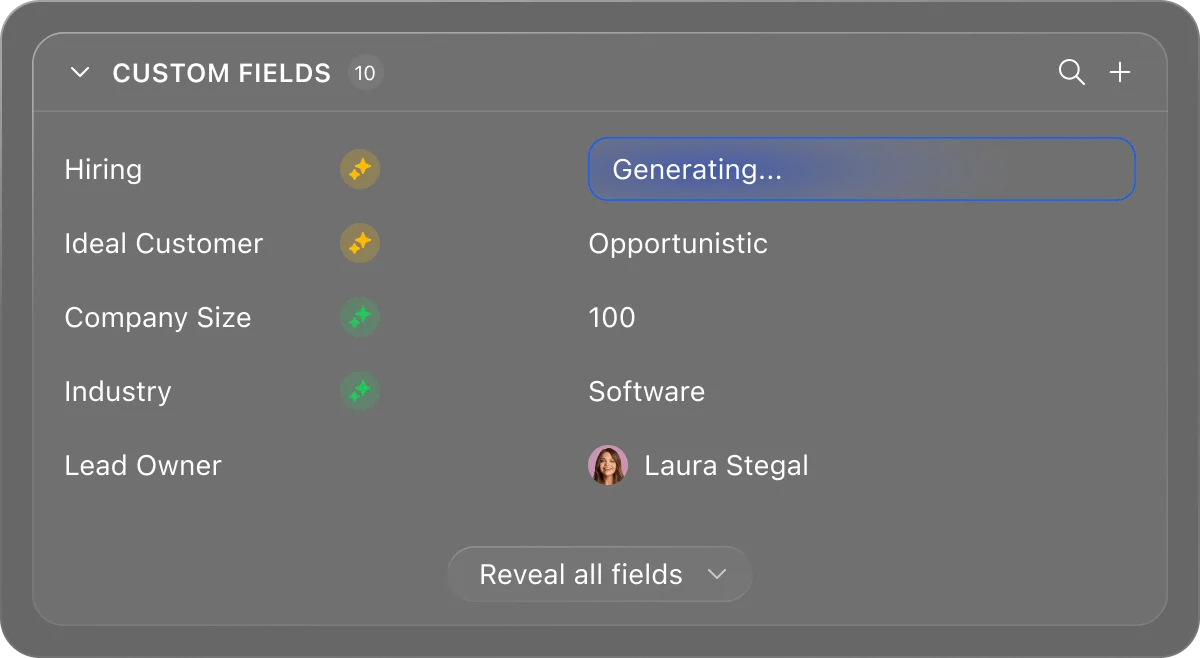
Verified: 13 Aug 2026
Open source ↗Screenshot · Close
Source: Official Close
Supports
Demonstrates
Does not establish
Screenshots can be strong evidence for visible UI behavior.
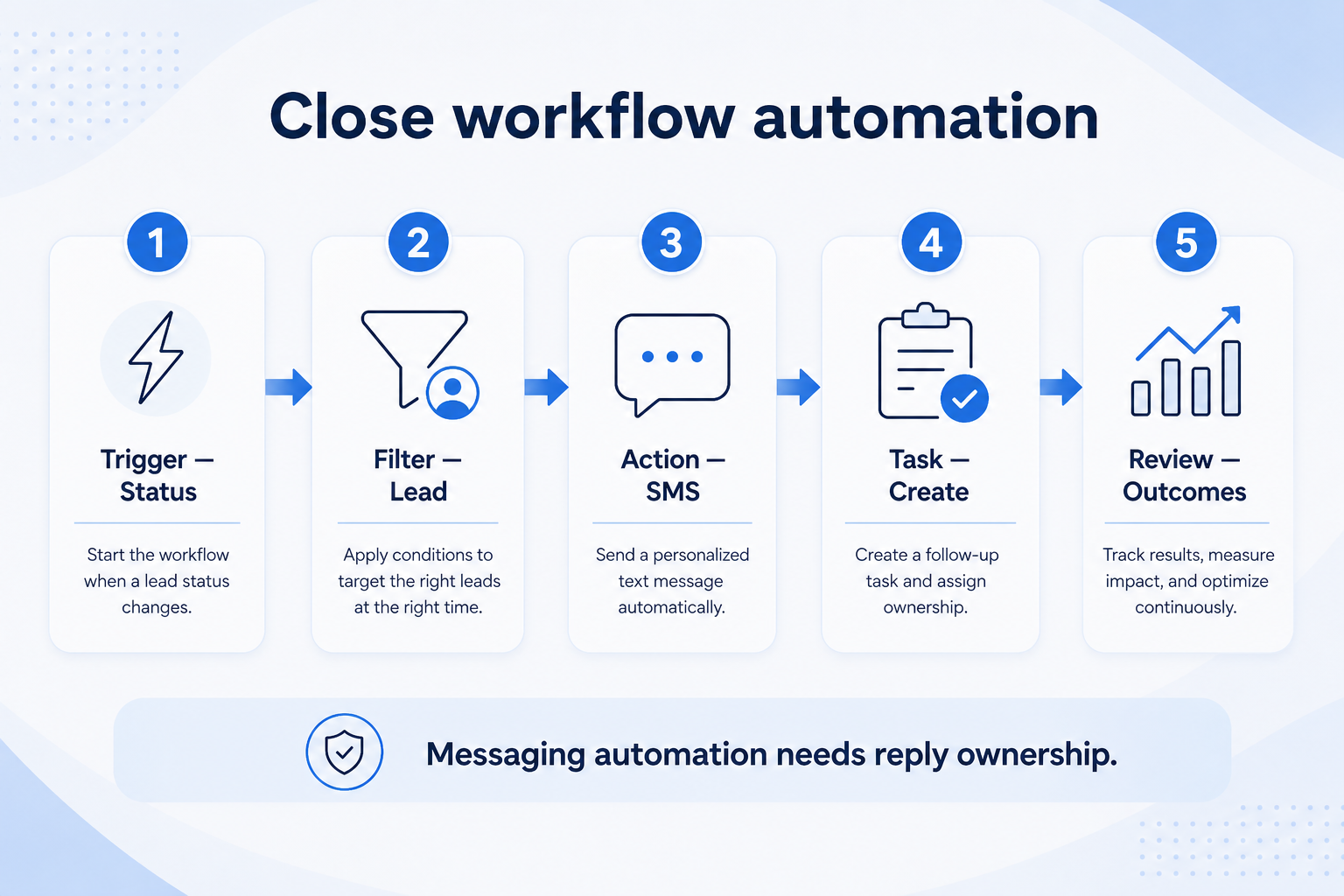
Verified: 15 Aug 2026
Open source ↗Screenshot · Copper
Source: Official Copper
Supports
Demonstrates
Does not establish
Screenshots can be strong evidence for visible UI behavior.
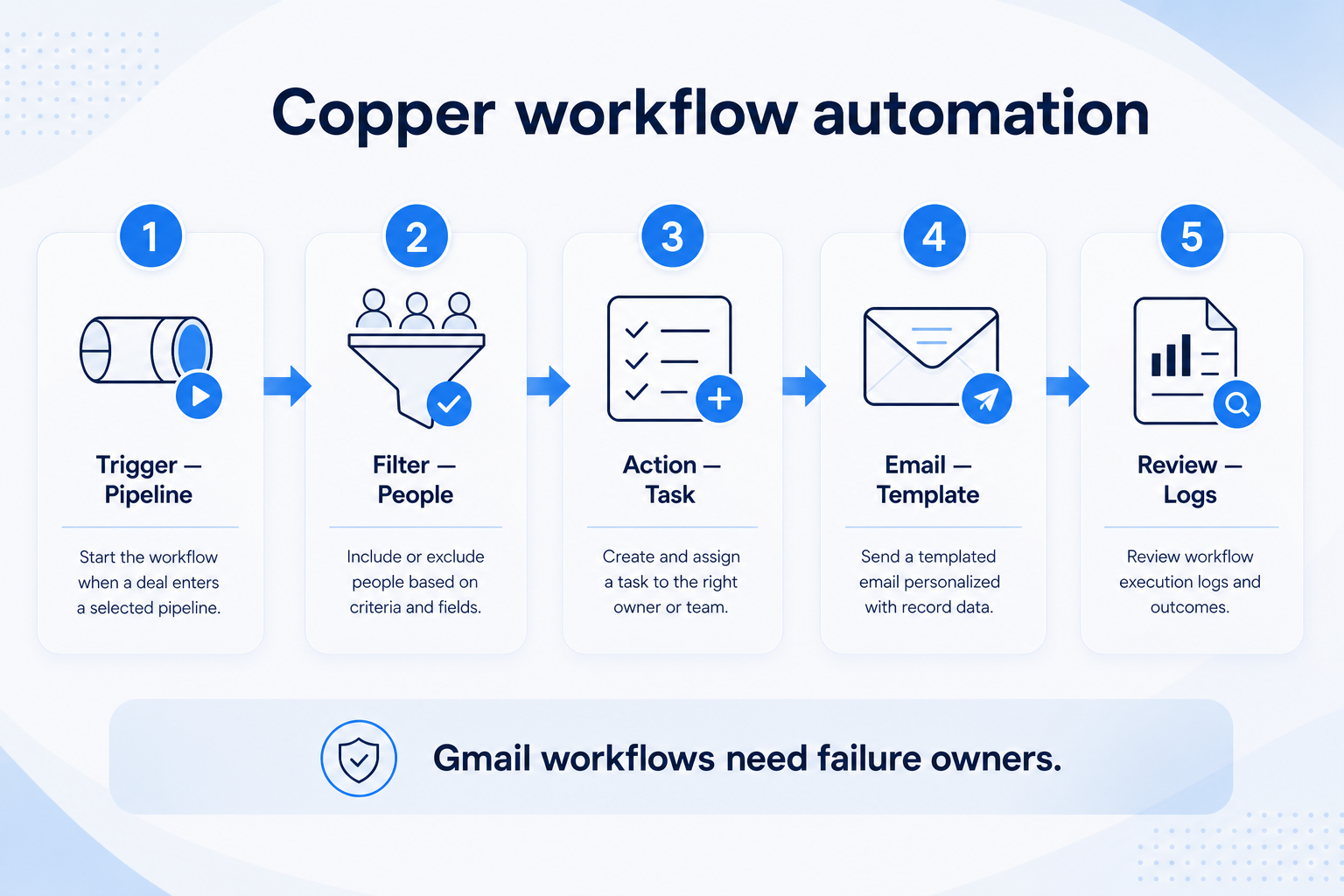
Verified: 15 Aug 2026
Open source ↗Screenshot · folk
Source: Official folk
Supports
Demonstrates
Does not establish
Screenshots can be strong evidence for visible UI behavior.
Verified: 13 Aug 2026
Open source ↗Screenshot · folk
Source: Official folk
Supports
Demonstrates
Does not establish
Screenshots can be strong evidence for visible UI behavior.
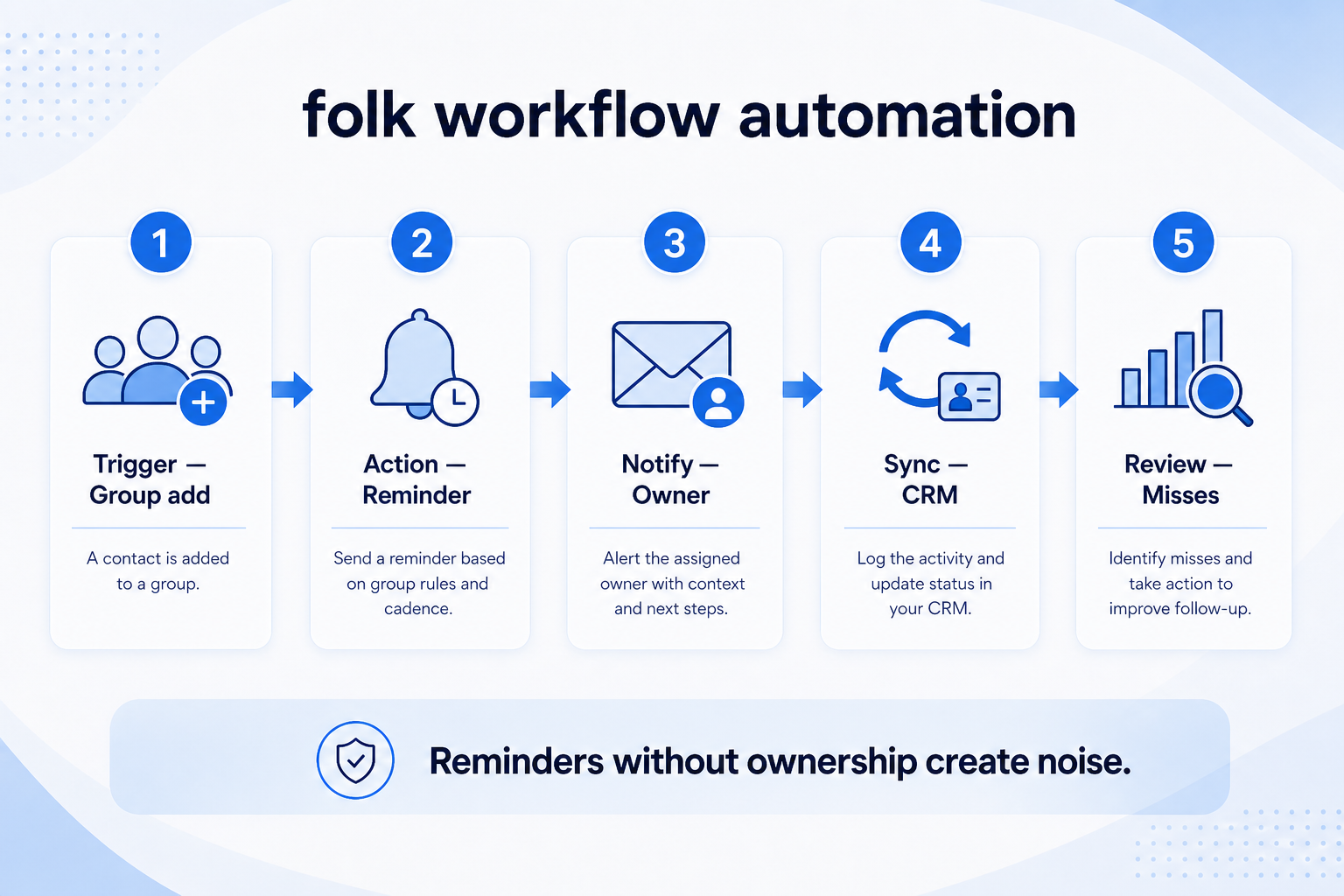
Verified: 15 Aug 2026
Open source ↗Screenshot · Freshsales
Source: Official Freshsales
Supports
Demonstrates
Does not establish
Screenshots can be strong evidence for visible UI behavior.
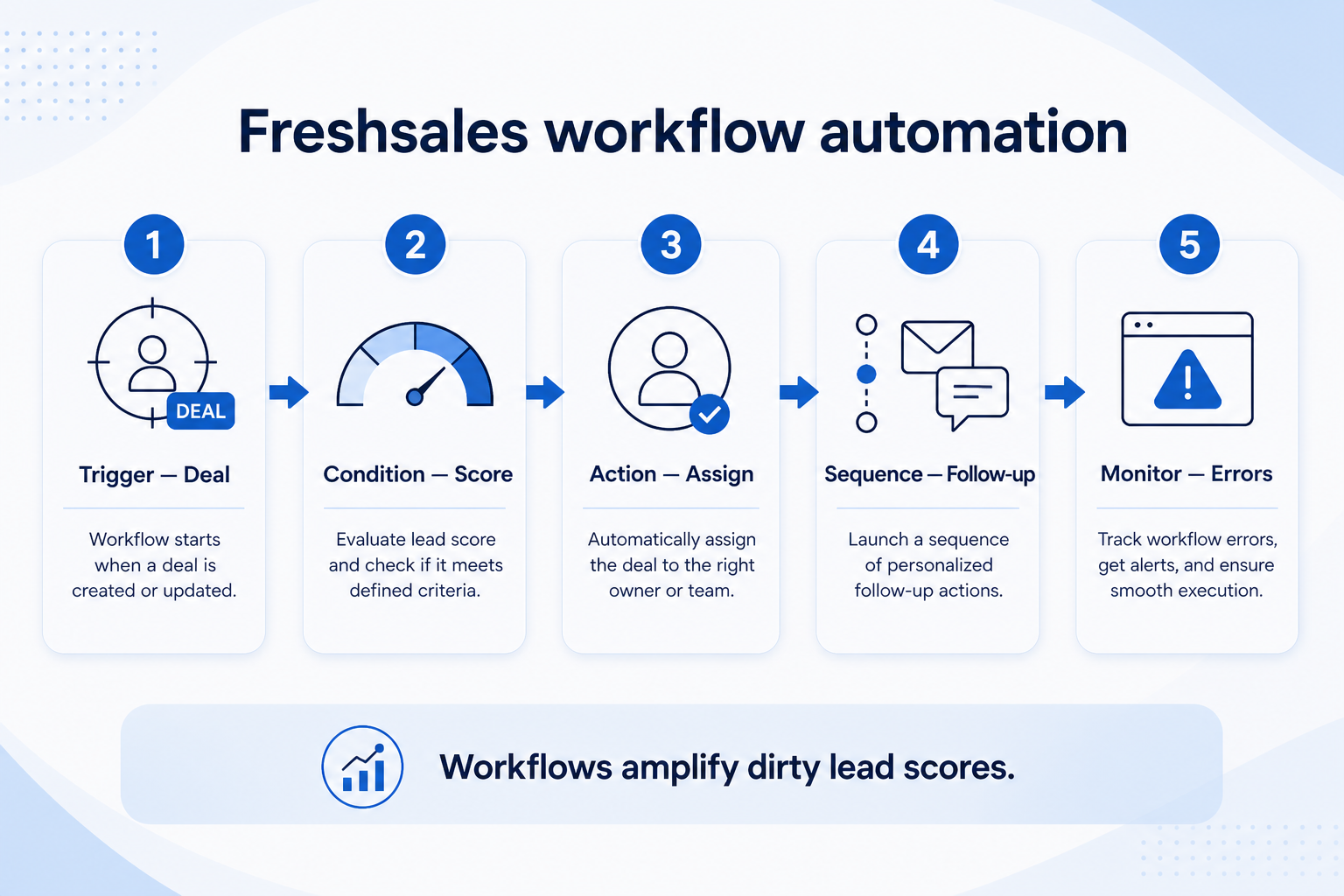
Verified: 15 Aug 2026
Open source ↗Screenshot · HubSpot
Source: Official HubSpot
Supports
Demonstrates
Does not establish
Screenshots can be strong evidence for visible UI behavior.
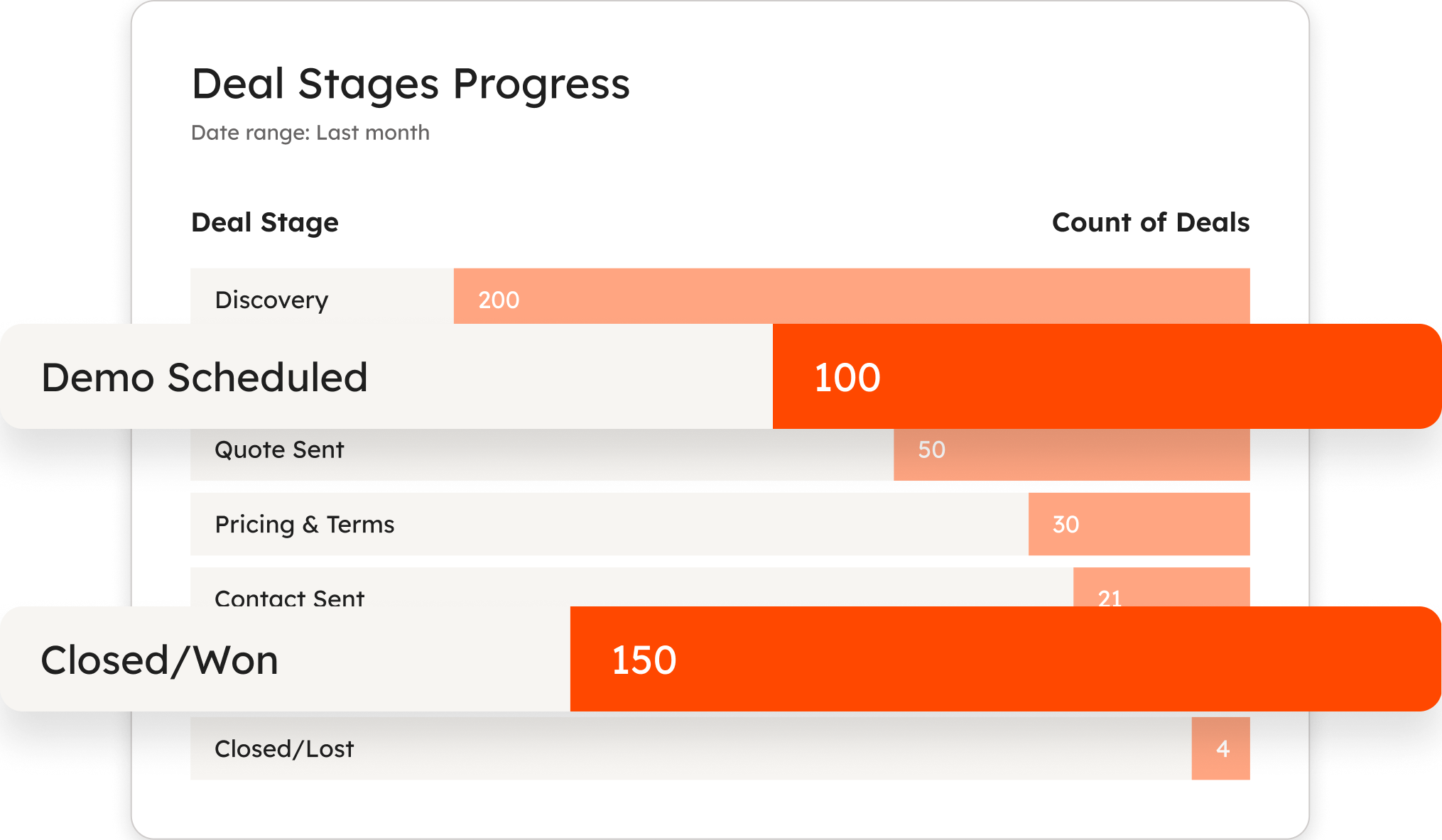
Verified: 14 Aug 2026
Open source ↗Official video · Attio
Source: Attio
Evidence chain
Customize Record Fields → Attio
Supports
Demonstrates
Does not establish
Official video may support visible behavior for mapped criteria only — not pricing, plan entitlement, or full requirement support.
This video is hosted on YouTube
This content is hosted by YouTube. The player loads only after you allow marketing cookies.
Official vendor tutorial
Verified: 15 Aug 2026
Open source ↗Official video · Bitrix24
Source: Bitrix24
Evidence chain
Customize Record Fields → Bitrix24
Supports
Demonstrates
Does not establish
Official video may support visible behavior for mapped criteria only — not pricing, plan entitlement, or full requirement support.

This video is hosted on YouTube
This content is hosted by YouTube. The player loads only after you allow marketing cookies.
Official vendor tutorial
Verified: 15 Aug 2026
Open source ↗Official video · capsule
Source: Capsule
Evidence chain
Customize Record Fields → capsule
Supports
Demonstrates
Does not establish
Official video may support visible behavior for mapped criteria only — not pricing, plan entitlement, or full requirement support.

This video is hosted on YouTube
This content is hosted by YouTube. The player loads only after you allow marketing cookies.
Official vendor tutorial
Verified: 15 Aug 2026
Open source ↗Official video · capsule
Source: Capsule
Evidence chain
Customize Record Fields → capsule
Supports
Demonstrates
Does not establish
Official video may support visible behavior for mapped criteria only — not pricing, plan entitlement, or full requirement support.

This video is hosted on YouTube
This content is hosted by YouTube. The player loads only after you allow marketing cookies.
Official vendor tutorial
Verified: 15 Aug 2026
Open source ↗Official video · capsule
Source: Capsule
Evidence chain
Customize Record Fields → capsule
Supports
Demonstrates
Does not establish
Official video may support visible behavior for mapped criteria only — not pricing, plan entitlement, or full requirement support.

This video is hosted on YouTube
This content is hosted by YouTube. The player loads only after you allow marketing cookies.
Official vendor tutorial
Verified: 15 Aug 2026
Open source ↗Official video · mailchimp
Source: Mailchimp
Evidence chain
Customize Record Fields → mailchimp
Supports
Demonstrates
Does not establish
Official video may support visible behavior for mapped criteria only — not pricing, plan entitlement, or full requirement support.

This video is hosted on YouTube
This content is hosted by YouTube. The player loads only after you allow marketing cookies.
Official vendor tutorial
How Mailchimp presents the product in an official vendor video.
Verified: 16 Aug 2026
Open source ↗