
Crm
Relationship-focused CRM for small sales teams and founders.
Custom fields, layouts, and objects that let the CRM match your actual process — not the vendor's generic template.
At a glance
Adapt the CRM's data model and layout to match your real process
Sales ops, RevOps, and CRM administrators
Custom field types and limits · Layout and view customization · Custom objects (advanced) · Plan-tier limits
9 products to explore
Fit snapshot
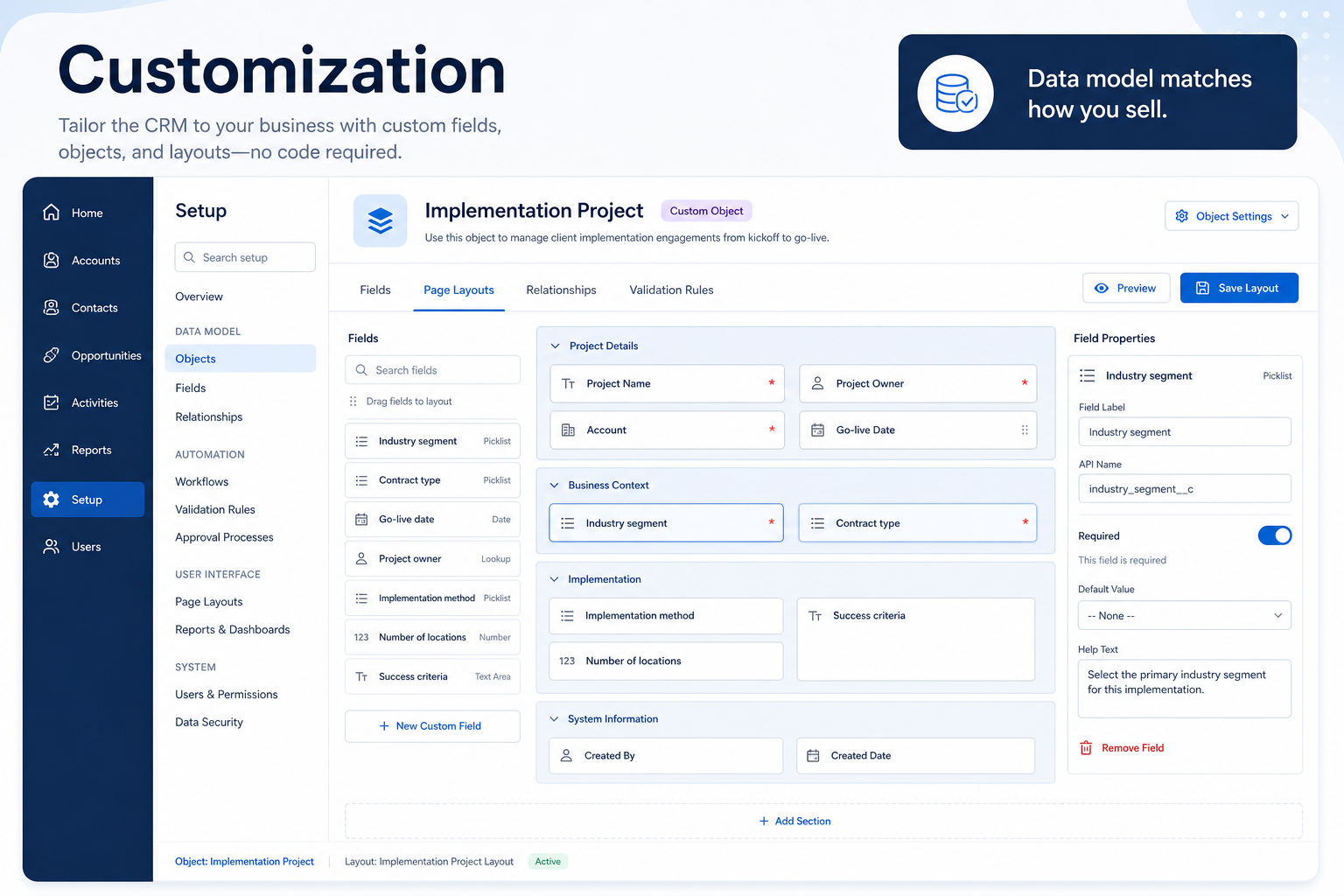
Customization is the CRM capability for adapting the data model and interface to your business: custom fields, page layouts, and in more advanced platforms, custom objects entirely. It's the difference between forcing your process into the vendor's default and shaping the software to fit what you actually track and do.
Sales ops, RevOps, and administrators who need the CRM's data model to reflect specifics the default fields don't capture — industry-specific attributes, unusual sales stages, or entirely custom record types.
How teams put CRM to work for customization
Example 1
a specialty distributor that needs to track certification expiry dates on customer accounts. As a capability, customization needs to support a custom date field on the account record with reminder logic attached — a generic CRM without extensible fields has no honest place to put that.
Example 2
a company selling both products and services with very different sales cycles. Customization at the platform level might need custom objects entirely — not just fields on the standard contact or deal model — to represent something structurally different from a typical deal.
These are the operating problems that usually push teams toward CRM for customization — not feature wish lists.
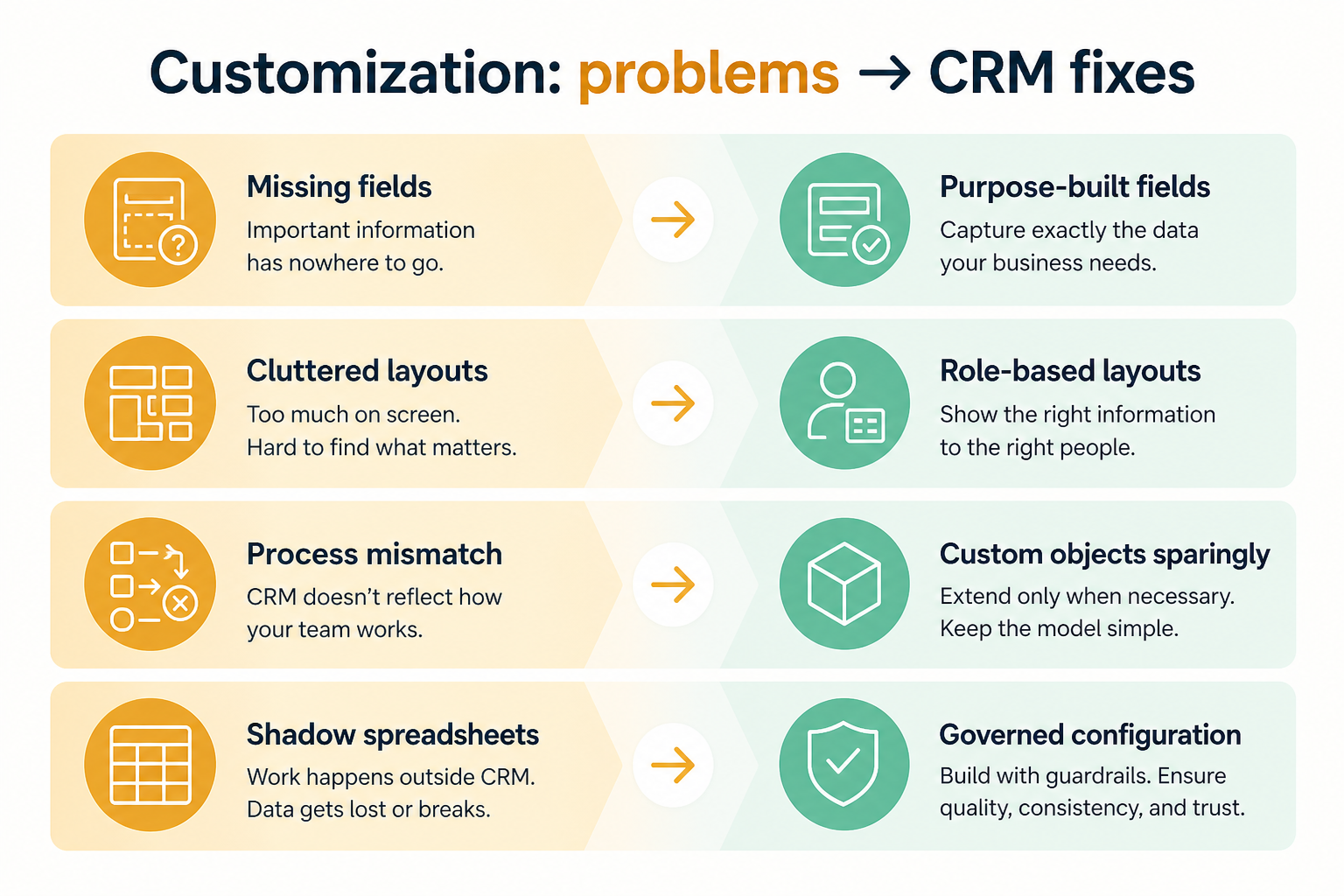
Without CRM discipline: Industry-specific or process-specific attributes have nowhere to live.
Without CRM discipline: Users scroll past irrelevant fields to find the ones that matter.
Without CRM discipline: Contacts, accounts, and deals don't map cleanly onto what you actually sell or manage.
Without CRM discipline: A plan caps custom fields well below what your process needs, discovered mid-implementation.
A CRM only helps when the team keeps owners, history, and next steps current. Here is what “good” looks like for customization.
With CRM discipline: Custom fields let you add exactly the attributes your process depends on.
With CRM discipline: Layout customization surfaces the fields your team actually needs, in the order they need them.
With CRM discipline: Custom objects, on platforms that support them, model genuinely different record types.
With CRM discipline: Confirming limits before purchase avoids an expensive mid-rollout surprise.
Fields that match your real process
No more forcing specific attributes into a generic notes field.
Layouts showing what your team actually uses
Less scrolling past irrelevant default fields.
Record types that reflect your business
Custom objects represent what's structurally different about how you operate.
No mid-rollout limit surprises
Field and object limits are known and planned for upfront.
Evaluate how many custom fields are allowed, on which record types, and whether custom objects are possible — not how attractive the customization UI looks in a demo. Plan-tier limits on custom fields are a common and easy-to-miss constraint.
Confirm actual caps, not marketing language about "flexibility".
An administrator should be able to make most changes directly.
Unmanaged customization becomes as messy as the spreadsheet it replaced.
More fields available shouldn't mean more clutter on every screen.
Start with must-haves your team will use weekly. Treat nice-to-haves as later upgrades — not day-one blockers.
Must-have
Text, number, date, dropdown, and relationship fields as standard options.
Learn more →Control which fields appear, and in what order, on each record type.
Nice-to-have
Model entirely new record types beyond contacts, accounts, and deals.
Derive values automatically instead of relying on manual entry.
A simple operating loop beats a complex board nobody updates.
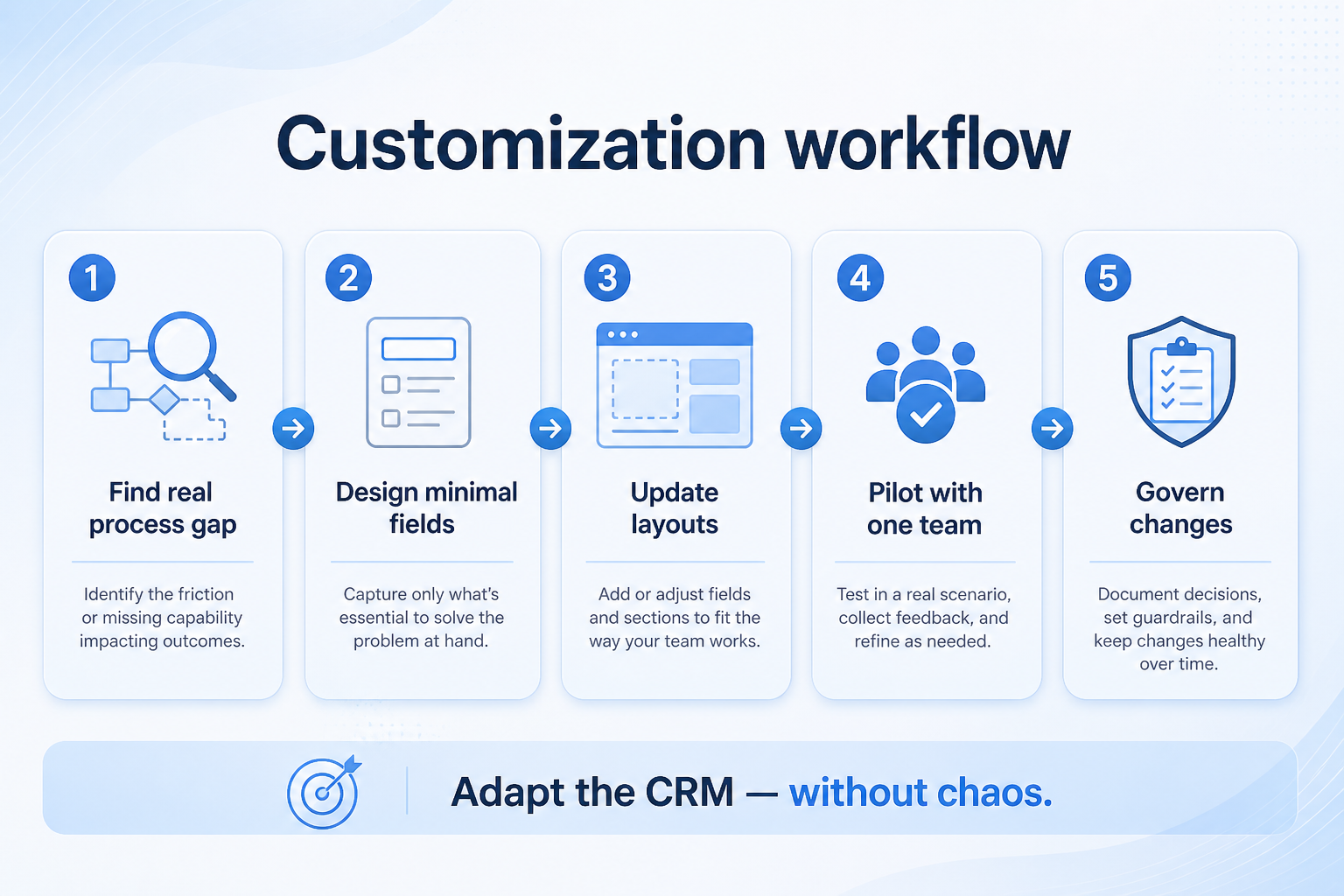
A process attribute has no honest home in the default data model.
A custom field, layout change, or object is planned to fill the gap.
An administrator builds the change without needing a developer.
The team starts using the new field or layout in daily work.
Someone owns field definitions so customization doesn't sprawl unchecked.
Best when
Standard fields don't capture something specific to your sector or process.
Best when
Contacts, accounts, and deals don't map onto everything you manage.
Related page →Best when
The out-of-the-box configuration increasingly fights how your team works.
Identify specific gaps in the standard data model before evaluating platforms.
Get exact numbers, not general statements about flexibility.
Requirements guide →Build your real custom fields and layouts in a trial, not a hypothetical.
Trial evaluation →Decide who owns field definitions and layout decisions before go-live.
Catalogue products tagged to related use cases for customization. Inclusion here is not a ranking.
Crm
Relationship-focused CRM for small sales teams and founders.

Crm
Simple relationship CRM for organizing contacts and collaborative outreach.

Crm
Simple small-business CRM for contacts, sales pipelines, tasks, and lightweight automation without enterprise complexity.

Crm
Enterprise CRM platform for sales, service, marketing, and customer data across large and mid-market teams.

Crm
AI-powered customer platform with free forever CRM, plus paid Smart CRM seats and Sales/Marketing/Service hubs for growing teams.

Crm
Microsoft Dynamics 365 Sales CRM for pipeline management, forecasting, and Microsoft 365 / Copilot workflows.

Crm
Affordable multi-edition sales CRM with free tier, automation, and Zia AI across Standard through Ultimate.

Crm
Modern, flexible CRM for startups and GTM teams with a data-model-first workspace and AI assistance.

Crm
Google Workspace-native CRM for pipeline and relationship management inside Gmail and Google apps.
It's the capability for adapting the data model and interface — custom fields, layouts, and sometimes custom objects — to match your real process.
Only as many as your process genuinely requires. Field count itself isn't the goal — fit is.
Fields add attributes to existing record types. Objects create genuinely new record types beyond contacts, accounts, and deals.
A named administrator, to prevent field sprawl and layout drift over time.
No. Fit depends on how your team works, which requirements are must-haves, and what the CRM has to integrate with. Use the requirement matrix and CRM Finder to build a shortlist rather than starting from a ranking.
Roles, ownership rules, hygiene, and day-to-day CRM operations.
Connect CRM to email, calendar, marketing, support, and finance stacks.
Manage opportunity records, amounts, close dates, and deal hygiene.
Next steps after evaluating customization — decision tools and pages. Affiliate relationships never change recommendations.
Use Finder for a fit-based shortlist, compare products, or build a requirements checklist before demos.
Part of CRM capabilities · CRM Software hub
Want clearer software shortlists? Get buying guides and comparisons by email.
Newsletter coming soon.