
This video is hosted on YouTube
This content is hosted by YouTube. The player loads only after you allow marketing cookies.
CRM feature
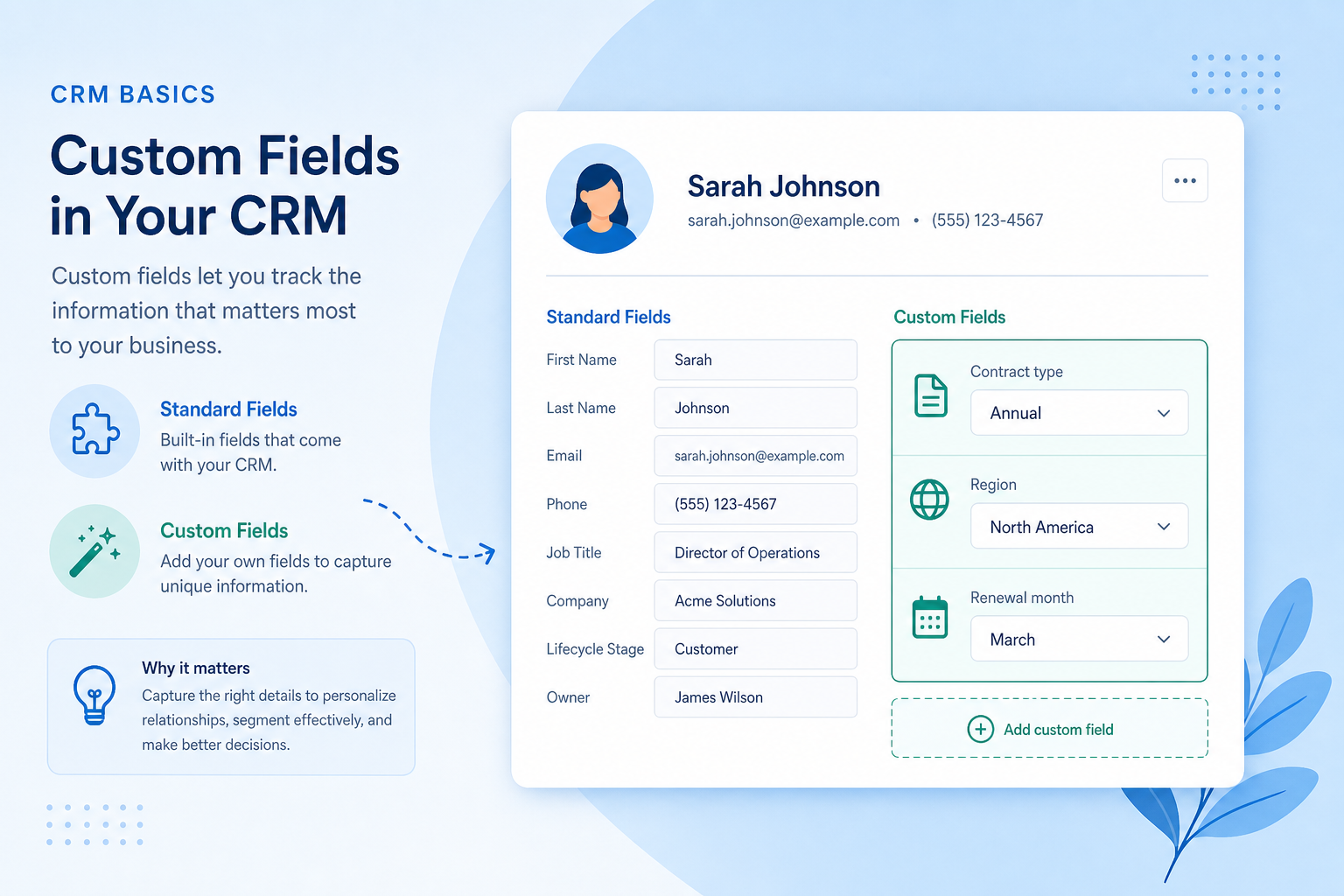
Add the attributes your process actually depends on — AUM band, contract type, territory — without waiting on a developer for every column.
Feature at a glance
Feature type
Configuration (often limited by plan)
Primary capability
Contact management
Typical buyer need
The data that drives decisions is not in the default record
Common limitation
Field counts, available types, and per-object limits are frequently plan-dependent
Products covered
10
Evidence records
560
Reviewed 15 Aug 2026
Fit snapshot
Custom fields is the CRM feature that extends contact, company, deal, and other records with attributes beyond the vendor’s defaults. It is the practical half of customization: you capture what qualification, routing, reporting, and compliance require. It is not the same as custom objects (new record types), and field count alone is not capability — unused fields create noise and bad data.
Ops admins, sales managers, and regulated or specialized teams whose standard CRM fields miss must-have attributes — RIAs tracking AUM and risk, agencies tracking retainers vs projects, B2B teams tracking security review status or ICP segments.
Evaluate field types, where fields can appear (layouts, filters, reports, automation), permissions, and governance — not how many custom fields the plan allows on paper. Prefer a short governed set tied to real decisions.
Custom fields let you add your own attributes to CRM records so the data model reflects how your team qualifies, segments, and reports — not just the vendor's defaults.
Custom Fields is NOT the same as
Pressure points
Pain: ICP tier, contract type, or compliance flags live in spreadsheets beside the CRM.
How the feature helps: Custom fields put those attributes on the record where filters, reports, and automation can use them.
Pain: Every request adds a column; layouts become unusable and data quality collapses.
How the feature helps: Admin-owned field governance, required- sparingly, and layouts per role keep the model lean.
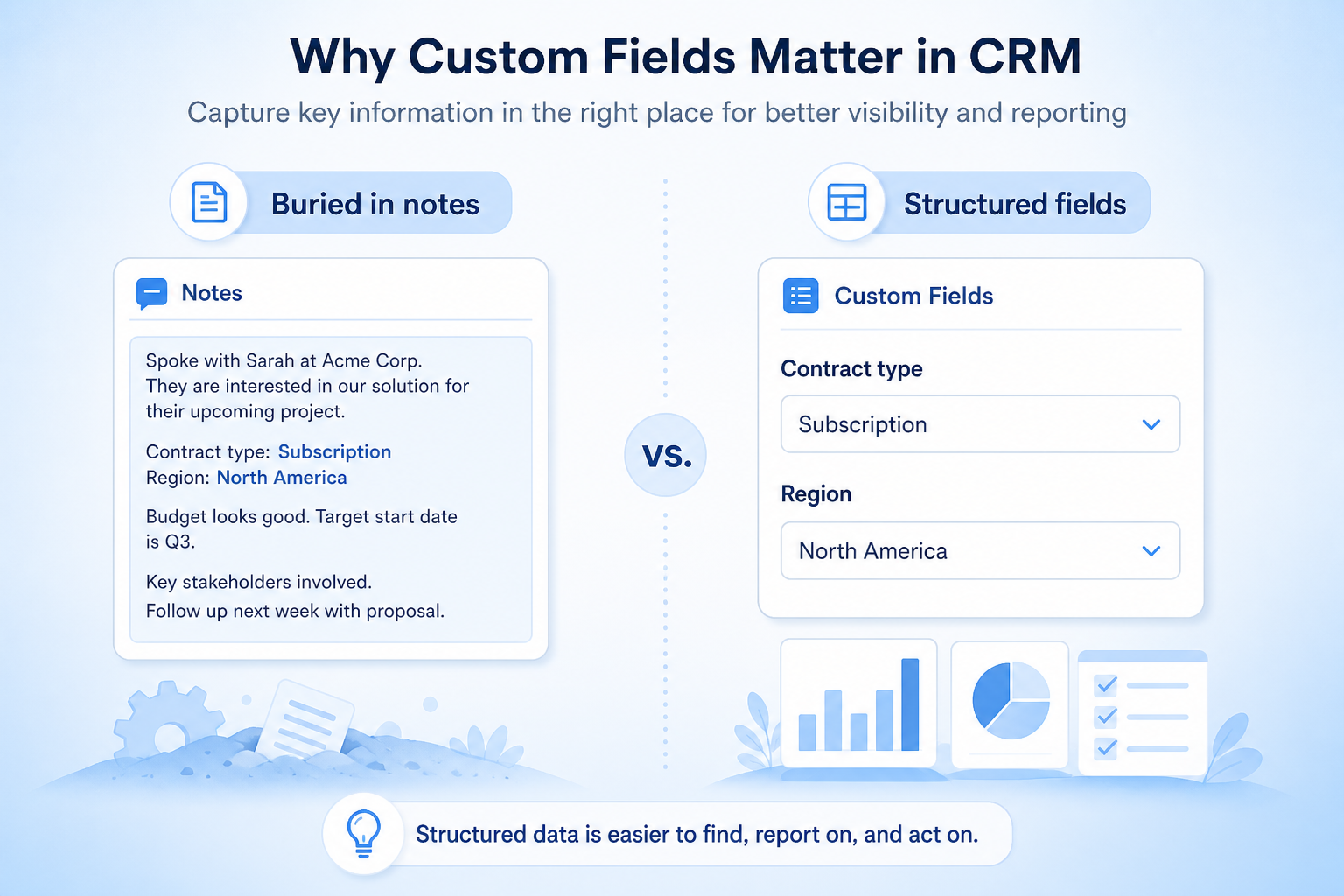
Pain: Managers want win rate by segment, but the segment only exists in a note.
How the feature helps: Reportable custom fields make operational questions answerable in the CRM.
Pain: Rules need “if enterprise and security incomplete…” but those facts are not fields.
How the feature helps: Custom fields become conditions and update targets for workflow automation.
Results
Qualification and handoffs use fields your team already decides on.
Views and outreach target real attributes instead of free-text notes.
Dashboards can group by the same fields people fill in day to day.
Rules can branch on structured values instead of parsing notes.
How it runs
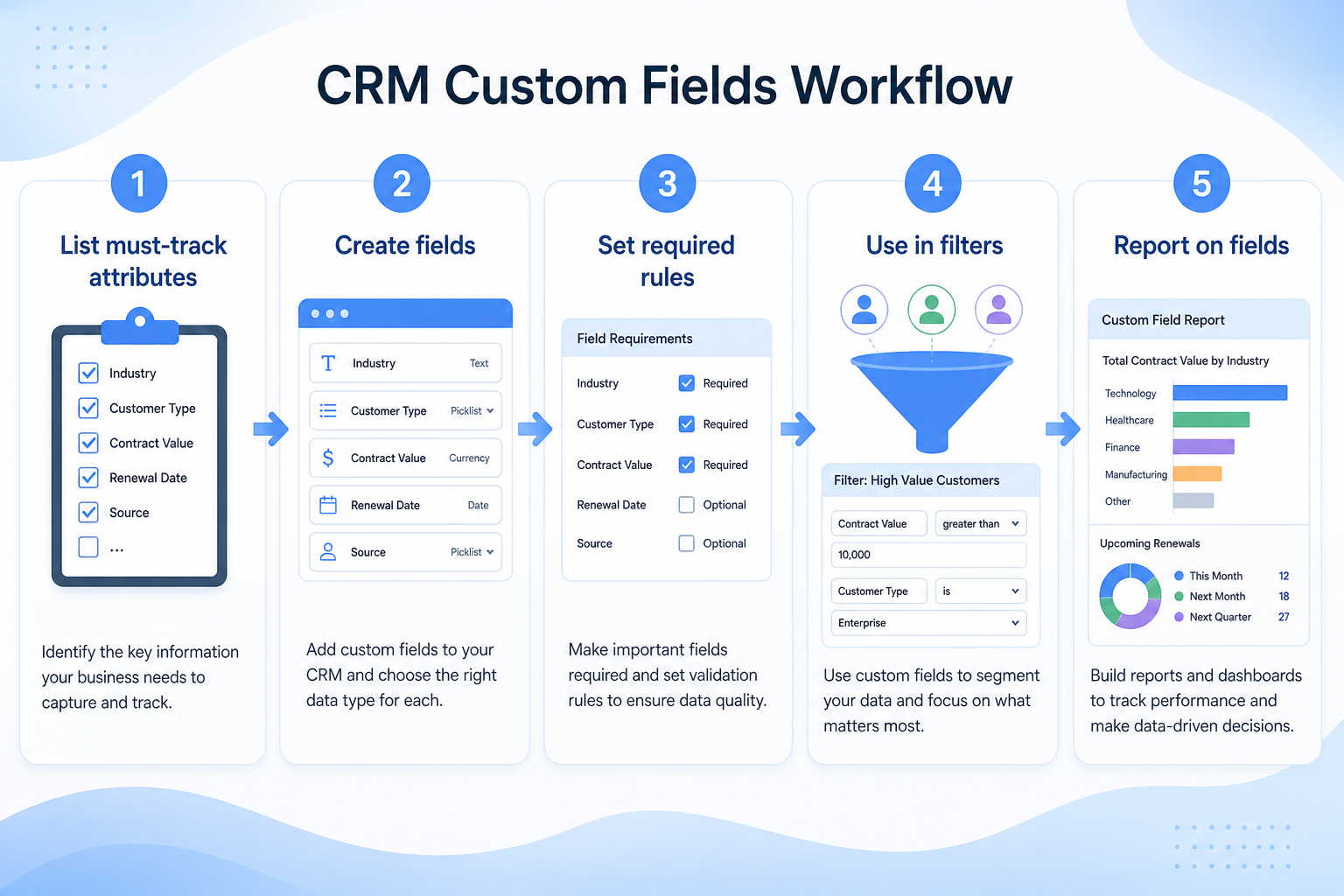
List attributes used in routing, qualification, compliance, or reporting.
Choose types (picklist, number, date) and owners; reject vanity columns.
Show fields where work happens; hide the rest by role when possible.
Require only fields that block real advancement; train on the rest.
Review unused fields quarterly; archive rather than accumulate.
Concrete buyer situations — not product recommendations. Use them to test whether a CRM’s implementation matches how your team works.
RIA: AUM and client type on household records
Situation
A 15-advisor RIA tracks AUM and client type in a spreadsheet because CRM contacts only have name and email. Segment reviews and suitability checks are manual.
What good looks like
Custom fields for AUM band, client type, and last review date on the household/account. Pipeline views and reports filter by AUM band; a workflow nudges when last review date is older than policy.
Ask vendors
Which field types are available? Are custom fields usable in reports and automation? Can field visibility differ by role for sensitive attributes?
B2B SaaS: ICP segment on every opportunity
Situation
A 9-person SaaS sales team argues about win rates by segment, but segment only appears in Slack. Ops cannot build a trustworthy dashboard.
What good looks like
A required picklist ICP Segment on create (Enterprise / Mid-market / SMB). Dashboards and forecasts group by that field. Expansion deals use a separate Renewal Type field on the expansion pipeline.
Ask vendors
Can fields be required on create or on stage change? Can different pipelines show different fields? Are there plan caps on custom fields?
You probably need it if
You may not need it if
Capability
Contact management
Requirement
Customize record fields
Feature
Custom Fields
Feature availability
criticalMinimum plan
highCustom field limits
highUsable in reports
highUsable in automation
importantOfficial product demonstrations can help show how vendors implement the same feature differently. SoftwareGlimpse evaluates these alongside documentation, screenshots and other product evidence. Absence of a video does not mean a product lacks the feature.

Attio
Attio | How to build your sales pipelines
This video is hosted on YouTube
This content is hosted by YouTube. The player loads only after you allow marketing cookies.
What this demonstrates
Not established by this video
Source: Attio · Verified 15 Aug 2026
Open source ↗
Bitrix24
Bitrix24 Quick Start: #5 CRM Entities & Sales Pipeline | Express Course

This video is hosted on YouTube
This content is hosted by YouTube. The player loads only after you allow marketing cookies.
What this demonstrates
Not established by this video
Source: Bitrix24 · Verified 15 Aug 2026
Open source ↗
Copper
How to automate Pipeline Emails

This video is hosted on YouTube
This content is hosted by YouTube. The player loads only after you allow marketing cookies.
What this demonstrates
Not established by this video
Source: Copper · Verified 15 Aug 2026
Open source ↗
Apptivo
Apptivo - Beginner's Guide to Apptivo CRM
This video is hosted on YouTube
This content is hosted by YouTube. The player loads only after you allow marketing cookies.
What this demonstrates
Not established by this video
Source: Apptivo · Verified 16 Aug 2026
Open source ↗Not verified means insufficient evidence — not the same as unsupported.

Agile CRM
Apptivo
Attio
Bitrix24
Copper

Creatio
Cells use feature support. Unknown is never treated as No. Official videos open from evidence — they are never embedded in the matrix.
| Dimension | |||||
|---|---|---|---|---|---|
| Feature availability | Supported | Supported | Supported | Supported | Supported |
| Minimum plan | Free | Lite | Free | Free | Basic |
| Custom field limits | Not verified | Not verified | Not verified | Not verified | Not verified |
| Usable in reports | Supported | Supported | Supported | Supported | Supported |
| Usable in automation | Supported | Supported | Supported | Supported | Supported |
Plan names come from feature entitlements — not inferred from marketing tier labels alone.
| Product | Feature starts at | Notes |
|---|---|---|
| Agile CRM | Free | — |
| Apptivo | Lite | — |
| Attio | Free | — |
| Bitrix24 | Free | — |
| Copper | Basic | — |
| Creatio | Growth | — |
Two products can both support the feature while differing in depth. Official demos below are supplementary — the comparison matrix remains the structured source of truth.
Attio
This video is hosted on YouTube
This content is hosted by YouTube. The player loads only after you allow marketing cookies.
Official vendor tutorial
Attio sales pipeline setup
Bitrix24
This video is hosted on YouTube
This content is hosted by YouTube. The player loads only after you allow marketing cookies.
Official vendor tutorial
Bitrix24 CRM entities
Custom field limits
Compare how products differ on custom field limits rather than assuming parity.
Usable in reports
Compare how products differ on usable in reports rather than assuming parity.
Usable in automation
Compare how products differ on usable in automation rather than assuming parity.
Loading evidence explorer…
Verified product captures only — never stock imagery or mockups.
Agile CRM custom fields
Supported · StrongEvidence: 5 · High confidence
Available from: Free
Agile CRM has researched support for custom fields. See the comparison matrix for related dimensions.
Strengths
Limitations
Best for: Budget-conscious SMBs wanting freemium CRM
See it in action

This video is hosted on YouTube
This content is hosted by YouTube. The player loads only after you allow marketing cookies.
Official vendor video
Official vendor demonstration — complementary evidence, not a substitute for the comparison matrix.
View all feature evidenceApptivo custom fields
Supported · StrongEvidence: 5 · High confidence
Available from: Lite
Apptivo has researched support for custom fields. See the comparison matrix for related dimensions.
Strengths
Limitations
Best for: SMBs wanting CRM plus adjacent business apps
See it in action
This video is hosted on YouTube
This content is hosted by YouTube. The player loads only after you allow marketing cookies.
Official vendor tutorial
Official vendor demonstration — complementary evidence, not a substitute for the comparison matrix.
View all feature evidenceAttio custom fields
Supported · StrongEvidence: 5 · High confidence
Available from: Free
Attio has researched support for custom fields. See the comparison matrix for related dimensions.
Strengths
Limitations
Best for: Startups and GTM teams wanting flexible CRM
See it in action
This video is hosted on YouTube
This content is hosted by YouTube. The player loads only after you allow marketing cookies.
Official vendor tutorial
Official vendor demonstration — complementary evidence, not a substitute for the comparison matrix.
View all feature evidenceBitrix24 custom fields
Supported · StrongEvidence: 5 · High confidence
Available from: Free
Bitrix24 has researched support for custom fields. See the comparison matrix for related dimensions.
Strengths
Limitations
Best for: SMBs wanting free all-in-one CRM/collab
See it in action
This video is hosted on YouTube
This content is hosted by YouTube. The player loads only after you allow marketing cookies.
Official vendor tutorial
Official vendor demonstration — complementary evidence, not a substitute for the comparison matrix.
View all feature evidenceCopper custom fields
Supported · StrongEvidence: 5 · High confidence
Available from: Basic
Copper has researched support for custom fields. See the comparison matrix for related dimensions.
Strengths
Limitations
Best for: SMB teams standardized on Google Workspace
See it in action
This video is hosted on YouTube
This content is hosted by YouTube. The player loads only after you allow marketing cookies.
Official vendor tutorial
Official vendor demonstration — complementary evidence, not a substitute for the comparison matrix.
View all feature evidenceFlexibility vs field sprawl
Unmanaged custom fields accumulate until nobody knows which to fill in.
Required fields vs adoption
Mandatory fields improve data quality and slow down record creation.
Plan restrictions
Availability and depth often differ by plan tier, so check where this feature starts.
Feature availability alone does not tell you whether the implementation fits your workflow. Compare depth, plan gating, and related dimensions before shortlisting.
Relationship-led teams
Medium relevanceRecord the attributes your reviews and segments depend on.
High-volume lead handling
Medium relevanceCapture the data that decides priority.
Complex sales processes
Medium relevanceCapture process-specific data on opportunities.
Growing teams
SituationalAdd your own fields as the process matures.
Add this as a requirement in your CRM shortlist and personalize for team size, budget, and other priorities.
Find My CRM10
Products covered
560
Evidence items
277
Screenshots
37
Plan records
Capability
Contact management
Requirement
Customize record fields
Feature
Custom Fields
Products
10 researched
Evidence
560 records
They are admin-defined attributes added to standard records (contacts, companies, deals, and others) so the data model matches your process.
Fields add columns to existing record types. Custom objects create new record types when contacts, companies, and deals are not enough.
Only as many as your process, routing, compliance, or reporting genuinely require. Field count is not a quality metric.
Compare catalogue CRM products based on this feature plus your other requirements, team size and budget.
Explore the official documentation, screenshots and product demonstrations used to understand how each CRM implements this feature.
40 items
Official video · Attio
Supports
Demonstrates
This video is hosted on YouTube
This content is hosted by YouTube. The player loads only after you allow marketing cookies.
Official vendor tutorial
Verified: 15 Aug 2026
Open source ↗Official video · Bitrix24
Supports
Demonstrates
This video is hosted on YouTube
This content is hosted by YouTube. The player loads only after you allow marketing cookies.
Official vendor tutorial
Verified: 15 Aug 2026
Open source ↗
Official video · Dynamics 365
Supports
Demonstrates

This video is hosted on YouTube
This content is hosted by YouTube. The player loads only after you allow marketing cookies.
Official vendor tutorial
Verified: 15 Aug 2026
Open source ↗
Official video · Insightly
Supports
Demonstrates

This video is hosted on YouTube
This content is hosted by YouTube. The player loads only after you allow marketing cookies.
Official vendor tutorial
Verified: 15 Aug 2026
Open source ↗
Official video · Mailchimp
Supports
Demonstrates

This video is hosted on YouTube
This content is hosted by YouTube. The player loads only after you allow marketing cookies.
Official vendor tutorial
How Mailchimp presents the product in an official vendor video.
Verified: 16 Aug 2026
Open source ↗Official video · Salesforce
Supports
Demonstrates

This video is hosted on YouTube
This content is hosted by YouTube. The player loads only after you allow marketing cookies.
Official vendor video
Financial Services Cloud overview — client/account relationships and advisor workflows
Verified: 14 Aug 2026
Open source ↗Official video · Streak
Supports
Demonstrates

This video is hosted on YouTube
This content is hosted by YouTube. The player loads only after you allow marketing cookies.
Official vendor tutorial
Verified: 15 Aug 2026
Open source ↗Screenshot · Attio
Supports
Demonstrates
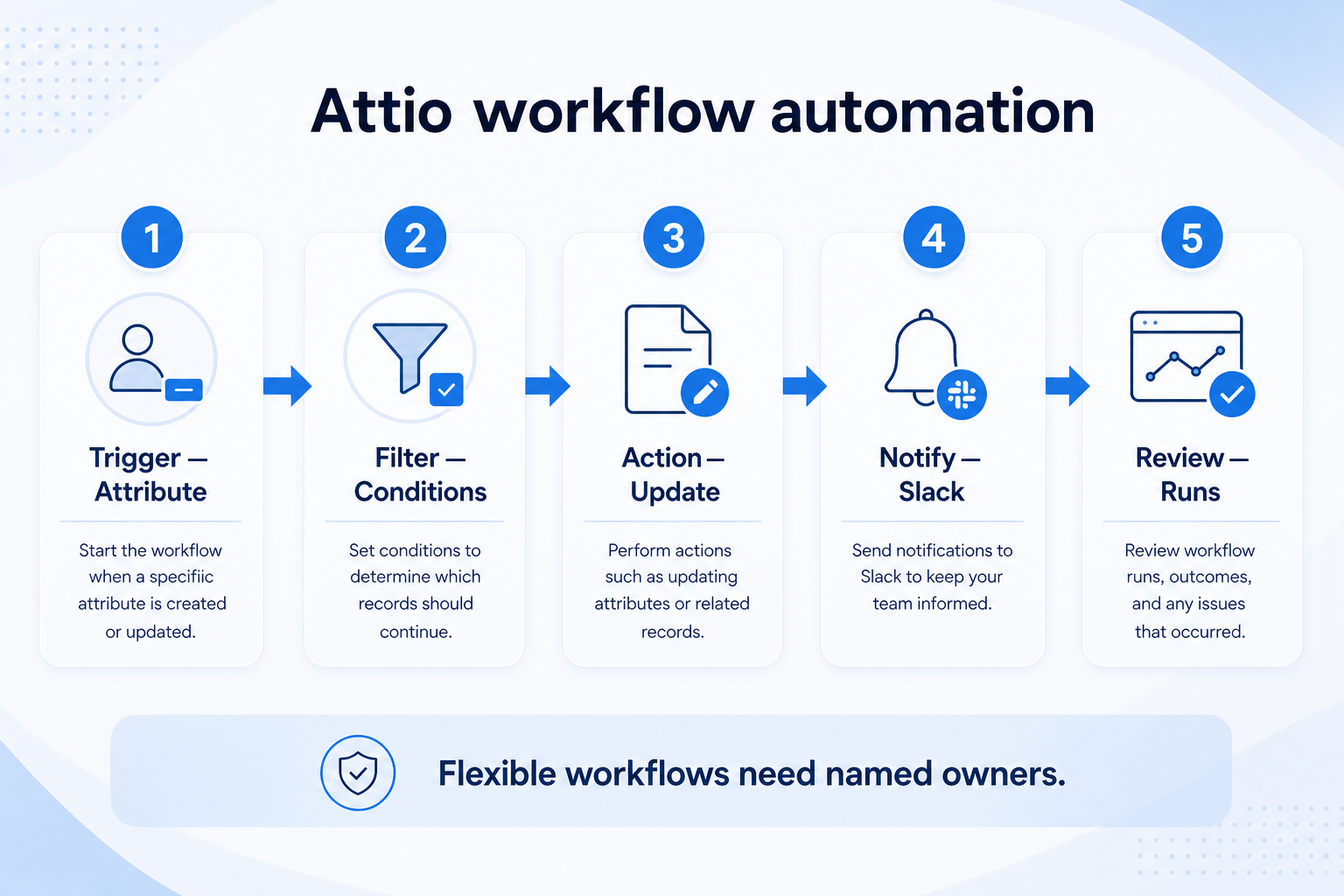
Verified: 15 Aug 2026
Open source ↗Screenshot · Capsule
Supports
Demonstrates
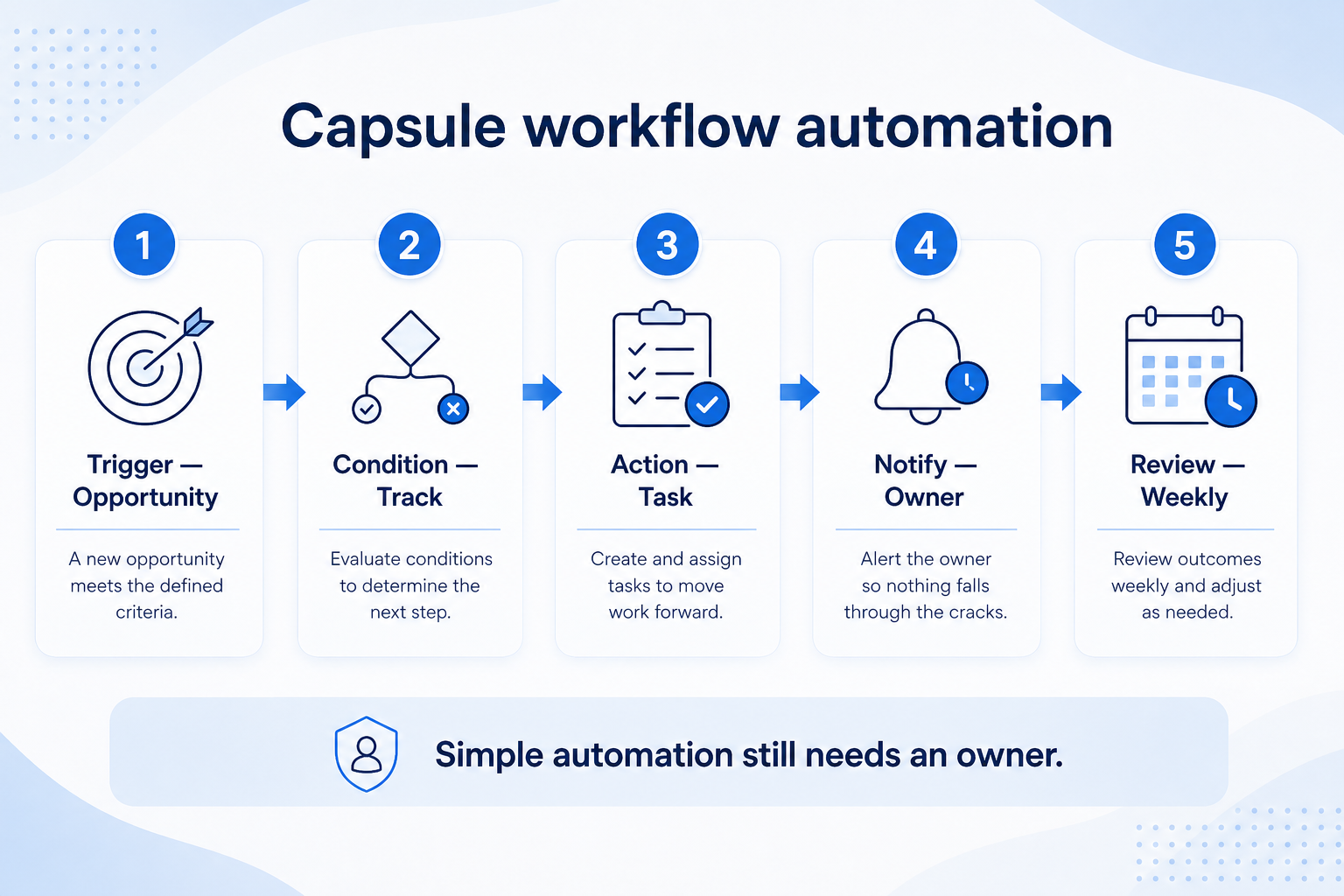
Verified: 15 Aug 2026
Open source ↗Screenshot · Close
Supports
Demonstrates
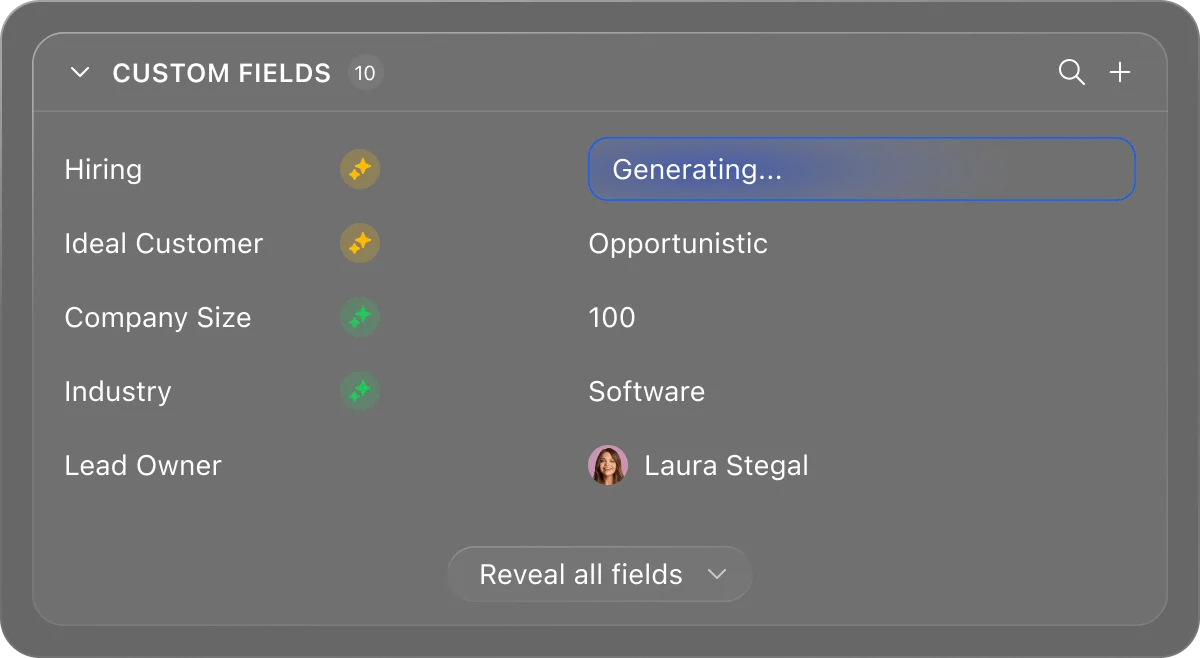
Verified: 13 Aug 2026
Open source ↗Screenshot · Close
Supports
Demonstrates
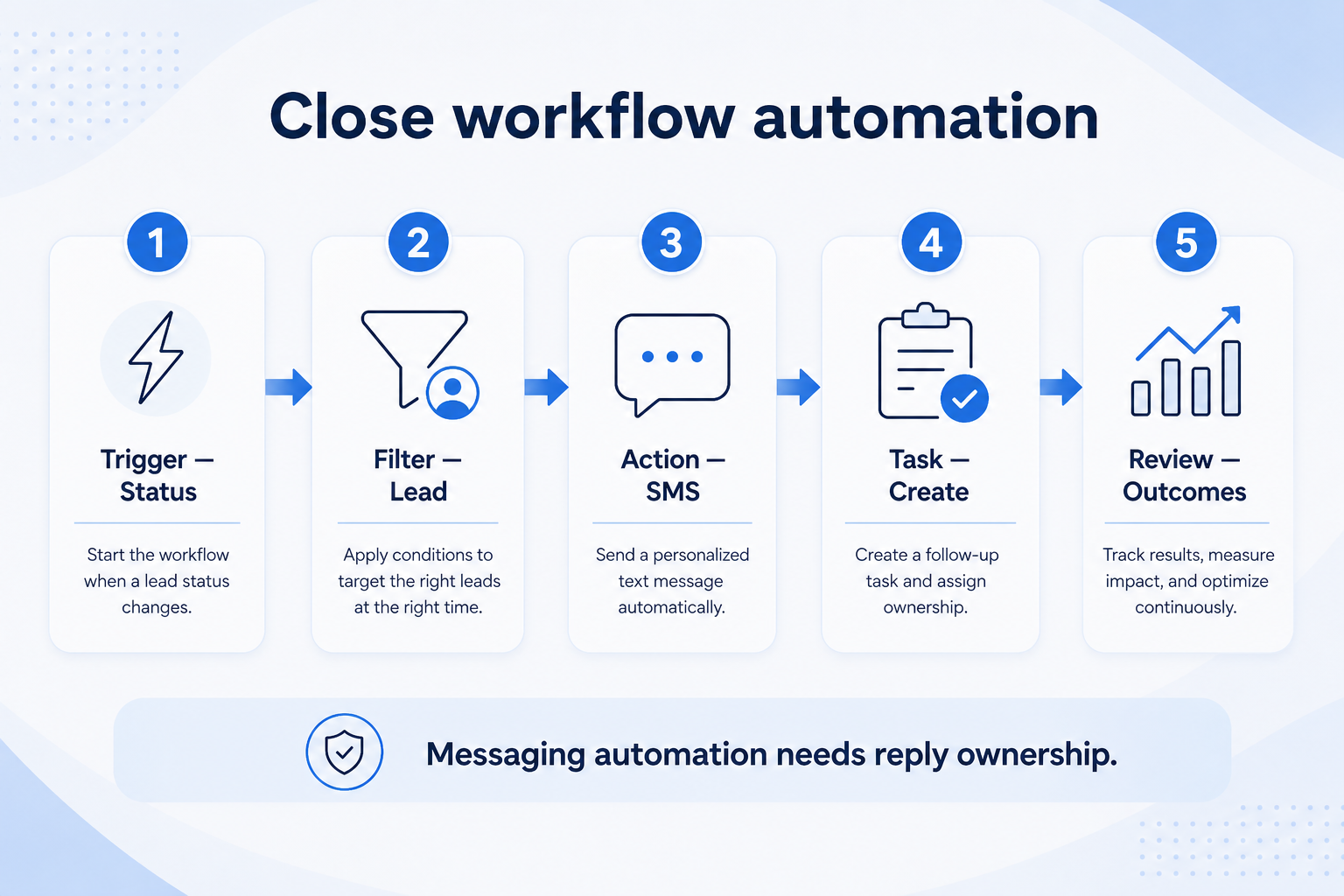
Verified: 15 Aug 2026
Open source ↗Screenshot · Copper
Supports
Demonstrates
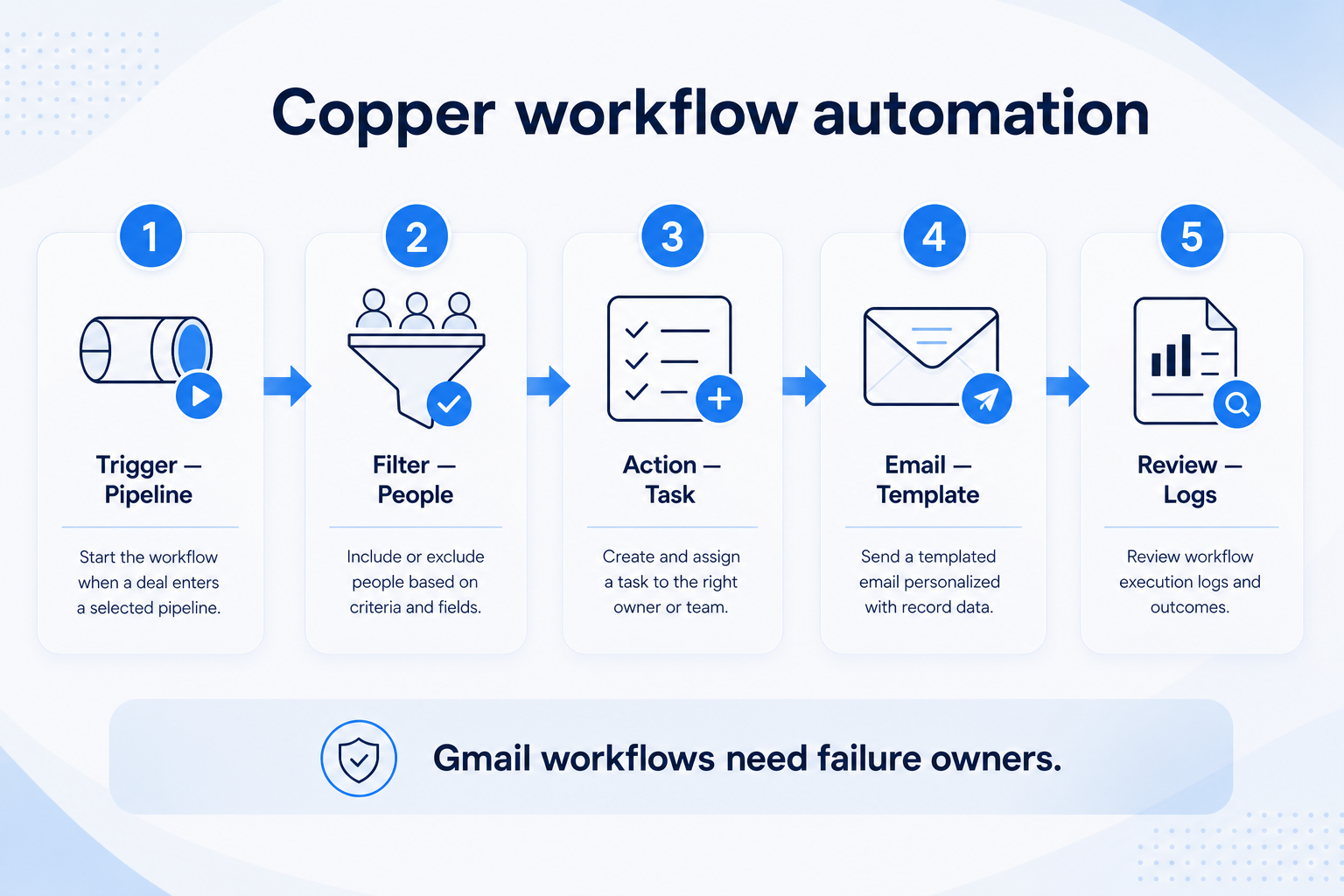
Verified: 15 Aug 2026
Open source ↗Screenshot · folk
Supports
Demonstrates
Verified: 13 Aug 2026
Open source ↗Screenshot · folk
Supports
Demonstrates
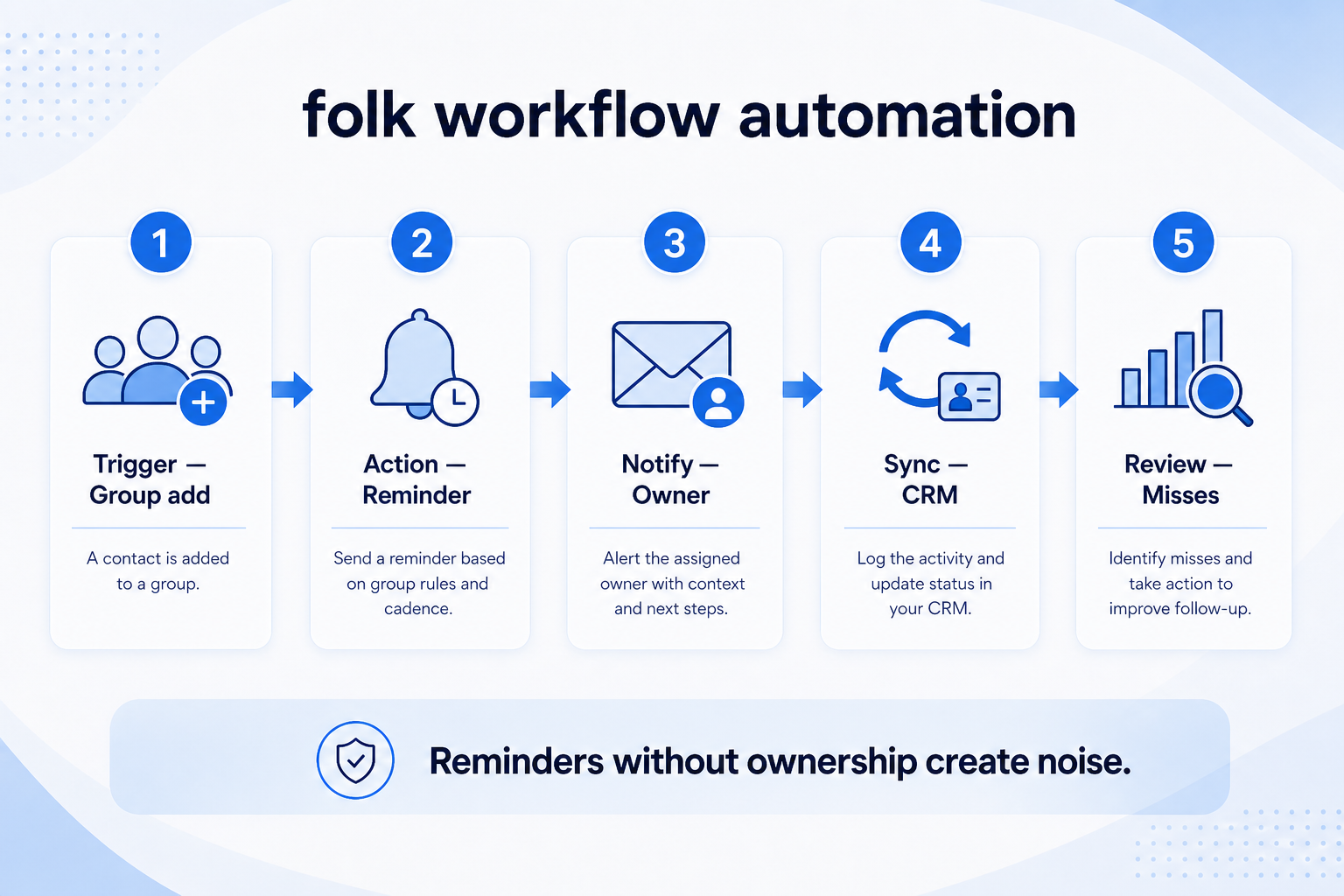
Verified: 15 Aug 2026
Open source ↗Screenshot · Freshsales
Supports
Demonstrates
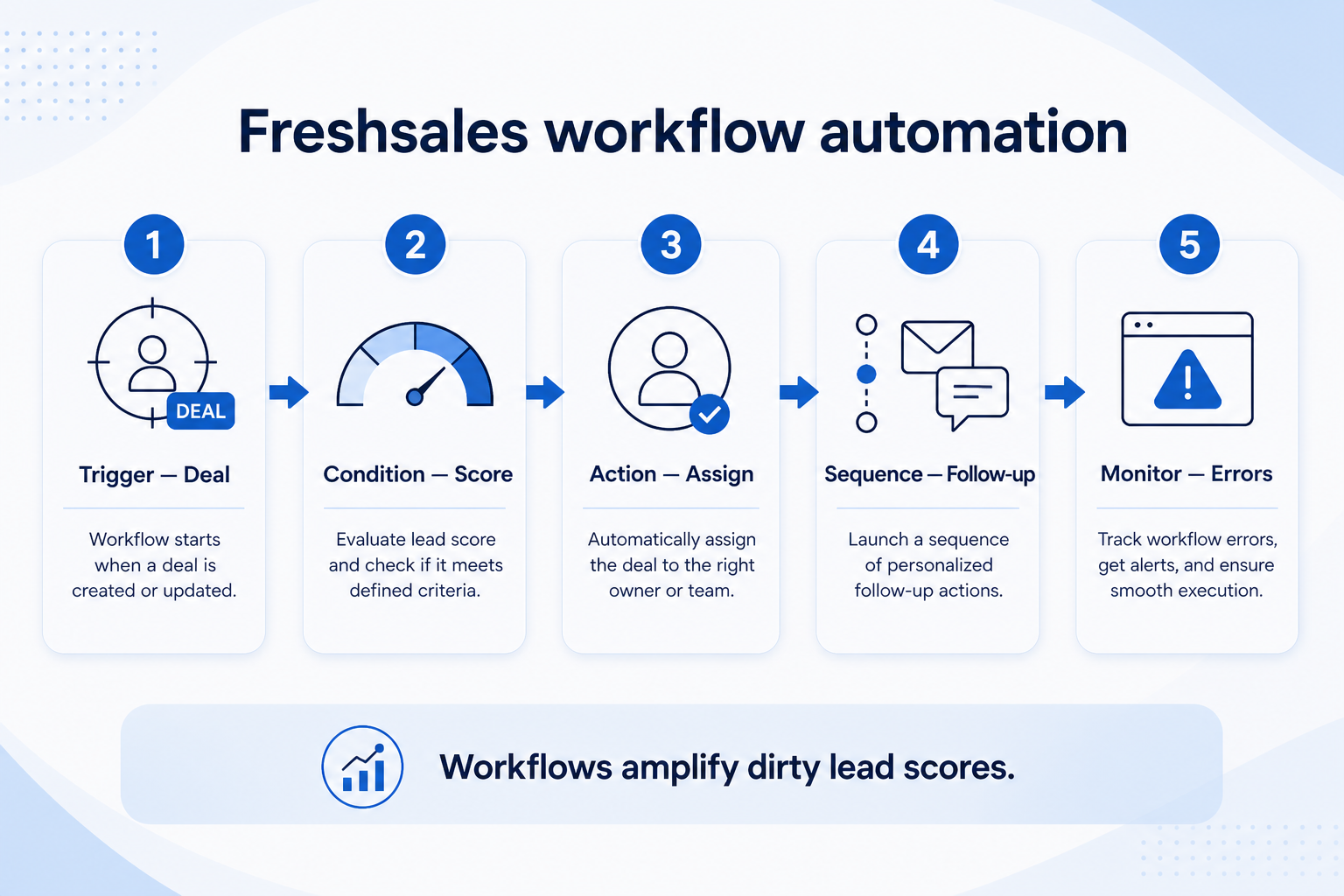
Verified: 15 Aug 2026
Open source ↗
Screenshot · HubSpot
Supports
Demonstrates
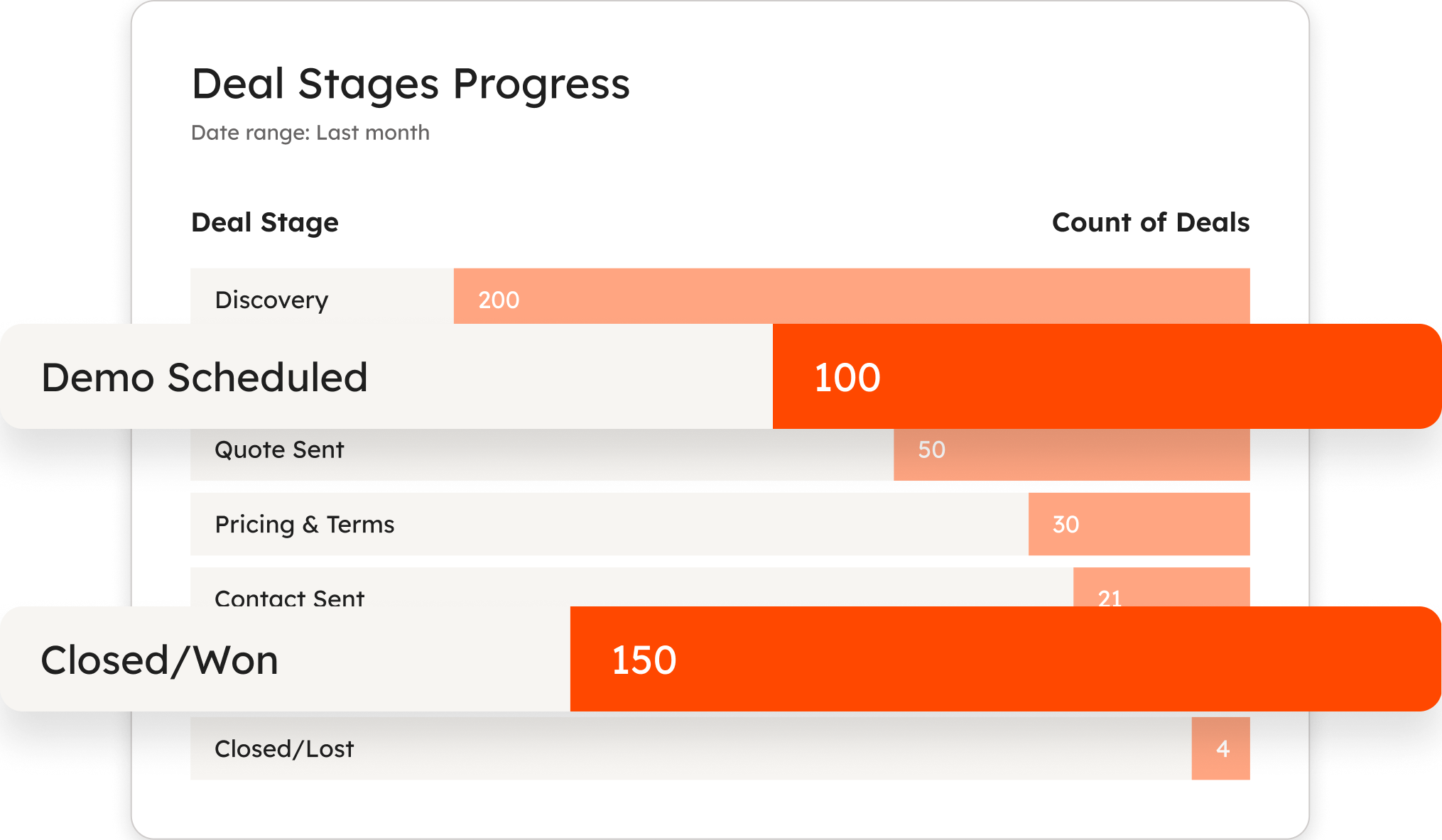
Verified: 14 Aug 2026
Open source ↗Screenshot · Insightly
Supports
Demonstrates
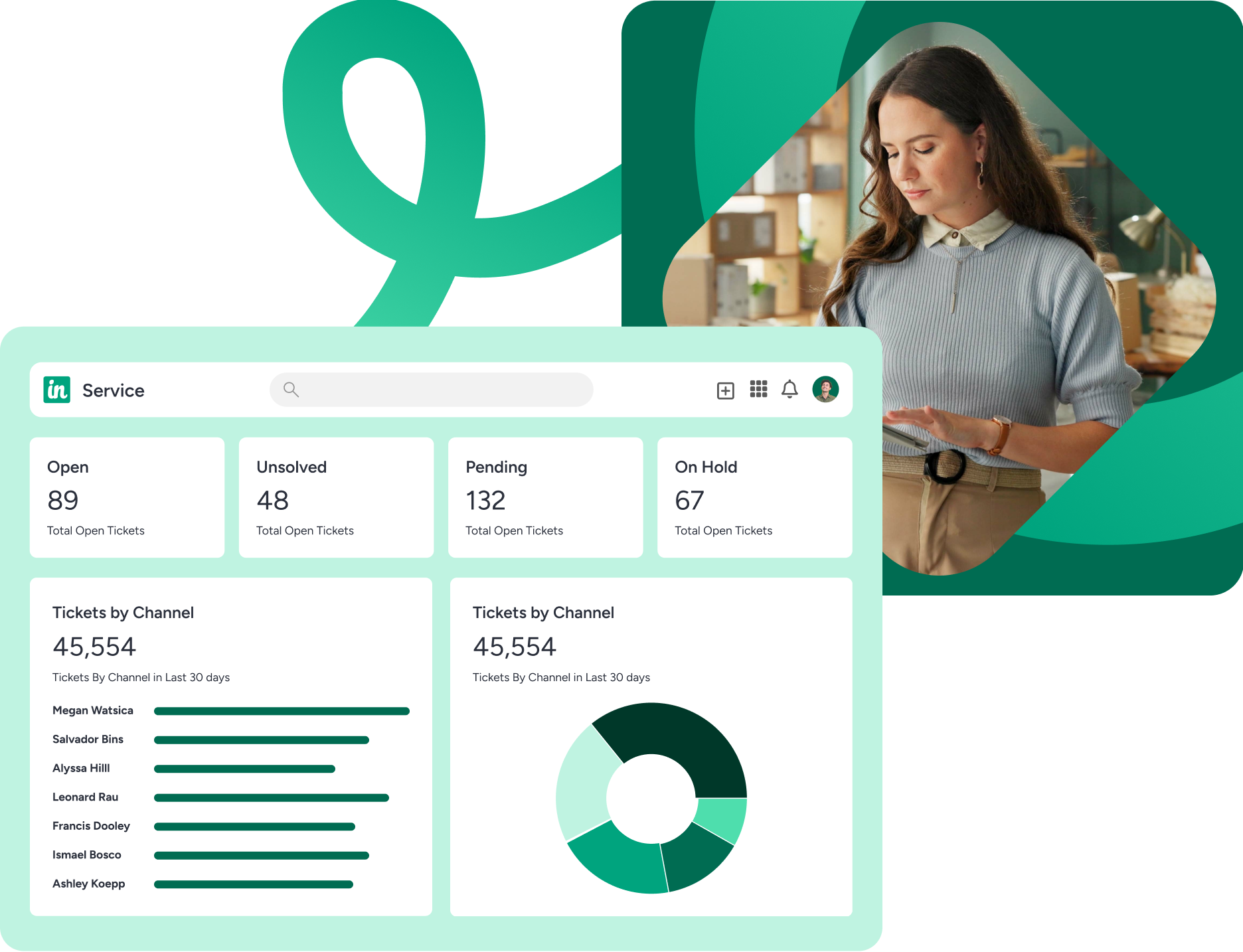
Verified: 15 Aug 2026
Open source ↗Screenshot · Keap
Supports
Demonstrates
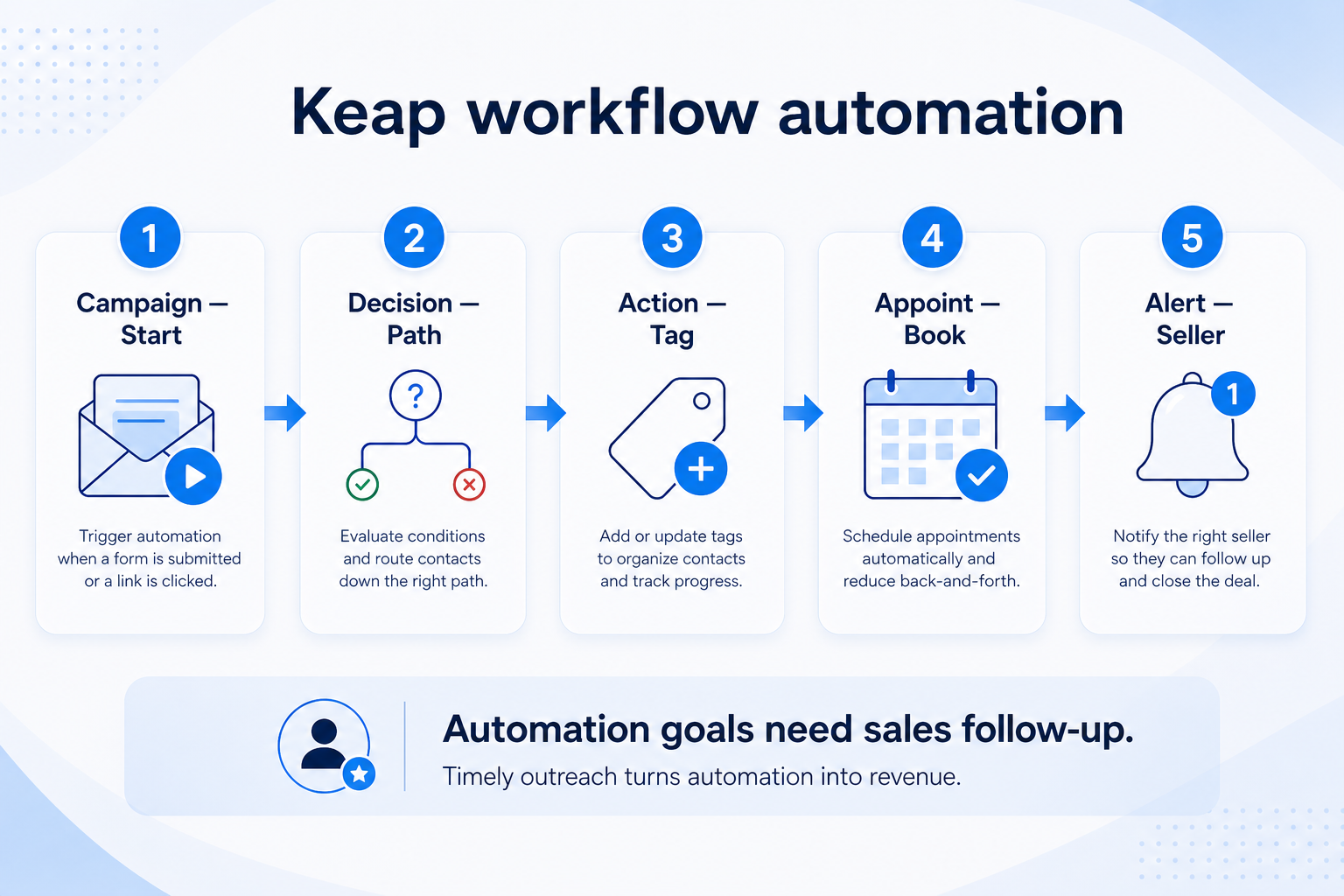
Verified: 15 Aug 2026
Open source ↗Screenshot · Salesflare
Supports
Demonstrates
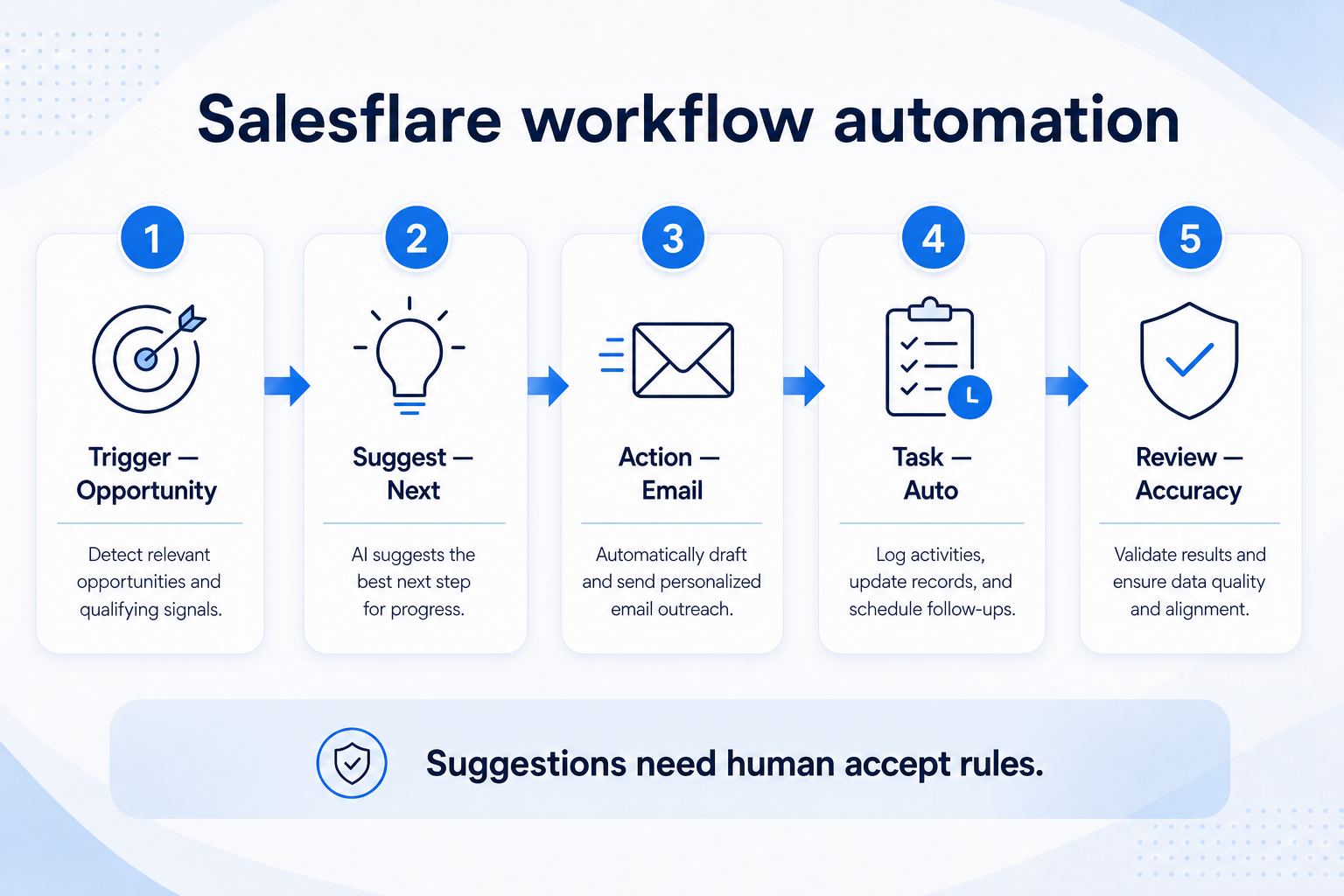
Verified: 15 Aug 2026
Open source ↗Official documentation · Agile CRM
Supports
Verified: —
Open source ↗Official documentation · Agile CRM
Supports
Verified: —
Open source ↗Official documentation · Apptivo
Supports
Verified: —
Open source ↗Official documentation · Apptivo
Supports
Verified: —
Open source ↗Official documentation · Attio
Supports
Verified: —
Open source ↗Official documentation · Attio
Supports
Verified: —
Open source ↗Official documentation · Bitrix24
Supports
Verified: —
Open source ↗Official documentation · Bitrix24
Supports
Verified: —
Open source ↗Official documentation · Copper
Supports
Verified: —
Open source ↗Official documentation · Copper
Supports
Verified: —
Open source ↗Official documentation · Creatio
Supports
Verified: —
Open source ↗Official documentation · Creatio
Supports
Verified: —
Open source ↗Official documentation · Dynamics 365
Supports
Verified: —
Open source ↗Official documentation · Dynamics 365
Supports
Verified: —
Open source ↗Official documentation · HubSpot
Supports
Verified: —
Open source ↗Official documentation · HubSpot
Supports
Verified: —
Open source ↗Official documentation · HubSpot
Supports
Verified: —
Open source ↗Official documentation · Insightly
Supports
Verified: —
Open source ↗Official documentation · Insightly
Supports
Verified: —
Open source ↗Official documentation · Mailchimp
Supports
Verified: —
Open source ↗Official documentation · Mailchimp
Supports
Verified: —
Open source ↗