





SoftwareGlimpse

CRM requirement

CRM requirement: Manage integrations

Start from the stack you already run — then confirm connectors, sync direction, failure surfacing, and API access on the plan you will buy.

  • Evidence-backed evaluations
  • Same criteria across products
  • Affiliate relationships never affect scores
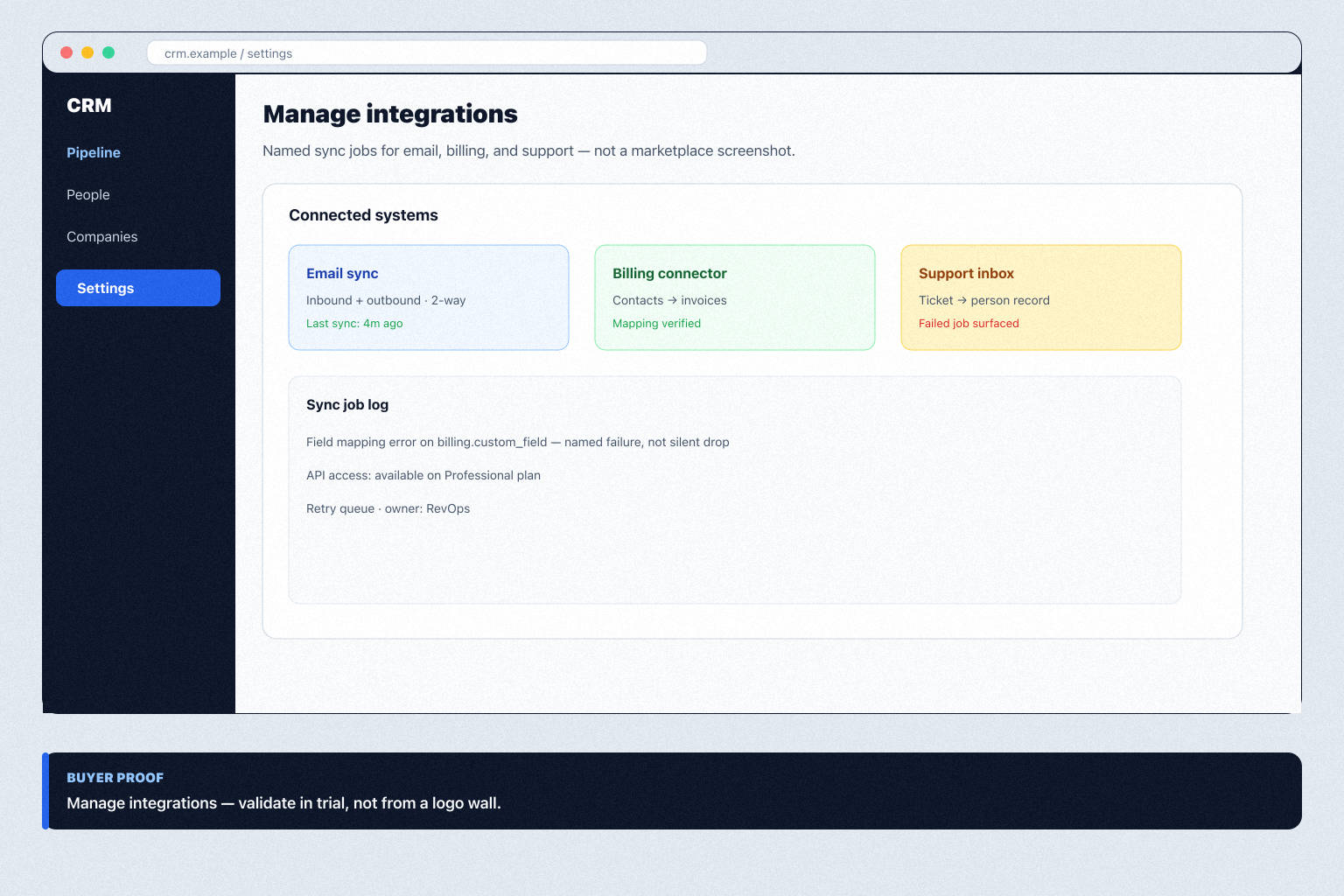
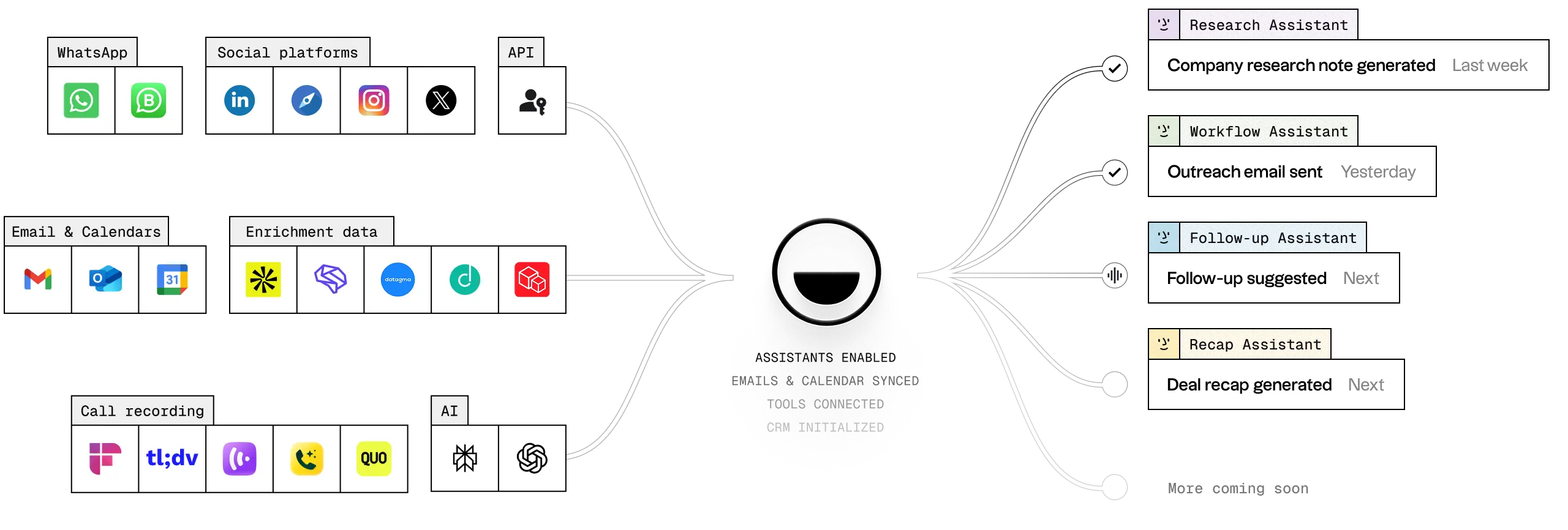
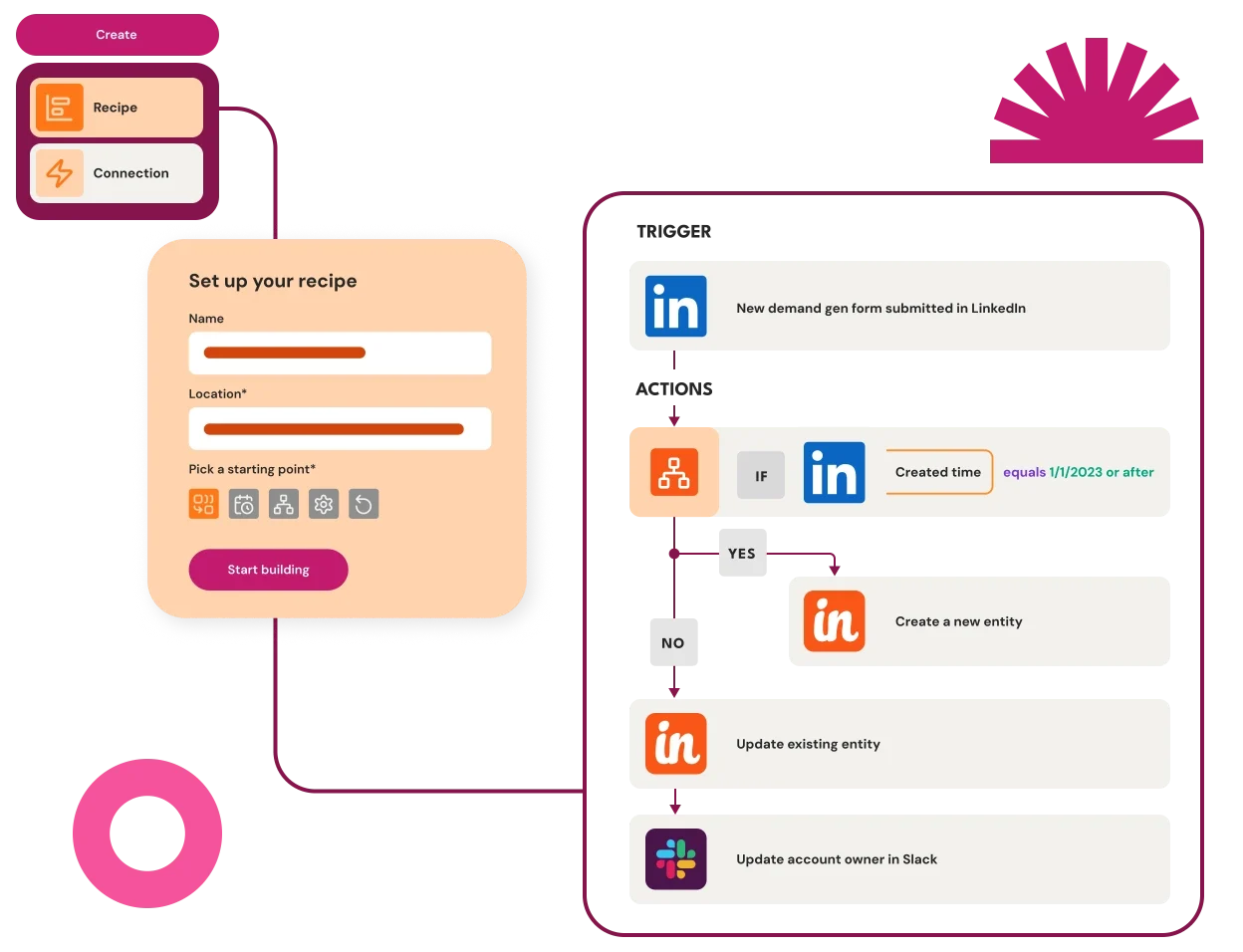
Educational diagram of a CRM connecting to email, billing, and support systems with named sync jobs rather than a logo wall.
Integrations are owned sync jobs for your stack — not a marketplace screenshot.

Requirement at a glance

  • Requirement type

    Integration / platform

  • Primary capability

    Integrations

  • Typical importance

    High

3

Core features

2

Supporting features

10

Products covered

Last reviewed 14 Aug 2026

Requirement snapshot

Overview

Managing integrations means the CRM can connect to the systems that already hold customer data without re-keying. Evaluate native connectors, field-level sync, who sees failures, and whether API access is gated. A long directory of logos is not the requirement; a maintained path for your actual stack is.

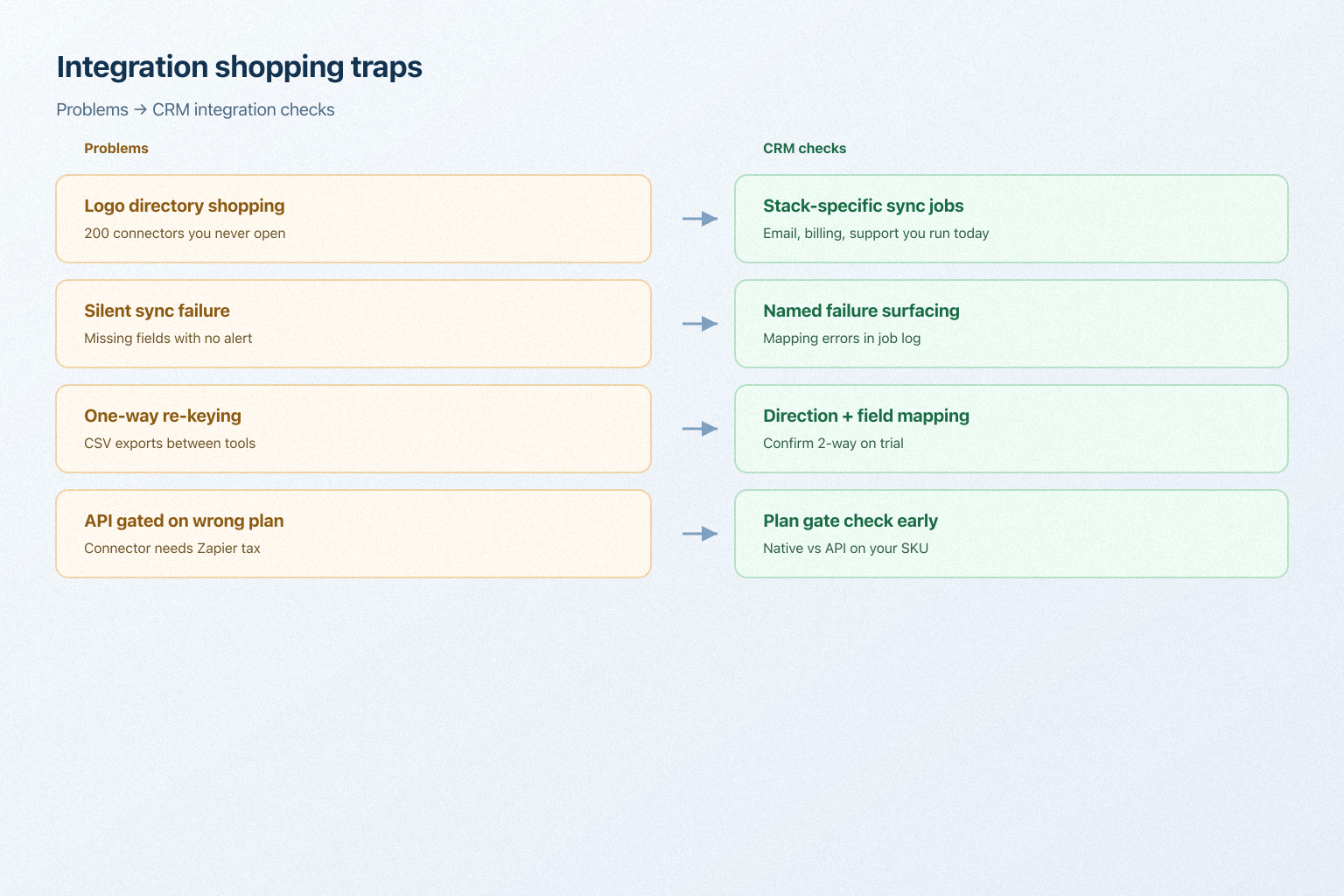
Diagram mapping silent sync failure and logo-directory shopping to CRM integration checks.
What breaks when buyers shop connector counts instead of their own stack.

Who this is for

Revops and IT buyers whose CRM must talk to email, billing, support, or a data warehouse — a Harbor Sales team syncing Pulse billing, or a Northstar agency connecting inbox and project tools.

Worked examples

How teams satisfy “manage integrations” in practice

  • 1

    Example 1

    Harbor Sales needs Contacts → Pulse billing and email history on the person record. In the trial they force a failed sync and check whether the CRM names the broken mapping instead of failing silently.

  • 2

    Example 2

    an 8-person agency. Native email sync is on the qualifying plan; the project-tool connector is beta. They keep the CRM if email is native and treat the project tool as API/Zapier — not as a reason to stretch the product.

What “manage integrations” usually needs

Start with must-haves your team will use weekly to accept this requirement as met. Treat nice-to-haves as later upgrades — not day-one blockers.

Must-have

  • Stack coverage

    Do native integrations exist for the systems you depend on?

    Learn more →
  • Sync depth and direction

    Do integrations move the fields you need, in the direction you need?

    Learn more →

Nice-to-have

  • API availability

    Is API access included, and are rate limits workable?

    Learn more →
  • Failure visibility

    Are failed syncs surfaced and retried?

    Learn more →
  • Integration governance

    Can you control who connects what, and with which access?

    Learn more →

How to validate “manage integrations

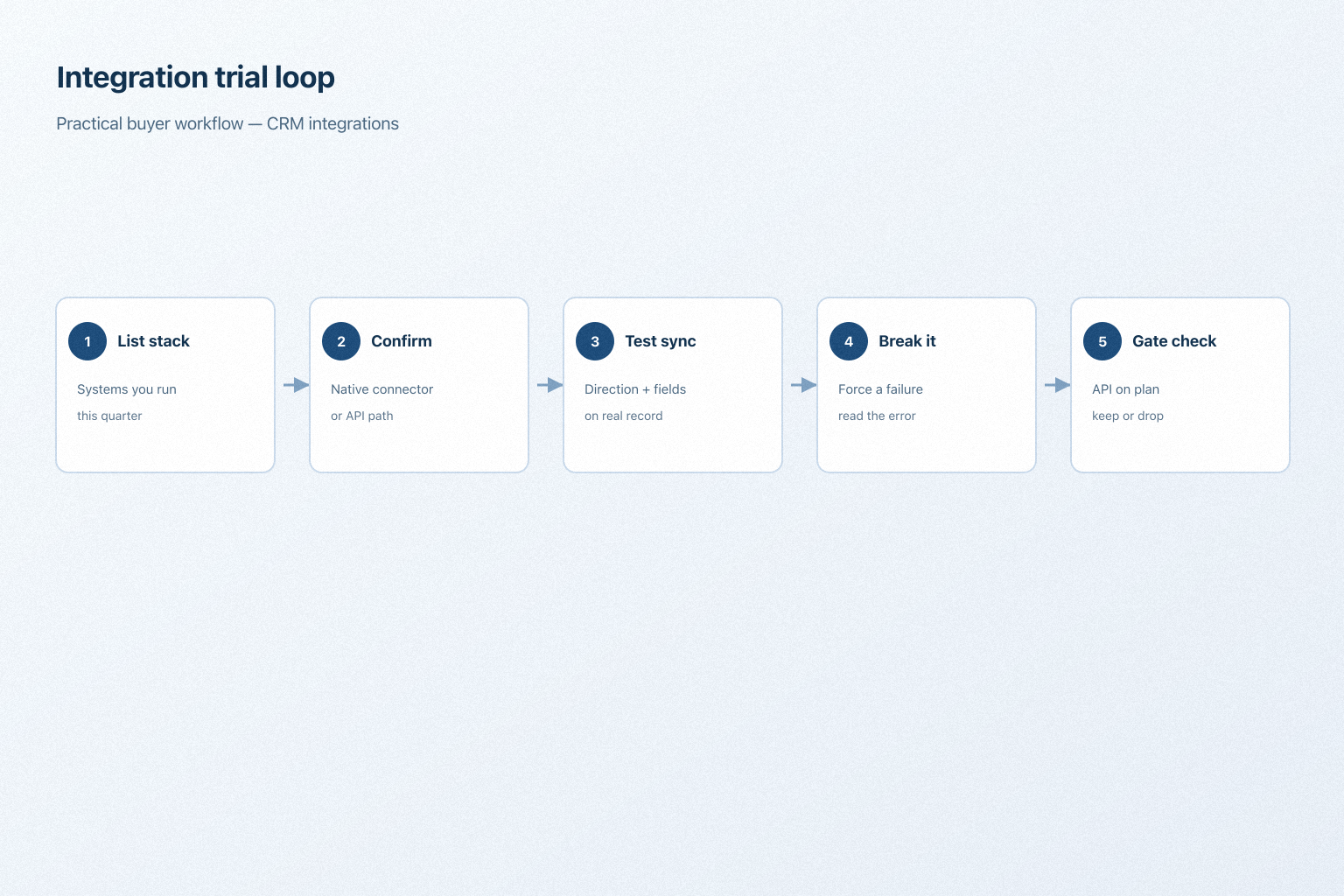
A simple validation loop beats a long checklist nobody runs during a trial.

Workflow: list stack, confirm connector, test sync direction, watch a failure, check API gate.
A practical integration trial loop.

The short answer

Start from your own stack rather than the vendor's directory. For each system you depend on, confirm the integration exists, syncs the fields and direction you need, is actively maintained, and surfaces failures. Then check whether API access is included on your plan.

Do you need this requirement?

You probably need this if

  • Customer data lives in more than one system
  • The team works primarily inside another tool
  • Manual reconciliation between systems is consuming time
  • Reporting depends on data from outside the CRM

You may not need this if

  • The CRM would be your only customer system
  • Volumes are low enough that occasional manual entry is acceptable
Not sure? Answer this in CRM Finder →

Why this requirement matters

  • Less duplicate entry

    Data arrives from the source system rather than being typed twice.

  • Accuracy

    Records stay current instead of drifting apart between systems.

  • Adoption

    People use a CRM that fits their existing tools rather than replacing them.

  • Automation reach

    Connected data lets workflows act across systems, not just inside the CRM.

Where this requirement fits

  1. Use cases

    3 linked
  2. Capability

    Integrations
  3. Features

    5 related
  4. Products

    10 evaluated

What good support looks like

  • required

    Stack coverage

    Do native integrations exist for the systems you depend on?

  • required

    Sync depth and direction

    Do integrations move the fields you need, in the direction you need?

  • important

    API availability

    Is API access included, and are rate limits workable?

  • important

    Failure visibility

    Are failed syncs surfaced and retried?

  • supporting

    Integration governance

    Can you control who connects what, and with which access?

Required Important Supporting

Features that satisfy this requirement

Which CRMs satisfy this requirement?

Fit reflects feature support for this requirement — not affiliate status. Insufficient evidence is never treated as failure.

  • Agile CRM logo

    Agile CRM

    Strong support
    Core features
    2/2
    Supporting
    1/1
    Evidence
    6 sources
    Plan
    Free
    Confidence
    High

    Key strength: Integrations: supported

    Why this fit?
  • Apptivo logo

    Apptivo

    Strong support
    Core features
    2/2
    Supporting
    1/1
    Evidence
    6 sources
    Plan
    Lite
    Confidence
    High

    Key strength: Integrations: supported

    Why this fit?
  • Attio logo

    Attio

    Strong support
    Core features
    2/2
    Supporting
    1/1
    Evidence
    6 sources
    Plan
    Free
    Confidence
    High

    Key strength: Integrations: supported

    Why this fit?
  • Bitrix24 logo

    Bitrix24

    Strong support
    Core features
    2/2
    Supporting
    1/1
    Evidence
    6 sources
    Plan
    Free
    Confidence
    High

    Key strength: Integrations: supported

    Why this fit?
  • Copper logo

    Copper

    Strong support
    Core features
    2/2
    Supporting
    1/1
    Evidence
    6 sources
    Plan
    Basic
    Confidence
    High

    Key strength: Integrations: supported

    Why this fit?
  • Creatio logo

    Creatio

    Strong support
    Core features
    2/2
    Supporting
    1/1
    Evidence
    6 sources
    Plan
    Growth
    Confidence
    High

    Key strength: Integrations: supported

    Why this fit?

Requirement scorecard

Each cell reflects feature support for that criterion. Open Why? for documentation, screenshots, and official videos mapped to that criterion only — video counts never change the assessment.

Criterion
Agile CRM logoAgile CRM
Apptivo logoApptivo
Attio logoAttio
Bitrix24 logoBitrix24
Copper logoCopper
Creatio logoCreatio
Stack coverage
Strong

2 docs

Strong

2 docs

Strong

2 docs

Strong

2 docs

Strong

2 docs

Strong

2 docs

Sync depth and direction
Strong

2 docs

Strong

2 docs

Strong

2 docs

Strong

2 docs

Strong

2 docs

Strong

2 docs

API availability
Insufficient evidence
Failure visibility
Strong

2 docs

Strong

2 docs

Strong

2 docs

Strong

2 docs

Strong

2 docs

Strong

2 docs

Integration governance
Strong

2 docs

Strong

2 docs

Strong

2 docs

Strong

2 docs

Strong

2 docs

Strong

2 docs

Overall / plan
StrongFreeConfidence: High
StrongLiteConfidence: High
StrongFreeConfidence: High
StrongBasicConfidence: High
StrongGrowthConfidence: High

Compare products against this requirement

Structured evaluation — not media-driven. Video helps illustrate implementation; it does not determine who ranks higher.

CriterionAgile CRMApptivoAttio
Stack coverageStrong supportStrong supportStrong support
Sync depth and directionStrong supportStrong supportStrong support
API availabilityInsufficient evidenceInsufficient evidenceInsufficient evidence
Failure visibilityStrong supportStrong supportStrong support
Integration governanceStrong supportStrong supportStrong support
Compare products →

Compare how products meet this requirement

Unknown / not verified is never treated as unsupported.

Feature
Integrations
API access
Email sync
Workflow automation
Call functionality

How each CRM meets this requirement

Agile CRM logo

Agile CRM for manage integrations

Strong support

Evidence confidence: High

Plan required: Free

Plan availability comes from official pricing / plan documentation — not from feature demos.

Why

  • Integrations: supported
  • Email Sync: supported
  • Workflow Automation: supported

Trade-offs

  • No major limitations surfaced for this requirement.
Apptivo logo

Apptivo for manage integrations

Strong support

Evidence confidence: High

Plan required: Lite

Plan availability comes from official pricing / plan documentation — not from feature demos.

Why

  • Integrations: supported
  • Email Sync: supported
  • Workflow Automation: supported

Trade-offs

  • No major limitations surfaced for this requirement.
Attio logo

Attio for manage integrations

Strong support

Evidence confidence: High

Plan required: Free

Plan availability comes from official pricing / plan documentation — not from feature demos.

Why

  • Integrations: supported
  • Email Sync: supported
  • Workflow Automation: supported

Trade-offs

  • No major limitations surfaced for this requirement.
Bitrix24 logo

Bitrix24 for manage integrations

Strong support

Evidence confidence: High

Plan required: Free

Plan availability comes from official pricing / plan documentation — not from feature demos.

Why

  • Integrations: supported
  • Email Sync: supported
  • Workflow Automation: supported

Trade-offs

  • No major limitations surfaced for this requirement.
Copper logo

Copper for manage integrations

Strong support

Evidence confidence: High

Plan required: Basic

Plan availability comes from official pricing / plan documentation — not from feature demos.

Why

  • Integrations: supported
  • Email Sync: supported
  • Workflow Automation: supported

Trade-offs

  • No major limitations surfaced for this requirement.

Still needs verification

Incomplete evidence for specific criteria — not a claim that the product lacks support. Missing video is never treated as missing support.

  • Agile CRM

    API availability

    Not sufficiently verified

  • Apptivo

    API availability

    Not sufficiently verified

  • Attio

    API availability

    Not sufficiently verified

  • Bitrix24

    API availability

    Not sufficiently verified

  • Copper

    API availability

    Not sufficiently verified

  • Creatio

    API availability

    Not sufficiently verified

What plan do you need to satisfy this requirement?

Plan names come from feature entitlements on the features that support this requirement. Pricing estimates appear only when verified — otherwise use the Cost Calculator.

ProductMinimum qualifying planCore coverageConfidence
Agile CRMFree2/2High
ApptivoLite2/2High
AttioFree2/2High
Bitrix24Free2/2High
CopperBasic2/2High
CreatioGrowth2/2High
Calculate this requirement for my team →

See how products handle this requirement

Verified product captures only — never stock imagery or mockups.

How to verify this requirement in a vendor demo

Take this checklist into every vendor session and ask each product to demonstrate the same scenario. Your results stay in your vendor scorecard — they do not rewrite SoftwareGlimpse recommendations.

Objective

Verify that critical systems can connect with the sync depth, ownership, and failure handling you need.

Preconditions

  • List of must-have systems (mail, billing, marketing, support, etc.)
  • Admin access to the integrations directory or API settings
  • Willingness to show a live connector or sandbox sync

Ask the vendor to demonstrate

  1. Open the integrations / marketplace / API area.
  2. Locate a connector for one of your must-have systems.
  3. Show authentication and which objects/fields sync.
  4. Clarify sync direction and conflict handling.
  5. Show how failures, retries, or logs are surfaced.
  6. Show who can install or revoke connectors.
  7. Confirm API / webhook access and plan packaging.

What good support looks like

  • Required connectors exist or API access is clear
  • Sync scope and direction are explicit
  • Failures are visible to admins
  • Access to connect apps can be controlled
  • Plan and add-on costs for integrations are stated

Failure signals

  • Critical systems only supported via unpaid custom work
  • No failure visibility
  • API access locked behind an unexpected plan
  • Vendor cannot show a live connector configuration
  • Field mapping is too limited for your process

Follow-up questions

  • Who builds and maintains each integration?
  • What are API rate limits on our target plan?
  • How are sync failures retried and alerted?

Your demo result

Record what happened in the live session. This is your evaluation — not SoftwareGlimpse recommendations.

Result
Open demo checklist →

Best fit depends on your scenario

  • A few essential systems

    Email, calendar, and one or two operational tools need to connect properly.

    Priorities: Native connectors · Sync depth · Reliability

    Best recommended fit: Agile CRM

  • A system with no connector

    An internal or niche application has to be integrated another way.

    Priorities: API access · Webhooks · Rate limits

    Best recommended fit: Agile CRM

  • Many connected systems

    Integration ownership and failure monitoring become the real work.

    Priorities: Monitoring · Governance · Middleware options

    Best recommended fit: Agile CRM

What to watch out for

  • Directory breadth vs depth

    A long integration list matters less than depth in the ones you need.

  • Native connectors vs custom builds

    Custom integrations fit precisely and become your maintenance burden.

  • Two-way sync vs data integrity

    Bidirectional sync is convenient and multiplies conflict risk.

Use cases where this requirement matters

  • Complex sales processes

    High

    Deals usually depend on proposal, finance, or delivery systems.

  • High-volume lead handling

    High

    Capture integrations decide whether leads arrive automatically.

  • Growing teams

    Medium–High

    Email integration matters immediately; the rest can come later.

Questions to ask CRM vendors

  • Which of our systems have native integrations?
  • Who builds and maintains each integration?
  • Is sync one-way or two-way, and which system wins conflicts?
  • Is API access included, and what are the rate limits?
  • Are webhooks available for record events?
  • How are integration failures surfaced and retried?
  • Can we control who connects applications?
  • Which integrations require a higher plan or extra cost?

Compare CRMs for this requirement

Try a decision tool

Interactive helpers use recommendation criteria — affiliate status never changes outcomes.

Related products

Need your CRM to manage integrations?

Add this requirement to CRM Finder and personalize for team size, budget, and other priorities.

Add this requirement to CRM Finder

Loading evidence explorer…

Evidence behind this requirement

SoftwareGlimpse assesses whether products satisfy a requirement by evaluating the specific criteria and features needed to meet that buyer need. Official vendor demonstrations may be used as evidence of visible product behavior, but video availability does not influence product ranking and videos are not used alone to establish pricing, plan entitlement, security or comparative superiority.

10

Products covered

5

Supporting features

560

Evidence records

3

Screenshots

4

Official videos

How we evaluate this requirement

  1. Buyer need

    Manage Integrations

  2. Capability

    Integrations

  3. Criteria

    5 evaluation criteria

  4. Features

    3 core · 2 supporting

  5. Products

    10 researched

Read our recommendations methodology

Frequently asked questions

  • How should we evaluate CRM integrations?

    List the systems you depend on, then check each one individually for existence, depth, direction, and maintenance. A directory count tells you very little.

  • What is the difference between a requirement and a CRM feature?

    A requirement is what your team must be able to do. A feature is concrete product functionality that helps satisfy it. Several features usually contribute to one requirement, and support for a feature does not guarantee the requirement is met.

  • What if there is no native integration?

    You are looking at an API build or middleware. Both work, but both add cost and become something your team owns.

  • Do integrations affect CRM cost?

    Sometimes. API access, premium connectors, and middleware subscriptions may sit outside the base plan. Confirm before shortlisting.

Need a CRM that can manage integrations?

Compare catalogue CRM products based on this requirement plus your other needs, team size and budget.

  • Free to use
  • No signup required
  • Independent recommendation model