This video is hosted on YouTube
This content is hosted by YouTube. The player loads only after you allow marketing cookies.
A forward revenue view built from pipeline data — as trustworthy as the stage and close-date discipline behind it.
At a glance
A forward revenue projection built from real pipeline data, not a guess
Sales leaders, RevOps, and finance
Forecasting method (weighted / commit) · Forecast accuracy tracking · Close-date discipline as an input · Category rollups (best case / commit / pipeline)
9 products to explore
These pages cover related CRM topics but serve different jobs — buyer workflow, capability evaluation, or feature evidence — not duplicate rankings.
Fit snapshot
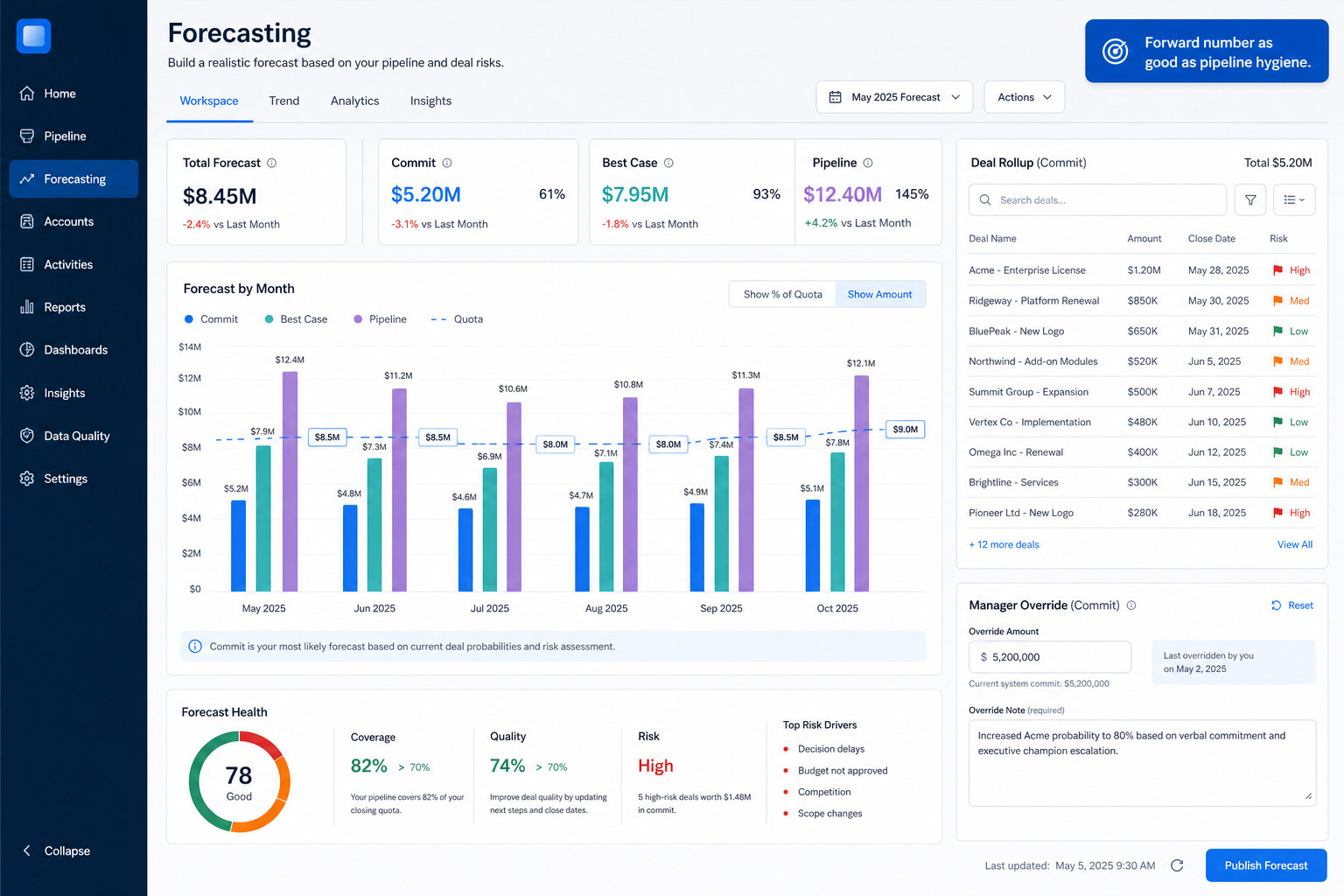
Forecasting is the CRM capability that projects future revenue from pipeline data, using stage-weighted probability, manual rep commitments, or a combination. It's a distinct capability from reporting: reporting describes the present, forecasting projects forward — and a forecast is only as reliable as the close dates and stage discipline feeding it.
Sales leaders, RevOps, and finance stakeholders who need a forward revenue number for planning, not just a description of current pipeline.
How teams put CRM to work for forecasting
Example 1
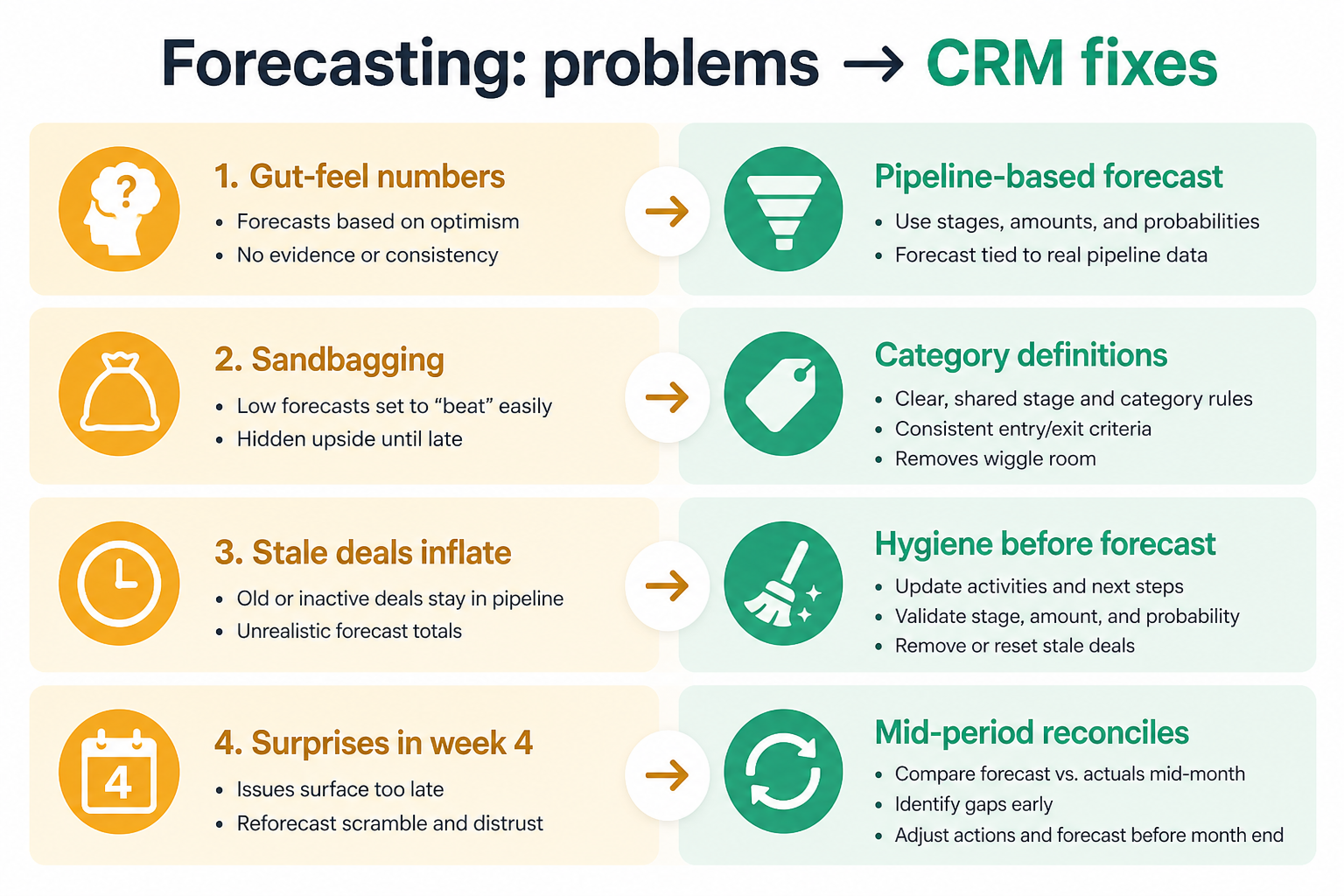
a sales team whose forecast used to be a gut-feel number announced in a meeting. As a capability, forecasting needs to build a projection from actual pipeline data — weighted by stage probability — so the number can be explained and defended, not just asserted.
Example 2
a team that wants reps to commit numbers manually, separate from the stage-weighted default. Forecasting needs to support a manual commit layer alongside the calculated one, so leadership can see both the system's math and the rep's judgment.
These are the operating problems that usually push teams toward CRM for forecasting — not feature wish lists.
Without CRM discipline: Leadership can't explain or defend the number when finance asks how it was derived.
Without CRM discipline: Reps have context the math doesn't capture, but there's nowhere to record it.
Without CRM discipline: A sophisticated forecasting engine still produces nonsense from unmaintained data.
Without CRM discipline: The same forecasting mistakes repeat quarter after quarter.
A CRM only helps when the team keeps owners, history, and next steps current. Here is what “good” looks like for forecasting.
With CRM discipline: Stage-weighted forecasting builds the number from actual pipeline data.
With CRM discipline: Manual commit categories let reps state their own confidence alongside the system calculation.
With CRM discipline: Forecasting exposes data-quality problems — which is a feature, not a flaw, if you act on it.
With CRM discipline: Forecast-vs-actual tracking over time shows whether the method is trustworthy.
A forecast you can explain and defend
The number traces back to real pipeline data, not a feeling.
Room for rep judgment, visibly separate from the math
Manual commits sit alongside, not instead of, the calculated forecast.
Data problems surface instead of hiding
Bad close dates and stale stages become visible through the forecast.
A forecast that gets more accurate over time
Tracking forecast-vs-actual builds trust in the method.
Evaluate the forecasting method (weighted stage, manual commit, or both) and how forecasts compare to actuals over time — not the sophistication of the underlying algorithm, which the CRM rarely lets you inspect anyway.
Weighted-stage, manual commit, or both — pick what your process actually supports.
No forecasting feature fixes unmaintained pipeline data.
Commit, best case, and pipeline should mean something specific, not blur together.
A forecast method should get more trustworthy, not stay static.
Learn more →Start with must-haves your team will use weekly. Treat nice-to-haves as later upgrades — not day-one blockers.
Must-have
Project revenue using stage probability against pipeline value.
Learn more →The forecast should read directly from deal record fields.
Learn more →Distinguish confidence levels rather than one flat number.
Nice-to-have
Let reps state their own number alongside the calculated one.
A simple operating loop beats a complex board nobody updates.
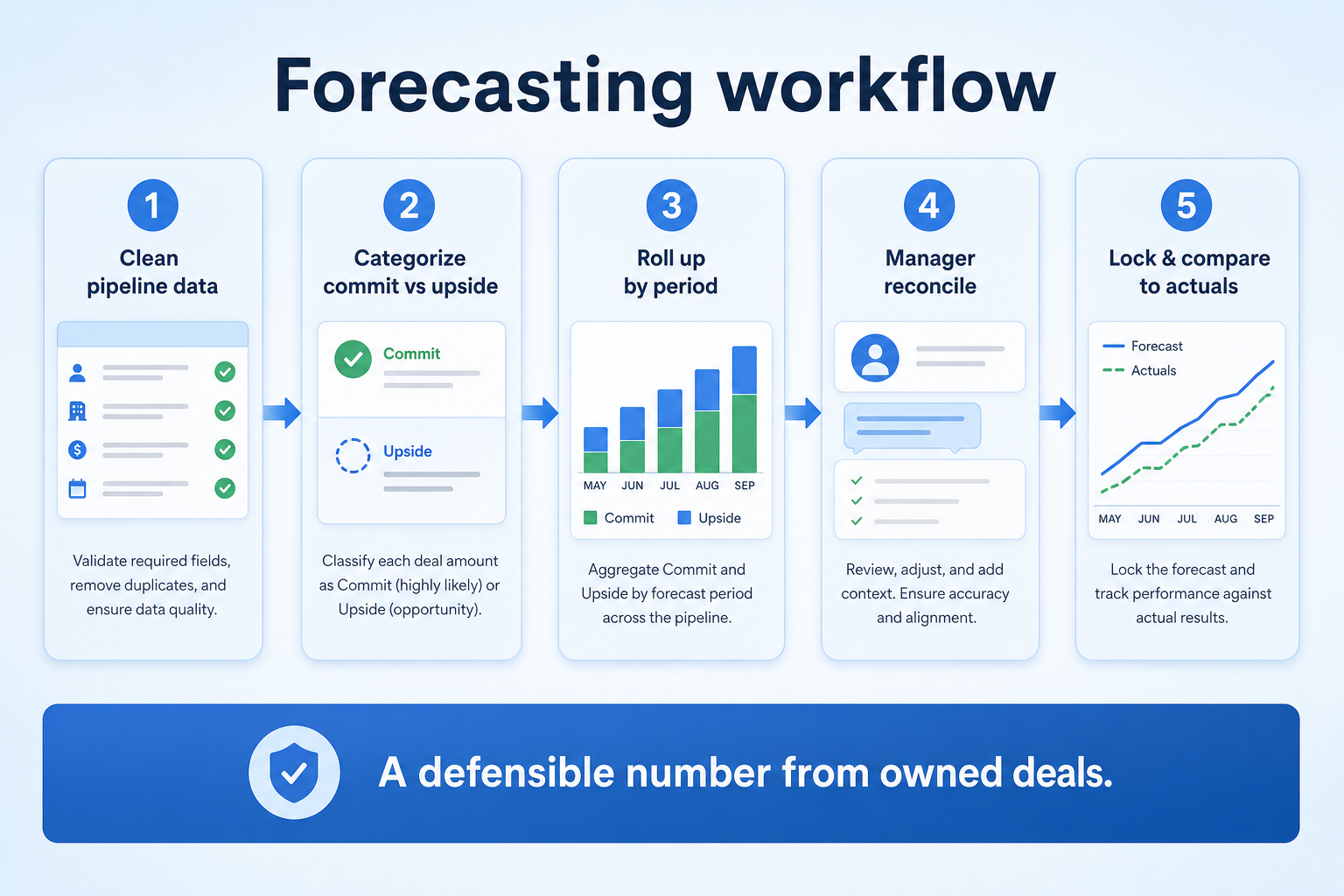
Reps keep stage, value, and close date current on open deals.
The system weights pipeline value by stage probability.
Reps optionally add a manual commitment layer.
Leadership reviews the forecast against target and history.
Actuals get compared to the forecast after the period closes.
Broader capability workflow demos for forecasting — distinct from narrow feature walkthroughs.
Official vendor demonstrations help show how different CRM platforms approach the workflows, features and interactions that make up forecasting. Absence of a video does not mean a product lacks the capability.

Pipedrive
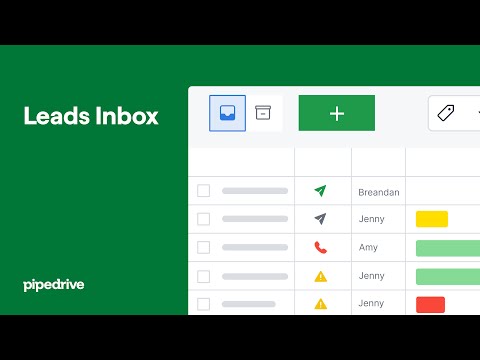
Leads Inbox tutorial
Focus: How Pipedrive Leads Inbox qualifies inbound leads before creating deals.
This video is hosted on YouTube
This content is hosted by YouTube. The player loads only after you allow marketing cookies.
What this shows
What to notice
What this does not establish
Features visible in this demo
Particularly relevant to
Source: Pipedrive · Verified 15 Aug 2026

Salesforce
What is Lead Management & How Does It Work? | Salesforce Explained
Focus: How Salesforce explains lead management from capture through qualification.

This video is hosted on YouTube
This content is hosted by YouTube. The player loads only after you allow marketing cookies.
What this shows
What to notice
What this does not establish
Features visible in this demo
Particularly relevant to
Source: Salesforce · Verified 15 Aug 2026

Zoho CRM
Lead Management in Zoho CRM
Focus: How Zoho CRM manages leads from capture through conversion.

This video is hosted on YouTube
This content is hosted by YouTube. The player loads only after you allow marketing cookies.
What this shows
What to notice
What this does not establish
Features visible in this demo
Particularly relevant to
Source: Zoho · Verified 15 Aug 2026

Dynamics 365
Supercharge your pipeline with Sales Development Agent
Focus: How Dynamics 365 Sales Development Agent supports pipeline and lead development workflows.

This video is hosted on YouTube
This content is hosted by YouTube. The player loads only after you allow marketing cookies.
What this shows
What to notice
What this does not establish
Features visible in this demo
Particularly relevant to
Source: Microsoft · Verified 15 Aug 2026
Evidence-backed workflow comparison using official vendor demos and screenshots — not a ranking or entertainment gallery. Absence of media does not mean a product lacks the capability.
Pipedrive
Pipedrive emphasizes
Salesforce
Salesforce emphasizes
SoftwareGlimpse take
Pipedrive evidence emphasizes Leads Inbox qualification workflow as presented by Pipedrive; Salesforce evidence emphasizes Lead management concepts and Sales Cloud lead workflow as Salesforce presents them. These are observations from official sources, not inferred brand philosophy.
Best when
The number needs to be explainable, not just stated.
Related page →Best when
You want to preserve rep judgment alongside a calculated baseline.
Best when
Forecasting can double as a forcing function for close-date discipline.
Related page →Forecasting quality can't exceed the close-date and stage discipline feeding it.
Weighted-stage, manual commit, or both — write this down explicitly.
Requirements guide →Run the forecast against deals you already know the outcome of, to sanity-check it.
Trial evaluation →Confirm whether commit, best case, and pipeline categories can be defined to match your process.
Catalogue products tagged to related use cases for forecasting. Inclusion here is not a ranking.
Crm
Pipeline-first sales CRM for visual deal management, activity-based selling, and growing sales teams.

Crm
Freshworks sales CRM for lead management and pipeline workflows.

Crm
Sales-focused CRM for pipeline management and sales engagement workflows.

Crm

Crm
Simple small-business CRM for contacts, sales pipelines, tasks, and lightweight automation without enterprise complexity.
Crm
Enterprise CRM platform for sales, service, marketing, and customer data across large and mid-market teams.

Crm
AI-powered customer platform with free forever CRM, plus paid Smart CRM seats and Sales/Marketing/Service hubs for growing teams.
Crm
Microsoft Dynamics 365 Sales CRM for pipeline management, forecasting, and Microsoft 365 / Copilot workflows.
Crm
Affordable multi-edition sales CRM with free tier, automation, and Zia AI across Standard through Ultimate.
Loading evidence explorer…
It's the capability that projects future revenue from pipeline data, using stage-weighted probability, manual commits, or both.
Reporting describes the present state of pipeline. Forecasting projects a future number from it.
Only as far as the underlying data. Forecasts inherit whatever discipline exists around close dates, deal values, and stage hygiene.
No — get honest pipeline hygiene first. Forecasting quality follows data quality, not the other way around.
No. Fit depends on how your team works, which requirements are must-haves, and what the CRM has to integrate with. Use the requirement matrix and CRM Finder to build a shortlist rather than starting from a ranking.
Dashboards and activity reports that reflect trusted CRM records.
Track opportunities through defined stages with owners and next steps.
Manage opportunity records, amounts, close dates, and deal hygiene.
Next steps after evaluating forecasting — decision tools and pages. Affiliate relationships never change recommendations.
Use Finder for a fit-based shortlist, compare products, or build a requirements checklist before demos.
Part of CRM capabilities · CRM Software hub
Want clearer software shortlists? Get buying guides and comparisons by email.
Newsletter coming soon.
Explore the official documentation, screenshots and product demonstrations used to understand how each CRM implements forecasting.
5 items
Official video · Dynamics 365
Supports
Demonstrates
This video is hosted on YouTube
This content is hosted by YouTube. The player loads only after you allow marketing cookies.
Official vendor video
How Dynamics 365 Sales Development Agent supports pipeline and lead development workflows.
Verified: 15 Aug 2026
Open source ↗Official video · Pipedrive
Supports
Demonstrates
This video is hosted on YouTube
This content is hosted by YouTube. The player loads only after you allow marketing cookies.
Official vendor tutorial
How Pipedrive Leads Inbox qualifies inbound leads before creating deals.
Verified: 15 Aug 2026
Open source ↗Official video · Pipedrive
Supports
Demonstrates

This video is hosted on YouTube
This content is hosted by YouTube. The player loads only after you allow marketing cookies.
Official vendor video
How Pipedrive presents pipeline as the shared sales system of record.
Verified: 15 Aug 2026
Open source ↗Official video · Salesforce
Supports
Demonstrates
This video is hosted on YouTube
This content is hosted by YouTube. The player loads only after you allow marketing cookies.
Official vendor tutorial
How Salesforce explains lead management from capture through qualification.
Verified: 15 Aug 2026
Open source ↗Official video · Zoho CRM
Supports
Demonstrates
This video is hosted on YouTube
This content is hosted by YouTube. The player loads only after you allow marketing cookies.
Official vendor tutorial
How Zoho CRM manages leads from capture through conversion.
Verified: 15 Aug 2026
Open source ↗