

This video is hosted on YouTube
This content is hosted by YouTube. The player loads only after you allow marketing cookies.
CRM requirement
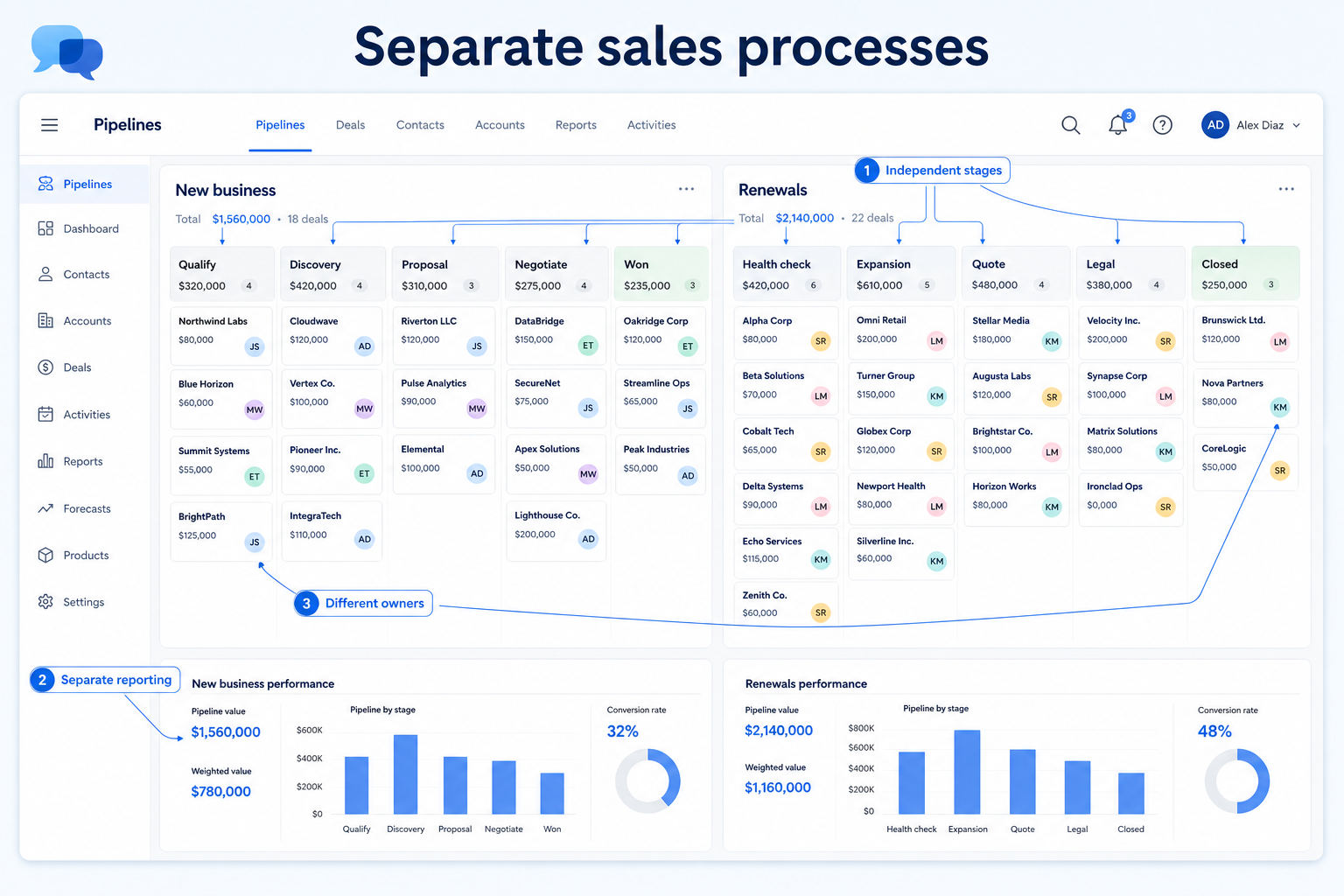
Model genuinely different sales motions as separate pipelines — so new logos, renewals, and partner deals stop sharing one dishonest stage board.
Requirement at a glance
Requirement type
Workflow / configuration
Primary capability
Pipeline Management
Typical importance
High (context-dependent)
3
Core features
2
Supporting features
10
Products covered
Last reviewed 14 Aug 2026
Requirement snapshot
Supporting separate sales processes means your CRM can run more than one opportunity workflow with independent stages, owners, and review rituals. Teams need this when new-business, expansion, partner, or advisory motions have different checkpoints — not just different deal sizes tagged on one funnel. The requirement is satisfied by process structure (typically multiple pipelines plus pipeline-scoped stages and reporting), not by filters that pretend one board is many. Evaluating it well means testing whether each motion can advance, automate, and report without contaminating the other.
Sales ops, revenue leaders, and multi-motion orgs — a B2B SaaS pod with new-logo AEs and expansion CSMs, an agency running pitch vs retainer renewals, or a financial-services firm separating product sales from advisory intake. You feel the pain when Monday reviews mix incompatible stages and reps invent status in notes.
How teams satisfy “support separate sales processes” in practice
Example 1
a 14-person B2B SaaS sales team
Before CRM
new-logo and expansion deals shared one board; expansion sat in “Demo” for weeks because that stage did not apply
After CRM
New Business and Expansion are separate pipelines with their own stages — Monday reviews open the right board, and security-checklist automation fires only on new logos
Example 2
an 8-person digital agency
Before CRM
pitch opportunities and retainer renewals shared one funnel; account managers invented stages in notes
After CRM
New Business covers pitches and Retention covers renewals — BD and AMs each work a board that matches their motion
These are the operating problems that usually push teams to require “support separate sales processes” from a CRM — not feature wish lists.
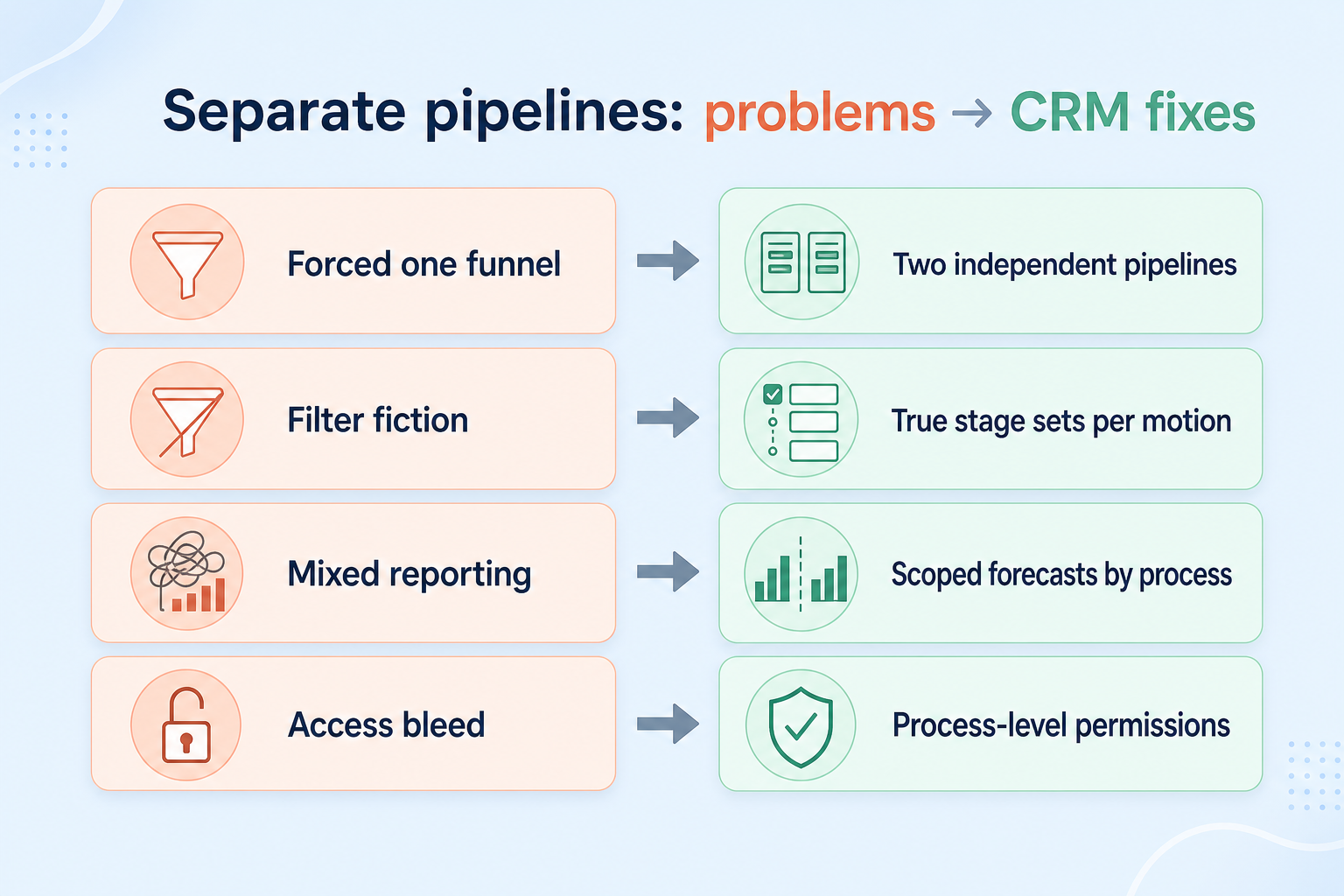
Without this capability in CRM: New business and renewals share stages that only fit one motion, so reps skip or invent status.
Without this capability in CRM: Managers filter one board by deal type and call it “pipelines,” then coaching still mixes incompatible deals.
Without this capability in CRM: Stage conversion and velocity averages blend motions with different cycle lengths and exit criteria.
Without this capability in CRM: Partner or advisory boards are visible to people who only need new-business deals.
A CRM only satisfies “support separate sales processes” when the team keeps owners, history, and next steps current. Here is what “good” looks like once the requirement is met.
When this requirement is satisfied: Separate pipelines keep each process’s stage model honest without contaminating the other.
When this requirement is satisfied: True multiple pipelines isolate stage definitions and, where supported, reporting per process.
When this requirement is satisfied: Pipeline-scoped views keep each motion’s metrics readable for coaching and planning.
When this requirement is satisfied: Pipeline-level access (with role permissions) limits noise and leakage across motions.
Honest stages per motion
Each process advances only through checkpoints that match how that work actually happens.
Cleaner pipeline reviews
Managers coach from the right board instead of reconciling mixed deal types mid-meeting.
Automation that stays in scope
Stage triggers and tasks can follow one pipeline’s rules without firing on another.
Readable conversion metrics
Stage conversion and velocity make sense because the denominator is one process.
Start with must-haves your team will use weekly to accept this requirement as met. Treat nice-to-haves as later upgrades — not day-one blockers.
Must-have
Materially different motions can exist as separate stage engines, not only filtered views.
Learn more →Each pipeline can define, rename, and order its own stages without forcing a shared list.
Learn more →New opportunities land in the correct pipeline at create/qualify — not by tribal habit alone.
Learn more →You can review conversion, stuck deals, or forecast inputs for one motion without blending another.
Learn more →Nice-to-have
Teams can be limited to the processes they operate when confidentiality or noise matters.
Learn more →Workflows can trigger differently by pipeline after stage hygiene is real.
Learn more →A simple validation loop beats a long checklist nobody runs during a trial.
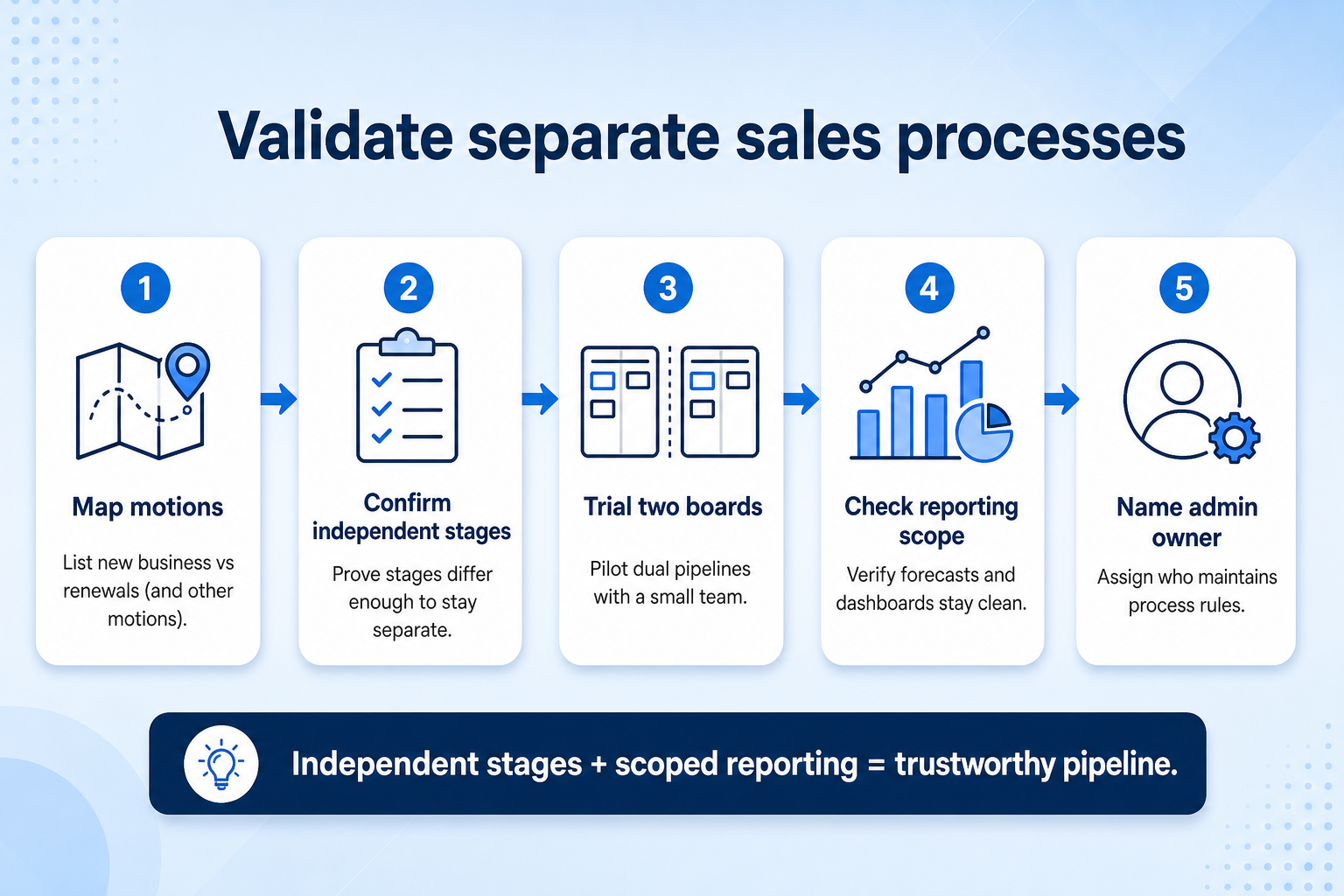
List which processes truly differ in checkpoints — not only in product name or deal size.
Stand up two pipelines with distinct stages that mirror your real motions.
Create representative opportunities into each pipeline and attempt a week of realistic updates.
Check whether reports, automations, and board views mix motions or stay scoped.
Keep separate processes only where stages differ; collapse motions that share checkpoints.
If different teams, products or opportunity types follow materially different sales processes, your CRM should let you model those processes separately. Multiple pipelines are usually the foundation, but pipeline-specific stages, permissions, automation and reporting determine how well the requirement is actually satisfied.
You probably need this if
You may not need this if
Process fit
Avoid forcing fundamentally different workflows into the same stage structure.
Team adoption
Users see a workflow that reflects how their team actually works.
Automation
Different processes can trigger different actions where supported.
Reporting
Separate processes can potentially be measured independently.
Use cases
3 linkedCapability
Pipeline ManagementRequirement
Support Separate Sales ProcessesFeatures
5 relatedProducts
10 evaluatedSeparate process structure
Can materially different processes exist independently?
Independent stages
Can each process use its own stage structure?
Access control
Can teams be restricted to relevant processes where needed?
Process-specific automation
Can automation behave differently by process?
Separate reporting
Can each process be measured independently?
Administrability
Can administrators maintain configuration without excessive work?
Core features
Multiple Pipelines
CriticalProvides separate process containers for distinct sales motions.
Evidence across catalogue products: Docs · Screenshots · Official demos
Explore feature →Pipeline Management
CriticalCore opportunity workflow support that multiple pipelines build on.
Evidence across catalogue products: Docs · Screenshots · Official demos
Custom Fields
ImportantHelps capture process-specific data when pipelines differ.
Evidence across catalogue products: Docs · Screenshots · Official demos
Supporting features
Workflow Automation
SupportingLets process-specific actions trigger as opportunities progress.
Evidence across catalogue products: Docs · Screenshots · Official demos
Explore feature →Pipeline Reporting
SupportingSupports measuring processes independently where implemented.
Evidence across catalogue products: Docs · Screenshots · Official demos
See how CRM products support support separate sales processes. Official product demonstrations can help show how supporting features work in practice. SoftwareGlimpse evaluates these alongside documentation, screenshots and plan evidence — video availability does not change rankings.

Official video · Salesforce
Source: Salesforce
This video is hosted on YouTube
This content is hosted by YouTube. The player loads only after you allow marketing cookies.
What this demonstrates
Features demonstrated
Not established by this video
Especially relevant to: Complex sales processes →
Verified: 2026-08-14
Open official source ↗
Official video · Agile CRM
Source: Agile CRM

This video is hosted on YouTube
This content is hosted by YouTube. The player loads only after you allow marketing cookies.
What this demonstrates
Features demonstrated
Not established by this video
Verified: 2026-08-16
Open official source ↗
Official video · Apptivo
Source: Apptivo
This video is hosted on YouTube
This content is hosted by YouTube. The player loads only after you allow marketing cookies.
What this demonstrates
Features demonstrated
Not established by this video
Verified: 2026-08-16
Open official source ↗Fit reflects feature support for this requirement — not affiliate status. Insufficient evidence is never treated as failure.
Salesforce
Strong supportVisual evidence available
Key strength: Multiple Pipelines: supported
Why this fit?Agile CRM
Strong supportVisual evidence available
Key strength: Multiple Pipelines: supported
Why this fit?Apptivo
Strong supportVisual evidence available
Key strength: Multiple Pipelines: supported
Why this fit?
Attio
Strong supportVisual evidence available
Key strength: Multiple Pipelines: supported
Why this fit?
Bitrix24
Strong supportVisual evidence available
Key strength: Multiple Pipelines: supported
Why this fit?
Copper
Strong supportVisual evidence available
Key strength: Multiple Pipelines: supported
Why this fit?Each cell reflects feature support for that criterion. Open Why? for documentation, screenshots, and official videos mapped to that criterion only — video counts never change the assessment.
| Criterion | Salesforce | Agile CRM | Apptivo | Attio | Bitrix24 | Copper |
|---|---|---|---|---|---|---|
| Separate process structure | Strong 2 docs · 1 screenshots | Strong 2 docs | Strong 2 docs | Strong 2 docs | Strong 2 docs | Strong 2 docs |
| Independent stages | Strong 4 docs · 3 screenshots · 2 videos | Strong 4 docs · 1 video | Strong 4 docs · 2 videos | Strong 4 docs · 2 screenshots · 2 videos | Strong 4 docs · 2 screenshots · 2 videos | Strong 4 docs · 2 screenshots · 2 videos |
| Access control | Strong 1 docs | Strong 2 docs | Strong 2 docs | Strong 2 docs | Strong 2 docs | Strong 2 docs |
| Process-specific automation | Strong 2 docs · 2 screenshots · 1 video | Strong 2 docs | Strong 2 docs | Strong 2 docs · 2 screenshots | Strong 2 docs · 1 screenshots | Strong 2 docs · 1 screenshots |
| Separate reporting | Strong 2 docs · 1 screenshots | Strong 2 docs | Strong 2 docs | Strong 2 docs · 2 screenshots | Strong 2 docs | Strong 2 docs |
| Overall / plan | StrongStarter SuiteConfidence: High | StrongFreeConfidence: High | StrongLiteConfidence: High | StrongFreeConfidence: High | StrongFreeConfidence: High | StrongBasicConfidence: High |
Structured evaluation — not media-driven. Video helps illustrate implementation; it does not determine who ranks higher.
| Criterion | Salesforce | Agile CRM | Apptivo |
|---|---|---|---|
| Separate process structure | Strong support | Strong support | Strong support |
| Independent stages | Strong support | Strong support | Strong support |
| Access control | Strong support | Strong support | Strong support |
| Process-specific automation | Strong support | Strong support | Strong support |
| Separate reporting | Strong support | Strong support | Strong support |
Official video · Salesforce
Source: Salesforce
This video is hosted on YouTube
This content is hosted by YouTube. The player loads only after you allow marketing cookies.
What this demonstrates
Features demonstrated
Not established by this video
Especially relevant to: Complex sales processes →
Verified: 2026-08-14
Open official source ↗Official video · Agile CRM
Source: Agile CRM
This video is hosted on YouTube
This content is hosted by YouTube. The player loads only after you allow marketing cookies.
What this demonstrates
Features demonstrated
Not established by this video
Verified: 2026-08-16
Open official source ↗SoftwareGlimpse interpretation
These official demos illustrate visible product behavior for mapped criteria and features. Fit and ranking still come from structured feature assessments — not from which demo looks smoother.
Unknown / not verified is never treated as unsupported.
| Feature | |||||
|---|---|---|---|---|---|
| Custom pipelines | |||||
| Pipeline management | |||||
| Custom fields | |||||
| Workflow automation | |||||
| Reporting |
Salesforce for support separate sales processes
Strong supportEvidence confidence: High
Plan required: Starter Suite
Plan availability comes from official pricing / plan documentation — not from feature demos.
Why
Trade-offs
See it in action
View all evidence →Agile CRM for support separate sales processes
Strong supportEvidence confidence: High
Plan required: Free
Plan availability comes from official pricing / plan documentation — not from feature demos.
Why
Trade-offs
See it in action
View all evidence →Apptivo for support separate sales processes
Strong supportEvidence confidence: High
Plan required: Lite
Plan availability comes from official pricing / plan documentation — not from feature demos.
Why
Trade-offs
See it in action
View all evidence →Attio for support separate sales processes
Strong supportEvidence confidence: High
Plan required: Free
Plan availability comes from official pricing / plan documentation — not from feature demos.
Why
Trade-offs
See it in action
View all evidence →Bitrix24 for support separate sales processes
Strong supportEvidence confidence: High
Plan required: Free
Plan availability comes from official pricing / plan documentation — not from feature demos.
Why
Trade-offs
See it in action
View all evidence →Plan names come from feature entitlements on the features that support this requirement. Pricing estimates appear only when verified — otherwise use the Cost Calculator.
| Product | Minimum qualifying plan | Core coverage | Confidence |
|---|---|---|---|
| Salesforce | Starter Suite | 3/3 | High |
| Agile CRM | Free | 3/3 | High |
| Apptivo | Lite | 3/3 | High |
| Attio | Free | 3/3 | High |
| Bitrix24 | Free | 3/3 | High |
| Copper | Basic | 3/3 | High |
Verified product captures only — never stock imagery or mockups.
Take this checklist into every vendor session and ask each product to demonstrate the same scenario. Your results stay in your vendor scorecard — they do not rewrite SoftwareGlimpse recommendations.
Objective
Verify that separate teams/processes can operate distinct sales workflows.
Preconditions
Ask the vendor to demonstrate
What good support looks like
Failure signals
Follow-up questions
Official vendor example
An official product video can show an example of the behavior — it does not substitute for your own vendor demo.
Official video · Salesforce
Source: Salesforce
This video is hosted on YouTube
This content is hosted by YouTube. The player loads only after you allow marketing cookies.
What this demonstrates
Features demonstrated
Not established by this video
Especially relevant to: Complex sales processes →
Verified: 2026-08-14
Open official source ↗Record what happened in the live session. This is your evaluation — not SoftwareGlimpse recommendations.
Small team with two sales processes
Needs clear separation without heavy administration.
Priorities: Simple setup · Affordable plan access · Clear stages
Best recommended fit: Attio
Multiple sales teams
Permissions, independent automation, and reporting matter more.
Priorities: Permissions · Automation · Reporting
Best recommended fit: Salesforce
Complex enterprise process
Customization, administration, and reporting depth dominate.
Priorities: Customization · Administration · Reporting
Best recommended fit: Salesforce
Plan impact
Multiple pipelines and deeper process controls are often gated to higher plans.
Flexibility vs administration
More process models improve fit but increase configuration and reporting complexity.
Support ≠ identical depth
Products can satisfy the requirement differently across stages, permissions, automation and reporting.
Complex sales processes
CriticalLong-cycle, multi-stakeholder deals often need a stage model distinct from transactional motions.
Explore use case →Pipeline management
HighSeparate processes still depend on owned stages and next steps inside each board.
Explore use case →Account management
HighExpansion and retention motions often deserve a process separate from new-logo sales.
Explore use case →Financial Services
Different advisory, relationship and sales workflows may need distinct process structures.
Explore Financial Services context →Add this requirement to CRM Finder and personalize for team size, budget, and other priorities.
Add this requirement to CRM FinderLoading evidence explorer…
SoftwareGlimpse assesses whether products satisfy a requirement by evaluating the specific criteria and features needed to meet that buyer need. Official vendor demonstrations may be used as evidence of visible product behavior, but video availability does not influence product ranking and videos are not used alone to establish pricing, plan entitlement, security or comparative superiority.
10
Products covered
5
Supporting features
560
Evidence records
57
Screenshots
6
Official videos
Buyer need
Support Separate Sales Processes
Capability
Pipeline Management
Criteria
6 evaluation criteria
Features
3 core · 2 supporting
Products
10 researched
It means the CRM can model materially different opportunity workflows — typically via multiple pipelines with independent stages — instead of forcing every deal through one shared stage model. The requirement is the buyer need; multiple pipelines are a common feature that helps satisfy it.
The requirement is what you need to achieve (distinct process models that stay honest). Multiple pipelines are concrete product functionality that often delivers that outcome. Some products may meet the need with other process containers; evaluate the outcome, not the label alone.
Only if motions already differ in real checkpoints. Many teams start with one honest pipeline and split later when a second motion proves it needs its own stages.
Sometimes, when differences are minor. If stages, exit criteria, automation, or reporting must diverge, tags on one board usually recreate the same forced-funnel problems.
Compare catalogue CRM products based on this requirement plus your other needs, team size and budget.
Browse documentation, screenshots, and official vendor videos by requirement criterion and feature. Video quantity does not change product fit.
SoftwareGlimpse assesses whether products satisfy a requirement by evaluating the specific criteria and features needed to meet that buyer need. Official vendor demonstrations may be used as evidence of visible product behavior, but video availability does not influence product ranking and videos are not used alone to establish pricing, plan entitlement, security or comparative superiority.
15 items
Screenshot · ACT!
Source: Official ACT!
Supports
Demonstrates
Does not establish
Screenshots can be strong evidence for visible UI behavior.
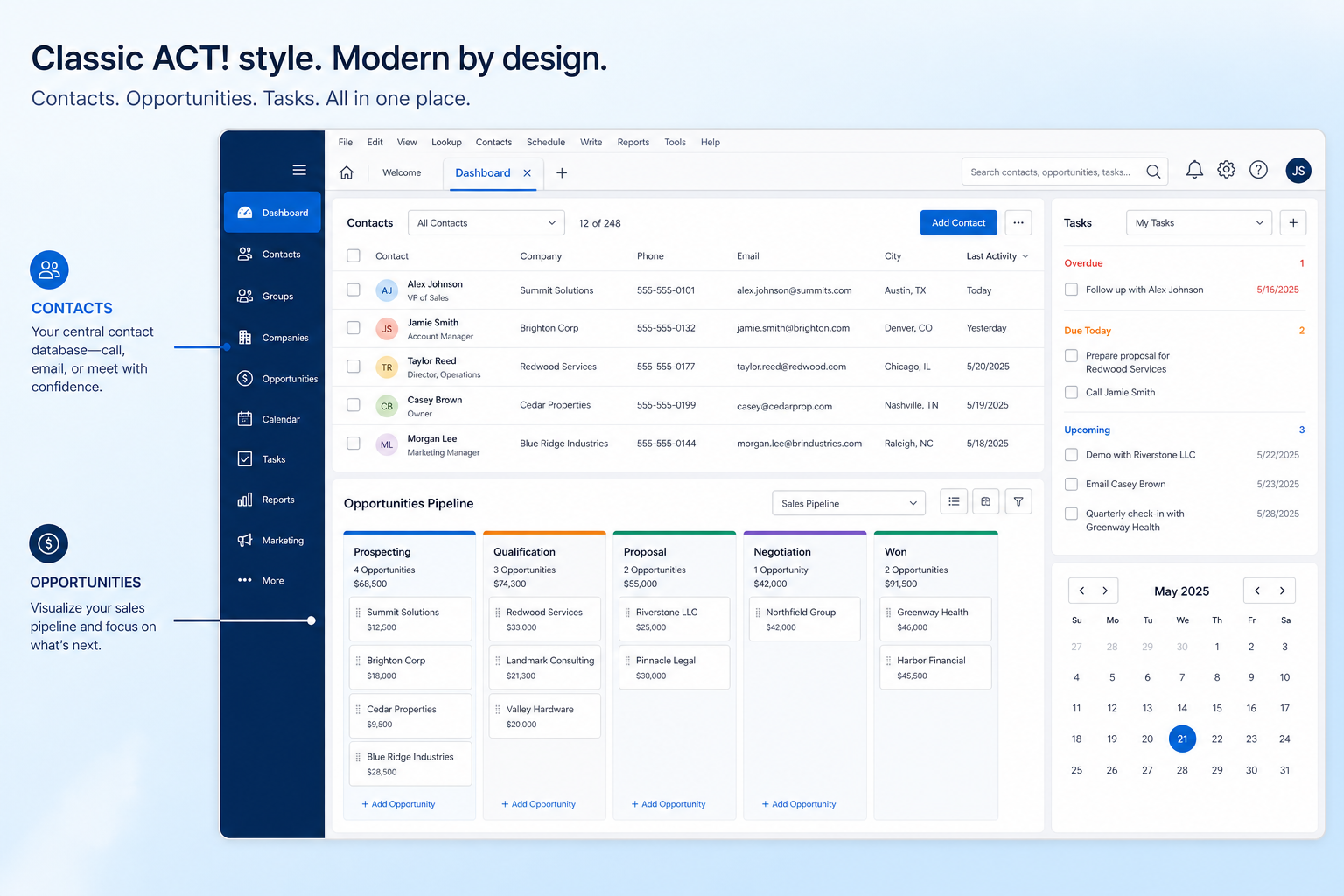
Verified: 16 Aug 2026
Open source ↗Screenshot · Affinity
Source: Official Affinity
Supports
Demonstrates
Does not establish
Screenshots can be strong evidence for visible UI behavior.
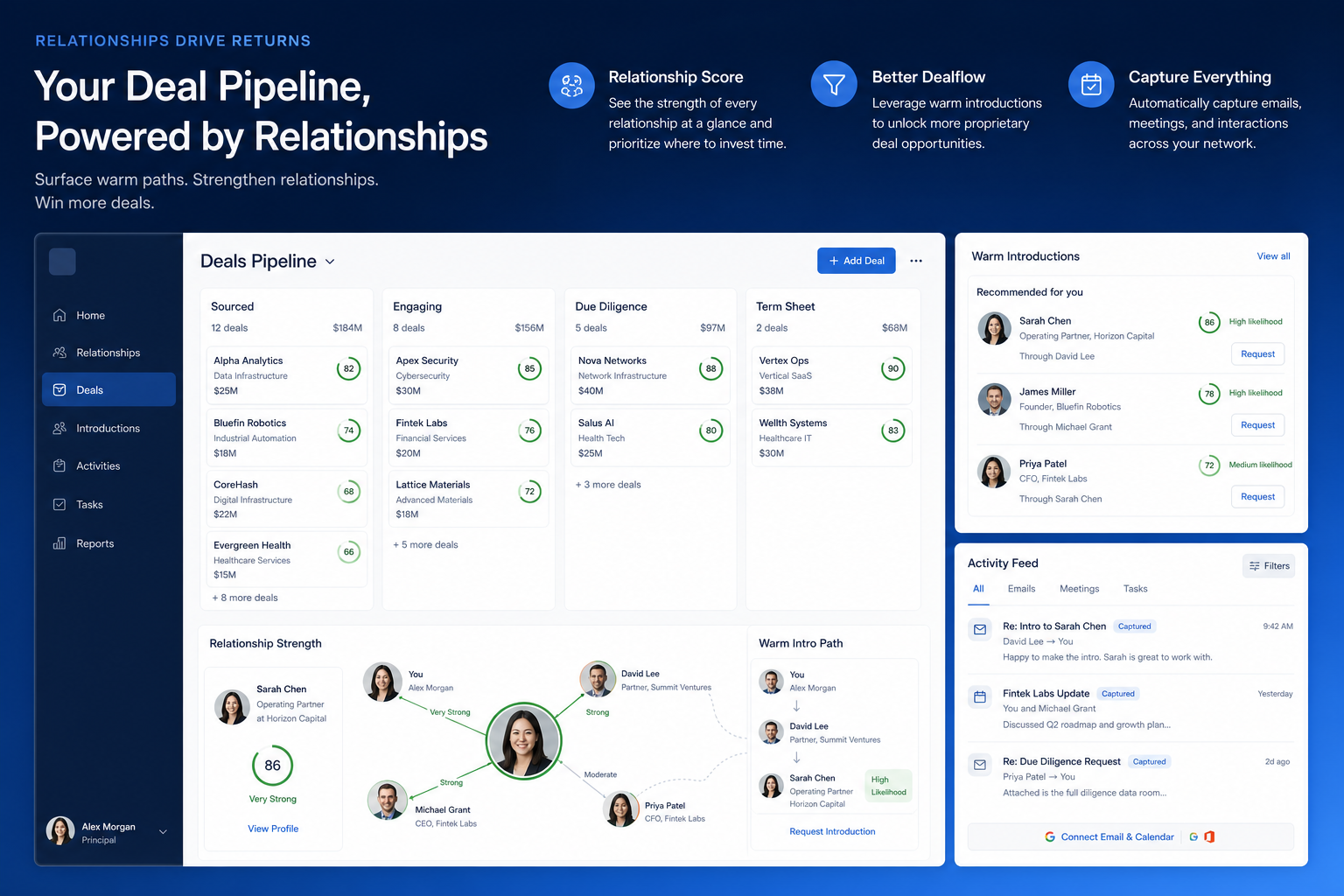
Verified: 16 Aug 2026
Open source ↗Screenshot · Agile CRM
Source: Official Agile CRM
Supports
Demonstrates
Does not establish
Screenshots can be strong evidence for visible UI behavior.
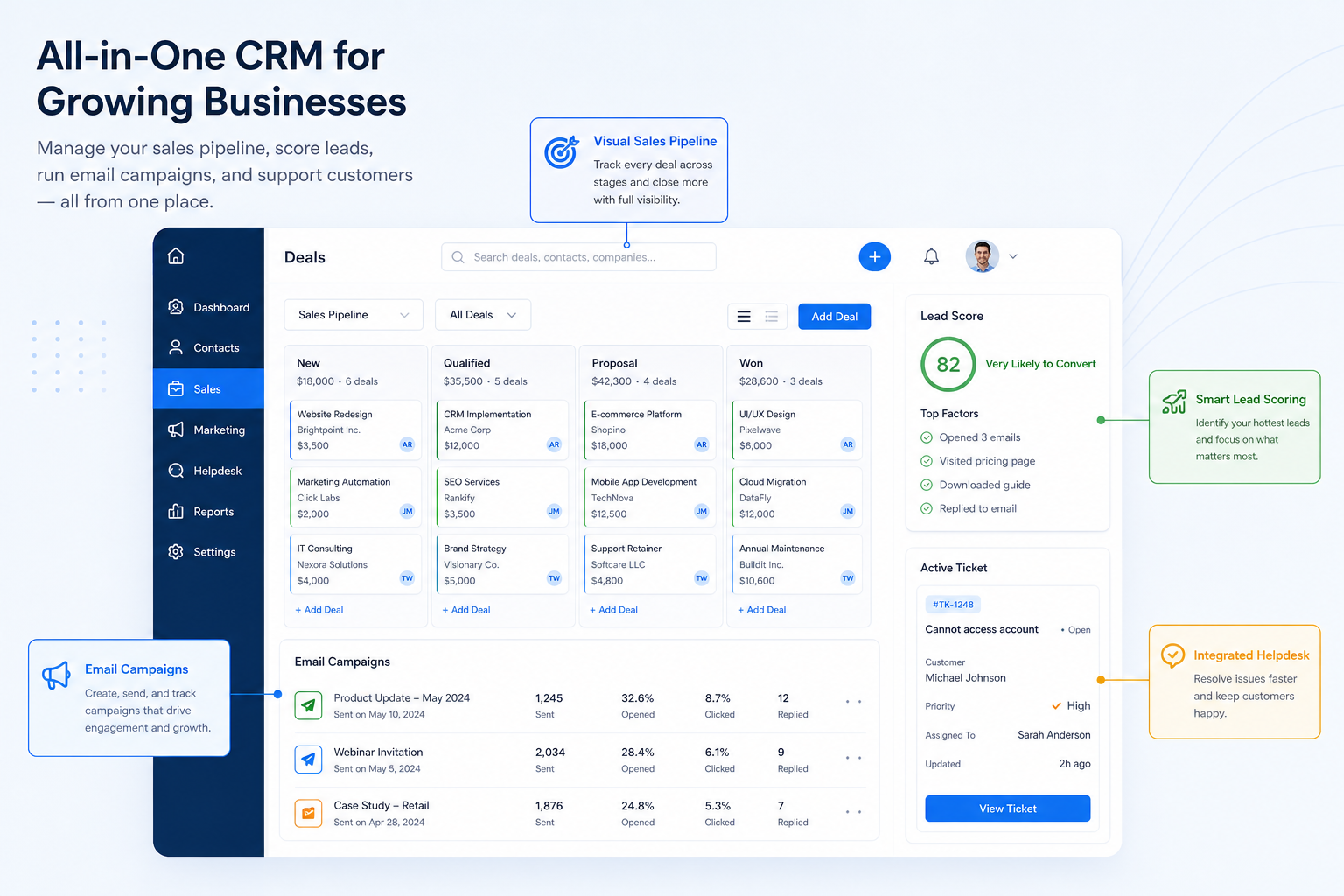
Verified: 16 Aug 2026
Open source ↗Screenshot · Apptivo
Source: Official Apptivo
Supports
Demonstrates
Does not establish
Screenshots can be strong evidence for visible UI behavior.
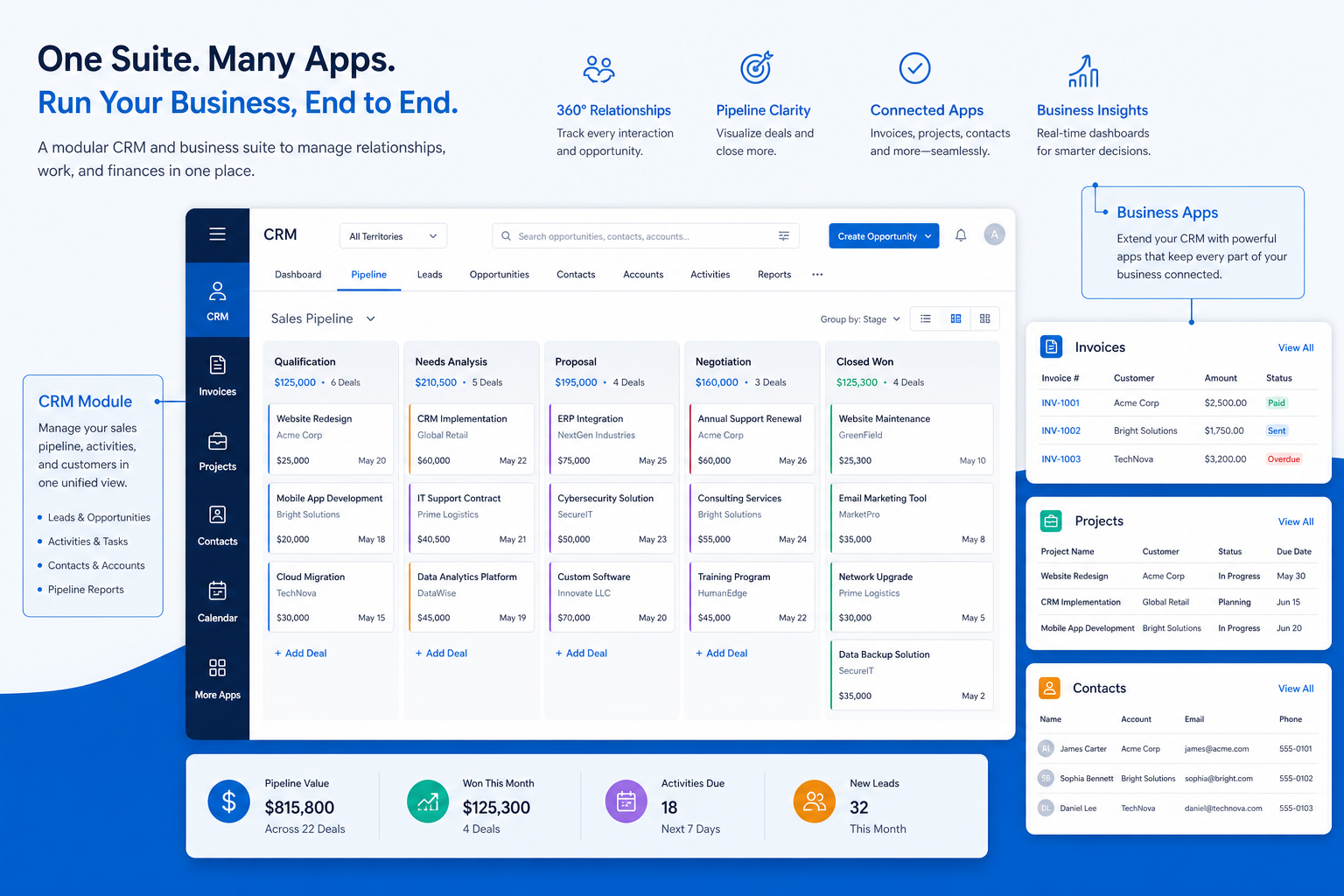
Verified: 16 Aug 2026
Open source ↗Screenshot · Attio
Source: Official Attio
Supports
Demonstrates
Does not establish
Screenshots can be strong evidence for visible UI behavior.
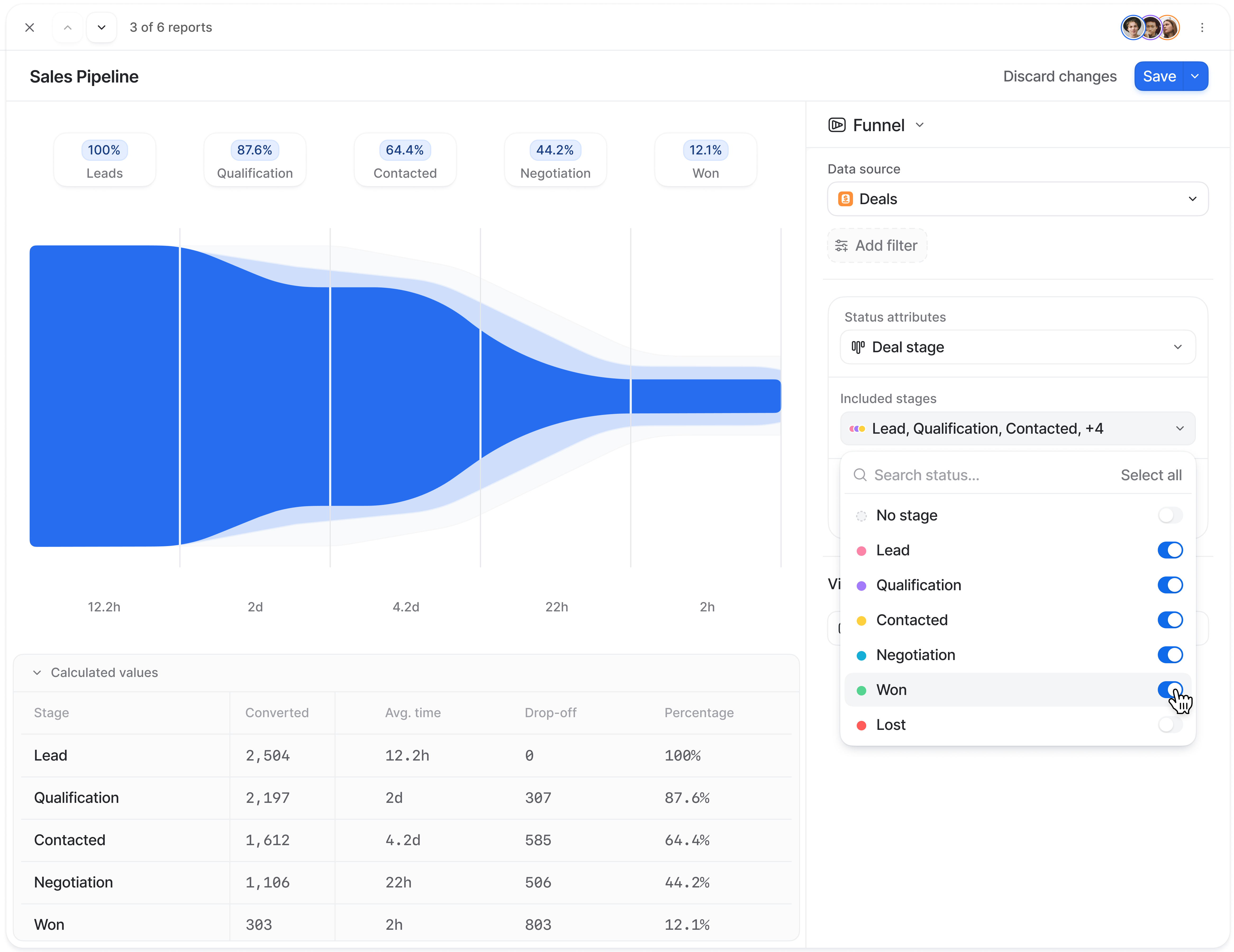
Verified: 15 Aug 2026
Open source ↗Screenshot · Attio
Source: Official Attio
Supports
Demonstrates
Does not establish
Screenshots can be strong evidence for visible UI behavior.
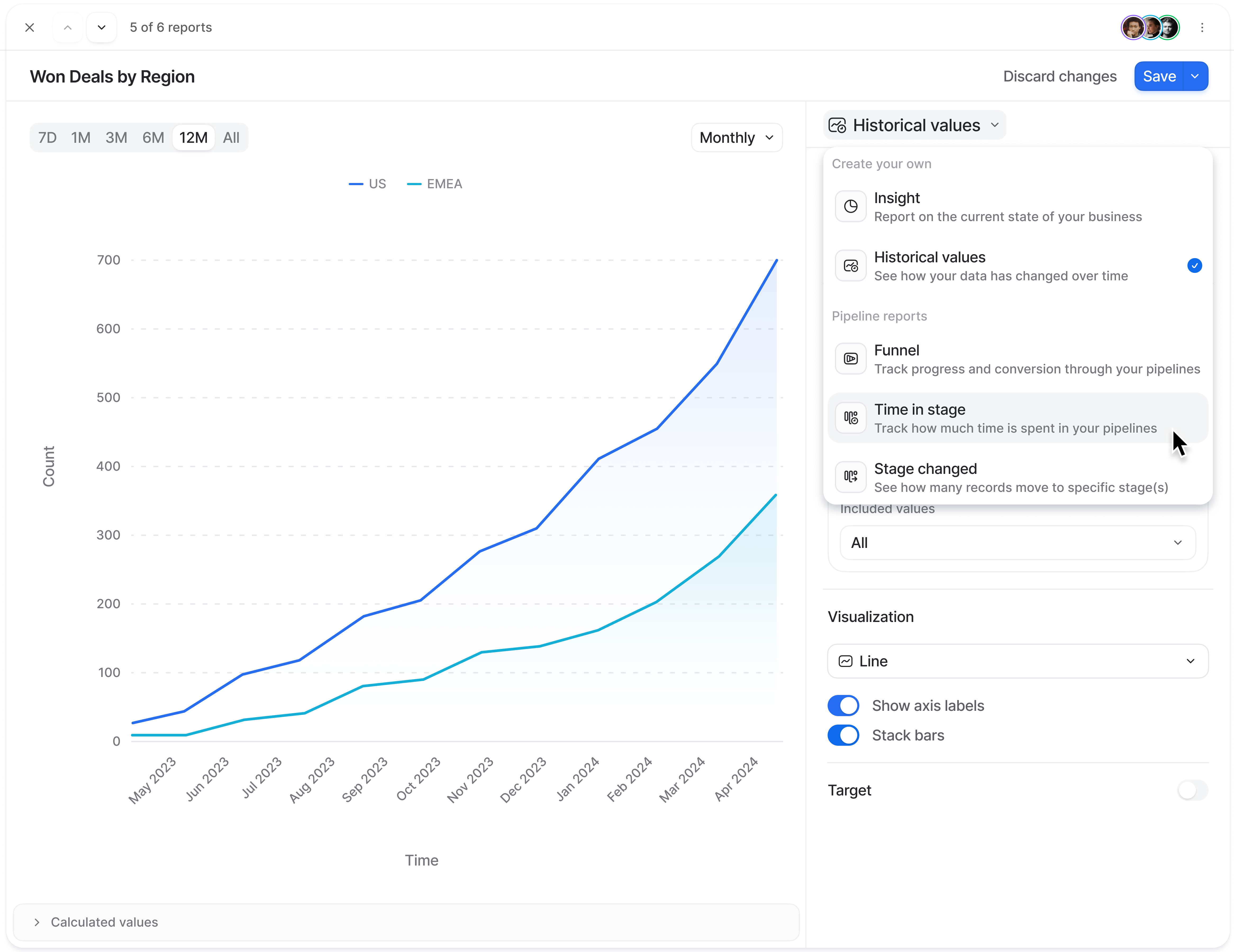
Verified: 15 Aug 2026
Open source ↗Screenshot · Bitrix24
Source: Official Bitrix24
Supports
Demonstrates
Does not establish
Screenshots can be strong evidence for visible UI behavior.
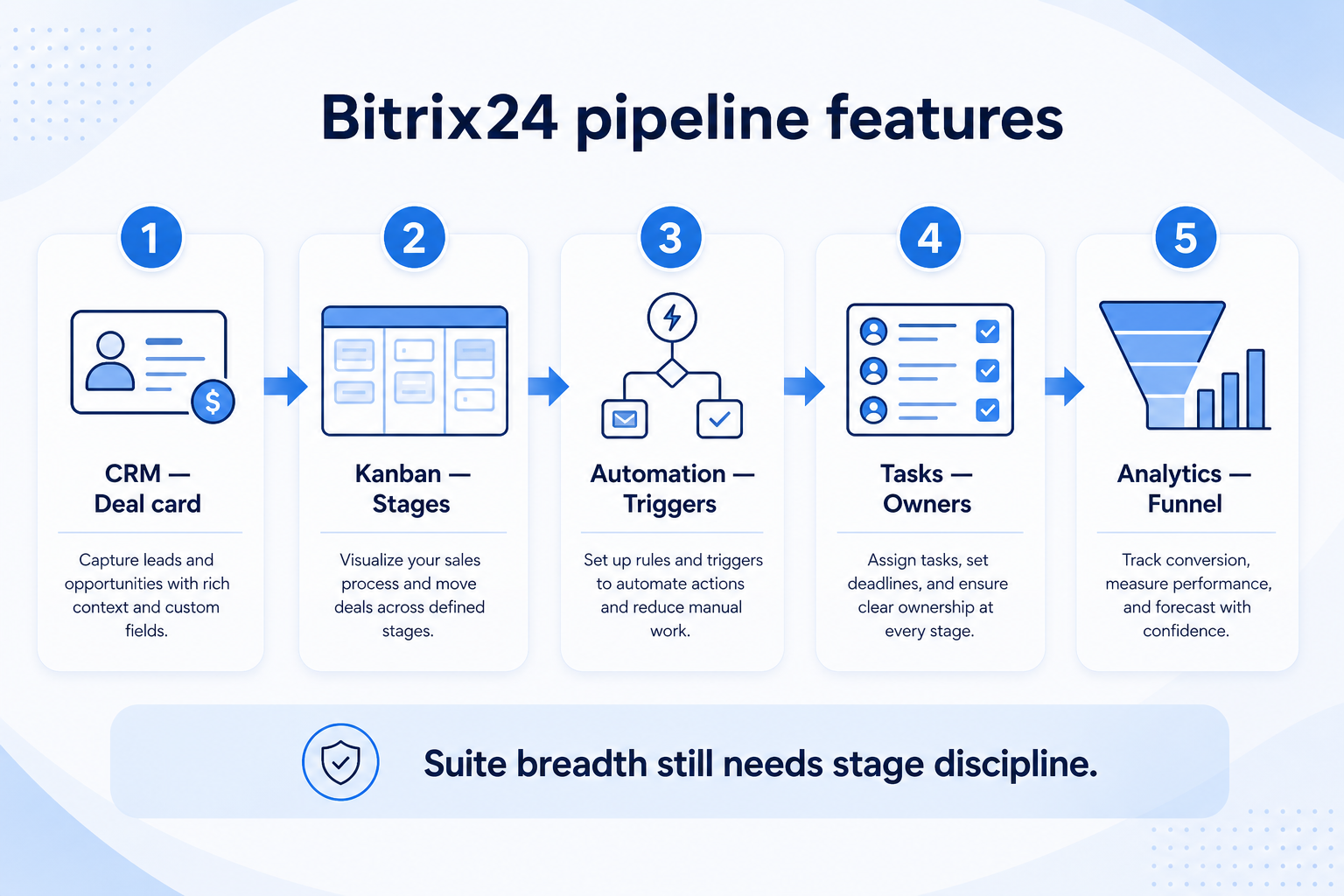
Verified: 15 Aug 2026
Open source ↗Screenshot · Bitrix24
Source: Official Bitrix24
Supports
Demonstrates
Does not establish
Screenshots can be strong evidence for visible UI behavior.
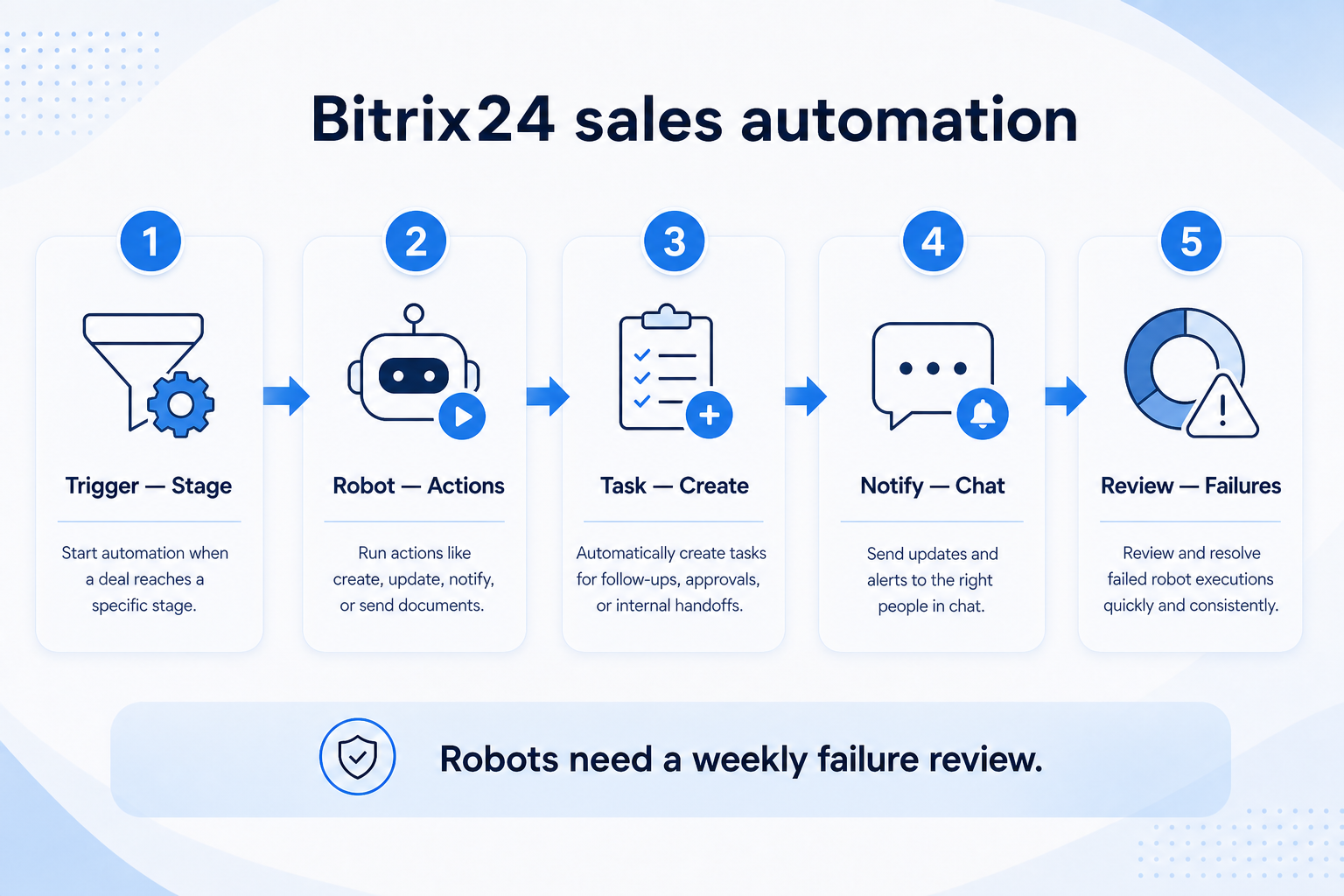
Verified: 15 Aug 2026
Open source ↗Screenshot · Capsule
Source: Official Capsule
Supports
Demonstrates
Does not establish
Screenshots can be strong evidence for visible UI behavior.
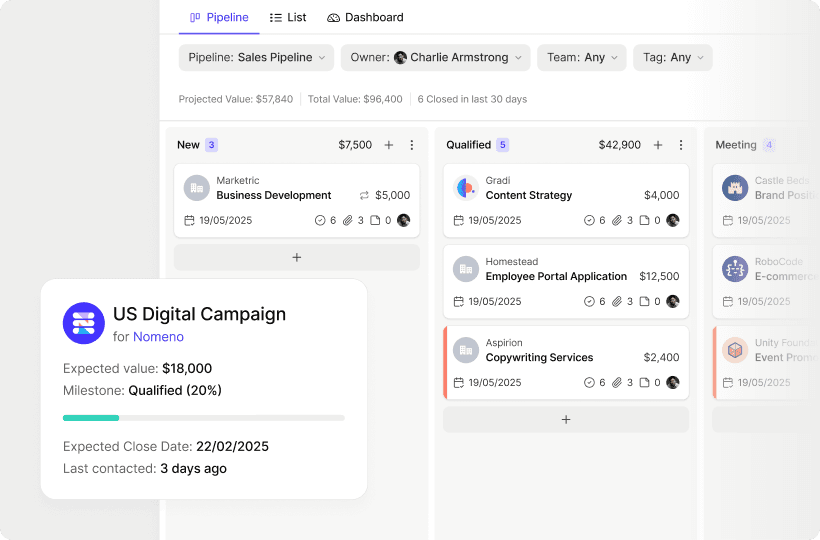
Verified: 13 Aug 2026
Open source ↗Official video · Attio
Source: Attio
Evidence chain
Support Separate Sales Processes → Attio
Supports
Demonstrates
Does not establish
Official video may support visible behavior for mapped criteria only — not pricing, plan entitlement, or full requirement support.

This video is hosted on YouTube
This content is hosted by YouTube. The player loads only after you allow marketing cookies.
Official vendor tutorial
Verified: 15 Aug 2026
Open source ↗Official video · Bitrix24
Source: Bitrix24
Evidence chain
Support Separate Sales Processes → Bitrix24
Supports
Demonstrates
Does not establish
Official video may support visible behavior for mapped criteria only — not pricing, plan entitlement, or full requirement support.

This video is hosted on YouTube
This content is hosted by YouTube. The player loads only after you allow marketing cookies.
Official vendor tutorial
Verified: 15 Aug 2026
Open source ↗Official video · capsule
Source: Capsule
Evidence chain
Support Separate Sales Processes → capsule
Supports
Demonstrates
Does not establish
Official video may support visible behavior for mapped criteria only — not pricing, plan entitlement, or full requirement support.
This video is hosted on YouTube
This content is hosted by YouTube. The player loads only after you allow marketing cookies.
Official vendor tutorial
Verified: 15 Aug 2026
Open source ↗Official video · capsule
Source: Capsule
Evidence chain
Support Separate Sales Processes → capsule
Supports
Demonstrates
Does not establish
Official video may support visible behavior for mapped criteria only — not pricing, plan entitlement, or full requirement support.

This video is hosted on YouTube
This content is hosted by YouTube. The player loads only after you allow marketing cookies.
Official vendor tutorial
Verified: 15 Aug 2026
Open source ↗Official video · pipedrive
Source: Pipedrive
Evidence chain
Support Separate Sales Processes → Separate process structure → pipedrive
Supports
Demonstrates
Does not establish
Official video may support visible behavior for mapped criteria only — not pricing, plan entitlement, or full requirement support.

This video is hosted on YouTube
This content is hosted by YouTube. The player loads only after you allow marketing cookies.
Official vendor video
Pipeline-first workspace with stage movement and activities
Verified: 14 Aug 2026
Open source ↗Official video · Salesforce
Source: Salesforce
Evidence chain
Support Separate Sales Processes → Salesforce
Supports
Demonstrates
Does not establish
Official video may support visible behavior for mapped criteria only — not pricing, plan entitlement, or full requirement support.
This video is hosted on YouTube
This content is hosted by YouTube. The player loads only after you allow marketing cookies.
Official vendor video
Financial Services Cloud overview — client/account relationships and advisor workflows
Verified: 14 Aug 2026
Open source ↗