
This video is hosted on YouTube
This content is hosted by YouTube. The player loads only after you allow marketing cookies.
CRM feature
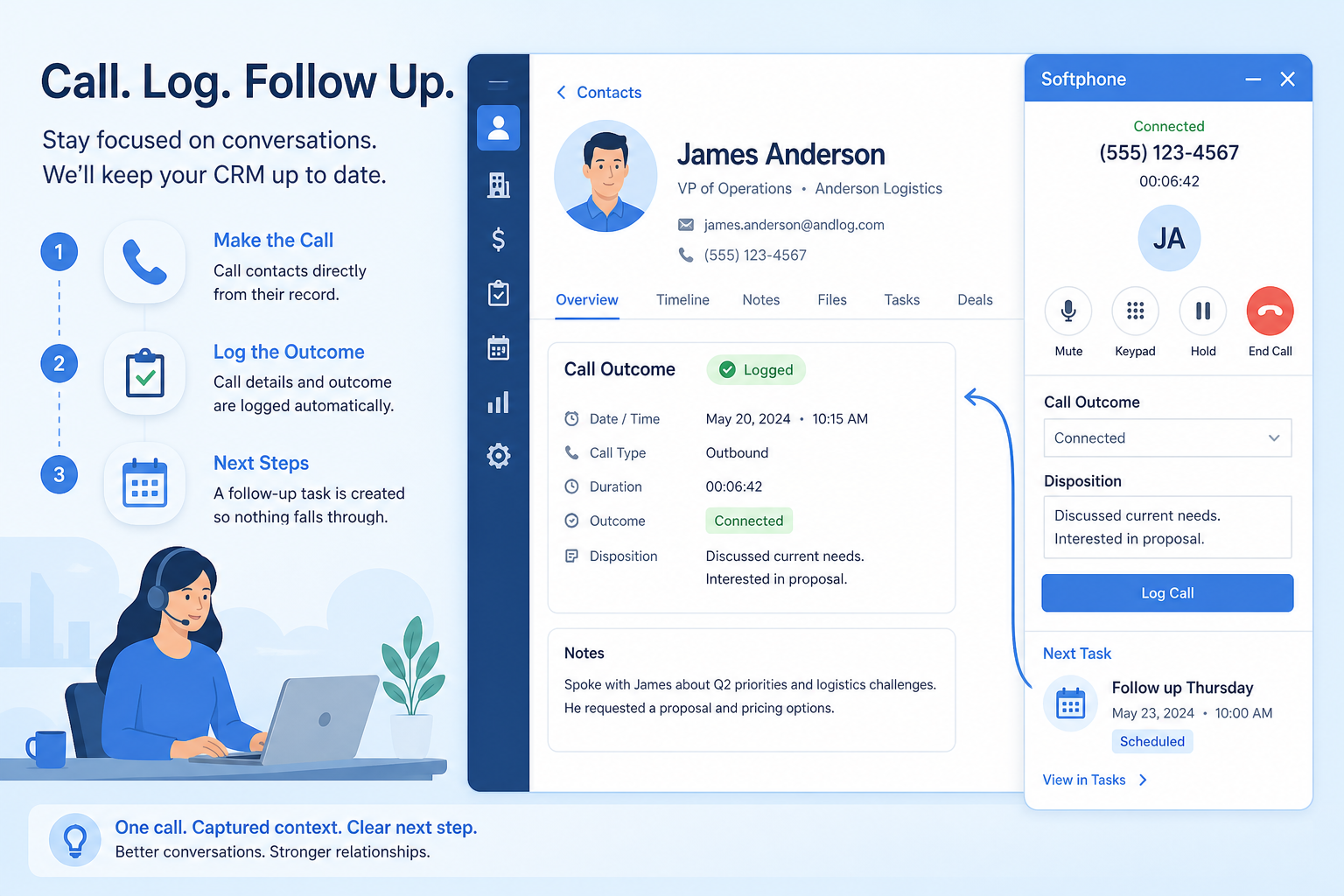
Place and log calls from the CRM so conversations attach to the right records — without turning the CRM into a full contact center.
Feature at a glance
Feature type
Communication (often an add-on)
Primary capability
Sales engagement
Typical buyer need
Phone conversations must appear on the record without manual note-taking
Common limitation
Calling is frequently an add-on with separate per-minute or per-seat costs
Products covered
5
Evidence records
560
Reviewed 15 Aug 2026
Fit snapshot
Calling is the CRM feature for click-to-call, call logging, notes, and often recordings or dispositions tied to contacts and deals. It supports sales and account conversations inside the CRM workflow. It is not a full contact-center suite (IVR, large queue routing, workforce management). Teams evaluate dialer depth, logging automation, local presence, and compliance controls separately from helpdesk telephony.
SDRs, AEs, and account managers who live on the phone and currently copy notes from a softphone into the CRM — or skip logging entirely. Common in B2B SaaS outbound, field-sales follow-up calls, and advisory scheduling touchpoints.
Evaluate one-click dial, automatic logging, dispositions, recording/consent options, and whether power dialing is included or bolted on — not whether “CTI” appears as a buzzword. If logging is still manual, adoption will fail.
Calling lets users place or log calls from the CRM, attaching call records, notes, outcomes, and sometimes recordings to the relevant contact or deal.
Calling is NOT the same as
Pressure points
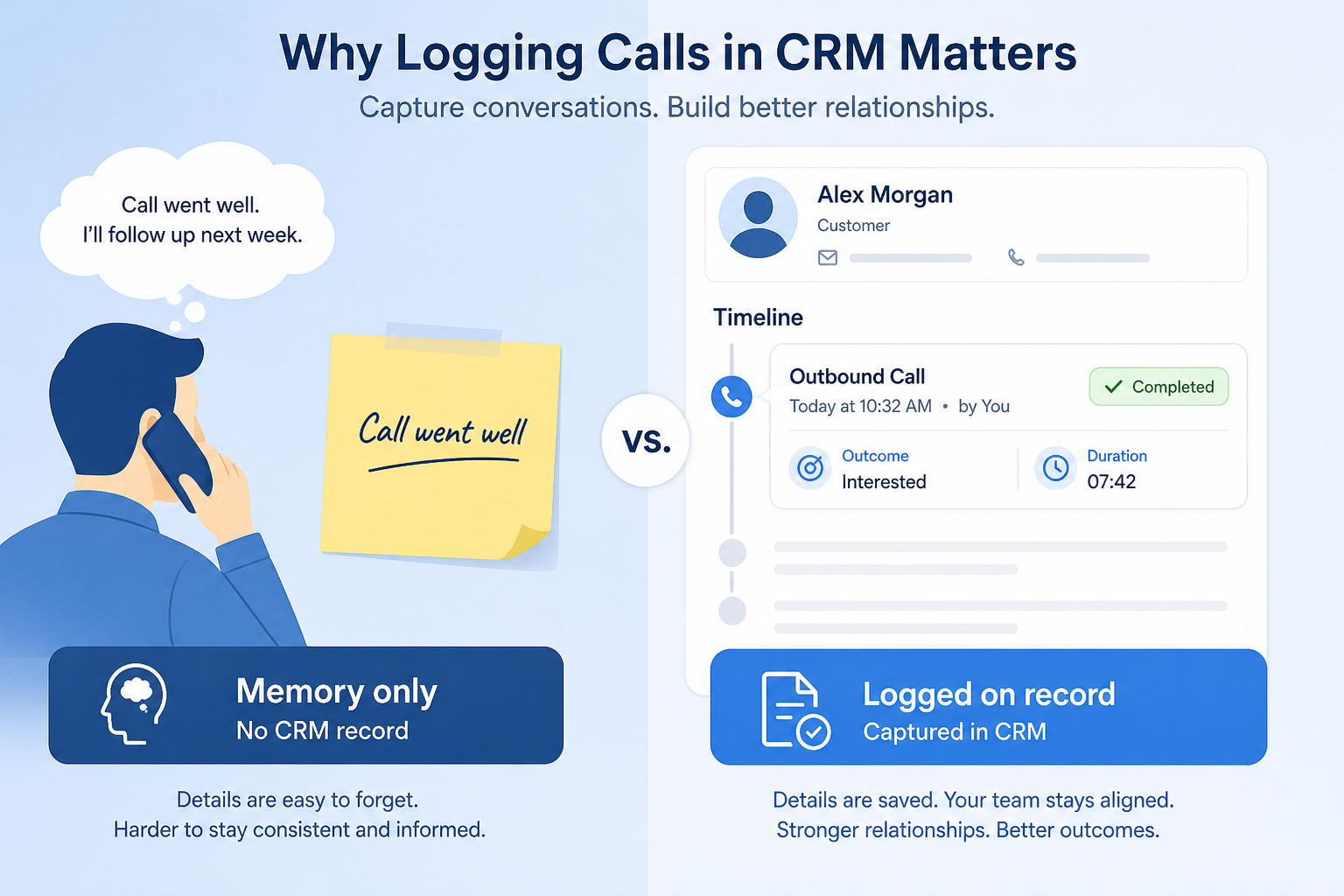
Pain: Managers and covering reps cannot see who was called or what was said.
How the feature helps: Click-to-call with automatic logging attaches calls to the contact and deal.
Pain: Context switches kill pace; notes get lost between systems.
How the feature helps: Calling inside the CRM keeps the record open while the conversation happens.
Pain: “Left VM” means five different things; coaching and sequences cannot branch.
How the feature helps: Structured dispositions make next steps and reporting consistent.
Pain: Teams record ad hoc without knowing what the CRM supports by region.
How the feature helps: Clarify recording, consent prompts, and retention with the vendor before rollout.
Results
Conversation history sits with email and meetings on the record.
Reps call from the record they are already working, with notes ready.
Managers see volume, connect rates, and dispositions without spreadsheet exports.
Dispositions trigger tasks or sequence steps instead of relying on memory.
How it runs
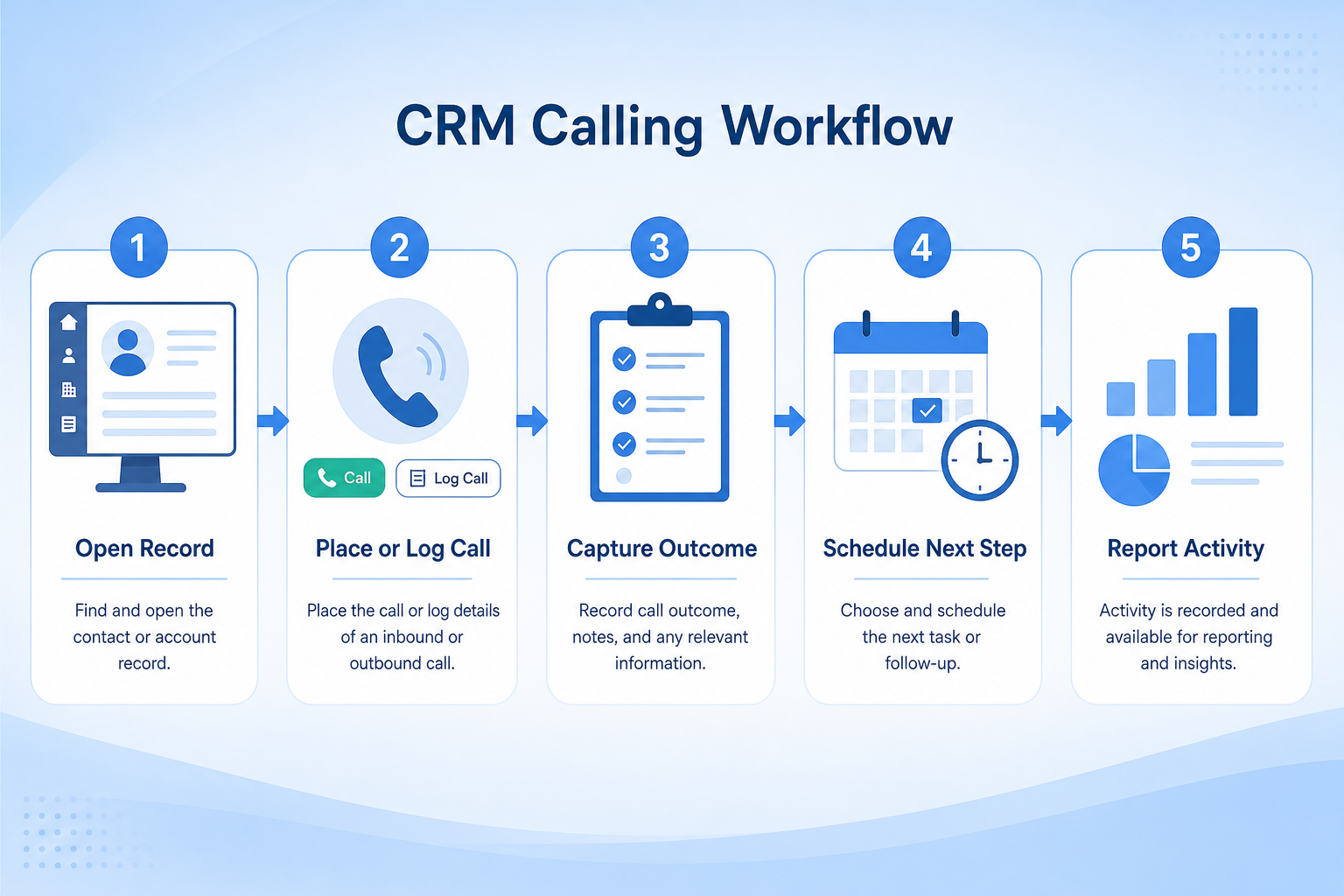
Connect numbers or softphone; set recording/consent policy with legal/ops.
Rep opens contact or deal and starts the call in-CRM.
Call duration and outcome save automatically; rep adds a short note.
Create a task or enroll in a sequence based on disposition.
Managers coach from call activity and recordings where permitted.
Concrete buyer situations — not product recommendations. Use them to test whether a CRM’s implementation matches how your team works.
B2B SaaS: SDR click-to-call
Situation
Four SDRs use a separate dialer and paste notes into CRM when they remember. Connect rates look fine in the dialer; CRM activity reports look empty, so AEs distrust handoffs.
What good looks like
SDRs dial from the lead record; calls auto-log with dispositions (Connected, VM, Wrong number). Connected calls with interest create AE tasks. Managers review CRM activity, not a second tool’s CSV.
Ask vendors
Is calling native or via integration? Do calls auto-log to leads and contacts? Are power dial / parallel dial features included or separate?
Field sales: post-visit follow-up calls
Situation
Field reps visit sites then call from mobile. Notes stay in the phone app; CRM deals lack call history when inside sales follows up.
What good looks like
Mobile CRM calling logs the follow-up against the opportunity. Disposition “Send proposal” creates a task for the inside partner. The deal timeline shows visit notes plus call outcomes.
Ask vendors
Does the mobile app support calling and logging? Can calls associate to opportunities? How are local dialing and caller ID handled?
You probably need it if
You may not need it if
Capability
Sales engagement
Requirement
Track client interactions
Feature
Calling
Feature availability
criticalMinimum plan
highLogged on record
highTelephony integrations
highCall reporting
importantOfficial product demonstrations can help show how vendors implement the same feature differently. SoftwareGlimpse evaluates these alongside documentation, screenshots and other product evidence. Absence of a video does not mean a product lacks the feature.

Freshsales
Web Forms Overview | Freshsales CRM
This video is hosted on YouTube
This content is hosted by YouTube. The player loads only after you allow marketing cookies.
What this demonstrates
Not established by this video
Source: Freshworks · Verified 15 Aug 2026
Open source ↗
Salesforce
Specialized Retail Banking with Agentforce Financial Services

This video is hosted on YouTube
This content is hosted by YouTube. The player loads only after you allow marketing cookies.
What this demonstrates
Not established by this video
Source: Salesforce · Verified 14 Aug 2026
Open source ↗
Pipedrive
Leads Inbox tutorial
This video is hosted on YouTube
This content is hosted by YouTube. The player loads only after you allow marketing cookies.
What this demonstrates
Not established by this video
Source: Pipedrive · Verified 15 Aug 2026
Open source ↗
Close
Getting Started with Email in Close | How to Send and Manage Emails from Your CRM

This video is hosted on YouTube
This content is hosted by YouTube. The player loads only after you allow marketing cookies.
What this demonstrates
Not established by this video
Source: Close · Verified 15 Aug 2026
Open source ↗Not verified means insufficient evidence — not the same as unsupported.
Close
Freshsales
Salesforce

Keap
Pipedrive
Cells use feature support. Unknown is never treated as No. Official videos open from evidence — they are never embedded in the matrix.
| Dimension | |||||
|---|---|---|---|---|---|
| Feature availability | Supported | Supported | ◐Plan dependent | ◐Limited | ◐Limited |
| Minimum plan | Solo | Growth | Enterprise | Max Ignite | Lite |
| Logged on record | Supported | Supported | Supported | Supported | Supported |
| Telephony integrations | Supported | Supported | Supported | Supported | Supported |
| Call reporting | Supported | Supported | Supported | Supported | Supported |
Plan names come from feature entitlements — not inferred from marketing tier labels alone.
| Product | Feature starts at | Notes |
|---|---|---|
| Close | Solo | — |
| Freshsales | Growth | — |
| Salesforce | Enterprise | Higher-plan gated (researched) |
| Keap | Max Ignite | — |
| Pipedrive | Lite | — |
Two products can both support the feature while differing in depth. Official demos below are supplementary — the comparison matrix remains the structured source of truth.
Freshsales
This video is hosted on YouTube
This content is hosted by YouTube. The player loads only after you allow marketing cookies.
Official vendor tutorial
How Freshsales web forms capture and route inbound leads into CRM records.
Web form lead capture and routing as presented by Freshsales
Salesforce
This video is hosted on YouTube
This content is hosted by YouTube. The player loads only after you allow marketing cookies.
Official vendor video
Financial Services Cloud overview — client/account relationships and advisor workflows
client / account relationship surfaces in Financial Services Cloud
Logged on record
Compare how products differ on logged on record rather than assuming parity.
Telephony integrations
Compare how products differ on telephony integrations rather than assuming parity.
Call reporting
Compare how products differ on call reporting rather than assuming parity.
Loading evidence explorer…
Verified product captures only — never stock imagery or mockups.
Close calling
Supported · StrongEvidence: 6 · High confidence
Available from: Solo
Built-in calling; usage-based; trial includes calling credits.
Strengths
Limitations
Best for: Inside sales and outbound teams that live on phone/email/SMS
See it in action
This video is hosted on YouTube
This content is hosted by YouTube. The player loads only after you allow marketing cookies.
Official vendor tutorial
Official vendor demonstration — complementary evidence, not a substitute for the comparison matrix.
View all feature evidenceFreshsales calling
Supported · StrongEvidence: 5 · High confidence
Available from: Growth
Chat, email, and phone called out on Growth.
Strengths
Limitations
Best for: SMB and mid-market teams wanting CRM + phone/email engagement
See it in action
This video is hosted on YouTube
This content is hosted by YouTube. The player loads only after you allow marketing cookies.
Official vendor tutorial
How Freshsales web forms capture and route inbound leads into CRM records.
Official vendor demonstration — complementary evidence, not a substitute for the comparison matrix.
View all feature evidenceSalesforce calling
Plan dependent · GoodEvidence: 5 · High confidence
Available from: Enterprise
Conversation Intelligence highlighted from Enterprise.
Strengths
Limitations
Best for: Mid-market and enterprise sales orgs needing deep customization and reporting
See it in action
This video is hosted on YouTube
This content is hosted by YouTube. The player loads only after you allow marketing cookies.
Official vendor video
Financial Services Cloud overview — client/account relationships and advisor workflows
Official vendor demonstration — complementary evidence, not a substitute for the comparison matrix.
View all feature evidenceKeap calling
Limited · LimitedEvidence: 5 · High confidence
Available from: Max Ignite
Voice/SMS marketing tiers and dedicated numbers; overages apply.
Strengths
Limitations
Best for: Small businesses needing CRM + marketing automation in one platform
See it in action
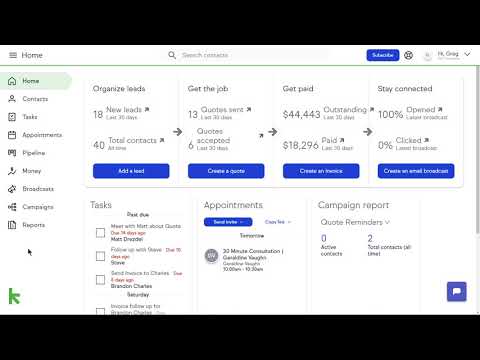
This video is hosted on YouTube
This content is hosted by YouTube. The player loads only after you allow marketing cookies.
Official vendor tutorial
Official vendor demonstration — complementary evidence, not a substitute for the comparison matrix.
View all feature evidencePipedrive calling
Limited · LimitedEvidence: 5 · High confidence
Available from: Lite
Web-to-mobile calling; deeper telephony via Marketplace.
Strengths
Limitations
Best for: SMB and mid-market sales teams prioritizing pipeline visibility
See it in action
This video is hosted on YouTube
This content is hosted by YouTube. The player loads only after you allow marketing cookies.
Official vendor tutorial
How Pipedrive Leads Inbox qualifies inbound leads before creating deals.
Official vendor demonstration — complementary evidence, not a substitute for the comparison matrix.
View all feature evidenceNative calling vs telephony integration
Native calling is simpler to start; integrating existing telephony preserves your numbers and controls.
Convenience vs usage cost
Per-minute or per-seat calling charges sit outside the base subscription.
Recording vs consent obligations
Recording requirements vary by jurisdiction — confirm obligations before enabling it.
Feature availability alone does not tell you whether the implementation fits your workflow. Compare depth, plan gating, and related dimensions before shortlisting.
High-volume lead handling
SituationalLog or place calls without leaving the record.
Add this as a requirement in your CRM shortlist and personalize for team size, budget, and other priorities.
Find My CRM5
Products covered
560
Evidence items
277
Screenshots
5
Plan records
Capability
Sales engagement
Requirement
Track client interactions
Feature
Calling
Products
5 researched
Evidence
560 records
It is placing and logging phone calls from the CRM so conversations attach to contacts and deals — typically click-to-call, dispositions, notes, and sometimes recordings.
No. Contact centers add heavy queue routing, IVR, and workforce tools. CRM calling supports sales and account conversations inside the CRM record workflow.
It depends on volume and dialing mode. Light click-to-call may be enough; high-volume outbound often needs power-dial features — confirm whether they are native, add-on, or integrated.
Compare catalogue CRM products based on this feature plus your other requirements, team size and budget.
Explore the official documentation, screenshots and product demonstrations used to understand how each CRM implements this feature.
43 items
Official video · Close
Supports
Demonstrates
This video is hosted on YouTube
This content is hosted by YouTube. The player loads only after you allow marketing cookies.
Official vendor tutorial
Verified: 15 Aug 2026
Open source ↗Official video · Close
Supports
Demonstrates

This video is hosted on YouTube
This content is hosted by YouTube. The player loads only after you allow marketing cookies.
Official vendor tutorial
Verified: 15 Aug 2026
Open source ↗Official video · Freshsales
Supports
Demonstrates
This video is hosted on YouTube
This content is hosted by YouTube. The player loads only after you allow marketing cookies.
Official vendor tutorial
How Freshsales web forms capture and route inbound leads into CRM records.
Verified: 15 Aug 2026
Open source ↗Official video · Freshsales
Supports
Demonstrates

This video is hosted on YouTube
This content is hosted by YouTube. The player loads only after you allow marketing cookies.
Official vendor tutorial
Verified: 15 Aug 2026
Open source ↗Official video · HubSpot
Supports
Demonstrates

This video is hosted on YouTube
This content is hosted by YouTube. The player loads only after you allow marketing cookies.
Official vendor tutorial
Lead management workflow — capture through assignment and follow-up
Verified: 14 Aug 2026
Open source ↗Official video · HubSpot
Supports
Demonstrates

This video is hosted on YouTube
This content is hosted by YouTube. The player loads only after you allow marketing cookies.
Official vendor tutorial
How HubSpot manages marketing contacts and lists as a CRM contact workflow.
Verified: 15 Aug 2026
Open source ↗Official video · Keap
Supports
Demonstrates
This video is hosted on YouTube
This content is hosted by YouTube. The player loads only after you allow marketing cookies.
Official vendor tutorial
Verified: 15 Aug 2026
Open source ↗Official video · Keap
Supports
Demonstrates

This video is hosted on YouTube
This content is hosted by YouTube. The player loads only after you allow marketing cookies.
Official vendor tutorial
Verified: 15 Aug 2026
Open source ↗Official video · Mailchimp
Supports
Demonstrates

This video is hosted on YouTube
This content is hosted by YouTube. The player loads only after you allow marketing cookies.
Official vendor tutorial
How Mailchimp presents the product in an official vendor video.
Verified: 16 Aug 2026
Open source ↗Official video · Pipedrive
Supports
Demonstrates
This video is hosted on YouTube
This content is hosted by YouTube. The player loads only after you allow marketing cookies.
Official vendor tutorial
How Pipedrive Leads Inbox qualifies inbound leads before creating deals.
Verified: 15 Aug 2026
Open source ↗Official video · Pipedrive
Supports
Demonstrates

This video is hosted on YouTube
This content is hosted by YouTube. The player loads only after you allow marketing cookies.
Official vendor tutorial
Verified: 15 Aug 2026
Open source ↗Official video · Salesforce
Supports
Demonstrates
This video is hosted on YouTube
This content is hosted by YouTube. The player loads only after you allow marketing cookies.
Official vendor video
Financial Services Cloud overview — client/account relationships and advisor workflows
Verified: 14 Aug 2026
Open source ↗Official video · Salesforce
Supports
Demonstrates

This video is hosted on YouTube
This content is hosted by YouTube. The player loads only after you allow marketing cookies.
Official vendor tutorial
How Salesforce explains lead management from capture through qualification.
Verified: 15 Aug 2026
Open source ↗Official video · Zoho
Supports
Demonstrates

This video is hosted on YouTube
This content is hosted by YouTube. The player loads only after you allow marketing cookies.
Official vendor tutorial
How Zoho CRM manages leads from capture through conversion.
Verified: 15 Aug 2026
Open source ↗Screenshot · Attio
Supports
Demonstrates
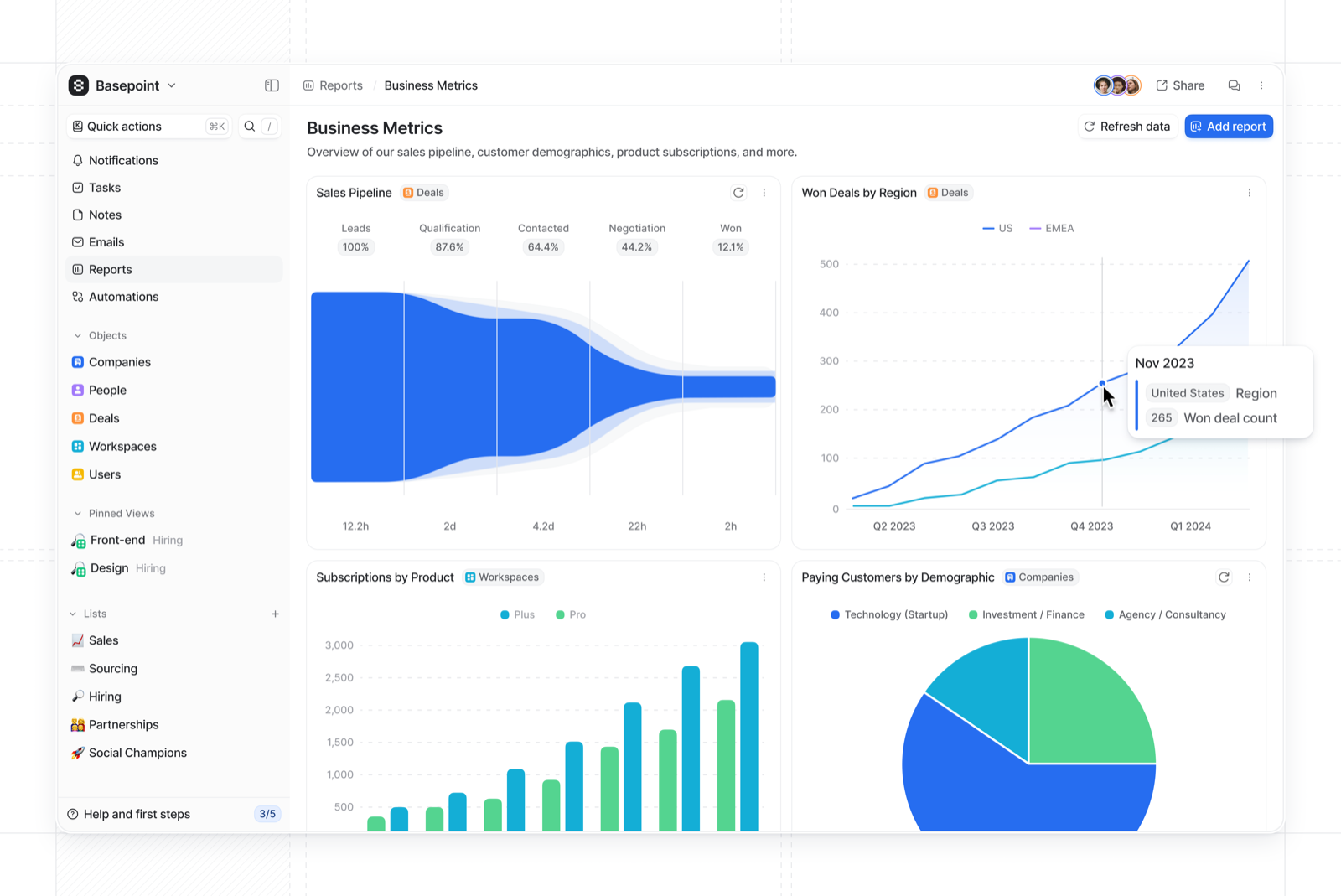
Verified: 15 Aug 2026
Open source ↗Screenshot · Attio
Supports
Demonstrates
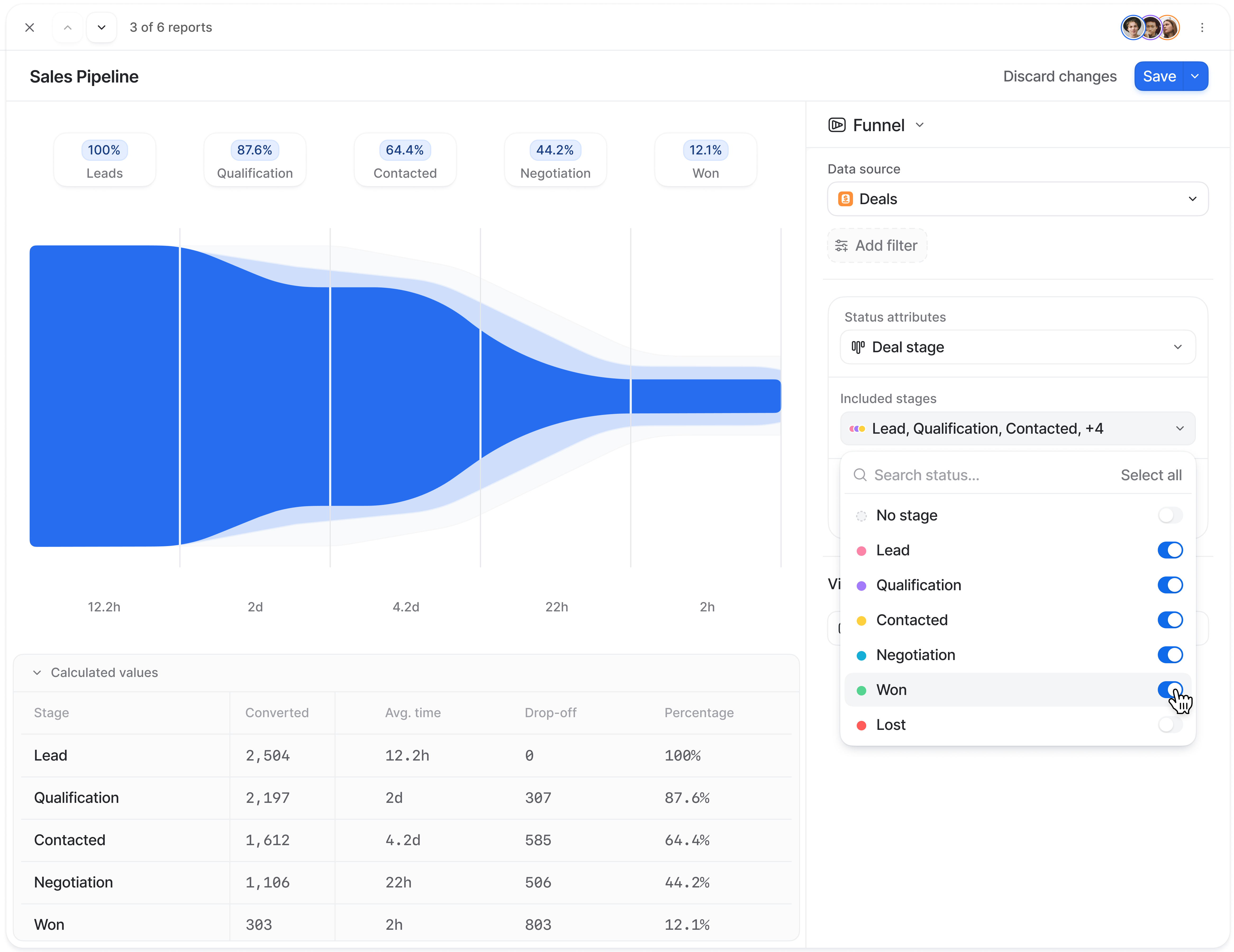
Verified: 15 Aug 2026
Open source ↗Screenshot · Attio
Supports
Demonstrates
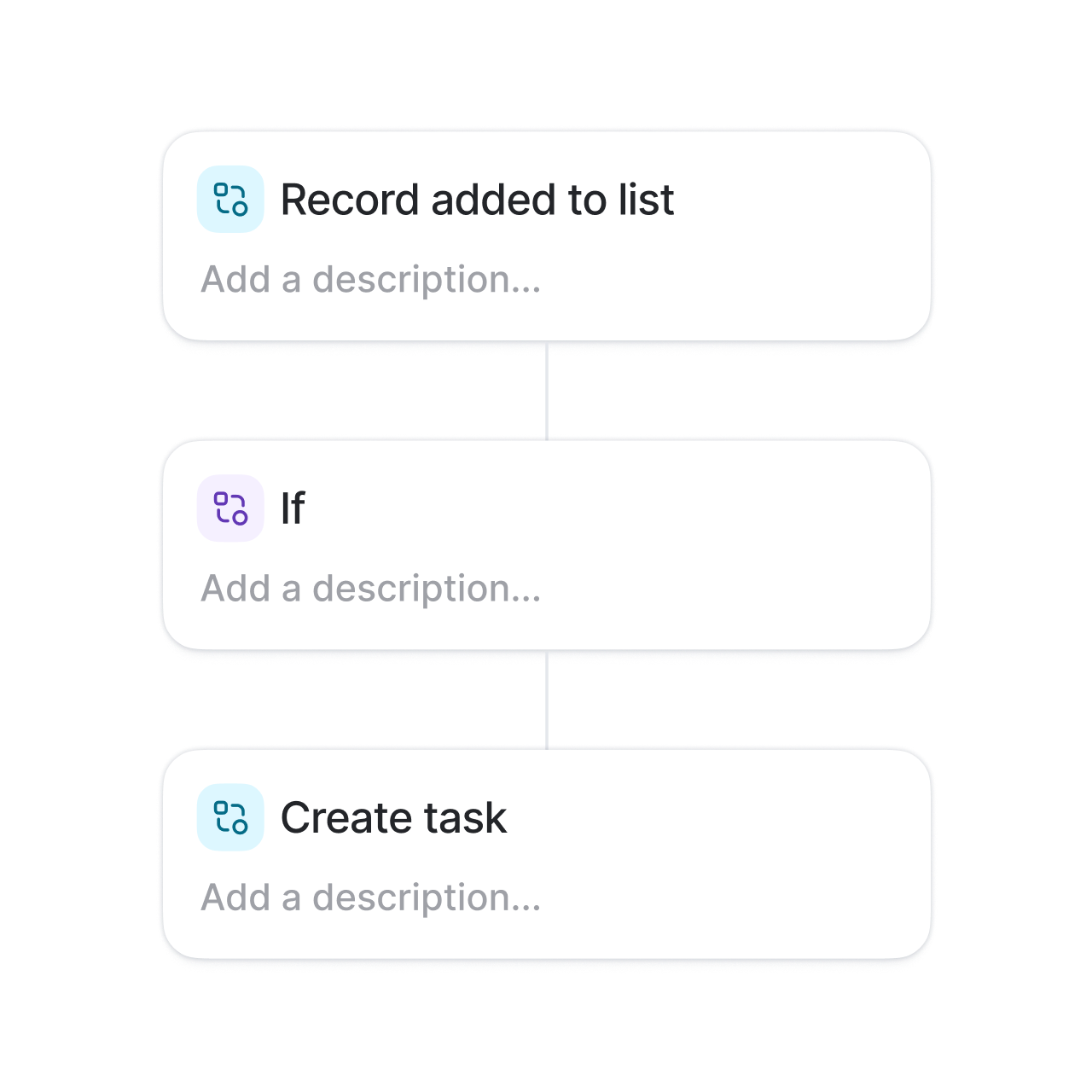
Verified: 15 Aug 2026
Open source ↗Screenshot · Bitrix24
Supports
Demonstrates
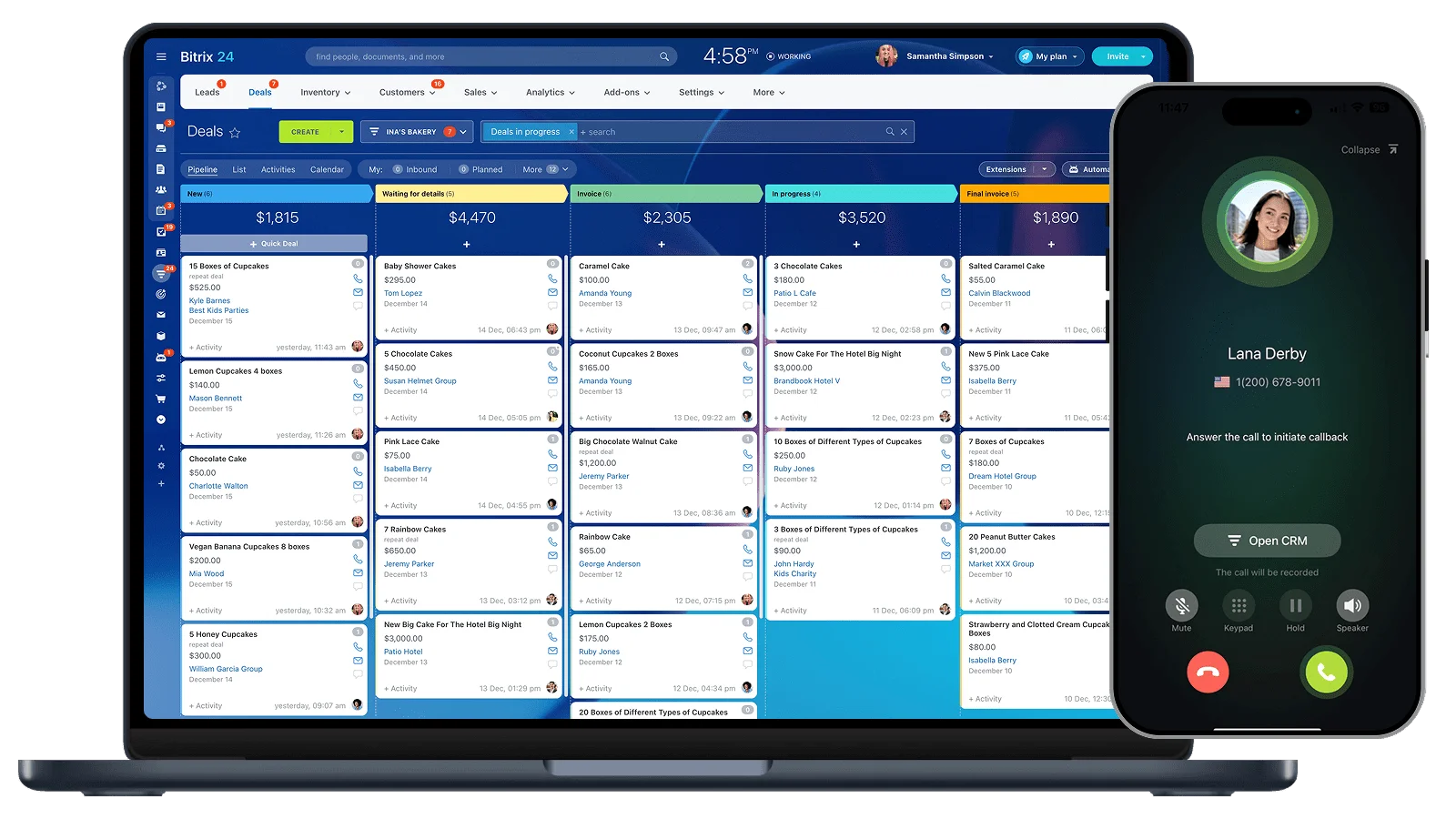
Verified: 15 Aug 2026
Open source ↗Screenshot · Bitrix24
Supports
Demonstrates
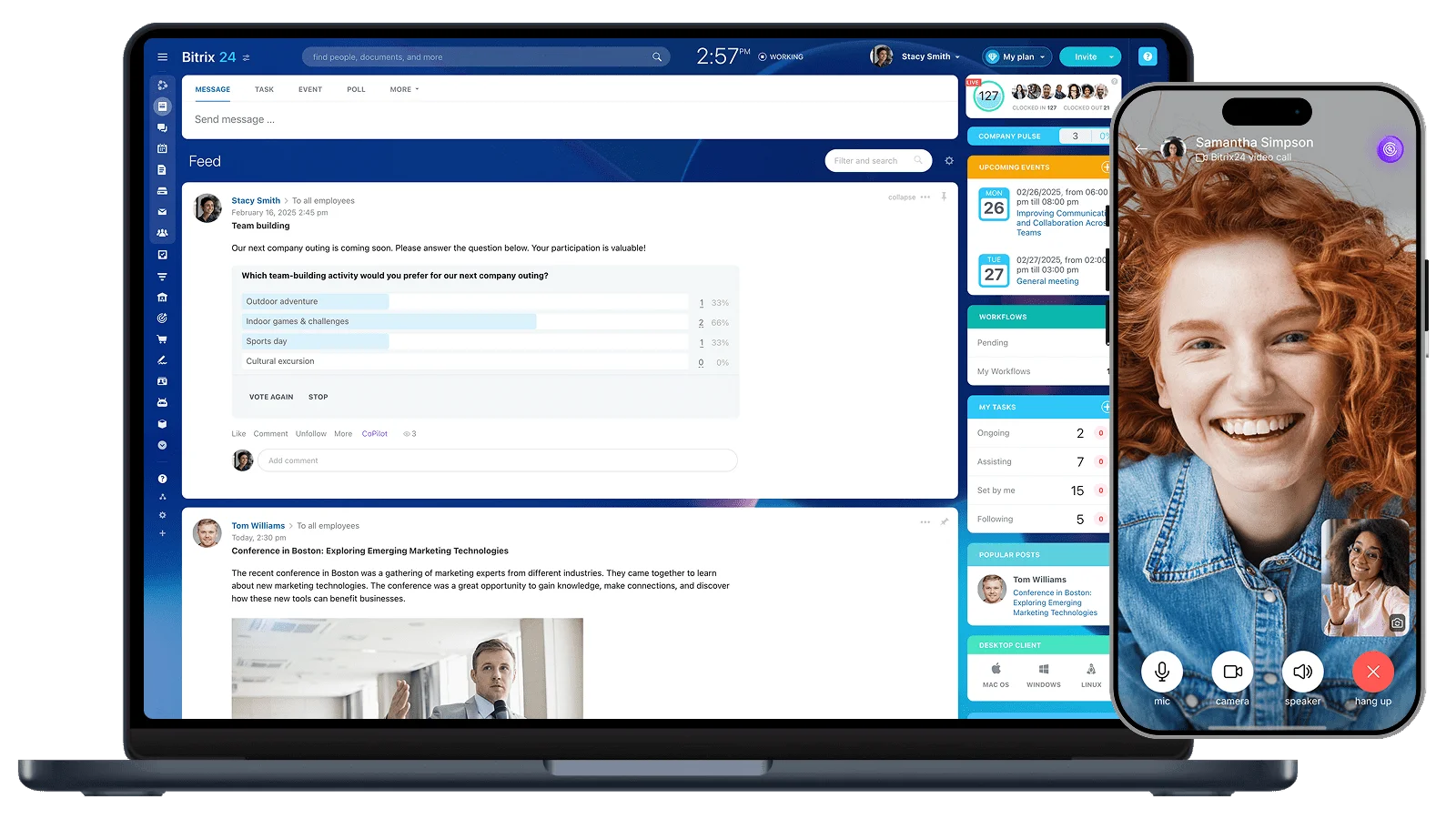
Verified: 15 Aug 2026
Open source ↗Screenshot · Bitrix24
Supports
Demonstrates
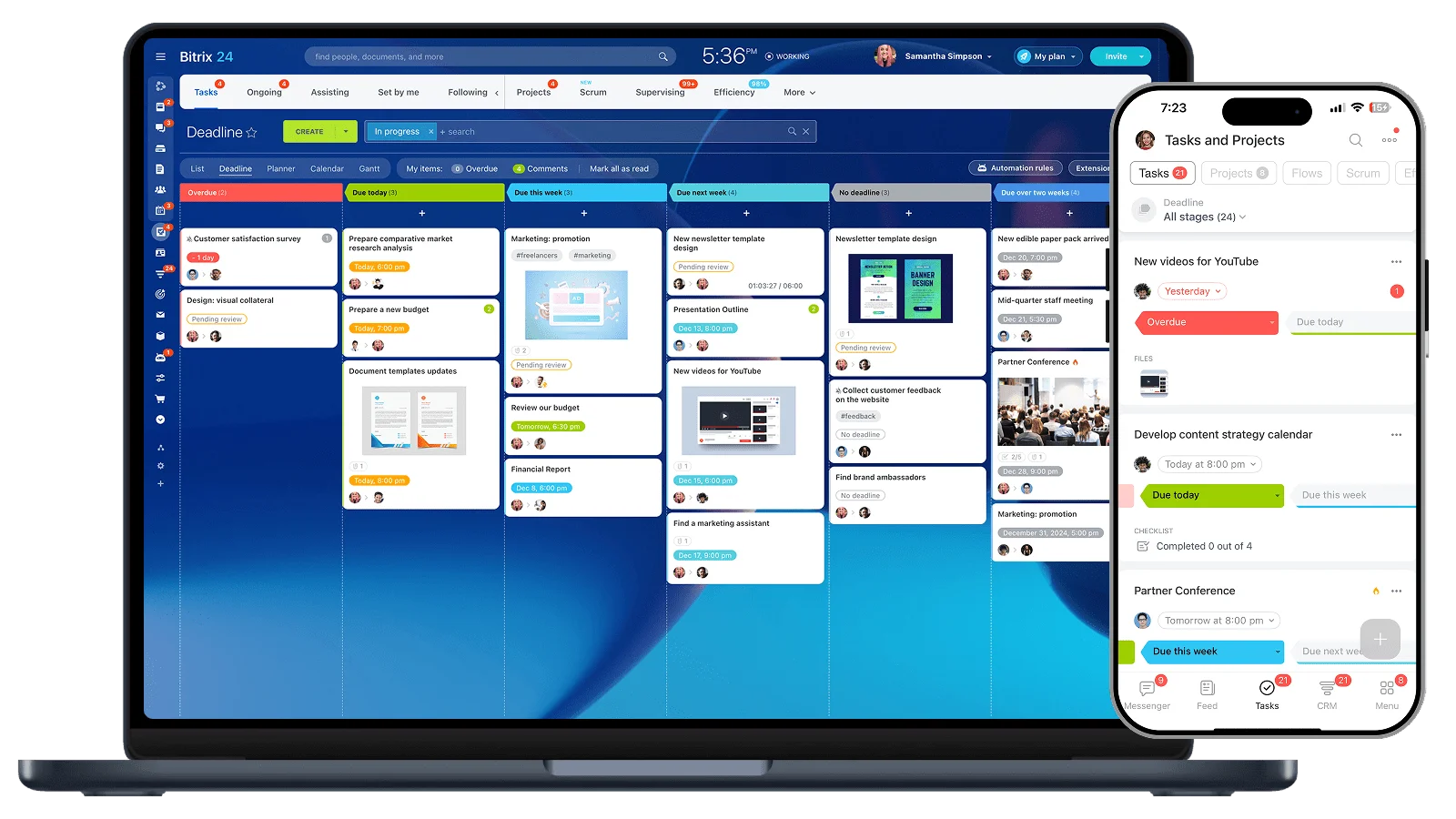
Verified: 15 Aug 2026
Open source ↗Screenshot · Copper
Supports
Demonstrates

Verified: 15 Aug 2026
Open source ↗Screenshot · Copper
Supports
Demonstrates

Verified: 15 Aug 2026
Open source ↗Screenshot · Copper
Supports
Demonstrates

Verified: 15 Aug 2026
Open source ↗Screenshot · Creatio
Supports
Demonstrates
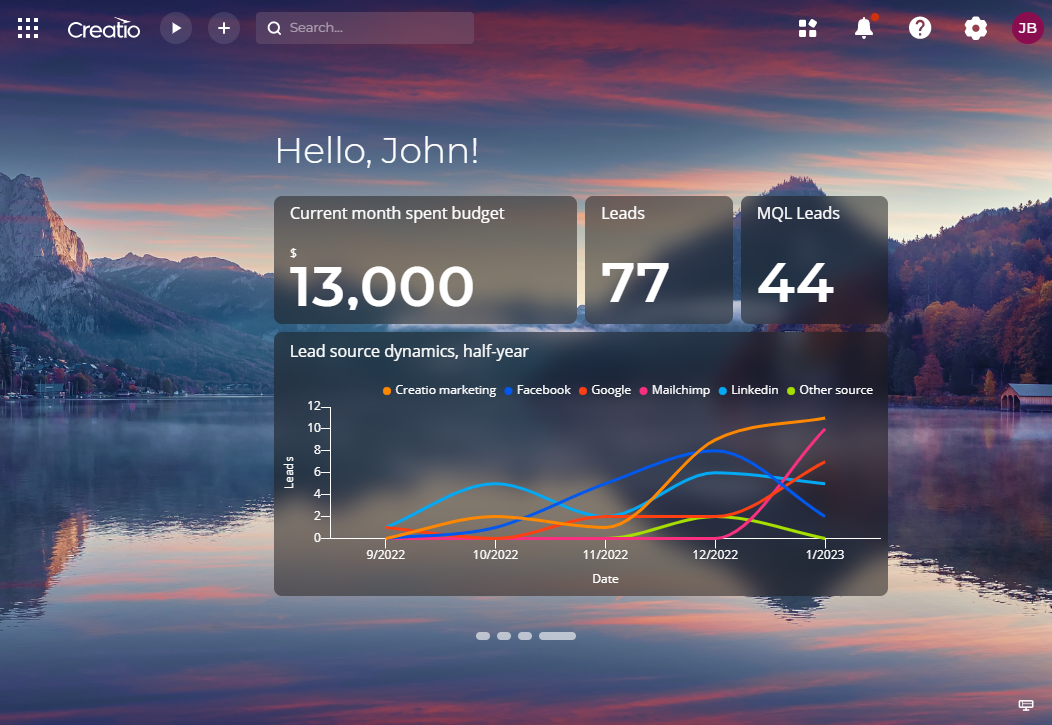
Verified: 15 Aug 2026
Open source ↗Screenshot · Creatio
Supports
Demonstrates
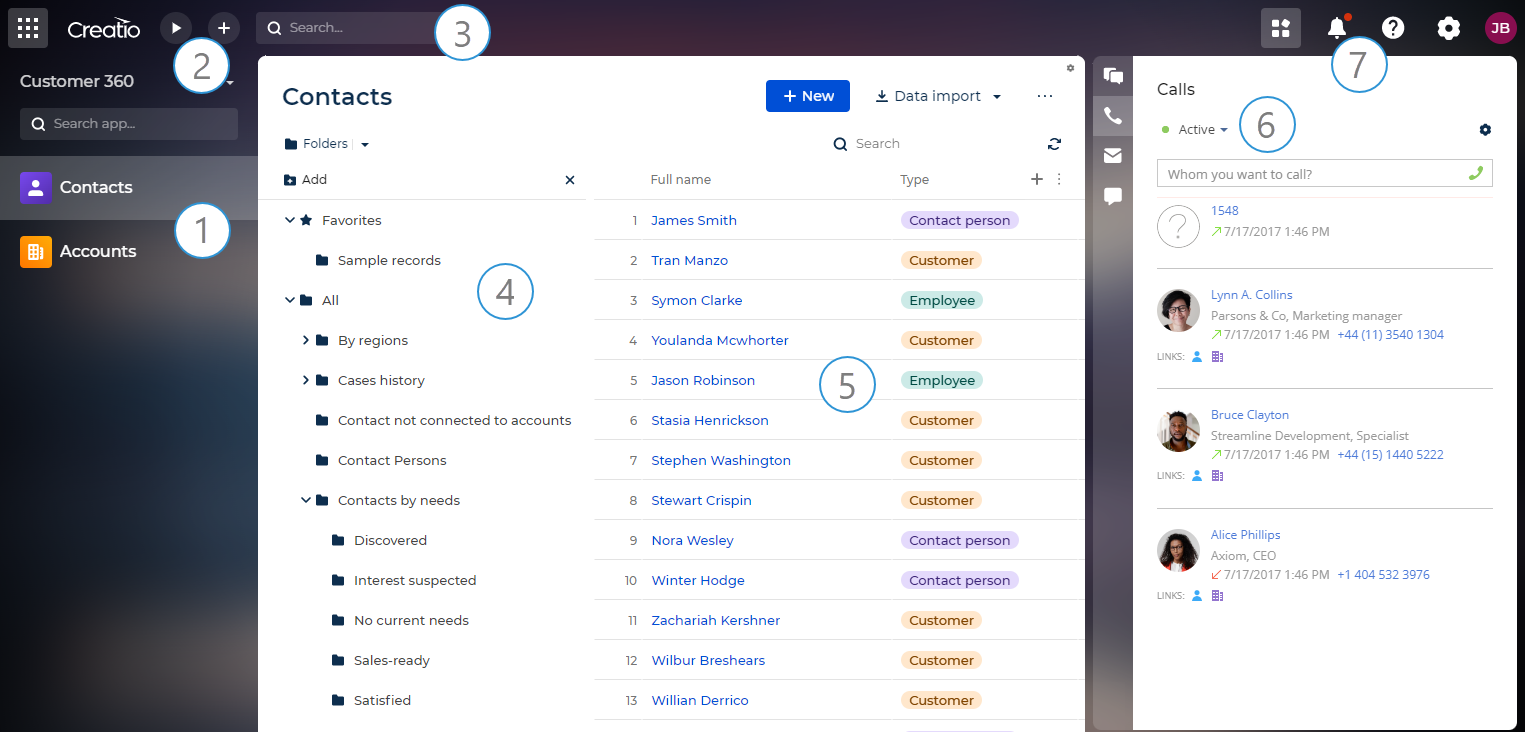
Verified: 15 Aug 2026
Open source ↗Screenshot · Creatio
Supports
Demonstrates
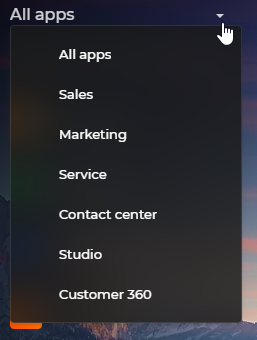
Verified: 15 Aug 2026
Open source ↗Official documentation · Close
Supports
Verified: —
Open source ↗Official documentation · Close
Supports
Verified: —
Open source ↗Official documentation · Close
Supports
Verified: —
Open source ↗Official documentation · Freshsales
Supports
Verified: —
Open source ↗Official documentation · Freshsales
Supports
Verified: —
Open source ↗Official documentation · Keap
Supports
Verified: —
Open source ↗Official documentation · Keap
Supports
Verified: —
Open source ↗Official documentation · Keap
Supports
Verified: —
Open source ↗Official documentation · Pipedrive
Supports
Verified: —
Open source ↗Official documentation · Pipedrive
Supports
Verified: —
Open source ↗Official documentation · Pipedrive
Supports
Verified: —
Open source ↗Official documentation · Pipedrive
Supports
Verified: —
Open source ↗Official documentation · Pipedrive
Supports
Verified: —
Open source ↗Official documentation · Salesforce
Supports
Verified: —
Open source ↗Official documentation · Salesforce
Supports
Verified: —
Open source ↗Official documentation · Salesforce
Supports
Verified: —
Open source ↗Official documentation · Salesforce
Supports
Verified: —
Open source ↗
