
Crm
Pipeline-first sales CRM for visual deal management, activity-based selling, and growing sales teams.
Business type / Small business
Choose CRM that your team will keep updated — shared contacts, a simple pipeline, and minimal admin.
At a glance
Shared pipeline + contact history
Owner-operators and small sales teams
Ease of adoption · Contact management · Simple pipeline · Email sync
9 products to explore
Fit snapshot
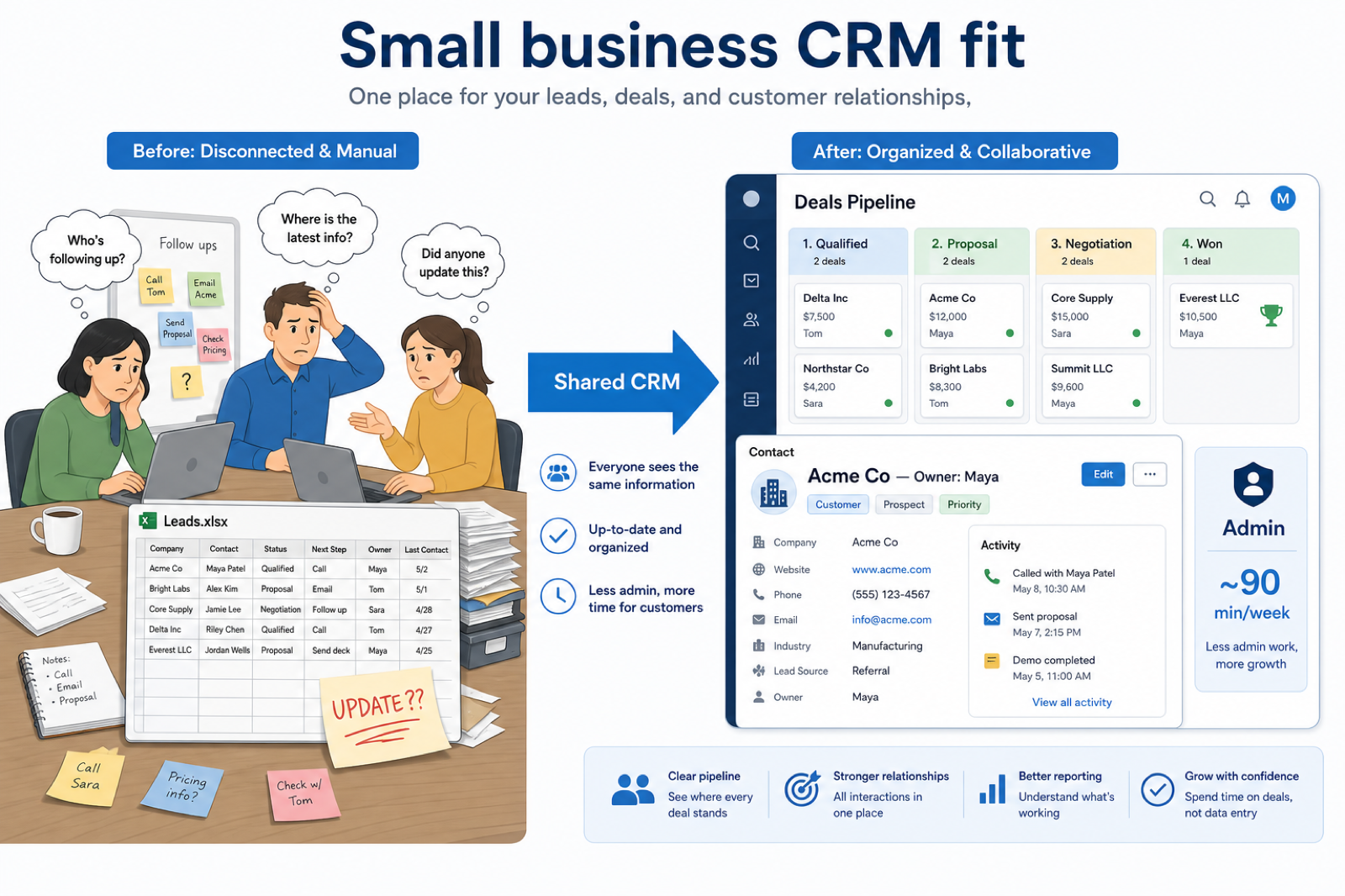
Small-business CRM decisions fail when buyers chase enterprise feature lists. Prioritize adoption: clear owners, stages you will actually use, and enough reporting for a Friday pipeline review.
Owner-led companies and small sales pods (roughly 2–25 people) that sell through relationships and follow-ups. You are past “I can keep it in my head,” but you do not have a RevOps team. You need shared customer memory and a pipeline the whole team will actually update.
How small businesses put CRM to work
Example 1
a 12-person services firm
Before CRM
the team rebuilt deal status from a shared spreadsheet and Slack every Monday
After CRM
four stages, one owner per deal, and email sync mean check-ins start from the board — not from “where is this?” threads
Example 2
a local B2B installer with two estimators and one office coordinator
Before CRM
quotes lived in email drafts
After CRM
every quote has an owner, a stage, and a next date — the coordinator can chase without guessing who spoke last
These are the operating problems that usually push small businesses toward CRM — not feature wish lists.
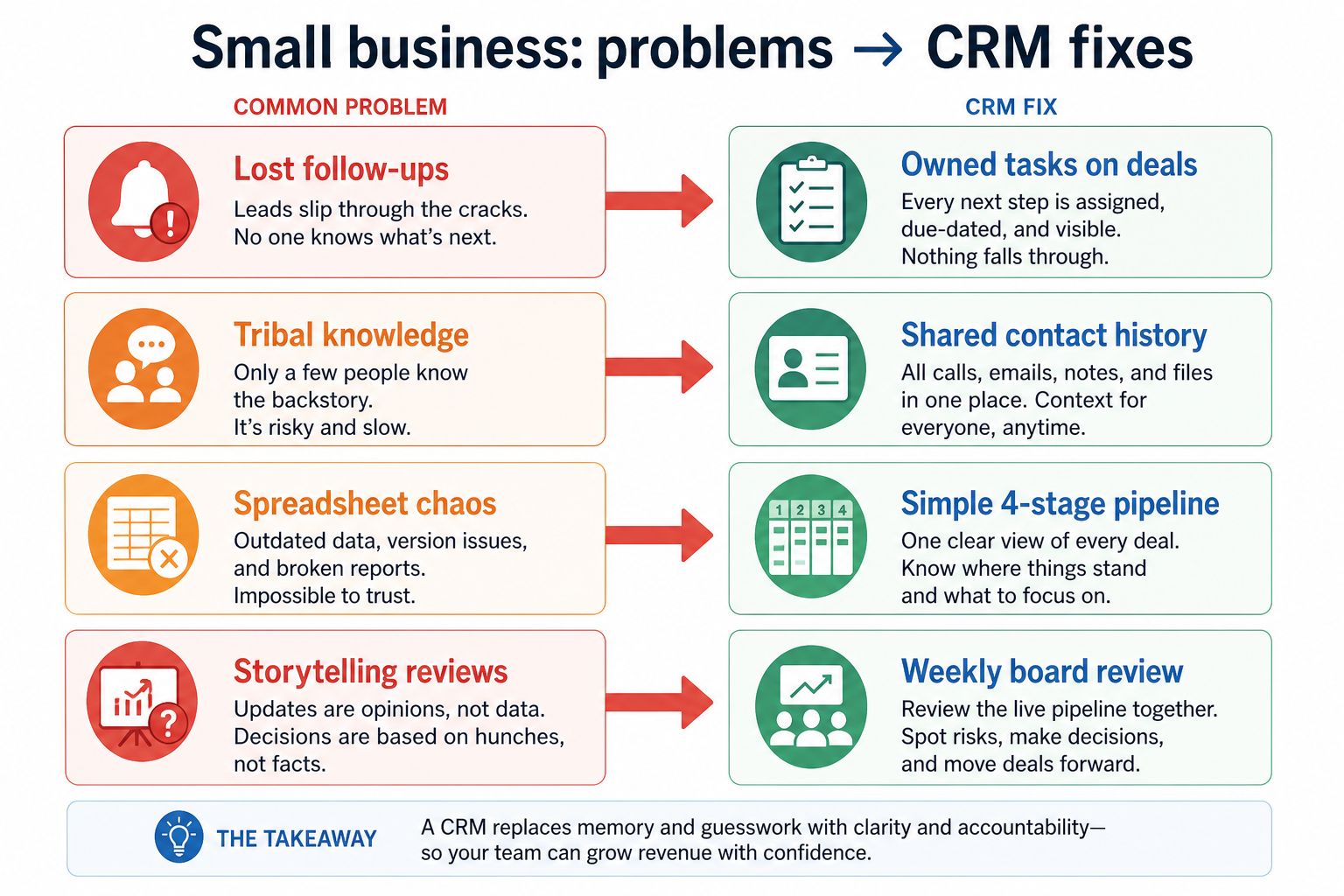
Without CRM discipline: Warm leads cool off because reminders live in personal inboxes or sticky notes.
Without CRM discipline: If the owner or top rep is out, the team rebuilds history from memory and Slack.
Without CRM discipline: Multiple editors, conflicting rows, and no clear owner per opportunity.
Without CRM discipline: Monday or Friday check-ins ask “any updates?” instead of reviewing a trusted board.
A CRM only helps when the team keeps owners, history, and next steps current. Here is what “good” looks like for small businesses.
With a maintained CRM: Tasks and next-step dates sit on the deal or contact, so anyone covering the account can see what is due.
With a maintained CRM: Notes, emails, and call history attach to one record so coverage does not mean starting over.
With a maintained CRM: A simple stage board with required owners replaces the shared sheet for active deals.
With a maintained CRM: A short, honest pipeline view makes reviews about next actions — not reconstructing status.
Contacts and open deals stop living in private lists.
Next steps are visible and owned, even when someone is out.
Reviews start from the board instead of verbal updates.
New people inherit context instead of shadowing for weeks.
For most small businesses, CRM value is operational discipline — not AI theater or deep customization on day one.
If reps will not log activity, fancy automation will not save you.
Explore →
A few honest stages beat a complex board nobody trusts.
Explore →
Stop rebuilding client history from inboxes and notebooks.
Explore →
Prefer tools a part-time admin can keep clean in under two hours a week.
Model seats and required add-ons before committing to a suite.
Explore →
Email, calendar, and the one tool your team already lives in.
Start with must-haves that match day-to-day work. Nice-to-haves can wait until the basics are trusted.
Reduce double entry so logging actually happens.
Next actions with due dates on the record.
How a small-business team keeps contacts, owners, and a simple pipeline in one shared CRM.
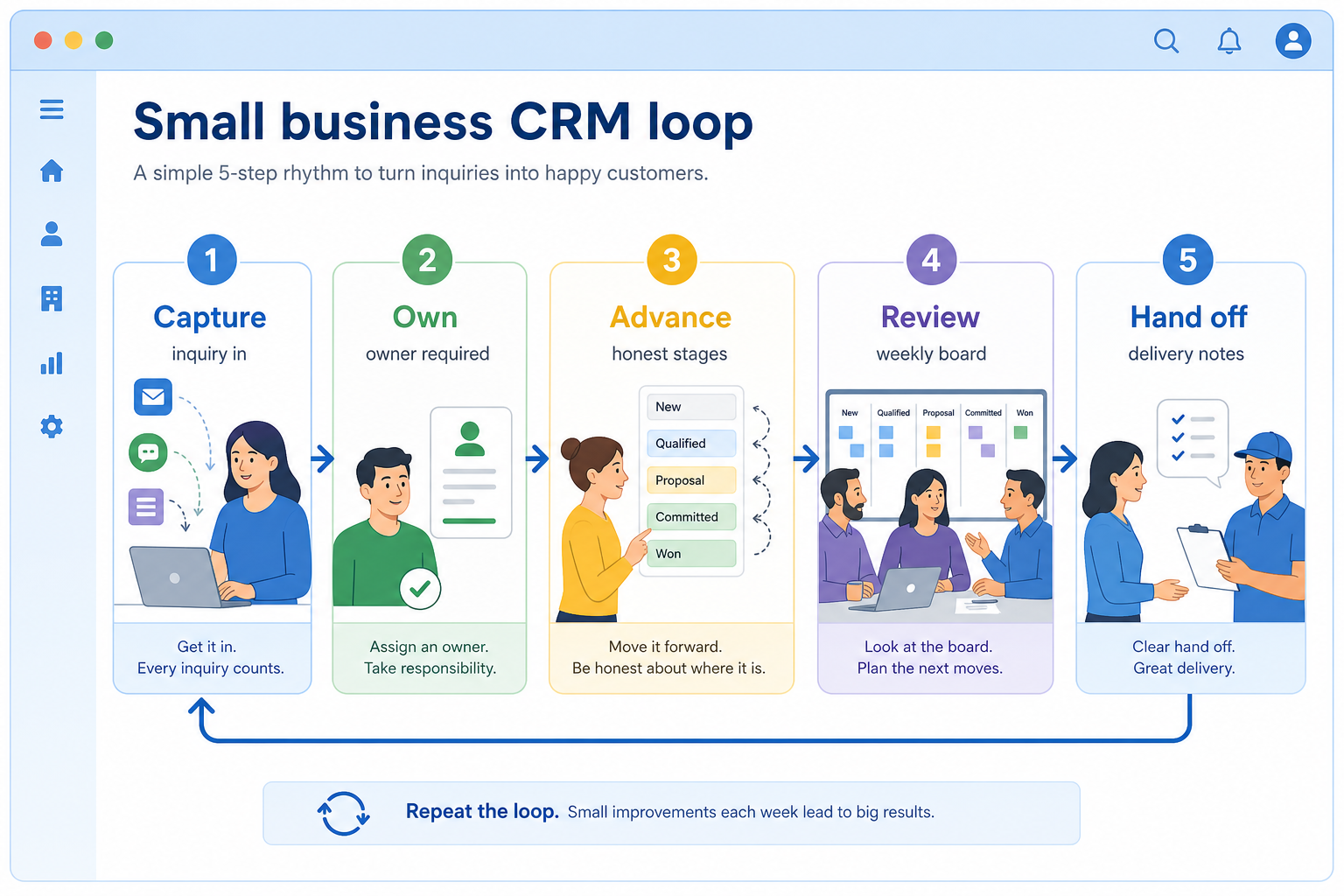
Lead or inquiry lands in CRM (form, email, or manual).
One person owns the follow-up — no orphan records.
Move stages only when real progress happens.
Weekly board review: stuck deals and missing next steps.
Won work carries notes into delivery or fulfillment.
Use these as decision checks — not as product rankings.
Good fit when
Team will maintain owners and stages weekly
Good fit when
Need shared visibility beyond one person’s inbox
Watch out
No one owns CRM admin yet
Usually avoid
Buying for ‘AI features’ without a process
Usually avoid
Enterprise suite with empty seats and zero hygiene
Best when: The founder still closes most deals and needs shared history as they hire.
Best when: 2–8 people share a pipeline and need weekly forecast honesty.
Best when: Follow-ups drop when volume outgrows a sheet + inbox combo.
These CRM products commonly fit small businesses. This is a starting shortlist to review — not a ranked best-of list. Affiliate relationships never change what appears here.
Crm
Pipeline-first sales CRM for visual deal management, activity-based selling, and growing sales teams.

Crm
AI-powered customer platform with free forever CRM, plus paid Smart CRM seats and Sales/Marketing/Service hubs for growing teams.

Crm
Affordable multi-edition sales CRM with free tier, automation, and Zia AI across Standard through Ultimate.

Crm
Modern, flexible CRM for startups and GTM teams with a data-model-first workspace and AI assistance.

Crm
Google Workspace-native CRM for pipeline and relationship management inside Gmail and Google apps.
Work OS–style sales CRM from monday.com for visual pipelines, automations, and team collaboration.

Crm
Small-business CRM with pipelines, marketing add-ons, and AI assistance on a clear per-user ladder.

Crm
CRM plus project management for service-oriented SMBs, with automation and AI on higher plans.

Crm
Free-tier all-in-one CRM and collaboration suite with organization-based paid cloud plans.
Lost follow-ups, unclear ownership, or forecast chaos — pick one primary pain.
Contacts, pipeline stages, email/calendar sync, reporting — skip vanity features.
Someone must own fields, users, and hygiene weekly. No owner → no CRM value.
Import a slice of live data and run a week of actual follow-ups — not a demo script.
Trial evaluation guide →CRM for early-stage teams that need speed, light process, and room to grow.
CRM for teams outgrowing spreadsheets and informal ownership of follow-ups.
Lightweight CRM for solo operators who need client history without heavy sales process.
Track deals through stages, keep ownership clear, and see where opportunities stall.
Keep people, companies, and interaction history in one searchable system.
Capture, qualify, and route leads before they become pipeline deals.
Next steps for small businesses evaluating CRM — decision tools and pages. Affiliate relationships never change recommendations.
Use Finder for a fit-based shortlist, compare catalogue products, or build a requirements checklist before demos. Affiliate relationships never change order.
Want clearer software shortlists? Get buying guides and comparisons by email.
Newsletter coming soon.