This video is hosted on YouTube
This content is hosted by YouTube. The player loads only after you allow marketing cookies.
Education CRM capability
Evaluate CRM platforms on how well they support workflow automation for education teams — the requirements that matter, the trade-offs involved, and researched product evidence.
Workflow automation
What we evaluate
Capability at a glance
Medium–High importanceAutomation is how education teams keep process discipline without adding administrators. Reminders, assignments, and follow-ups happen because a rule fired, not because someone remembered.
Manual follow-up degrades under load. When volumes rise, education teams lose the newest and least urgent-looking work first — exactly the work automation protects.
Products differ sharply in what can trigger a rule, what actions are available, and which plan unlocks them. Compare against the two or three workflows you would automate first.
Use these requirements to evaluate products against your workflow — not popularity alone.
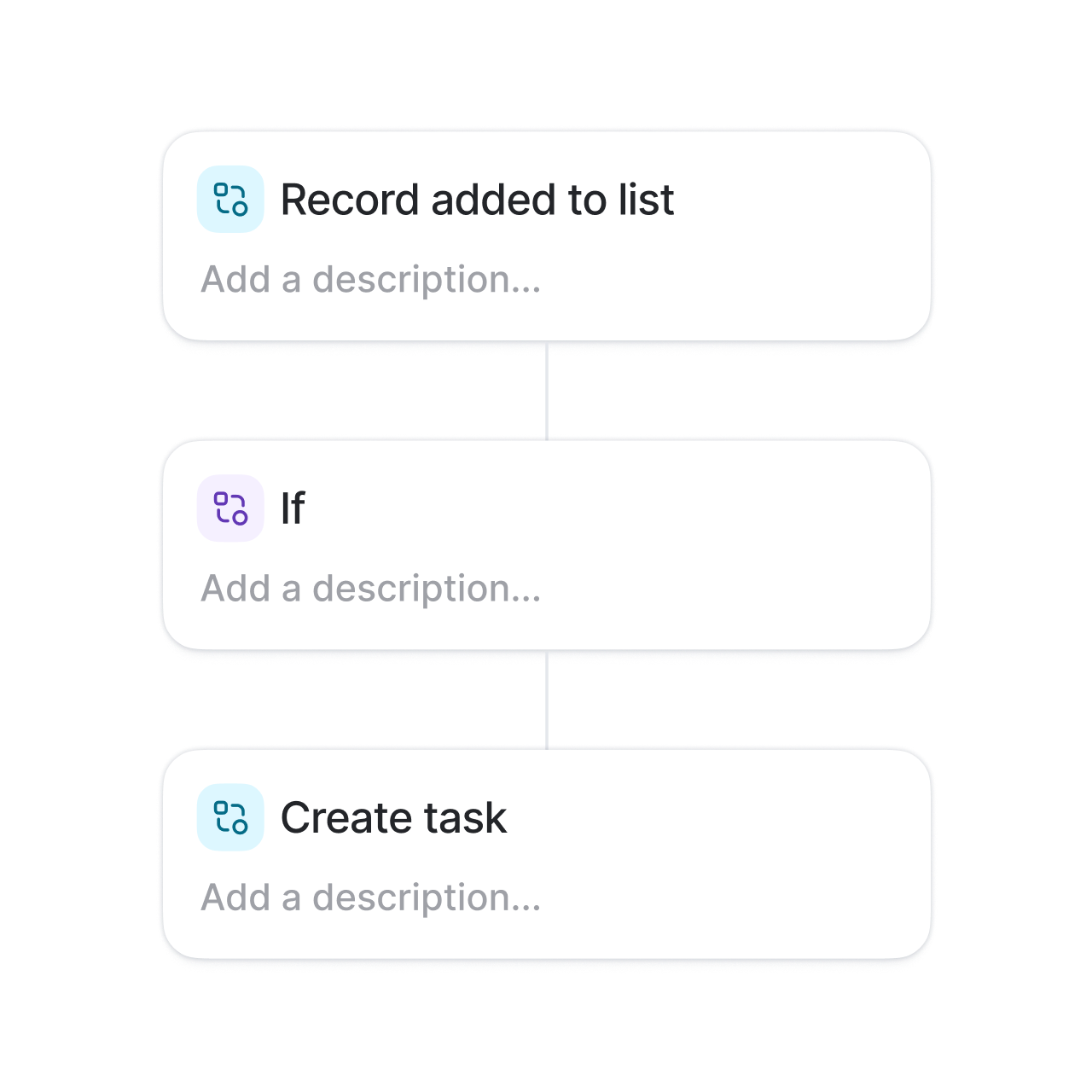
Start workflows from record changes, stage moves, dates, or form submissions.
Explore feature →Create the follow-up work automatically and assign it.
Explore requirement →Route new records to the right owner without manual triage.
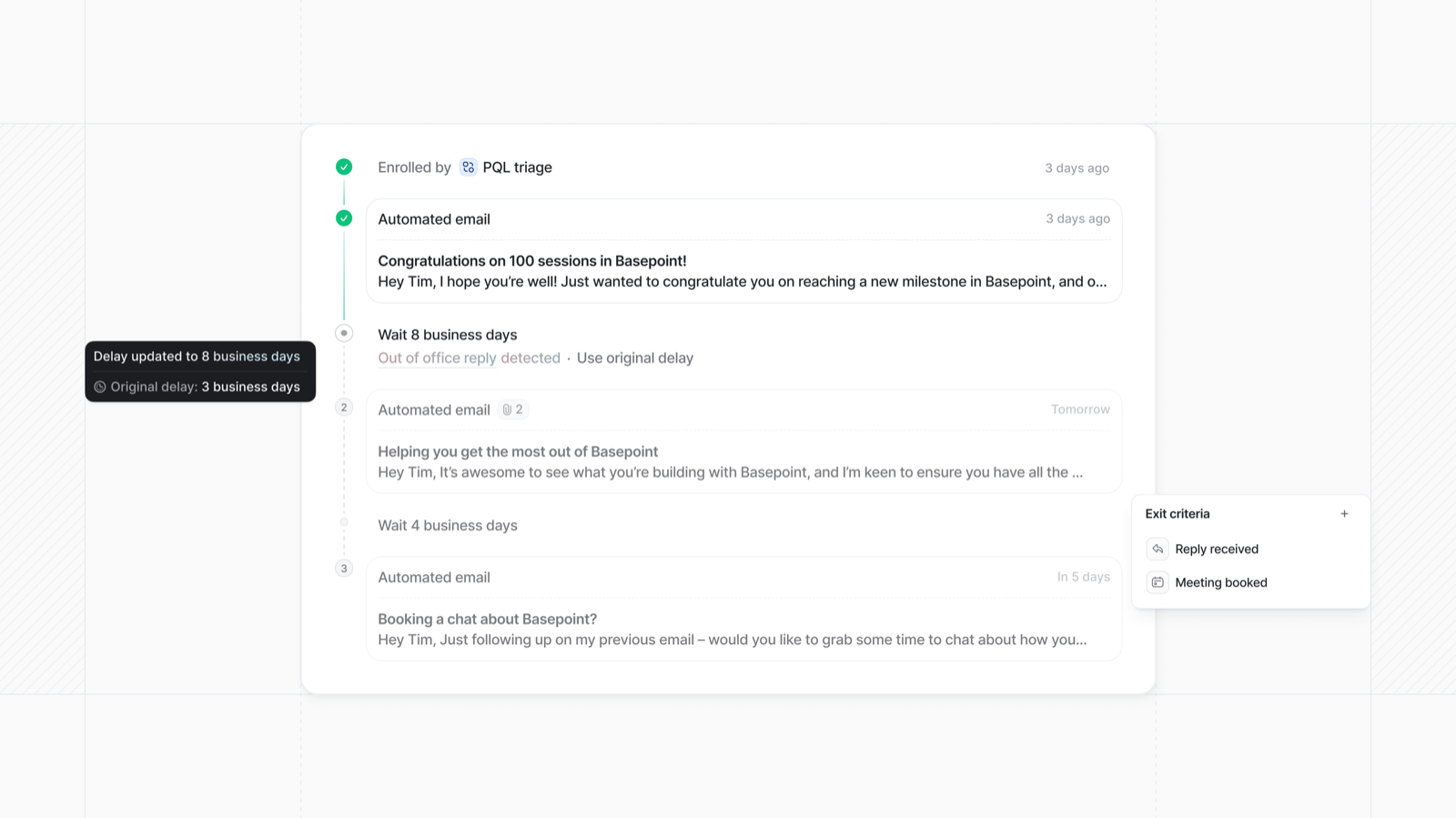
Explore feature →Send timed follow-up email steps that stop when someone replies.
Explore feature →Branch workflows on record data rather than one linear path.
Explore feature →Trigger updates in connected tools where integrations allow it.
Explore requirement →Essential
Advanced
See which official demonstrations and screenshots support each requirement. Support labels come from feature assessments — not from media counts.
Requirement
Start workflows from record changes, stage moves, dates, or form submissions.
Explore requirement →
Keap
Evidence:

Salesforce
Evidence:

Creatio
Evidence:
Requirement
Create the follow-up work automatically and assign it.
Explore requirement →Keap
Evidence:
Salesforce
Evidence:
Creatio
Evidence:
Requirement
Route new records to the right owner without manual triage.
Explore requirement →Keap
Evidence:
Salesforce
Evidence:
Creatio
Evidence:
Requirement
Send timed follow-up email steps that stop when someone replies.
Explore requirement →Keap
Evidence:
Salesforce
Evidence:
Creatio
Evidence:
Requirement
Branch workflows on record data rather than one linear path.
Explore requirement →Keap
Evidence:
Salesforce
Evidence:
Creatio
Evidence:
Requirement
Trigger updates in connected tools where integrations allow it.
Explore requirement →Keap
Evidence:
Salesforce
Evidence:
Creatio
Evidence:
Overall labels use approved criterion assessments when available; otherwise they reflect feature-support coverage — not an industry ranking.
| Product | Overall | Workflow automation | Sales automation | Sequences | Reporting | Best suited to |
|---|---|---|---|---|---|---|
Strong · 9/10 Evidence: 6 sources · 4 screenshots · 0 official videos | Small businesses needing CRM + marketing automation in one platform | |||||
Strong · 9/10 Evidence: 7 sources · 3 screenshots · 1 official videos | ~ | Mid-market and enterprise sales orgs needing deep customization and reporting | ||||
Strong · 9/10 Evidence: 5 sources · 2 screenshots · 0 official videos | Mid-market teams needing no-code CRM + workflows | |||||
Strong · 8/10 Evidence: 7 sources · 3 screenshots · 0 official videos | Inside sales and outbound teams that live on phone/email/SMS | |||||
Strong · 8/10 Evidence: 6 sources · 2 screenshots · 2 official videos | SMB and mid-market teams wanting free CRM now and room to expand into hubs later | |||||
Strong · 8/10 Evidence: 6 sources · 2 screenshots · 1 official videos | ~ | SMB and mid-market teams wanting CRM + phone/email engagement | ||||
Strong · 8/10 Evidence: 5 sources · 3 screenshots · 0 official videos | Teams already on monday.com | |||||
Strong · 8/10 Evidence: 5 sources · 2 screenshots · 0 official videos | Oracle-centric mid-market/enterprise sales orgs |
Select two products for a side-by-side comparison.
Keap
$249.00/user/month
Automation is the product’s clearest strength: campaign templates, lifecycle automation, and AI Automation Assistant are first-party documented core capabilities.
Evidence confidence: Medium
Salesforce
$25.00/user/month
Built-in Sales Flows start on Starter; Pro Suite adds greater automation; Unlimited adds Sales Engagement and intelligent automation. Workflow/process automation is a documented Sales Cloud strength, with Agentforce extending agentic automation on higher editions.
Evidence confidence: Medium
Creatio
$40.00/user/month
Workflow/no-code automation is a defining Creatio strength.
Evidence confidence: Medium
Need help choosing?
Answer a few questions about team size, requirements, integrations and budget for a personalized CRM shortlist.
Find My CRM →✓ Supported · ~ Partial / plan dependent · — Not evidenced. Unknown is never shown as “No”.
| Requirement | Keap | Salesforce | Creatio |  Close Close |  HubSpot HubSpot |
|---|---|---|---|---|---|
| Workflow automation | |||||
| Sales automation | |||||
| Email sequences | ~ | ||||
| Email tracking | |||||
| Lead management | |||||
| Integrations | |||||
| Reporting |
Official vendor demonstrations help show how different CRM platforms approach the workflows, features and interactions that make up workflow automation. Absence of a video does not mean a product lacks the capability.
HubSpot
The Official HubSpot Sales Hub Tutorial
Focus: Lead management workflow — capture through assignment and follow-up
This video is hosted on YouTube
This content is hosted by YouTube. The player loads only after you allow marketing cookies.
What this shows
What to notice
What this does not establish
Features visible in this demo
Requirements illustrated
Visual presence does not by itself confirm requirement satisfaction — see the product assessment.
Particularly relevant to
Source: HubSpot · Verified 14 Aug 2026
Salesforce
What is Lead Management & How Does It Work? | Salesforce Explained
Focus: How Salesforce explains lead management from capture through qualification.
This video is hosted on YouTube
This content is hosted by YouTube. The player loads only after you allow marketing cookies.
What this shows
What to notice
What this does not establish
Features visible in this demo
Particularly relevant to
Source: Salesforce · Verified 15 Aug 2026

Freshsales
Web Forms Overview | Freshsales CRM
Focus: How Freshsales web forms capture and route inbound leads into CRM records.

This video is hosted on YouTube
This content is hosted by YouTube. The player loads only after you allow marketing cookies.
What this shows
What to notice
What this does not establish
Features visible in this demo
Particularly relevant to
Source: Freshworks · Verified 15 Aug 2026
Evidence-backed workflow comparison using official vendor demos and screenshots — not a ranking or entertainment gallery. Absence of media does not mean a product lacks the capability.
HubSpot
HubSpot emphasizes
Salesforce
Salesforce emphasizes
SoftwareGlimpse take
HubSpot evidence emphasizes lead capture and prospecting workspace entry points; Salesforce evidence emphasizes Lead management concepts and Sales Cloud lead workflow as Salesforce presents them. These are observations from official sources, not inferred brand philosophy.
One best official workflow demonstration per product when available — not a gallery of every video.
Built-in Sales Flows start on Starter; Pro Suite adds greater automation; Unlimited adds Sales Engagement and intelligent automation. Workflow/process automation is a documented Sales Cloud strength, with Agentforce extending agentic automation on higher editions.
Key strengths
Limitations
See it in action
This video is hosted on YouTube
This content is hosted by YouTube. The player loads only after you allow marketing cookies.
Official vendor tutorial
How Salesforce explains lead management from capture through qualification.
Verified product captures only — never stock imagery or mockups.
Loading evidence explorer…
Your exact requirements depend on your sales or advisory process.
Consistency vs flexibility
Strict automation standardizes behaviour but can fight genuine exceptions.
Power vs ownership cost
Capable builders need someone to maintain rules as the process changes.
Capability vs plan limits
Execution caps and workflow counts often matter more than the feature list.
Automation vs transparency
Rules that silently change records are hard to debug without good logs.
Relationship-led teams
Medium–HighPrompt periodic check-ins and reviews so relationships do not go quiet.
Explore use case →Pipeline-led sales teams
HighAutomate follow-up, reminders, and stage-based tasks.
Explore use case →High-volume lead handling
Very highAssign, prioritize, and follow up on leads without manual triage.
Explore use case →Complex sales processes
Very highTrigger tasks, approvals, and updates as opportunities advance.
Explore use case →Growing teams
Medium–HighAutomate a few reminders rather than building a rules engine.
Explore use case →Ask the vendor to demonstrate this with your workflow, plans, and data requirements — and request documentation where relevant.
Ask the vendor to demonstrate this with your workflow, plans, and data requirements — and request documentation where relevant.
Ask the vendor to demonstrate this with your workflow, plans, and data requirements — and request documentation where relevant.
Ask the vendor to demonstrate this with your workflow, plans, and data requirements — and request documentation where relevant.
Ask the vendor to demonstrate this with your workflow, plans, and data requirements — and request documentation where relevant.
Ask the vendor to demonstrate this with your workflow, plans, and data requirements — and request documentation where relevant.
Ask the vendor to demonstrate this with your workflow, plans, and data requirements — and request documentation where relevant.
Ask the vendor to demonstrate this with your workflow, plans, and data requirements — and request documentation where relevant.
Map the manual process
Write down the steps a person takes today.
Start with one workflow
Prove value on a single high-cost follow-up first.
Check data quality
Rules that read empty fields do nothing useful.
Test before enabling
Run against a small set of records before going live.
Review on a schedule
Retire rules that no longer match the process.
Pipeline management
Evaluate CRM platforms on how well they support pipeline management for education teams — the requirements that matter, the trade-offs involved, and researched product evidence.
Explore →Contact management
Evaluate CRM platforms on how well they support contact management for education teams — the requirements that matter, the trade-offs involved, and researched product evidence.
Explore →Integrations
Evaluate CRM platforms on how well they support integrations for education teams — the requirements that matter, the trade-offs involved, and researched product evidence.
Explore →Reporting and forecasting
Evaluate CRM platforms on how well they support reporting and forecasting for education teams — the requirements that matter, the trade-offs involved, and researched product evidence.
Explore →See the category-wide capability hub: Workflow automation CRM capability.
Tell us your team size, requirements, integrations and budget. We will use structured answers — not affiliate incentives — to build your shortlist.
Find My CRM →It is rule-based work the CRM performs on your behalf — creating tasks, updating fields, assigning records, or sending emails when a defined condition is met.
It keeps follow-up consistent as volume grows. For education teams without dedicated operations staff, automation is usually the cheapest way to add process discipline.
Start with the follow-up that costs you most when it is missed — typically new enquiry assignment and first response. Automate a stable process, not one you are still designing.
Sequences send a timed series of emails to a person. Workflow automation acts on records more broadly — tasks, fields, assignment, and notifications.
Often. Automation is a common upgrade trigger, and plans may cap active workflows or monthly executions. Verify limits with vendors and check total cost for your team size.
No. Fit depends on how your team works, which requirements are must-haves, and what the CRM has to integrate with. Use the requirement matrix and CRM Finder to build a shortlist rather than starting from a ranking.
Choose products based on the workflow automation capabilities your team actually needs.
Explore the official documentation, screenshots and product demonstrations used to understand how each CRM implements workflow automation.
15 items
Official video · Freshsales
Supports
Demonstrates
This video is hosted on YouTube
This content is hosted by YouTube. The player loads only after you allow marketing cookies.
Official vendor tutorial
How Freshsales web forms capture and route inbound leads into CRM records.
Verified: 15 Aug 2026
Open source ↗Official video · HubSpot
Supports
Demonstrates
This video is hosted on YouTube
This content is hosted by YouTube. The player loads only after you allow marketing cookies.
Official vendor tutorial
Lead management workflow — capture through assignment and follow-up
Verified: 14 Aug 2026
Open source ↗Official video · HubSpot
Supports
Demonstrates

This video is hosted on YouTube
This content is hosted by YouTube. The player loads only after you allow marketing cookies.
Official vendor tutorial
How HubSpot manages marketing contacts and lists as a CRM contact workflow.
Verified: 15 Aug 2026
Open source ↗Official video · Microsoft
Supports
Demonstrates

This video is hosted on YouTube
This content is hosted by YouTube. The player loads only after you allow marketing cookies.
Official vendor video
How Dynamics 365 Sales Development Agent scales lead qualification workflows.
Verified: 15 Aug 2026
Open source ↗Official video · Microsoft
Supports
Demonstrates

This video is hosted on YouTube
This content is hosted by YouTube. The player loads only after you allow marketing cookies.
Official vendor video
How Dynamics 365 Sales Development Agent supports pipeline and lead development workflows.
Verified: 15 Aug 2026
Open source ↗Official video · Pipedrive
Supports
Demonstrates
This video is hosted on YouTube
This content is hosted by YouTube. The player loads only after you allow marketing cookies.
Official vendor tutorial
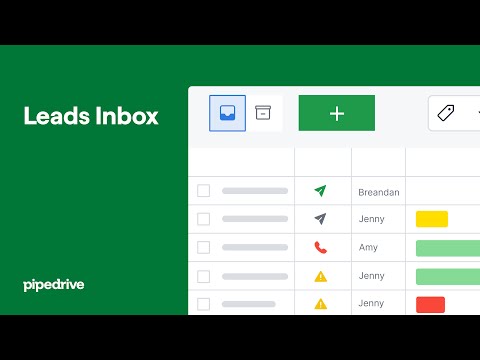
How Pipedrive Leads Inbox qualifies inbound leads before creating deals.
Verified: 15 Aug 2026
Open source ↗Official video · Salesforce
Supports
Demonstrates
This video is hosted on YouTube
This content is hosted by YouTube. The player loads only after you allow marketing cookies.
Official vendor tutorial
How Salesforce explains lead management from capture through qualification.
Verified: 15 Aug 2026
Open source ↗Official video · Zoho
Supports
Demonstrates

This video is hosted on YouTube
This content is hosted by YouTube. The player loads only after you allow marketing cookies.
Official vendor tutorial
How Zoho CRM workflow rules automate sales steps after setup.
Verified: 15 Aug 2026
Open source ↗Official video · Zoho
Supports
Demonstrates

This video is hosted on YouTube
This content is hosted by YouTube. The player loads only after you allow marketing cookies.
Official vendor tutorial
How Zoho CRM manages leads from capture through conversion.
Verified: 15 Aug 2026
Open source ↗Screenshot · Attio
Supports
Demonstrates
Verified: 15 Aug 2026
Open source ↗Screenshot · Attio
Supports
Demonstrates
Verified: 15 Aug 2026
Open source ↗Screenshot · Bitrix24
Supports
Demonstrates
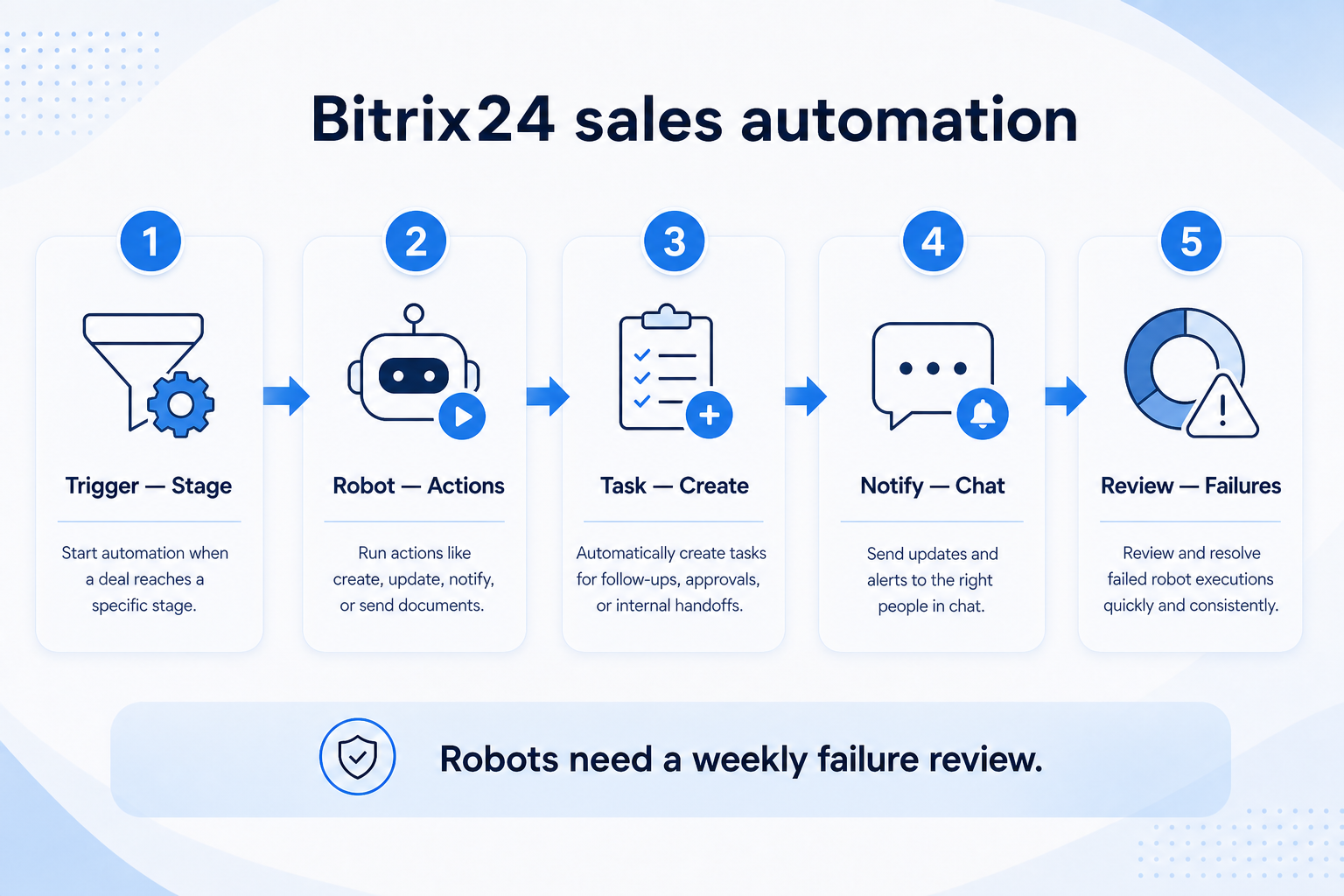
Verified: 15 Aug 2026
Open source ↗Screenshot · Bitrix24
Supports
Demonstrates
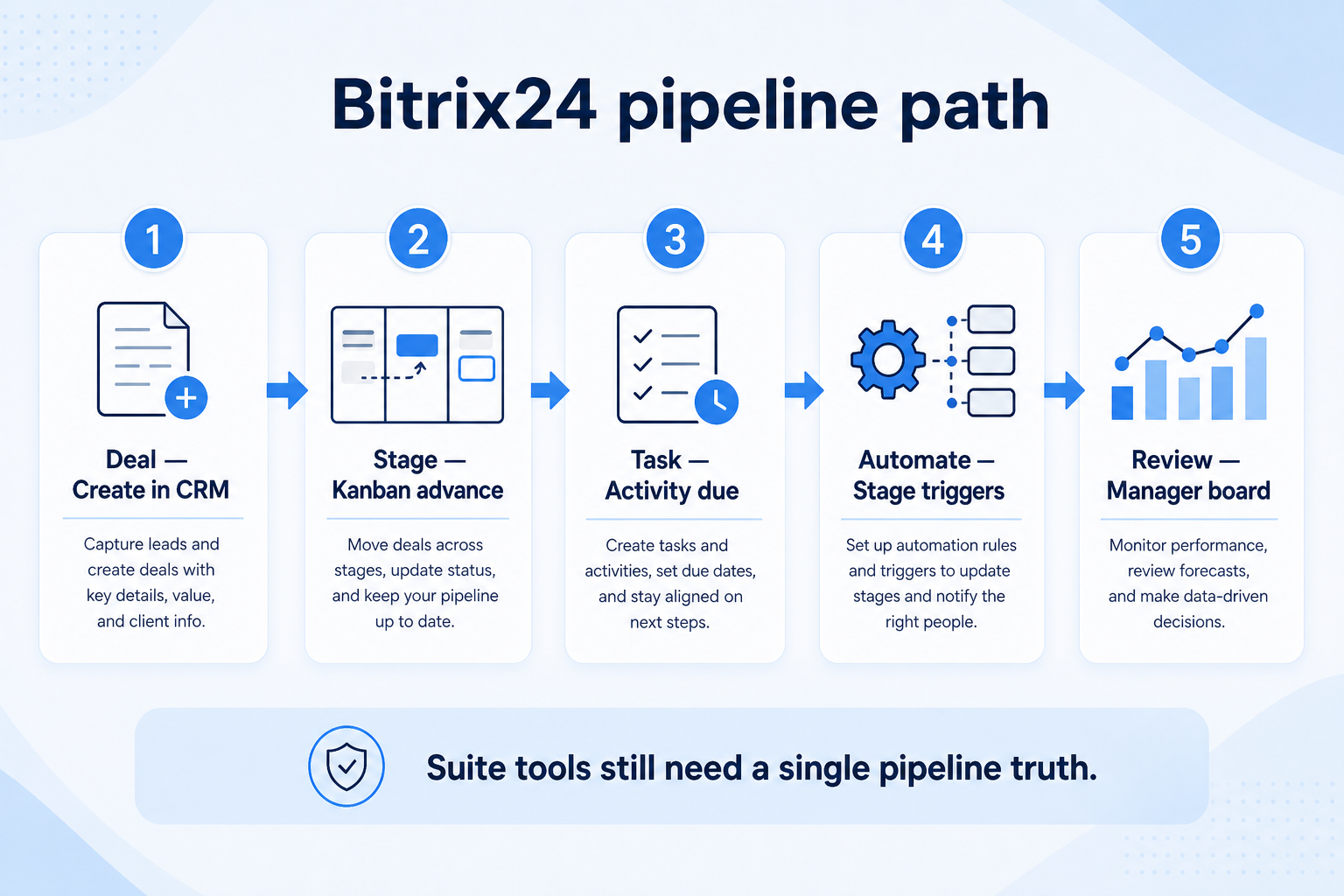
Verified: 15 Aug 2026
Open source ↗Screenshot · Capsule
Supports
Demonstrates
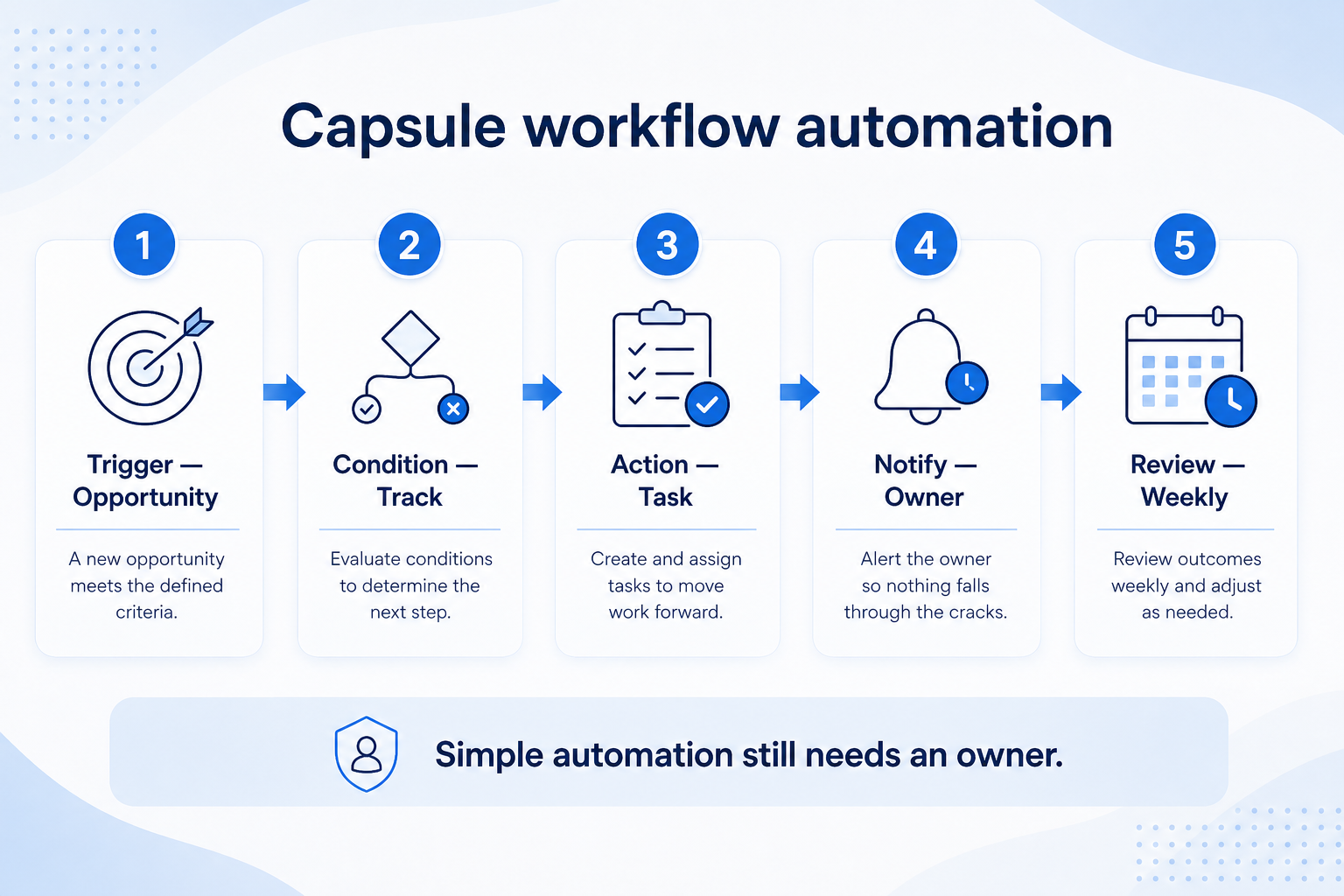
Verified: 15 Aug 2026
Open source ↗Screenshot · Capsule
Supports
Demonstrates
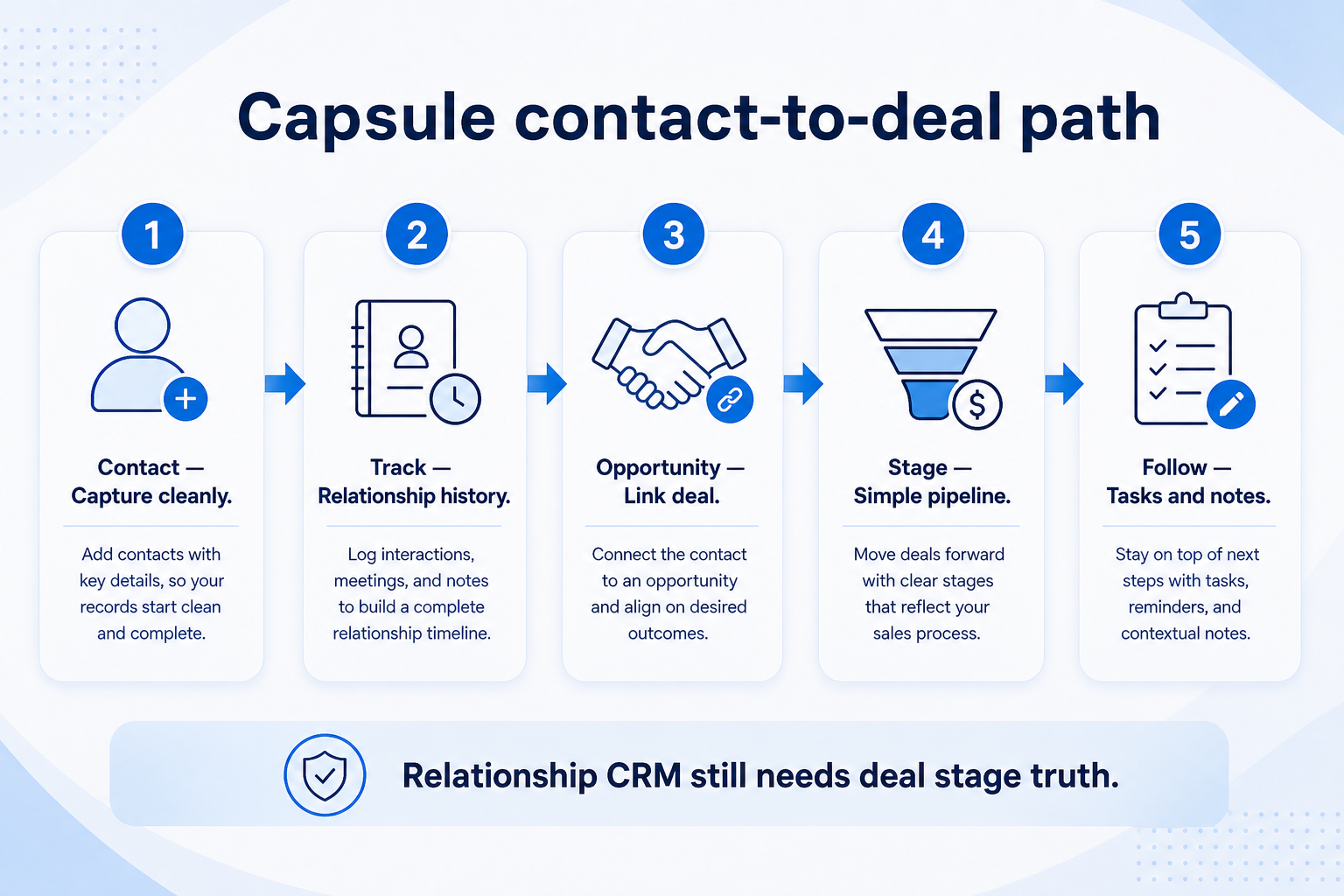
Verified: 15 Aug 2026
Open source ↗